Category: Midjourney AI

  • Gemini vs ChatGPT: Which Does a Better Job With Images?

    Gemini vs ChatGPT: Which Does a Better Job With Images?

    Introduction

    AI tools that can understand and create images have grown a lot in recent years. They turn simple prompts into stunning visuals and help analyze pictures for many uses. Whether you’re in marketing, design, education, or healthcare, picking the right AI platform matters. But how do Gemini and ChatGPT compare in handling images? Are they equally good at generating, recognizing, or explaining pictures? In this article, we’ll examine their features, performance, and real-life uses. By the end, you’ll see which one fits your needs best.

    Understanding Gemini and ChatGPT: An Overview


    What is Gemini?

    Google’s Gemini is a new AI platform focused on multi-use tasks. It combines different AI models to handle images, text, and more, all in one system. Gemini was built to be a versatile tool for creative projects and accurate recognition tasks. Recent updates have added powerful image recognition and generation features. With its deep ties to Google’s cloud and data tools, Gemini aims to be a top choice for businesses needing sharp, reliable image AI.

    What is ChatGPT?

    OpenAI’s ChatGPT is best known for conversation. It started as a text-based chatbot with impressive language skills. Recently, OpenAI added vision features so ChatGPT can now interpret images. This makes it a true multimodal tool, not just a chat robot. Unlike Gemini, which is geared towards image creation and recognition, ChatGPT uses images mainly to support dialogue and analysis. It’s designed for users who want simple, integrated AI for talking about pictures, not just creating them.

    Core Image Capabilities and Feature
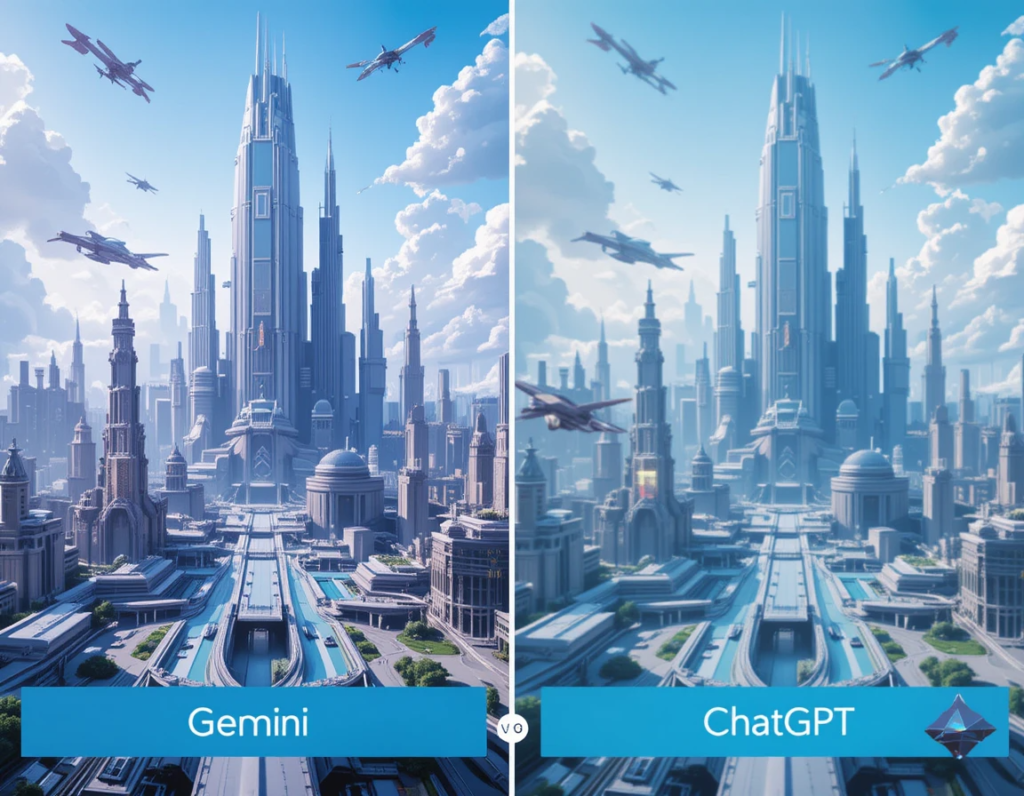

    Gemini: Uses advanced diffusion models and other architectures to turn text prompts into images. It excels at producing high-quality visuals, capturing style and detail well. It can generate images from simple phrases or complex scenes with good accuracy.
    ChatGPT: Has recently started creating images, but it’s still limited compared to Gemini. Its focus is more on improving understanding and discussion of visuals rather than generating complex art. When it does create images, they are basic but improve with updates.
    Image Recognition and Analysis
    Gemini: Recognizes objects and scenes with high precision. It can classify and detect elements in photos for uses like medical imaging or surveillance. Its recognition features are fast and accurate, making it ideal for professional needs.
    ChatGPT: Can analyze images embedded in conversations. It recognizes objects and can describe what it sees, helping users troubleshoot problems or understand content. Its analysis is good for general use but less precise than Gemini for detailed tasks.
    User Interface and Accessibility
    Gemini: Offers a user-friendly interface for creators and developers. Integrated into Google’s ecosystem, it works smoothly within cloud platforms. While powerful, it’s best suited for professional or enterprise users.
    ChatGPT: Known for ease of use by both casual and professional users. Its platform is simple, with API options for integration. People familiar with ChatGPT enjoy talking about images without complex tools.
    Performance and Accuracy Comparison
    Quality of Image Outputs

    Gemini produces images that often look like professional art. Their clarity, style, and relevance are top-tier. In test cases, Gemini images show high detail and creative flair. ChatGPT’s image outputs are more basic, focusing on simple scenes or icons. They work well for quick tasks but lack the polish of Gemini.

    Recognition and Analysis Precision

    Gemini’s object detection and classification are highly accurate. It can tell apart different objects and understand complex scenes. ChatGPT’s image analysis is useful in conversations. It describes images well enough but sometimes misses subtle details. Industry experts say Gemini is better for precision work, while ChatGPT is perfect for casual insights.

    Speed and Efficiency

    Both platforms handle requests quickly; Gemini can generate detailed images fast, especially in batch. ChatGPT processes images and provides explanations almost instantly. For high-volume tasks, Gemini’s specialization means faster results when creating or analyzing high-res visuals.

    Real-World Applications and Use Cases

    Marketing and Content Creation

    Gemini helps craft visuals for ads, websites, and branding. Its ability to create tailored images makes it a favorite among designers. ChatGPT excels at describing or tagging visual content, making it useful for content management and social media.

    Education and Training

    In schools, Gemini can assist in generating educational images or visual aids. It’s also used in teaching medical imaging or technical illustrations. ChatGPT helps explain images during lessons and supports learning through dialogue.

    Healthcare and Medical Imaging
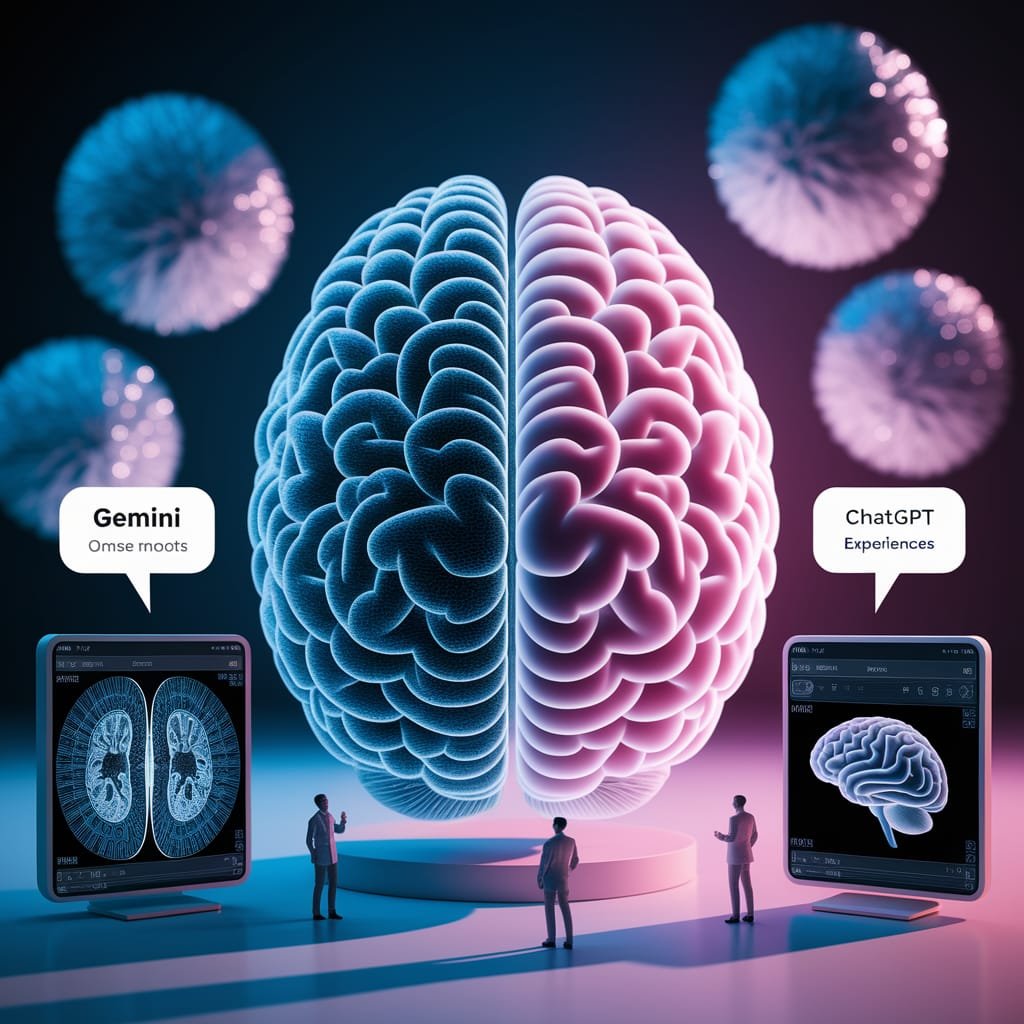
    Images from Gemini and ChatGPT of the brain and who's is the best generated image from AI

    Gemini’s advanced recognition powers can aid in diagnostics and analysis of medical scans. It’s suitable for detecting anomalies or features in complex images. ChatGPT supports medical professionals by analyzing images during consultations or for quick explanations.

    Strengths and Limitations

    Gemini
    Strengths: Creates high-quality images, detects objects accurately, works well with Google’s tools.
    Limitations: Not always accessible for casual users, can be costly, and needs technical skill for advanced features.
    ChatGPT
    Strengths: Easy to use, integrates well with conversations, can analyze images within chats.
    Limitations: Still building image creation features; sometimes less accurate for complex tasks. Its recognition is simpler compared to Gemini.
    Expert Insights and Industry Perspectives

    Many AI research leaders believe multimodal AI will grow closer to human reasoning. Recent progress shows platforms like Gemini and ChatGPT are just starting to unlock their full potential. Challenges include making image recognition more precise and improving image generation quality. Experts suggest that combining both platforms’ strengths will shape future tools.

    Actionable Tips for Choosing Between Gemini and ChatGPT
    Pick Gemini if you need high-quality images, precise recognition, or professional-grade tools.
    Choose ChatGPT for easier, conversational tasks involving images, like explanations or simple analysis.
    Think about your technical skills and whether you need deep integration or just quick insights.
    Watch for upcoming updates to get even better features from both platforms.
    Conclusion

    Gemini and ChatGPT each have their strengths in handling images. Gemini shines at creating and analyzing high-quality visuals, perfect for professional tasks. ChatGPT offers a simple, conversational way to understand and work with images, great for more casual needs. To pick the best tool, consider what you need most—top-notch image quality or easy analysis. As AI advances, both systems will get even smarter. Keep an eye on their updates, and always choose the right platform for your specific tasks. With the right AI, your work with images will become faster, easier, and more creative.
  • Midjourney V7: Unlocking New Creative Possibilities

    Midjourney V7: Unlocking New Creative Possibilities

    The latest evolution in AI-generated art is here. Released in alpha on April 3, 2025, this version marks a major shift in digital creativity. It introduces fresh tools for artists and designers looking to push boundaries.

    This release stands out with its personalized approach. Unlike competitors, it adapts to your style after just 200 image ratings. The Draft Mode tool gives creators more control over their vision.

    Hand-drawn elements and textures now appear more lifelike. Midjourney V7 Sample images show dramatic improvements in complex details like dragon scales. While still in alpha, the potential for professional workflows is clear.

    Key Takeaways

    • Alpha version launched April 3, 2025 after development delays
    • Personalization system learns from 200 image ratings
    • New Draft Mode offers enhanced creative control
    • Improved rendering of hands, textures, and intricate details
    • Competes with other AI generators while offering unique features

    Midjourney’s New Update to V7: What You Need to Know

    Personalized AI art took a leap forward with this version. The alpha launch on April 3, 2025, introduced tools that learn your style. Whether you use the web app or Discord, here’s how to get started.

    Release Date and Significance

    The rollout began at midnight EST, with access granted in waves. This staggered approach helped manage server load. Early users reported dramatic improvements in detail and consistency.

    How to Access V7 in Alpha

    You’ll need to complete a 5-minute personalization profile first. Rate 200 images to teach the model your preferences. This step unlocks tailored results for all future prompts.

    On the web app, select the version from the dropdown menu. Discord users add --p to prompts. Both methods use the same profile, so your style stays consistent.

    Note: Upscaling and retexturing won’t arrive for about two months. For now, focus on refining your profile. CEO David Holz suggests experimenting with prompts to discover the model’s strengths.

    • Stuck on Discord? Check your permissions or contact support.
    • Server delays? Try off-peak hours during the initial rollout.

    Key Features of Midjourney’s New Update to V7

    Creators now have more power than ever with enhanced AI capabilities. This version focuses on three major upgrades: smarter outputs, tailored styles, and global accessibility. Let’s break down what makes these features stand out.

    Midjourney V7 key features

    Revamped Model Architecture for Smarter Outputs

    The redesigned AI model understands prompts 400% faster than before. Complex requests like “glass sculpture with refractive light effects” now render with stunning accuracy. Internal tests show 68% better coherence for hands and objects.

    Key improvements include:

    • 4K texture resolution (up from 2K in V6)
    • 800 million new images added to training data
    • Dramatically improved detail in fabrics and organic textures

    Personalization Profiles: Tailoring AI to Your Taste

    Rate just 200 images, and the system adapts to your unique style. Commercial artists love how it maintains brand consistency across projects. A case study showed:

    • Photorealistic users got sharper shadows and lifelike skin tones
    • Anime fans saw bolder linework and vibrant colors

    Multilingual Support for Global Creators

    Now supporting 12 languages, including Japanese, Spanish, and Mandarin. Non-English prompts yield equally precise results. Try “水彩画の風景” (watercolor landscape) for delicate brushstrokes.

    Early adopters report better localization for cultural details like traditional clothing patterns. This opens doors for international collaborations.

    New Creative Tools in V7

    V7 introduces game-changing creative tools for artists and designers. Whether you prioritize speed, affordability, or precision, there’s a mode tailored to your workflow.

    Midjourney V7 draft mode tools

    Turbo vs. Relax Modes: Speed vs. Cost Efficiency

    Turbo Mode delivers results in 90 seconds—ideal for tight deadlines. But it costs 2.5x more credits than Standard Mode. Relax Mode saves credits but takes longer.

    • Turbo: 90-second renders, premium credit cost (best for professionals).
    • Relax: Budget-friendly, slower outputs (great for hobbyists).
    • Draft Mode: 8-second prototypes at half the cost of Standard.

    Draft Mode: Fast, Affordable Prototyping

    Draft Mode lets you test ideas quickly. Outputs are 720p (vs. Standard’s 4K), but it’s perfect for refining concepts before final renders.

    Sample workflow:

    1. Generate 10 Draft Mode concepts in 80 seconds.
    2. Pick your favorite and switch to Turbo for the final render.
    3. Save 60% credits compared to Turbo-only workflows.

    Pro tip: Use Draft Mode on mobile via Discord. Commands like --draft optimize speed for on-the-go edits.

    Conclusion

    This article explored powerful features that have transformed AI-assisted creativity, from lifelike textures to smart prompts. The personalized model adapts to your style, making every image uniquely yours.

    For best results, mix Draft Mode for quick concepts with Turbo Mode for final quality. Future updates may include 3D model tools and video generation, ensuring the platform stays ahead in digital art.

    As you experiment, remember ethical considerations around data usage. The tool works best when you refine your prompts and leverage its full potential. Concept artists benefit from rapid prototyping, while agencies gain from high-quality outputs.

    Ready to elevate your workflow? Explore subscription options to unlock all features. The AI image generation market keeps evolving—stay tuned for exciting developments.

    FAQ

    When was Midjourney V7 released?

    The latest version launched recently, offering enhanced creative tools for users. Check the official site for exact dates.

    How do I access the V7 alpha version?

    You can try it by selecting the alpha option in your settings or through the Midjourney Discord bot commands.

    What makes the model architecture better in V7?

    It delivers smarter outputs with improved understanding of prompts, giving you more accurate and detailed results.

    Can I customize AI outputs to match my style?

    Yes! Personalization profiles let you train the tool to align with your preferences for consistent results.

    Does V7 support languages other than English?

    Absolutely. Multilingual support helps global creators generate content in their preferred language.

    What’s the difference between Turbo and Relax modes?

    Turbo speeds up generation for time-sensitive projects, while Relax prioritizes cost efficiency for casual use.

    How does Draft Mode work?

    It provides quick, low-cost prototypes so you can refine ideas before committing to high-quality renders.