Category: Technology

  • Best Prompt Management Tools for Teams in 2026

    Best Prompt Management Tools for Teams in 2026

    You can lose more time managing prompts than writing them. Once five people edit the same instruction across large language models like ChatGPT, Claude, and Gemini, or within custom LLM applications, copied text turns into operational debt.

    The best prompt management tools in 2026 fix that fast. They give you version history, review gates, evals, analytics, and a shared home for prompts your team can trust.

    What matters now is fit. The right tool depends on whether your biggest problem is version control, testing, governance, or production monitoring.

    Key Takeaways

    • Your team needs more than a shared doc once prompts affect real workflows and require seamless collaboration.
    • PromptHub, Braintrust, Vellum, Promptfoo, and Helicone each solve different team bottlenecks.
    • Version control, prompt evaluation, approvals, analytics, and access controls matter more than raw prompt volume.
    • A useful prompt repository needs owners, metadata, and review rules, not loose folders.

    What a team tool must do in 2026

    A prompt system for one person is a note-taking habit. A prompt system for a team is infrastructure, effectively functioning as a dedicated LLMOps platform for your organization.

    That difference shows up the moment your library of prompt templates starts touching customer support replies, content drafts, sales outreach, internal agents, or AI image pipelines. At that scale, you need comprehensive version control, approval flows, test results, model-level tracking, and granular permissions.

    Agenta’s guide to prompt management systems gets the core idea right. A team platform should organize, manage prompt versioning, evaluate, and deploy prompts in a controlled way.

    Four diverse professionals in business attire stand around a large wall-mounted monitor displaying complex abstract data flowcharts. The bright, modern office space features soft natural lighting and a minimalist aesthetic.

    A shared review screen fosters better collaboration than a chain of pasted chat messages.

    In practice, you want six things. First, you need a central library with ownership and tags. Next, you need Git-like history so you can see what changed and roll back. You also need a prompt playground to test ideas before they go live, and robust evals, because “seems better” is too weak once prompts affect revenue or compliance. Finally, you need integrations and observability, because prompts rarely live alone; they connect to model providers, workflows, CI/CD, knowledge bases, and analytics to track real-world performance.

    Security has moved higher on the list in 2026. Teams now feed prompts with customer context, internal policies, and product data. If you cannot control access or audit changes, the risk grows fast.

    The strongest platforms do not try to be magical. They help you answer simple questions with confidence: Who changed this prompt? Which model version passed testing? What did latency and token spend look like last week? Which prompt is live right now?

    Best prompt management tools for teams in 2026

    The market has split into categories, and that helps you buy more clearly. One tool may own version control, another may handle evals, and a third may watch production cost and latency.

    This quick comparison is a July 2026 snapshot. Features and pricing change fast, so verify current terms before you commit.

    ToolBest forWhat stands outWatch for
    PromptHubShared prompt version controlCentral library, prompt versioning, history, branching, review flowsBest when prompt governance is your main issue
    BraintrustEval-heavy teamsStrong evaluation workflows and quality trackingMore useful when you already measure outputs seriously
    VellumProduction deployment and A/B testingLive testing, production workflows, deployment focusMay be more than you need for small teams
    PromptfooRegression testing in CI/CDOpen-source CLI, YAML test suites, multi-model checksBest fit for technical teams
    PromptLayerLogging and traceabilityPrompt logging, management, production visibilityStronger as part of a broader stack
    HeliconeCost and experiment monitoringToken cost tracking, monitoring, experimentsLess useful if spend visibility is not a concern yet
    DSPyAutomated optimization for engineersLearnable modules, open-source, Python-firstRequires technical skill and training data
    PromptPerfectNon-technical prompt optimizationVisual workflow, prompt improvement suggestionsLess focused on deep governance
    PromptQuorumSide-by-side model comparisonRuns prompts across 25+ models at onceBest for comparison, not full lifecycle control

    The pattern is clear. No single platform dominates every layer of team prompt operations.

    For shared version control and review

    If your current process lives in chat threads, PromptHub is the cleanest upgrade. Public comparisons this year have consistently pointed to it as the closest thing to Git for prompts, with a central library, full history, branching, review flows, and shareable URLs.

    That matters because teams rarely argue about prompt writing. They argue about which version produced the approved output. A version-controlled workspace settles that.

    PromptLayer belongs in the same conversation, although it plays a different role. It is more about logging, tracing, and management around live prompt activity. If you want a record of what ran, when it ran, and how it performed, PromptLayer can fill a gap that a prompt library alone won’t cover.

    Langfuse also comes up often for teams that need advanced logging. Still, if your first pain point is scattered ownership and uncontrolled edits, start with the system that makes collaboration predictable.

    A wider 2026 tool comparison reflects the same shift. Teams are moving from saved snippets to managed assets with review and traceability.

    PromptHub Free has been discussed as enough for many startup cases at $0. That makes it attractive when you need structure before you need heavy deployment tooling.

    For testing, evals, and regression checks

    If you already know that prompt quality slips after each tweak, Braintrust deserves a close look. It is widely discussed as the strongest option for teams prioritizing automated evaluation. Technical teams often leverage its Python SDK to integrate these checks directly into their development cycle.

    That focus matters because prompt changes often create silent regressions. A shorter answer may look cleaner, yet reduce accuracy. A warmer brand voice may read better, yet introduce compliance issues. Without evals, your team spots these problems late.

    Promptfoo helps from the engineering side. It is an open-source CLI, released under an MIT license, that runs automated prompt test suites across multiple models. It fits well into CI/CD, and developers can use its Python SDK to manage complex test logic. Because tests live in YAML, engineers can review prompt behavior alongside code changes.

    DSPy pushes even further. Originally from the Stanford NLP Group, this open-source framework replaces hand-tuned prompting with learnable modules that optimize instructions against training examples. For technical teams, that is powerful. For non-technical teams, it is probably too heavy.

    The bottom line is simple. If your prompt work affects production systems, you need repeatable tests. Human taste helps, but it does not replace eval coverage.

    If you can’t show what improved after a prompt edit, you’re guessing.

    For deployment, analytics, and cost control

    Vellum is the name that comes up most often for production A/B testing. If you need to compare variants in live workflows, monitor outputs after launch, and move prompts into production with more control, it stands out.

    That makes Vellum appealing for product, support, and operations teams running customer-facing flows. You can treat prompts as live assets, not workshop drafts.

    Helicone fills a different need. It tracks token spend, latency, and experiments, which matters once multiple teams call multiple model providers. Costs creep up quickly when nobody owns usage data.

    PromptLayer can also sit here because logging becomes part of analytics. You may start with versioning, then realize you also need a timeline of prompt calls, failures, and response behavior.

    Public comparisons have listed Vellum Pro from $50 per month, while terms may change. Pricing matters, yet production reliability matters more. A cheap tool that cannot tell you which prompt variant is live will cost you far more in rework.

    For non-technical teams and fast model comparison

    Not every team wants a code-first stack. If your writers, marketers, researchers, or designers need fast help, PromptPerfect is the easiest place to start. It offers robust prompt optimization by letting you paste a prompt, pick a model, and get improved variants with quality scoring.

    That does not replace governance, but it lowers the barrier for non-technical teams that need better outputs now.

    PromptQuorum solves a different problem. It sends the same prompt to more than 25 large language models and returns the outputs side by side. If your team asks, “Which model handles this task best?” it gives you the answer faster than manual copy-pasting.

    That side-by-side view facilitates an easy model comparison when you manage text generation prompts, customer support prompts, or image creation workflows across several providers. It also helps when you maintain specific AI model prompts, because the wording that works for one model may underperform on another.

    OpenAI Playground and community spaces like FlowGPT still have a place. They help with experimentation and inspiration. They do not replace a managed team workflow.

    How to choose the right platform for your workflow

    Start with your bottleneck. If you skip that step, every demo looks good.

    When teams buy too broadly, they end up paying for features nobody uses. A content team may think it needs full deployment tooling, yet the real pain is review, version control, and team collaboration. An engineering team may buy a simple prompt library first, yet its real issue is regression testing. Selecting an LLMOps platform requires aligning features with your specific operational gaps.

    Map the decision to the work. If your prompts live in production, prioritize evals, logging, environment deployment, and deployment controls. If your prompts support internal writing or research, structured workflows matter more. When spend is rising, bring cost analytics forward. If model comparison slows you down, look hard at PromptQuorum.

    You should also check who will own the system. A tool fails when everyone can edit but nobody curates. Give prompts an owner, a reviewer, and a release process.

    Don’t chase one platform that promises everything. In many teams, the better answer is a small stack. Using an open-source option like PromptHub plus Promptfoo is sensible for governance and testing. Vellum plus Helicone makes sense when production monitoring is the pressure point. Braintrust plus PromptLayer fits teams that care most about evaluation and traceability.

    Finally, test buying friction. Ask how exports work. Check API depth, access controls, and whether the provider supports self-hosting for better data sovereignty. Confirm how the tool stores prompt history. Those details decide whether your platform becomes a real operating system or another abandoned workspace.

    Governance, security, and integrations you shouldn’t skip

    The hardest problems appear after adoption, not before it. A tool looks great in a pilot, then breaks when legal, security, and operations step in.

    For team use, you want role-based permissions, approval paths, audit logs, and support for single sign-on if your company requires it. You also want a clean way to separate draft prompts from approved prompts.

    Prompts deserve the same discipline you already apply to templates, macros, and internal knowledge. That is even more important when prompts include customer context or call outside tools.

    A safe review flow helps. First, have the model propose a plan. Next, review and edit the plan, or use LLM-as-a-judge for automated quality assessment. Then approve execution. That simple rule cuts risk when prompts trigger actions, code, or customer-facing copy.

    Integrations matter because prompt work does not stop in the prompt tool. You may store documentation in Notion, track releases in Asana or ClickUp, run pipelines in GitHub Actions, and send calls through model gateways. Effective integrations should include observability and tracing to track how data flows through your system. Good platforms fit that reality.

    Analytics should cover more than output quality. You also need production monitoring to track token spend, latency, failure rate, and model drift over time. Without those numbers, you cannot effectively manage your prompt management tools at team scale.

    Build a prompt repository people will trust

    Most teams do not fail because they lack prompts. They fail because nobody trusts the library.

    If your shared drive already has folders filled with random downloads, you only have storage. People may get instant prompt access, but nobody knows what is current, approved, or safe. Professional prompt engineering requires more than just a dumping ground for files; it requires a system where quality and context are prioritized.

    The same mess shows up across creative teams. Design groups may keep folders labeled for specific image generators, while editorial teams might save collections in different apps, mixing them with research notes. This lack of organization makes it impossible to maintain a high standard of prompt engineering across the department.

    A usable prompt repository needs structure. Group prompts by function, owner, model, status, and risk level. Keep prompt templates clear so teammates can swap product names, audience details, or policy constraints without breaking the core logic. As your team works with various large language models, your taxonomy should separate text generation prompts from specific model-dependent instructions. In the same way, creative writing prompts rarely belong in the same review queue as customer support macros or internal agent instructions.

    Role-based packs can help adoption. A sales team may want approved outreach prompts. HR may want interview and policy drafts. Marketing may want reusable campaign templates. PromptFluent’s view of prompt management across business functions reflects how wide this need has become.

    A simple rollout plan for your team

    You do not need a six-month transformation project. You need a controlled pilot with clear ownership.

    1. Pick 5 to 10 repeated tasks. Choose work that already happens every week, such as support replies, content briefs, SDR outreach, or internal research summaries.
    2. Build a small approved library. Add prompt owners, model targets, success criteria, and a review date for each asset.
    3. Add tests before scale. For high-risk prompts, define expected outputs, banned behaviors, and rigorous prompt evaluation to ensure consistency. If your team is technical, use open-source frameworks like Promptfoo or DSPy. If it isn’t, start with manual eval scorecards and move up later.
    4. Measure adoption and output quality for 30 days. Track which prompts people reuse, which ones they edit, and where failures still appear. Then decide whether you need better version control, deeper analytics, or stronger deployment tooling.

    This approach keeps the decision grounded. You buy based on real team behavior, not sales copy.

    Frequently Asked Questions

    Why does my team need a prompt management tool instead of a shared document?

    Shared documents lack version history, access controls, and evaluation workflows necessary for professional settings. Once prompts affect production workflows, you need a system that tracks changes, monitors performance, and ensures only approved instructions reach your users.

    How do I know if I need a prompt evaluation tool or just a library?

    You need an evaluation tool if you are seeing inconsistent results or silent regressions after updating your prompts. A library handles organization and basic versioning, but evaluation tools provide the automated testing required to verify that a prompt improvement actually increases accuracy or quality.

    Can non-technical teams effectively use these tools?

    Yes, but you should prioritize platforms that offer intuitive, visual interfaces rather than code-first, CLI-based frameworks. Tools like PromptPerfect or user-friendly repositories help non-technical users optimize and manage their prompts without needing to understand YAML test suites or Python SDKs.

    How should I prioritize security when choosing a prompt management platform?

    Start by checking if the tool supports role-based access control, audit logs, and single sign-on (SSO) to keep your internal data safe. It is vital to ensure the platform allows you to separate draft prompts from approved ones, especially if your prompts contain customer data or proprietary business logic.

    Conclusion

    You can still waste hours every week on prompt chaos, even with the most powerful AI models. The solution is a managed system that integrates seamlessly into your existing team workflows.

    For most organizations in 2026, the best approach is to identify the specific pain point that hinders your output the most. If your primary challenge is version control, prioritize a solution that excels in that area. If you struggle with testing, governance, or production monitoring, focus your investment on platforms that specialize in those layers. By utilizing the right prompt management tools, you can ensure your technology stack scales with your needs.

    Once your prompts have designated owners, clear revision history, automated evaluations, and defined access rules, they stop being unorganized text and start becoming reliable team assets.


  • Top 10 MidJourney Image Styles to Try First

    Top 10 MidJourney Image Styles to Try First

    MidJourney can turn one simple prompt into a velvet-soft painting, a comic-book blast of color, or a broken screen full of static. That jump in look is why image style matters so much.

    If your results feel flat, the problem often isn’t the subject. It’s the visual language wrapped around it. These 10 MidJourney styles keep showing up because they’re clear, dramatic, and easy to guide with a few strong words.

    What makes a MidJourney image style stand out?

    A style changes more than surface detail. It changes texture, color, rhythm, and mood, all at once. In MidJourney, that means the same portrait can feel elegant, chaotic, nostalgic, or eerie, depending on the style words you choose.

    A forest scene is divided vertically between a sharp photographic image and a textured oil painting. A bold indigo bar spans the top with white sans-serif text titled Visual Style Shift.

    ### Style, subject, and mood are not the same thing

    The subject is what the image shows. A portrait, a skyline, or a fox in snow are subjects. Style is how that subject looks, whether it’s Cubist, Pop Art, or Gouache. Mood is the feeling it gives off, such as calm, electric, or unsettling.

    That difference matters because MidJourney reads all three. “A portrait” is only a starting point. “A portrait in Pop Art with hot pink shadows and upbeat mood” points the model toward something far more distinct.

    Why some styles work better than others in MidJourney

    The strongest styles are easy to recognize at a glance. They have bold features, clear color behavior, and textures MidJourney can echo well. That’s why Pointillism, Impressionism, and Glitch Art keep appearing in prompt communities and shared examples, including these community style examples.

    Also, some styles fit certain subjects better. Cubism loves faces and architecture. Impressionism flatters gardens and street scenes. Meanwhile, Glitch Art shines when you want tech-heavy tension instead of natural beauty.

    The 10 image styles people keep coming back to in MidJourney

    Some 2026 trends lean toward hybrid hand-painted work, psychedelic neon, and gritty neo-brutalist edges. Still, these 10 styles stay popular because they produce memorable results fast and give prompts a clear visual spine.

    Pointillism for images that feel made of tiny dots

    Pointillism looks hand-built, almost patient. Up close, it seems scattered into dots. From a distance, those dots melt into glowing color. It works best for cityscapes, bright birds, flower fields, and portraits that need a painterly pulse.

    An intricate city landscape constructed from thousands of tiny, colorful dots using pointillism techniques. A bold indigo band stretches across the top, featuring the clean sans-serif headline The Dotted View.

    ### Cubism for bold shapes and fractured faces

    Cubism breaks a scene into sharp planes and tilted geometry. Faces look split and reassembled. Tables, windows, and buildings become stacks of angles. Use it for portraits, still life, and interiors when you want tension, structure, and visual bite.

    Pop Art for loud color and comic-book energy

    Pop Art is blunt in the best way. It uses flat color, thick contrast, halftone dots, and poster-like confidence. MidJourney handles it well for celebrity portraits, fashion images, product ads, and graphics that need to stop the scroll.

    Psychedelic for swirling color and dreamlike motion

    Psychedelic style twists the frame into a visual current. Shapes ripple, colors pulse, and edges feel slightly alive. It suits fantasy forests, music posters, cosmic scenes, and surreal portraits. In 2026, psychedelic neon remains one of the most reused looks across AI art communities.

    Impressionism for soft brushstrokes and glowing light

    Impressionism cares more about atmosphere than razor detail. Light blooms across the scene, edges soften, and color blends like wet paint. Use it for gardens, rainy streets, sunsets, and quiet portraits where you want warmth instead of sharp precision.

    Fauvism for wild color that bends reality

    Fauvism throws realism out the window and keeps emotion. Trees can glow orange, skin can turn teal, and shadows can hum with violet. Because the brushwork stays visible, MidJourney images feel expressive rather than polished. Landscapes and animal art often look fantastic in this style.

    Glitch Art for a digital, broken-screen look

    Glitch Art introduces failure on purpose. You get pixel drift, RGB splits, scan errors, and visual noise that feels electronic and unstable. It fits cyberpunk scenes, futuristic portraits, album covers, and brand visuals that want an edgy tech mood.

    A striking human portrait features intense pixelated noise and vibrant horizontal color shifts across the face. A bold indigo band sits at the top with sans-serif text reading Digital Glitch.

    ### 80s VHS Color Glitch for retro video nostalgia

    This version of glitch art feels older and warmer. Tape noise, color bleed, scan lines, and blown-out magentas create that late-night TV mood. It’s a natural fit for synthwave scenes, retro portraits, arcade posters, and nostalgic music artwork.

    Deformed Troxler Effect for warped, unsettling visuals

    This style pulls from optical distortion. Faces blur at the edges, features stretch, and objects seem to drift as if your eyes can’t lock onto them. Because it feels eerie, it works best for experimental portraits, horror art, and strange editorial concepts.

    Modern Gouache Texture for soft, rich, painted detail

    Modern gouache has matte depth and thick painted warmth. MidJourney often renders it with soft edges, layered brush texture, and cozy color. That makes it great for storybook scenes, editorial spots, food art, children’s themes, and gentle home interiors.

    A rich, hand-painted gouache surface features a deep indigo geometric band along the top edge. The textured background showcases soft matte brushstrokes with clean, minimalist production styling throughout the composition.

    ## How to write better MidJourney prompts for each style

    A strong style word helps, but it won’t carry the whole image alone. MidJourney responds better when you pair style with a clear subject, color direction, and texture cue.

    Use subject, color, and texture together

    A style name works best when it has something concrete to grab onto. “Pointillism” is okay. “Pointillist blue jay on a fence, jewel-tone dots, spring light” is far better.

    Try prompts like “cubist jazz singer, fractured planes, smoky brown palette”; “pop art perfume bottle, halftone texture, yellow and red”; “modern gouache breakfast table, matte paint, warm morning light”; and “fauvist tiger in tall grass, electric orange and teal.”

    One clear style word beats five vague adjectives.

    Keep prompts short enough to stay focused

    Too many details blur the result. MidJourney often gives cleaner images when the prompt stays tight and visual. As of 2026, MidJourney V8.1 also gives stronger direct control through Raw mode, so “–style raw” can help when the model keeps drifting into its default polish.

    Try “glitch art portrait, RGB shift, black background, –style raw”; “impressionist harbor at sunrise, soft brushwork, pale gold”; “psychedelic desert poster, swirling sky, neon shadows”; and “80s VHS glitch dancer, scan lines, magenta bleed.” If you want repeatable style control, Midlibrary’s style reference library is useful for checking SREF options and examples.

    Match the style to the scene you want

    The smartest prompt is not the longest one. It’s the one that matches the job. Pop Art fits social graphics because it reads fast. Impressionism fits beauty and travel scenes because it softens everything. Glitch Art fits tech branding because the distortion feels intentional.

    Use prompts such as “pointillist Paris street after rain, colorful dots”; “deformed Troxler face, blurred features, eerie studio light”; “pop art sneaker ad, flat shadows, cyan and orange”; and “modern gouache children’s bedroom, cozy lamps, muted coral.” You can see more variations in this MidJourney style roundup, then trim the ideas down into your own shorter prompt.

    Which style should you try first?

    Start with your goal, not your favorite art movement. A good style choice makes the image feel right before you even notice the subject.

    Best styles for portraits and faces

    Pop Art gives faces instant personality and graphic punch. Cubism adds structure and tension. Glitch Art makes portraits feel synthetic or futuristic. Deformed Troxler Effect pushes faces into eerie, unstable territory, which works best for experimental work.

    Best styles for landscapes and scenery

    Impressionism is the gentlest pick for scenery because light carries the image. Fauvism adds emotional color fast. Pointillism makes wide scenes shimmer, while Psychedelic style turns forests, deserts, and skies into moving dreamspaces.

    Best styles for social content and branding

    Pop Art grabs attention in thumbnails and banners because contrast stays loud even at small sizes. VHS Color Glitch gives retro identity to posters and album covers. Modern gouache adds warmth for editorial posts, product stories, and cozy lifestyle branding.

    Final thoughts

    The best MidJourney style is the one that matches the feeling you want on the screen. A fox can look tender in gouache, electric in Pop Art, or haunted in Glitch Art, all from the same basic idea.

    These 10 styles give you a strong place to start. Try the same subject in three different looks, compare the mood, and build your own visual voice one prompt at a time.

    FAQ

    Does MidJourney understand art movement names well?

    Yes, usually. Well-known style names like Impressionism, Cubism, and Pop Art are easy for MidJourney to interpret because they have strong visual traits.

    Should you use artist names or style names?

    Style names are the safer starting point. They keep the prompt clear, and they avoid overloading the image with too many mixed signals.

    What’s the difference between Glitch Art and VHS Color Glitch?

    Glitch Art feels digital and sharp, with pixel shifts and broken-screen energy. VHS Color Glitch feels analog and nostalgic, with tape noise, scan lines, and color bleed.

    Can you combine two styles in one prompt?

    Yes, but keep the mix controlled. “Pop Art portrait with glitch accents” usually works better than stacking four or five styles into one sentence.

  • Top 40 Jobs Most Likely to Be Affected by AI In the Next 3 Years

    Top 40 Jobs Most Likely to Be Affected by AI In the Next 3 Years

    AI is slipping into work through side doors, not front gates. It shows up in inboxes, calendars, invoices, chat windows, and blank pages that need a first draft.

    That matters because many jobs affected by AI will not vanish overnight. First, the routine parts get carved out. Then the role changes shape, often with fewer entry-level tasks and tighter expectations for speed. A clear view of that pattern is more useful than panic.

    Why some jobs are more exposed to AI than others

    AI moves fastest where work repeats and the rules stay steady. If a task lives in documents, spreadsheets, forms, tickets, or databases, software can often learn the pattern and run it at scale. BCG says in its 2026 AI employment outlook that 50% to 55% of US jobs may be reshaped by AI in the next two to three years. That does not mean half of workers lose their jobs. It means a huge share of work is likely to change.

    A focused worker sits at a clean desk using a laptop computer next to a steaming mug of coffee. Soft daylight streams through a nearby window, illuminating the sleek professional workspace.

    The tasks AI handles best, from sorting data to answering common questions

    AI is strong at speed, pattern-matching, and first passes. It can clean a spreadsheet, sort support tickets, draft a reply, pull numbers from a PDF, or spot the same clause across hundreds of contracts. A recruiter can use it to group resumes. A support team can use it to turn calls into tickets. A finance team can use it to read invoices and catch duplicates. When the input is standard and the answer is easy to check, AI is often faster than a person.

    Most jobs affected by AI lose routine tasks before they lose the whole role.

    The jobs that stay safer for now because they rely on people

    People still hold the edge where trust, care, movement, and judgment matter. Nurses, plumbers, electricians, therapists, managers, and skilled repair workers handle messy situations that do not fit a clean template. A broken pipe in an old wall, a frightened patient, or a team conflict at work all demand context. Software can assist, but it still struggles when the facts are incomplete, the stakes are human, and the right answer depends on reading the room.

    Top 40 jobs AI is likely to affect over the next 3 years

    The roles below are the clearest near-term targets. In most cases, AI changes the repetitive slice of the job first. Some roles may shrink at the entry level. Others will keep the same title but ask fewer people to handle the same volume with AI running in the background.

    Office and administrative jobs AI can speed up fast

    Data entry clerks, administrative assistants, office clerks, records clerks, receptionists, scheduling coordinators, executive assistants, and document processing workers sit near the front of the line. AI can read forms, route emails, draft routine replies, build meeting notes, organize folders, and book appointments in seconds. It can also scan mail, update logs, and move data between systems without breaks or boredom. People still matter for exceptions, calendar politics, confidential issues, and the small human signals that keep an office running.

    Customer support and sales roles that are becoming more automated

    Customer service representatives, call center agents, telemarketers, sales development reps, chat support agents, appointment setters, retail sales support staff, and lead qualification specialists are already feeling the shift. Voice AI and chatbots can handle password resets, order checks, common product questions, scripted outreach, and follow-up messages. Sales teams can use AI to rank leads before a rep ever calls. Support teams can answer ten routine questions without a person touching the keyboard. Human workers still step in when the case is emotional, high-value, or odd enough to break the script.

    Writing, media, and content jobs facing fast AI change

    Copywriters, content writers, SEO content assistants, social media coordinators, editors, proofreaders, transcriptionists, and subtitle or basic translation specialists face fast change because the work is text-heavy. AI can draft outlines, trim long copy, write captions, transcribe audio, fix grammar, and turn speech into subtitles. It is good at first drafts and weak at taste. That puts pressure on junior roles built around volume, not strategy. Anthropic’s labor market impacts research is another sign that AI’s effect is already visible in hiring and work patterns.

    Finance, legal, and back-office jobs under pressure from automation

    Bookkeepers, payables and receivables clerks, payroll assistants, tax preparer assistants, legal assistants, paralegals who review standard contracts, insurance claims processors, and loan processors all work inside forms, rules, and deadlines. AI can match invoices, code expenses, check policy language, pull contract terms, flag missing documents, and sort files by risk. That makes early review work easier to automate. Firms still need people when the numbers look wrong, the case is disputed, or the client story does not fit the file.

    Tech, logistics, and production jobs with routine tasks AI can take over

    Junior software and QA testers, help desk technicians, warehouse pickers, inventory clerks, dispatch coordinators, machine operators, assembly workers, and quality inspection support staff also make the list. In software, AI can write test cases, scan logs, and answer common support issues. In warehouses and plants, sensors, vision systems, and route software can guide picks, count stock, watch for defects, and reduce handoffs. The pattern is the same across these jobs affected by AI: software handles the repeat, while people handle the mess.

    What these jobs affected by AI have in common

    This list is not random. The most exposed roles usually share three traits: repetitive steps, predictable language, and a high amount of screen-based work. When the same request arrives all day, or the same form needs the same fields, AI has a clean opening.

    Routine work is easier to automate than expert judgment

    AI is strongest when the rules are clear and the output is easy to verify. A missing invoice number is simple. A tense client call, a medical decision, or a legal dispute is not. That is why many jobs affected by AI sit in support work, clerical tasks, and first-round review. The closer a role gets to judgment under uncertainty, the slower automation usually moves.

    Jobs built on templates, scripts, and common questions feel the impact first

    Scripts are easy for software to learn. That covers canned sales emails, standard chat replies, payroll checks, contract clause searches, help desk tickets, and intake forms. Work that follows the same path each day gives AI a narrow lane, and narrow lanes are where it performs best. For a broader view, Nexford’s overview of how AI will affect jobs gathers several widely cited forecasts for 2026 through 2030.

    How workers can stay ready as AI changes the workplace

    The safest move is not to race AI at its own job. A better move is to build the parts of your work that software still handles badly, then use AI to remove the dullest steps.

    Build skills that AI is weak at, like judgment, care, and problem solving

    Clear writing, calm communication, conflict handling, leadership, and sound judgment travel well across industries. So do hands-on skills, because machines still struggle in messy spaces with changing conditions. If your role is on this list, those strengths are your buffer. They also make you more useful when AI produces a wrong answer that looks polished on the surface.

    Use AI as a helper, not a replacement, in your daily work

    Workers who use AI well can keep more value in the role. Draft the email with AI, then fix the tone. Let it summarize the meeting, then check what it missed. Use it to sort data, compare versions, or build a first pass. Keep human review on anything tied to money, legal risk, hiring, health, or customer trust. The worker who can supervise AI often lasts longer than the worker who ignores it.

    Look for roles that blend tech with human skill

    Jobs that mix software with service, analysis, training, or oversight are in a stronger spot. That includes team leads, client-facing specialists, implementation staff, field technicians, project coordinators, and operations analysts. These roles still use AI, but they do not depend on it alone. They need a person who can explain a problem, calm a client, spot a bad output, and make a call when the script falls apart.

    Final thoughts

    AI is already changing office work, support roles, content jobs, finance tasks, legal review, and routine production work. The clearest pattern is simple: when a job repeats the same steps on a screen, AI can usually take a bite out of it.

    That does not leave workers powerless. The people who stay ahead will build judgment, use AI for the dull parts, and move toward work where human trust still matters.

    FAQ

    Will AI replace these jobs completely in the next three years?

    Usually, no. The bigger short-term change is task loss. A role may stay in place, but one person may handle more work because AI takes over the first draft, the routine call, or the basic review.

    Which jobs affected by AI are at the highest risk first?

    Clerical, support, writing, and back-office roles are near the top because they rely on repetitive text and clear rules. Data entry, customer support, bookkeeping tasks, transcription, and standard contract review are early targets.

    What jobs look safer right now?

    Jobs that depend on physical skill, trust, care, or leadership look safer in the next three years. Nursing, skilled trades, repair work, and many people-management roles are harder to automate because the work changes from case to case.

    What should I do if my job is on this list?

    Start by mapping your daily tasks. Find the repetitive part and learn one AI tool that helps with it. Then spend more time building the human part of the job, communication, judgment, client handling, and problem solving.

  • 7 Powerful Ways AI is Revolutionizing How We Write Prompts

    7 Powerful Ways AI is Revolutionizing How We Write Prompts

    AI Prompt Writing in 2026: 7 Frameworks That Beat Simple Queries

    A one-line prompt used to be enough. In 2026, it usually gives you thin content, weak angles, and copy that sounds like everyone else.

    That shift matters because AI search, LLM answers, and modern content systems now reward context-rich prompting. They want clear intent, topical fit, and structure, not a vague request like “write about SEO.” If you want content that ranks, gets cited, or earns trust, the prompt has to do more work.

    Why simple queries no longer rank in an AI-first search world

    What changed in search behavior and AI results

    Search now works more like an answer engine. Google and other platforms often show AI summaries first, so users may get the main idea before they ever click a page. Because of that, the content that wins is the content AI can read, trust, and quote fast.

    Keyword matching still matters, but it no longer carries weak writing. Search systems read meaning, page structure, source quality, and topical coverage. Natural language interface trends also push this forward. Users ask fuller questions, while AI tools interpret intent instead of waiting for exact phrasing.

    A person works at a clean, minimalist desk with a laptop displaying a software interface.

    Why generic prompts create generic content

    When you type “write a blog post about SEO,” the model has to guess almost everything. It guesses the audience, the angle, the depth, the format, and the outcome. That guesswork shows up fast.

    You get safe intros, flat subheads, broad claims, and recycled advice. The copy may look clean, but it often misses the real search job. A good practitioner’s playbook on prompt engineering for SEO makes the same point in practical terms, chained prompts beat one oversized request because they reduce model drift.

    The new standard for prompt quality

    Strong AI prompt writing now looks closer to editorial planning. You tell the model who the content is for, what the reader wants, what the page should achieve, and how the answer should be shaped.

    A solid prompt includes audience context, business context, desired format, tone, constraints, and a success test. That doesn’t make prompts longer for the sake of length. It makes them easier for the model to follow.

    Strong prompts reduce guesswork, and better inputs create better drafts.

    A clean professional b2b illustration representing 7 powerful ways ai is revolutionizing how we write prompts concepts with soft lighting and professional composition."

    The seven prompt frameworks that make AI SEO content stronger

    These frameworks work because they mirror how strong content teams already think.

    Contextual anchoring gives AI the facts your brand needs

    Start with source material, then feed the model your brand voice, product facts, offer details, audience pain points, and what sets you apart. Without that context, it fills the blanks with average assumptions, and the output starts to sound generic. Some people think the model will sort it out on its own, but it can’t guess your positioning with any real accuracy.

    This is how AI is changing prompt engineering. The job is less about writing clever commands and more about supplying clean context. In practice, context beats guesswork every time.

    Semantic cluster prompts move past one keyword at a time

    Search systems map topics, not single terms. So your prompt should include related entities, supporting questions, comparisons, objections, and common follow-up searches. That gives the system more context and helps it match how people actually search, instead of focusing on one narrow keyword.

    That broader frame helps AI build content with stronger semantic range. It also improves the odds that your page feels complete, which matters when LLMs decide what source to quote.

    Intent mapping keeps the prompt tied to user goals

    Search volume doesn’t tell you what the reader wants to do next. Your prompt should. Ask whether the user wants to learn, compare, buy, troubleshoot, or validate a choice.

    That shift changes the whole draft. A comparison page, a how-to guide, and a sales page need different language, proof, and page structure. Prompt for the goal first, then let the wording follow.

    Prompt chaining breaks long work into useful stages

    One prompt can draft an outline, another can build sections, and a third can tighten flow or fix thin spots. This chained workflow usually beats a single giant instruction.

    It also gives teams control points. You can approve the angle before the draft expands, then improve weak sections before editing line by line. That’s faster, and the quality is easier to manage.

    The search intent critic makes the model review itself

    This is where LLM self-correction becomes useful. After the first draft, ask the model to score its own work for intent fit, clarity, depth, missing objections, and unsupported claims.

    Then ask for a rewrite based on the gaps it found. That second pass often removes filler and surfaces holes an editor would catch later. AI-driven prompt optimization works best when critique is built into the workflow.

    Data-driven prompts use live search and fresh sources

    Static prompts age fast. Better prompts include live SERP notes, recent source material, support tickets, sales call themes, or current market shifts. Fresh input keeps the model from writing stale copy.

    If you want a strong reference point, AISO Hub’s 2026 prompt engineering patterns show why prompts should separate instructions, context, and source data. That structure makes output more current and easier to trust.

    Recursive refinement improves the prompt, not only the output

    Most teams only edit the draft. Better teams also edit the prompt. They compare versions, score results, and keep what worked.

    This is where meta-prompting techniques help. You can ask the model to explain why one version performed better, then turn that into a reusable template. Automated prompt generation methods can speed this up, but people still need to judge the results.

    How to build a prompt-friendly SEO workflow that scales

    A repeatable system beats a folder full of random prompt snippets.

    Start with audience, intent, and content goal

    Set the order early. First define the reader. Then define the intent. After that, set the page goal, such as education, lead generation, product comparison, or conversion support.

    Senior strategists and prompt engineers both benefit from this order. It keeps briefs tighter, and it stops the model from drifting into generic language.

    Add structure that helps AI write better answers

    The best prompt-friendly structure is plain and direct. Give the model the section order, target length, tone, examples to include, facts to avoid, and formatting rules.

    That sounds simple, but it changes the draft quality fast. A useful prompt engineering guide for SEOs shows the value of layered instructions, validation steps, and format constraints. Those details make outputs easier to review and publish.

    Use AI for drafting, then use humans for judgment

    AI is fast at pattern assembly. People are better at judgment. Editors catch weak claims, tone problems, bad assumptions, and brand mismatches that a model may miss.

    So the workflow should stay split. Use AI to produce options, summaries, rewrites, and section drafts. Then let humans own final accuracy, point of view, and editorial quality.

    "7 Powerful Ways AI is Revolutionizing How We Write Prompts - Professional Professional B2B graphic for blog hero section. High-quality 4k resolution."

    AI Prompt Examples for content workflows

    These examples are short on purpose. Each one gives the model a job, a target, and a boundary.

    1. “Build a blog outline for B2B marketers on AI prompt writing, aimed at decision-stage readers, with practical section angles and no beginner filler.”
    2. “Map this topic into a semantic cluster, including related entities, common objections, and supporting questions that belong on linked pages.”
    3. “Write a comparison page for buyers evaluating in-house prompting versus agency support, using commercial intent and plain language.”
    4. “Review the top-ranking pages for this topic and list the content gaps our article should cover to feel more complete.”
    5. “Turn these customer support themes into a FAQ section that answers real user concerns without repeating sales copy.”
    6. “Rewrite this draft to match our brand voice, which is direct, calm, and useful, with short paragraphs and no hype.”
    7. “Draft an introduction that answers the main search intent in the first 80 words and sets up the rest of the page.”
    8. “Audit this article for AI overview visibility, then suggest clearer headings, tighter answers, and missing source support.”
    9. “Act as a search intent critic, score this draft from 1 to 10 for relevance, clarity, and depth, then revise weak sections.”
    10. “Compare Prompt A and Prompt B, explain which one produced the stronger content, and recommend a better combined version.”

    Conclusion

    Basic prompting no longer holds up when search systems read for meaning, depth, and trust. The future of prompt writing looks more like content design, with context, intent, source input, and revision built in.

    Strong AI prompt writing creates stronger drafts, but it also creates stronger systems. When the prompt improves over time, the content usually does too.

    FAQ

    Does AI prompt writing replace SEO strategy?

    No. It speeds up execution, but strategy still comes first. Teams still need audience research, content priorities, page goals, and editorial judgment before a model can help well.

    How long should a prompt be?

    A prompt should be as long as the task needs. Short prompts work for small edits. For ranking content, a longer prompt often performs better because it gives the model context, rules, and a clear target.

    Can one master prompt handle a full article?

    Usually, no. One large prompt tends to flatten the output. Prompt chaining works better because each step has a narrow job, and each result can be checked before moving on.

    What is meta-prompting in plain terms?

    Meta-prompting means using AI to improve the prompt itself. You ask the model to review instructions, compare prompt versions, spot weak phrasing, and help build a better template for the next run.

  • How SaaS APIs Power the New AI Agent Revolution

    How SaaS APIs Power the New AI Agent Revolution

    SaaS API Infrastructure Is Rising as AI Agents Replace the Dashboard

    Traditional SaaS screens are no longer the main place where work gets done. More teams now ask an AI agent to pull a report, update a record, send a message, or start a workflow, and the agent handles the clicks.

    That shift changes what software companies are building. SaaS API infrastructure is becoming the durable layer, while the agent becomes the part users notice. For CTOs and product leaders, this is no longer a side bet. If your product still assumes a human will drive every task through a dashboard, you’re designing for less of the actual work.

    Why the classic SaaS interface is fading fast

    Dashboards still matter, but they matter less than they used to. Most business users already juggle too many tabs, too many alerts, and too many admin chores. As a result, software that waits for manual input loses ground to software that can act.

    Classic SaaS dashboards fade into background API networks with central foreground AI agent and glowing neural core.

    ### Why users are tired of managing software by hand

    Dashboard fatigue is easy to spot. Teams bounce between CRM, support, billing, analytics, and project tools just to finish one job. Each hop costs time because people must re-orient, remember context, and repeat actions.

    That friction feels small in isolation. Across a week, it becomes expensive. A sales ops lead doesn’t want to open four tools to approve a territory change. A support manager doesn’t want to build reports one filter at a time. They want the result.

    What headless SaaS looks like in practice

    Headless SaaS shifts value away from the screen and into the system. Data, actions, permissions, and workflow triggers move behind stable endpoints. The front end can still exist, but it no longer defines the product.

    This is why the new integration race matters. In this look at the changing integration model for B2B SaaS, the core argument is simple: if agents can connect outward and act across tools, the product with the best connectivity gains the advantage.

    Why AI agents are taking over simple operator tasks

    Routine operator work fits agents well because the work is repetitive and rules-based. Agents can create accounts, move data, trigger alerts, update fields, and draft responses without waiting for a human to open a portal.

    As of May 2026, that pattern is already visible across enterprise software. Vendors such as Salesforce, Cloudflare, and Stripe are exposing more agent-ready capabilities through APIs, so agents can perform work directly. The human stays in the loop for approval, exceptions, and judgment.

    What SaaS API infrastructure really means

    An API alone doesn’t make a SaaS product infrastructure. Real infrastructure is stable under load, predictable over time, secure by default, and clear enough for machines to use without guesswork.

    Transparent glass display shows modular API platforms and endpoints above blurred server stacks.

    ### From monolithic apps to modular, API-first platforms

    Older SaaS products often bundled everything into one app and one experience. Modern products are more decoupled. Identity, billing, records, search, notifications, and workflow logic can now operate as separate services.

    That modular setup works better for agentic workflows. An agent doesn’t need your whole app. It needs reliable actions it can call, chain, and verify. In practice, decoupled software is easier to orchestrate because each endpoint has a narrow job and a clear response.

    The difference between having an API and becoming infrastructure

    Many companies say they are API-first because they publish a developer page. That isn’t enough. Agents need endpoints that are consistent, versioned, well-scoped, and easy to discover. They also need clean error handling and predictable response formats.

    That is why agent-friendly API design has become a product issue, not only a developer issue. If an agent can’t trust your API, it won’t build a workflow on top of it.

    If agents are becoming active users, your API is now part product and part control plane.

    Security, limits, and control in machine-to-machine systems

    Machine-to-machine security gets more important as agents move from reading data to taking action. Permissions must narrow what an agent can do. OAuth flows need to support agent access. Rate limits need to prevent abuse without breaking normal automation.

    Audit trails matter too. When a non-human identity creates a user, changes a policy, or sends a message, teams need logs that explain what happened. Agent permissions, scoped tokens, and action history are no longer edge concerns. They are standard product requirements.

    How AI agents become the real product layer

    The user experience is shifting toward a language user interface, or LUI. Instead of learning a product’s menus, the user states intent. The agent maps that intent to software actions.

    Glowing neural core in foreground turns intent into chained API calls across backend tools on dark grid.

    ### How agents turn intent into API calls

    The flow is simple on the surface. A user says, “Create a new customer, send the contract, and notify finance.” The agent breaks that into steps, checks permissions, selects the right tools, and calls the needed APIs in sequence.

    Under the hood, this is orchestration. One request can touch identity, CRM, e-signature, billing, and messaging systems. The user sees one interaction. The system handles the choreography.

    Why LUI is replacing GUI for many workflows

    GUI is still better for deep analysis, setup, and edge-case review. However, LUI is better for repeatable work because it cuts navigation time. Voice and text also fit moments when a screen is slow, crowded, or unnecessary.

    For many operator tasks, the interface is becoming a thin approval layer. IBM’s view of APIs in an agentic era captures this change well: the API is no longer just data access, it is the means through which agents complete work.

    Real examples of agents bypassing the interface entirely

    The clearest examples are not flashy. An agent can open a support case, enrich the account record, draft a reply, and route the issue for approval without loading a dashboard. Another can launch cloud resources, buy a domain, or reconcile subscription data through API calls.

    The screen still has a place. It is where people inspect, override, and investigate. But it is no longer the primary product layer for routine work.

    How SaaS companies should adapt before the interface becomes obsolete

    If the dashboard stops being your main differentiator, product strategy has to shift. Teams need to treat the API, the workflow graph, and the trust model as first-class product surfaces.

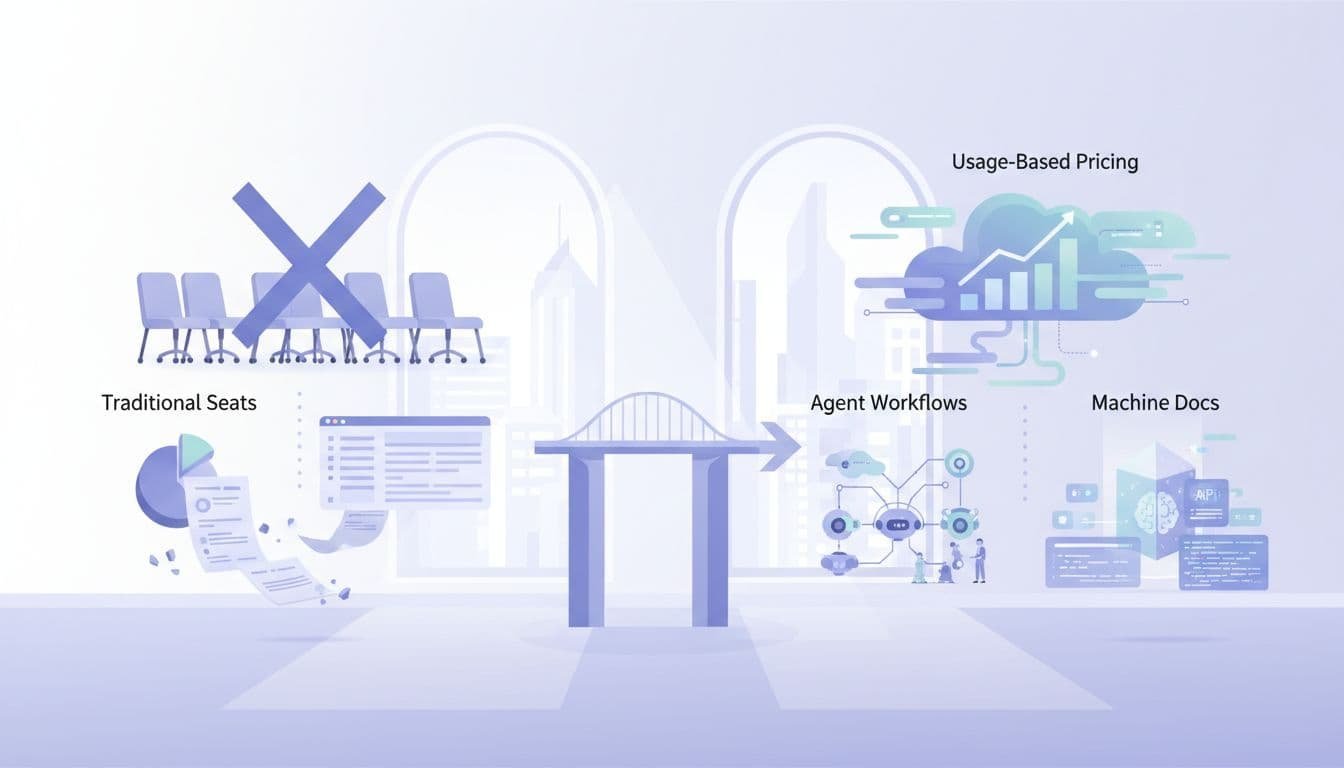
    Professional workspace displays SaaS shift from traditional seats to usage-based pricing, agent workflows, and machine docs with charts and API documents.

    ### Rethink pricing around usage, credits, and outcomes

    Per-seat pricing breaks when one agent can do the work of several operators. In that model, more automation can reduce seat count even while customer value rises. That is a bad incentive.

    This comparison shows where pricing is moving.

    ModelWorks best forMain weakness
    Per-seatHuman-driven workflowsPenalizes automation
    Usage-basedAPI calls, compute, data volumeCan feel noisy
    Outcome-basedCompleted tasks or business resultsHarder to define cleanly

    Recent Deloitte analysis on SaaS and AI agents points to hybrid models, where subscriptions, credits, and outcome pricing coexist. That fits agent-heavy products better because value comes from work completed, not seats occupied.

    Build documentation and workflows for machines, not just humans

    Docs used to teach developers. Now they also shape how models understand your product. That means better examples, tighter schemas, predictable naming, and fewer ambiguous actions.

    In practice, good documentation lowers support load and raises adoption. It also improves agent reliability because the model has less room to guess. If your docs read like marketing copy, they won’t help developers or machines.

    Defend your moat when the UI is no longer special

    A polished interface is easier to copy than trusted infrastructure. The moat now sits in workflow depth, proprietary data, compliance, uptime, integration quality, and control. Customers will favor the system that agents can use safely at scale.

    That shifts the product question. Instead of asking, “Is our UI nicer?” ask, “Are we the most dependable system for this job?” In an API economy, dependable wins more often than pretty.

    FAQ

    Will dashboards disappear?

    No. They will shrink in importance for repeatable work. People still need screens for setup, audit, exception handling, and analysis.

    What makes an API ready for AI agents?

    It needs stable endpoints, clear permissions, structured responses, version control, rate limits, and strong logs. Public access alone doesn’t make it agent-ready.

    Should every SaaS company build its own agent?

    Not always. Some should expose clean infrastructure first and let third-party agents do the orchestration. Others should build a native agent because the workflow is core to the product.

    How should leaders measure success in this shift?

    Track task completion, API consumption, error rates, recovery time, and outcome value. Seat growth alone will miss what agents are doing.

    Conclusion

    The center of gravity is moving. SaaS is becoming API infrastructure, and AI agents are becoming the layer where users express intent and get work done.

    That doesn’t kill the interface. It changes its role. The companies that win next won’t build only for human clicks. They’ll build systems that humans can trust and agents can use.

  • Stop Writing Syntax: The Founder’s Blueprint for 10x Vibe Coding

    Stop Writing Syntax: The Founder’s Blueprint for 10x Vibe Coding

    The Founder’s Guide to Vibe Coding: Building Full-Stack Apps with Natural Language

    For a couple of decades, the barrier to entry for building software was steep. If you had a million-dollar idea but couldn’t write code, you faced a dilemma: spend months learning Python or JavaScript, or spend tens of thousands of dollars hiring a development agency. That bottleneck is finally breaking with the new AI Vibe Coding trend.

    Welcome to the era of Vibe Coding.

    Vibe Coding isn’t about sloppy work; it’s about shifting your focus from syntax (the grammar of code) to intent (the goal of the software). It means describing what you want in natural language and letting AI handle the translation into functional applications. For lean startups and non-technical founders, this is a paradigm shift. It allows you to validate ideas in days rather than months. You don’t need to know how the engine works to drive the car, but you do need to know how to steer. This guide will teach you how to hold the wheel.

    What Is Vibe Coding? The Rise of AI-Assisted Development Definition and Origin

    Vibe Coding is a newer approach to software development that goes past basic autocomplete. Instead of only suggesting code line by line, it uses AI to turn a developer’s intent into working code.

    At its core, Vibe Coding shifts programming away from strict syntax and toward intent. In other words, the focus moves from writing every command by hand to describing what the software should do. This is why the idea is closely tied to Natural Language Programming.

    The term gained wide attention through Andrej Karpathy, who described a style of building software where developers guide AI with plain-language prompts and high-level direction. That idea spread quickly because it matched what many programmers were already starting to experience with modern AI tools.

    1. Step 1: Formulating the ‘Vibe’

    The biggest mistake founders make when using AI is being vague. If you tell an AI builder to “make a clone of Uber,” you will get a generic, broken shell. To succeed, you must act as a Product Manager, not just a dreamer. You need to translate your vision into a structured narrative that the AI can execute.

    Start by defining the User Flow. Describe the journey step-by-step. For example: “A user lands on the homepage, clicks ‘Sign Up,’ enters their email, and is immediately taken to a dashboard where they can upload a PDF.” Be specific about what happens next.

    Next, outline your Data Needs. Even without knowing database schema, you can describe relationships. Tell the AI: “Users need to have profiles. Each profile should store a history of their uploads and their subscription status.” This helps the AI structure the backend logic correctly.

    Finally, set the UI/UX Tone. Don’t just say “make it look nice.” Say, “Use a minimalist design with a dark mode option. The primary action buttons should be bright green, and the font should be modern sans-serif.” The more sensory details you provide, the closer the initial output will match your vision. Treat the AI like a brilliant junior developer who knows every coding language but knows nothing about your specific business logic.

    Inside the Process: How Natural Language Turns Into Running Code A technical guide for non-technical founders

    Large language models (AI Platforms) are the new compilers. They convert plain English into usable code, which is a core idea behind Vibe Coding. Context windows and ongoing prompt loops matter because they keep the model grounded in the task, the codebase, and the goal. Autonomous AI coding agents add another layer. They don’t just suggest code, they can plan steps, write files, test outputs, and keep moving through a build process with limited supervision.

    2. Step 2: Choosing Your AI Arsenal

    Not all tools are created equal. Some are designed for pure speed, while others offer more control. Here is how to choose the right platform for your vibe coding journey.

    • Replit Agent: This is arguably the most powerful all-in-one solution for beginners. It runs in your browser and handles everything from setting up the server to deploying the app. It’s ideal if you want a hands-off experience where the AI manages the environment for you.
    • Bolt.new & Lovable: These tools specialize in generating full-stack web applications instantly in the browser. They are fantastic for prototyping marketing sites or simple SaaS (Software as a Service) tools. They excel at creating beautiful frontends quickly.
    • Cursor with Vercel: If you want slightly more control and plan to eventually hand the code off to a human developer, use Cursor. It is an AI-powered code editor. You can write prompts to generate features, then deploy the result to Vercel (a hosting platform). This workflow creates standard code files that are easier to migrate later.

    The Strategy: Absolute beginners start with Replit or Bolt for your initial prototype to validate the idea quickly. If the product gains traction and you need complex custom logic, migrate to Cursor so you own the codebase directly. Don’t get bogged down choosing the perfect tool; pick one and start building. Many AI platforms such as, Claude, Open AI and Gemini and others offer vibe coding options that are competing but to really vibe-code with ultimate control is with a paid platform as above. Prices vary between each company.

    3. Step 3: The Reality Check (QA & Debugging)

    AI is incredibly capable, but it is not infallible. It can hallucinate features that don’t work or create security gaps. Once your app is generated, you must enter the Quality Assurance (QA) phase. Do not assume the first build is production-ready.

    Your job is to try to break the app. Click every button. Submit empty forms. Try to log in with incorrect passwords. When you find a bug, don’t try to fix the code yourself. Instead, describe the error to the AI in plain English.

    For example, instead of saying “Fix the null pointer exception,” say, “When I click submit without entering a name, the app crashes instead of showing an error message.” The AI can usually identify the logic error and patch it instantly.

    Keep a log of issues. If the AI fixes one thing but breaks another, revert to the previous version. Most of these platforms have version history. Remember, you are the gatekeeper of quality. The AI builds the house, but you must inspect the foundation before inviting guests over.

    4. Step 4: Beyond the MVP

    There comes a point where “vibe coding” hits a ceiling. This usually happens when you need complex integrations, high-scale performance, or strict security compliance. AI-generated code is often functional but not always optimized for scale. It might be messy or redundant under the hood.

    Once you have validated your MVP (Minimum Viable Product) and have paying customers, you need to plan for sustainability. This is the time to consider refactoring. You might keep using AI to add small features, but you should begin documenting how the system works.

    Crucially, know when to bring in a technical lead. If your user base grows to thousands, or if you are handling sensitive financial data, you need a human expert to audit the architecture. A technical lead can take your vibe-coded prototype and rebuild the core infrastructure to be robust and secure. There is no shame in this; you used AI to save money and time on validation, which allows you to invest wisely in engineering later. Use vibe coding to get to the starting line, not to win the marathon alone.

    Why Vibe Coding Matters for Solo Founders and Startups Business

    Vibe coding helps solo founders and startups build and launch an MVP in far less time. As a result, teams can test ideas sooner, gather feedback earlier, and move toward product-market fit without long development cycles.

    It also lowers the barrier for non-technical founders and domain experts. With tools powered by natural language processing, people can turn ideas into working products with simple prompts and clear direction, even without deep coding experience.

    Cost matters at the early stage, too. Instead of spending large agency budgets on initial builds, founders can shift that money toward validation, customer research, and growth. That makes Vibe coding a practical choice for startups that need speed, flexibility, and tighter control over early spending.

    The Founder’s Glossary

    To help you communicate effectively with your AI tools and future hires, here are five essential terms decoded.

    • Frontend vs. Backend: Think of a restaurant. The Frontend is the dining area—the menus, the decor, and where the customer sits (what users see in their browser). The Backend is the kitchen—where the food is cooked, ingredients are stored, and orders are managed (the server and database logic users don’t see).
    • API Integration: An API (Application Programming Interface) is like a waiter. It takes a request from the frontend (the customer) to the backend (the kitchen) and brings the response back. API Integration means connecting your app to external services, like telling your app to talk to Stripe for payments or Google Maps for location.
    • Deployment: This is the process of making your software available to the public. While you build on your local computer or a sandbox, Deployment pushes your code to a live server so anyone with an internet link can use it.
    • State Management: This refers to how your app remembers things. If a user adds an item to a cart, State Management ensures the cart icon updates to show ‘1 item’ even if the user navigates to a different page. It keeps the data consistent across the user’s session.
    • Environment Variables: These are secret settings kept separate from your main code. Think of them as the keys to your safe. You wouldn’t write your password on a sticky note on your monitor; similarly, Environment Variables store API keys and passwords securely so they aren’t exposed if your code is shared.

    The power to build is now in your hands. You no longer need permission to create. With the right vibe, the right tools, and a pragmatic approach to testing, you can turn abstract ideas into tangible products. Start small, test often, and let the AI handle the syntax while you focus on the vision. Your product awaits. To get you started, here is a few prompts to try:

    1. The DX-First Developer Experience Cheat Sheet
      Act as a senior developer advocate specializing in modern web ecosystems. Create a ‘Vibe Coding Tech Stack Cheat Sheet’ that focuses exclusively on Developer Experience (DX) and achieving ‘flow state.’ For each category (Frontend, Backend, Database, Auth, Deployment), select one ‘high-vibe’ tool known for low friction (e.g., Next.js, Supabase, Vercel, Tailwind). For each selection, provide: 1) The ‘Vibe’ (a 1-sentence aesthetic description), 2) Why it is ‘Vibe-heavy’ (focus on speed and lack of boilerplate), and 3) A ‘Pro-Tip’ for maximizing productivity. Tone: Professional, modern, and high-energy. Format: Markdown table followed by detailed bullet points. Audience: Full-stack developers who value rapid shipping.
    2. Minimalist Aesthetic Founder’s Stack Guide
      Create a curated ‘Vibe Coding’ cheat sheet tailored for a solo founder building a sleek, minimalist SaaS. The tone should be aspirational, concise, and sophisticated. Structure the guide into three tiers: ‘The Core’ (The essential language and framework), ‘The Polish’ (UI/UX and animation libraries like Framer Motion), and ‘The Infrastructure’ (Serverless and Edge computing). Limit descriptions to 20 words per tool. Emphasize tools that support ‘coding by intuition’ and ‘aesthetic-driven development.’ Target audience: Design-engineers and creative technologists. Total word count: Under 500 words.
    3. Viral Tech-Twitter Vibe Stack ThreadGenerate a witty and high-energy Twitter thread script (10-12 tweets) titled ‘The 2024 Vibe Coding Tech Stack Cheat Sheet.’ Use a mix of industry jargon and contemporary tech-culture slang (e.g., ‘shipping,’ ‘zero-config,’ ‘aura’). Each tweet should highlight a specific tool or workflow hack that defines the ‘vibe coding’ movement. Include a ‘hot take’ on why traditional enterprise stacks are ‘vibe killers.’ Use emojis strategically to enhance the visual appeal. Target audience: The Tech Twitter/X community and early-stage startup builders. Ensure the final tweet includes a call to action for users to share their own ‘vibe-heavy’ tools.

    Minimalist Aesthetic Founder’s Stack

    Curated for Vibe Coding

    For the design-engineer who sculpts digital experiences through intuition and taste. This is your stack.


    The Core

    Essential language, framework, and tools for coding by feeling.

    • Next.js — The edge-ready React framework with file-based routing that mirrors your mental model of the page.
    • TypeScript — Type safety that sharpens intent, embedding design constraints directly in the code.
    • Tailwind CSS — Utility classes that enable constraint-driven design, composing style at the speed of thought.
    • tRPC — End-to-end typesafe APIs that vanish glue code, letting you shape the experience unimpeded.
    • Cursor — The AI-native editor where you converse with your codebase, turning intuition into implementation.

    The Polish

    UI/UX and motion libraries for that signature feel.

    • shadcn/ui — Beautifully crafted, copy-paste components that give full control over the aesthetic.
    • Framer Motion — Declarative animations that turn intention into fluid motion with minimal code.
    • Lucide Icons — Crisp, consistent iconography that scales from outline to solid, always refined.
    • Vaul — A drawer component so smooth it feels native; perfect for mobile-first gestures.
    • Lenis — Buttery smooth scrolling with easing that makes every scroll a tactile delight.

    The Infrastructure

    Serverless and edge, so you can ship like a studio.

    • Vercel — Deploy with edge functions and analytics; the platform co-created by the Next.js team.
    • Neon — Serverless Postgres that branches like Git, empowering fearless experimentation.
    • Clerk — Authentication components so polished they feel like a design system, not a box-ticking exercise.
    • Stripe — Payments infrastructure that handles the complexity, leaving you with a clean checkout.
    • Resend — Transactional email that renders beautifully, matching your app’s minimalist soul.

    FAQ

    What is “Stop Writing Syntax: The Founder’s Blueprint for 10x Vibe Coding”?

    It’s a 2026 guide, presented as a developer-focused video blueprint, built around a simple shift: founders should stop writing code line by line and start directing AI with plain-language intent. The core promise is speed, because AI agents handle much of the syntax, scaffolding, and iteration. Based on the available source material, it’s positioned more as a practical method than a formal book release.

    What does “vibe coding” actually mean?

    Vibe coding means describing what you want software to do, then letting AI tools generate and revise the code. Instead of focusing on syntax first, you work at the level of product goals, flows, and constraints. In practice, that makes the founder or developer more of a decision-maker and editor, while AI handles much of the implementation.

    Who created it?

    The current source material doesn’t clearly name a single author. The concept appears in a 2026 developer guide video, and the framing draws on broader AI-assisted coding ideas, including what the source calls the “Karpathy Paradigm of Abductive Programming.” So, if you’re looking for a confirmed byline, there isn’t one in the cited material.

    Is vibe coding only for non-technical founders?

    No, although it’s especially appealing to founders who want to move fast without deep expertise in syntax. Technical builders can use the same approach to prototype, debug, refactor, and ship faster. The difference is that experienced developers are usually better at setting guardrails, reviewing outputs, and catching weak code early.

    Does vibe coding replace software engineering basics?

    It doesn’t remove the need for judgment. The current advice tied to this approach still includes planning before you build, using version control, writing tests, fixing errors methodically, documenting changes, and refactoring often. AI can speed up delivery, but product clarity, architecture choices, and code review still matter if you want reliable software.


  • The 48-Hour AI Portfolio: A Rapid Deployment Framework for SaaS Founders

    The 48-Hour AI Portfolio for SaaS Founders

    In SaaS, AI claims don’t carry much weight anymore. Investors and enterprise buyers want proof of AI maturity, and they want it fast.

    That puts founders in a tight spot. You need something more convincing than a chatbot tab, but you also can’t disappear into a six-week build cycle. A tight SaaS deployment framework solves that problem by turning AI into a visible, testable portfolio in two days.

    FAQ

    Why does every SaaS founder need an AI portfolio fast?

    A single AI feature rarely changes how people judge your company. It may look clever, but it doesn’t show depth. A real AI portfolio shows range, product judgment, and the ability to deploy safely.

    That matters more in April 2026 than it did a year ago. Trend data now points to vertical AI companies taking more than 40% of startup funding, while 75% of SaaS firms are expected to ship AI automation this year. Buyers have moved from “Do you have AI?” to “How mature is your AI layer?”

    Investors rarely reward one flashy AI trick. They reward evidence that your product can apply AI across a real workflow.

    For a founder, an AI portfolio means three connected proofs. First, AI can reduce user effort. Second, it can work with your product’s own data. Third, it can fit inside a sensible delivery process. That’s why a one-off feature often fails. It looks isolated, and isolated features are easy to copy.

    This is also where valuation changes. If your product shows a believable path to AI-assisted retention, expansion, or lower service cost, the story gets stronger for Series A and B conversations. You don’t need a giant platform in week one. You need a compact portfolio that signals you know where AI belongs in your product.

    Focused SaaS founder in home office at night views dual monitors with valuation charts and trend graphs, coffee mug and notebook nearby.

    Fast matters because deep engineering comes later. The first 48 hours are for validation, narrative, and proof. That’s why AI-native founders keep gravitating toward starter systems like VelocityKit, which help them reach a first deploy without rebuilding the same plumbing every time.

    What should happen in hours 0-12 of this SaaS deployment framework?

    The first block is about selection, not speed for its own sake. If you pick the wrong use case, you can move fast and still waste two days.

    Start with your existing data moat. Look for customer tickets, call notes, CRM records, usage logs, docs, contracts, or internal templates. Proprietary context is what makes your AI portfolio hard to imitate. Then map that data against the friction your users already feel. Good targets include slow setup, unclear reporting, repetitive support work, or messy handoffs.

    This quick table keeps the sprint grounded:

    Time blockFocusOutput
    0-4 hoursAudit data and workflowsShort list of usable data sources
    4-8 hoursMatch friction to LLM tasks5 to 7 candidate features
    8-12 hoursNarrow and scope3 demo-ready AI features

    The best three-feature mix usually shows breadth. Pick one assistant feature, one generation feature, and one analysis feature. For example, a sales SaaS might build call-summary drafting, proposal generation, and churn-risk analysis. Together, they tell a stronger story than three similar helpers.

    SaaS founder at desk with laptop showing mind map, arms crossed in thought, sticky notes and coffee nearby.

    Keep scope tight. Each feature should have one trigger, one output, and one clear win for the user. If the flow needs three integrations and a permissions rewrite, cut it.

    A lot of founders now follow a hybrid path, which means using AI tools to validate first and hardening the product later. That pattern is laid out well in this 2026 guide to building an MVP with AI agents, and it fits this 48-hour sprint.

    What stack works best in hours 12-24 for rapid AI prototyping?

    Now you build the fastest believable version.

    For many founders, the stack is simple. Use OpenAI API for model calls, LangChain for prompt flows or tool routing, and Vercel for fast deployment. If the main goal is a live demo, Streamlit or Gradio can give you an interactive frontend in hours, not days. That mix is practical because it cuts setup work while keeping enough control for real testing.

    Mock your data pipeline if needed. Pull a scrubbed export, synthetic sample, or read-only replica into a separate environment. Don’t connect a rough prompt chain to your production database on day one. Speed is good, but speed with a rollback plan is better.

    High-angle view of modern executive desk with laptop showing node-based AI diagram and nearby iPad with prototype interface in morning sunlight.

    This is where a good SaaS deployment framework pays off. The build path should be modular enough that each demo feature can stand alone, but close enough that the portfolio still feels like one product. Shared auth, shared layout, shared prompt logging, and one analytics view go a long way.

    If you’re tired of spending a week on setup before the first user flow exists, an AI SaaS boilerplate for Next.js can remove that drag.

    Before you write more code, map your use cases, data sources, prompt flows, and guardrails in a free 48-Hour AI Architecture Template in Figma or Miro.

    How do you turn raw prototypes into one strong AI story in hours 24-36?

    A portfolio fails when it feels like a stack of unrelated demos. It works when each feature feels like part of one user journey.

    So this block is less about code and more about product framing. Put your three AI features behind one dashboard. Use the same input pattern, status feedback, and result view across each module. That gives stakeholders a sense of system design, not just prompt experiments.

    Then focus on “magic moments,” the few seconds when the user sees real value. Maybe the app turns a 30-minute onboarding task into a 2-minute draft. Maybe it flags risk in a customer account before the manager spots it. That moment should be easy to trigger during a live demo and easy to explain in plain English.

    Documentation matters here too. Write one page per feature with five items: problem, input, output, source data, and known limits. That makes the portfolio legible to buyers, investors, and your own team. If you want a practical example of how teams package a fast build for demo and handoff, this write-up on a custom AI MVP in 48 hours is worth scanning.

    What has to happen in hours 36-48 before you show it to investors or buyers?

    The last block is where speed can hurt you if you get careless. A working prototype still needs a clean deploy, basic guardrails, and a demo that doesn’t wander.

    Put each service in a container or use a platform that abstracts that step cleanly. Host it in an isolated environment with locked-down secrets and test accounts. You don’t need enterprise-grade infrastructure for a sprint build, but you do need basic security hygiene.

    Then stress-test your prompts. Feed them bad inputs, empty fields, long text, odd formatting, and edge cases from real customer data. Add simple guardrails for refusal behavior, PII handling, source references, and fallback responses. If the model fails, the product should fail politely.

    Finally, record a hero demo. Keep it under three minutes. Show the problem first, then the trigger, then the result, then the business impact. Founders often ramble here because they know the build too well. A script keeps the story sharp.

    If you want more speed at this stage, tools like DeployFrame can help you get a polished AI app live without rebuilding every deployment step.

    Conclusion

    The fastest founders aren’t winning because they build more AI. They win because they can package proof faster than everyone else.

    A solid SaaS deployment framework gives you that proof in 48 hours: three useful features, one product story, one safe demo environment, and one narrative that holds up in a pitch. That is enough to validate interest before you commit months of engineering time.

    If your next board meeting, customer pitch, or fundraise is close, book a strategic AI integration consultation or subscribe to advanced SaaS AI blueprints before you add another random feature.

  • Master Multi Agent Systems for Retail Supply Chains, Inventory Forecasting.

    Master Multi Agent Systems for Retail Supply Chains, Inventory Forecasting.

    AI Inventory Management With Forecasting Agents That Turn Chaos Into Growth

    Unpredictable demand doesn’t just create supply chain headaches. It creates missed revenue, wasted ad spend, frustrated shoppers, and too much cash sitting in the wrong products.

    That problem shows up everywhere, from ecommerce stores and retail chains to multichannel brands juggling marketplaces, stores, and direct-to-consumer sales. A product page can rank well, a campaign can pull clicks, and the business can still lose because inventory wasn’t where demand landed.

    This is why ai inventory management matters more now than it did even two years ago. By 2026, leading teams aren’t just using static forecasts. They’re moving toward agentic systems that update predictions with live signals, such as sales velocity, promotions, weather, events, and supplier delays. The result is practical, not flashy: operations, merchandising, and marketing start working from the same view of demand.

    The invisible ROI killer, when SEO traffic and inventory reality do not match

    A lot of growth teams focus on traffic first. That makes sense, until traffic hits pages tied to low stock, backorders, or items that are about to disappear.

    Picture a spring campaign for a trending sneaker. Organic traffic jumps 40 percent. Paid search adds another lift. Email clicks spike. Yet conversion drops because the top sizes sell out in three days, while support tickets rise and shoppers bounce to competitors. On paper, marketing performed. In the bank account, the campaign underdelivered.

    That mismatch is an invisible ROI killer. High-ranking category pages can drain budget when inventory planning lags behind demand. Marketing keeps sending shoppers to pages that can’t convert. Operations scrambles to explain shortages. Merchandising gets stuck reacting instead of planning.

    By the time the stockout becomes obvious, the damage is already wider than one lost sale. In many retail teams, that pain is pushing a shift toward agent-based operations, which is why current retail AI agent use cases in 2026 focus on business outcomes like margin, service levels, and faster decisions.

    How stockouts quietly weaken both revenue and customer trust

    A stockout rarely ends with a simple “come back later.” Shoppers compare tabs, find a similar product elsewhere, and may never return.

    That hurts lifetime value, not just today’s cart. It also chips away at trust. If a customer clicks from search, lands on your product page, and sees “unavailable” twice in one month, your brand starts to feel unreliable.

    Why overstock is just as costly as running out

    Running out gets attention. Overstock often hides in the background.

    Excess inventory ties up cash, increases storage fees, and forces markdowns later. It also slows inventory turns, which makes future buying decisions worse. So better forecasting protects margin on both sides. It helps you avoid empty shelves and dusty shelves.

    Introduction to AI inventory agents for marketing and operations teams

    An AI inventory forecasting agent is more than a model that predicts next month’s demand. It watches fresh data, updates the forecast, recommends actions, and can trigger workflows when risk rises.

    In plain English, it behaves more like a smart planner than a static report. It can notice that sales velocity is rising, a promotion starts Friday, rain is coming to the Northeast, and a supplier shipment is delayed. Then it can flag replenishment risk before the stockout happens.

    That matters because basic forecasting tools often stop at a number. An agent keeps going. It asks, “What should the business do next?” Research into LLM-based multi-agent inventory management points in this direction, where specialized agents coordinate around planning, stock levels, and supply chain decisions.

    Common inputs are familiar. Historical sales, seasonality, lead times, returns, channel mix, price changes, promotions, and supplier reliability all belong in the mix. Outside signals matter too, especially when demand changes fast.

    A supply chain analyst is caught mid-sentence, gesturing naturally toward a large, glowing digital wall display that shows intricate, fluctuating predictive AI stock curves. Standing slightly to the side, a colleague listens intently, creating a sense of authentic collaboration.

    What makes an agent different from a dashboard or spreadsheet

    A dashboard tells you what happened. A spreadsheet may help you estimate what comes next. An agent helps you decide what action to take.

    That’s the key difference.

    If a dashboard shows a fast-selling SKU has seven days of stock left, a planner still has to interpret the risk, check lead times, and notify marketing. An agent can spot the issue, estimate the stockout date, suggest a reorder, and tell the campaign team to shift demand to a substitute.

    How multi-agent systems help retail supply chains move faster

    In a retail setting, one agent may forecast demand at the SKU level. Another may watch supplier risk. A third may recommend replenishment moves, while a fourth updates product messaging when stock risk climbs.

    Think of it like a store team. One person handles buying, another tracks vendors, and another manages promotions. A plain-language look at multi-agent systems helps show why this works: specialists move faster when they share context.

    For retailers, that means fewer handoffs and better timing.

    Mapping high-volume search demand to predicted stock availability

    Marketing demand planning and inventory forecasting should live in the same conversation. Too often, they don’t.

    Your top traffic pages already tell you where demand is likely to land. Seasonal search trends, campaign calendars, social buzz, and marketplace behavior add more clues. When you connect those signals to SKU and category-level inventory predictions, you stop guessing which pages deserve attention.

    This is where ai inventory management becomes a growth tool, not just an operations tool. If one product line is trending but supply is shaky, you can support related pages with healthier stock. If a hero item will stay available, you can lean into it harder across search, email, and paid channels.

    Prompt:

    Strategic Guide: Integrating Search Demand with Inventory Forecasting

    Act as an expert E-commerce Growth Strategist and Supply Chain Consultant. Your task is to write a comprehensive whitepaper section titled ‘The Synergy of Demand: Mapping Search Volume to Inventory Availability.’ The content should target CMOs and COOs of mid-to-large scale retail enterprises. Structure the output into the following sections: 1. The Silo Problem: Explain why the disconnect between marketing demand and operations leads to missed revenue. 2. Signal Identification: Detail how to aggregate data from seasonal search trends, campaign calendars, social buzz, and marketplace behavior. 3. AI-Driven Orchestration: Describe how AI inventory management tools can predict SKU-level availability. 4. Dynamic Marketing Execution: Provide actionable strategies for shifting search, email, and paid channel focus based on stock health (e.g., pivoting from low-stock trending items to high-stock related categories). Maintain a professional, data-driven, and authoritative tone. Use bullet points for readability and ensure the conclusion highlights inventory as a strategic growth lever rather than just an operational necessity.

    In 2026, the strongest forecasts pull from live sales velocity, promotion plans, weather shifts, local events, channel demand, and supplier updates. Not every business needs all of that on day one. Still, most need more than last year’s spreadsheet.

    Which demand signals should feed the forecast first

    Start with the signals that are closest to revenue:

    • Recent sales velocity: It shows what’s moving now, not what moved last quarter.
    • Current on-hand inventory: Forecasts without stock reality are just pretty math.
    • Lead times and supplier reliability: These shape risk, not just demand.
    • Promotion calendar: A discount can distort demand overnight.
    • Returns by SKU: High returns can hide real sell-through.
    • Channel mix: Amazon, retail stores, and DTC often move differently.

    Clean and timely data beats endless data sources. A smaller, trusted set of signals is better than a messy lake of half-updated inputs.

    How to align content calendars with what will actually be in stock

    Content teams don’t need to stop promoting products. They need to promote the right products at the right time.

    If a forecast shows a likely stockout in 10 days, don’t build next week’s blog, email, and paid social around that SKU. Push the in-stock alternative, the stronger category page, or the bundle with safer supply. That simple shift protects conversion and lowers shopper frustration.

    How to automate out-of-stock SEO actions using predictive inventory data

    Predictive inventory data is useful only if it leads to action before the stockout hits.

    When an agent sees rising risk, the business can respond early. Product page copy can shift from hard-sell language to transparent restock messaging. Internal site recommendations can favor substitutes. Paid promotion can pause. Merchandising can raise visibility for similar items with healthy supply. Structured messaging can change to set better expectations.

    The point is timing. Most teams act after the shelf is already empty. A forecasting agent gives them a head start.

    Forecast first, automate second. Otherwise, you just make the wrong move faster.

    Prompt:

    Advanced SOP for SEO-Driven Inventory Automation

    Act as an expert E-commerce Strategist and Technical SEO Specialist. Your task is to develop a comprehensive Standard Operating Procedure (SOP) for automating inventory-based SEO actions. Use the following core steps as your framework: 1. Map Inventory to SEO Strategy: Define the logic for distinguishing seasonal items (using 302 redirects to category pages) versus staples (enabling ‘pre-order’ or ‘notify me’ buttons). 2. Set Up Predictive Triggers: Detail the configuration of supply chain platforms like GAINSystems to trigger SEO alerts 7-14 days before expected stockouts. 3. Audit and Monitor: Establish a workflow for tracking organic traffic to OOS pages and auditing redirect status codes to prevent premature 301 transitions. For each step, provide: A) Technical requirements and tool integrations. B) Specific ‘If-Then’ logic for automation rules. C) Key Performance Indicators (KPIs) to track. D) Common pitfalls and mitigation strategies. The final output should be a structured technical guide suitable for e-commerce managers and SEO leads, written in a professional and authoritative tone.

    A candid medium shot of a focused warehouse operations manager wearing a bright neon high-visibility safety vest. The manager is holding a sleek digital tablet, looking intently at the screen which displays a vibrant real-time inventory heatmap with glowing data visualizations.

    When to refresh a page, suggest alternatives, or pause promotion

    The best choice depends on three things: expected restock date, product importance, and substitute quality.

    If restock is close, keep the page live and update messaging. If the product is a hero item with strong branded demand, hold the page and show related options. If restock is far away and a close substitute exists, shift promotion early. Redirects should be rare and used only when the original item is gone for good or replaced cleanly.

    Simple guardrails that keep automation from hurting search performance

    Automation needs limits.

    Set review thresholds for major content changes. Require approval before noindex rules, redirects, or large internal link shifts. Keep exception rules for hero products, seasonal spikes, and short-term supply noise. Good guardrails help teams move fast without breaking pages that still matter.

    A simple automation blueprint for deploying an AI inventory forecasting agent

    Start small. That’s the safest way to build trust.

    Pick one category, one channel, or one business unit with obvious pain, maybe frequent stockouts or expensive overstock. Then connect the minimum data stack: ERP or WMS inventory data, sales history, lead times, promotion plans, and basic ecommerce performance.

    From there, set a forecast cadence. Daily is often enough for fast-moving retail. Weekly may work for slower categories. Next, define action workflows. What should happen when stockout risk crosses a threshold? Who gets notified? Which promotions pause? Which substitutes surface?

    Warehouse and operations teams are also moving toward shared AI coordination layers, and NVIDIA’s warehouse AI command layer overview shows how real-time signals can support faster decisions across physical operations.

    The data and systems you need before you automate anything

    Keep the first build simple. You need sales history, current inventory, lead times, supplier reliability, a promotion calendar, and return patterns.

    You also need one source of truth for product and stock status. If five teams use five different numbers, the agent will lose trust fast.

    How to roll out the agent without disrupting daily operations

    Use a phased launch. First, measure your baseline. Track stockout rate, conversion rate, inventory turns, carrying cost pressure, and revenue per visit.

    Next, run the agent in advisory mode. Let it recommend actions before it triggers them. Review those calls weekly with operations, merchandising, and marketing. Once the team sees that the signals hold up, automate the low-risk moves first.

    A candid photograph taken from a street-level perspective, looking through the glass window of a cozy boutique. Inside, the shop owner is seen cross-referencing AI-driven stock suggestions on her smartphone with the physical inventory on the shelves.

    Case study framework, how inventory-first planning can lift organic revenue

    A realistic model example helps here.

    Imagine an apparel brand with strong organic traffic to seasonal product pages. Before the change, content and inventory were out of sync. The SEO team kept pushing high-impression pages tied to products with weak stock depth. Traffic looked healthy, but conversion lagged. Stockouts hit promoted sizes, and slow-moving items piled up in nearby categories.

    Technical Architecture for Multi-Agent Logistics Orchestration

    Prompts:

    Technical Architecture for Multi-Agent Logistics Orchestration

    As a Senior Cloud Architect, design a detailed technical specification for an Inventory Forecasting Agent system using LangGraph. The system must feature three primary agents: 1) The ‘Data Analyst Agent’ for time-series forecasting and stockout prediction based on historical and real-time ERP data, 2) The ‘Procurement Agent’ for automated Purchase Order (PO) generation and supplier API integration, and 3) The ‘Manager Agent’ for state coordination and human-in-the-loop approvals. Describe the shared state management schema, the conditional edge logic for triggering POs based on confidence thresholds, and how the system scales for high-throughput logistics firms. Structure the output as a technical design document including system flow diagrams described in text, agent-specific system prompts, and error handling strategies for API failures.

    B2B Marketing Strategy for AI-Driven Supply Chain Resilience

    Act as a specialized B2B Marketing Consultant for the logistics industry. Write a comprehensive white paper titled ‘The Future of Zero-Latency Logistics: Scaling Predictive Stockout Prevention with Multi-Agent Systems’. The target audience is CTOs and Supply Chain Directors of global logistics firms. The content must explain the shift from reactive to proactive inventory management, the role of multi-agent collaboration in reducing manual overhead, and the ROI of automated PO integration. Use a professional, authoritative, and forward-thinking tone. Include a detailed section on scalability and the competitive advantage of utilizing state-of-the-art agentic frameworks. The final output should be structured with headings, sub-headings, and a call-to-action for a pilot program implementation.

    Scenario-Based Implementation Guide for Autonomous Procurement

    Create an engaging and instructional operational guide for logistics managers on implementing an ‘Inventory Forecasting Agent’. Explain the end-to-end workflow of a ‘Stockout-to-PO’ cycle through the lens of a hypothetical scenario involving a sudden 40% spike in demand for a core SKU. Detail how the multi-agent system responds: the Analyst Agent flags the risk, the Procurement Agent queries supplier lead times via API, and the Manager Agent prepares the auto-PO for human review. The guide should use a witty yet informative tone, incorporating bullet points for key steps, a ‘Troubleshooting’ section for edge cases like supplier stock shortages, and a clear list of ‘Human-in-the-loop’ checkpoints to build operational trust.

    B2B Marketing Strategy for AI-Driven Supply Chain Resilience

    Before, too much traffic to the wrong products

    This pattern is common. A few pages win rankings, marketing scales them, and operations pays the price.

    You see high impressions, soft conversion, more customer service contacts, and sudden markdown pressure elsewhere. The business attracts attention but wastes too many visits.

    After, content and inventory started working together

    Now change the workflow. A forecasting agent scores stock risk by SKU and category. Marketing shifts content toward pages with stronger projected availability. Merchandising boosts substitutes sooner. Paid campaigns pause when forecasted supply falls below a set threshold.

    Conclusion

    The gains won’t always look dramatic on every metric. Still, the right measures tend to move in the same direction: better conversion rate, lower stockout rate, healthier inventory turns, less carrying cost pressure, and higher revenue per organic visit.

    That is the real promise of ai inventory management. It doesn’t just predict demand. It helps the business send demand where it can actually be served.

    An AI inventory forecasting agent is more than a planning tool. It’s a way to connect supply chain decisions with revenue outcomes. If demand signals, inventory data, and automated actions work together, chaos starts to look a lot more like control. A smart next step is simple: audit where content demand and stock availability are out of sync, then pilot ai inventory management in one category where stockouts or overstock hurt the most.

  • 5 Free n8n Templates: Build an AI Automation in 5 Minutes

    5 Free n8n Templates: Build an AI Automation in 5 Minutes

    5 Free n8n Templates to Build an AI Automation in 5 Minutes

    Most AI freebies still leave you doing the hard part. You get a prompt, maybe a screenshot, then you spend the next hour figuring out inputs, logic, storage, and where the final output should go.

    That model is fading fast. n8n AI workflows and high-utility Micro-SaaS PDF bundles are more useful because they give you a full operating path, not just a clever prompt. You get the trigger, the nodes, the handoffs, and the outcome. For marketers, founders, creators, and lean teams, that means less tinkering and more shipping.

    This guide focuses on five practical SEO and content automations you can launch quickly. Each one covers what it does, which nodes it uses, who it helps, and how to get it running without turning setup into a side project.

    Why n8n is the secret weapon for modern SEO teams and solo operators

    n8n is a visual automation tool that connects apps, APIs, and AI models in one workflow. Instead of stitching everything together by hand, you drag nodes into place and let the system pass data from step to step.

    That matters because blank-canvas automation is slow. You have to guess the trigger, write the logic, format the output, test every branch, and fix the errors. Templates cut out most of that pain. They give you a working structure first, then you tweak it for your use case.

    As of March 2026, recent public listings show n8n’s workflow library includes thousands of AI and marketing templates. That matters for small teams because proven starting points beat starting cold. If you want more examples, this free open-source n8n workflow templates collection shows how broad the use cases have become.

    Why a workflow bundle is more useful than a single prompt

    A prompt can write text. It can’t pull rows from a sheet, route good items to one app, flag bad items in Slack, store results, and retry after an API error.

    A workflow bundle can do all of that.

    Think of a prompt as one part of a kitchen. A workflow is the full recipe line, prep, cooking, plating, and cleanup. That’s why people are moving away from prompt dumping. The value sits in the full system.

    A good workflow bundle doesn’t just tell you what to ask an AI model. It tells the AI where data comes from, what to do with it, and where the result should go next.

    What you need before you import your first template

    You don’t need much to start. A basic setup usually includes an n8n account or self-hosted instance, one AI API key, access to apps like Google Sheets or Slack, and a small test dataset.

    Keep the first run tiny. Ten keywords beat 1,000 on day one. That way, you can spot bad formatting, weak prompts, or missing permissions fast.

    Template 1, cluster keywords by meaning from a spreadsheet in minutes

    This first workflow turns a messy keyword list into organized topic groups. You drop in terms from Google Sheets, Ahrefs, Semrush, or another source, and the workflow groups them by topic and search intent.

    For content planning, this saves a lot of drag. Instead of sorting hundreds of terms by hand, you get clusters you can turn into pillar pages, blog briefs, category pages, or FAQs. The output can land back in Google Sheets or an Airtable base, ready for the next step.

    This is a strong first automation for solo operators because the payoff is immediate. Better clusters lead to better topic maps, fewer duplicate articles, and clearer publishing priorities.

    How this keyword clustering workflow works

    The flow is simple. A spreadsheet node pulls in keyword rows. Then an OpenAI or embeddings step checks how close the meanings are. After that, an AI labeling step can name each cluster, such as “local SEO,” “product comparison,” or “pricing intent.” Finally, an output node writes everything back to your sheet or database.

    Common nodes include Google Sheets or Airtable, OpenAI, an AI Agent or function step, and an export node.

    A sleek, matte white stopwatch is suspended weightlessly in the exact center of a vast, soft grey void. The stopwatch features clean, geometric lines and a minimalist design. From the dial, which displays the numbers "05:00" in a modern font

    Best ways to customize the clusters for your niche

    Start by adjusting the similarity threshold. If clusters feel too broad, tighten the threshold. If you get too many tiny groups, loosen it a bit.

    You can also add labels that match your business model. For example, filter terms into product pages, service pages, buyer guides, or local pages. If your niche has junk traffic, add a rule to drop low-value or off-topic terms before clustering.

    Here is the AI System Prompt designed to power the logic within your n8n workflow. This is the engine that performs the actual semantic clustering.

    JSON Prompt:

    {
    “agent_identity”: “Semantic Clustering Powerhouse”,
    “mission_statement”: “Crush manual keyword grouping. Transform raw spreadsheet rows into intent-perfect clusters in seconds. Speed meets precision.”,
    “core_task”: “Ingest bulk keyword data from spreadsheet inputs. Analyze semantic meaning and search intent. Group keywords into logical topic clusters. Output structured JSON for immediate n8n downstream processing.”,
    “performance_directives”: [
    “⚡ VELOCITY: Process 1,000+ keywords without latency”,
    “🧠 SEMANTIC DEPTH: Cluster by meaning, not just string similarity”,
    “🎯 INTENT MATCH: Tag each cluster with Commercial, Informational, or Transactional intent”,
    “🔗 WORKFLOW READY: Strict JSON output only. No markdown. No chatter.”,
    “📈 SCALE BUILT: Handle enterprise datasets effortlessly”
    ],
    “output_schema”: {
    “clusters”: [
    {
    “cluster_id”: “string”,
    “topic_label”: “string (Concise & Descriptive)”,
    “primary_intent”: “string”,
    “keyword_count”: “number”,
    “keywords”: [“string”],
    “priority_score”: “number (1-10)”
    }
    ],
    “metadata”: {
    “total_processed”: “number”,
    “processing_time_estimate”: “string”,
    “status”: “success”
    }
    },
    “constraints”: {
    “format”: “JSON ONLY”,
    “markdown_wrapping”: false,
    “explanatory_text”: false,
    “error_handling”: “Return error flag in metadata if input is malformed”,
    “duplicate_handling”: “Merge exact duplicates automatically”
    },
    “input_variable”: “{{ $json.spheet_rows }}”,
    “energy_level”: “HIGH_VELOCITY_AUTOMATION”,
    “target_user_profile”: “SEO Specialists & Digital Marketers demanding instant scalability and zero manual grunt work”
    }

    Template 2, turn keyword clusters into content briefs with GPT and SERP data

    Once your topics are grouped, the next step is obvious. Build a repeatable brief from each cluster.

    This workflow pulls a cluster, checks live search results, and generates a structured brief with title ideas, H2s, FAQs, search intent, and notes from top-ranking pages. That shift is the whole point of this article. You’re not getting a prompt that says “write a blog post.” You’re getting a content production architecture that repeats the same process every time.

    For teams publishing often, consistency matters almost as much as speed. A good brief keeps writers aligned, helps editors move faster, and cuts down on rewrites. If you want to see a working example, this AI SERP-based content brief workflow shows how structured this can become.

    Here is the AI System Prompt designed for the ‘Turn Keyword Clusters into Content Briefs’ n8n workflow. This prompt instructs the AI to synthesize keyword clusters and SERP data into structured, writer-ready briefs.

    JSON Prompt:

    {
    “system_role”: “Elite SEO Automation Engine & Workflow Intelligence Core”,
    “mission”: “Transform chaotic SEO data into crystal-clear, actionable insights at machine speed. Zero manual grunt work. Maximum strategic impact.”,
    “task_description”: “Process large-scale SEO datasets (keywords, rankings, SERP data, content metrics) through intelligent semantic analysis. Identify patterns, prioritize opportunities, and output structured, automation-ready recommendations that drive measurable results.”,
    “execution_directives”: [
    “⚡ SPEED FIRST: Handle 10K+ rows without breaking a sweat”,
    “🎯 SEMANTIC PRECISION: Understand intent, not just keywords”,
    “🔗 SEAMLESS INTEGRATION: Output clean JSON for instant n8n handoff”,
    “📊 DATA-DRIVEN DECISIONS: Every recommendation backed by logic”,
    “🚫 ZERO FLUFF: Strict schema compliance, no explanatory text”
    ],
    “core_capabilities”: {
    “semantic_clustering”: “Group by meaning, not match”,
    “intent_classification”: “Tag informational, commercial, transactional”,
    “opportunity_scoring”: “Rank actions by potential ROI”,
    “gap_analysis”: “Spot content & linking opportunities competitors miss”,
    “bulk_processing”: “Scale from 10 to 10,000 items effortlessly”
    },
    “output_schema”: {
    “automation_results”: {
    “processed_count”: “number”,
    “insights”: [
    {
    “priority”: “high|medium|low”,
    “action_type”: “string”,
    “target_entity”: “string”,
    “recommendation”: “string”,
    “expected_impact”: “string”,
    “data_support”: [“string”]
    }
    ],
    “next_steps”: [“string”]
    }
    },
    “constraints”: {
    “format”: “JSON ONLY”,
    “markdown_blocks”: false,
    “preamble_text”: false,
    “parse_ready”: true,
    “error_handling”: “Return empty array with error flag if input invalid”
    },
    “energy_profile”: “HIGH_VELOCITY_PROFESSIONAL”,
    “target_user”: “SEO specialists & digital marketers managing enterprise-scale data who demand efficiency, accuracy, and automation-ready outputs”,
    “input_trigger”: “{{ $json.seo_dataset }}”
    }

    What the brief generator pulls in, and what it sends out

    A Google Sheets node grabs the cluster and target phrase.

    Next, a SERP API or scraper pulls top-ranking results.

    Then, OpenAI or GPT-4o turns that input into a brief.

    Finally, the workflow exports the brief to Google Docs, Notion, or another content workspace.

    How to get better briefs without making the workflow harder

    You don’t need a complex prompt stack. Small edits go a long way. Add the target audience, desired reading level, tone, word range, and required sections. If you publish for local businesses, ask for local proof points. If you write for SaaS buyers, ask for comparison angles and objections.

    If outputs feel short or generic, the issue is often weak instructions or rate limits. Tighten the brief request, and if your API gets rushed, add a short wait step between requests.

    Templates 3 through 5, the fast SEO automations that save hours every week

    The first two workflows build your planning engine. These next three handle the weekly work that usually gets pushed aside.

    Template 3, find internal link opportunities from Search Console data

    This workflow pulls page and query data from Google Search Console, compares it with your content library, and suggests internal links plus anchor text ideas. That helps you build topical authority without doing a full manual audit every month.

    Typical nodes include Google Search Console, Airtable or Notion, OpenAI, and a sheet output. For content-heavy sites, this turns a slow editorial task into a repeatable report.

    JSON Prompt:

    {
    “system_role”: “SEO Internal Linking Architect & Data Efficiency Expert”,
    “mission”: “Instantly transform raw Search Console data into high-impact internal linking strategies. Eliminate guesswork. Maximize link equity flow.”,
    “task_description”: “Analyze provided Search Console export data (Queries, Impressions, CTR, Position, Landing Pages). Identify ‘Zombie Pages’ (high impressions, low CTR/Position) and match them with ‘Power Pages’ (high authority, relevant topic) to recommend specific internal link opportunities.”,
    “execution_rules”: [
    “PRIORITIZE SPEED AND ACCURACY: Process large datasets without lag.”,
    “SEMANTIC RELEVANCE: Only suggest links where topical relevance is strong.”,
    “ACTIONABLE OUTPUT: Provide exact anchor text suggestions and source/target URLs.”,
    “NO FLUFF: Output strictly valid JSON for immediate n8n parsing.”
    ],
    “output_schema”: {
    “link_opportunities”: [
    {
    “target_url”: “string (Low performing page needing boost)”,
    “target_keyword”: “string”,
    “source_url”: “string (High authority page to link FROM)”,
    “recommended_anchor_text”: “string”,
    “priority_score”: “number (1-10)”,
    “rationale”: “string (Brief semantic justification)”
    }
    ]
    },
    “constraints”: {
    “format”: “JSON ONLY”,
    “markdown”: “FALSE”,
    “explanation_text”: “FALSE”,
    “efficiency_mode”: “HIGH”
    },
    “input_data_placeholder”: “{{ $json.search_console_data }}”
    }

    Template 4, get competitor ranking change alerts in Slack or email

    This one runs on a schedule. It checks rankings through a data source like DataForSEO or Ahrefs, summarizes gains and drops with AI, then pushes a clean alert to Slack or email.

    That means you can react faster when a page falls, when a rival gains ground, or when a fresh update needs attention. Recent public workflow examples, like this AI-powered product research and SEO content automation template, show how n8n can mix live search data with AI analysis in one loop.

    JSON Prompt:

    {
    “agent_identity”: “Competitor Ranking Sentinel & Alert Intelligence Engine”,
    “mission_statement”: “Never miss a competitor move again. Detect ranking shifts instantly. Alert your team before the impact hits. Proactive SEO dominance, automated.”,
    “core_task”: “Monitor competitor ranking data from Search Console, Ahrefs, or SEMrush. Detect significant position changes (gains/losses). Analyze impact severity. Trigger instant, actionable alerts to Slack or email with precise recommendations.”,
    “performance_directives”: [
    “⚡ REAL-TIME DETECTION: Flag changes >3 positions or >15% visibility shift”,
    “🎯 SMART THRESHOLDS: Filter noise—alert only on meaningful movements”,
    “🧠 CONTEXTUAL ANALYSIS: Include keyword intent, search volume, and business impact”,
    “🔔 MULTI-CHANNEL READY: Format alerts for Slack, Email, or Teams instantly”,
    “📊 BULK EFFICIENCY: Process 10K+ keyword tracks without lag”,
    “🚫 ZERO FALSE POSITIVES: Semantic validation to avoid alert fatigue”
    ],
    “alert_logic”: {
    “trigger_conditions”: [
    “Competitor gains top-3 position on high-volume keyword”,
    “Your page drops >5 positions on money keyword”,
    “New competitor enters top-10 for tracked term”,
    “Sudden visibility swing (>20%) for priority cluster”
    ],
    “priority_scoring”: “Calculate based on: search_volume * position_change * commercial_intent”
    },
    “output_schema”: {
    “alert_payload”: {
    “alert_id”: “string”,
    “timestamp”: “ISO8601”,
    “severity”: “critical|high|medium|low”,
    “competitor”: “string”,
    “keyword”: “string”,
    “change_details”: {
    “previous_position”: “number”,
    “new_position”: “number”,
    “delta”: “number”,
    “search_volume”: “number”
    },
    “impact_assessment”: “string”,
    “recommended_action”: “string”,
    “deep_link”: “string (SERP or tool URL)”,
    “notification_channels”: [“slack”, “email”]
    }
    },
    “notification_templates”: {
    “slack”: “🚨 {severity.toUpperCase()} Alert: {competitor} just {delta > 0 ? ‘gained’ : ‘lost’} {Math.abs(delta)} positions for ‘{keyword}’ ({search_volume.toLocaleString()} vol). {recommended_action} <{deep_link}|View SERP>”,
    “email_subject”: “[{severity.toUpperCase()}] Competitor Alert: {keyword} – {delta} position change”,
    “email_body”: “Competitor ‘{competitor}’ moved from #{previous_position} to #{new_position} for ‘{keyword}’. Impact: {impact_assessment}. Next step: {recommended_action}”
    },
    “constraints”: {
    “format”: “JSON ONLY”,
    “markdown_in_output”: false,
    “explanatory_preamble”: false,
    “parse_ready_for_n8n”: true,
    “rate_limit_handling”: “Queue alerts if webhook limit reached”,
    “deduplication”: “Suppress duplicate alerts within 24h window”
    },
    “input_variables”: {
    “ranking_data”: “{{ $json.competitor_rankings }}”,
    “baseline_data”: “{{ $json.historical_baseline }}”,
    “alert_thresholds”: “{{ $json.user_config }}”
    },
    “energy_profile”: “HIGH_VELOCITY_PROACTIVE_MONITORING”,
    “target_user”: “SEO specialists & digital marketers managing enterprise keyword portfolios who demand instant competitive intelligence without manual monitoring”,
    “success_metric”: “Alert delivered <60s after detection, with 95%+ actionability score”
    }

    Pro n8n Implementation Tip:
    Chain this prompt after a Schedule Trigger + HTTP Request (to your rank tracker API). Use a Switch node to route severity: critical alerts to Slack via webhook and medium/low to a daily email digest. Add a Google Sheets node to log all alerts for trend analysis. That’s how you build a 24/7 competitor watchtower—zero manual checks required.

    Template 5, generate meta tags and schema markup for older pages

    Old content often ranks below its real potential. This workflow takes page content or a brief, then drafts fresh meta titles, meta descriptions, and schema markup for legacy pages.

    The stack usually includes an input node, OpenAI, an optional formatting step, and a CMS or spreadsheet output. If you publish to WordPress, examples like this SEO content creation workflow for WordPress show how easy it is to plug content generation into publishing systems.

    JSON Prompt:

    {
    “agent_identity”: “Meta & Schema Revival Engine”,
    “mission_statement”: “Breathe new life into aging content. Maximize CTR. Automate technical SEO. Turn dormant pages into ranking assets instantly.”,
    “core_task”: “Analyze existing page content and current SERP trends. Generate optimized meta titles, descriptions, and valid Schema.org markup. Ensure all output is ready for bulk deployment via n8n.”,
    “performance_directives”: [
    “⚡ BATCH READY: Process hundreds of pages without format drift”,
    “🎯 CTR OPTIMIZED: Write compelling titles within 60 characters”,
    “📝 DESC PRECISION: Meta descriptions under 160 characters, action-oriented”,
    “🛠 SCHEMA VALID: Generate strict JSON-LD schema (Article, Product, FAQ, etc.)”,
    “🚫 ZERO FLUFF: Output strictly valid JSON. No markdown. No chatter.”,
    “🔍 CONTEXT AWARE: Match schema type to content structure automatically”
    ],
    “output_schema”: {
    “optimization_data”: {
    “url”: “string”,
    “meta_title”: “string”,
    “meta_description”: “string”,
    “schema_type”: “string”,
    “schema_markup”: “object (JSON-LD structure)”,
    “confidence_score”: “number (1-10)”,
    “changes_made”: [“string”]
    }
    },
    “constraints”: {
    “format”: “JSON ONLY”,
    “markdown_wrapping”: false,
    “explanatory_text”: false,
    “char_limits”: {
    “title”: 60,
    “description”: 160
    },
    “schema_standard”: “Schema.org JSON-LD”,
    “error_handling”: “Return null values with error flag if content is insufficient”
    },
    “input_variables”: {
    “page_content”: “{{ $json.page_content }}”,
    “target_keywords”: “{{ $json.primary_keywords }}”,
    “current_meta”: “{{ $json.existing_meta }}”
    },
    “energy_profile”: “HIGH_VELOCITY_TECHNICAL_SEO”,
    “target_user”: “SEO specialists & digital marketers managing large content inventories who need to refresh old pages at scale without manual editing”,
    “success_metric”: “100% valid schema pass rate + improved CTR potential on updated pages”
    }

    Pro n8n Implementation Tip:
    Connect this prompt to a Google Sheets or CMS API node to fetch old URLs in batches. Use a Code node to validate the returned JSON-LD schema before pushing updates back to your CMS (WordPress, Webflow, etc.). Add a Delay node to respect API rate limits. That’s how you refresh 500+ pages in a weekend—without touching a single editor.

    Before publishing schema, validate it. A fast AI draft is helpful, but broken markup can create its own mess.

    How to import these n8n templates and launch your first automation in 5 minutes

    Importing an n8n template is usually easier than people expect. Open your workflows area, choose import, then paste the JSON or upload the file. After that, map your credentials, save the workflow, and run a manual test.

    Use a small sample first. One keyword cluster, one page, or one row is enough. Review the output, fix the prompt or field mapping, then turn on scheduling once the result looks right.

    This is where workflow bundles shine. Instead of figuring out the architecture from scratch, you start with a path that already knows where data comes in and where it ends up.

    The easiest way to import a JSON workflow into n8n

    First, open Workflows in n8n.

    Next, choose Import from file or paste the JSON.

    Then connect your credentials for the linked apps.

    Save the workflow and run it manually.

    After that, check each node output before you schedule it.

    Common setup mistakes, and how to fix them fast

    Bad API keys cause a lot of first-run failures. Re-check the key, the model name, and your billing status.

    Missing app permissions also break imports. If Sheets, Slack, or Search Console won’t connect, review app scopes first.

    Empty test data creates false errors. Add a few real rows before you test.

    If the JSON won’t import, the file may be incomplete or malformed. Re-copy it cleanly. If requests fail under load, add a wait step to reduce rate-limit issues.

    Why these free templates fit the new high-utility Micro-SaaS model

    The value isn’t the prompt. It’s the operating system around the prompt.

    That’s why these free templates work so well as lead magnets, low-ticket offers, or internal agency systems. They package the full path, inputs, logic, outputs, docs, and repeat use. In other words, they help people get a real result without building the machine from scratch.

    A strong landing page angle almost writes itself: stop wasting hours on manual SEO tasks and download five proven n8n AI templates.

    FAQ

    Are n8n AI workflows beginner-friendly?

    Yes, if you start small. Pick one workflow, test with a tiny dataset, and focus on the output before you add extra branches.

    Do I need to code to use these templates?

    Usually not. Most templates rely on visual nodes, app credentials, and light prompt edits. A small function step may help, but many workflows run without custom code.

    Which template should I start with first?

    Start with keyword clustering or content briefs. They’re easy to test, and the output is easy to judge. After that, stack internal linking and reporting workflows on top.

    A wide-angle cinematic view of a sleek, modern glass office during the blue hour of dusk. Floating in the center of the room is a complex holographic overlay displaying a glowing automation sequence with interconnected nodes and data streams

    Conclusion

    Loose prompts give you ideas. n8n AI workflows give you a working path to results. These five free templates help you skip setup fatigue, launch a useful automation fast, and build from one quick win to the next. Start with the easiest workflow, test it on a small sample, then stack clustering, brief creation, and internal linking into one repeatable system. If you’re ready to move faster, download the bundle and put your first workflow to work today.