Tag: ai art generator

  • You Can Create Stunning Digital Art with AI Art Prompts

    You Can Create Stunning Digital Art with AI Art Prompts

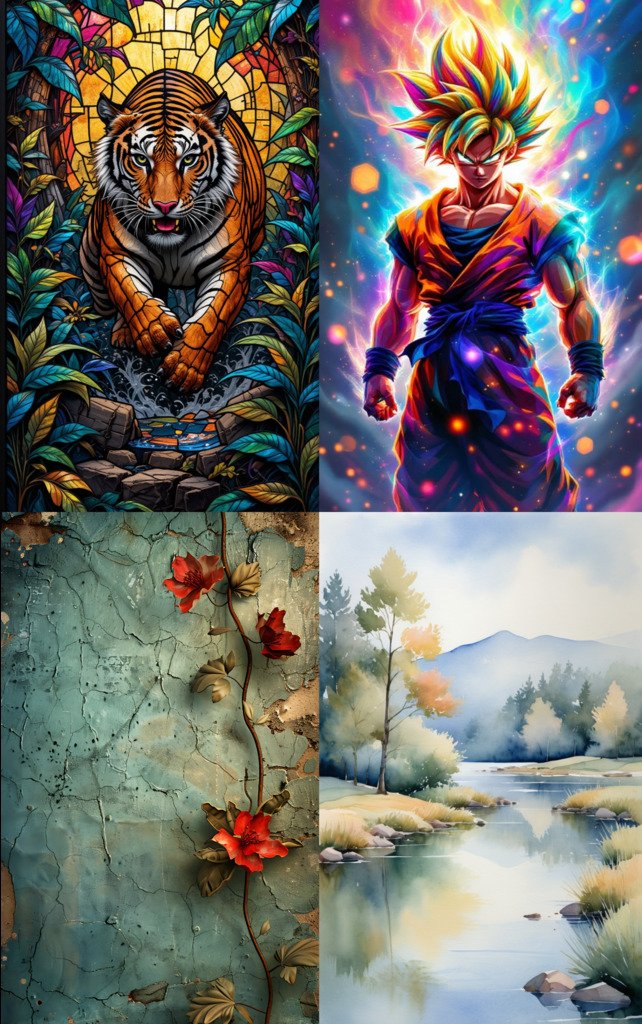
    Picture this: you type a few words, then watch a blank canvas bloom into color, light, and detail. With smart AI art prompts, you turn quick ideas into stunning digital art in minutes. You can create breathtaking scenes with just a few words, then refine them until they feel like your style.

    AI art prompts are simple text instructions that guide tools like DALL-E, Midjourney, and Stable Diffusion. You describe the subject, mood, style, and light, and the model fills in the visuals. This helps artists, designers, and creators move fast, test looks, and stay consistent across projects. From lo-fi nostalgia to Studio Ghibli warmth or biophilic calm, your words steer the vibe.

    You’ll get practical tips and clear examples next, so you can prompt with confidence and save hours. Create masterpiece AI art with curated prompts for DALL-E, Midjourney, and Stable Diffusion. Instant inspiration. For more tools that speed up your process, explore these Top Free AI Art Prompt Tools to Explore. And if you like a quick primer, this video is a helpful start: https://www.youtube.com/watch?v=nWKz74RvA8o.

    Get to Know the Top AI Art Tools

    You have strong ideas. The right AI art tools turn them into images that match your taste. Each model responds to AI art prompts in its own way, so your wording matters. Use the strengths of each tool to move from rough idea to gallery-ready visual, fast.
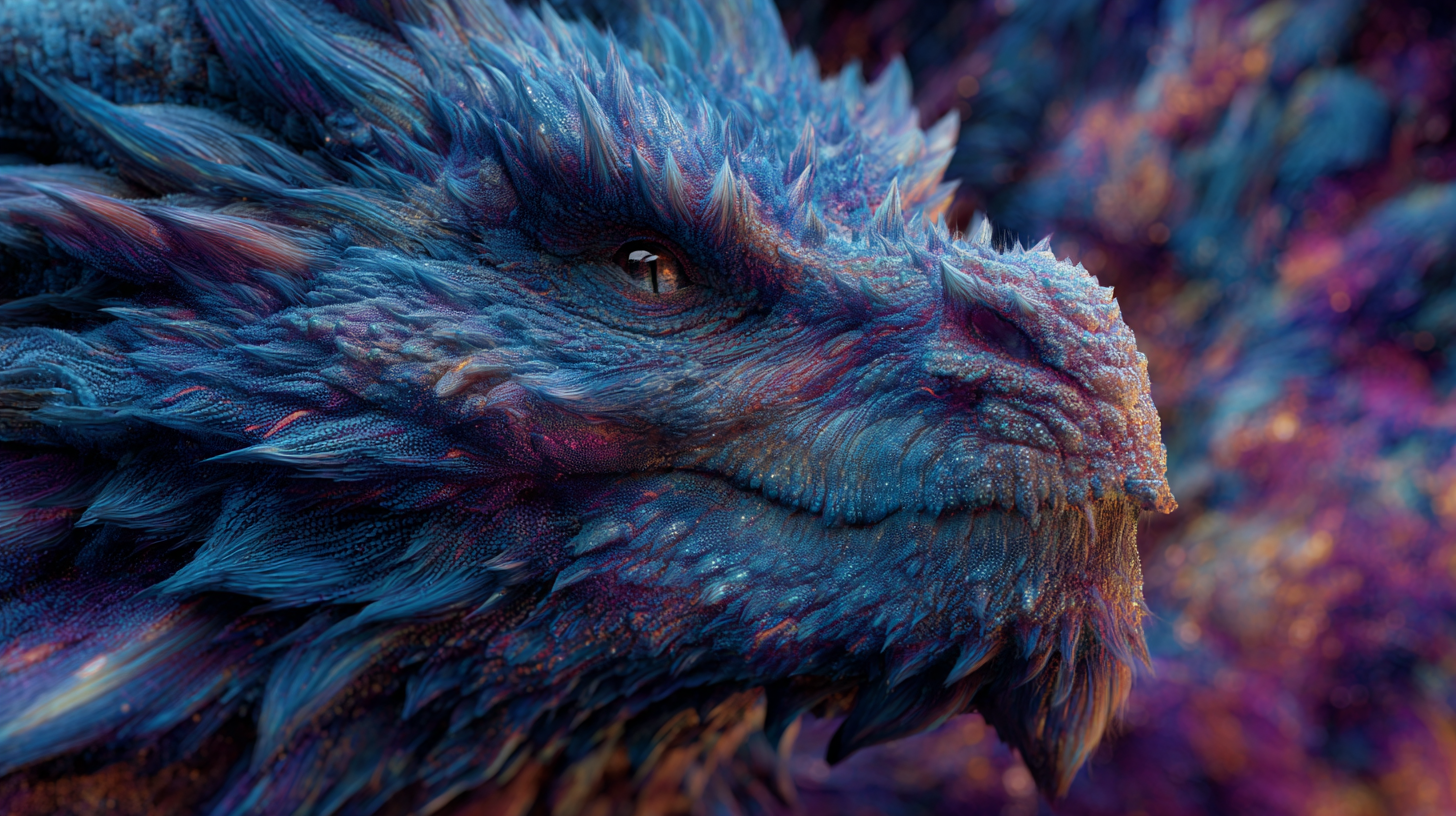
    DALL-E: Your Go-To for Realistic Visions

    You can describe your scene in full sentences to get sharp results. DALL-E reads longer prompts well, and it follows natural language with ease. It is great for lifelike scenes, product mockups, and clean compositions.

    Example prompt:

    • “A realistic painting of a surfing dog on a sunny beach with a beautiful sunset background.”

    To make it pop, add specific color notes and feeling:

    • “A realistic painting of a surfing dog on a sunny beach at golden hour, warm orange and pink sky, crisp highlights on wet fur, gentle waves, joyful mood, shallow depth of field.”

    You describe the scene like you would to a photographer. DALL-E fills in the rest, giving you a strong first render for stunning digital creations.

    Midjourney: Quick Sparks for Artistic Flair

    You start with key words to ignite creative outputs. Midjourney loves short, punchy prompts stacked with style cues. Keep it crisp. The model thrives on bold art styles, clear subjects, and tight descriptors.

    Example prompt:

    • “Surfing dog, impressionist style, sunny beach, vibrant sea.”

    Tips that help:

    • Style labels: impressionist, ukiyo-e, cyberpunk, watercolor.
    • Lighting words: golden hour, overcast, studio softbox.
    • Parameters: Adjust aspect ratio and detail to steer look. Midjourney’s Prompt Basics explains image prompts, multiple phrases, and parameters.

    Start with a few strong nouns and styles. If you like the vibe, nudge it with more texture and light details. This quick loop keeps your art fresh and expressive.

    Stable Diffusion: Build Custom Worlds Step by Step

    You refine your prompts with specifics to shape perfect images. Stable Diffusion responds to weighted keywords and negative prompts, so you can dial in detail and remove noise. It suits custom styles, consistent characters, and intricate scenes.

    Example prompt:

    • “Photorealistic cityscape at night, neon lights, dark sky, –ar 16:9.”
      • Many Stable Diffusion interfaces let you set aspect ratio in the UI or with flags. Use what your interface supports.

    Ways to gain control:

    • Weighted keywords: “neon signs:1.2, wet pavement:1.1, pedestrians:0.9” to raise or lower impact.
    • Negative prompts: “blurry, low-res, extra fingers, tilt-shift, watermark” to block unwanted artifacts.
    • Stepwise edits: Upscale, then inpaint small fixes like eyes, logos, or reflections.

    Pair specific positives with strong negatives. Your AI art prompts become a blueprint, guiding composition, texture, and polish until the image matches your goals.

    Master Tips to Craft Powerful AI Art Prompts

    You do not need long paragraphs to guide the model. You need clear building blocks. Use AI art prompts to set the subject, style, lighting, and mood, then layer details until the image clicks. Think of it like painting with words, one controlled stroke at a time.
    Start Simple and Add Details Layer by Layer

    You begin with the main idea, then build it out. Start with a clean base, then stack specifics to steer composition and vibe without clutter.

    Use this four-part mental checklist:

    • Subject: what the image is about, the focal point.
    • Style: the visual treatment or medium.
    • Lighting: how the scene is lit, time of day, softness or contrast.
    • Mood: the feeling or tone you want.

    Example progression, from basic to detailed:

    1. Base: “A fox in a forest.”
    2. Add style: “A fox in a forest, watercolor illustration.”
    3. Add lighting: “A fox in a forest, watercolor illustration, morning light through mist.”
    4. Add mood and color: “A fox in a forest, watercolor illustration, morning light through mist, calm mood, soft greens and amber highlights.”
    5. Add composition and texture: “A fox in a forest, watercolor illustration, morning light through mist, calm mood, soft greens and amber highlights, centered subject, shallow depth of field, fine paper grain.”

    Quick cues that help across tools:

    • Styling: oil painting, isometric, film still, tilt-shift, ukiyo-e.
    • Lighting: backlit, golden hour, overcast, studio softbox, neon glow.
    • Mood: serene, whimsical, gritty, cinematic.

    For more prompt structure ideas, skim practical guidance in MIT Sloan’s primer on effective prompts for AI. If you want a list of tools that help you move faster, review these Top free AI art prompt tools.

    Experiment and Refine Your Prompts

    You try a prompt, see the art, then adjust for better results. Iteration wins. Change one variable at a time so you can see what actually helped.

    Tighten results with these moves:

    • Tweak color or elements: shift from “neon city” to “teal and magenta signage,” or swap “crowded street” for “three pedestrians with umbrellas.”
    • Dial aspect ratios: square for portraits, 16:9 for landscapes, 4:5 for social feeds. Use your tool’s parameter or UI control.
    • Use negative prompts: block artifacts like “blurry, watermark, extra fingers, low-res.” This is essential for Stable Diffusion and helpful in many UIs.
    • Control detail: raise or lower texture words, for example “fine pores, microfibers, crisp reflections” or “minimal detail, flat color blocks.”
    • Lock consistency: repeat key tokens for a character or product across runs to keep faces, colors, and logos stable.

    A simple iteration loop:

    1. Generate your first image with a short, clear prompt.
    2. Analyze what you like: subject, palette, composition.
    3. Add or remove one thing: mood word, lighting, or a color.
    4. Run variants. Compare. Keep the best, discard the rest.
    5. Finish with clean-up: upscale, light inpainting, or a sharper negative list.

    What is new and useful for October 2025:

    • Prompt optimizers are common in many image UIs. They rewrite your input into clearer phrasing and better keyword order. Use them to test phrasing A/B without guesswork. See a current overview of core elements in CNET’s guide on why AI art prompts fail and how to fix them.
    • Meta prompting helps when you feel stuck. Ask an AI assistant to propose three variations of your prompt with tighter style, lighting, and negative lists, then paste the best version back into your image model. For a fundamentals refresh, Articulate’s tutorial on how to write great AI art prompts highlights clarity and specificity.

    Keep your edits small and focused. Treat AI art prompts like camera settings. One click at a time, you shape the shot until it looks exactly right.

    Ready AI Art Prompts for Fall and Halloween Vibes

    You want quick wins for seasonal art, with prompts that hit on the first try. Use these AI art prompts to warm up your portfolio for fall, then switch to eerie night scenes for Halloween. If you want more seasonal ideas, skim these inspiration lists of Midjourney Halloween prompts or browse high-performing autumn Midjourney prompts to spark new directions.

    Fall Scenes to Warm Your Portfolio

    Aim for rich color, soft light, and tactile textures. You create a cozy forest path with this prompt. Keep each tailored to the model’s strengths.

    • DALL-E, photoreal warmth:
      • “Late-autumn forest path, golden leaves, misty morning, warm backlight through trees, shallow depth of field, soft lens flare, natural color grading, quiet mood.”
        You create a cozy forest path with this prompt.
    • Midjourney, painterly vibe:
      • “Harvest market, wicker baskets, apples and pumpkins, knitted sweaters, golden hour, watercolor wash, gentle grain, soft vignette, –ar 4:5.”
        You capture seasonal charm with gentle texture and shape.
    • Stable Diffusion, texture control:
      • “Cabin by a lake, fog, birch trees, amber and moss palette, wet wood reflections, fine film grain:1.2, soft light:1.1, leaves swirling:0.9, negative: blurry, watermark, low-res.”
        You dial in tactile detail and remove noise with a clean negative list.
    • Bonus, product-forward scene:
      • “Minimal fall flat lay, kraft paper, cinnamon sticks, knit scarf, ceramic mug with steam, overhead composition, muted terracotta and cream, soft window light.”
        You build a shop-ready visual for thumbnails and ads.

    Halloween Magic for Spooky Art

    Night, glow, and movement sell the mood. You bring ghosts to life using these words. Work bioluminescent accents into each scene so the dark feels alive.
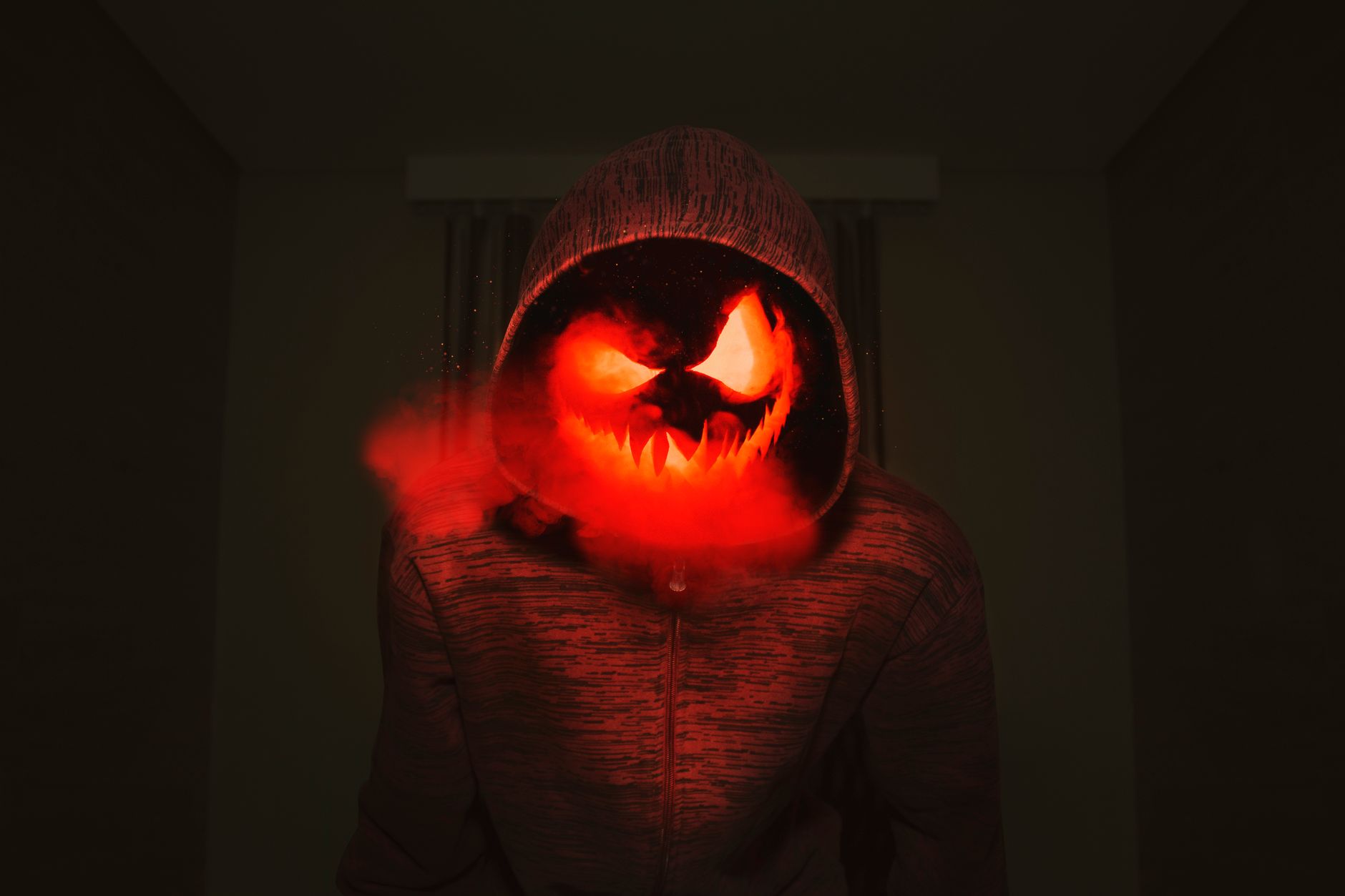
    A spooky pumpkin head in a hoodie exudes a creepy Halloween vibe with red smoke. Photo by David Gomes

    • DALL-E, cinematic night:
      • “Victorian alley at midnight, rain-slick cobblestones, bioluminescent fog curling around gas lamps, subtle ghost silhouettes, cool moonlight, teal and violet glow, high contrast.”
        You stage a moody scene with glow that guides the eye.
    • Midjourney, graphic poster look:
      • “Neon jack-o’-lantern, smoke tendrils, pitch-black background, bioluminescent carve lines, crisp rim light, dramatic shadows, horror poster style, –ar 3:4.”
        You get punchy contrast that reads even at thumbnail size.
    • Stable Diffusion, eerie ecosystem:
      • “Ancient forest at night, luminous mushrooms and fireflies:1.3, spectral deer:1.1, cool blue moonbeams, fog layers:1.2, negative: cartoonish, oversaturated, extra limbs.”
        You control glow, remove artifacts, and keep forms believable.
    • Bonus, character-forward:
      • “Witch on a rooftop, wind-tossed cloak, city skyline at night, broom bristles lit with bioluminescent embers, star-swept sky, subtle film grain, crisp highlights.”
        You balance character, light, and setting for a hero image.

    Use these AI art prompts as seasonal presets. Start with one, generate, then tweak color, light, or composition until the image clicks.

    Conclusion

    You started with a few words and a blank canvas, now you can guide light, mood, and style with intent. Strong AI art prompts give you clear control, faster results, and consistent looks across tools. You now have the tools to make digital art that stands out.

    Create masterpiece AI art with curated prompts for DALL-E, Midjourney, and Stable Diffusion. Instant inspiration.

    Try the tips, test the seasonal examples, then tweak one setting at a time until your image clicks. Share your favorite results, note what worked, and save prompt presets so your next project moves even faster. If you want more ideas, explore more on the site and keep building your prompt library.
  • 25 awesome Halloween Prompt ideas for MidJourney.

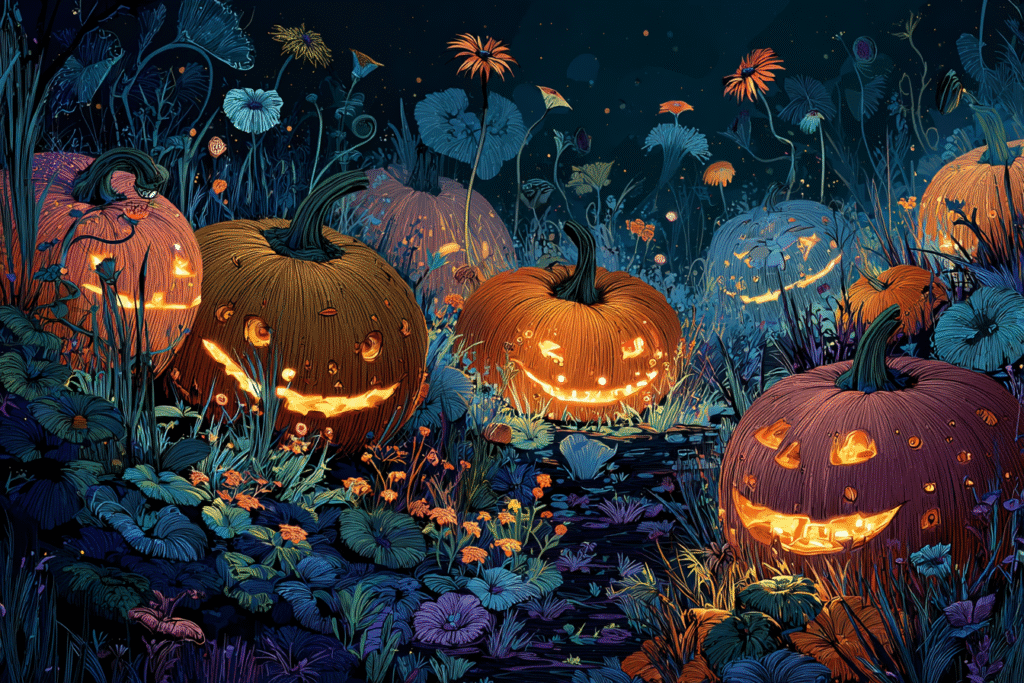
    Midjourney art: Whimsical digital painting of an enchanting pumpkin patch at night, filled with intricately carved, warmly glowing jack-o'-lanterns. Stylized illustration, atmospheric lighting, deep Halloween colors, clear focal point.

    Time to get your spooky on! We’ve cooked up 25 awesome Halloween ideas for MidJourney.

    Hey there, Halloween fanatics! Feeling that crisp autumn air? Catching a whiff of pumpkin spice yet? If you’re itching to turn your wildest Halloween dreams into amazing visuals, you’ve landed in the perfect spot. Halloween’s almost here, and it’s prime time to unleash your inner artist.

    Picture this: haunted houses, creepy ghosts, spine-tingling scenes. Guess what? MidJourney makes it super easy and fun to bring those visions to life. You can whip up some seriously cool AI Halloween art with just a few simple words.

    
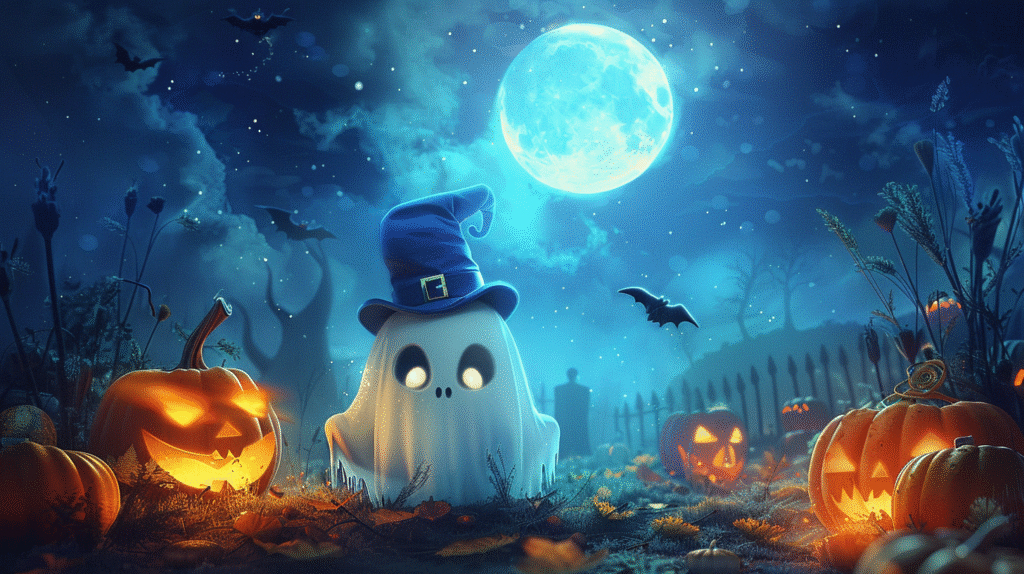
A friendly, plump ghost wearing a tiny top hat, floating through a moonlit pumpkin patch, whimsical art.

    Ready to dive into some MidJourney Halloween ideas? Let’s make some magic!

    Crafting Your Own Spooky Masterpieces: MidJourney Tips

    Before we jump into the fun stuff, let’s quickly chat about how to write a killer prompt. Think of it like casting a spell – you need the perfect words to conjure up exactly what you’re seeing in your mind. When you’re making a Halloween image, aim to be both super creative and crystal clear about the picture you want. Remember, you’re describing a visual, not writing a short story.

    Want to create truly chilling Halloween pictures? Here are my top tips:

    Keep it Short & Sweet: Forget long sentences. MidJourney loves short, punchy descriptions. Instead of rambling, “I want a picture of a house that’s haunted and looks really old and scary,” try: “haunted house, falling apart, overgrown ivy, broken windows, strange light.” Much more direct, right?
    Play with Styles & Views: This is where the real fun begins! Experiment with different art styles like “gothic horror,” “realistic horror,” “fantasy,” “cartoon,” “steampunk Halloween,” or even an “old postcard style.” Don’t forget about camera angles either! A “view from above,” “first-person view,” “close-up,” or “wide shot” can dramatically change your final image.
    Hint at a Story: You’re not writing a novel, but a tiny story element can add so much depth. Think “witch brewing a potion under a full moon,” “zombie emerging from a grave at sunset,” or “ghost peering from a window.” These little snippets help the AI build a compelling scene.
    Describe What You See, Not What’s Happening: Like keeping it concise, focus on visuals. “Creepy clown in a dark alley, evil smile, glowing red eyes, wet ground” paints a much clearer picture than “a clown is standing in an alley and it’s creepy.”
    Use Colors to Set the Mood: Colors and atmosphere are incredibly powerful tools. Use words to describe them: “dark and foggy,” “blood-red sky,” “scary shadows,” “bright pumpkin orange,” “old photo look,” or “faded colors.” These instantly convey the feeling you’re going for.
    Tell It What You Don’t Want (Use ‘NO’): Sometimes it’s easier to say what you don’t want in your picture. Just use no followed by the unwanted elements. For instance, no bright colors for a dark scene, or no modern buildings for a vintage vibe. This can save you a ton of tweaking! Emphasize Details: Want something to really pop? Use double brackets [[ ]] or add a number with a double colon :: to give it more weight. So, glowing eyes::2 or [[torn dress]] tells the AI to focus on those features. Advanced Tip: Negative Embeddings: If MidJourney keeps adding something you dislike (like a certain art style you always want to avoid), you can use "negative embeddings." It's a bit more advanced, but super helpful for fine-tuning. For example, tryno cartoonish features or no happy faces to make sure your creations are truly scary.

    Mastering these tricks will seriously boost your creative game and unlock endless possibilities for your AI Halloween art. Ready for some ideas?

    Your Spooky Inspiration: 25 Top MidJourney Halloween Prompts

    Okay, here are 25 varied MidJourney Halloween prompts to get your spooky gears turning! Feel free to tweak them, mix and match, or sprinkle in your own unique flair.

    Haunted Houses & Scary Places:

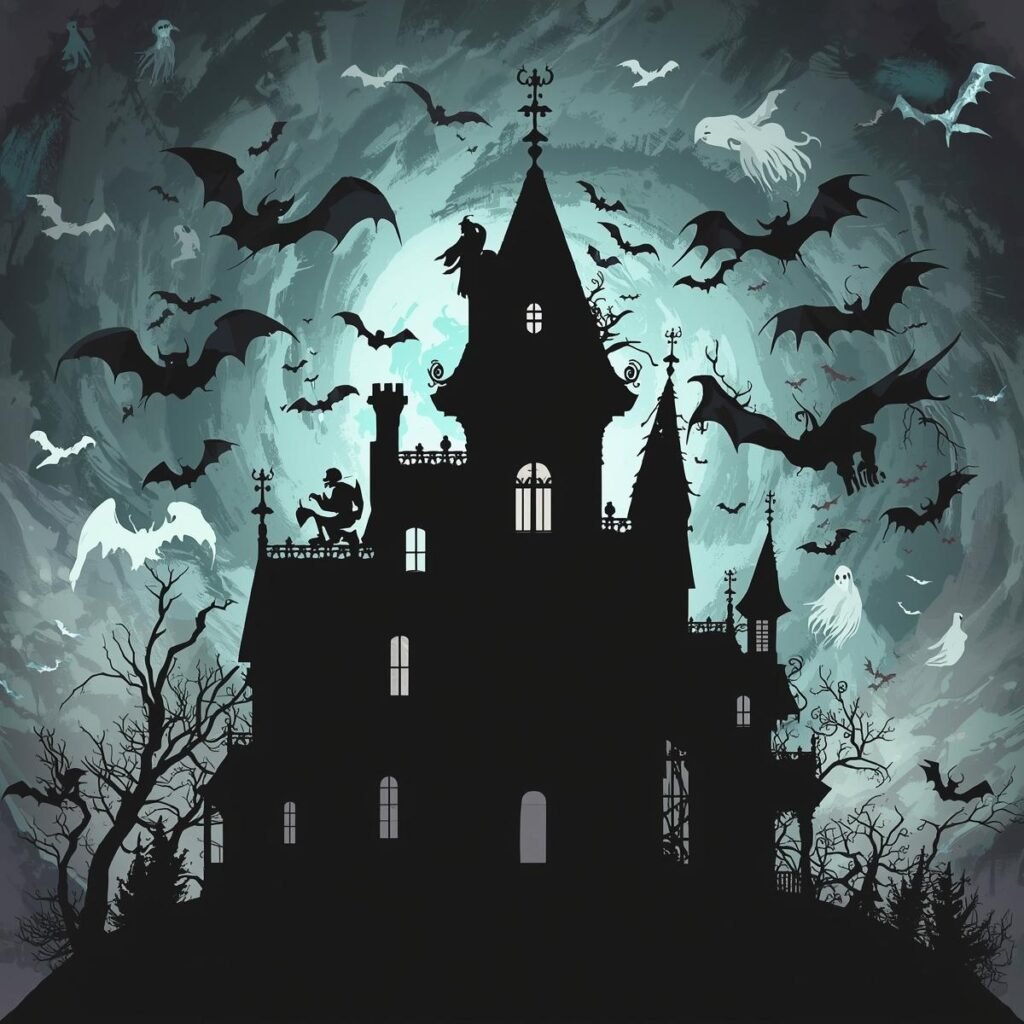
    Professional pop art style design of a whimsical fantasy haunted mansion Halloween pattern, featuring an intricate, silhouetted roofline of a spooky mansion with broken windows, where gothic gargoyles appear to animate, set against a swirling vortex of bats and shimmering ghostly apparitions, all silhouetted against a dark, turbulent, stormy grey and electric blue misty backdrop. The design is intricate and dynamic, evoking a sense of awakened ancient spirits.
    1. A decrepit Victorian haunted house, full moon, swirling mist, glowing eyes in windows, gothic horror, highly detailed, cinematic lighting –ar 16:9
    2. Abandoned pumpkin patch at midnight, scarecrows with glowing eyes, eerie fog, gnarled trees, realistic horror, volumetric lighting –ar 3:2
    3. A dark, overgrown cemetery, ancient gravestones, spectral figures, moonlit, realistic photo, wide shot, atmospheric –ar 4:3
    4. Mysterious forest path, twisted branches forming an archway, faint glowing orbs, deep shadows, fantasy art, mysterious, 8k –ar 16:9
    5. A forgotten carnival at dusk, rusted Ferris wheel, tattered tents, single blinking red light, creepy clown lurking, vintage horror –ar 5:4

    Spooky Characters & Creatures:

    1. Witch brewing a vibrant, bubbling potion in a dimly lit cottage, surrounded by arcane symbols, mystical glow, intricate details, fantasy illustration –ar 1:1
    2. A friendly ghost floating through a library, holding a glowing book, whimsical, cute Halloween, soft pastel colors, storybook style –ar 9:16
    3. Zombie horde emerging from thick fog, tattered clothes, decaying flesh, intense shadows, realistic horror, cinematic –ar 16:9
    4. Vampire queen in a grand, gothic ballroom, opulent gown, blood-red lips, elegant yet menacing, oil painting style –ar 3:2
    5. Werewolf howling at a full moon on a rocky outcrop, powerful, muscular, detailed fur, dynamic pose, dark fantasy art –ar 4:3

    Scary Moods & Strange Horrors:

    1. A swirling vortex of autumn leaves and spectral dust, forming a ghostly face, abstract, ethereal, vibrant fall colors with dark undertones –ar 1:1
    2. Shadow creatures reaching from a dark abyss, sharp claws, glowing red eyes, minimalist horror, high contrast, unsettling –ar 9:16
    3. A pumpkin carved with an intricate, terrifying face, lit from within, casting long, dancing shadows on a wall, close-up, hyperrealistic –ar 16:9
    4. A lone, flickering candle in a pitch-black room, revealing just hints of cobwebs and ancient artifacts, unsettling, film noir style –ar 3:2
    5. A blood-red moon illuminating a vast, desolate landscape, silhouetted skeletal trees, oppressive atmosphere, dark fantasy –ar 4:3

    Fun & Cute Halloween:

    
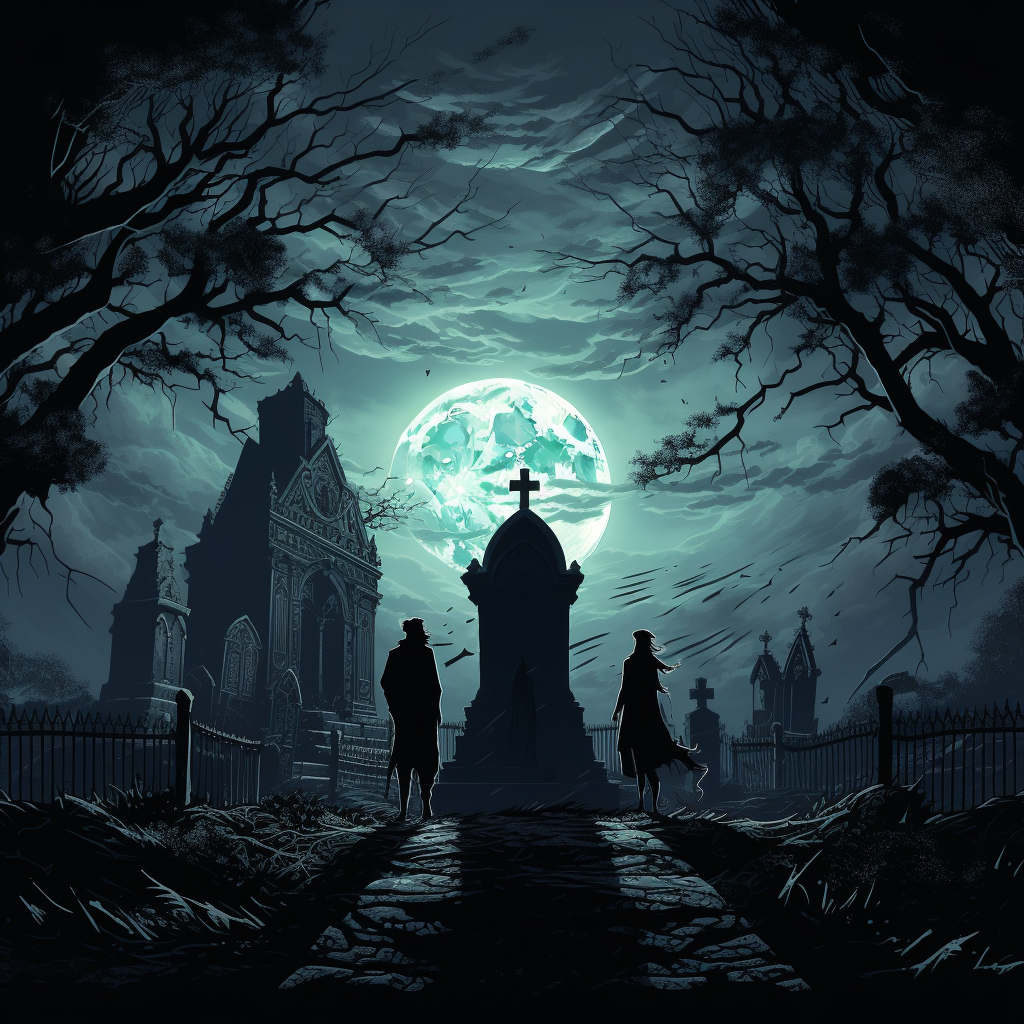
Dynamic illustration of three skeletal figures in a macabre dance within a gothic, moon-drenched graveyard. Sharp, angular tombstones and ornate wrought-iron fences define the scene, with a massive, ancient oak tree silhouetted against a full, luminous moon. The atmosphere is intensely eerie and supernatural.
    1. A group of adorable trick-or-treating kids in classic costumes (witch, ghost, pumpkin), walking down a suburban street at dusk, warm glow, Pixar style –ar 16:9
    2. A friendly black cat sitting on a stack of pumpkins, surrounded by colorful autumn leaves, cozy, charming, watercolor illustration –ar 1:1
    3. A smiling Frankenstein’s monster offering candy, surrounded by small, happy bats, cartoon style, vibrant colors, children’s book illustration –ar 9:16
    4. A haunted teacup party with cute, spectral animals, floating pastries, whimsical, dreamlike, soft lighting –ar 3:2
    5. A patchwork scarecrow waving gently in a field of glowing jack-o’-lanterns, starry night, cozy Halloween, digital painting –ar 4:3

    New & Creative Ideas:

    1. Steampunk zombie invasion of a Victorian city, gears and clockwork, gritty, sepia tones, intricate details, alternate history –ar 16:9
    2. A cybernetic grim reaper on a futuristic motorcycle, neon lights, dystopian cityscape, sci-fi horror, dramatic lighting –ar 9:16
    3. An ancient Egyptian mummy rising from a sarcophagus in a torchlit tomb, hieroglyphs glowing, adventure horror, cinematic –ar 16:9
    4. A ghostly pirate ship sailing through a swirling, phosphorescent sea, tattered sails, skeletal crew, high fantasy, epic –ar 5:4
    5. A portal opening to a dimension of candy corn mountains and gummy worm rivers, but with a subtly sinister undertone, surreal, vibrant yet eerie –ar 1:1

    So, there you have it! A fantastic jumping-off point for your MidJourney Halloween projects. Remember, the real magic of AI art comes from playing around. Don’t be afraid to mix and match, add your personal touch, and see what incredible AI Halloween art you can dream up.

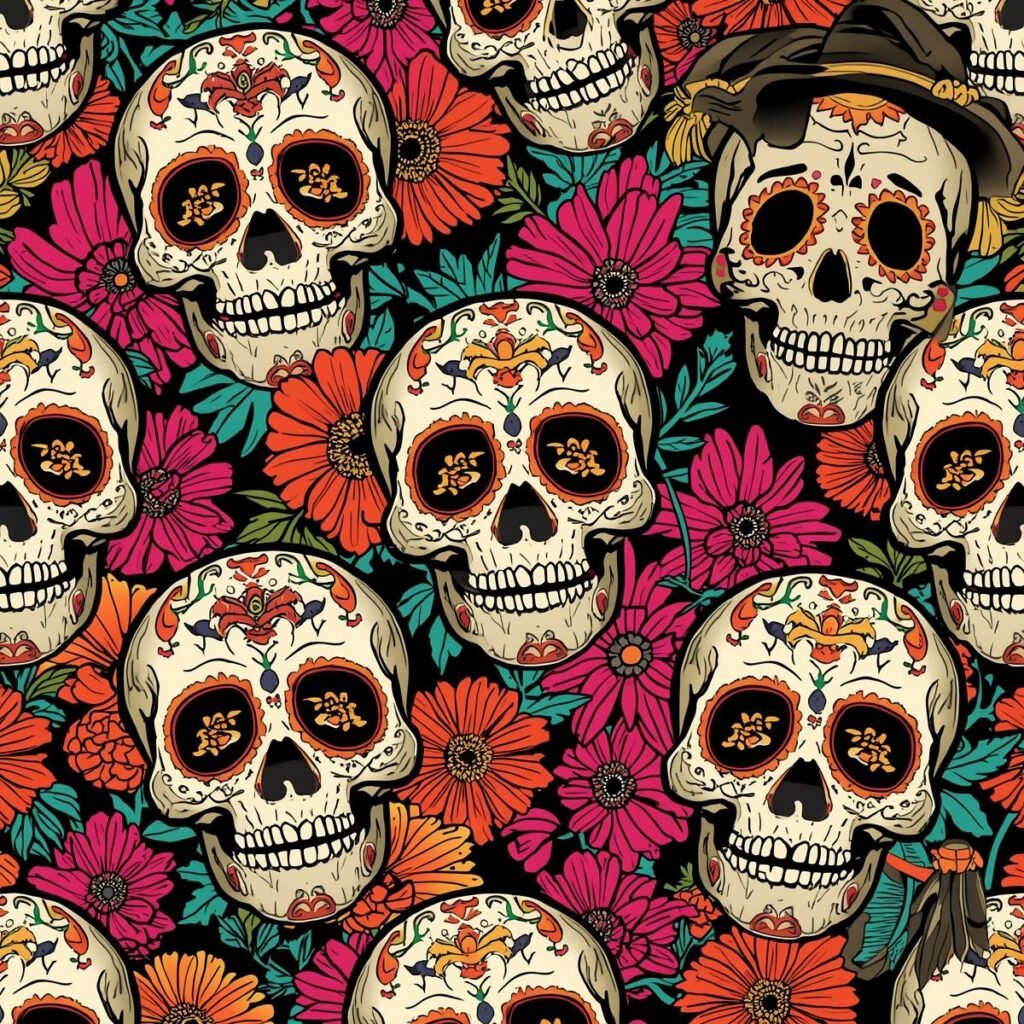
    Professional pop art style design of a Halloween pattern featuring intricate, playful sugar skull illustrations engaged in a game of charades with exaggerated, funny gestures and puzzled expressions, surrounded by marigold flowers.

    This Halloween, let MidJourney be your creative sidekick. Go ahead and conjure up some truly awesome, spooky, and totally unique pictures!

    FAQ Section

    Q: How do I create Halloween art in MidJourney?
    A: Type /imagine followed by a descriptive Halloween prompt. Use short, visual descriptions like “haunted Victorian house, full moon, glowing windows, gothic horror, cinematic lighting –ar 16:9” for best results.

    Q: What makes a good Halloween MidJourney prompt?
    A: Good prompts are short, visually specific, include style tags (gothic horror, realistic), mention lighting/mood, use color descriptions, and add technical specs like aspect ratio (–ar 16:9).

    Q: Should I use long or short prompts for Halloween art?
    A: Short and punchy works best. Instead of “I want a scary haunted house that looks old,” use “decrepit Victorian mansion, broken windows, swirling fog, moonlight, gothic horror.”

    Q: What aspect ratio should I use for Halloween MidJourney art?
    A: Use –ar 16:9 for social media landscapes, –ar 9:16 for Instagram stories, –ar 1:1 for square posts, –ar 3:2 for prints. Match your intended use.

    Q: How do I make my Halloween AI art scarier?
    A: Add mood words like “eerie fog,” “blood-red moon,” “deep shadows,” use “realistic horror” or “gothic horror” style tags, and include details like “glowing eyes” or “decaying flesh.”

    Q: Can MidJourney create cute Halloween art too?
    A: Absolutely! Use style modifiers like “Pixar style,” “cartoon,” “whimsical,” “watercolor illustration,” and describe friendly characters: “smiling ghost,” “adorable witch,” “cozy Halloween.”

    Q: What are negative prompts and how do I use them?
    A: Negative prompts tell MidJourney what to exclude. Add “no bright colors” for dark scenes, “no modern buildings” for vintage vibes, or “no cartoonish features” for realistic horror.

    Want more free image ideas? Make sure to follow us!

  • Getting Started with Midjourney:ComprehensiveGuide

    Getting Started with Midjourney:ComprehensiveGuide

    ​Welcome to “Getting Started with Midjourney: A Comprehensive Guide,” your ultimate resource for diving into the exciting world of AI-powered art and creativity. Whether you’re an artist looking to enhance your creative toolkit, a designer seeking inspiration, or simply someone curious about the burgeoning field of generative art, Midjourney offers a unique platform to explore and express your artistic vision. In this guide, we’ll walk you through the fundamentals of using Midjourney, including tips for navigating the interface, understanding its functionalities, plus 10  image prompts and unleashing your creativity. Whether you’re a seasoned designer or just starting out, Midjourney can help you bring your ideas to life. Join us as we embark on this transformative journey, where imagination meets technology, and learn how to harness the full potential of Midjourney to create stunning visual masterpieces.

    What is Midjourney and Why You Should Use It

    ​Midjourney is an innovative AI-powered tool that launched in March, 2022 and has rapidly gained traction among digital creators, artists, and designers. It harnesses the power of generative image algorithms to produce stunning visuals from simple text prompts, making it a go-to resource for those looking to explore the realms of graphic design without the need for extensive technical skills. The platform allows users to input descriptive phrases, which the AI interprets to create original images. This democratization of art opens up infinite possibilities for creativity, making it an exciting addition to the toolkit of anyone looking to enhance their visual storytelling.

    Getting started with Midjourney: A comprehensive guide reveals just how user-friendly the platform is, even for those who may feel intimidated by advanced technology. Users can easily navigate the interface and experiment with different prompts to see how the AI responds. One of the standout features of Midjourney is its ability to adapt and refine its output based on user feedback, enabling a collaborative relationship between artist and machine. This dynamic interaction not only fosters unique art but also encourages creative exploration, allowing users to push their artistic boundaries.

    Another compelling reason to utilize Midjourney is its versatility. Whether you’re a seasoned graphic designer, an amateur artist, or someone simply exploring creative pursuits, the platform offers a wealth of possibilities. From creating visual content for social media to designing unique merchandise, Midjourney can assist in producing eye-catching images that stand out. Its ability to generate multiple iterations of a concept means that users can explore various styles and approaches, enhancing their projects’ overall quality and appeal.

    In a world increasingly driven by visuals, Midjourney represents a significant advancement in the way we create and consume art. As technology continues to evolve, artists of all backgrounds have the opportunity to experiment and innovate using tools like Midjourney. By leveraging this powerful platform, you can streamline your creative process and elevate your projects to new heights, making it an essential resource in the modern digital landscape.

    Setting Up Your Midjourney Account: Step-by-Step Guide

    ​If you’re eager to dive into the world of AI-generated art, setting up your Midjourney account is a crucial first step. Getting started with Midjourney: a comprehensive guide will walk you through the nuances of creating and customizing your account to unlock the platform’s full potential. To begin, visit the Midjourney website and click on the sign-up link. You will need to register using your email or link your Discord account, as Midjourney operates primarily through this platform. Providing accurate information during this process will help ensure a smooth setup and allow for seamless integration with other features.

    Once you’ve registered, familiarize yourself with the Midjourney community guidelines and documentation, which you’ll find essential as you start creating your art. Joining the Midjourney Discord server is critical as it serves as the hub for creativity and collaboration. On this platform, you’ll be able to interact with other creators, share your work, and get inspired by the myriad of styles and techniques that abound within the community. Don’t hesitate to explore the various channels available – they are filled with tips, prompts, and resources that can enhance your artistic journey.

    After getting comfortable with the community aspects, it’s time to start experimenting with the various commands and settings within Midjourney. From choosing the right model for your artistic vision to understanding the multiple rendering options, there’s much to explore. The platform offers a range of customization tools, enabling you to alter styles and refine your images to get precisely what you desire. Engage with tutorials and community-generated content, as they can provide invaluable insights into making the most of your account.

    In conclusion, setting up your Midjourney account is just the beginning of your creative expedition. With the right guidance—such as getting started with Midjourney: a comprehensive guide—you’ll be well-equipped to navigate the platform efficiently and effectively. As you delve into AI art creation, remember to experiment fearlessly, collaborate, and most importantly, enjoy the journey. Each step you take will unveil new possibilities and help cultivate your unique artistic style in this ever-evolving digital landscape.

    Navigating the Features of Midjourney: A Closer Look

    ​Navigating the world of Midjourney can feel overwhelming at first, especially for newcomers drawn in by its impressive capabilities in AI-generated imagery. Understanding how to harness this powerful tool is essential for anyone looking to create stunning visual content. Getting Started with Midjourney: A Comprehensive Guide offers an insightful roadmap into its features, allowing users to maximize their creative potential. As you delve into the platform, familiarizing yourself with its interface becomes crucial—after all, a smooth navigation enhances productivity and sparks creativity.

    Midjourney’s command structure is one of its standout features, designed to streamline the creation process. Users input text prompts that the AI interprets, transforming words into magnificent visuals. This intricate relationship between language and imagery highlights the importance of skilled prompt crafting. By being specific in your requests and experimenting with various styles and themes, you can guide the AI more effectively in generating the artwork you envision. Moreover, understanding the parameters and settings available will allow you to tweak every aspect of your images, fostering a personalized touch that reflects your artistic intent.

    In addition to creating images, Midjourney encourages interaction among its community. The social element is a vital aspect of this platform, where users can share their creations and gain inspiration from others. Engaging with this vibrant community not only enhances your learning curve but also opens avenues for collaboration and feedback. By exploring others’ works and understanding their prompts, you can refine your own skills and discover new techniques that elevate your creations.

    Ultimately, mastering Midjourney involves a combination of practice, exploration, and community engagement. As you start your journey with this platform, remember that each project is an opportunity to develop your unique style. By taking the time to understand its features and actively participating within the community, you can transform ambitious ideas into breathtaking visuals that captivate and inspire.

    Best Practices for Maximizing Your Midjourney Experience

    ​Getting started with Midjourney: A comprehensive guide to transforming your creative process begins with understanding the platform’s unique functionalities. Midjourney enables users to generate stunning visuals through artificial intelligence, catering to artists, designers, and marketers alike. To maximize your experience, familiarize yourself with the various commands and settings available. Regularly exploring the documentation and community resources can provide invaluable insights and enhance your ability to produce high-quality images.

    Engaging with the Midjourney community is another best practice that can significantly elevate your experience. Participating in forums and discussion groups allows you to share your creations, seek feedback, and learn from seasoned users. These interactions often yield innovative techniques and tips that can refine your skills, providing a supportive environment to help you grow. Additionally, following other creators on social media platforms can inspire your artistic journey and spark new ideas for your own projects.

    Experimentation is key to discovering the full potential of Midjourney. Don’t hesitate to try different prompts, styles, and variations to see what resonates with your vision. The platform’s adaptive AI excels in understanding context and nuance, meaning that small changes in your approach can lead to significantly different results. Keeping an ongoing project journal, where you document your methods and outcomes, can also help you identify what works best for you over time.

    Lastly, regular practice. Did you hear that? Practice is essential for mastering any tool, and Midjourney is no exception. Set aside dedicated time each week to explore new techniques, revisit unfinished projects, or experiment with emerging trends. This consistent engagement with the platform not only helps you refine your skills but also builds a deeper connection with the creative process itself. By following these best practices, you’ll unlock new levels of creativity and effectiveness, making your Midjourney experience even more rewarding.

    Tips and Tricks for New Users of Midjourney

    ​If you’re diving into the vibrant world of Midjourney, you’re in for an exhilarating experience. Getting started with Midjourney: A comprehensive guide can help you unlock the platform’s full potential, allowing your imagination to soar. The first step is to familiarize yourself with the interface and essential commands. Spend some time exploring the various features that Midjourney offers, from art generation to community interactions. Understanding the layout will make it easier for you to navigate as you experiment with your creative ideas.

    One of the most effective tips for new users is experimentation. Don’t hesitate to play with different inputs, prompts, and styles. The more you interact with the platform, the better you’ll grasp how to fine-tune your requests for the desired results. Midjourney is designed to learn and adapt based on user preferences, so don’t be afraid to push boundaries and try unconventional ideas. Remember that the community is an invaluable resource, so take advantage of forums and discussion groups to share tips, ask questions, and gain insights from experienced users.

    Additionally, incorporating feedback is crucial for growth. As you generate art with Midjourney, take note of what works and what doesn’t. Use the reactions and suggestions you receive from others to refine your approach. Make sure to keep an eye on the latest updates and new features released by Midjourney, as the platform is continuously evolving. Staying informed will help you leverage new tools that can elevate your art to another level.

    Finally, practice patience and enjoy the journey. Learning a new tool takes time, and perfection is rarely achieved on the first try. Embrace your creativity, learn from your mistakes, and celebrate your achievements along the way. As you become more comfortable with Midjourney’s capabilities, you will find your unique style emerging. So, gear up to explore, create, and connect with fellow enthusiasts in the fascinating realm of digital art!

    Integrating Midjourney into Your Daily Workflow

    ​Integrating Midjourney into your daily workflow can significantly enhance your creative projects, allowing for more seamless and visually appealing outputs. Getting started with Midjourney: A comprehensive guide will equip you with the necessary tools and insights to harness the platform effectively. As you acclimate to its interface and functionalities, you’ll find numerous ways to leverage this AI-driven service to your advantage, whether you’re a designer, content creator, or simply looking to streamline your visual communication.

    The first step in making Midjourney an integral part of your routine is to familiarize yourself with its core features. Spend time exploring the different command options and parameters available, as these will allow you to customize your outputs according to your specific needs. Understanding how to manipulate prompts and refine your queries will lead to a more tailored experience, enabling you to produce high-quality images that align with your vision. A systematic approach in your initial usage can lay the groundwork for more complex integrations later on.

    Once you’ve grasped the basics, consider incorporating Midjourney into your collaborative projects. Whether you work in teams or individually, sharing your creations can open new avenues for feedback and inspiration. Utilize the platform to generate visuals accompanying brainstorming sessions or to illustrate concepts you’re developing. By doing so, you can not only present ideas more vividly but also engage your audience with striking images that capture their attention and evoke emotion.

    Additionally, integrating automation tools and workflow management applications can help you streamline the process. To make the most of Midjourney, connect it with other tools you use regularly, such as project management software or social media platforms. This interconnectedness will enable you to automate certain tasks, allow for larger scale image production, and free up time for other essential creative pursuits. By taking these steps, Midjourney will become not just a tool but a powerful ally in enhancing your daily workflow.

    Troubleshooting Common Issues in Midjourney

    ​Getting started with Midjourney can be an exciting yet challenging experience for newcomers. The platform offers a world of creative possibilities through its AI-driven tools, but it’s not uncommon to encounter some hiccups along the way. Common issues range from connectivity problems to misunderstanding the commands and settings. Being well-prepared with troubleshooting tips can make your journey smoother, allowing you to focus on unleashing your creativity rather than getting bogged down by technical challenges.

    One frequent issue users face is difficulty in connecting to the Midjourney server. This can often stem from internet connectivity problems or server outages. A simple fix is to check your internet connection—ensuring that your device is connected and stable can often resolve many issues. Additionally, following Midjourney’s social media channels or forums can provide real-time updates about server status and known issues. If you continue to face problems, restarting the app or refreshing your browser might help reestablish a connection.

    Another common challenge among users is the complexity of commands and options available within the platform. New users might feel overwhelmed by the sheer number of settings that can be adjusted to create your desired outcome. Familiarizing yourself with the command structure is essential, and resources such as “Getting Started with Midjourney: A Comprehensive Guide” offer a wealth of information that can clarify how each command functions. Don’t hesitate to experiment within the platform; practice will help build your confidence and proficiency with the tools at your disposal.

    Lastly, if your outputs aren’t aligning with your expectations, check your prompt structure. Often, the more specific and detailed the prompt, the better your results will be. Take advantage of community forums, user groups, and shared resources to learn about effective prompting techniques from experienced members. With a little patience and exploration, you will not only troubleshoot common issues but also enhance your overall experience with Midjourney, transforming challenges into opportunities for creativity. Here are 10 basic image prompts to test out the platform: 

    1. A majestic lion with a flowing mane, digital art, hyperrealistic

    2. A futuristic cityscape at night, cyberpunk style, neon lights

    3. A whimsical underwater scene with colorful fish and coral reefs, illustration

    4. A portrait of a woman with flowing hair, art nouveau style

    5. A steaming cup of coffee on a rainy day, photorealistic

    6. A field of lavender flowers at sunset, impressionist painting

    7. A cute robot exploring a strange planet, cartoon style

    8. A mysterious forest with glowing mushrooms, fantasy art

    9. An abstract pattern of swirling colors, psychedelic art

    10. A vintage travel poster for a tropical island, retro style

    Advanced Features in Midjourney: Taking Your Skills to the Next Level

    ​As the world of artificial intelligence continues to evolve, Midjourney stands out as a powerful tool for creatives looking to explore the intersection of art and technology. Getting started with Midjourney: a comprehensive guide offers a solid foundation for those new to generative art. However, to truly unlock the platform’s potential, it’s essential to delve into its advanced features. These tools and functionalities not only enhance the quality of generated images but also foster an environment for experimentation and innovation.

    One of the standout aspects of Midjourney lies in its customizable parameters and intricate prompts. Users can manipulate aspects such as aspect ratios, styling choices, and even temperature settings to produce highly tailored outputs. This ability to fine-tune parameters enables artists to experiment with various aesthetics, ensuring their creative vision is faithfully represented. Additionally, the introduction of version control in Midjourney allows users to specify the generation model they want to work with, ultimately leading to a more controlled and personalized creative process.

    Another advanced feature that has garnered attention is the ability to generate variations of existing images. This tool not only aids in the refinement of ideas but also sparks new creative pathways that might not have been conceived during the initial brainstorming sessions. By iteratively refining concepts, artists can create a cohesive series of artworks or develop a unique style that resonates with their audience. Furthermore, integrating external references has never been easier, making it possible to infuse personal influences and cultural elements directly into the AI generation process.

    In summary, while Getting Started with Midjourney: A Comprehensive Guide provides essential knowledge for beginners, the advanced features of the platform empower users to elevate their artistry to new heights. The combination of customizable settings, varied output generation, and the ability to integrate personal influences offers an unmatched creative experience. As you continue to explore Midjourney, embracing these advanced tools will undoubtedly lead to a greater understanding of AI-generated art and propel your artistic endeavors forward. You can always use the resources provided on the Midjourney site to learn and sharpen skills.

    Collaborating with Others on Midjourney: Enhancing Productivity

    ​Collaborating with others on Midjourney can truly enhance productivity and inspire creativity in ways that solitary work often cannot. As teams come together within this innovative platform, they have the opportunity to share ideas, foster collaboration, and build upon one another’s strengths. The interactive nature of Midjourney allows for real-time participation, making it easier to brainstorm and refine concepts collectively. Whether in a creative project, a marketing campaign, or a design session, the ability to pool thoughts and resources often leads to richer outcomes and more engaging final products.

    For those who are new to the platform, getting started with Midjourney: A Comprehensive Guide can serve as an invaluable resource. This guide not only offers a step-by-step introduction to the features and tools available but also highlights best practices for effective collaboration. Users will learn how to set up collaborative workspaces, utilize shared visual assets, and engage in effective communication through comments and suggestions. By mastering these skills, team members can maximize their time on the platform, ensuring that everyone is on the same page and moving toward common goals cohesively.

    One of the most significant benefits of working together on Midjourney is the diverse perspectives that each collaborator brings to the table. Combining different viewpoints can lead to innovative solutions and not just on small tasks, but across entire projects. The act of seeking and incorporating feedback helps refine ideas and encourages participants to think outside the box. Thus, engaging with the Midjourney community fosters a culture of continuous improvement, where everyone feels empowered to contribute their insights, elevating the work produced as a team.

    Additionally, as teams become more familiar with the collaborative features of Midjourney, they can establish workflows tailored to their unique projects. Integrating tools and timelines that harmonize with the creative process ensures that work remains efficient and directed. By leveraging organizational features such as tagging, sharing drafts, and visualizing progress, teams can maintain momentum and clarity throughout their projects. Overall, collaborating within Midjourney not only enhances productivity but also creates a vibrant atmosphere for creativity, where collective efforts yield exceptional results.

    The Future of Midjourney: What to Expect and How to Prepare

    ​As the landscape of artificial intelligence continues to evolve, Midjourney stands at the forefront of innovation, redefining the boundaries of creative expression. As we look to the future, it is essential to understand how this powerful tool will not only influence various sectors but also shape the way artists, designers, and content creators interact with technology. The rapid advancements in generative AI suggest that Midjourney will become increasingly integrated into creative workflows, streamlining processes and enhancing productivity. For those eager to harness its potential, getting started with Midjourney: a comprehensive guide will be pivotal in navigating this exciting terrain.

    One of the most promising developments in the future of Midjourney lies in its ability to learn and adapt. As users engage with the platform, it will likely become more intelligent, delivering increasingly refined outputs tailored to individual preferences and styles. This personalized approach may empower creators to push their artistic boundaries, allowing them to experiment with new concepts without the fear of failure. Programs are also expected to evolve, incorporating more intuitive interfaces that cater to both seasoned professionals and newcomers alike, making it easier than ever to produce high-quality visual content.

    Moreover, the integration of collaborative features is anticipated to enhance teamwork among creatives. As projects often require input from multiple stakeholders, the ability to work simultaneously within Midjourney could streamline communication and foster innovation. Enhanced sharing capabilities and real-time feedback mechanisms could revolutionize how creative teams produce and critique work, ensuring that diverse perspectives are woven into every project. By embracing these advancements, users can prepare themselves to take full advantage of the tools available within Midjourney, setting a foundation for successful collaborations in the years to come.

    In preparing for the future of Midjourney, it is crucial for aspiring users to invest time in understanding its intricacies and functionalities. Familiarizing oneself with the platform through resources like getting started with Midjourney: a comprehensive guide can provide valuable insights and techniques that will make the creative journey smoother. As AI continues to play a central role in shaping artistic landscapes, those who proactively embrace these technological shifts will not only remain competitive but will also gain the ability to innovate and inspire in ways previously unimaginable. The future of Midjourney holds limitless possibilities, and by staying informed and adaptable, creators can ensure they are well-equipped to thrive in this dynamic environment.