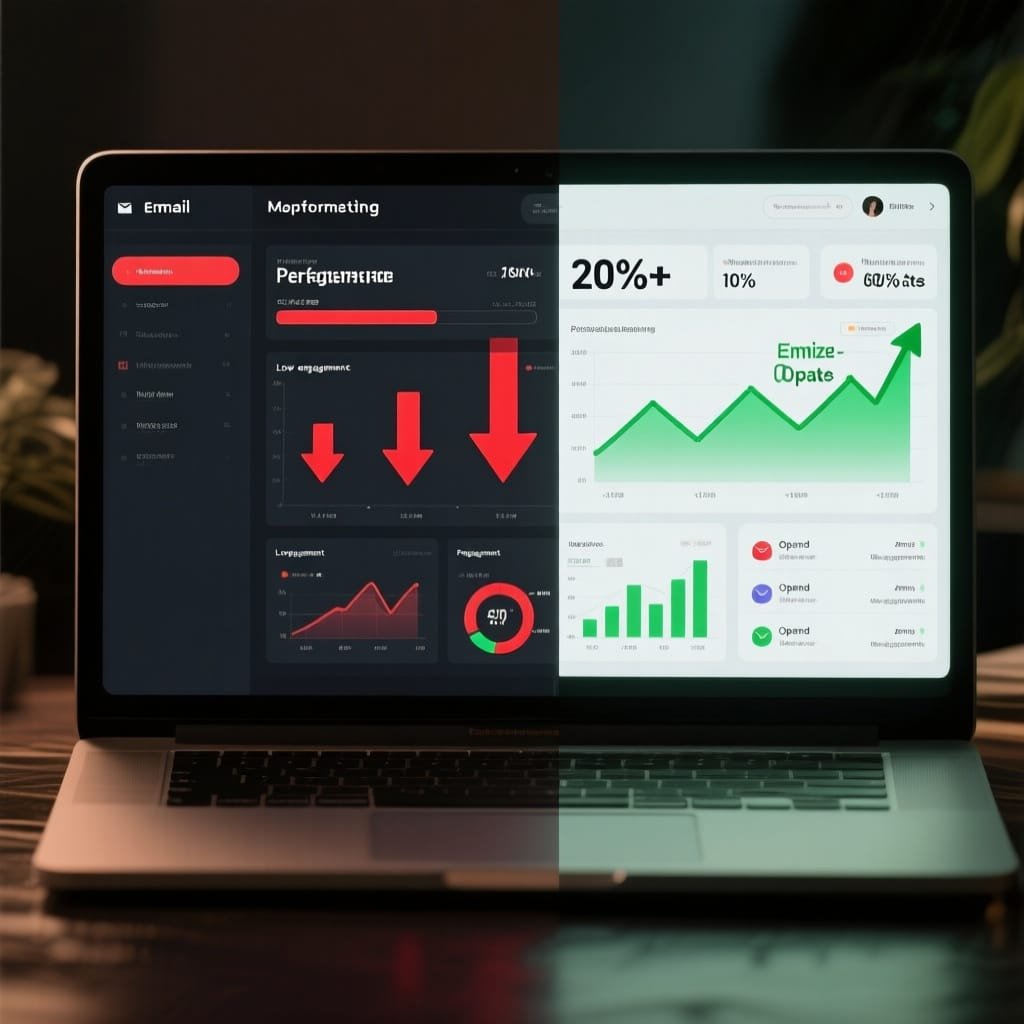
Mia sent great emails that nobody opened. Week after week, her open rate sat in the single digits. Then she tried a few simple AI prompts, and her next campaign jumped, fast and clean.
Here is the big idea. Short, clear prompts can spin up 33 subject lines that get clicks, save hours, and lift opens by 10 to 22% based on 2025 trends. You get consistency, sharper tests, and less guesswork.
In this post, you’ll see why AI helps, how to build prompts that fit your list, the 33 subject lines to copy and adapt, and quick tips to tune for tone, audience, and timing. We’ll keep it practical and easy to use.
Ready to make your emails impossible to ignore?
Why AI Prompts Boost Your Email Marketing Results
Your inbox fights for attention. AI prompts help you win faster. They turn data into tight subject lines, test ideas at scale, and save hours you can spend on strategy. In 2025, teams using AI for subject lines report 10 to 22% higher opens and 13 to 15% more clicks. That adds up fast, even on small lists.
AI also improves focus. It reads patterns in your list, like past opens, clicks, purchases, and timing. It learns what your subscribers respond to, then generates options that fit. Compared with writing by hand, you get more ideas, stronger tests, and less guesswork. For context, the average open rate sits near the mid-40s, but it varies by industry and tracking method, as shown in HubSpot’s 2025 open rate benchmarks [https://blog.hubspot.com/sales/average-email-open-rate-benchmark]. Your edge comes from relevance, speed, and iteration.
A simple way to start:
Basic prompt: Write 10 subject lines for a spring sale on running shoes, friendly tone, under 45 characters. Prioritize benefit and urgency.
Sample output: “Fresh miles, today only,” “Run faster for less,” “Spring deal ends tonight”
Personalization That Feels Personal
Personalization is more than a first name. AI can tailor subject lines to recent behavior, product interest, location, and send time. That is why it works. People open what feels written for them.
The numbers back it up. Subject lines with personalization raise open rates by 10 to 14%, according to Omnisend’s 2025 email statistics [https://www.omnisend.com/blog/email-marketing-statistics/]. Broader studies echo this. Brands that personalize promotional emails see 11% higher opens and 27% higher unique clicks, as reported by DemandSage [https://www.demandsage.com/email-marketing-statistics/]. Relevance lifts curiosity, which lifts the click.
Try prompts that mirror user behavior:
“Viewed but not bought” prompt: Create 7 subject lines for users who viewed our noise-canceling headphones twice this week, mention comfort and battery life, under 45 characters.
Example outputs: “Comfort you can hear,” “48h battery, final peek?”
“Category interest” prompt: Write 8 subject lines for subscribers who click camping content, focus on lightweight tents, include subtle urgency, 40–50 characters.
Example outputs: “Pack light, pitch fast,” “Ultralight tents, last call”
“Location + season” prompt: Generate 6 subject lines for customers in Chicago facing a cold snap, promote heated gloves, use practical tone, under 50 characters.
Example outputs: “Cold front, warm hands,” “Chicago chill, 20% off heat”
Why it drives engagement:
Message-market fit: The line matches what the subscriber did, not what you wish they did.
Reduced friction: Clear benefit, fewer words, faster yes.
Compounding gains: Small lifts on opens create more chances to earn the click.
Spark Curiosity Without the Spam Vibe
Curiosity pulls the eye in crowded inboxes. The key is a tease that hints at value, not clickbait that hides it. You get about eight seconds of attention on the first scan, so your subject line must land fast.
Aim for specific yet open loops:
Promise the “what,” hint at the “why.”
Use concrete nouns and simple verbs.
Avoid spammy triggers like ALL CAPS or vague hype.
Prompt ideas to spark clean curiosity:
Emotional hook: Write 10 subject lines that tease a before-and-after story about back pain relief products, warm tone, 35–45 characters.
Example outputs: “What changed her workday,” “The chair that ends fidgets”
Exclusive peek: Create 8 subject lines offering early access to our fall styles, avoid the word “exclusive,” keep it crisp, under 40 characters.
Example outputs: “Early peek: fall fits,” “Your 48h head start”
Outcome tease: Generate 7 subject lines for a case study on cutting ad spend by 22%, direct tone, 40–50 characters.
Example outputs: “22% less spend, same sales,” “How we trimmed ad waste”
Why it works:
Curiosity + clarity: A clear benefit with an open question in the mind.
Fast skim: Short, concrete words get the tap within seconds.
Trust intact: No bait, no bounce, better long-term engagement.
Create Urgency and FOMO for Quick Action
Inbox fatigue is real. Urgency cuts through it when the offer is real and the timeline is clear. FOMO works best with honest limits, not fear tactics.
Use scarcity, time, and access:
Time bound: end dates, countdowns, “last chance”
Quantity bound: limited stock, small batch, first 100
Access bound: early access, members-only, waitlist opens
Prompts to drive quick action:
Limited time: Write 9 subject lines for a 24-hour flash sale on skincare, calm tone, no exclamation marks, 35–45 characters.
Example outputs: “24h glow sale,” “Ends tonight: SPF bundle”
Limited stock: Create 7 subject lines for low inventory on size 9 trail shoes, mention color, 40–50 characters.
Example outputs: “Olive 9s almost gone,” “Last pairs, trail-ready”
VIP access: Generate 6 subject lines inviting loyalty members to a 2-day preview, friendly tone, under 45 characters.
Example outputs: “Your 2-day head start,” “Members get first pick”
Why it boosts clicks:
Clear stakes: People act when delay means loss.
Focused intent: Urgency filters casual scrollers from ready buyers.
Trend aligned: Brands see higher unique clicks when relevance and timing meet, as shown in 2025 email performance data from DemandSage [https://www.demandsage.com/email-marketing-statistics/].
Quick bonus for busy teams:
Feed your AI small, clean prompts.
Generate 20 to 30 lines in seconds.
Test 2 to 3 per send, keep the winners, and move on.
Step-by-Step Guide to Building AI Prompts for Subject Lines
Great subject lines start with great prompts. Set clear boundaries, feed the right context, then iterate fast. Think of it like giving a chef a tight brief: who you are feeding, the flavor you want, and the time it takes to plate. Do that well and the output gets sharp, short, and ready to test.
Key Ingredients for Strong Prompts
Strong prompts give AI just enough guardrails to write tight lines without guesswork. Start with three basics, then layer constraints.
Essentials to include:
Audience: segment, behavior, or lifecycle stage.
Goal: open, click, purchase, sign-up, or reply.
Tone and style: short, playful, direct, warm, bold, professional.
Emotions: curiosity, relief, pride, urgency, joy, safety.
Length limit: character count, often 35 to 50.
Campaign type: launch, flash sale, webinar, newsletter, win-back.
Must-have details: product, benefit, deadline, discount, or hook.
What to avoid: exclamation marks, spammy words, all caps.
Before-and-after examples:
Weak: “Write subject lines for our sale.”
Strong: “Write 12 subject lines for a 24-hour skincare flash sale, calm tone, under 45 characters, focus on SPF bundles, include soft urgency, avoid exclamation marks.”
Weak: “Make a subject line for our webinar.”
Strong: “Create 10 subject lines for a live SEO webinar for Shopify stores, friendly tone, 40 to 50 characters, highlight ‘free seat’ and ‘30-minute playbook,’ avoid jargon.”
Weak: “I need options for abandoned carts.”
Strong: “Generate 8 subject lines for abandoned carts on noise-canceling headphones, practical tone, under 45 characters, mention comfort and 48h battery, include gentle nudge to finish checkout.”
Try interactive building with AI:
Start broad, then add constraints after the first draft.
Ask for two sets: one curiosity-led, one benefit-led.
Request rewrites by segment, like VIPs or new subscribers.
Push for variety: “Give 5 with numbers, 5 with verbs, 5 with a question.”
Five sample prompts ready for 2025 tools:
- Sales promo: Write 10 subject lines for a 48-hour shoe sale, playful tone, under 42 characters, highlight free shipping, avoid exclamation marks.
- Webinar: Create 12 subject lines for a live webinar on GA4 tips for ecommerce, friendly tone, 40–50 characters, include “free seat,” avoid buzzwords.
- Product launch: Generate 10 subject lines for a new planner app launch, direct tone, under 45 characters, focus on “save 20 minutes a day.”
- Re-engagement: Write 8 subject lines for win-back subscribers inactive 90 days, warm tone, 35–45 characters, feature “your picks are waiting.”
- Seasonal event: Create 12 subject lines for back-to-school tech deals, confident tone, under 45 characters, mention student pricing and 24h window.
If you want a refresher on subject line formulas that still work, scan the 4 U’s approach in this guide on writing subject lines with AI prompts from HoppyCopy: Deep Dive: Writing great email subject lines (AI prompts + …) [https://www.hoppycopy.co/blog/deep-dive-guide-to-great-email-subject-lines-ai-prompts-examples].
Test and Tweak for Top Performers
Treat AI lines like drafts. Your list will tell you what wins when you run clean A/B tests. Change one variable, send to a fair split, then pick the winner based on a clear metric like open rate or unique clicks. Salesforce has a simple overview on keeping tests clean in its 2025 A/B testing guide: Email Marketing A/B Testing: A Complete Guide (2025) [https://www.salesforce.com/marketing/email/a-b-testing/].
How to test well:
Define one goal per test, usually open rate for subject lines.
Keep the email body the same. Only switch the subject.
Use a 10 to 20% sample to find a winner, then send the rest.
Set a minimum sample size and a fixed test window to avoid noise.
Track device and inbox client for context, not excuses.
Pick winners with data:
Favor higher open rate when deliverability is stable.
Break ties with downstream metrics, like click-to-open rate.
Tag winners by theme, like “benefit,” “number,” or “time bound.”
Save top performers to a swipe file and reuse the pattern.
Quick iteration is a 2025 staple. Teams ship 3 to 5 versions per send, learn fast, then refine. If you work inside a marketing suite, tools like HubSpot’s built-in generator make iteration faster with prompt fields and character controls: Generate subject lines for marketing emails using HubSpot AI [https://knowledge.hubspot.com/marketing-email/generate-subject-lines-for-marketing-emails-with-hubspot-ai].
A simple A/B plan for your next campaign:
- Generate 20 to 30 lines from one strong prompt.
- Shortlist 4 based on clarity, benefit, and length.
- Test 2 at a time on a sample, pick a winner.
- Ask AI to rewrite the winner in two new styles, retest next send.
- Update your prompt rules based on what won.
Keep sharpening your prompts. Add the character length that worked, the emotion that lifted opens, and the phrases to avoid. Small edits stack up into reliable gains.
33 AI-Generated Subject Lines Ready to Convert
Steal these lines, tweak a word, and ship. Each one is short, benefit-led, and built from prompts you can reuse. Keep your tone clean, avoid hype, and stick to honest value. If you want a quick refresher on what still works in subject lines, scan Klaviyo’s guide to subject line best practices and examples [https://www.klaviyo.com/blog/subject-lines-best-practices]. Now, pick your category and grab what you need.
Personalized Subject Lines to Build Connections
Personalized lines feel like a direct note, not a broadcast. Use name, behavior, location, or timing to make each message feel relevant. Small signals matter, and they add up fast.
- Hey [Name], your VIP pick ships free today (Prompt: personalized urgent line for loyal customer sale)
- [Name], a quick upgrade for your [Product] (Prompt: behavior-based upsell for recent buyer)
- [City] crew, warm gear is 20% off (Prompt: geo-personalized promo in cold weather)
- Your saved [Item]: back in stock now (Prompt: wishlist restock alert)
- Happy Birthday, [Name]! A small gift inside (Prompt: birthday perk, soft tone)
- [Name], finish checkout for free 2-day ship (Prompt: abandoned cart with shipping incentive)
- Welcome, [Name]! Your first perk is ready (Prompt: onboarding bonus for new subscriber)
- [Name], renew now, keep your streak alive (Prompt: renewal reminder, habit framing)
- We picked these for you, [Name] (Prompt: recommendation based on click history)
- [Name], friends get $10 when you share (Prompt: referral nudge for advocates)
Curiosity Hooks That Pull Readers In
Curiosity opens the door when you hint at value without hiding it. Tease the outcome, not just the offer. Keep it crisp, concrete, and clean. For inspiration on action-first wording, check Squarespace’s list of subject line examples that start with strong verbs [https://www.squarespace.com/blog/email-subject-lines-examples].
- The 3-minute tweak behind bigger clicks (Prompt: teaser for quick optimization tip)
- What changed our cart rate in one week (Prompt: cliffhanger for a short case study)
- Guess what 12,384 shoppers did next (Prompt: social proof tease with number)
- The tiny swap that saves you $20 (Prompt: benefit-led mystery swap)
- Your August surprise starts at checkout (Prompt: seasonal perk teaser)
- A small habit, a big inbox win (Prompt: behavior tip with outcome)
- Open for a before and after you can use (Prompt: story teaser for product impact)
- We tested 9 ideas, 2 crushed it (Prompt: experiment summary teaser)
- The quiet feature you asked for (Prompt: product update reveal)
- This chart says try subject line B (Prompt: data-backed insight tease)
Urgency and FOMO Lines for Fast Clicks
When time or quantity is real, say it clearly. Honest scarcity moves scanners to action. Use dates, counts, and plain words to set the stakes.
- Last chance: prices roll back tonight (Prompt: end-of-day rollback notice)
- Ends in 4 hours: early access closes (Prompt: countdown for preview window)
- 12 left in size [Size], grab yours (Prompt: low-stock alert with size)
- Final day: free gift with [Product] (Prompt: deadline for add-on bonus)
- Members only: doors close at midnight (Prompt: loyalty gate with timeline)
- Waitlist opens at 10, spots go fast (Prompt: launch queue announcement)
- Price jumps tomorrow, lock it in (Prompt: price change warning)
- Flash sale, 24 hours, clean and simple (Prompt: short window sale, no fluff)
- First 100 get free shipping (Prompt: quantity-bound perk)
- Going, going, almost gone (Prompt: near sellout nudge)
Playful and Emotional Lines for Warm Engages
A little warmth goes a long way around holidays and fun moments. Keep it light, kind, and easy to say out loud.
- Cozy vibes only, unwrap your winter pick (Prompt: holiday curation with soft tone)
- Treat yourself, your cart will smile (Prompt: self-care angle for promo)
- Holidays call, we brought the snacks (Prompt: playful seasonal campaign)
Copy, paste, ship, and test. Tag winners, tweak the prompts, and run them again on your next send.
Pro Tips to Make These Subject Lines Shine in Your Campaigns
You have the lines. Now make them work harder. Small tweaks in context, tone, and timing can turn a good subject into a standout. Use these focused tips to ship faster, stay on brand, and lift opens without guesswork.
- Pair your subject with a strong preview
Your preview text is the wingman. It finishes the thought and earns the tap.
Aim for 30 to 80 characters, clear and concrete.
Echo the benefit, not the subject line words.
Remove “View in browser” or template filler in the preview slot.
Examples:
Subject: “24h glow sale” + Preview: “SPF bundles drop tonight, free ship included.”
Subject: “The tiny swap that saves you $20” + Preview: “See the one setting we changed.”
- Match your brand voice every time
Consistency builds trust. Train your AI on your style so each line sounds like you.
Feed a short style guide: tone, banned words, and favorite verbs.
Keep two approved styles per segment, like “friendly” and “direct.”
Avoid drift. Review winners monthly and update your prompt rules.
Quick prompt starter: “Write 5 subject lines in a calm, confident voice, under 45 characters, no exclamation marks, avoid hype words like ‘insane’ or ‘unbelievable.’”
- Segment first, then write the line
Relevance beats clever. Write for the person, not the list.
Behavior segments: viewed, added to cart, repeat buyer, churn risk.
Value tiers: VIPs hear access; new subs hear welcome and clarity.
Geo or season: local weather, events, and store availability.
Simple framework:
Segment: “Viewed tents twice”
Subject focus: comfort and weight
Line example: “Pack light, sleep warm tonight”
- Keep it short, clear, and clean
Mobile trims long lines. Get to the point fast.
Target 35 to 50 characters for most sends.
Avoid ALL CAPS, spammy symbols, and vague hype.
Use numbers, verbs, and concrete nouns.
Good: “Price jumps tomorrow, lock it in”
Risky: “HURRY!!! Lowest prices EVER!!!”
- Test fast, decide faster
Quick cycles beat long debates. Treat each send like a sprint.
Test 2 lines at a time, same audience split.
Decide by open rate, break ties with click-to-open.
Move the winner forward, retire the rest.
Keep a swipe file of themes that win, like number, time bound, benefit.
A simple cadence: generate 20 options, shortlist 4, test 2, ship winner, repeat next send.
- Track the metrics that matter
Measure beyond opens so your tests drive revenue, not noise.
Open rate: interest and deliverability signal.
Click-to-open rate: real engagement with your promise.
Revenue per recipient: bottom-line tie to the line.
Spam rate and unsubscribes: guard your sender reputation.
Create a weekly scoreboard by segment. Tag each line by theme and tone so patterns are easy to spot.
- For B2B, try plain-text and reply-ready lines
Plain-text often feels human in crowded B2B inboxes. It reads like a note, not a blast.
Use simple subjects with a clear outcome or time cue.
Keep sender name personal when possible.
Write preview text that sounds like a sentence, not a slogan.
Examples:
Subject: “Quick idea to cut ad waste by 22%”
Preview: “Three steps, under 10 minutes.”
Subject: “Tuesday or Thursday for your GA4 review?”
Preview: “30 minutes, we bring the playbook.”
Bring it all together. Pair lines with crisp previews, write for segments, keep it short, and test fast. Adapt every example to your audience and voice. Small, steady wins stack up into big lifts.
Conclusion
AI prompts turn blank screens into subject lines that earn the tap. You now have 33 ready-to-send lines, plus a simple process to shape and test your own. Used well, these prompts lift opens, drive more clicks, and push real sales, even as tracking shifts in 2025.
Try one prompt today. Paste this into your tool: Write 10 subject lines for our next promo, direct tone, under 45 characters, highlight one clear benefit, avoid exclamation marks. Ship two, measure the winner, then iterate. Small wins stack up fast.
Share your results in the comments, or subscribe for weekly tips. Your next email can be the one that gets opened first.