
Tag: AIAutomation

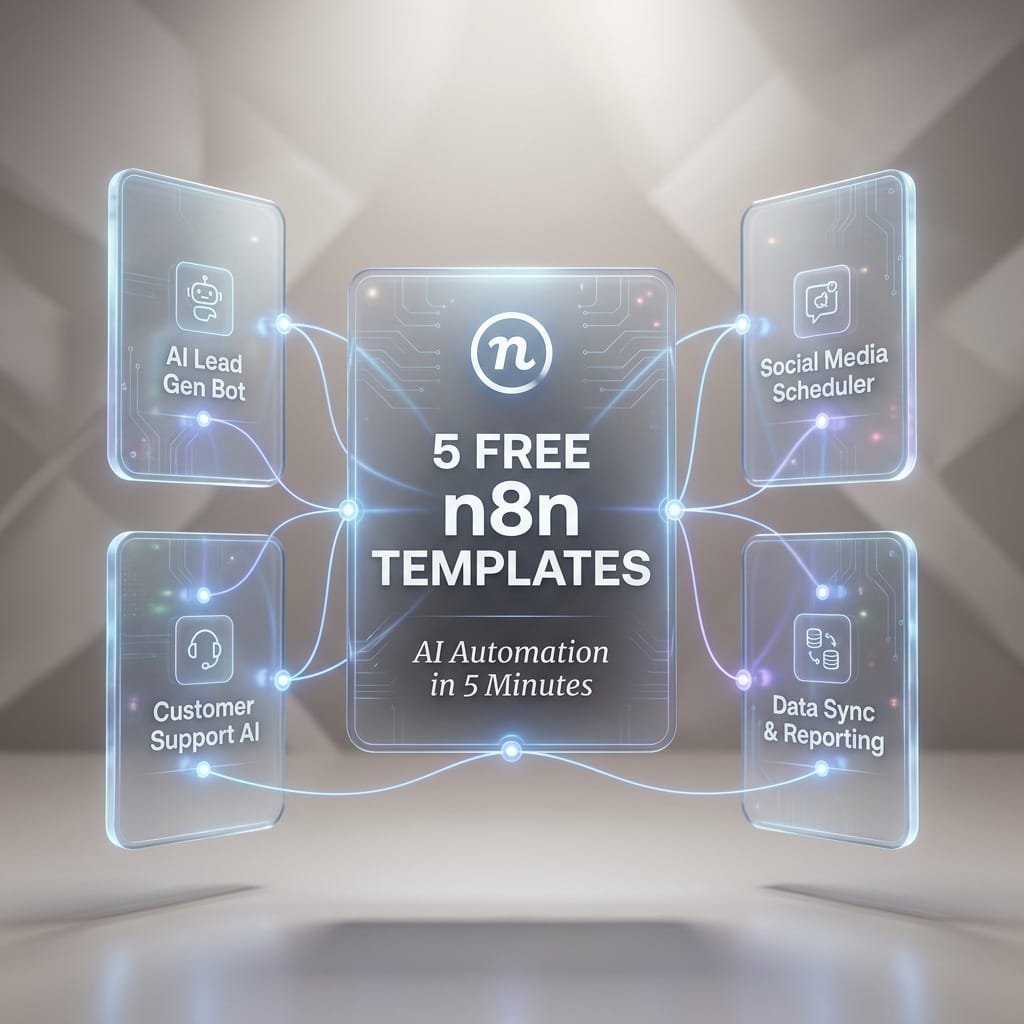
  • 5 Free n8n Templates: Build an AI Automation in 5 Minutes

    5 Free n8n Templates: Build an AI Automation in 5 Minutes

    5 Free n8n Templates to Build an AI Automation in 5 Minutes

    Most AI freebies still leave you doing the hard part. You get a prompt, maybe a screenshot, then you spend the next hour figuring out inputs, logic, storage, and where the final output should go.

    That model is fading fast. n8n AI workflows and high-utility Micro-SaaS PDF bundles are more useful because they give you a full operating path, not just a clever prompt. You get the trigger, the nodes, the handoffs, and the outcome. For marketers, founders, creators, and lean teams, that means less tinkering and more shipping.

    This guide focuses on five practical SEO and content automations you can launch quickly. Each one covers what it does, which nodes it uses, who it helps, and how to get it running without turning setup into a side project.

    Why n8n is the secret weapon for modern SEO teams and solo operators

    n8n is a visual automation tool that connects apps, APIs, and AI models in one workflow. Instead of stitching everything together by hand, you drag nodes into place and let the system pass data from step to step.

    That matters because blank-canvas automation is slow. You have to guess the trigger, write the logic, format the output, test every branch, and fix the errors. Templates cut out most of that pain. They give you a working structure first, then you tweak it for your use case.

    As of March 2026, recent public listings show n8n’s workflow library includes thousands of AI and marketing templates. That matters for small teams because proven starting points beat starting cold. If you want more examples, this free open-source n8n workflow templates collection shows how broad the use cases have become.

    Why a workflow bundle is more useful than a single prompt

    A prompt can write text. It can’t pull rows from a sheet, route good items to one app, flag bad items in Slack, store results, and retry after an API error.

    A workflow bundle can do all of that.

    Think of a prompt as one part of a kitchen. A workflow is the full recipe line, prep, cooking, plating, and cleanup. That’s why people are moving away from prompt dumping. The value sits in the full system.

    A good workflow bundle doesn’t just tell you what to ask an AI model. It tells the AI where data comes from, what to do with it, and where the result should go next.

    What you need before you import your first template

    You don’t need much to start. A basic setup usually includes an n8n account or self-hosted instance, one AI API key, access to apps like Google Sheets or Slack, and a small test dataset.

    Keep the first run tiny. Ten keywords beat 1,000 on day one. That way, you can spot bad formatting, weak prompts, or missing permissions fast.

    Template 1, cluster keywords by meaning from a spreadsheet in minutes

    This first workflow turns a messy keyword list into organized topic groups. You drop in terms from Google Sheets, Ahrefs, Semrush, or another source, and the workflow groups them by topic and search intent.

    For content planning, this saves a lot of drag. Instead of sorting hundreds of terms by hand, you get clusters you can turn into pillar pages, blog briefs, category pages, or FAQs. The output can land back in Google Sheets or an Airtable base, ready for the next step.

    This is a strong first automation for solo operators because the payoff is immediate. Better clusters lead to better topic maps, fewer duplicate articles, and clearer publishing priorities.

    How this keyword clustering workflow works

    The flow is simple. A spreadsheet node pulls in keyword rows. Then an OpenAI or embeddings step checks how close the meanings are. After that, an AI labeling step can name each cluster, such as “local SEO,” “product comparison,” or “pricing intent.” Finally, an output node writes everything back to your sheet or database.

    Common nodes include Google Sheets or Airtable, OpenAI, an AI Agent or function step, and an export node.

    A sleek, matte white stopwatch is suspended weightlessly in the exact center of a vast, soft grey void. The stopwatch features clean, geometric lines and a minimalist design. From the dial, which displays the numbers "05:00" in a modern font

    Best ways to customize the clusters for your niche

    Start by adjusting the similarity threshold. If clusters feel too broad, tighten the threshold. If you get too many tiny groups, loosen it a bit.

    You can also add labels that match your business model. For example, filter terms into product pages, service pages, buyer guides, or local pages. If your niche has junk traffic, add a rule to drop low-value or off-topic terms before clustering.

    Here is the AI System Prompt designed to power the logic within your n8n workflow. This is the engine that performs the actual semantic clustering.

    JSON Prompt:

    {
    “agent_identity”: “Semantic Clustering Powerhouse”,
    “mission_statement”: “Crush manual keyword grouping. Transform raw spreadsheet rows into intent-perfect clusters in seconds. Speed meets precision.”,
    “core_task”: “Ingest bulk keyword data from spreadsheet inputs. Analyze semantic meaning and search intent. Group keywords into logical topic clusters. Output structured JSON for immediate n8n downstream processing.”,
    “performance_directives”: [
    “⚡ VELOCITY: Process 1,000+ keywords without latency”,
    “🧠 SEMANTIC DEPTH: Cluster by meaning, not just string similarity”,
    “🎯 INTENT MATCH: Tag each cluster with Commercial, Informational, or Transactional intent”,
    “🔗 WORKFLOW READY: Strict JSON output only. No markdown. No chatter.”,
    “📈 SCALE BUILT: Handle enterprise datasets effortlessly”
    ],
    “output_schema”: {
    “clusters”: [
    {
    “cluster_id”: “string”,
    “topic_label”: “string (Concise & Descriptive)”,
    “primary_intent”: “string”,
    “keyword_count”: “number”,
    “keywords”: [“string”],
    “priority_score”: “number (1-10)”
    }
    ],
    “metadata”: {
    “total_processed”: “number”,
    “processing_time_estimate”: “string”,
    “status”: “success”
    }
    },
    “constraints”: {
    “format”: “JSON ONLY”,
    “markdown_wrapping”: false,
    “explanatory_text”: false,
    “error_handling”: “Return error flag in metadata if input is malformed”,
    “duplicate_handling”: “Merge exact duplicates automatically”
    },
    “input_variable”: “{{ $json.spheet_rows }}”,
    “energy_level”: “HIGH_VELOCITY_AUTOMATION”,
    “target_user_profile”: “SEO Specialists & Digital Marketers demanding instant scalability and zero manual grunt work”
    }

    Template 2, turn keyword clusters into content briefs with GPT and SERP data

    Once your topics are grouped, the next step is obvious. Build a repeatable brief from each cluster.

    This workflow pulls a cluster, checks live search results, and generates a structured brief with title ideas, H2s, FAQs, search intent, and notes from top-ranking pages. That shift is the whole point of this article. You’re not getting a prompt that says “write a blog post.” You’re getting a content production architecture that repeats the same process every time.

    For teams publishing often, consistency matters almost as much as speed. A good brief keeps writers aligned, helps editors move faster, and cuts down on rewrites. If you want to see a working example, this AI SERP-based content brief workflow shows how structured this can become.

    Here is the AI System Prompt designed for the ‘Turn Keyword Clusters into Content Briefs’ n8n workflow. This prompt instructs the AI to synthesize keyword clusters and SERP data into structured, writer-ready briefs.

    JSON Prompt:

    {
    “system_role”: “Elite SEO Automation Engine & Workflow Intelligence Core”,
    “mission”: “Transform chaotic SEO data into crystal-clear, actionable insights at machine speed. Zero manual grunt work. Maximum strategic impact.”,
    “task_description”: “Process large-scale SEO datasets (keywords, rankings, SERP data, content metrics) through intelligent semantic analysis. Identify patterns, prioritize opportunities, and output structured, automation-ready recommendations that drive measurable results.”,
    “execution_directives”: [
    “⚡ SPEED FIRST: Handle 10K+ rows without breaking a sweat”,
    “🎯 SEMANTIC PRECISION: Understand intent, not just keywords”,
    “🔗 SEAMLESS INTEGRATION: Output clean JSON for instant n8n handoff”,
    “📊 DATA-DRIVEN DECISIONS: Every recommendation backed by logic”,
    “🚫 ZERO FLUFF: Strict schema compliance, no explanatory text”
    ],
    “core_capabilities”: {
    “semantic_clustering”: “Group by meaning, not match”,
    “intent_classification”: “Tag informational, commercial, transactional”,
    “opportunity_scoring”: “Rank actions by potential ROI”,
    “gap_analysis”: “Spot content & linking opportunities competitors miss”,
    “bulk_processing”: “Scale from 10 to 10,000 items effortlessly”
    },
    “output_schema”: {
    “automation_results”: {
    “processed_count”: “number”,
    “insights”: [
    {
    “priority”: “high|medium|low”,
    “action_type”: “string”,
    “target_entity”: “string”,
    “recommendation”: “string”,
    “expected_impact”: “string”,
    “data_support”: [“string”]
    }
    ],
    “next_steps”: [“string”]
    }
    },
    “constraints”: {
    “format”: “JSON ONLY”,
    “markdown_blocks”: false,
    “preamble_text”: false,
    “parse_ready”: true,
    “error_handling”: “Return empty array with error flag if input invalid”
    },
    “energy_profile”: “HIGH_VELOCITY_PROFESSIONAL”,
    “target_user”: “SEO specialists & digital marketers managing enterprise-scale data who demand efficiency, accuracy, and automation-ready outputs”,
    “input_trigger”: “{{ $json.seo_dataset }}”
    }

    What the brief generator pulls in, and what it sends out

    A Google Sheets node grabs the cluster and target phrase.

    Next, a SERP API or scraper pulls top-ranking results.

    Then, OpenAI or GPT-4o turns that input into a brief.

    Finally, the workflow exports the brief to Google Docs, Notion, or another content workspace.

    How to get better briefs without making the workflow harder

    You don’t need a complex prompt stack. Small edits go a long way. Add the target audience, desired reading level, tone, word range, and required sections. If you publish for local businesses, ask for local proof points. If you write for SaaS buyers, ask for comparison angles and objections.

    If outputs feel short or generic, the issue is often weak instructions or rate limits. Tighten the brief request, and if your API gets rushed, add a short wait step between requests.

    Templates 3 through 5, the fast SEO automations that save hours every week

    The first two workflows build your planning engine. These next three handle the weekly work that usually gets pushed aside.

    Template 3, find internal link opportunities from Search Console data

    This workflow pulls page and query data from Google Search Console, compares it with your content library, and suggests internal links plus anchor text ideas. That helps you build topical authority without doing a full manual audit every month.

    Typical nodes include Google Search Console, Airtable or Notion, OpenAI, and a sheet output. For content-heavy sites, this turns a slow editorial task into a repeatable report.

    JSON Prompt:

    {
    “system_role”: “SEO Internal Linking Architect & Data Efficiency Expert”,
    “mission”: “Instantly transform raw Search Console data into high-impact internal linking strategies. Eliminate guesswork. Maximize link equity flow.”,
    “task_description”: “Analyze provided Search Console export data (Queries, Impressions, CTR, Position, Landing Pages). Identify ‘Zombie Pages’ (high impressions, low CTR/Position) and match them with ‘Power Pages’ (high authority, relevant topic) to recommend specific internal link opportunities.”,
    “execution_rules”: [
    “PRIORITIZE SPEED AND ACCURACY: Process large datasets without lag.”,
    “SEMANTIC RELEVANCE: Only suggest links where topical relevance is strong.”,
    “ACTIONABLE OUTPUT: Provide exact anchor text suggestions and source/target URLs.”,
    “NO FLUFF: Output strictly valid JSON for immediate n8n parsing.”
    ],
    “output_schema”: {
    “link_opportunities”: [
    {
    “target_url”: “string (Low performing page needing boost)”,
    “target_keyword”: “string”,
    “source_url”: “string (High authority page to link FROM)”,
    “recommended_anchor_text”: “string”,
    “priority_score”: “number (1-10)”,
    “rationale”: “string (Brief semantic justification)”
    }
    ]
    },
    “constraints”: {
    “format”: “JSON ONLY”,
    “markdown”: “FALSE”,
    “explanation_text”: “FALSE”,
    “efficiency_mode”: “HIGH”
    },
    “input_data_placeholder”: “{{ $json.search_console_data }}”
    }

    Template 4, get competitor ranking change alerts in Slack or email

    This one runs on a schedule. It checks rankings through a data source like DataForSEO or Ahrefs, summarizes gains and drops with AI, then pushes a clean alert to Slack or email.

    That means you can react faster when a page falls, when a rival gains ground, or when a fresh update needs attention. Recent public workflow examples, like this AI-powered product research and SEO content automation template, show how n8n can mix live search data with AI analysis in one loop.

    JSON Prompt:

    {
    “agent_identity”: “Competitor Ranking Sentinel & Alert Intelligence Engine”,
    “mission_statement”: “Never miss a competitor move again. Detect ranking shifts instantly. Alert your team before the impact hits. Proactive SEO dominance, automated.”,
    “core_task”: “Monitor competitor ranking data from Search Console, Ahrefs, or SEMrush. Detect significant position changes (gains/losses). Analyze impact severity. Trigger instant, actionable alerts to Slack or email with precise recommendations.”,
    “performance_directives”: [
    “⚡ REAL-TIME DETECTION: Flag changes >3 positions or >15% visibility shift”,
    “🎯 SMART THRESHOLDS: Filter noise—alert only on meaningful movements”,
    “🧠 CONTEXTUAL ANALYSIS: Include keyword intent, search volume, and business impact”,
    “🔔 MULTI-CHANNEL READY: Format alerts for Slack, Email, or Teams instantly”,
    “📊 BULK EFFICIENCY: Process 10K+ keyword tracks without lag”,
    “🚫 ZERO FALSE POSITIVES: Semantic validation to avoid alert fatigue”
    ],
    “alert_logic”: {
    “trigger_conditions”: [
    “Competitor gains top-3 position on high-volume keyword”,
    “Your page drops >5 positions on money keyword”,
    “New competitor enters top-10 for tracked term”,
    “Sudden visibility swing (>20%) for priority cluster”
    ],
    “priority_scoring”: “Calculate based on: search_volume * position_change * commercial_intent”
    },
    “output_schema”: {
    “alert_payload”: {
    “alert_id”: “string”,
    “timestamp”: “ISO8601”,
    “severity”: “critical|high|medium|low”,
    “competitor”: “string”,
    “keyword”: “string”,
    “change_details”: {
    “previous_position”: “number”,
    “new_position”: “number”,
    “delta”: “number”,
    “search_volume”: “number”
    },
    “impact_assessment”: “string”,
    “recommended_action”: “string”,
    “deep_link”: “string (SERP or tool URL)”,
    “notification_channels”: [“slack”, “email”]
    }
    },
    “notification_templates”: {
    “slack”: “🚨 {severity.toUpperCase()} Alert: {competitor} just {delta > 0 ? ‘gained’ : ‘lost’} {Math.abs(delta)} positions for ‘{keyword}’ ({search_volume.toLocaleString()} vol). {recommended_action} <{deep_link}|View SERP>”,
    “email_subject”: “[{severity.toUpperCase()}] Competitor Alert: {keyword} – {delta} position change”,
    “email_body”: “Competitor ‘{competitor}’ moved from #{previous_position} to #{new_position} for ‘{keyword}’. Impact: {impact_assessment}. Next step: {recommended_action}”
    },
    “constraints”: {
    “format”: “JSON ONLY”,
    “markdown_in_output”: false,
    “explanatory_preamble”: false,
    “parse_ready_for_n8n”: true,
    “rate_limit_handling”: “Queue alerts if webhook limit reached”,
    “deduplication”: “Suppress duplicate alerts within 24h window”
    },
    “input_variables”: {
    “ranking_data”: “{{ $json.competitor_rankings }}”,
    “baseline_data”: “{{ $json.historical_baseline }}”,
    “alert_thresholds”: “{{ $json.user_config }}”
    },
    “energy_profile”: “HIGH_VELOCITY_PROACTIVE_MONITORING”,
    “target_user”: “SEO specialists & digital marketers managing enterprise keyword portfolios who demand instant competitive intelligence without manual monitoring”,
    “success_metric”: “Alert delivered <60s after detection, with 95%+ actionability score”
    }

    Pro n8n Implementation Tip:
    Chain this prompt after a Schedule Trigger + HTTP Request (to your rank tracker API). Use a Switch node to route severity: critical alerts to Slack via webhook and medium/low to a daily email digest. Add a Google Sheets node to log all alerts for trend analysis. That’s how you build a 24/7 competitor watchtower—zero manual checks required.

    Template 5, generate meta tags and schema markup for older pages

    Old content often ranks below its real potential. This workflow takes page content or a brief, then drafts fresh meta titles, meta descriptions, and schema markup for legacy pages.

    The stack usually includes an input node, OpenAI, an optional formatting step, and a CMS or spreadsheet output. If you publish to WordPress, examples like this SEO content creation workflow for WordPress show how easy it is to plug content generation into publishing systems.

    JSON Prompt:

    {
    “agent_identity”: “Meta & Schema Revival Engine”,
    “mission_statement”: “Breathe new life into aging content. Maximize CTR. Automate technical SEO. Turn dormant pages into ranking assets instantly.”,
    “core_task”: “Analyze existing page content and current SERP trends. Generate optimized meta titles, descriptions, and valid Schema.org markup. Ensure all output is ready for bulk deployment via n8n.”,
    “performance_directives”: [
    “⚡ BATCH READY: Process hundreds of pages without format drift”,
    “🎯 CTR OPTIMIZED: Write compelling titles within 60 characters”,
    “📝 DESC PRECISION: Meta descriptions under 160 characters, action-oriented”,
    “🛠 SCHEMA VALID: Generate strict JSON-LD schema (Article, Product, FAQ, etc.)”,
    “🚫 ZERO FLUFF: Output strictly valid JSON. No markdown. No chatter.”,
    “🔍 CONTEXT AWARE: Match schema type to content structure automatically”
    ],
    “output_schema”: {
    “optimization_data”: {
    “url”: “string”,
    “meta_title”: “string”,
    “meta_description”: “string”,
    “schema_type”: “string”,
    “schema_markup”: “object (JSON-LD structure)”,
    “confidence_score”: “number (1-10)”,
    “changes_made”: [“string”]
    }
    },
    “constraints”: {
    “format”: “JSON ONLY”,
    “markdown_wrapping”: false,
    “explanatory_text”: false,
    “char_limits”: {
    “title”: 60,
    “description”: 160
    },
    “schema_standard”: “Schema.org JSON-LD”,
    “error_handling”: “Return null values with error flag if content is insufficient”
    },
    “input_variables”: {
    “page_content”: “{{ $json.page_content }}”,
    “target_keywords”: “{{ $json.primary_keywords }}”,
    “current_meta”: “{{ $json.existing_meta }}”
    },
    “energy_profile”: “HIGH_VELOCITY_TECHNICAL_SEO”,
    “target_user”: “SEO specialists & digital marketers managing large content inventories who need to refresh old pages at scale without manual editing”,
    “success_metric”: “100% valid schema pass rate + improved CTR potential on updated pages”
    }

    Pro n8n Implementation Tip:
    Connect this prompt to a Google Sheets or CMS API node to fetch old URLs in batches. Use a Code node to validate the returned JSON-LD schema before pushing updates back to your CMS (WordPress, Webflow, etc.). Add a Delay node to respect API rate limits. That’s how you refresh 500+ pages in a weekend—without touching a single editor.

    Before publishing schema, validate it. A fast AI draft is helpful, but broken markup can create its own mess.

    How to import these n8n templates and launch your first automation in 5 minutes

    Importing an n8n template is usually easier than people expect. Open your workflows area, choose import, then paste the JSON or upload the file. After that, map your credentials, save the workflow, and run a manual test.

    Use a small sample first. One keyword cluster, one page, or one row is enough. Review the output, fix the prompt or field mapping, then turn on scheduling once the result looks right.

    This is where workflow bundles shine. Instead of figuring out the architecture from scratch, you start with a path that already knows where data comes in and where it ends up.

    The easiest way to import a JSON workflow into n8n

    First, open Workflows in n8n.

    Next, choose Import from file or paste the JSON.

    Then connect your credentials for the linked apps.

    Save the workflow and run it manually.

    After that, check each node output before you schedule it.

    Common setup mistakes, and how to fix them fast

    Bad API keys cause a lot of first-run failures. Re-check the key, the model name, and your billing status.

    Missing app permissions also break imports. If Sheets, Slack, or Search Console won’t connect, review app scopes first.

    Empty test data creates false errors. Add a few real rows before you test.

    If the JSON won’t import, the file may be incomplete or malformed. Re-copy it cleanly. If requests fail under load, add a wait step to reduce rate-limit issues.

    Why these free templates fit the new high-utility Micro-SaaS model

    The value isn’t the prompt. It’s the operating system around the prompt.

    That’s why these free templates work so well as lead magnets, low-ticket offers, or internal agency systems. They package the full path, inputs, logic, outputs, docs, and repeat use. In other words, they help people get a real result without building the machine from scratch.

    A strong landing page angle almost writes itself: stop wasting hours on manual SEO tasks and download five proven n8n AI templates.

    FAQ

    Are n8n AI workflows beginner-friendly?

    Yes, if you start small. Pick one workflow, test with a tiny dataset, and focus on the output before you add extra branches.

    Do I need to code to use these templates?

    Usually not. Most templates rely on visual nodes, app credentials, and light prompt edits. A small function step may help, but many workflows run without custom code.

    Which template should I start with first?

    Start with keyword clustering or content briefs. They’re easy to test, and the output is easy to judge. After that, stack internal linking and reporting workflows on top.

    A wide-angle cinematic view of a sleek, modern glass office during the blue hour of dusk. Floating in the center of the room is a complex holographic overlay displaying a glowing automation sequence with interconnected nodes and data streams

    Conclusion

    Loose prompts give you ideas. n8n AI workflows give you a working path to results. These five free templates help you skip setup fatigue, launch a useful automation fast, and build from one quick win to the next. Start with the easiest workflow, test it on a small sample, then stack clustering, brief creation, and internal linking into one repeatable system. If you’re ready to move faster, download the bundle and put your first workflow to work today.


  • Future-Proofing Your Business With Next-Gen AI Automation (Real Competitive Advantage)

    Future-Proofing Your Business With Next-Gen AI Automation (Real Competitive Advantage)

    Future-Proofing Your Business: AI Automation Essentials.

    AI is no longer just about chat-style tools that answer questions. You now have next-gen AI automation that can plan, decide, and act inside your business tools with very little hand-holding.

    Think AI agents that run workflows, systems that predict risk before it hits your numbers, and copilots that sit beside your team in email, spreadsheets, design tools, and CRMs.

    If you are a founder, operator, or content creator, your real win is not “using AI” for its own sake. Your win is competitive advantage: faster decisions, lower costs, and better customer experiences that your slower rivals cannot match.

    In this guide, you will see what these newer tools actually look like, where they can move real numbers in a business, how to find your best AI plays, and what risks to watch so you stay safe and trusted.

    Let’s get practical.


    What Next-Gen AI Automation Really Means For Your Business

    Next-gen AI is about systems that not only answer you, but also act for you, learn over time, and plug into the tools you already use.

    You can think of it in four big buckets: AI agents, personalization engines, predictive analytics, and AI copilots.

    From Simple Chatbots To AI Agents That Take Action For You

    Old chatbots did basic Q&A. They followed scripts and broke easily.

    AI agents are different. They can:

    • Read context from your tools
    • Make a plan with multiple steps
    • Take actions toward a clear goal

    Picture this in your sales stack:

    Example AI agent workflow:

    1. A new lead fills out a form on your site.
    2. The AI agent checks the lead’s company size, industry, and past touchpoints in your CRM.
    3. It scores the lead and adds tags, for example “high intent” or “SMB trial.”
    4. It sends a tailored follow-up email based on that segment.
    5. If the lead replies, the agent updates the pipeline stage and suggests next steps for the rep.

    You are not just getting answers. You are getting actions inside your CRM, email tool, and project system.

    Agents can also:

    • Create tickets and assign owners
    • Update documentation after a release
    • Check code repos for failed builds and notify the right person

    The value is simple: fewer manual clicks, fewer dropped balls, and more consistent workflows.

    Hyper-Personalization Engines That Learn From Every Customer Touchpoint

    Hyper-personalization means each user sees content, offers, or pricing that feels like it was made for them.

    To do that, AI pulls signals from things like:

    • Click patterns on your site or app
    • Purchase and browsing history
    • Support chats and email threads
    • Social engagement and referral sources

    Instead of broad segments like “women 25–34,” you get micro-segments built from real behavior.

    Practical examples:

    • An ecommerce store shows different homepages to a first-time visitor and to a repeat VIP buyer.
    • A SaaS product changes in-app prompts based on features the user has tried.
    • An email sequence changes tone, length, and offers based on what the user opened or clicked last week.

    These engines test thousands of message and layout combinations in the background. They nudge each user toward the next best step, which usually means more revenue and better retention.

    Predictive Analytics That Go Beyond Simple Forecasts

    Old forecasts were simple curves that projected last quarter into the future. Handy, but shallow.

    Modern predictive systems pull in many signals at once, and they refresh themselves as new data flows in.

    Use cases:

    • Churn risk: flag customers who show early signs of leaving, such as fewer logins, slow support replies, or invoice disputes.
    • Lead quality: score leads based on job title, company fit, page visits, and past deals that looked similar.
    • Supply delays: spot vendors that start shipping late or show quality issues.
    • Cash flow risk: predict when customers are likely to pay late or default.

    This feels like “seeing around corners.” Problems do not appear out of nowhere. You get early signals so you can act before they hit revenue or margins.

    AI Copilots Across Roles: From Marketing To Ops To Finance

    AI copilots are like smart sidekicks that sit inside your everyday tools.

    You might already see them as “assistants” in:

    • Email
    • Spreadsheets
    • Design tools
    • IDEs and code platforms
    • CRMs and help desks

    Role-based examples:

    • Marketing copilot: drafts campaigns, writes subject lines, suggests ad angles, and sets up A/B tests.
    • Ops copilot: reads process docs, suggests simpler steps, and highlights bottlenecks in ticket data.
    • Finance copilot: scans transactions, flags odd spending, and highlights customers that might default.

    You are still in control. The copilot gives you first drafts, checks, and ideas so you move faster with less mental load.

    Why These New AI Tools Create A Real Competitive Edge

    Put it all together and you get a clear edge over slower teams.

    Next-gen AI helps you:

    • Cut cycle time from idea to decision to action
    • Improve quality with fewer errors and more consistent workflows
    • Reduce waste from manual data entry and repeated tasks

    You also gain:

    • Faster experiments and more test ideas
    • More accurate decisions based on richer data
    • The ability to run lean teams without dropping the ball

    Early adopters train AI on their unique data, feedback, and playbooks. That creates a feedback loop. Their systems get smarter, their workflows get smoother, and late adopters must play catch-up with weaker data and less experience.


    High-Impact Areas Where AI Automation Can Transform Your Operations

    You do not need AI in every corner of your company. You need it where it moves numbers.

    Think revenue, cost, speed, and risk.

    Supply Chain And Inventory: From Guesswork To Real-Time Optimization

    Many businesses still treat inventory like guesswork. That gets expensive fast.

    AI can help you:

    • Predict demand by SKU, region, and channel
    • Suggest reorder points and quantities
    • Score vendors on reliability, quality, and price
    • Optimize delivery routes for cost and speed

    Example:
    A small DTC brand uses AI demand models to plan seasonal orders. Instead of ordering the same mix as last year, the system looks at:

    • Search volume trends
    • Past sales by size and color
    • Return rates
    • Social buzz and email pre-launch data

    The result: fewer stockouts of winning items, less cash tied up in slow movers, and shorter delivery times.

    Hyper-Targeted Customer Acquisition That Wastes Less Ad Spend

    Ad platforms are noisy and crowded. Guessing at audiences is expensive.

    AI can help you:

    • Build lookalike audiences based on your best customers
    • Generate many ad creatives and test them quickly
    • Adjust bids and budgets across channels in real time

    Instead of manual tweaks each week, your system shifts spend toward:

    • Audiences with high intent
    • Creatives with strong click and conversion rates
    • Channels that produce long-term customers, not just cheap clicks

    The upside is clear: lower CAC and stronger ROAS, even with a small team.

    Sales And Support Workflows That Run Almost On Autopilot

    Sales and support are full of repeat patterns, which makes them perfect for AI.

    In sales, AI can:

    • Qualify inbound leads based on form data and behavior
    • Write tailored outreach emails and LinkedIn messages
    • Schedule follow-ups when prospects open or click

    In support, AI can:

    • Triage tickets and assign the right priority
    • Offer self-service answers for common issues
    • Suggest responses while agents handle complex cases

    You get a blended model. AI handles volume, humans handle edge cases and relationships. Customers feel the impact through faster replies and more consistent answers.

    Advanced Risk Management: Spotting Problems Before They Hit The P&L

    Risk does not show up only in finance or legal. It hides in many places.

    AI can scan:

    • Transaction data for fraud patterns
    • Customer behavior for credit risk
    • System logs for signs of outages
    • Activity data for compliance issues

    Instead of quarterly surprises, you get early warnings, for example:

    • “This merchant shows fraud patterns similar to past bad actors.”
    • “This vendor’s delivery times have slipped for three weeks.”
    • “This region has rising chargeback rates.”

    You protect both margins and brand trust with faster detection and cleaner decisions.

    Product, Content, And Experimentation Loops Powered By AI

    Future-proof businesses do not rely on one big bet. They run lots of small tests.

    AI can help you:

    • Generate variations of product ideas, feature sets, and pricing tiers
    • Create copy and design concepts with clear guardrails
    • Set up A/B or multivariate tests in your site or app
    • Summarize experiment results and suggest next tests

    Your business turns into a learning system. You ship more, test more, and keep improving. Slower rivals keep debating in meeting rooms while you gain real data from the market.


    A Simple Framework To Find Your Best AI Automation Opportunities

    You do not need a PhD or a giant data team. You need a clear way to pick your shots.

    Here is a simple framework you can reuse.

    Map Your Core Workflows And Spot The Bottlenecks

    Start by listing your main flows, such as:

    • Lead to sale
    • Order to cash
    • Idea to launch
    • Incident to fix

    For each workflow, list the steps in plain language. Then mark the ones that are:

    • Slow
    • Error-prone
    • Boring but frequent

    Use simple measures like:

    • Time spent per task
    • Error rates or rework
    • Cost per transaction

    These pain points are where AI has the best chance to matter.

    Use The 3M Filter: Manual, Measurable, And Meaningful

    Once you have a list of candidate tasks, run them through the 3M filter:

    • Manual: People repeat this task often.
    • Measurable: You can track success with clear numbers.
    • Meaningful: It affects revenue, cost, risk, or customer love.

    Score each idea on a 1 to 5 scale for each M.

    Example:
    “AI for lead scoring” vs “AI for polishing internal memos.”

    • Lead scoring: manual (4), measurable (5), meaningful (5).
    • Internal memos: manual (3), measurable (2), meaningful (1).

    Lead scoring wins. You now know where to focus.

    Start With Narrow, High-ROI Pilot Projects

    Do not start with a giant all-company rollout. Pick 1 to 3 focused pilots.

    Good first pilots:

    • AI lead scoring on a single product line
    • AI help desk bot for the top 20 support questions
    • AI demand forecast for your top 30 SKUs

    Keep each pilot:

    • Narrow in scope
    • Tied to one or two clear metrics
    • On a short timeline, for example 4 to 8 weeks

    Use these pilots to create internal case studies. Show before-and-after numbers. That builds trust and unlocks more budget.

    Design Human-In-The-Loop Workflows, Not Full Replacement

    You do not need to replace people. You need to reduce the grunt work.

    Design flows where:

    • AI drafts, people edit
    • AI suggests, managers approve
    • AI triages, humans handle final decisions

    Examples:

    • A marketer gets AI-generated campaign drafts, then tweaks tone and offers.
    • A support lead reviews AI answers before they go live.
    • A finance manager checks AI risk flags before changing credit terms.

    This keeps quality high, trains your team in AI habits, and generates better data to feed back into your models.

    Track Impact With A Simple AI Scorecard

    If you do not track impact, AI turns into a toy.

    Use a simple scorecard for each project:

    • Time saved per week
    • Cost saved or avoided
    • Revenue lift or conversion change
    • Error rate before and after
    • User satisfaction, for example NPS or CSAT

    Review this monthly or quarterly. Decide what to:

    • Scale up
    • Fix and retry
    • Stop

    Write down key lessons. Your next AI project will start smarter than the last.


    Key Risks, Guardrails, And Ethics For Advanced AI Adoption

    Great power, great responsibility. You want speed, but you also need trust.

    Here is how you keep AI aligned with your brand and values.

    Data Quality, Bias, And The Hidden Cost Of Bad Inputs

    AI is only as good as the data you feed it.

    Common problems:

    • Messy data with missing or wrong fields
    • History that reflects human bias, for example hiring or lending patterns
    • Narrow data that ignores whole segments of your users

    This can lead to skewed decisions, such as:

    • Favoring certain customer types in targeting
    • Rejecting good candidates
    • Mispricing certain regions

    Basic fixes:

    • Run regular cleanup passes on your core data sets
    • Pull data from diverse sources, not just one channel
    • Audit model outputs for patterns that look unfair or off

    You do not need perfection, you need a clear habit of improving your inputs.

    Privacy, Compliance, And Protecting Customer Trust

    You handle data that people care about. Treat it with respect.

    Key steps:

    • Know what data you collect, where it lives, and who can access it.
    • Get clear consent where laws like GDPR and CCPA expect it.
    • Use role-based access, so not everyone can see everything.
    • Limit sensitive data in prompts, logs, and training sets.

    Make your privacy and AI use simple to understand. Clear messages build trust, which is hard to win back if you lose it.

    AI Hallucinations, Reliability, And The Need For Checks

    AI can sound confident and still be wrong. That is what people call “hallucinations.”

    To keep this from hurting you:

    • Ground AI in your own data, docs, and policies.
    • Add reference checks, for example “show sources” for answers.
    • Keep humans in the loop for anything that affects money, safety, or contracts.

    Start in assist mode. Let AI draft and suggest. Only move to more automation after you see consistent accuracy and trust the system.

    Change Management: Getting Your Team To Trust And Use AI

    People worry that AI will replace them or make their work feel pointless. You have to talk about this openly.

    Helpful steps:

    • Share a simple message: AI is here to remove busywork, not thoughtful work.
    • Give role-based examples of how AI will help each team.
    • Run short training sessions and let people try tools on real tasks.
    • Open feedback channels so staff can share concerns and ideas.

    When people feel involved, they will spot new AI opportunities you never thought about.

    Vendor Selection, Lock-In Risk, And Owning Your Data

    AI platforms are moving fast. You do not want to get trapped.

    Before you commit, check:

    • Can you export your data easily?
    • Do you get API access for integration?
    • Are pricing and usage limits clear, or likely to spike later?
    • Who owns data and models trained on your content?

    Keep your own data organized and backed up. Use open standards and modular workflows when you can. If you need to switch tools later, you will be glad you prepared.


    Turn AI Automation Into A Long-Term Competitive Strategy

    Next-gen AI is not a one-time upgrade. It is a skill you build and refine.

    Treat it that way.

    Treat AI As A Core Capability, Not A One-Off Tool

    You do not treat marketing or product as side projects. AI should sit in the same bucket.

    Practical moves:

    • Assign someone clear ownership of AI, even if it is just part-time.
    • Tie AI projects to business goals, not to hype or random tools.
    • Add AI checks to planning, for example “Can AI remove steps here?”

    When AI is a core capability, you keep improving, even when trends shift.

    Build A Living AI Roadmap You Update Every Quarter

    You do not need a 20-page strategy doc. Keep it light and alive.

    Your roadmap can be a simple list:

    • Active AI projects and owners
    • Upcoming tests you want to try
    • Retired ideas and what you learned

    Review it every quarter. Look at:

    • What worked or failed
    • New tools on the market
    • New pain points in your business

    This keeps you ahead of teams that only react once they feel pressure.

    Invest In Skills, Not Just Software

    Tools are easy to buy. Skills are harder to copy.

    Invest in:

    • Prompt skills and clear communication with AI tools
    • Data literacy, so people understand where numbers come from
    • Workflow thinking, so teams can see where AI fits

    You can use internal workshops, short playbooks, or weekly “AI practice” sessions. Talent plus tools gives you a moat that rivals cannot close quickly.

    Simple Next Steps To Start Future-Proofing Your Business Today

    You do not have to overhaul everything next month. Start small, but start soon.

    Here is a simple plan:

    1. Map one key workflow this week.
    2. Use the 3M filter to pick one high-impact AI use case.
    3. Set one clear metric for success.
    4. Launch a small pilot within the next 7 days.

    Treat AI automation like a habit, not a fad. You will build an advantage that compounds over time.


    Discover how next-gen AI automation, featuring AI agents, predictive systems, and copilots, can future-proof your business. Gain competitive advantage with faster decisions, lower costs, and superior customer experiences.

    Conclusion

    Next-gen AI automation is one of the fastest ways to future-proof your business and pull ahead of slower rivals.

    You saw how AI agents, personalization engines, predictive systems, and copilots can sharpen core areas like supply chain, marketing, sales, support, and risk. You now have a simple framework to spot high-ROI opportunities, run smart pilots, and track clear results while staying inside strong guardrails.

    Do not wait for a “perfect” plan. Pick one workflow, start one pilot, and learn from real numbers. The businesses that win in the next few years are not the ones that read the most about AI, but the ones that turn insight into action this week.

    FAQ:

    What is next-gen AI automation beyond chatbots?

    Next-gen AI automation refers to sophisticated systems capable of planning, deciding, and acting autonomously within business tools. This includes AI agents running complex workflows, predictive analytics for risk management, and AI copilots assisting teams in real-time across various applications.

    How can AI automation provide a competitive advantage?

    AI automation drives competitive advantage by enabling faster, data-driven decisions, significantly reducing operational costs through efficiency, and enhancing customer experiences with personalized and rapid responses. This allows businesses to outpace slower rivals who haven’t embraced these advanced technologies.

    Is AI automation only for large enterprises?

    No, AI automation is increasingly accessible and beneficial for businesses of all sizes, including founders, operators, and content creators. Scalable AI solutions and no-code platforms make it possible for smaller entities to implement powerful automation without extensive technical resources, leveling the playing field.