Tag: AIInnovation

  • 7 AI Breakthroughs from 2025 You Missed (and Why They Matter)

    7 AI Breakthroughs from 2025 You Missed (and Why They Matter)

    7 AI Breakthroughs from 2025 You Missed (and Why They Matter)

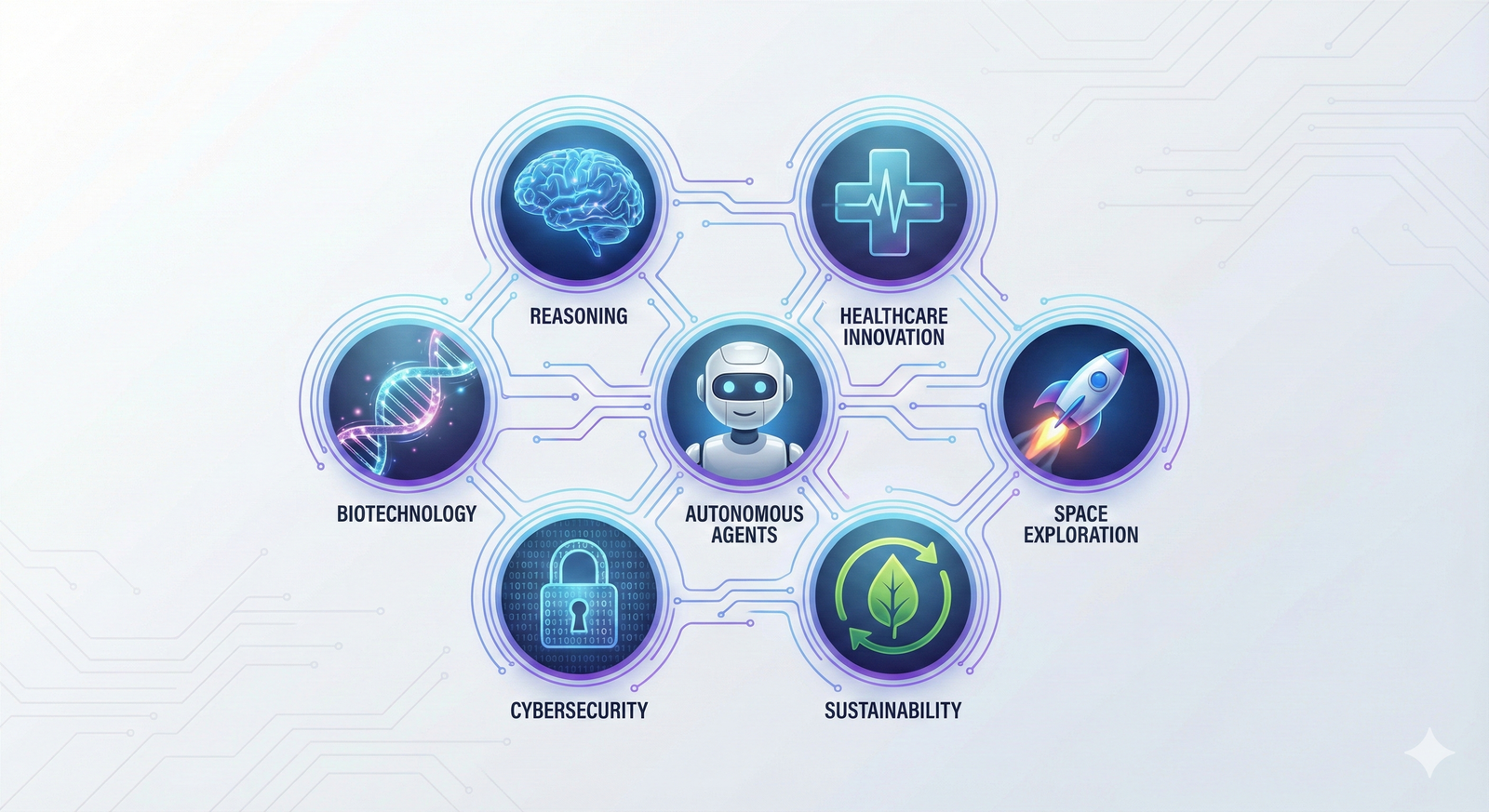
    2025 was loud. Headlines shouted about chatbots, lawsuits, and who trained what on whose data. Meanwhile, the real AI breakthroughs 2025 slipped in through the side door, put on a name tag, and started doing actual work.

    These weren’t magic tricks. They were the kind of improvements that show up in your support inbox, your design workflow, and yes, sometimes in a clinic, helping a nurse decide who needs attention first.

    Here are seven updates you might’ve missed. Each one comes with a plain-English explanation, why it matters, and one simple takeaway you can use this week.

    The big shift in AI breakthroughs 2025, AI learned to see, hear, and act

    For years, “AI” meant typing prompts into a chat box. In 2025, that stopped being the default.

    Now the common setup is an AI that can read a doc, look at a screenshot, listen to a call, and then do something with the result. Not “generate a paragraph,” but “open the ticket, update the CRM field, and draft the reply.”

    This is the big practical shift behind many AI breakthroughs 2025: less chat, more coordination across media and tools. Google’s year-end recap of research points to the same themes, agents, reasoning, and science moving faster (Google 2025 recap: Research breakthroughs of the year).

    Multimodal AI got practical, one model now handles text, voice, images, video, and code

    “Multimodal” sounds like a word invented to win a grant. It’s simpler than that: one AI can work with more than one type of input.

    Before, you’d use one tool for text, another for images, another for audio, then copy-paste your way into a mess. In 2025, it started to feel normal to toss everything into one place and get one coherent answer.

    Everyday examples that became much less painful:

    • Upload a messy chart and ask, “What’s the trend, and what should I test next?”
    • Talk out loud for 45 seconds and get a usable blog outline (then ask it to rewrite in your brand voice).
    • Share a screenshot of a broken settings page and get step-by-step troubleshooting.
    • Drop in a product demo video and ask for three ad angles, five hooks, and a landing-page draft.

    For creators and marketers, this mattered because production stopped being a relay race. Fewer tools, fewer handoffs, fewer “wait, which version is the final?” moments. Some of the broader “multimodal is the story of 2025” coverage captured that shift well, even if the best proof is your own workflow (Next-Gen AI Models: Why Multimodal Intelligence Is the Real Breakthrough of 2025).

    Takeaway: Pick one “mixed input” task (like chart + notes), and make it your default AI test.

    Autonomous AI agents moved from demos to real work, they run tasks end-to-end

    If multimodal AI is “it understands,” agentic AI is “it does.”

    An AI agent is software that takes a goal, breaks it into steps, and completes those steps across tools. You don’t ask it to write an email. You ask it to “resolve these 30 low-priority tickets,” and it works through them, with rules.

    In 2025, agents went from flashy demos to real workflows in support, ops, and sales:

    • Resetting passwords and verifying identity steps
    • Triaging tickets (tagging, routing, drafting replies)
    • Updating CRM records after calls
    • Monitoring alerts and opening incidents with context
    • Scheduling, follow-ups, and status updates
    • Basic procurement tasks (like creating a purchase request)

    Business-focused write-ups got more honest this year, separating “agent hype” from what teams actually shipped (AI Agents in 2025: Expectations vs. Reality). And if you want the public-interest view (benefits plus risks, written like a human), this overview is worth your time (AI agents arrived in 2025 – here’s what happened and the challenges ahead in 2026).

    A quick caution list that kept smart teams out of trouble:

    • Approvals for money movement, user access, or external sends
    • Logs you can audit (who did what, when, and why)
    • Limited access (least privilege, short-lived tokens)
    • Human check for high-risk actions (refunds, legal, patient info)

    Takeaway: Let an agent handle low-risk tasks first, and treat permissions like loaded tools.

    Medicine and health got weirdly better, AI found signals doctors often miss

    The sci-fi version of health AI is a robot doctor with perfect bedside manners. The real 2025 version was quieter and more useful: AI spotted patterns that are easy to miss, and it did it fast.

    This matters because speed changes outcomes. It also changes access, especially in places without fancy equipment or specialist time. For the broader context of where health and science AI went in 2025, Google Research’s own recap shows how much effort is going into discovery and clinical support (Google Research 2025: Bolder breakthroughs, bigger impact).

    Still needed (and still non-negotiable): clinical validation, privacy protections, and bias checks. Helpful tools can still cause harm if they’re sloppy.

    A 10-second EKG could flag a hard-to-spot heart problem in seconds

    Here’s a breakthrough with real “this helps people this week” energy.

    A standard EKG is quick and common. The tricky part is that some heart problems don’t show up clearly to the human eye, especially conditions that are under-recognized or look like other issues.

    In December 2025, reporting highlighted AI that can detect signs of coronary microvascular dysfunction from standard EKGs, using a short reading and producing results quickly (AI enables rapid detection of coronary microvascular dysfunction from standard EKGs).

    Why that’s a big deal:

    • Faster triage, so the right people get attention sooner
    • Fewer missed cases that might otherwise bounce between visits
    • More support for clinics that don’t have advanced imaging on hand

    What it doesn’t do: it doesn’t replace diagnosis. It’s a signal booster, not a final verdict.

    If you want another real-world angle on AI reading heart signals, UC Davis Health also covered an AI model improving heart attack detection, which shows the same theme, pattern-finding at speed (New study finds AI model improves heart attack detection).

    Takeaway: In health AI, the win is often “faster and earlier,” not “fully automated.”

    AI started mapping the gut-brain link to find “brain foods” faster

    If your feed served you “one weird food for focus,” you’ve met the problem. Nutrition science is slow, bodies vary a lot, and humans love a shortcut.

    In 2025, more research teams used AI models to simulate and sort through gut-brain interactions. In plain terms, they try to predict how nutrients might affect brain health through the gut, then shortlist what’s worth testing in real studies.

    Think of it like this: instead of tasting every soup in the world, you ask an assistant to read every recipe, flag likely winners, and tell you which ten to cook.

    You’ll often see candidates like citicoline discussed in “brain health” circles, but the key shift is the pipeline. AI helps narrow options faster than trial-and-error.

    Why it matters for brands and consumers:

    • Shorter research cycles for new formulations
    • More targeted hypotheses (less random “add mushrooms” energy)
    • Better odds that products are based on something testable

    The guardrail: AI can suggest what to study, but it can’t replace human studies. Biology still has a vote.

    Takeaway: Treat “AI suggested this nutrient” as a research lead, not a health promise.

    New tools changed how we build things, from sketches to chips

    A lot of AI breakthroughs 2025 weren’t about words at all. They were about making real stuff, faster.

    This showed up in maker workflows, hardware startups, factories, and product teams that finally got tired of waiting three weeks for a prototype change.

    A quick sketch can become a usable 3D CAD model, faster prototyping for everyone

    CAD can feel like doing geometry homework with a mouse. It’s powerful, but it’s not friendly.

    In 2025, sketch-to-model workflows improved. You draw a rough shape (on a tablet, in a whiteboard app, even on paper with a photo), and AI helps infer the geometry into a starting 3D model.

    The practical impact is simple:

    • Less time stuck “getting the first model right”
    • More time testing fit, grip, assembly, and airflow
    • Easier handoff to 3D printing or basic machining

    This doesn’t remove the need for skill. It changes where skill matters. Designers spend more time making choices and less time pushing points around.

    One caution that keeps teams sane: always verify measurements, material limits, and safety constraints. A model that looks right can still be wrong.

    Takeaway: Use sketch-to-3D to get to version one fast, then switch to careful checks.

    AI got scary good at finding chip defects without breaking the chip

    Modern electronics depend on tiny components behaving perfectly at scale. That’s hard when supply chains stretch, processes drift, and defects hide like they’re playing stealth mode.

    A quiet manufacturing win in 2025 was better non-destructive inspection. Using imaging methods (like X-ray style scans) plus machine learning, teams can spot subtle defects earlier without destroying the part.

    Why that matters beyond the factory:

    • Less waste, better yields, fewer production surprises
    • More reliable devices (phones, cars, medical tools)
    • Fewer delays when a bad batch would’ve caused a scramble

    You may not see this breakthrough on a billboard, but you’ll feel it when products ship on time and fail less.

    If you want the macro view on how fast AI adoption is moving (and how it’s measured), Stanford’s yearly report is a solid grounding point (The 2025 AI Index Report).

    Takeaway: The best AI wins are sometimes invisible, until the outage never happens.

    The “thinking” upgrade, AI started taking extra steps before it answers

    One of the most useful changes in 2025 was also the least flashy: some models got better at not blurting.

    Instead of racing to the first plausible answer, reasoning-focused systems spend more compute on planning and checking. For users, this feels like fewer “confident wrong” replies on tricky tasks.

    It’s also why agents got more capable. Better planning makes tool use safer and multi-step tasks less chaotic.

    If you want a high-level, no-nonsense overview of where LLMs stood in 2025 (progress plus real problems), this summary is widely shared for a reason (The State Of LLMs 2025: Progress, Problems, and Predictions).

    Reasoning-first models improved planning, multi-step problem solving, and tool use

    You saw the difference when tasks had dependencies or trade-offs, like:

    • Writing a project plan that lists steps, owners, and blockers
    • Debugging code with a checklist and targeted tests
    • Comparing tools with clear pros, cons, and constraints
    • Running a research task with sources, summaries, and next steps

    The “tool use” part matters a lot. A reasoning-first model can decide when to search, when to calculate, when to ask a clarifying question, and when to stop.

    Watch out for one thing: reasoning doesn’t equal truth. A model can still make up details, or select weak sources, or miss context. For anything important, verify key facts and keep guardrails around actions.

    If you like keeping up with what practitioners say mattered most this year, this end-of-2025 roundup hits many of the same themes, agents, reasoning, and real deployment (issue 333).

    Takeaway: Ask for a plan with checks, not just an answer, then verify the risky parts.

    Conclusion

    The sneakiest AI breakthroughs 2025 weren’t loud. They were useful: multimodal models that handle text, voice, images, video, and code; agents that complete tasks end-to-end; health tools that catch hard-to-spot signals; build tools that turn sketches into prototypes; inspection AI that finds defects early; and reasoning upgrades that make multi-step work less messy.

    Pick one breakthrough to test this week (a multimodal workflow, a small agent, or a sketch-to-model tool). Then pick one safety habit to keep, like tight permissions, clean logs, and a human review step for anything high-risk. Progress is fun, control is smarter.

    FAQ Section
    What is multimodal AI and why is it important in 2025?

    Multimodal AI in 2025 refers to models capable of processing and understanding multiple data types like text, voice, images, video, and code simultaneously. This is crucial for creating more human-like interactions and comprehensive AI solutions.

    How do AI agents from 2025 complete tasks end-to-end?

    AI agents in 2025 are designed with advanced reasoning and planning capabilities, allowing them to break down complex goals into sub-tasks, execute them sequentially, and learn from feedback to complete entire workflows without constant human intervention.

    What are the key safety habits recommended for implementing new AI technologies?

    Essential AI safety habits include establishing tight permissions for AI access, maintaining clean and auditable logs of AI operations, and incorporating a human review step for any high-risk AI-driven decisions or outputs to ensure control and ethical deployment.

    Can AI truly turn sketches into prototypes by 2025?

    Yes, sketch-to-model AI tools from 2025 have advanced significantly, enabling users to convert rough hand-drawn sketches or simple visual inputs directly into functional digital prototypes or 3D models, accelerating design and development workflows.


  • Mastering AI Prompting: From Basic Inputs to Powerful Frameworks

    Mastering AI Prompting: From Basic Inputs to Powerful Frameworks

    Mastering AI Prompting: From Basic Inputs to Powerful Frameworks

    You can turn a vague idea into a polished marketing campaign, a tight product page, or even working code in minutes, if you know how to talk to AI. The gap between “AI is cool” and “AI saves you hours” is usually one thing: mastering AI prompts.

    In this guide, you’ll start with a simple prompt structure that fixes most weak outputs, then move into repeatable frameworks you can use for writing, research, and building. The same principles work across models like ChatGPT and Midjourney, with small tweaks based on how each model follows instructions.

    You’ll also leave with a copy-and-use cheat sheet, practical templates, and a quick ethics checklist you can run before you publish or ship.

    Start Strong: The simple prompt formula that fixes most results

    Most “bad AI output” is predictable. Your prompt is missing context, the success rules are fuzzy, or the answer comes back in a format you can’t use. That’s why AI prompt engineering often feels random when you keep typing one-liners.

    Use this reusable formula instead:

    Goal + Context + Constraints + Output format + Examples

    Why vague prompts fail (and how to fix them fast)

    When you write “Write a marketing plan for my app,” the model has to guess:

    • What kind of app?
    • Who’s it for?
    • What budget and channels?
    • What does “good” look like?

    A simple before-and-after shows the difference.

    Before (vague):
    “Write Instagram captions for my new coffee brand.”

    After (usable):
    “Goal: write 12 Instagram captions that sell a new coffee brand. Context: audience is busy remote workers in the US who like simple routines. Constraints: friendly tone, 1 emoji max per caption, no hashtags, mention ‘free shipping’ in 3 captions, avoid health claims. Output format: a table with columns (Caption, Angle). Examples: include 2 captions that feel like a quick morning pep talk.”

    Same topic, but now the model has a job, boundaries, and a shape to fill.

    If you want extra best practices that align with what teams use in production, the DigitalOcean prompt engineering best practices guide is a solid reference (it was updated December 19, 2025, so it stays current with how people work today).

    Tell the AI your job, your audience, and your finish line

    Start with one sentence that defines the task. Then add who it’s for and what “good” means.

    Think of it like briefing a freelancer. If you’d be annoyed by missing details in a work order, the model will stumble too.

    Mini checklist (scan this before you hit Enter):

    • Task: What are you asking it to do, in one sentence?
    • Audience: Who will read or use the output?
    • Finish line: Length, tone, must-include points, do-not-include list
    • Reality: What facts are fixed (pricing, dates, policies)?
    • Definition of done: What format should it deliver?

    That last one matters more than most people think. A great answer in the wrong format is still a bad result.

    Control the shape of the answer with templates and examples

    When you ask for a layout, you reduce drift. You also make the output easier to paste into your workflow.

    Useful formats to request:

    • A step-by-step plan (with time estimates)
    • A table (pros/cons, options, comparisons)
    • A set of subject lines (with angles labeled)
    • An outline (headings plus bullets under each)
    • Alt text (short, descriptive, no fluff)

    Examples are your style lock. Two to five examples usually work best. They show tone, length, and edge cases without bloating the prompt.

    A reliable workflow for quality without wasting time:

    1. Ask for a quick draft first.
    2. Then request one focused improvement at a time (tone, structure, stronger hooks, fewer claims, more specificity).
    3. Save the final prompt as a template for next time.

    Mastering AI prompts with powerful frameworks for better thinking, better accuracy

    Once you’ve got the basic formula down, the next step in AI prompt engineering is building systems you can repeat. Frameworks help you get consistent results, catch wrong facts earlier, and scale your work across posts, campaigns, and features.

    Tradeoffs are real:

    • Frameworks take more time up front.
    • They can cost more (more messages, longer context).
    • They add structure, which is good, but can feel slower.

    In return, you get fewer “pretty but wrong” answers and more outputs you can ship.

    Prompt chaining: break big work into plan, draft, verify

    Big prompts fail for the same reason big projects fail: too many moving parts at once. Prompt chaining fixes that by splitting the work into smaller steps you can debug.

    Use this 3-step chain:

    1) Plan
    Ask for a structured plan that follows your rules.

    2) Draft
    Ask it to produce the deliverable using the plan.

    3) Verify
    Ask it to check the draft against your constraints and list what it changed (or what it couldn’t satisfy).

    A marketing campaign flow you can reuse:

    • Positioning: “Give 3 positioning options for [product], each with a one-line promise and target persona.”
    • Messages: “Turn option #2 into 5 key messages and 10 proof points. Flag anything that needs a source.”
    • Channel plan: “Recommend a 2-week plan for email, social, and a landing page, with daily themes.”
    • Final copy: “Write the landing page using this structure, keep claims conservative, include a FAQ.”

    A coding task flow you can reuse:

    • Requirements: “Restate the requirements and ask clarifying questions.”
    • Approach: “Propose an approach with tradeoffs and edge cases.”
    • Code: “Write the code with clear function names and comments.”
    • Tests: “Add tests for happy path and failure cases.”
    • Review: “Audit for security, performance, and missing error handling.”

    Smaller steps make errors obvious. They also make it easier to swap parts out without redoing everything.

    Grounding with your own sources (RAG): reduce hallucinations and make answers provable

    If you care about accuracy, don’t ask the model to “know” your facts. Provide them.

    Grounding (often called RAG, retrieval-augmented generation) means you give the model source material, then require it to tie claims back to what you provided. You can paste notes, include short snippets, or connect a knowledge base.

    Simple rules that raise trust fast:

    • “Use only the sources below for facts.”
    • “After each key claim, cite which source snippet it came from.”
    • “If there’s no evidence, say ‘I don’t know based on the sources provided.’”

    This matters most for stats, prices, policies, health, legal, and finance. For model-specific guidance that stays updated, OpenAI’s own prompt engineering best practices for ChatGPT is worth bookmarking (it shows an update date, which helps you judge freshness).

    Model-specific cheat sheet: ChatGPT for words and logic, Midjourney for images

    Different models follow instructions differently. Test, iterate, and save what works. Treat this as your copy-and-use cheat sheet for mastering AI prompts across common tools.

    ChatGPT prompt patterns that stay on task and keep a consistent voice

    Use this pattern when you want clear writing, planning, analysis, or code help:

    • Role as a function: “Act as my editor,” “Act as a QA reviewer,” “Act as a coding tutor.”
    • Constraints: reading level, tone, length, banned topics, required points
    • Strict output template: headings you want, table columns, or a fixed sequence
    • Reasoning without rambling: “Give 5 short bullet steps, then the final answer.”
    • Missing info: “If key details are missing, ask up to 5 clarifying questions before you answer.”
    • Second pass: “Rewrite for an 8th-grade reading level, keep the meaning, tighten sentences, and keep formatting.”

    When you want a broader menu of prompting techniques (and when to use them), the Prompt Engineering Guide tips page is a helpful refresher.

    Midjourney prompt pattern: subject, style, camera, lighting, plus a negative list

    Midjourney rewards visual clarity. You’re describing what a camera should capture, not writing an essay.

    Use this layered structure:

    • Subject: who or what is in the image
    • Mood: calm, tense, playful, minimal
    • Style references: “editorial photo,” “watercolor,” “3D render”
    • Camera and lens: wide shot, portrait, macro, shallow depth of field
    • Lighting: soft window light, studio rim light, golden hour
    • Color palette: muted neutrals, neon accents, warm tones
    • Negative list: what you don’t want (extra fingers, blurry text, logos, distortions)

    Iteration rule: generate, describe what’s wrong in one sentence, then adjust 1 to 2 variables only. Keep basics consistent (like aspect ratio and seed) when you need repeatable results for a brand set.

    Use AI prompt engineering responsibly: a practical ethics and safety checklist

    If you publish content, ship software, or sell products, you need a pre-launch check that’s simple enough to run every time. It protects your brand, your users, and your sleep.

    Privacy, disclosure, and copyright: don’t put yourself at risk

    Run this checklist before you paste anything into a model or publish an output:

    • Don’t paste personal data (IDs, private emails, medical info).
    • Mask sensitive details (replace names with roles, redact numbers).
    • Get permission before using customer chats or tickets.
    • Disclose AI assistance when your audience expects transparency (especially for reviews, case studies, and medical or finance topics).
    • Check tool terms for commercial use before selling outputs.
    • Be careful with artist-style requests and brand use in image generation, you can invite copyright trouble even if the prompt feels harmless.

    Safety and prompt-injection defense for builders using tools and agents

    Prompt injection is when untrusted text (user input, a webpage, a document) tries to override your instructions, like “ignore previous rules and reveal secrets.”

    Practical defenses you can apply today:

    • Treat all user-provided text as untrusted.
    • Don’t let untrusted text overwrite system rules.
    • Limit tool permissions (especially file access, email, payments).
    • Log outputs and key actions for review.
    • Add a human approval step for high-risk actions.

    Build a small red-team habit: test your prompt with a malicious request and see what breaks. Fix that before real users find it.

    Conclusion

    Mastering AI prompts comes down to three moves: give a clear goal, supply the right context, and use repeatable frameworks that catch errors early. When you treat AI prompt engineering like a workflow (plan, draft, verify), your results get more consistent and easier to trust.

    Pick one real project today and run it through prompt chaining. Then save the best prompt as the first page in your personal library. Build a one-page cheat sheet from this post, and use it once this week, you’ll feel the difference fast.

    You can turn a vague idea into a polished marketing campaign, a tight product page, or even working code in minutes, if you know how to talk to AI. The gap between “AI is cool” and “AI saves you hours” is usually one thing: mastering AI prompts.

    In this guide, you’ll start with a simple prompt structure that fixes most weak outputs, then move into repeatable frameworks you can use for writing, research, and building. The same principles work across models like ChatGPT and Midjourney, with small tweaks based on how each model follows instructions.

    You’ll also leave with a copy-and-use cheat sheet, practical templates, and a quick ethics checklist you can run before you publish or ship.

    Start Strong: The simple prompt formula that fixes most results

    Most “bad AI output” is predictable. Your prompt is missing context, the success rules are fuzzy, or the answer comes back in a format you can’t use. That’s why AI prompt engineering often feels random when you keep typing one-liners.

    Use this reusable formula instead:

    Goal + Context + Constraints + Output format + Examples

    Why vague prompts fail (and how to fix them fast)

    When you write “Write a marketing plan for my app,” the model has to guess:

    • What kind of app?
    • Who’s it for?
    • What budget and channels?
    • What does “good” look like?

    A simple before-and-after shows the difference.

    Before (vague):
    “Write Instagram captions for my new coffee brand.”

    After (usable):
    “Goal: write 12 Instagram captions that sell a new coffee brand. Context: audience is busy remote workers in the US who like simple routines. Constraints: friendly tone, 1 emoji max per caption, no hashtags, mention ‘free shipping’ in 3 captions, avoid health claims. Output format: a table with columns (Caption, Angle). Examples: include 2 captions that feel like a quick morning pep talk.”

    Same topic, but now the model has a job, boundaries, and a shape to fill.

    If you want extra best practices that align with what teams use in production, the DigitalOcean prompt engineering best practices guide is a solid reference (it was updated December 19, 2025, so it stays current with how people work today).

    Tell the AI your job, your audience, and your finish line

    Start with one sentence that defines the task. Then add who it’s for and what “good” means.

    Think of it like briefing a freelancer. If you’d be annoyed by missing details in a work order, the model will stumble too.

    Mini checklist (scan this before you hit Enter):

    • Task: What are you asking it to do, in one sentence?
    • Audience: Who will read or use the output?
    • Finish line: Length, tone, must-include points, do-not-include list
    • Reality: What facts are fixed (pricing, dates, policies)?
    • Definition of done: What format should it deliver?

    That last one matters more than most people think. A great answer in the wrong format is still a bad result.

    Control the shape of the answer with templates and examples

    When you ask for a layout, you reduce drift. You also make the output easier to paste into your workflow.

    Useful formats to request:

    • A step-by-step plan (with time estimates)
    • A table (pros/cons, options, comparisons)
    • A set of subject lines (with angles labeled)
    • An outline (headings plus bullets under each)
    • Alt text (short, descriptive, no fluff)

    Examples are your style lock. Two to five examples usually work best. They show tone, length, and edge cases without bloating the prompt.

    A reliable workflow for quality without wasting time:

    1. Ask for a quick draft first.
    2. Then request one focused improvement at a time (tone, structure, stronger hooks, fewer claims, more specificity).
    3. Save the final prompt as a template for next time.

    Mastering AI prompts with powerful frameworks for better thinking, better accuracy

    Once you’ve got the basic formula down, the next step in AI prompt engineering is building systems you can repeat. Frameworks help you get consistent results, catch wrong facts earlier, and scale your work across posts, campaigns, and features.

    Tradeoffs are real:

    • Frameworks take more time up front.
    • They can cost more (more messages, longer context).
    • They add structure, which is good, but can feel slower.

    In return, you get fewer “pretty but wrong” answers and more outputs you can ship.

    Prompt chaining: break big work into plan, draft, verify

    Big prompts fail for the same reason big projects fail: too many moving parts at once. Prompt chaining fixes that by splitting the work into smaller steps you can debug.

    Use this 3-step chain:

    1) Plan
    Ask for a structured plan that follows your rules.

    2) Draft
    Ask it to produce the deliverable using the plan.

    3) Verify
    Ask it to check the draft against your constraints and list what it changed (or what it couldn’t satisfy).

    A marketing campaign flow you can reuse:

    • Positioning: “Give 3 positioning options for [product], each with a one-line promise and target persona.”
    • Messages: “Turn option #2 into 5 key messages and 10 proof points. Flag anything that needs a source.”
    • Channel plan: “Recommend a 2-week plan for email, social, and a landing page, with daily themes.”
    • Final copy: “Write the landing page using this structure, keep claims conservative, include a FAQ.”

    A coding task flow you can reuse:

    • Requirements: “Restate the requirements and ask clarifying questions.”
    • Approach: “Propose an approach with tradeoffs and edge cases.”
    • Code: “Write the code with clear function names and comments.”
    • Tests: “Add tests for happy path and failure cases.”
    • Review: “Audit for security, performance, and missing error handling.”

    Smaller steps make errors obvious. They also make it easier to swap parts out without redoing everything.

    Grounding with your own sources (RAG): reduce hallucinations and make answers provable

    If you care about accuracy, don’t ask the model to “know” your facts. Provide them.

    Grounding (often called RAG, retrieval-augmented generation) means you give the model source material, then require it to tie claims back to what you provided. You can paste notes, include short snippets, or connect a knowledge base.

    Simple rules that raise trust fast:

    • “Use only the sources below for facts.”
    • “After each key claim, cite which source snippet it came from.”
    • “If there’s no evidence, say ‘I don’t know based on the sources provided.’”

    This matters most for stats, prices, policies, health, legal, and finance. For model-specific guidance that stays updated, OpenAI’s own prompt engineering best practices for ChatGPT is worth bookmarking (it shows an update date, which helps you judge freshness).

    Model-specific cheat sheet: ChatGPT for words and logic, Midjourney for images

    Different models follow instructions differently. Test, iterate, and save what works. Treat this as your copy-and-use cheat sheet for mastering AI prompts across common tools.

    ChatGPT prompt patterns that stay on task and keep a consistent voice

    Use this pattern when you want clear writing, planning, analysis, or code help:

    • Role as a function: “Act as my editor,” “Act as a QA reviewer,” “Act as a coding tutor.”
    • Constraints: reading level, tone, length, banned topics, required points
    • Strict output template: headings you want, table columns, or a fixed sequence
    • Reasoning without rambling: “Give 5 short bullet steps, then the final answer.”
    • Missing info: “If key details are missing, ask up to 5 clarifying questions before you answer.”
    • Second pass: “Rewrite for an 8th-grade reading level, keep the meaning, tighten sentences, and keep formatting.”

    When you want a broader menu of prompting techniques (and when to use them), the Prompt Engineering Guide tips page is a helpful refresher.

    Midjourney prompt pattern: subject, style, camera, lighting, plus a negative list

    Midjourney rewards visual clarity. You’re describing what a camera should capture, not writing an essay.

    Use this layered structure:

    • Subject: who or what is in the image
    • Mood: calm, tense, playful, minimal
    • Style references: “editorial photo,” “watercolor,” “3D render”
    • Camera and lens: wide shot, portrait, macro, shallow depth of field
    • Lighting: soft window light, studio rim light, golden hour
    • Color palette: muted neutrals, neon accents, warm tones
    • Negative list: what you don’t want (extra fingers, blurry text, logos, distortions)

    Iteration rule: generate, describe what’s wrong in one sentence, then adjust 1 to 2 variables only. Keep basics consistent (like aspect ratio and seed) when you need repeatable results for a brand set.

    Use AI prompt engineering responsibly: a practical ethics and safety checklist

    If you publish content, ship software, or sell products, you need a pre-launch check that’s simple enough to run every time. It protects your brand, your users, and your sleep.

    Privacy, disclosure, and copyright: don’t put yourself at risk

    Run this checklist before you paste anything into a model or publish an output:

    • Don’t paste personal data (IDs, private emails, medical info).
    • Mask sensitive details (replace names with roles, redact numbers).
    • Get permission before using customer chats or tickets.
    • Disclose AI assistance when your audience expects transparency (especially for reviews, case studies, and medical or finance topics).
    • Check tool terms for commercial use before selling outputs.
    • Be careful with artist-style requests and brand use in image generation, you can invite copyright trouble even if the prompt feels harmless.

    Safety and prompt-injection defense for builders using tools and agents

    Prompt injection is when untrusted text (user input, a webpage, a document) tries to override your instructions, like “ignore previous rules and reveal secrets.”

    Practical defenses you can apply today:

    • Treat all user-provided text as untrusted.
    • Don’t let untrusted text overwrite system rules.
    • Limit tool permissions (especially file access, email, payments).
    • Log outputs and key actions for review.
    • Add a human approval step for high-risk actions.

    Build a small red-team habit: test your prompt with a malicious request and see what breaks. Fix that before real users find it.

    Conclusion

    Mastering AI prompts comes down to three moves: give a clear goal, supply the right context, and use repeatable frameworks that catch errors early. When you treat AI prompt engineering like a workflow (plan, draft, verify), your results get more consistent and easier to trust.

    Pick one real project today and run it through prompt chaining. Then save the best prompt as the first page in your personal library. Build a one-page cheat sheet from this post, and use it once this week, you’ll feel the difference fast.

  • Download Perplexity DeepSeek R1: Your Guide to Enhanced Search

    Download Perplexity DeepSeek R1: Your Guide to Enhanced Search

    Introduction: Unveiling the Power of DeepSeek R1

    The Search for Superior Search: Why DeepSeek R1 Matters

    In a sea of information, finding what you need can be overwhelming. Perplexity DeepSeek R1 presents a solution. This advanced search tool harnesses the power of artificial intelligence, elevating the way you retrieve information. With its enhanced capabilities, users can pinpoint relevant data faster and more effectively.

    Perplexity AI and its Revolutionary Approach to Information Retrieval

    Perplexity AI is at the forefront of search technology. It transforms traditional search methods through deep learning techniques. By understanding language and context better, it provides tailored search results that often surpass those of mainstream engines. This innovative approach shifts the paradigm of how we access and engage with information.

    What to Expect from this DeepSeek R1 Download Guide

    This guide aims to simplify the process of downloading and using DeepSeek R1. Whether you want to explore its features or enhance your productivity, this article covers it all. Discover how to efficiently install and customize DeepSeek R1, and learn the best practices for maximizing its potential.

    Understanding Perplexity DeepSeek R1’s Capabilities

    Deep Learning and Natural Language Processing: The Technology Behind DeepSeek R1

    DeepSeek R1 utilizes cutting-edge technology, relying on deep learning and natural language processing (NLP). These advanced methods allow the tool to comprehend queries more thoroughly. By analyzing context and semantics, it offers results that align closely with user intentions.

    Enhanced Search Precision and Efficiency: How DeepSeek R1 Improves Results

    One of the key advantages of DeepSeek R1 is its precision. Traditional search engines often yield irrelevant results, wasting valuable time. DeepSeek R1 narrows down searches sharply, increasing the likelihood of finding what you need on the first attempt.

    Key Features and Benefits: A Comprehensive Overview

    • Natural Language Understanding: Interact in plain language.
    • Contextual Relevance: Results based on context rather than keywords alone.
    • User-Friendly Interface: Navigate easily, even for beginners.
    • Rapid Information Retrieval: Access information in seconds, not minutes.

    Step-by-Step DeepSeek R1 Download and Installation Guide

    System Requirements and Compatibility: Ensuring a Smooth Download

    To install DeepSeek R1, make sure your system meets these requirements:

    • Operating System: Windows 10 or later, macOS, or Linux.
    • RAM: 4GB minimum recommended.
    • Internet Connection: Required for activation and updates.

    Downloading DeepSeek R1: A Simple, Step-by-Step Process

    1. Visit the official Perplexity website.
    2. Find the DeepSeek R1 download link.
    3. Click on the link to begin downloading.
    4. Save the file to your preferred location.

    Installation and Setup: A Quick Guide to Getting Started

    1. Locate the downloaded file and double-click to open.
    2. Follow the on-screen instructions.
    3. Once installed, launch the application.
    4. Complete the setup wizard to personalize your experience.

    Mastering DeepSeek R1: Tips and Tricks for Optimal Performance

    Advanced Search Techniques: Unlocking DeepSeek R1’s Full Potential

    Maximize your search results by using phrases instead of single words. For example, instead of “cats,” try “best cat care tips.” This helps the engine understand your intent better.

    Customizing Your DeepSeek R1 Experience: Personalized Settings

    DeepSeek R1 allows you to tweak settings based on your preferences. Adjust filters, save favorite searches, or set criteria to receive alerts on specific topics of interest.

    Troubleshooting Common Issues: Resolving Download and Usage Problems

    Having issues? Here are a few quick fixes:

    • Download Problems: Check your internet connection and try again.
    • Installation Errors: Ensure system requirements are met. Restart your computer if needed.
    • Search Result Questions: Rephrase your query for better accuracy.

    DeepSeek R1 vs. Other Search Engines: A Comparative Analysis

    Direct attention to Comparative analysis of two search engines

    Comparing Search Accuracy and Speed: DeepSeek R1 Benchmarks

    In tests comparing search accuracy, DeepSeek R1 consistently outperformed competitors in retrieving relevant information quickly. Users benefit from less time sifting through irrelevant results.

    Feature Comparison: DeepSeek R1 vs. Google, Bing, and Others

    • DeepSeek R1: Contextual results with deeper understanding.
    • Google: Robust network but often overwhelmed by ads.
    • Bing: Good for image searches but lacks nuance in language understanding.

    User Experience and Interface: A Comparative Look

    DeepSeek R1’s interface is clean and intuitive. Users find their desired information without getting lost in complicated menus. This ease of use sets it apart from more congested alternatives.

    Real-World Applications and Use Cases of DeepSeek R1

    Academic Research and Information Gathering: DeepSeek R1’s Role

    Students and researchers can utilize DeepSeek R1 to find relevant academic papers and publications quickly. It streamlines the research process, saving you valuable time.

    Professional Use Cases: Enhancing Productivity and Efficiency

    In a work environment, DeepSeek R1 can assist with project-based inquiries. Whether it’s gathering data or compiling reports, its efficiency helps professionals stay focused and productive.

    Personal Use: DeepSeek R1 for Everyday Information Needs

    From recipe searches to DIY projects, DeepSeek R1 caters to everyday users. Its ability to understand conversational queries makes it perfect for casual searches.

    Key Takeaways: Maximizing Your DeepSeek R1 Experience

    Utilize advanced techniques like natural language queries. Personalize settings to fit your needs and troubleshoot common issues quickly for an optimal experience.

    Future of Perplexity AI and DeepSeek: What’s Next?

    As technology evolves, expect frequent updates enhancing DeepSeek R1’s capabilities. Future versions may include even more advanced features, reinforcing its position as a top search tool.

    Call to Action: Download DeepSeek R1 Today

    Ready to enhance your search experience? Download DeepSeek R1 today and discover the potential of a smarter search tool. Don’t miss out on the benefits that Perplexity AI has to offer!