Etsy AI Prompt Packs: 10 Trending Product Lines (Dark Academia to Cozy Ghibli-Core) for 2026
Introduction
I sell Etsy AI prompt packs, so I watch what people actually search for, what aesthetics keep showing up in listings, and which creative niches buyers keep building businesses around. The strongest product lines on Etsy right now sit at the overlap of mood, story, and output, meaning buyers don’t just want “image prompts,” they want a repeatable style system that produces consistent sets for prints, clipart, book art, thumbnails, social posts, and digital downloads.
The niches below map cleanly to popular aesthetics, and they’re practical for prompt packs because each one can be turned into structured prompt formulas, scene libraries, and variation sets (lighting, lens, palette, texture, era, props, environments). I’m keeping this list focused on the exact niches you named, while shaping each into a product line that makes sense for an Etsy shop.
1. Dark Academia Prompt Packs (Moody Study Rooms, Gothic Libraries, Vintage Ink)
Dark academia works because it’s instantly readable, even in a thumbnail, and it gives buyers a stable set of visual rules (low light, deep shadows, textured paper, wood and brass props, rainy windows, candle smoke). My best dark academia prompt packs are built as “scene kits” that buyers can reuse across posters, journals, book covers, and branding.
I structure this product line around repeatable compositions: desk flat lays, portrait studies, library aisles, courtyard fog, handwritten marginalia, antique maps, and still-life stacks. I also include prompt variants for “clean print-ready” outputs (less noise, sharper edges) and “aged archive” outputs (grain, foxing, ink bleed, vignette). If I want a market sanity check, Etsy’s own results pages make it obvious the aesthetic stays popular and productized, even outside prompts, which is why it converts well when I package it as a style system, not random prompts (see Etsy’s Gothic AI prompts market page and a representative dark academia decor listing).
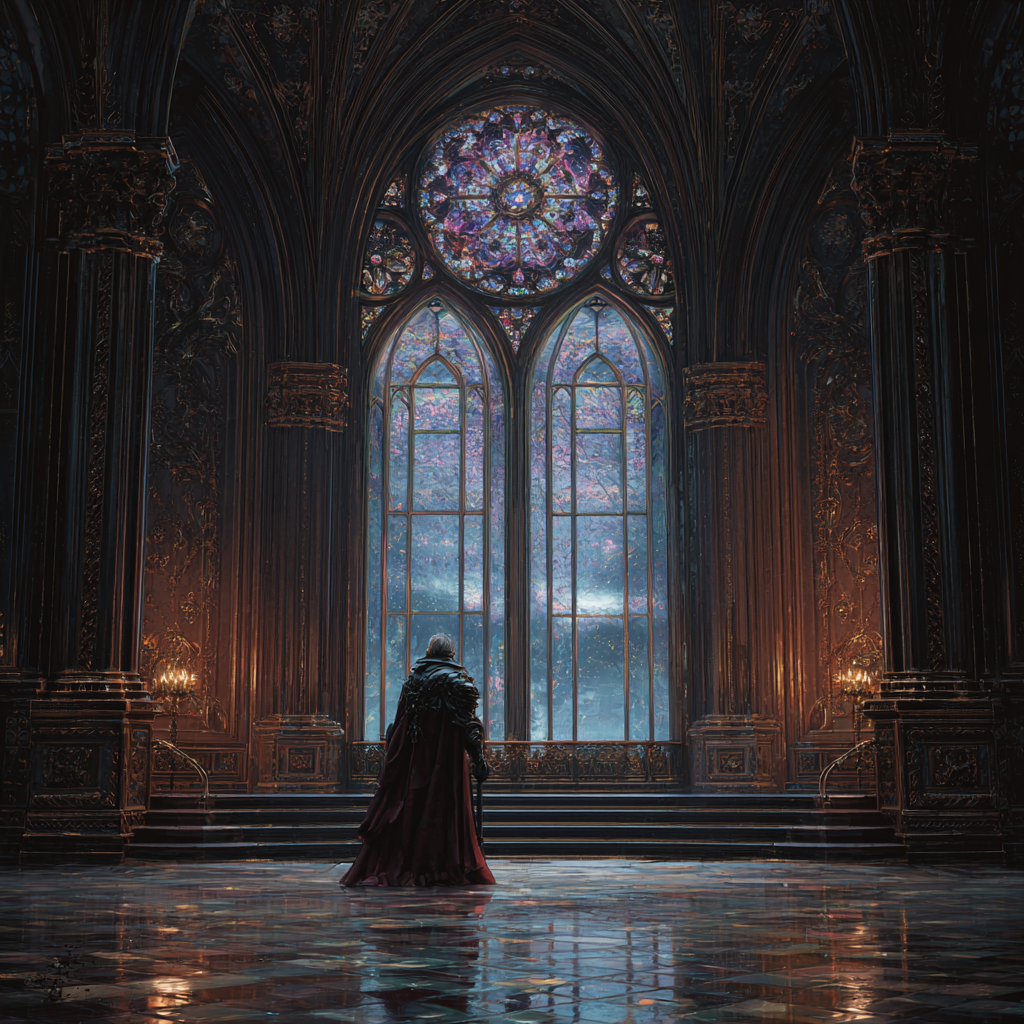
Prompt:
An ancient, melancholic vampire lord gazing out a grand stained-glass window of a dark academia university, a storm brewing outside, oil painting with subtle engraving textures, fantasy, mysterious, rich jewel tones, epic lighting, intricate architecture, 8k
Prompt:
A carriage speeding through a moonlit, foggy forest towards a distant, foreboding gothic castle, ‘Bridgerton dark’ romance, vampire aesthetic, hyper-detailed oil painting, moody engraving effects, mysterious, atmospheric, intricate, 8k, fantasy.
Prompt:
A scene of a midnight feast, elegant vampires and their guests dining in a ‘Bridgerton dark’ banqueting hall, candlelight, ornate silver, mysterious shadows, hyper-detailed oil painting, detailed engraving on tableware and decor, intricate, 8k, fantasy.
2. Analog Horror Prompt Packs (Found Footage, VHS Noise, Broadcast Emergency Screens)
Analog horror is a niche where buyers want texture and unease more than “beautiful art,” which makes it perfect for prompt engineering. The pack needs strong controls: era cues (80s to early 2000s), lens and camera artifacts, scanlines, chromatic bleed, tracking errors, timecode overlays, and imperfect lighting.
I build this product line in modules so buyers can mix and match: “broadcast interruption,” “public access studio,” “school training tape,” “mall security cam,” “weather alert crawl,” and “creepy PSA.” The prompt formulas matter here because consistency is everything. If the results don’t share the same VHS grammar (washed blacks, crushed highlights, warped edges), the buyer can’t assemble a cohesive set.
This line also sells well as “episode packs,” meaning each pack contains a tight set of scenes that imply a story arc, like title card, establishing shot, warning screen, creature glimpse, aftermath frame, and end slate.
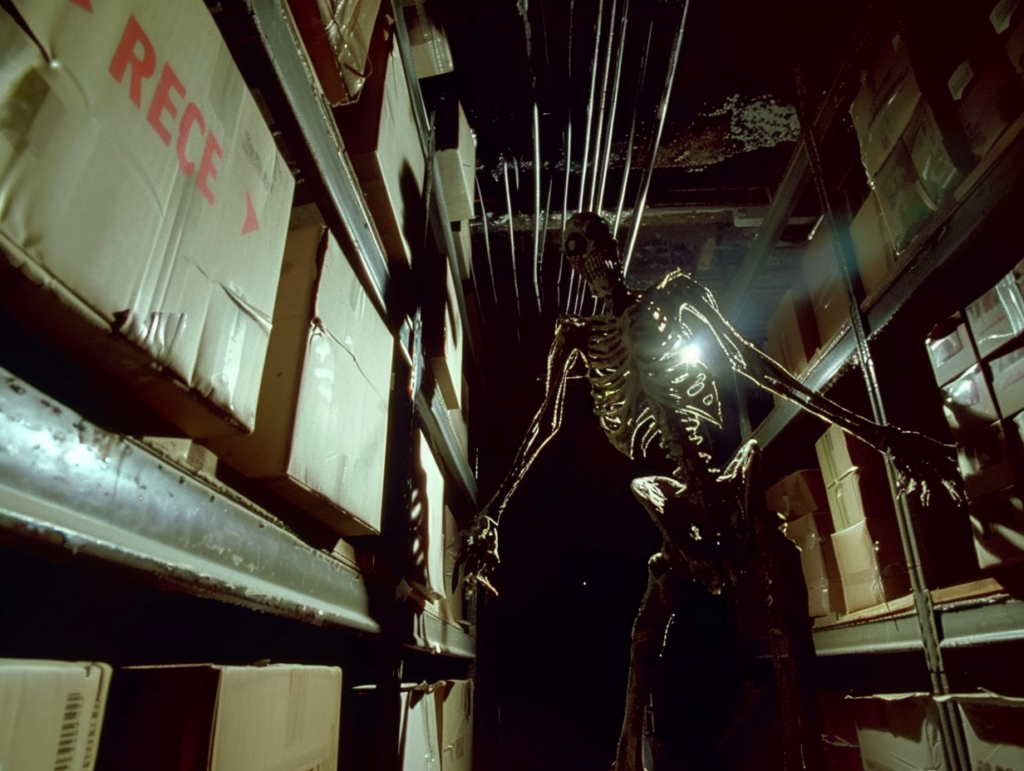
Prompt:
Handheld 1993 camcorder footage, POV shot inside an abandoned basement archive, rotting cardboard boxes on metal shelves, a single flashlight beam cutting through thick dust motes, a tall indistinct humanoid figure with elongated multiple limbs standing in the deep shadows, heavy VHS tracking static, color bleeding, screen tearing, red REC text and timestamp DEC 04 1993 11:45 PM in the corner –ar 4:3 –v 6.0 –style raw
Prompt:
Emergency Broadcast Intrusion
Analog horror broadcast emergency screen, distorted CRT monitor display, heavy scanlines and chromatic aberration, cryptic government warning text overlapping a blurry image of a multi-limbed entity, magnetic tape interference, static noise, eerie lo-fi aesthetic, signal decay, high contrast shadows –ar 4:3 –v 6.0 –chaos 20
Prompt:
The Stalker in the Stacks
First-person perspective found footage, deep perspective of dark library archive stacks, moldy boxes, flickering flashlight illumination revealing a monstrous shadow with too many arms, grainy 16mm film texture, heavy tape hiss, visual artifacts, low-resolution 480p aesthetic, unsettling atmosphere, cinematic horror lighting –ar 16:9 –v 6.0 –stylize 250
3. Ghibli Style Prompts (Whimsical Worlds, Gentle Lighting, Cozy Motion)
Ghibli-style prompts remain a high-intent search pattern because the aesthetic is shorthand for soft color, lived-in environments, and emotional warmth. I treat this as a “cozy cinematic animation” product line, with prompts that emphasize environment storytelling (kitchen clutter, wind in grass, train stations at dusk, small towns) and camera language (wide establishing shots, close-up prop studies, mid shots with environmental context).
I also include character-safe options focused on non-specific features and original designs (travelers, bakers, forest caretakers) so buyers can use the prompts to create unique outputs rather than copies. When I’m designing prompt packs, I reference common prompt structures and the typical visual ingredients people associate with the style, then translate them into parameterized templates buyers can adapt. For broader context on what people mean when they search this, I point buyers to resources like this Ghibli-style prompt guide and Etsy’s visible demand on the Ghibli AI market page.
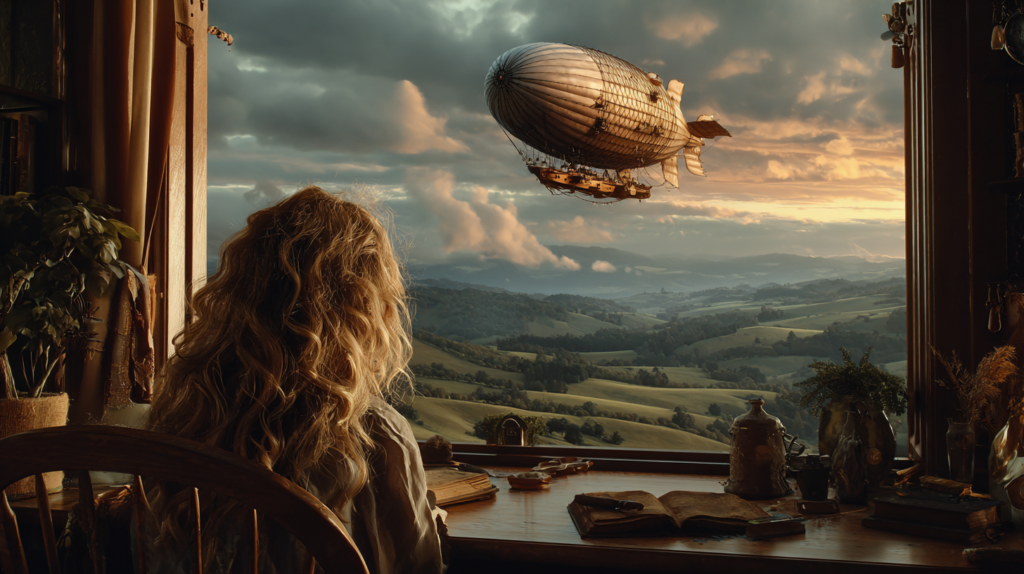
Prompt:
cinematic photo of a young girl gazing out a window at a fantastical, photorealistic airship gracefully floating above a pastoral valley, gentle evening glow painting the sky, a warm, cozy room interior reflected in the glass, radiating emotional depth, detailed, intricate, epic lighting, 8k, photorealistic –ar 16:9
Prompt:
cinematic photo of a bustling Ghibli-style market street in a photorealistic medieval-inspired town, soft, diffused daylight, vendors with unique, fantastical wares, a deep sense of lived-in history, intricate details of architecture and clothing, an epic wide shot, detailed, 8k, photorealistic –ar 16:9
Prompt:
cinematic photo of a cozy reading nook filled with stacks of old books, a warm knitted blanket, and a ginger cat sleeping peacefully, soft lamplight casting long, comforting shadows, rain visible through a large window, a mid shot exuding emotional warmth, detailed, intricate, epic, 8k, photorealistic –ar 16:9
4. Liminal Space Prompt Packs (Empty Hallways, Backrooms Energy, Quiet Dread)
Liminal space is one of the most “promptable” aesthetics because it relies on environment design, lighting temperature, and absence. Buyers usually want outputs that feel familiar but wrong, like fluorescent-lit corridors, empty malls, silent pools, office carpets, foggy parking lots, and waiting rooms with too many chairs.
I build this product line around scene categories and camera rules: wide angle, centered symmetry, long hall vanishing points, soft grain, slightly underexposed corners, and muted palettes. I also add “era filters” so buyers can choose late-90s consumer spaces, 70s institutional spaces, or modern sterile minimalism.
For Etsy AI prompt packs, liminal space works well as a high-volume pack because variation is the point. I’ll include dozens of environment nouns and prop sets that can be swapped while keeping the same uneasy tone, which helps buyers generate sets for albums, YouTube thumbnails, short-form horror edits, and print bundles.
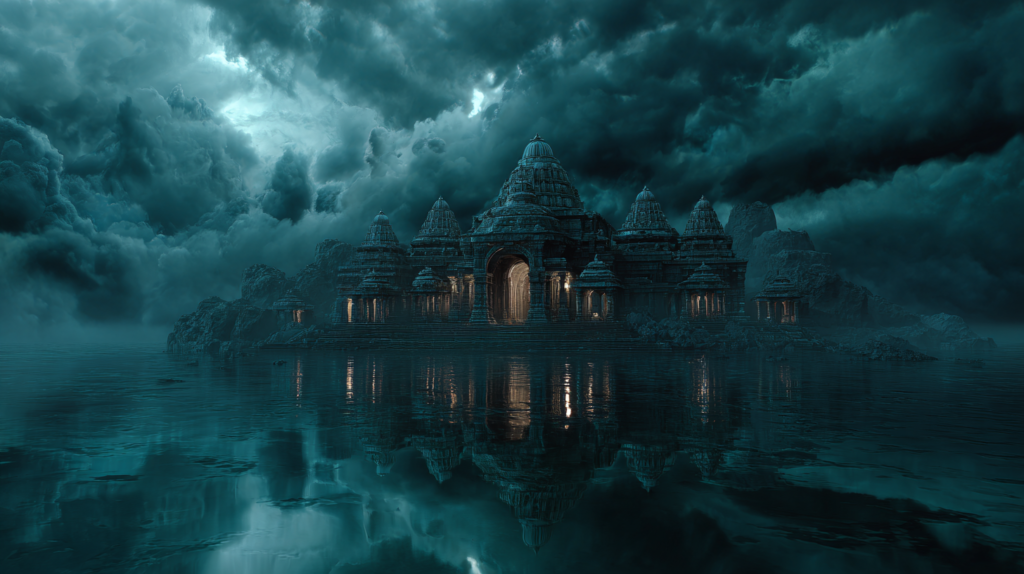
Prompt:
cinematic photo of a vast, ancient fantasy temple partially submerged in crystal-clear, still water, reflecting an eerie, otherworldly sky, empty, silent, epic, detailed, mystical, intricate, epic lighting, 8k, photorealistic –ar 16:9
Prompt:
cinematic photo of a monumental staircase ascending into a swirling nebula of stars and cosmic dust, ancient and deserted, leading to an unknown celestial destination, epic fantasy, cosmic liminality, highly detailed, intricate, epic lighting, 8k, photorealistic –ar 16:9
Prompt:
cinematic photo of a colossal, ornate archway standing alone in a vast, empty plain, shimmering with latent magical energy, hinting at other dimensions, epic fantasy, portal-like, mysterious, detailed, intricate, epic lighting, 8k, photorealistic –ar 16:9
5. Cozy Fantasy Ghibli-Core Prompt Packs (Soft Adventure, Cottage Towns, Kind Magic)
Cozy fantasy plus Ghibli-core is a dependable seller because it merges two buyer desires: comfort and story. This product line is less about spectacle, more about the feeling of safety inside a magical world, with gentle stakes and warm spaces. I write prompts that prioritize small moments, like soup simmering, lantern-lit streets, shared bread, warm cloaks, pet companions, and quiet travel.
I organize the pack like a world bible: locations (village, forest path, greenhouse, bakery, train car), daily rituals (tea, writing letters, mending clothes), and magical accents (tiny spirits, runes carved into wood, floating lights). It’s also easy to bundle this with printable use cases, like planner stickers, children’s book illustration styles, and art print collections.
This niche aligns well with the broader pattern that fantasy and dreamy aesthetics keep selling in large bundles on Etsy, which is why I position it as a “cozy set generator,” not a one-off art style.
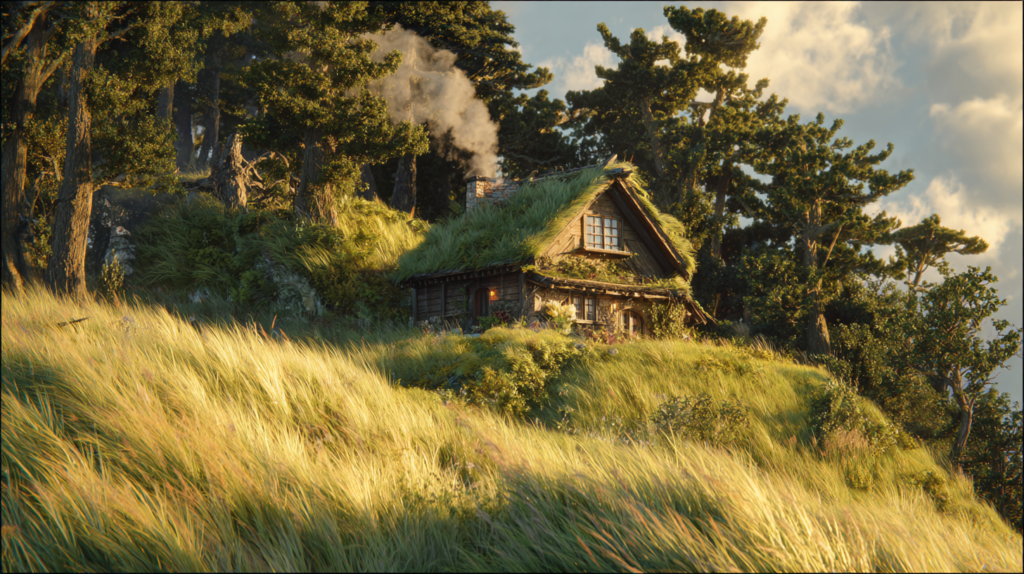
Prompt:
photorealistic cinematic wide shot of a charming Ghibli-style cottage nestled on a verdant hillside, smoke gently curling from its chimney, surrounded by ancient, moss-covered trees and a field of tall grass swaying in a soft breeze, bathed in the golden hour’s gentle, diffused light, intricate details, epic, 8k –ar 16:9
Prompt:
photorealistic cinematic close-up shot of a winding, overgrown garden path made of uneven flagstones, leading towards a hidden Ghibli-style cottage, surrounded by vibrant wildflowers and lush foliage, sunlight dappling through overhead tree branches, soft, enchanting lighting, intricate details, epic, 8k –ar 16:9
Prompt:
cinematic photo of an epic wide establishing shot of a winding river flowing through a vibrant, photorealistic Ghibli-style landscape, ancient, moss-covered ruins nestled among rolling hills, a small wooden boat drifting peacefully downstream, soft morning mist, detailed, intricate, 8k, photorealistic –ar 16:9
6. Adorable Fantasy Creatures & Familiars Prompt Packs (Nursery-Friendly, Sticker-Ready, Merch-Ready)
This product line is one of the most practical for Etsy buyers because the outputs convert into products fast: sticker sheets, clipart bundles, kids wall art, classroom decor, and character packs for books and games. The trick is building prompts that keep the creature design consistent while allowing controlled variations (pose, outfit, prop, emotion).
I write these packs with a “creature builder” structure: base body type (tiny dragon, mushroom imp, cloud cat, teacup fox), surface texture (fluffy, velvet, plush, scaled), face rules (big eyes, small nose, soft blush), and accessories (tiny satchel, leaf hat, star charm). Then I include background modes: transparent-style minimal, soft vignette, or storybook scene.
Market proof is easy to spot on Etsy because buyers already purchase prompt-based cute creature sets for nursery and clipart uses, like this listing for Midjourney prompts for cute nursery mystic creatures.
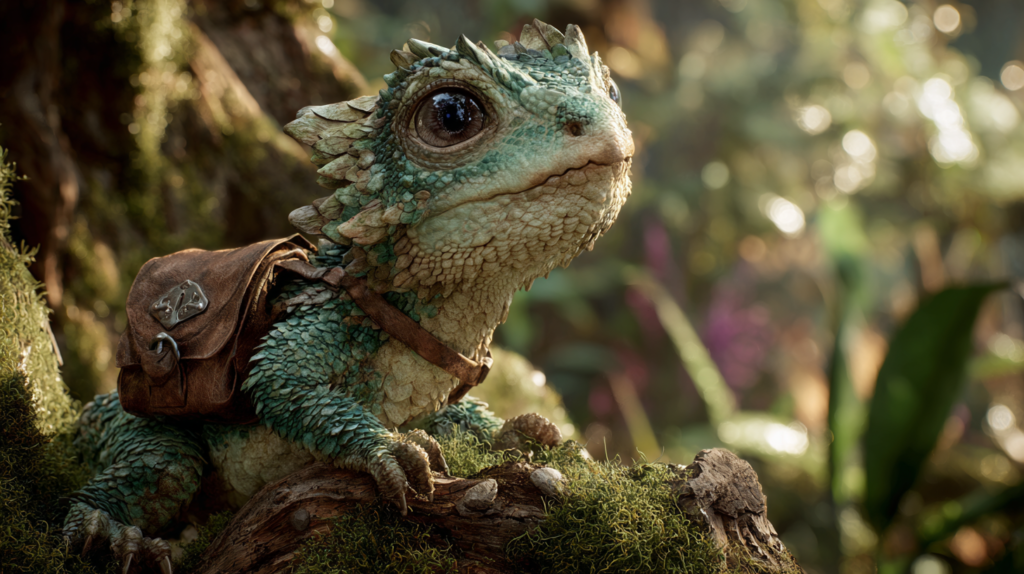
Prompt:
An epic, photorealistic shot of an adorable scaled tiny dragon, its emerald scales catching the dappled sunlight, with huge luminous eyes, a delicate snout, and a subtle rosy blush. It wears a tiny leather satchel, perched on an ancient, gnarled tree root in a magical, sun-drenched enchanted forest. Detailed, intricate, cinematic lighting, 8k, ultra-photorealistic
Prompt:
cinematic photo of a series of colossal, empty floating islands connected by crumbling ancient fantasy bridges over an endless void, bathed in the twilight of an alien sun, epic scale, liminal, highly detailed, intricate, epic lighting, 8k, photorealistic –ar 16:9
Prompt:
cinematic photo of a series of perfectly still, mirror-like lakes reflecting an impossible fantasy sky, surrounded by ancient, silent ruins, sense of endlessness and reflection, epic, tranquil yet eerie, detailed, intricate, epic lighting, 8k, photorealistic –ar 16:9
7. Cozy Tea & Bakery Aesthetic Prompt Packs (Pastries, Steam, Sunlight, Small Joy)
Tea and bakery aesthetics sell because the images communicate comfort in one second. I build this product line for creators who need consistent food styling without hiring a photographer, and for digital sellers who make kitchen prints, recipe card kits, menu templates, café branding, and journaling ephemera.
My prompt packs focus on: steam behavior, glaze shine, crumb texture, warm window light, ceramic details, linen fabrics, and cozy clutter. I also include sets for “product mock” compositions (top-down pastry flat lay, cup and saucer hero shot, bakery shelf lineup) and “scene mood” compositions (rainy afternoon café, candle-lit evening tea, sunlit morning bread).
What makes this niche strong for Etsy AI prompt packs is the repeat-buy pattern. Buyers often want many outputs in the same style to build bundles, so a pack that generates cohesive sets is more valuable than a few pretty prompts.
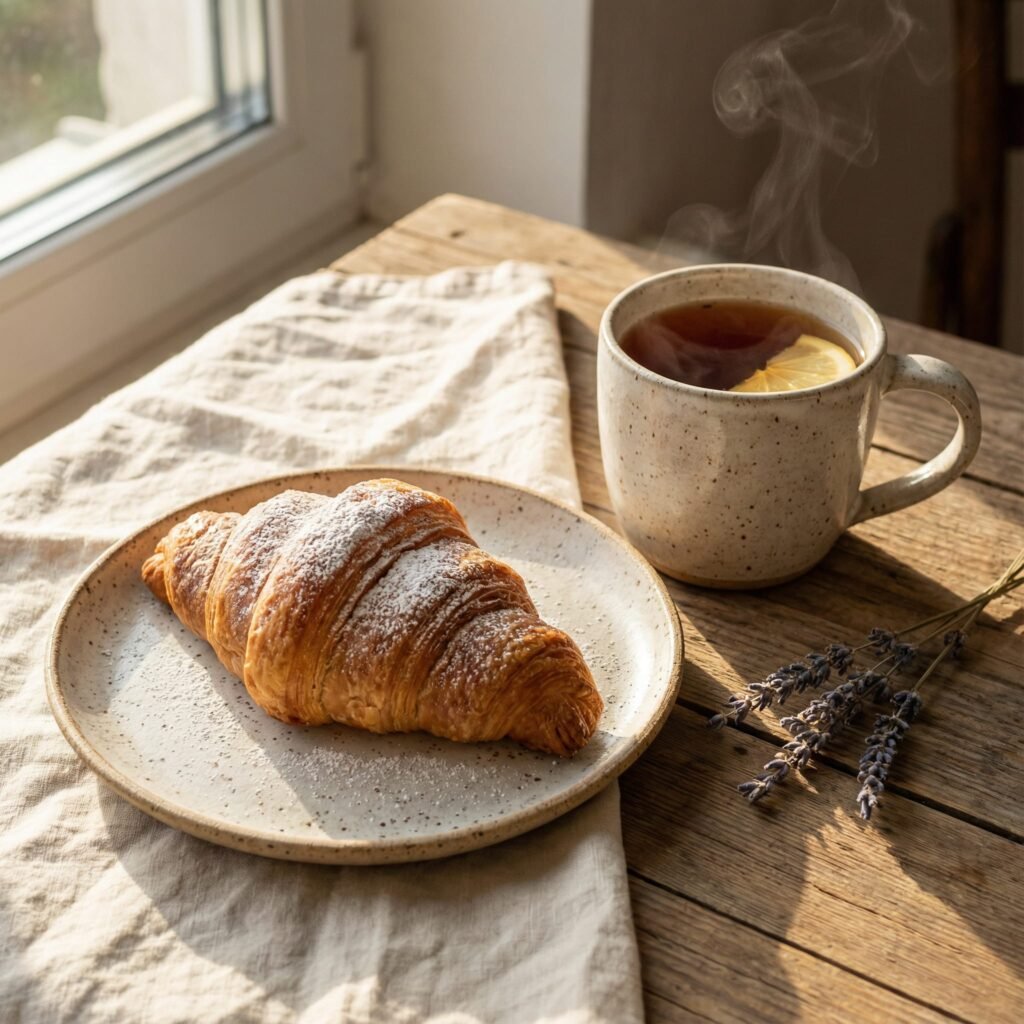
Prompt:
Macro shot of a golden-brown flaky croissant and crusty sourdough loaf on a rustic wooden table, warm morning sunlight streaming through a window, visible steam rising in delicate swirls::2, glistening honey glaze shine, intricate crumb texture, linen napkin, soft dust motes in the light, cinematic lighting, photorealistic, 8k, ultra-detailed, –ar 16:9 –v 6.0 –style raw
Prompt:
Close-up hero shot of a hand-crafted ceramic teacup and saucer, swirling steam, a slice of glossy berry tart next to it, rainy window background with soft bokeh droplets, cozy cafe interior, flickering candle light, moody atmosphere, rich textures of linen and ceramic, soft cool tones contrasted with warm highlights, –ar 3:2 –v 6.0
Prompt:
Top-down flat lay of an artisanal bakery spread, cinnamon rolls with dripping white icing, powdered sugar dusting, scattered crumbs, vintage silver spoons, open antique book, sprigs of lavender, rustic linen tablecloth, soft golden hour lighting, cozy clutter, high-angle composition, intricate details, vibrant colors, 8k, –ar 4:5 –v 6.0
8. Dreamy Nightscapes & Starry Skies Prompt Packs (Moon Glow, Mist, Cinematic Twilight)
Dreamy nightscapes sit at the intersection of fantasy and calm. Buyers use them for wallpapers, prints, social headers, book covers, meditation content, and ambient video art. I build this product line with lighting-first prompt logic: moon as key light, soft rim light on silhouettes, star density controls, haze thickness, and controlled saturation so it doesn’t turn neon.
I also add location variations that keep the same sky language: rooftop views, lakeside reflections, forest clearings, desert dunes, seaside cliffs, and sleepy towns. This pack style pairs well with “series creation,” meaning the buyer can generate 12 matching images for a calendar, a set of printable posters, or a cohesive Instagram grid.
To match how people browse on Etsy, I make sure the prompt outputs are consistent in palette and composition so they look like a set the moment they’re placed side by side.
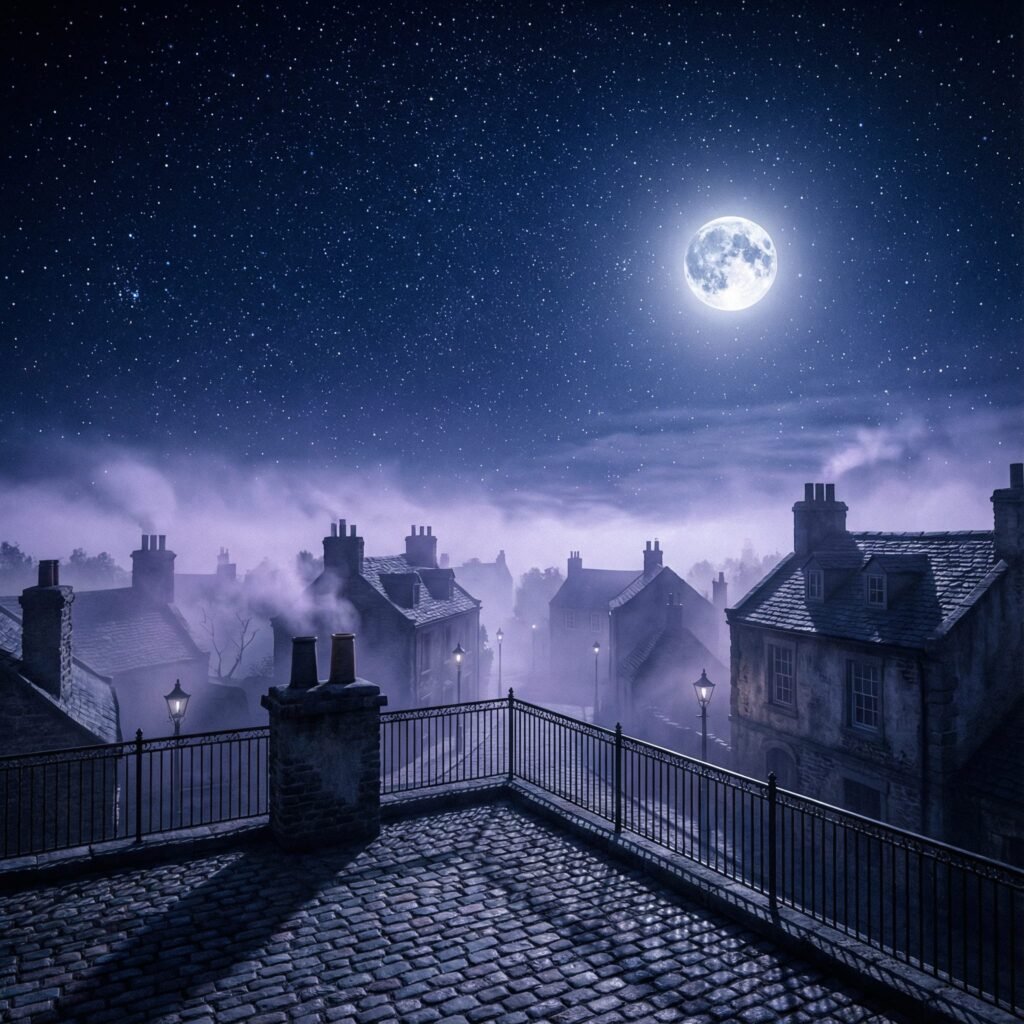
Prompt:
A cinematic nightscape view from a cobblestone rooftop terrace overlooking a quiet, sleepy town. Above, a vast indigo sky is peppered with millions of twinkling stars and a brilliant, glowing silver moon that casts long shadows across the tiles. A soft lavender mist curls around the chimneys and dim streetlamps of the town below. The composition is a wide-angle shot with the horizon line positioned low to emphasize the celestial expanse. The color palette is strictly dominated by deep blues, cool purples, and ethereal silver moonlight, creating a serene and dreamy atmosphere. intricate details, HDR, beautifully shot, hyperrealistic, sharp focus, 64 megapixels, perfect composition, high contrast, cinematic, atmospheric, moody
Prompt:
A serene nightscape of a glass-like lake nestled within a dense forest clearing. The water perfectly reflects the starry indigo sky and the radiant glow of a high-hanging silver moon. Tendrils of white mist float just above the water’s surface, creating a dreamy, ethereal atmosphere. Tall, silhouetted pine trees frame the edges of the composition, leading the eye toward the center of the lake. The lighting is purely lunar, hitting the water with sharp silver highlights. The palette remains consistent with the series, utilizing deep cerulean and midnight blue tones.
Prompt:
A breathtaking cinematic nightscape of rolling desert dunes under a majestic starry sky. The sand appears as a cool, desaturated grey under the intense glow of a large, luminous moon centered in the upper frame. A thin layer of mist settles in the valleys between the dunes, catching the silver moonlight and adding a sense of depth. The composition is expansive and symmetrical, drawing the eye toward the horizon where the deep indigo sky meets the earth. The atmosphere is quiet and ethereal, strictly adhering to the unified color scheme of midnight indigo and shimmering silver.
9. Soft Watercolor & Pastel Aesthetic Prompt Packs (Clipart Bundles, Planner Art, Gentle Florals)
Soft watercolor and pastel aesthetics keep selling because they translate directly into printable products and craft assets. This product line needs more technical prompt detail than most, since watercolor results can get muddy or overly digital if the prompt doesn’t specify paper texture, pigment behavior, edge bleed, and negative space.
I design these packs around “bundle-ready” outputs: individual objects with clean edges, simple shadows, and enough blank space for cutting, plus full-page scenes for prints. I also include palette control (dusty rose, sage, butter yellow, powder blue) and texture control (cold-press paper, light granulation, soft wash gradients).
Even outside prompt packs, Etsy shows strong demand for watercolor-style digital assets, which supports why this aesthetic works as a prompt product line, as seen in listings like this watercolor clip art set.
Prompt:
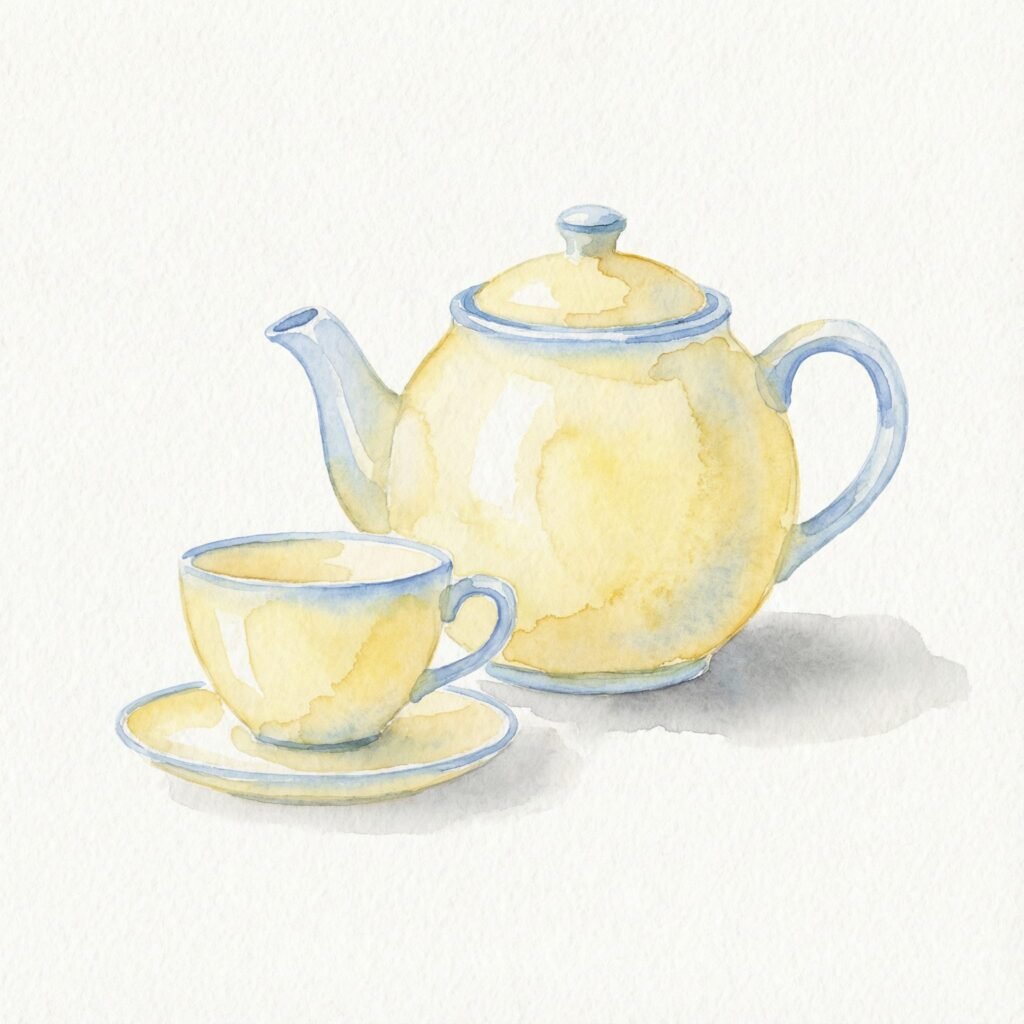
A charming, minimalist ceramic teapot alongside a matching teacup, painted in a soft butter yellow with accents of powder blue. The items are arranged as a single clipart element on a clean white background. The art style is a gentle watercolor wash with visible paper texture and subtle granulation in the deeper tones. A simple, soft shadow is cast to the right of the objects. The colors blend smoothly with light gradients, creating a peaceful and cozy aesthetic suitable for digital stationery.
Prompt:
A detailed watercolor illustration of a single, delicate peony flower in full bloom. Its soft, ruffled petals are painted in varying shades of dusty rose, blending into elegant sage green leaves. The botanical subject is centered on a clean, pure white background with crisp edges. A faint, soft grey shadow is cast directly beneath the flower to create a subtle sense of depth and dimension. The image captures the tactile texture of cold-press watercolor paper, with visible light granulation in the pigment washes. Bright, even lighting illuminates the piece, accentuating the smooth gradients and delicate transitions between the pastel hues.
Prompt:
A collection of three distinct botanical sprigs, including eucalyptus and lavender, rendered in a soft pastel watercolor style. The color palette is strictly limited to muted sage green, dusty rose, and powder blue. Each sprig is meticulously detailed with clean edges and sits on a pristine white background. The texture of the piece mimics high-quality cold-press watercolor paper with a light, grainy finish and delicate wash gradients. The composition is airy and light, with a very faint shadow placed directly beneath each stem to ground them.
10. Cozy Fantasy Ghibli Core Prompt Packs (Everyday Magic Sets, Repeatable Series, Brandable Style)
I treat “Cozy Fantasy Ghibli Core” as its own line (separate from the earlier phrasing) because it sells best when it’s packaged as a complete system: characters, environments, props, and seasonal variations that all share the same visual grammar. Buyers want that cohesive look across dozens of images, which makes this niche perfect for bigger packs with sub-collections.
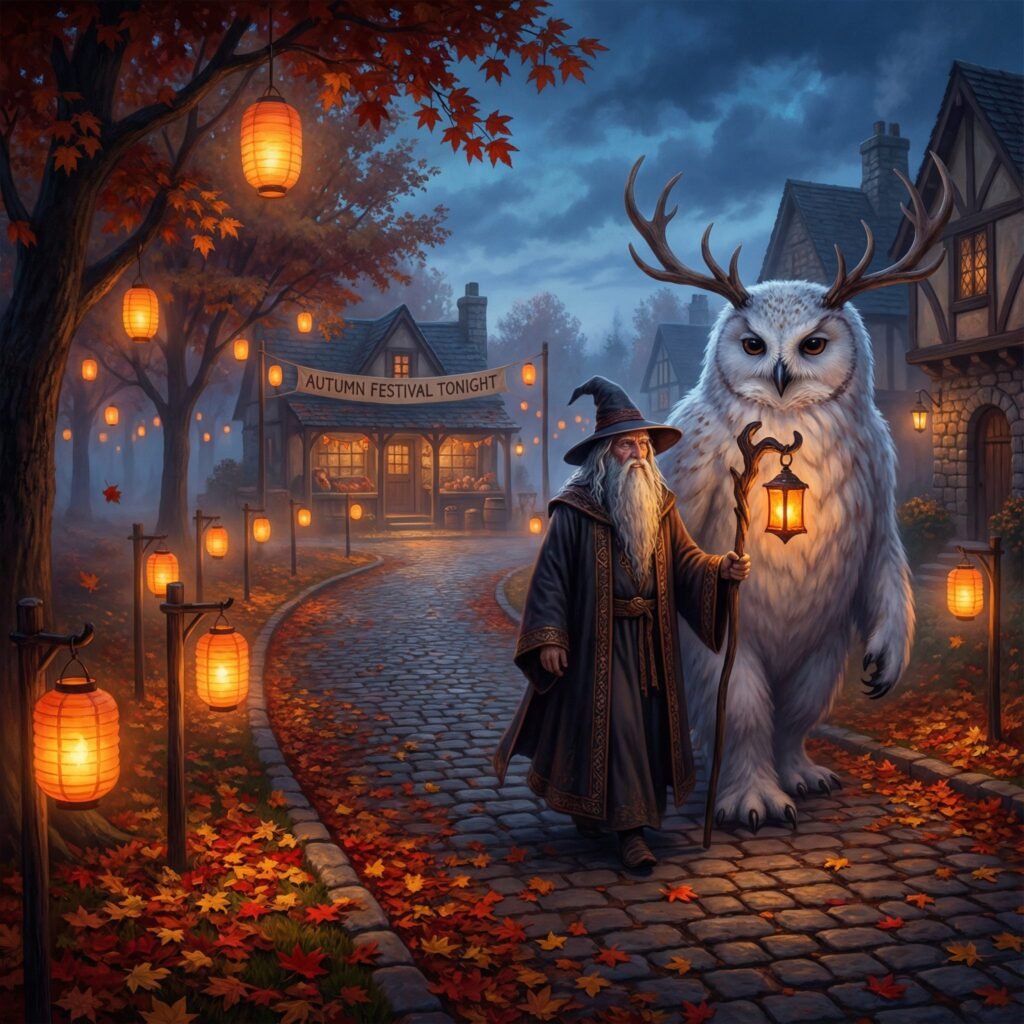
This product line is where I stack the strongest elements: cozy domestic scenes, gentle fantasy creatures, warm lighting, soft painterly backgrounds, and cinematic framing. I also create seasonal subsets (spring rain, summer festivals, autumn lantern walks, winter bakery nights) so the buyer can keep producing themed sets year-round without changing style.
For shoppers browsing Etsy, it also helps that prompt packs are already normalized as a product category, so this line fits neatly into existing buyer behavior around downloadable bundles (see Etsy’s broad prompt packs market page and the wider prompts AI pack results).
Conclusion
These 10 Etsy trending product lines work because each one has a clear aesthetic promise and a practical output use case. When I build Etsy AI prompt packs around dark academia, analog horror, Ghibli-core cozy fantasy, liminal space, dreamy nightscapes, pastel watercolor, bakery comfort, and fantasy creature sets, I’m not selling random text prompts, I’m selling a repeatable style engine that creators can use to produce cohesive bundles.
That’s why these niches keep showing up in searches and listings, and why they’re a strong foundation for a prompt-pack shop that wants consistent demand across different buyer types.
FAQ Section
What are Etsy AI prompt packs?
Etsy AI prompt packs are curated collections of text prompts designed to generate consistent, aesthetically cohesive AI art. They often include structured formulas, scene libraries, and variations to help digital artists create specific styles like Dark Academia or Ghibli-Core for commercial use across various platforms.
How can I monetize AI art prompts on Etsy?
You can monetize AI art prompts by selling them as digital download packs on Etsy. These packs offer significant value by providing a ‘style system’ for buyers, enabling them to create consistent art for prints, clipart, book art, or social media, thereby saving them time and effort in prompt engineering and style development.
What makes a good AI prompt pack for Etsy?
A good AI prompt pack for Etsy focuses on a niche aesthetic (e.g., Dark Academia, Ghibli-Core), offers repeatable style systems, includes essential variations (lighting, palette, texture, era, props, environments), and targets specific commercial outputs (e.g., prints, social posts, digital planners). Buyers seek consistency, commercial viability, and ease of use.