Tag: FutureofAI

  • Stop Prompting, Start Architecting: The 2026 Blueprint for AI Mastery

    Stop Prompting, Start Architecting: The 2026 Blueprint for AI Mastery

    If you are still trying to find the “perfect magic words” to make ChatGPT or Claude behave, you are living in 2024. Welcome to January 2026, where the game has fundamentally changed. We aren’t just “prompting” anymore; we are orchestrating intelligence.
    The “Prompt Engineer” job title that everyone obsessed over two years ago? It’s evolving into something much more powerful: the AI Behavior Architect. We’ve moved past the era of “acting as a professional copywriter” and entered the era of agentic workflows, perceptual anchoring, and self-healing systems.
    This week, the AI world was rocked by three massive shifts that redefine how you interact with silicon. If you want to stay ahead of the curve, you need to understand why your old “hacks” are failing and what the new 2026 standard looks like.

    1. The “Say What You See” Revolution: Google’s SWYS Breakthrough
      Just days ago, a technique dubbed SWYS (Say What You See) went viral across the developer community, promising—and delivering—a staggering 76% gain in LLM accuracy for complex reasoning tasks.
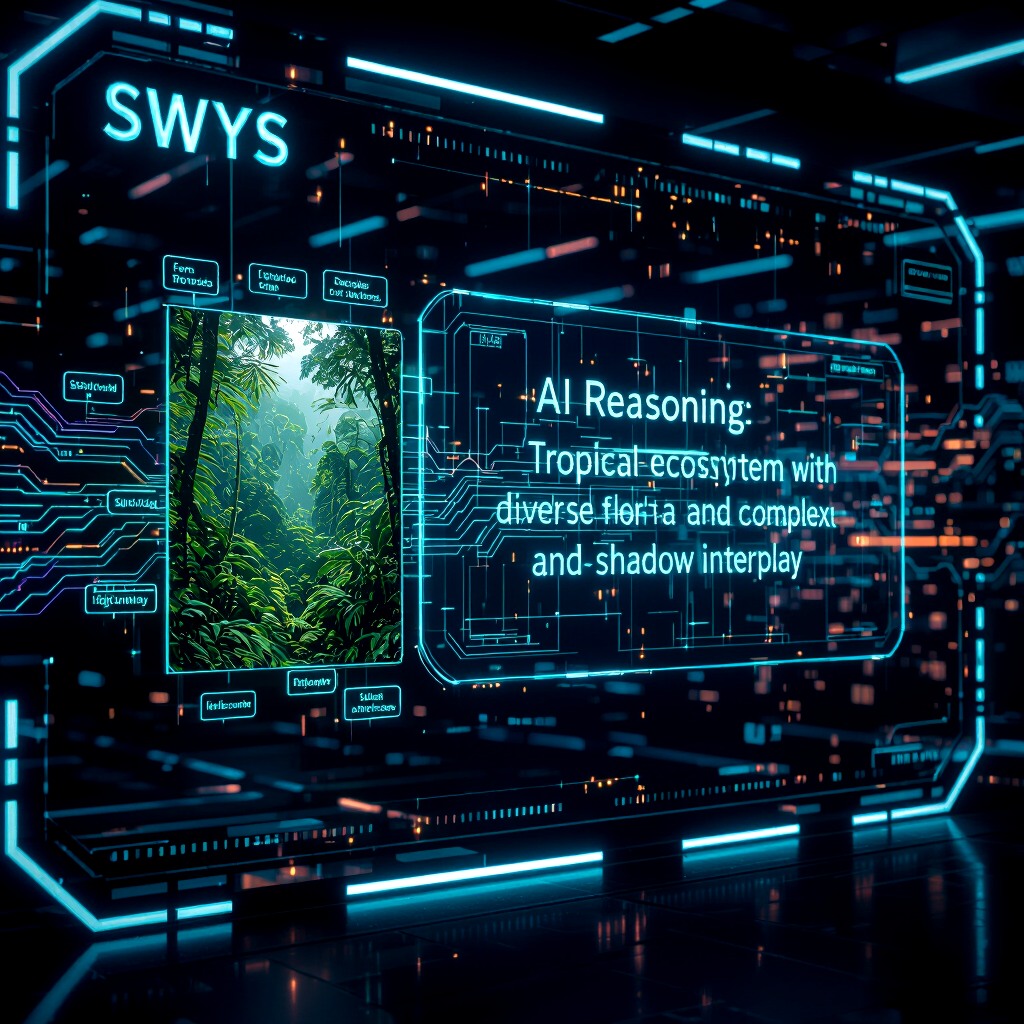
      For years, we thought the key to better output was more complex instructions. We wrote paragraphs of “Chain-of-Thought” logic, hoping the model wouldn’t hallucinate. But Google’s latest research suggests we were looking at the problem backward. Instead of telling the AI how to think, SWYS forces the AI to verbally anchor its perception before it attempts a task.
      The technique is deceptively simple: You ask the AI to describe every component of the input data in excruciating detail before asking for a solution. It’s the digital equivalent of a detective narrating everything they see at a crime scene before making a deduction.

    The SWYS Framework in Action


    Instead of: “Analyze this financial spreadsheet and find the three biggest risks.”
    The 2026 SWYS Prompt looks like:
    “First, identify every column header and row category in the provided data. Describe the data types and any visual outliers you notice. Once you have mapped the ‘landscape’ of the data, then—and only then—analyze the top three risks.”

    Why This Matters:
    It’s about latent signal activation. By forcing the model to “Say What It Sees,” you are activating multimodal training signals that stay dormant during standard text processing. This reduces “glance-over” errors—those annoying moments where the AI misses a line of text or a specific number right in front of its face. In the high-stakes world of 2026, where AI manages our medical records and legal contracts, a 76% accuracy jump isn’t just a “nice to have”—it’s the difference between a successful automation and a catastrophic failure.

    1. From “Prompting” to “Agentic Scaffolding”: The Claude Code Shift
      We’ve seen a massive shift in how Anthropic’s Claude handles complex tasks this month. The data from the latest Anthropic Economic Index shows that we have officially crossed the “Human-in-the-Loop” Rubicon.
      Six months ago, a tool like Claude Code could handle maybe 10 autonomous actions before it needed a human to nudge it. As of January 2026, that number has doubled to 21+ consecutive tool calls. What does that mean for you? It means “Prompt Engineering” is being replaced by Agentic Scaffolding.
      You are no longer writing a prompt for a chatbot; you are writing a Mission Briefing for an agent that can browse your files, run terminal commands, call APIs, and self-correct its own errors.
    human hand orchestrating multiple AI agents on a holographic interface

    The Shift in Strategy


    In 2026, the best “prompts” aren’t prose; they are environment definitions. You aren’t telling the AI what to write; you are telling the AI what tools it has access to and what the success criteria (Evals) look like.
    Key Term: Evals (Evaluations). In 2026, if you aren’t providing the AI with a way to “grade itself,” your prompt is incomplete. Modern architects use “Self-Correction Loops” where the prompt includes a step: “Run a validation check on your output against [Standard X] and if it fails, iterate until it passes.”

    Why This Matters:
    Efficiency is the new currency. Anthropic’s data shows that while we are delegating less of our total work, the complexity of what we delegate has skyrocketed. We are moving from “Help me write this email” to “Build and deploy this microservice.” If you don’t master Agentic Scaffolding, you will be stuck doing the “papercut” tasks while the AI-literate workforce is building entire ecosystems with a single command.

    1. The Rise of “Tree of Thoughts” (ToT) at Scale
      If you’ve been following the latest benchmarks, you know that Standard Prompting is currently sitting at a measly 7.3% success rate for highly complex, multi-variable problems. Meanwhile, Tree of Thoughts (ToT) is hitting 74%.
      ToT is the 2026 evolution of Chain-of-Thought. Instead of a single linear path of reasoning, the AI explores multiple “branches” of thought simultaneously, evaluates them, and “prunes” the ones that don’t lead to a solution.

    The “Expert Panel” Prompt Template
    To leverage this, viral strategists are using the Multi-Expert Persona approach.
    Instead of: “Give me a marketing strategy for my new app.”
    The ToT Prompt looks like:
    “Act as a panel of three experts: a Growth Hacker, a Brand Strategist, and a Financial Analyst.

    • Each expert proposes one distinct strategy.
    • The experts then critique each other’s strategies for flaws.
    • Based on the critique, synthesize the most robust, risk-mitigated plan.”
      Why This Matters
      We are seeing the end of “Single-Model Bias.” By forcing the AI to simulate internal conflict and debate, we bypass the “path of least resistance” that models often take. This is how you get System 2 thinking (slow, deliberate, logical) out of a system that defaults to System 1 (fast, intuitive, sometimes wrong).
    1. The 2026 Viral Prompting Cheat Sheet (The “Architect” Method)
      To help you dominate this new landscape, I’ve distilled the “hottest” 2026 techniques into a quick-reference guide. Stop using “Please” and “Thank you”—start using

    A vast digital landscape stretches toward a dark horizon, filled with thousands of floating blue geometric prisms representing data points. In the center of the frame, a pair of ethereal, translucent hands made of shimmering white light reach out to grasp a single, intensely glowing golden cube. The golden cube is labeled with the text 'GROUND TRUTH' in a clean, sans-serif font. The light from the cube casts a warm radiance across the translucent fingers of the AI hands, highlighting their intricate, circuit-like internal structures. The background features a faint, receding grid of cyan lines on a deep black floor. The scene is rendered in a sharp, cinematic 3D style with a shallow depth of field that keeps the focus on the moment of contact.

    Structural Constraints.


    Technique
    How to Use It 2026 Viral Power Level Verbal Anchoring

    • “List all facts in the source text before summarizing.”
      Negative Constraints
    • “Do NOT use corporate buzzwords, passive voice, or introductions.
    • “Dynamic JSON Output” Output the response strictly in a JSON schema for [App Name].
    • “Recursive Refinement”Rewrite your previous answer three times, making it 10% more concise each time.”Contextual Grounding”Access the [Project Archive] and use only verified data from the 2025 Q4 report.”
    1. The “Invisible” Prompt: AI Embedded in Everything
      Finally, we have to talk about the “Death of the Chat Window.” In 2026, the most successful prompt engineering is the kind the user never sees.
      With Google Workspace Studio and OpenAI’s ChatGPT Atlas, prompts are being baked into the UI. You aren’t typing into a box; you are clicking a “Refactor” button that triggers a 500-word meta-prompt in the background.
      The takeaway for you? If you are building tools or content, focus on Context Engineering. The real “moat” in 2026 isn’t the model you use; it’s the proprietary context you feed it. Whoever has the best-organized data wins, because the AI is finally smart enough to use it.

    Conclusion:
    The era of “guessing” what the AI wants is over. We have the frameworks, we have the agentic tools, and we have the benchmarks. The transition from Prompt Engineer to AI Behavior Architect is the most significant career pivot of the decade.
    Don’t just talk to the machine. Design its reality. Define its tools. Scaffold its thoughts. In 2026, the power belongs not to the one who speaks the loudest, but to the one who structures the most effectively.
    Are you ready to stop prompting and start architecting?

    FAQ:
    What is AI Behavior Architecture and how does it differ from traditional prompt engineering?

    AI Behavior Architecture is the evolved approach beyond simple prompting, focusing on designing and orchestrating complex agentic workflows, perceptual anchoring, and self-healing systems for AIs. Unlike traditional prompt engineering that seeks ‘magic words,’ behavior architecture aims to define how an AI thinks, perceives, and acts over time.

    What is Google’s ‘Say What You See’ (SWYS) technique and why is it a game-changer?

    SWYS (Say What You See) is a Google breakthrough that forces an AI to verbally describe every component of its input data in excruciating detail before attempting a task. This perceptual anchoring leads to a staggering 76% gain in LLM accuracy for complex reasoning by ensuring the AI fully ‘sees’ and processes all information before generating a solution.

    Why are my old AI ‘hacks’ and prompting strategies failing in 2026?

    Old prompting ‘hacks’ are failing because the AI landscape has fundamentally shifted by 2026. We’ve moved past single-turn interactions to agentic workflows, and AIs require more sophisticated methods like perceptual anchoring (e.g., SWYS) to ground their understanding and prevent hallucinations, making simplistic prompting obsolete.

    How can I start implementing AI Behavior Architecture and SWYS in my projects?

    To implement AI Behavior Architecture, begin by understanding agentic design patterns and breaking down complex tasks into manageable AI sub-tasks. For SWYS, integrate an initial step where the AI meticulously describes its input. Experiment with feedback loops to create self-healing systems and continuously refine your AI’s behavioral design.

    References

    • Google Research (Jan 13, 2026): “Say What You See: Unlocking 76% Accuracy in LLM Perception.”
    • Anthropic Economic Index (Jan 2026): “The Shift from Automation to Augmentation in the Global Workforce.”
    • OpenAI Developer Community: “Tree of Thoughts vs. Chain of Thought: The 2026 Performance Gap.”
    • VentureBeat: “The Rise of the AI Behavior Architect.”

  • Boost AI Results with Easy Prompt Tricks

    Boost AI Results with Easy Prompt Tricks

    Maya stared at another bland AI reply, the kind that says a lot yet helps little. She had a deadline, a draft, and a prompt that sounded fine. The output missed context, tone, and depth. It felt like shouting into a fog.

    Here is the fix. Small tweaks to your prompt can flip vague answers into clear, useful results. In 2025, tools like GPT-4.1 and Claude 4 make this even easier. You do not need tech skills, just a smarter way to ask.

    This post shows simple prompt tricks that work right away. You will learn how to set a role, add a goal, and give one key constraint. You will see how to ask for a format, set a tone, and name your audience. You will also learn to include one example so the model copies the style, not just the idea.

    Expect quick wins. Think one-line upgrades, short templates, and repeatable patterns. You will go from “write about marketing” to “write a 120-word email for busy founders, friendly tone, short subject, two bullet points.” Better prompts, better AI results, less guesswork.

    If you have ten minutes, you can get sharper answers today. Ready to turn short prompts into strong output, with zero stress?

    Start Strong with Clear and Specific Prompts

    Small details change everything. Tell the AI the task, the format, the length, the tone, and the style, and you cut out guesswork. That means fewer rewrites and faster wins. For a deeper dive into why clarity matters, see this practical guide on prompt structure in How to Write Effective Prompts for ChatGPT.

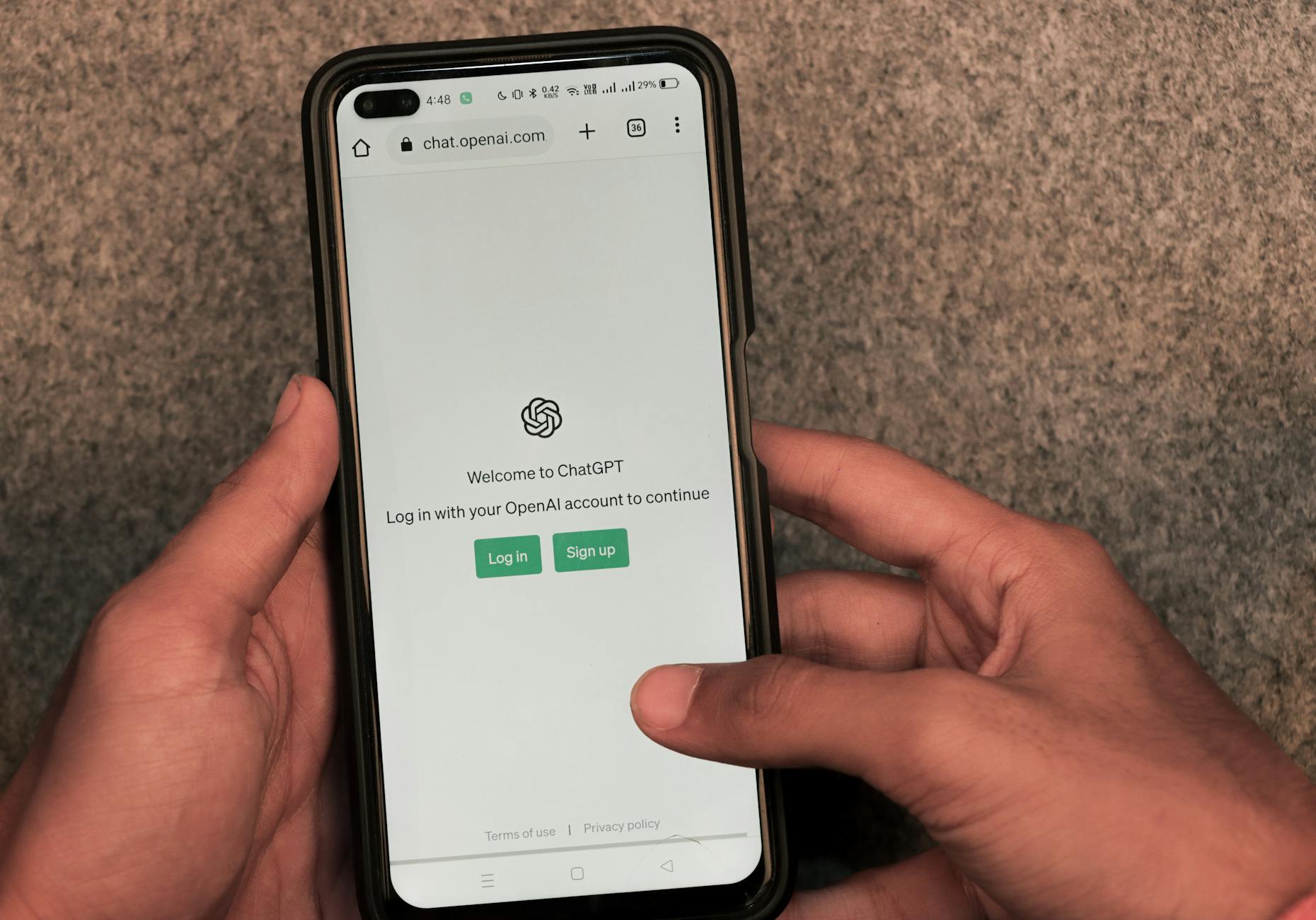
    Close-up of a hand holding a smartphone displaying ChatGPT outdoors. Photo by Sanket Mishra

    • Task: what you want, in one line.
    • Format: bullets, table, outline, email, or steps.
    • Length: word count or range.
    • Tone: friendly, formal, upbeat, or neutral.
    • Style: simple, academic, persuasive, or playful.

    Short, clear prompts also work well in quick zero-shot asks, like, “List three dinner ideas, 15 minutes each.”

    Why Clarity Beats Vague Questions Every Time

    Vague prompts force the AI to guess. Guessing leads to fluff, tangents, and edits. Clarity gives the AI rails. You get focused answers that fit your goal.

    Job hunt example:

    • Vague prompt: “Help with my resume.”
    • Typical output: Long, generic tips with no structure.
    • Specific prompt: “Rewrite my resume summary for a marketing analyst role, 60 words, confident tone, highlight Excel, SQL, and A/B testing.”
    • Typical output: A tight, role-ready summary with the right keywords.

    Another quick win for students:

    • Vague prompt: “Summarize photosynthesis.”
    • Specific prompt: “Summarize photosynthesis for 9th graders in 5 bullet points, plain language, include the role of sunlight and chlorophyll.”
    • Result: Clear bullets you can study right away.

    This saves time, reduces back-and-forth, and delivers useful info fast. For more structure ideas, see this breakdown of prompt best practices in How to Write AI Prompts For ChatGPT and Gemini in 2025.

    Role-Play Your Way to Expert-Level Answers

    Assign a role to shape voice and depth without extra effort. It sets context, tone, and the level of detail.

    Try these:

    1. “Act as a career coach. Draft a 120-word cover letter for a junior data analyst, friendly tone, 3 short paragraphs, mention SQL and dashboards.” Output lands with hiring managers and fits the word count.
    2. “Act as a tutor. Explain the French Revolution to a 10th grader in 6 bullets, neutral tone, include causes and outcomes.” Output is clear, balanced, and age-appropriate.
    3. “Act as a chef. Plan a 3-night dinner plan for two people, 20 minutes per meal, include a single grocery list.” Output is practical and ready to use.

    Everyday use:

    • Email: “Act as a polite assistant. Write a 90-word follow-up email, warm tone, ask for a meeting, include two time options.”
    • Meal plan: “Act as a nutrition coach. Create a high-protein, vegetarian lunch plan for 5 days, under 500 calories, bullet points.”

    Level Up with Examples and Step-by-Step Thinking

    Small prompts win quick tasks. Tougher jobs need structure. Give the model a pattern to mimic, then ask it to think in steps. New models like GPT-4.1, Claude 4, and Gemini 2.5 Pro pick up patterns fast and reason more clearly when you guide them. You get fewer bland answers and more work you can ship.

    Close-up of hands using smartphone with ChatGPT app open on screen. Photo by Sanket Mishra

    Few-Shot Magic: Show, Don’t Just Tell

    Examples teach style, tone, and structure without long rules. You show the model what “good” looks like, then it mirrors the pattern. In 2025, in-context learning is stronger, so a few solid examples go a long way. For a quick refresher, see this short guide on Few-Shot Prompting.

    How to use it:

    • Use 2 to 4 examples that match your goal.
    • Keep each example short, clear, and labeled.
    • Stick to one pattern, like bullet length or sentence cadence.

    Product description prompt you can paste:

    • Role: You are a product copywriter for an online store.
    • Task: Write a 70–90 word description with 3 scan-friendly bullets.
    • Style: Friendly, crisp, benefits first.
    • Examples:
      1. “Travel Mug, 12 oz: Locks heat for 6 hours, fits cup holders, leak-resistant lid.”
      2. “Yoga Mat, 5 mm: No-slip grip, quick clean, rolls tight for small spaces.”
      3. “LED Desk Lamp: Soft light presets, tap dimmer, neck bends for focus work.”
    • Now write for: “Wireless Earbuds, 32-hour case, sweat-resistant, quick-charge 10 minutes for 3 hours.”

    Why it works:

    • The model matches phrasing, length, and rhythm.
    • It reduces guesswork on format and tone.
    • Too many examples create noise, so cap at four.

    For more context, this 2025 overview lists top prompt techniques, including few-shot patterns, in Prompt engineering techniques: Top 5 for 2025.

    Chain Your Thoughts for Smarter Solutions

    Step-by-step prompts invite the model to reason, not just answer. Ask it to show the steps, then give the final result. This feels more human and improves accuracy on planning, puzzles, and math. A deeper explainer is here: Chain-of-Thought (CoT) Prompting.

    Try these quick formats:

    • Puzzle: “Think step by step to find the missing number in this sequence. Show each check, then give the final number.”
    • Trip plan: “Plan a 3-day Tokyo visit. Outline goals, time blocks, travel time, then propose a schedule with reasons.”
    • Recipe tweak: “I have almond flour and no eggs. List constraints, test swaps, choose the best, then output the final recipe.”

    Why it works in 2025:

    • New models keep longer context, so they can walk through options.
    • They correct themselves mid-thought when you ask for steps first, answer second.

    Tip: Ask for steps, but request a short final answer. You get clarity without a wall of text.

    Polish and Perfect Your AI Outputs

    Great prompts start the work, polished outputs finish it. Shape the format, test a few runs, then pick and refine the best. Think like an editor with a clear brief and a sharp red pen.

    Demand Structure for Outputs That Wow

    Structure turns chaos into clarity. Ask for bullets, a table, or even short code when it fits. Scannable formats help you spot gaps fast and ship with confidence. For extra control, many tools also support structured outputs, as discussed in this practical thread on prompts for structured output.

    Try these copy-ready prompts:

    • Report: “Create a 1-page monthly SEO report. Use 5 bullets, each starts with a metric, include trend and action in 12 words or less.”
    • Comparison: “Compare three email tools in a table with headers: Feature, Cost, Templates, Ease. End with a 1-sentence pick and why.”
    • Code-style checklist: “Return a JSON-like checklist with keys task, owner, due, status. Include five items.”

    Quick example table for a feature choice:

    CriteriaOption AOption B
    Cost$$$
    Setup time1 hour1 day
    Best forSolo usersSmall teams

    Finish with a brief summary line, “Pick A if speed, B if depth.”

    Refine Through Trial and Smart Checks

    Iteration makes results reliable. Start simple, review the output, then tweak one element at a time, such as audience, length, or format.

    Self-consistency boosts trust. Run 3 to 5 versions, compare, and blend the strongest lines.

    • Story ideas, Version A: “A chef who loses taste, learns flavor by memory.”
    • Version B: “A courier who reads futures in street maps.”
    • Version C: “A gardener who grows plants that keep secrets.”

    Pick the best, then prompt, “Combine B’s hook with C’s stakes, 120 words, present tense.”

    Try a light Tree of Thoughts pass for complex tasks. Prompt, “List three paths, outline pros and cons, choose the winner.” A helpful primer on this approach is here: Beginner’s guide to Tree of Thoughts prompting.

    Keep a simple prompt journal:

    • Date and goal
    • What worked
    • Final prompt snippet
    • Example output slice

    Key takeaway: precision plus practice wins in 2025, so structure your asks, test fast, and trust the best version.

    Conclusion

    Small moves, big lift. Clear tasks, tight formats, and named roles turn fog into signal. Add a goal, one constraint, and the right tone, and your output snaps into focus. Show a short example, ask for steps, and close with a crisp final answer. Structure it, test a few runs, then blend the best lines.

    These tricks work today across GPT-4.1, Claude 4, and Gemini 2.5 Pro. Models keep changing in 2025, yet the habit stays gold. Clarity, pattern, and iteration keep your prompts sharp as tools evolve. Think of it as steady practice that pays every week.

    Try one upgrade now. Rewrite a task with role, length, and audience, then share your win in the comments. Have two minutes, write a few-shot example and watch the tone land. Thank you for reading and pushing for better work.

    Next step, experiment with prompts for work or fun. Draft emails, plan trips, test ideas, and ship faster. Better prompts, better results, less guesswork.

    FAQ:
    What are the easiest prompt tricks to start with?

    Begin by setting a clear role for the AI, defining a specific goal for its output, and adding one key constraint to guide its response.

    Do I need technical skills to improve my AI prompts?

    Absolutely not. The tricks shared in this guide focus on smarter communication, not coding or advanced technical knowledge. Anyone can apply them.

    How does providing an example help the AI?

    Including an example helps the AI understand the desired style, tone, and format, allowing it to mimic those elements in its own generated content, beyond just the core idea.

    Will these prompt tricks work with all AI models?

    While effectiveness can vary slightly, core principles like clarity, context, and examples are universal and significantly improve results across models like GPT-4.1, Claude 4, and similar LLMs.

    How quickly can I expect to see results from these prompt changes?

    You can expect quick wins. Many of these are one-line upgrades that yield immediate improvements in the quality and specificity of AI outputs.

  • 7 AI Breakthroughs from 2025 You Missed (and Why They Matter)

    7 AI Breakthroughs from 2025 You Missed (and Why They Matter)

    7 AI Breakthroughs from 2025 You Missed (and Why They Matter)

    2025 was loud. Headlines shouted about chatbots, lawsuits, and who trained what on whose data. Meanwhile, the real AI breakthroughs 2025 slipped in through the side door, put on a name tag, and started doing actual work.

    These weren’t magic tricks. They were the kind of improvements that show up in your support inbox, your design workflow, and yes, sometimes in a clinic, helping a nurse decide who needs attention first.

    Here are seven updates you might’ve missed. Each one comes with a plain-English explanation, why it matters, and one simple takeaway you can use this week.

    The big shift in AI breakthroughs 2025, AI learned to see, hear, and act

    For years, “AI” meant typing prompts into a chat box. In 2025, that stopped being the default.

    Now the common setup is an AI that can read a doc, look at a screenshot, listen to a call, and then do something with the result. Not “generate a paragraph,” but “open the ticket, update the CRM field, and draft the reply.”

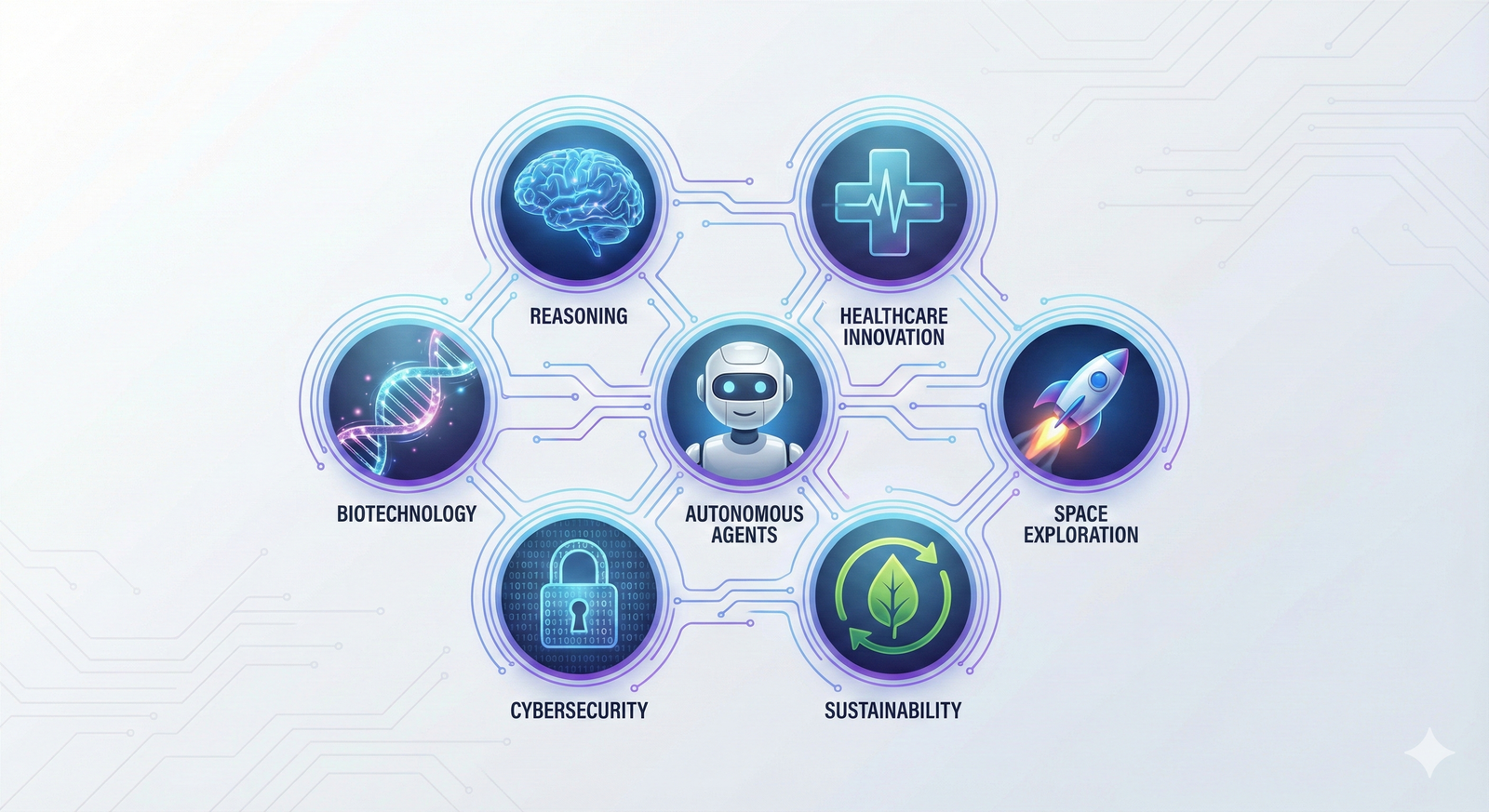
    This is the big practical shift behind many AI breakthroughs 2025: less chat, more coordination across media and tools. Google’s year-end recap of research points to the same themes, agents, reasoning, and science moving faster (Google 2025 recap: Research breakthroughs of the year).

    Multimodal AI got practical, one model now handles text, voice, images, video, and code

    “Multimodal” sounds like a word invented to win a grant. It’s simpler than that: one AI can work with more than one type of input.

    Before, you’d use one tool for text, another for images, another for audio, then copy-paste your way into a mess. In 2025, it started to feel normal to toss everything into one place and get one coherent answer.

    Everyday examples that became much less painful:

    • Upload a messy chart and ask, “What’s the trend, and what should I test next?”
    • Talk out loud for 45 seconds and get a usable blog outline (then ask it to rewrite in your brand voice).
    • Share a screenshot of a broken settings page and get step-by-step troubleshooting.
    • Drop in a product demo video and ask for three ad angles, five hooks, and a landing-page draft.

    For creators and marketers, this mattered because production stopped being a relay race. Fewer tools, fewer handoffs, fewer “wait, which version is the final?” moments. Some of the broader “multimodal is the story of 2025” coverage captured that shift well, even if the best proof is your own workflow (Next-Gen AI Models: Why Multimodal Intelligence Is the Real Breakthrough of 2025).

    Takeaway: Pick one “mixed input” task (like chart + notes), and make it your default AI test.

    Autonomous AI agents moved from demos to real work, they run tasks end-to-end

    If multimodal AI is “it understands,” agentic AI is “it does.”

    An AI agent is software that takes a goal, breaks it into steps, and completes those steps across tools. You don’t ask it to write an email. You ask it to “resolve these 30 low-priority tickets,” and it works through them, with rules.

    In 2025, agents went from flashy demos to real workflows in support, ops, and sales:

    • Resetting passwords and verifying identity steps
    • Triaging tickets (tagging, routing, drafting replies)
    • Updating CRM records after calls
    • Monitoring alerts and opening incidents with context
    • Scheduling, follow-ups, and status updates
    • Basic procurement tasks (like creating a purchase request)

    Business-focused write-ups got more honest this year, separating “agent hype” from what teams actually shipped (AI Agents in 2025: Expectations vs. Reality). And if you want the public-interest view (benefits plus risks, written like a human), this overview is worth your time (AI agents arrived in 2025 – here’s what happened and the challenges ahead in 2026).

    A quick caution list that kept smart teams out of trouble:

    • Approvals for money movement, user access, or external sends
    • Logs you can audit (who did what, when, and why)
    • Limited access (least privilege, short-lived tokens)
    • Human check for high-risk actions (refunds, legal, patient info)

    Takeaway: Let an agent handle low-risk tasks first, and treat permissions like loaded tools.

    Medicine and health got weirdly better, AI found signals doctors often miss

    The sci-fi version of health AI is a robot doctor with perfect bedside manners. The real 2025 version was quieter and more useful: AI spotted patterns that are easy to miss, and it did it fast.

    This matters because speed changes outcomes. It also changes access, especially in places without fancy equipment or specialist time. For the broader context of where health and science AI went in 2025, Google Research’s own recap shows how much effort is going into discovery and clinical support (Google Research 2025: Bolder breakthroughs, bigger impact).

    Still needed (and still non-negotiable): clinical validation, privacy protections, and bias checks. Helpful tools can still cause harm if they’re sloppy.

    A 10-second EKG could flag a hard-to-spot heart problem in seconds

    Here’s a breakthrough with real “this helps people this week” energy.

    A standard EKG is quick and common. The tricky part is that some heart problems don’t show up clearly to the human eye, especially conditions that are under-recognized or look like other issues.

    In December 2025, reporting highlighted AI that can detect signs of coronary microvascular dysfunction from standard EKGs, using a short reading and producing results quickly (AI enables rapid detection of coronary microvascular dysfunction from standard EKGs).

    Why that’s a big deal:

    • Faster triage, so the right people get attention sooner
    • Fewer missed cases that might otherwise bounce between visits
    • More support for clinics that don’t have advanced imaging on hand

    What it doesn’t do: it doesn’t replace diagnosis. It’s a signal booster, not a final verdict.

    If you want another real-world angle on AI reading heart signals, UC Davis Health also covered an AI model improving heart attack detection, which shows the same theme, pattern-finding at speed (New study finds AI model improves heart attack detection).

    Takeaway: In health AI, the win is often “faster and earlier,” not “fully automated.”

    AI started mapping the gut-brain link to find “brain foods” faster

    If your feed served you “one weird food for focus,” you’ve met the problem. Nutrition science is slow, bodies vary a lot, and humans love a shortcut.

    In 2025, more research teams used AI models to simulate and sort through gut-brain interactions. In plain terms, they try to predict how nutrients might affect brain health through the gut, then shortlist what’s worth testing in real studies.

    Think of it like this: instead of tasting every soup in the world, you ask an assistant to read every recipe, flag likely winners, and tell you which ten to cook.

    You’ll often see candidates like citicoline discussed in “brain health” circles, but the key shift is the pipeline. AI helps narrow options faster than trial-and-error.

    Why it matters for brands and consumers:

    • Shorter research cycles for new formulations
    • More targeted hypotheses (less random “add mushrooms” energy)
    • Better odds that products are based on something testable

    The guardrail: AI can suggest what to study, but it can’t replace human studies. Biology still has a vote.

    Takeaway: Treat “AI suggested this nutrient” as a research lead, not a health promise.

    New tools changed how we build things, from sketches to chips

    A lot of AI breakthroughs 2025 weren’t about words at all. They were about making real stuff, faster.

    This showed up in maker workflows, hardware startups, factories, and product teams that finally got tired of waiting three weeks for a prototype change.

    A quick sketch can become a usable 3D CAD model, faster prototyping for everyone

    CAD can feel like doing geometry homework with a mouse. It’s powerful, but it’s not friendly.

    In 2025, sketch-to-model workflows improved. You draw a rough shape (on a tablet, in a whiteboard app, even on paper with a photo), and AI helps infer the geometry into a starting 3D model.

    The practical impact is simple:

    • Less time stuck “getting the first model right”
    • More time testing fit, grip, assembly, and airflow
    • Easier handoff to 3D printing or basic machining

    This doesn’t remove the need for skill. It changes where skill matters. Designers spend more time making choices and less time pushing points around.

    One caution that keeps teams sane: always verify measurements, material limits, and safety constraints. A model that looks right can still be wrong.

    Takeaway: Use sketch-to-3D to get to version one fast, then switch to careful checks.

    AI got scary good at finding chip defects without breaking the chip

    Modern electronics depend on tiny components behaving perfectly at scale. That’s hard when supply chains stretch, processes drift, and defects hide like they’re playing stealth mode.

    A quiet manufacturing win in 2025 was better non-destructive inspection. Using imaging methods (like X-ray style scans) plus machine learning, teams can spot subtle defects earlier without destroying the part.

    Why that matters beyond the factory:

    • Less waste, better yields, fewer production surprises
    • More reliable devices (phones, cars, medical tools)
    • Fewer delays when a bad batch would’ve caused a scramble

    You may not see this breakthrough on a billboard, but you’ll feel it when products ship on time and fail less.

    If you want the macro view on how fast AI adoption is moving (and how it’s measured), Stanford’s yearly report is a solid grounding point (The 2025 AI Index Report).

    Takeaway: The best AI wins are sometimes invisible, until the outage never happens.

    The “thinking” upgrade, AI started taking extra steps before it answers

    One of the most useful changes in 2025 was also the least flashy: some models got better at not blurting.

    Instead of racing to the first plausible answer, reasoning-focused systems spend more compute on planning and checking. For users, this feels like fewer “confident wrong” replies on tricky tasks.

    It’s also why agents got more capable. Better planning makes tool use safer and multi-step tasks less chaotic.

    If you want a high-level, no-nonsense overview of where LLMs stood in 2025 (progress plus real problems), this summary is widely shared for a reason (The State Of LLMs 2025: Progress, Problems, and Predictions).

    Reasoning-first models improved planning, multi-step problem solving, and tool use

    You saw the difference when tasks had dependencies or trade-offs, like:

    • Writing a project plan that lists steps, owners, and blockers
    • Debugging code with a checklist and targeted tests
    • Comparing tools with clear pros, cons, and constraints
    • Running a research task with sources, summaries, and next steps

    The “tool use” part matters a lot. A reasoning-first model can decide when to search, when to calculate, when to ask a clarifying question, and when to stop.

    Watch out for one thing: reasoning doesn’t equal truth. A model can still make up details, or select weak sources, or miss context. For anything important, verify key facts and keep guardrails around actions.

    If you like keeping up with what practitioners say mattered most this year, this end-of-2025 roundup hits many of the same themes, agents, reasoning, and real deployment (issue 333).

    Takeaway: Ask for a plan with checks, not just an answer, then verify the risky parts.

    Conclusion

    The sneakiest AI breakthroughs 2025 weren’t loud. They were useful: multimodal models that handle text, voice, images, video, and code; agents that complete tasks end-to-end; health tools that catch hard-to-spot signals; build tools that turn sketches into prototypes; inspection AI that finds defects early; and reasoning upgrades that make multi-step work less messy.

    Pick one breakthrough to test this week (a multimodal workflow, a small agent, or a sketch-to-model tool). Then pick one safety habit to keep, like tight permissions, clean logs, and a human review step for anything high-risk. Progress is fun, control is smarter.

    FAQ Section
    What is multimodal AI and why is it important in 2025?

    Multimodal AI in 2025 refers to models capable of processing and understanding multiple data types like text, voice, images, video, and code simultaneously. This is crucial for creating more human-like interactions and comprehensive AI solutions.

    How do AI agents from 2025 complete tasks end-to-end?

    AI agents in 2025 are designed with advanced reasoning and planning capabilities, allowing them to break down complex goals into sub-tasks, execute them sequentially, and learn from feedback to complete entire workflows without constant human intervention.

    What are the key safety habits recommended for implementing new AI technologies?

    Essential AI safety habits include establishing tight permissions for AI access, maintaining clean and auditable logs of AI operations, and incorporating a human review step for any high-risk AI-driven decisions or outputs to ensure control and ethical deployment.

    Can AI truly turn sketches into prototypes by 2025?

    Yes, sketch-to-model AI tools from 2025 have advanced significantly, enabling users to convert rough hand-drawn sketches or simple visual inputs directly into functional digital prototypes or 3D models, accelerating design and development workflows.