Tag: Generative AI

  • 7 Powerful Ways AI is Revolutionizing How We Write Prompts

    7 Powerful Ways AI is Revolutionizing How We Write Prompts

    AI Prompt Writing in 2026: 7 Frameworks That Beat Simple Queries

    A one-line prompt used to be enough. In 2026, it usually gives you thin content, weak angles, and copy that sounds like everyone else.

    That shift matters because AI search, LLM answers, and modern content systems now reward context-rich prompting. They want clear intent, topical fit, and structure, not a vague request like “write about SEO.” If you want content that ranks, gets cited, or earns trust, the prompt has to do more work.

    Why simple queries no longer rank in an AI-first search world

    What changed in search behavior and AI results

    Search now works more like an answer engine. Google and other platforms often show AI summaries first, so users may get the main idea before they ever click a page. Because of that, the content that wins is the content AI can read, trust, and quote fast.

    Keyword matching still matters, but it no longer carries weak writing. Search systems read meaning, page structure, source quality, and topical coverage. Natural language interface trends also push this forward. Users ask fuller questions, while AI tools interpret intent instead of waiting for exact phrasing.

    A person works at a clean, minimalist desk with a laptop displaying a software interface.

    Why generic prompts create generic content

    When you type “write a blog post about SEO,” the model has to guess almost everything. It guesses the audience, the angle, the depth, the format, and the outcome. That guesswork shows up fast.

    You get safe intros, flat subheads, broad claims, and recycled advice. The copy may look clean, but it often misses the real search job. A good practitioner’s playbook on prompt engineering for SEO makes the same point in practical terms, chained prompts beat one oversized request because they reduce model drift.

    The new standard for prompt quality

    Strong AI prompt writing now looks closer to editorial planning. You tell the model who the content is for, what the reader wants, what the page should achieve, and how the answer should be shaped.

    A solid prompt includes audience context, business context, desired format, tone, constraints, and a success test. That doesn’t make prompts longer for the sake of length. It makes them easier for the model to follow.

    Strong prompts reduce guesswork, and better inputs create better drafts.

    A clean professional b2b illustration representing 7 powerful ways ai is revolutionizing how we write prompts concepts with soft lighting and professional composition."

    The seven prompt frameworks that make AI SEO content stronger

    These frameworks work because they mirror how strong content teams already think.

    Contextual anchoring gives AI the facts your brand needs

    Start with source material, then feed the model your brand voice, product facts, offer details, audience pain points, and what sets you apart. Without that context, it fills the blanks with average assumptions, and the output starts to sound generic. Some people think the model will sort it out on its own, but it can’t guess your positioning with any real accuracy.

    This is how AI is changing prompt engineering. The job is less about writing clever commands and more about supplying clean context. In practice, context beats guesswork every time.

    Semantic cluster prompts move past one keyword at a time

    Search systems map topics, not single terms. So your prompt should include related entities, supporting questions, comparisons, objections, and common follow-up searches. That gives the system more context and helps it match how people actually search, instead of focusing on one narrow keyword.

    That broader frame helps AI build content with stronger semantic range. It also improves the odds that your page feels complete, which matters when LLMs decide what source to quote.

    Intent mapping keeps the prompt tied to user goals

    Search volume doesn’t tell you what the reader wants to do next. Your prompt should. Ask whether the user wants to learn, compare, buy, troubleshoot, or validate a choice.

    That shift changes the whole draft. A comparison page, a how-to guide, and a sales page need different language, proof, and page structure. Prompt for the goal first, then let the wording follow.

    Prompt chaining breaks long work into useful stages

    One prompt can draft an outline, another can build sections, and a third can tighten flow or fix thin spots. This chained workflow usually beats a single giant instruction.

    It also gives teams control points. You can approve the angle before the draft expands, then improve weak sections before editing line by line. That’s faster, and the quality is easier to manage.

    The search intent critic makes the model review itself

    This is where LLM self-correction becomes useful. After the first draft, ask the model to score its own work for intent fit, clarity, depth, missing objections, and unsupported claims.

    Then ask for a rewrite based on the gaps it found. That second pass often removes filler and surfaces holes an editor would catch later. AI-driven prompt optimization works best when critique is built into the workflow.

    Data-driven prompts use live search and fresh sources

    Static prompts age fast. Better prompts include live SERP notes, recent source material, support tickets, sales call themes, or current market shifts. Fresh input keeps the model from writing stale copy.

    If you want a strong reference point, AISO Hub’s 2026 prompt engineering patterns show why prompts should separate instructions, context, and source data. That structure makes output more current and easier to trust.

    Recursive refinement improves the prompt, not only the output

    Most teams only edit the draft. Better teams also edit the prompt. They compare versions, score results, and keep what worked.

    This is where meta-prompting techniques help. You can ask the model to explain why one version performed better, then turn that into a reusable template. Automated prompt generation methods can speed this up, but people still need to judge the results.

    How to build a prompt-friendly SEO workflow that scales

    A repeatable system beats a folder full of random prompt snippets.

    Start with audience, intent, and content goal

    Set the order early. First define the reader. Then define the intent. After that, set the page goal, such as education, lead generation, product comparison, or conversion support.

    Senior strategists and prompt engineers both benefit from this order. It keeps briefs tighter, and it stops the model from drifting into generic language.

    Add structure that helps AI write better answers

    The best prompt-friendly structure is plain and direct. Give the model the section order, target length, tone, examples to include, facts to avoid, and formatting rules.

    That sounds simple, but it changes the draft quality fast. A useful prompt engineering guide for SEOs shows the value of layered instructions, validation steps, and format constraints. Those details make outputs easier to review and publish.

    Use AI for drafting, then use humans for judgment

    AI is fast at pattern assembly. People are better at judgment. Editors catch weak claims, tone problems, bad assumptions, and brand mismatches that a model may miss.

    So the workflow should stay split. Use AI to produce options, summaries, rewrites, and section drafts. Then let humans own final accuracy, point of view, and editorial quality.

    "7 Powerful Ways AI is Revolutionizing How We Write Prompts - Professional Professional B2B graphic for blog hero section. High-quality 4k resolution."

    AI Prompt Examples for content workflows

    These examples are short on purpose. Each one gives the model a job, a target, and a boundary.

    1. “Build a blog outline for B2B marketers on AI prompt writing, aimed at decision-stage readers, with practical section angles and no beginner filler.”
    2. “Map this topic into a semantic cluster, including related entities, common objections, and supporting questions that belong on linked pages.”
    3. “Write a comparison page for buyers evaluating in-house prompting versus agency support, using commercial intent and plain language.”
    4. “Review the top-ranking pages for this topic and list the content gaps our article should cover to feel more complete.”
    5. “Turn these customer support themes into a FAQ section that answers real user concerns without repeating sales copy.”
    6. “Rewrite this draft to match our brand voice, which is direct, calm, and useful, with short paragraphs and no hype.”
    7. “Draft an introduction that answers the main search intent in the first 80 words and sets up the rest of the page.”
    8. “Audit this article for AI overview visibility, then suggest clearer headings, tighter answers, and missing source support.”
    9. “Act as a search intent critic, score this draft from 1 to 10 for relevance, clarity, and depth, then revise weak sections.”
    10. “Compare Prompt A and Prompt B, explain which one produced the stronger content, and recommend a better combined version.”

    Conclusion

    Basic prompting no longer holds up when search systems read for meaning, depth, and trust. The future of prompt writing looks more like content design, with context, intent, source input, and revision built in.

    Strong AI prompt writing creates stronger drafts, but it also creates stronger systems. When the prompt improves over time, the content usually does too.

    FAQ

    Does AI prompt writing replace SEO strategy?

    No. It speeds up execution, but strategy still comes first. Teams still need audience research, content priorities, page goals, and editorial judgment before a model can help well.

    How long should a prompt be?

    A prompt should be as long as the task needs. Short prompts work for small edits. For ranking content, a longer prompt often performs better because it gives the model context, rules, and a clear target.

    Can one master prompt handle a full article?

    Usually, no. One large prompt tends to flatten the output. Prompt chaining works better because each step has a narrow job, and each result can be checked before moving on.

    What is meta-prompting in plain terms?

    Meta-prompting means using AI to improve the prompt itself. You ask the model to review instructions, compare prompt versions, spot weak phrasing, and help build a better template for the next run.


  • The 48-Hour AI Portfolio: A Rapid Deployment Framework for SaaS Founders

    The 48-Hour AI Portfolio for SaaS Founders

    In SaaS, AI claims don’t carry much weight anymore. Investors and enterprise buyers want proof of AI maturity, and they want it fast.

    That puts founders in a tight spot. You need something more convincing than a chatbot tab, but you also can’t disappear into a six-week build cycle. A tight SaaS deployment framework solves that problem by turning AI into a visible, testable portfolio in two days.

    FAQ

    Why does every SaaS founder need an AI portfolio fast?

    A single AI feature rarely changes how people judge your company. It may look clever, but it doesn’t show depth. A real AI portfolio shows range, product judgment, and the ability to deploy safely.

    That matters more in April 2026 than it did a year ago. Trend data now points to vertical AI companies taking more than 40% of startup funding, while 75% of SaaS firms are expected to ship AI automation this year. Buyers have moved from “Do you have AI?” to “How mature is your AI layer?”

    Investors rarely reward one flashy AI trick. They reward evidence that your product can apply AI across a real workflow.

    For a founder, an AI portfolio means three connected proofs. First, AI can reduce user effort. Second, it can work with your product’s own data. Third, it can fit inside a sensible delivery process. That’s why a one-off feature often fails. It looks isolated, and isolated features are easy to copy.

    This is also where valuation changes. If your product shows a believable path to AI-assisted retention, expansion, or lower service cost, the story gets stronger for Series A and B conversations. You don’t need a giant platform in week one. You need a compact portfolio that signals you know where AI belongs in your product.

    Focused SaaS founder in home office at night views dual monitors with valuation charts and trend graphs, coffee mug and notebook nearby.

    Fast matters because deep engineering comes later. The first 48 hours are for validation, narrative, and proof. That’s why AI-native founders keep gravitating toward starter systems like VelocityKit, which help them reach a first deploy without rebuilding the same plumbing every time.

    What should happen in hours 0-12 of this SaaS deployment framework?

    The first block is about selection, not speed for its own sake. If you pick the wrong use case, you can move fast and still waste two days.

    Start with your existing data moat. Look for customer tickets, call notes, CRM records, usage logs, docs, contracts, or internal templates. Proprietary context is what makes your AI portfolio hard to imitate. Then map that data against the friction your users already feel. Good targets include slow setup, unclear reporting, repetitive support work, or messy handoffs.

    This quick table keeps the sprint grounded:

    Time blockFocusOutput
    0-4 hoursAudit data and workflowsShort list of usable data sources
    4-8 hoursMatch friction to LLM tasks5 to 7 candidate features
    8-12 hoursNarrow and scope3 demo-ready AI features

    The best three-feature mix usually shows breadth. Pick one assistant feature, one generation feature, and one analysis feature. For example, a sales SaaS might build call-summary drafting, proposal generation, and churn-risk analysis. Together, they tell a stronger story than three similar helpers.

    SaaS founder at desk with laptop showing mind map, arms crossed in thought, sticky notes and coffee nearby.

    Keep scope tight. Each feature should have one trigger, one output, and one clear win for the user. If the flow needs three integrations and a permissions rewrite, cut it.

    A lot of founders now follow a hybrid path, which means using AI tools to validate first and hardening the product later. That pattern is laid out well in this 2026 guide to building an MVP with AI agents, and it fits this 48-hour sprint.

    What stack works best in hours 12-24 for rapid AI prototyping?

    Now you build the fastest believable version.

    For many founders, the stack is simple. Use OpenAI API for model calls, LangChain for prompt flows or tool routing, and Vercel for fast deployment. If the main goal is a live demo, Streamlit or Gradio can give you an interactive frontend in hours, not days. That mix is practical because it cuts setup work while keeping enough control for real testing.

    Mock your data pipeline if needed. Pull a scrubbed export, synthetic sample, or read-only replica into a separate environment. Don’t connect a rough prompt chain to your production database on day one. Speed is good, but speed with a rollback plan is better.

    High-angle view of modern executive desk with laptop showing node-based AI diagram and nearby iPad with prototype interface in morning sunlight.

    This is where a good SaaS deployment framework pays off. The build path should be modular enough that each demo feature can stand alone, but close enough that the portfolio still feels like one product. Shared auth, shared layout, shared prompt logging, and one analytics view go a long way.

    If you’re tired of spending a week on setup before the first user flow exists, an AI SaaS boilerplate for Next.js can remove that drag.

    Before you write more code, map your use cases, data sources, prompt flows, and guardrails in a free 48-Hour AI Architecture Template in Figma or Miro.

    How do you turn raw prototypes into one strong AI story in hours 24-36?

    A portfolio fails when it feels like a stack of unrelated demos. It works when each feature feels like part of one user journey.

    So this block is less about code and more about product framing. Put your three AI features behind one dashboard. Use the same input pattern, status feedback, and result view across each module. That gives stakeholders a sense of system design, not just prompt experiments.

    Then focus on “magic moments,” the few seconds when the user sees real value. Maybe the app turns a 30-minute onboarding task into a 2-minute draft. Maybe it flags risk in a customer account before the manager spots it. That moment should be easy to trigger during a live demo and easy to explain in plain English.

    Documentation matters here too. Write one page per feature with five items: problem, input, output, source data, and known limits. That makes the portfolio legible to buyers, investors, and your own team. If you want a practical example of how teams package a fast build for demo and handoff, this write-up on a custom AI MVP in 48 hours is worth scanning.

    What has to happen in hours 36-48 before you show it to investors or buyers?

    The last block is where speed can hurt you if you get careless. A working prototype still needs a clean deploy, basic guardrails, and a demo that doesn’t wander.

    Put each service in a container or use a platform that abstracts that step cleanly. Host it in an isolated environment with locked-down secrets and test accounts. You don’t need enterprise-grade infrastructure for a sprint build, but you do need basic security hygiene.

    Then stress-test your prompts. Feed them bad inputs, empty fields, long text, odd formatting, and edge cases from real customer data. Add simple guardrails for refusal behavior, PII handling, source references, and fallback responses. If the model fails, the product should fail politely.

    Finally, record a hero demo. Keep it under three minutes. Show the problem first, then the trigger, then the result, then the business impact. Founders often ramble here because they know the build too well. A script keeps the story sharp.

    If you want more speed at this stage, tools like DeployFrame can help you get a polished AI app live without rebuilding every deployment step.

    Conclusion

    The fastest founders aren’t winning because they build more AI. They win because they can package proof faster than everyone else.

    A solid SaaS deployment framework gives you that proof in 48 hours: three useful features, one product story, one safe demo environment, and one narrative that holds up in a pitch. That is enough to validate interest before you commit months of engineering time.

    If your next board meeting, customer pitch, or fundraise is close, book a strategic AI integration consultation or subscribe to advanced SaaS AI blueprints before you add another random feature.

  • 5 AI Automation Hacks Your Competitors Are Using to Scale Right Now

    5 AI Automation Hacks Your Competitors Are Using to Scale Right Now

    5 AI Automation Hacks Your Competitors Use to Scale Business With AI Right Now

    Your inbox is full. A lead asks for pricing, a customer wants an update, and someone replies to last week’s proposal with one new detail. You copy, paste, tag, and forward, then open the CRM and type the same info again. It feels productive, but it’s slow work.

    Meanwhile, your competitors aren’t “better at email.” They’ve wired AI into the boring parts, so every customer signal gets routed, tagged, and acted on within minutes. No missed follow-ups. No messy spreadsheets. No “we’ll circle back” that never happens.

    That gap turns into real money. Slower response times reduce close rates. Manual SEO work limits how much you can publish. Small errors add up, and your team pays for it with late nights.

    Here are five less-talked-about automation moves that help you scale business with AI without hiring a bigger team. You’ll walk away with:

    • A clean workflow for intent-based keyword clustering
    • A safe way to publish at scale with programmatic SEO
    • Internal linking rules that compound rankings over time
    • Bulk metadata and technical fixes that lift clicks
    • A closed-loop system that routes leads and follow-ups on autopilot

    Hack 1: Cluster keywords by meaning so you stop guessing what to publish next

    Traditional keyword lists fail for one reason: they’re literal. You end up with 500 rows that “look different,” but they map to the same search intent. As a result, teams publish duplicate pages, split authority, and wonder why rankings stall.

    Semantic clustering fixes that. Instead of grouping by matching words, you group by meaning and intent. In plain English, you’re sorting queries by what the searcher wants: to learn, compare, or buy.

    The workflow is simple:

    1. Export keywords from Google Search Console and your paid tools.
    2. Cluster by intent, not by shared terms.
    3. Choose one “main page” per cluster.
    4. Assign supporting articles that answer side questions.

    A lot of teams start with tool lists and never build a map. If you want a quick scan of what’s popular right now, this roundup of keyword clustering tools in 2026 is useful context. The goal isn’t the tool, it’s the outcome: one cluster equals one primary URL, with clear support content around it.

    A simple intent map that turns one messy list into a publish plan

    Here’s what a single theme can look like once it’s clustered:

    Cluster themeSearcher intentPrimary page typeSupporting content examples
    AI CRM automationCompare and buy“Best tools” pagePricing guide, setup checklist, templates
    AI CRM automationLearn“How to” guideWorkflows by industry, pitfalls, examples
    AI CRM automationEvaluate“X vs Y” comparisonAlternatives, feature matrix, migration tips
    AI CRM automationDo it nowTemplatesEmail triage rules, CRM field mapping

    A quick way to keep this tight is to set three rules: label intent, assign one primary URL, and score priority (impact versus effort). The most common mistake is publishing two pages that answer the same question with different titles. That’s content cannibalization with extra steps.

    The competitor move most teams miss: build clusters from real SERP patterns

    Competitors don’t cluster in a vacuum. They look at what already ranks and mirror Google’s current grouping.

    Try this first: grab 20 to 50 competitor URLs that rank for your core offers, then feed those pages into your clustering process. Extract headings and repeated subtopics, then merge that with your keyword list. You’ll spot gaps fast, especially “comparison” and “pricing” intents that teams skip because they feel too close to sales.

    The win is alignment. When your content map matches the SERP’s natural buckets, you spend less time guessing and more time shipping.

    Hack 2: Programmatic SEO that ships thousands of pages without sounding like a robot

    Programmatic SEO is not “publish 10,000 AI pages.” It’s a template system fueled by structured data, where each page targets a real, repeatable need.

    Think of page types like:

    • “[Service] in [city]” pages for agencies
    • “[Tool] alternatives” pages for SaaS
    • “Best [category] for [industry]” pages
    • Integration directories and partner pages

    Competitors scale this because the template does the heavy lifting and the dataset keeps each page grounded in specifics. If you want a practical reference point for the tooling and common setups, this guide on programmatic SEO tools lays out the categories teams use in 2026.

    A safe pipeline looks like this:

    1. Pick one repeatable page type tied to revenue.
    2. Build a dataset (sheet or CSV) with real fields.
    3. Write a page blueprint with strict section rules.
    4. Generate drafts with AI, then review a sample set.
    5. Publish in batches, measure, and iterate.

    This is how you scale business with AI while keeping headcount flat.

    The “template plus dataset” formula that makes pages feel custom

    A template only works when each page has “fresh air” in it. Require unique fields per page, such as local examples, integration steps, pricing notes, common objections, and FAQs.

    One simple outline for a “[city] + service” page:

    • Who the service is for in that city
    • Common problems and typical timelines
    • Local proof points (industries served, constraints, compliance)
    • A short process section (3 to 5 steps)
    • FAQs tailored to that city
    • One clear next step (call, quote, audit)

    Guardrails matter. Ban filler phrases. Require at least two page-specific facts from your dataset. Add a validation step before bulk publishing.

    Quality control at scale: how to prevent thin pages and duplicate content

    Competitors avoid penalties by treating QA like a production line. Start with deduping titles and meta descriptions. Next, run a similarity check across drafts. If pages look too close, hold them back.

    A simple rule works well: if a page doesn’t target one clear intent cluster, it doesn’t ship. Also, don’t be afraid to noindex weak pages until they meet your standard. That’s better than flooding your site with near-duplicates that hurt trust.

    a tech entrepreneur in a sunlit, glass-walled modern office, captured mid-laugh as they point at a glowing laptop screen.

    Hack 3: Automated semantic internal linking that pushes your best pages up

    Internal links are your site’s road signs. They tell Google what matters and help people find the next answer without bouncing back to search.

    Manual internal linking breaks as your site grows. People forget older posts, link to whatever they remember, and over-link the same “money page” with the same anchor text. Competitors automate link suggestions based on meaning, not exact words.

    That semantic layer is the difference. You can link “CRM auto-tagging” to “lead routing rules” even when the keywords don’t match.

    If you’re evaluating tooling, this write-up on AI internal linking tools is a good overview of what’s available in 2026. The main point is the workflow: clusters first, hubs second, then automated suggestions with human approval.

    A safe linking rule set your team can apply in under an hour

    Keep it boring and consistent:

    • Add 2 to 5 contextual links per article.
    • Link up to the hub page, then sideways to sibling pages.
    • Vary anchor text naturally, based on the sentence.
    • Don’t force links where the reader wouldn’t click.
    • Link to the best next answer, not the page you want to rank.

    Measure impact in plain metrics: crawl frequency, time on page, and hub rankings. If hubs rise and new pages index faster, it’s working.

    The overlooked win: post-publish link audits that compound results

    The compounding effect comes from one habit: every new page should strengthen older pages.

    Set a monthly routine. Scan new content, add missing cluster links, fix broken links, and update anchors that no longer match the target page’s purpose. Also, keep key pages within a few clicks of the homepage by adding hub pages that act like category rails.

    You don’t need perfection. You need repetition.

    Hack 4: Bulk metadata and technical SEO fixes that raise clicks without extra traffic

    Your title tag and meta description are your search ad. Even if you rank, weak metadata can bleed clicks to competitors.

    Doing this manually is a trap. Teams tweak one page, then forget the other 500. Competitors generate metadata in bulk, but they do it with intent-based patterns.

    They separate rules for:

    • How-to pages (promise a clear outcome)
    • Pricing pages (make it obvious what’s included)
    • Comparisons (help the reader choose)
    • Alternatives (name who it’s for and why)

    On the technical side, they also automate checks for broken links, redirect chains, canonical mistakes, sitemap issues, and schema errors. For a sense of what modern “AI-assisted technical SEO” tooling looks like, this overview on AI tools for technical SEO captures the direction the market is moving.

    Write titles that match what the searcher wants, not what you want to say

    Here are simple formulas that work because they’re clear:

    • Best X for Y (2026)
    • X Pricing, Plans, and What It Includes
    • X vs Y: What to Choose
    • How to X (Steps, Time, Cost)

    A quick check before you publish: does the title say what the page delivers, in plain words? If not, fix it. Clarity beats cleverness.

    Automate technical checks so small issues do not quietly kill growth

    Set lightweight alerts for the stuff that actually hurts:

    • Index coverage changes
    • Sudden traffic drops by page group
    • Duplicate canonicals
    • Slow templates after site updates
    • Schema errors after plugin changes

    Use a simple cadence: weekly alerts, monthly deep audit, then a “fix first” list. Start with indexing, then cannibalization, then speed, then schema. This order keeps you focused on the biggest constraints.

    A professional executive in a tailored suit standing in a modern, high-ceiling glass office overlooking a digital city. The executive is interacting with a clean, semi-transparent holographic interface that displays exponential growth charts and AI workflow icons.

    Hack 5: Plug AI into the whole marketing lifecycle so nothing falls through the cracks

    SEO automation is only half the story. The real advantage comes when content, leads, and follow-up run as one system.

    Competitors build a closed loop:

    1. Intent research drives content plans.
    2. Content drives form fills and inbound emails.
    3. AI classifies intent and creates clean CRM records.
    4. Follow-ups trigger automatically, with human review.
    5. Outcomes feed back into what to publish next.

    That’s how they scale business with AI without adding layers of coordinators.

    If you’re comparing platforms that bake AI into CRM workflows, this list of AI CRM software for 2026 is a solid starting point. The key is not the brand name. It’s the behavior: faster routing, cleaner fields, and fewer dropped balls.

    A “closed loop” workflow from search intent to booked calls

    Here’s an end-to-end example you can implement without heavy engineering:

    A visitor lands on a comparison page and fills out a form. AI reads the message and labels it (pricing, support, enterprise, or partner). Then it extracts fields like company size, timeline, budget range, and the product they mentioned. Next, it creates or updates the CRM record, assigns an owner, and drafts a reply that matches the intent. Finally, it schedules a follow-up task if the lead doesn’t respond.

    Track three KPIs for proof: time to first response, lead-to-meeting rate, and cost per published page. When response time drops, meeting rates usually rise.

    If a lead waits 24 hours, you’re competing on luck. If they get a tailored reply in 5 minutes, you’re competing on process.

    Start small: one automation per week that saves real hours

    A simple rollout plan keeps momentum:

    1. Week 1: Build your intent-based keyword cluster map.
    2. Week 2: Launch one programmatic template, publish 50 pages.
    3. Week 3: Apply semantic internal linking rules, run a link audit.
    4. Week 4: Refresh metadata in bulk for your top pages.
    5. Week 5: Automate lead routing from email and forms into your CRM.

    One caution: don’t automate a broken process. Standardize the steps first, even if it’s just a one-page SOP.

    FAQ

    Are these automations only for big teams?

    No. Smaller teams benefit more because they feel the time savings faster. Start with one workflow, prove it, then expand.

    Will programmatic SEO get my site penalized?

    It can if you publish thin, duplicate pages. Use a real dataset, strict templates, and a sample QA review before bulk publishing.

    Do I need to replace my writers or SEO team?

    You need to shift their work. Let AI handle clustering, drafts, linking suggestions, and bulk metadata. Keep humans on strategy, editing, and proof.

    What’s the fastest hack to implement this week?

    Keyword clustering by intent. It removes guesswork and stops you from writing duplicate content.

    How do I know automation is paying off?

    Watch cycle time. Content production speed, indexation speed, and lead response time all move quickly when the system works.

    Close-up candid shot of a focused professional in a minimalist home office during the blue hour, illuminated primarily by the cool glow of a large monitor displaying automation workflows.

    Conclusion

    These five hacks all point to the same outcome: speed with fewer errors. Semantic clustering gives you a publish plan, programmatic SEO multiplies output safely, internal linking compounds authority, bulk metadata boosts clicks, and closed-loop lead routing keeps revenue moving. Your competitors aren’t smarter, they’re just automated.

    If you want to keep pace, pick one hack and implement it this week. Then sign up for the weekly newsletter for practical AI marketing updates, and download the “AI Automation Blueprint” to get the exact tools and workflows to scale.

  • You Can Create Stunning Digital Art with AI Art Prompts

    You Can Create Stunning Digital Art with AI Art Prompts

    Picture this: you type a few words, then watch a blank canvas bloom into color, light, and detail. With smart AI art prompts, you turn quick ideas into stunning digital art in minutes. You can create breathtaking scenes with just a few words, then refine them until they feel like your style.

    AI art prompts are simple text instructions that guide tools like DALL-E, Midjourney, and Stable Diffusion. You describe the subject, mood, style, and light, and the model fills in the visuals. This helps artists, designers, and creators move fast, test looks, and stay consistent across projects. From lo-fi nostalgia to Studio Ghibli warmth or biophilic calm, your words steer the vibe.

    You’ll get practical tips and clear examples next, so you can prompt with confidence and save hours. Create masterpiece AI art with curated prompts for DALL-E, Midjourney, and Stable Diffusion. Instant inspiration. For more tools that speed up your process, explore these Top Free AI Art Prompt Tools to Explore. And if you like a quick primer, this video is a helpful start: https://www.youtube.com/watch?v=nWKz74RvA8o.

    Get to Know the Top AI Art Tools

    You have strong ideas. The right AI art tools turn them into images that match your taste. Each model responds to AI art prompts in its own way, so your wording matters. Use the strengths of each tool to move from rough idea to gallery-ready visual, fast.

    DALL-E: Your Go-To for Realistic Visions

    You can describe your scene in full sentences to get sharp results. DALL-E reads longer prompts well, and it follows natural language with ease. It is great for lifelike scenes, product mockups, and clean compositions.

    Example prompt:

    • “A realistic painting of a surfing dog on a sunny beach with a beautiful sunset background.”

    To make it pop, add specific color notes and feeling:

    • “A realistic painting of a surfing dog on a sunny beach at golden hour, warm orange and pink sky, crisp highlights on wet fur, gentle waves, joyful mood, shallow depth of field.”

    You describe the scene like you would to a photographer. DALL-E fills in the rest, giving you a strong first render for stunning digital creations.

    Midjourney: Quick Sparks for Artistic Flair

    You start with key words to ignite creative outputs. Midjourney loves short, punchy prompts stacked with style cues. Keep it crisp. The model thrives on bold art styles, clear subjects, and tight descriptors.

    Example prompt:

    • “Surfing dog, impressionist style, sunny beach, vibrant sea.”

    Tips that help:

    • Style labels: impressionist, ukiyo-e, cyberpunk, watercolor.
    • Lighting words: golden hour, overcast, studio softbox.
    • Parameters: Adjust aspect ratio and detail to steer look. Midjourney’s Prompt Basics explains image prompts, multiple phrases, and parameters.

    Start with a few strong nouns and styles. If you like the vibe, nudge it with more texture and light details. This quick loop keeps your art fresh and expressive.

    Stable Diffusion: Build Custom Worlds Step by Step

    You refine your prompts with specifics to shape perfect images. Stable Diffusion responds to weighted keywords and negative prompts, so you can dial in detail and remove noise. It suits custom styles, consistent characters, and intricate scenes.

    Example prompt:

    • “Photorealistic cityscape at night, neon lights, dark sky, –ar 16:9.”
      • Many Stable Diffusion interfaces let you set aspect ratio in the UI or with flags. Use what your interface supports.

    Ways to gain control:

    • Weighted keywords: “neon signs:1.2, wet pavement:1.1, pedestrians:0.9” to raise or lower impact.
    • Negative prompts: “blurry, low-res, extra fingers, tilt-shift, watermark” to block unwanted artifacts.
    • Stepwise edits: Upscale, then inpaint small fixes like eyes, logos, or reflections.

    Pair specific positives with strong negatives. Your AI art prompts become a blueprint, guiding composition, texture, and polish until the image matches your goals.

    Master Tips to Craft Powerful AI Art Prompts

    You do not need long paragraphs to guide the model. You need clear building blocks. Use AI art prompts to set the subject, style, lighting, and mood, then layer details until the image clicks. Think of it like painting with words, one controlled stroke at a time.

    Start Simple and Add Details Layer by Layer

    You begin with the main idea, then build it out. Start with a clean base, then stack specifics to steer composition and vibe without clutter.

    Use this four-part mental checklist:

    • Subject: what the image is about, the focal point.
    • Style: the visual treatment or medium.
    • Lighting: how the scene is lit, time of day, softness or contrast.
    • Mood: the feeling or tone you want.

    Example progression, from basic to detailed:

    1. Base: “A fox in a forest.”
    2. Add style: “A fox in a forest, watercolor illustration.”
    3. Add lighting: “A fox in a forest, watercolor illustration, morning light through mist.”
    4. Add mood and color: “A fox in a forest, watercolor illustration, morning light through mist, calm mood, soft greens and amber highlights.”
    5. Add composition and texture: “A fox in a forest, watercolor illustration, morning light through mist, calm mood, soft greens and amber highlights, centered subject, shallow depth of field, fine paper grain.”

    Quick cues that help across tools:

    • Styling: oil painting, isometric, film still, tilt-shift, ukiyo-e.
    • Lighting: backlit, golden hour, overcast, studio softbox, neon glow.
    • Mood: serene, whimsical, gritty, cinematic.

    For more prompt structure ideas, skim practical guidance in MIT Sloan’s primer on effective prompts for AI. If you want a list of tools that help you move faster, review these Top free AI art prompt tools.

    Experiment and Refine Your Prompts

    You try a prompt, see the art, then adjust for better results. Iteration wins. Change one variable at a time so you can see what actually helped.

    Tighten results with these moves:

    • Tweak color or elements: shift from “neon city” to “teal and magenta signage,” or swap “crowded street” for “three pedestrians with umbrellas.”
    • Dial aspect ratios: square for portraits, 16:9 for landscapes, 4:5 for social feeds. Use your tool’s parameter or UI control.
    • Use negative prompts: block artifacts like “blurry, watermark, extra fingers, low-res.” This is essential for Stable Diffusion and helpful in many UIs.
    • Control detail: raise or lower texture words, for example “fine pores, microfibers, crisp reflections” or “minimal detail, flat color blocks.”
    • Lock consistency: repeat key tokens for a character or product across runs to keep faces, colors, and logos stable.

    A simple iteration loop:

    1. Generate your first image with a short, clear prompt.
    2. Analyze what you like: subject, palette, composition.
    3. Add or remove one thing: mood word, lighting, or a color.
    4. Run variants. Compare. Keep the best, discard the rest.
    5. Finish with clean-up: upscale, light inpainting, or a sharper negative list.

    What is new and useful for October 2025:

    • Prompt optimizers are common in many image UIs. They rewrite your input into clearer phrasing and better keyword order. Use them to test phrasing A/B without guesswork. See a current overview of core elements in CNET’s guide on why AI art prompts fail and how to fix them.
    • Meta prompting helps when you feel stuck. Ask an AI assistant to propose three variations of your prompt with tighter style, lighting, and negative lists, then paste the best version back into your image model. For a fundamentals refresh, Articulate’s tutorial on how to write great AI art prompts highlights clarity and specificity.

    Keep your edits small and focused. Treat AI art prompts like camera settings. One click at a time, you shape the shot until it looks exactly right.

    Ready AI Art Prompts for Fall and Halloween Vibes

    You want quick wins for seasonal art, with prompts that hit on the first try. Use these AI art prompts to warm up your portfolio for fall, then switch to eerie night scenes for Halloween. If you want more seasonal ideas, skim these inspiration lists of Midjourney Halloween prompts or browse high-performing autumn Midjourney prompts to spark new directions.

    Fall Scenes to Warm Your Portfolio

    Aim for rich color, soft light, and tactile textures. You create a cozy forest path with this prompt. Keep each tailored to the model’s strengths.

    • DALL-E, photoreal warmth:
      • “Late-autumn forest path, golden leaves, misty morning, warm backlight through trees, shallow depth of field, soft lens flare, natural color grading, quiet mood.”
        You create a cozy forest path with this prompt.
    • Midjourney, painterly vibe:
      • “Harvest market, wicker baskets, apples and pumpkins, knitted sweaters, golden hour, watercolor wash, gentle grain, soft vignette, –ar 4:5.”
        You capture seasonal charm with gentle texture and shape.
    • Stable Diffusion, texture control:
      • “Cabin by a lake, fog, birch trees, amber and moss palette, wet wood reflections, fine film grain:1.2, soft light:1.1, leaves swirling:0.9, negative: blurry, watermark, low-res.”
        You dial in tactile detail and remove noise with a clean negative list.
    • Bonus, product-forward scene:
      • “Minimal fall flat lay, kraft paper, cinnamon sticks, knit scarf, ceramic mug with steam, overhead composition, muted terracotta and cream, soft window light.”
        You build a shop-ready visual for thumbnails and ads.

    Halloween Magic for Spooky Art

    Night, glow, and movement sell the mood. You bring ghosts to life using these words. Work bioluminescent accents into each scene so the dark feels alive.

    A spooky pumpkin head in a hoodie exudes a creepy Halloween vibe with red smoke. Photo by David Gomes

    • DALL-E, cinematic night:
      • “Victorian alley at midnight, rain-slick cobblestones, bioluminescent fog curling around gas lamps, subtle ghost silhouettes, cool moonlight, teal and violet glow, high contrast.”
        You stage a moody scene with glow that guides the eye.
    • Midjourney, graphic poster look:
      • “Neon jack-o’-lantern, smoke tendrils, pitch-black background, bioluminescent carve lines, crisp rim light, dramatic shadows, horror poster style, –ar 3:4.”
        You get punchy contrast that reads even at thumbnail size.
    • Stable Diffusion, eerie ecosystem:
      • “Ancient forest at night, luminous mushrooms and fireflies:1.3, spectral deer:1.1, cool blue moonbeams, fog layers:1.2, negative: cartoonish, oversaturated, extra limbs.”
        You control glow, remove artifacts, and keep forms believable.
    • Bonus, character-forward:
      • “Witch on a rooftop, wind-tossed cloak, city skyline at night, broom bristles lit with bioluminescent embers, star-swept sky, subtle film grain, crisp highlights.”
        You balance character, light, and setting for a hero image.

    Use these AI art prompts as seasonal presets. Start with one, generate, then tweak color, light, or composition until the image clicks.

    Conclusion

    You started with a few words and a blank canvas, now you can guide light, mood, and style with intent. Strong AI art prompts give you clear control, faster results, and consistent looks across tools. You now have the tools to make digital art that stands out.

    Create masterpiece AI art with curated prompts for DALL-E, Midjourney, and Stable Diffusion. Instant inspiration.

    Try the tips, test the seasonal examples, then tweak one setting at a time until your image clicks. Share your favorite results, note what worked, and save prompt presets so your next project moves even faster. If you want more ideas, explore more on the site and keep building your prompt library.

  • How Much Money You Can Make from AI Prompt Marketplaces in 2025

    How Much Money You Can Make from AI Prompt Marketplaces in 2025

    Want to turn your AI skills into cash? You can. AI prompt marketplaces are simple shops where people sell ready-made prompts for tools like ChatGPT and Midjourney. Buyers want prompts that save time, improve output, and work on demand.

    So how much can you make? In 2025, creators report a wide range, from a few dollars per week to hundreds per week, and some reach thousands per month. Results depend on your niche, quality, marketing, and how often you publish. Small wins stack up when you build a portfolio and repeat buyers.

    Why now? AI is expanding fast. The overall market keeps surging, and several segments are growing over 32.9% per year through 2034, with some areas rising even faster. More users means more demand for prompts that produce reliable results.

    This post breaks down what earns in prompt marketplaces, how pricing works, and which niches pay. You’ll see what top sellers do right, how to build prompt packs that move, and where to list them. We’ll cover real earning ranges, smart promotion, and simple steps to get your first sales.

    If you write prompts that solve a clear task, you can get paid. Start small, measure what sells, and improve fast. Ready to learn what to sell, how much to charge, and how to scale? Let’s map it out.

    Top AI Prompt Marketplaces and Real Earnings Examples

    Choosing the right marketplace shapes your income, your workflow, and the buyers you attract. Here is how the top platforms stack up for price, volume, and real earning potential in 2025, with simple guidance on where each one fits.

    PromptBase: Mass Market for Quick Sales

    PromptBase runs on fixed prices and high volume. Listings often start near the low end, then climb as demand grows. The platform’s scale does the heavy lifting for discovery, so new creators can get early traction with the right niches and clean product pages.

    • What to expect: Active sellers report monthly ranges of $500 to $2,000 from a handful of popular prompts, plus smaller daily sales from long-tail listings.
    • Pricing style: Fixed price per prompt, usually budget friendly for buyers, built for repeat sales.
    • Where it shines: Fast-moving utility prompts that solve a clear task and require little hand-holding.

    Best-selling niches on PromptBase:

    • Business ops: SOP writers, sales email generators, meeting note condensers, productized cold outreach.
    • Marketing: Ad variants, SEO briefs, content outlines, product description systems.
    • Art and design: Midjourney prompt packs for styles, lighting, product mockups, and thumbnails.
    • Data and analysis: Research scaffolds, summarizers, spreadsheet helpers, QA checklists.

    Simple ways to win:

    • One task, one result: Keep the promise tight and measurable.
    • Clear proof: Show sample outputs for two to three use cases.
    • Prompt packs: Offer small bundles to raise average order value.
    • Iterate weekly: Ship updates, add variants, and refresh thumbnails.

    Explore current listings and categories on the official site: PromptBase marketplace.

    PromptSea and PromptAi: Custom Deals for Higher Pay

    These platforms serve buyers who want tailored work or premium prompts with global reach. They differ from mass platforms by leaning into higher price points and direct relationships.

    • PromptSea: Uses a negotiation model for custom prompt systems, fine-tuning, and integrations. Pros who handle scoping calls and revisions can land $1,000 or more per project. Fees tend to be lower than broad marketplaces, which keeps more profit in your pocket. This suits consultants, agencies, and builders who can package training, documentation, and light support.
    • PromptAi: Focuses on selling in-demand prompts to a global buyer base. Top listings for ChatGPT, Midjourney, and Gemini can reach $100 or more per sale, which makes $1,000+ in a month realistic with a few winning products. Think high-impact prompts with polished instructions, clear tags, and strong visual examples for image models.

    Positioning tips:

    • Lead with outcomes buyers value, not model jargon.
    • Offer tiers: base prompt, enhanced version with variables, and a pro tier with templates.
    • Include a short usage guide and a troubleshooting note to reduce refunds.
    • Track feedback fast, then ship upgraded versions as paid add-ons.

    Etsy: Creative Prompts for Everyday Buyers

    Etsy taps into huge consumer traffic, which helps creative prompts find buyers who are not active on niche tech platforms. It is a great fit for fun, artistic, and hobby-focused sets.

    • What sells: Aesthetic packs for Midjourney and Stable Diffusion, printable planners powered by LLM prompts, journaling systems, social caption kits, KDP interior helpers, and crafting guides.
    • Bundles move better: Sellers who package themed sets see higher conversion and fewer support questions. Buyers want plug-and-play prompts they can use today.
    • Earnings range: Many shops report $200 to $800 per month once listings rank and reviews build. Top shops with seasonal bundles can spike higher during holidays.

    How to stand out on Etsy:

    • Use strong thumbnails with before and after samples.
    • Write short benefits-focused descriptions, then link to a usage PDF.
    • Offer a starter bundle, then a deluxe bundle with 3 to 5 extra themes.
    • Refresh seasonal sets every quarter to catch trend traffic.

    Quick comparison at a glance:

    • Pricing: PromptBase uses fixed, budget-friendly prices; PromptSea pushes custom quotes; PromptAi supports premium per-sale pricing; Etsy favors bundles and themed sets.
    • Fees: PromptSea often has lower fees for large deals; Etsy adds listing and transaction fees; PromptBase and PromptAi apply standard marketplace commissions.
    • Best fit: PromptBase for volume and quick sales, PromptSea for scoped client work, PromptAi for premium global products, Etsy for creative bundles and hobby buyers.

    Real earnings in 2025 point to a wide band: many individual creators make $100 to $1,000 per month after a few solid listings, while top sellers hit several thousand with proven mega-prompts and bundles. Start where your strengths match buyer intent, then scale with updates, tiers, and clear outcomes.

    How to Start Earning from AI Prompts Today

    Diverse people with AI prompt ideas converging on a marketplace icon, representing selling AI prompts.

    You can start today with a simple workflow, a clear niche, and smart pricing. Keep quality high, move fast, and update often as models change. Aim for your first $100 per month, then build from there with bundles and upgrades.

    Steps to Create and List Your First Prompt

    Start with a tight scope and a real task buyers want.

    1. Brainstorm ideas
      • Pick one niche you know, like SEO briefs, Etsy titles, or product photos.
      • Scan active marketplaces to spot gaps and trends. See options in this guide to platforms: Where to Sell AI Prompts.
    2. Write the prompt
      • Use clear structure, variables, and examples.
      • Add a short usage guide and troubleshooting tips.
    3. Test on AI
      • Run on ChatGPT or Gemini for text, Midjourney or Stable Diffusion for images.
      • Try at least three inputs. Fix weak outputs.
    4. Refine
      • Tighten instructions, add guardrails, include positive and negative examples.
      • Create a basic and a pro version.
    5. Upload with strong metadata
      • Title with outcome, not jargon. Add targeted tags and short bullets on benefits.
      • Show 2 to 4 sample outputs. For Etsy, use clean thumbnails, before and after visuals, and a PDF guide. For PromptBase, highlight a single outcome and add a mini FAQ.
      • Note model versions and include a quick update policy.

    Tip: Multimodal prompts that combine text with image inputs or reference links tend to convert better in 2025. See a practical case study for motivation: I Tried Selling AI Prompts For 60 Days.

    Common pitfalls to avoid: vague results, no examples, weak tags, and no updates after model changes.

    Pricing Strategies to Maximize Profits

    Price for value, then test and adjust.

    • Start simple: $2 to $5 for single-task prompts.
    • Charge more for depth: $8 to $15 for “mega” systems with variables, examples, and guides.
    • Use bundles: 3 to 7 related prompts at a 20 to 30 percent discount to raise average order value.
    • Research competitors on your platform, then set a clean price ladder.
    • Offer tiers: basic, pro with extras, and a bundle.

    2025 examples that can reach $500+ per month:

    • PromptBase: a small catalog of high-demand utility prompts plus one mega system.
    • Etsy: themed Midjourney packs with strong visuals, seasonal refreshes, and a starter bundle.
    • Gumroad or your site: niche packs with updates and a simple license.

    Promote with platform SEO, short demos on social, and quick user guides. Track sales weekly, retire weak listings, and ship updates when new AI versions drop.

    Graph showing rising AI prompt marketplace income projections for 2025.

    Conclusion

    AI prompt marketplaces pay real money when you pair useful ideas with steady output. In 2025, creators see anything from $100 per month to several thousand, driven by niche fit, clear outcomes, and consistent updates. Start small, track results, and build on what works.

    Key takeaways

    • Earnings are real: from $100 to thousands monthly with focused catalogs.
    • Pick platforms that match your products and buyers, then commit to them.
    • Ship quality prompts with examples, simple guides, and clear outcomes.
    • Use pricing ladders, bundles, and upgrades to raise average order value.
    • Update prompts as models change to protect rankings and repeat sales.

    Your next step

    Pick one platform, write one prompt today, and publish it. Keep the scope tight, include samples, and add a short usage guide. Want extra help refining your offer and pricing? Review these practical earnings tips for prompt creators at Maximize Your Earnings as an AI Prompt Creator. Then come back, share what you tried in the comments, and tell us what sold.

  • Meet Claude Haiku 4.5: The Next Evolution in Compact AI

    Meet Claude Haiku 4.5: The Next Evolution in Compact AI

    Claude Haiku 4.5 compact AI core with futuristic interface design.
    Introducing Claude Haiku 4.5

    Intro:

    AI models keep getting better and cheaper. Just five months back, Claude Sonnet 4 led the pack for coding tasks. Now, Claude Haiku 4.5 matches that power at one-third the price and over twice the speed. It even beats Sonnet 4 on jobs like controlling computers, which boosts tools such as Claude for Chrome to run faster and help more. This post breaks down how these shifts open new doors for everyday users.

    The world of AI is constantly changing, always bringing us something newer, faster, and smarter. Hence, when you think you think you know the newest AI tools, still, a new one is developed that changes everything. Today, we’re not just seeing a small update; we’re seeing a big step forward in how easy and helpful AI can be, with the launch of Claude Haiku 4.5.

    Accordingly, If you like making things, coming up with ideas, and getting work done productively – like a business owner with many plans, a marketer writing interesting stories, or someone who just enjoys new tech – Furthermore, Haiku 4.5 is more than just another AI. It’s a big deal, showing us where AI is going. It helps you do more, faster, and smarter, without spending a lot of money. And honestly, it’s pretty exciting.

    A New AI Arrives: Changing How We Do Things

    Just five months ago, Claude Sonnet 4 was seen as a top AI model, truly amazing. It could do wonderful things, showing what strong AI could achieve. Now, get ready, because that same great performance is here in a smaller, yet more powerful form.

    Meet Claude Haiku 4.5. This isn’t just a tiny update; it’s a new way to think about what a strong but small AI can do. Imagine this: it can write computer code almost as well as Sonnet 4, but it costs only a third of the price and works more than twice as fast. Think about that. If you run a business, handle projects, or just use AI, these numbers are huge. They make advanced AI tools available to many more people, helping new ideas grow everywhere.

    Haiku 4.5 isn’t meant to take the place of Sonnet or Opus; while it gives us another excellent tool, AI proves that great power doesn’t always need to be big or expensive. Proving without a doubt AI is always getting better and more helpful, making a real change in how we work every day.

    Strong Performance, Low Price

    Let’s look closer. When we say Haiku 4.5 writes code “as well as” Sonnet 4, we mean it can understand difficult coding rules, write good code, fix mistakes, and even help plan how computer programs are made. For coders, it’s like having a very helpful coding friend who is always there to assist.

    But the best part is how cheap it is. Saving two-thirds of the cost for the same performance is a huge deal for businesses. Imagine all the projects you can start, the ideas you can try, and the features you can build, all without going over your budget. For business owners, this isn’t just about saving money; it’s about getting more chances. You can try things faster, test more ideas, and grow your AI tools without the high prices usually connected to new technology. This is what a great small AI model does – it makes a big difference without costing much.

    And then there’s the speed – more than twice as fast. In today’s busy world, every moment counts, so speed isn’t just good to have, it’s a must. Faster answers mean people using it have a better experience, projects get finished sooner, and work goes more smoothly. Whether you’re a coder waiting for ideas, a customer service person needing quick information, or a creator making things fast, that extra speed means you get more done and have fewer delays. It helps keep things moving and stops work from getting stuck.

    Fast, Easy to Use, and Instant Help

    Professionals discussing Claude Haiku 4.5 AI efficiency and performance.

    So, who will get the most from Haiku 4.5’s smartness and amazing speed? Think about when you need answers right now, not just quickly.

    Chatbots: Imagine a customer service chatbot that replies right away, understands tough questions, and gives good help without annoying waits. This isn’t just about speed; it’s about making customers truly happy.
    Customer Service Workers: People working in customer service who use AI to get instant information or ideas will work much faster. No more waiting for the AI; Haiku 4.5 gives answers right away, helping staff solve problems quicker and with more confidence.
    Coding Helpers: For coders, having an AI that thinks with you, suggests code, finishes common tasks, or finds mistakes as you work is a huge help. It changes coding alone into a fast, team effort, making you get more done and feel less stressed.

    This isn’t just about how strong it is; it’s about how fast it replies, making AI feel like it’s part of your own thoughts. It gets rid of delays, making everything smooth and instant. Haiku 4.5 is great in these cases, showing that being smart doesn’t mean being slow. This is an important step in AI getting better, making these tools even more useful in quick situations.

    Better Coding with Claude Code

    If you write computer code, especially if you use Claude Code, Haiku 4.5 will make coding much faster and simpler. It’s a big step forward in how you work with AI when building things.

    Think about projects that use many AI programs working together. As AI is used more in coding, getting different AI tools to work together on a tough project can be hard if they are slow. Haiku 4.5’s speed means these AI programs can talk and work together super fast, making projects finish more smoothly and quickly. It’s like making your team’s communication go from old walkie-talkies to super-fast internet – everything just works better.

    Now, for quick testing and building (making early versions), Haiku 4.5 is perfect. Imagine quickly making new features, trying different ideas, or making designs better with an AI that matches your speed. Because it replies so fast, you wait less and do more. You can go from an idea to a working test model much faster, helping creative people and tech fans build their ideas quicker than ever. This speeds up new inventions, makes it easier to create complex tools, and encourages trying new things in software. This strong but small AI truly changes how we build and test ideas.

    AI Working Together: A Smart Team

    One of the best things about Haiku 4.5 isn’t just what it can do by itself, but how it lets us use different AI models together. This is a big step forward in how we make and use AI, leading to smarter, more flexible systems.

    If you can, imagine a very good music band. Each player is skilled, but the real magic happens when a leader guides them all. Here, Claude Sonnet 4.5 can be that leader. It’s very good at deep thinking, breaking down a hard problem into many smaller steps. Sonnet is great at solving tricky problems – understanding the details, planning the best way, and showing how to do it.

    After Sonnet 4.5 makes the plan, it can then tell many Haiku 4.5s to work on different parts of the plan at the same time. Each Haiku, being super fast and cheap, can do its part of the job all at once. This way of working at the same time isn’t just faster; it’s much better at getting things done. For example, Sonnet might decide a project needs five pieces of code, three data checks, and two reports. Instead of doing them one by one, it can give each task to a separate Haiku 4.5, which then finishes them incredibly fast.

    This teamwork opens up huge chances for big projects, from looking at lots of data to making many types of content. It means you get the best of both: Sonnet’s deep thinking for planning, mixed with Haiku’s fast, cheap work for getting things done. This is where AI getting better gets really exciting, letting us build stronger, bigger, and smarter systems.

    Smart Ideas for Everyone: Easy to Get

    One of the best and most important things about Haiku 4.5 is that anyone can use it: it’s also available for free!

    This isn’t a small detail; it’s a big deal about making advanced AI available to everyone. For people who like to play with tech, it means trying out new features without paying. For new business owners, it’s a chance to try ideas, create, and build without spending money first. For people who make content and marketers, it’s a way to use strong tools to make their work better, even if they don’t have much money.

    Making such a strong small AI available to everyone, whether they pay or not, sends a clear message: we believe that giving many people access will lead to new ideas and help individuals. This step makes sure that the good things about AI getting better are not just for the rich, but for anyone with internet and an interest.

    An abstract representation of data flowing and converging into a small, powerful sphere, symbolizing compact AI processing. Dynamic lines, vibrant colors (blues, purples, greens), digital art, high resolution, energetic feel, futuristic glow.

    What’s Next: More Than Just One AI

    Claude Haiku 4.5 is more than just a new version; it shows how much AI is trying to be helpful, smart, and easy to use. It makes us think again about what a strong AI model should be, proving that sometimes the biggest steps forward come in the smallest forms.

    For creative business owners, it’s a tool that helps them do more, saves money, and speeds up turning ideas into action. For people who make content and marketers, it’s a helper that makes work easier, brings new ideas, and gets results super fast. And for curious people who like hobbies and tech, it’s a chance to explore the newest AI, to build, try things out, and dream about what’s next.

    The future of AI isn’t just about making bigger, harder-to-understand tools. It’s about making smarter, more helpful, and easier-to-use ones. Haiku 4.5 shows this idea, taking a big step toward making advanced AI a common and useful tool for everyone. It’s a quiet change, yes, but its effects will be felt everywhere, changing how we work, create, and invent for many years.

    Frequently Asked Questions

    What is Claude Haiku 4.5?

    Claude Haiku 4.5 is the latest lightweight AI model from Anthropic. It handles quick tasks like chat and code with speed and smarts. This version boosts performance on short queries while keeping costs low.

    How does Claude Haiku 4.5 differ from earlier versions?

    It runs faster than Claude 3 Haiku, with better accuracy in math and logic. Responses feel more natural, and it uses less power for everyday use. Users notice quicker replies without losing quality.

    What are the main features of Claude Haiku 4.5?

    Key perks include real-time chat, simple coding help, and data analysis. It supports multiple languages and integrates with apps easily. Safety filters prevent harmful outputs right out of the box.

    Who should use Claude Haiku 4.5?

    It’s ideal for developers, writers, and small teams needing fast AI aid. Beginners find it simple, while pros like its efficiency for prototypes. Avoid it for heavy, complex projects.

    How can I access Claude Haiku 4.5?

    Sign up through Anthropic’s website or API partners like AWS. Free trials let you test it first. Paid plans start low for high-volume needs.

    Is Claude Haiku 4.5 safe and secure?

    Yes, it follows strict rules to block bias and misuse. Data stays private with end-to-end encryption. Regular updates fix any weak spots quickly.

  • From ELIZA to ChatGPT: The Fun and Amazing History of AI Prompts

    From ELIZA to ChatGPT: The Fun and Amazing History of AI Prompts

    Let’s be honest: it feels like we all suddenly became good at talking to AI. One moment, we were just searching on Google. The next, we’re carefully writing instructions for Midjourney, DALL-E, or ChatGPT. We’re trying to get the best image, a great blog post, or useful code. It’s like learning a new secret language.

    But here’s a surprising idea: talking to AI isn’t new at all! Today’s smart AI tools seem like something from a movie. But the history of AI prompts actually goes back many years. It started in simple, yet very interesting ways. So, grab a drink, because we’re going to look at some fun AI facts and learn about how prompts really began.

    The Genesis: When AI First Started “Listening” (Sort Of)

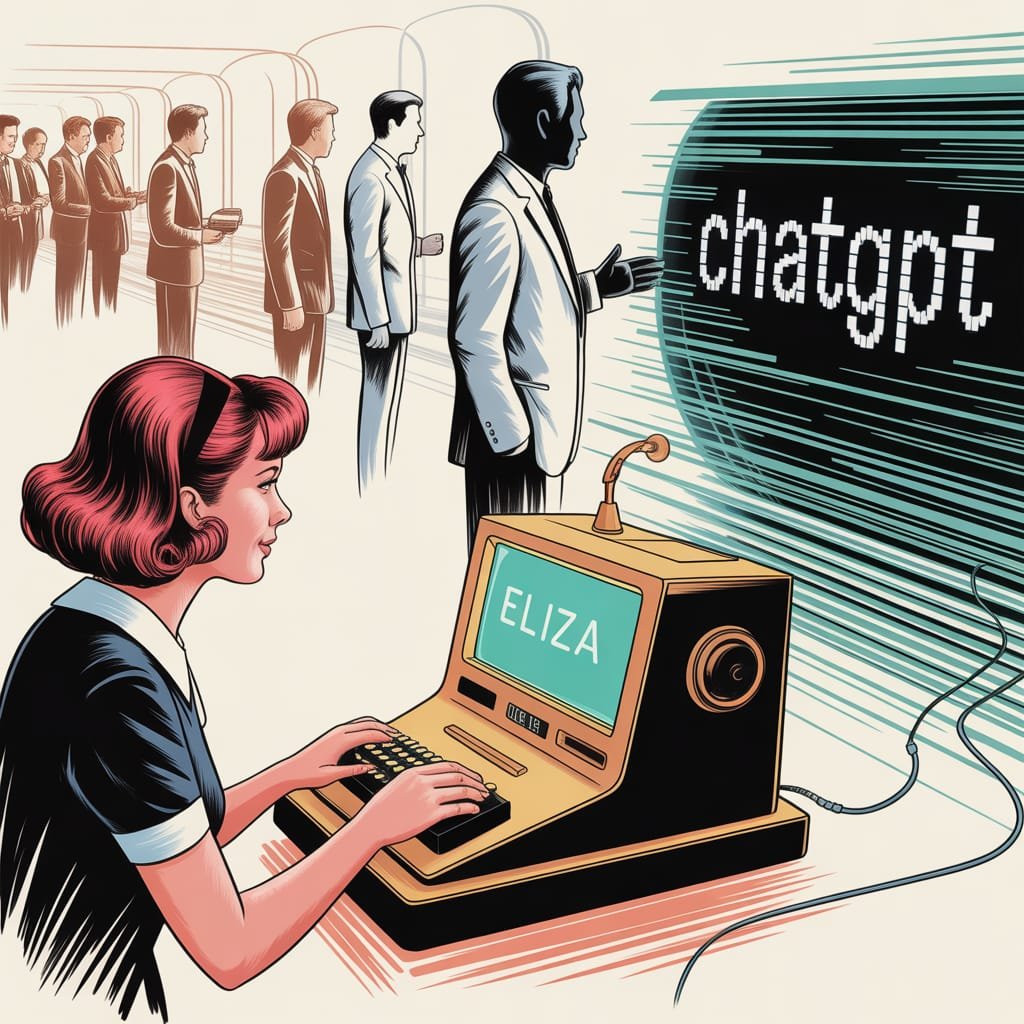
    Imagine this: it’s the 1960s. Bell bottoms were popular, The Beatles were famous, and at MIT, a computer scientist named Joseph Weizenbaum was making something truly new. He wasn’t building robots or self-driving cars. He was making ELIZA.

    ELIZA wasn’t a powerful AI, but she was one of the first programs that tried to talk using normal human language. Think of her as a very, very early chatbot. She was made to act like a therapist. People would type sentences, and ELIZA would reply. Often, she just turned their own words into questions.

    For example:
    User: “My head hurts.”
    ELIZA: “Why do you say your head hurts?”

    User: “I feel sad today.”
    ELIZA:”Can you tell me more about why you feel sad today?”

    This was amazing for its time! People actually felt connected to ELIZA. They talked to her as if she were a real person. They were, in a way, giving her basic “prompts” – simple sentences. ELIZA used smart tricks like finding keywords to understand and reply. This wasn’t about making a realistic picture of a cat in space. But it was the very start of AI prompt history. It was the first step in teaching machines to “understand” and react to what humans say. It was a simple but very important beginning. It showed that people wanted to talk to machines.

    Visualizing the progression of AI communication and prompt engineering.

    The Long, Winding Road to Nuance: Decades of Dedication

    After ELIZA’s simple way of talking, we started a journey that lasted many decades. Getting from those first, basic talks to today’s super smart AI tools took a lot of hard work. This included endless research in areas like natural language processing (NLP), machine learning (ML), and how computers understand language.

    For many years, the problem was huge. How do you teach a machine to not just spot keywords, but to understand the meaning, the subtle differences, and the goal? How do you go from just repeating a user’s words to actually creating clear, new, and useful answers?

    Scientists and engineers worked very hard. They created computer programs that could break down sentences, find different parts of speech, and later, understand how words relate to each other in meaning. Early tries were awkward, often giving funny, meaningless results. But with every new discovery – from simple math models to neural networks, and finally to the transformer system that makes today’s large language models (LLMs) work – AI got much, much better at “listening” and “understanding.”

    This wasn’t just about using more data. It was about totally new ways of thinking about how machines learn language. It was about teaching AI to not just read words, but to understand the hidden meaning, to guess, and to combine ideas. The journey from ELIZA’s simple word matching to modern AI like GPT-4 is truly an amazing jump. GPT-4 can follow complicated, many-part instructions and create very clear, creative, and relevant answers.

    Prompt Engineering: A Modern Art Form (and Science!)

    Now, let’s jump to today. The idea of an AI prompt has grown into an art form called “prompt engineering.” It’s not just about typing a question anymore. It’s about creating a full instruction, a scene, a character, and a style guide, all at once.

    You, the person making content or just exploring, are now like a movie director, writer, casting person, and art director, all rolled into one. You’re telling the AI: “Picture a fun, steampunk otter with one eye-glass, drinking tea in a busy old market. Make it look like a Hayao Miyazaki movie, with soft, warm light and lots of small details.”

    That’s very different from “My head hurts,” right?

    Today’s AI tools work best with these specific details. They can guess the mood, understand big ideas, and even follow complicated steps. The better you know how to “talk” to them – how to give them clear rules, examples, and background info – the better their results will be. It shows how amazing those decades of research were, that a machine can now understand such rich, detailed instructions and create something truly special. This change is a key part of our AI prompt history.

    Fun Facts & Mind-Benders About AI Prompts

    Besides the history, there are some really interesting AI facts and strange things about prompts that show how amazing this technology is:

    1. The “Magic Word” Effect: Have you noticed that adding “please” or “thank you” to a prompt sometimes seems to make the answer better? AI doesn’t have feelings. But these polite words can slightly change how the AI “sees” what you want. This can sometimes lead to more helpful or obedient answers. It’s not magic, but a cool trick because politeness is in the data AI learns from.
    2. AI’s Hidden Characters: With the right prompt, you can make an AI act like almost any character. Do you want it to be a grumpy pirate cook? A wise alien? A poet from Shakespeare’s time? Just tell it, and it will often play that role very well. Your prompt is more than just a command; it’s like a costume for the AI.
    3. The Prompt as a “Start”: One simple prompt can be the start for a whole creative project. “Write a story about a lost key” can grow into a book, a script, or many pictures. All of this is guided by more prompts given later. It’s like a team dance between what a human wants and what the machine creates.
    4. AI’s “Imagination” (or lack of it): AI can create very creative things, but it doesn’t “imagine” like humans do. It guesses the most likely next words or pixels based on the data it learned from. So, when you ask for “a purple elephant dancing on the moon,” it’s not making an image from nothing. It’s putting together parts it has seen from many pictures and texts to make something new. Still, the result feels like imagination, which is one of the coolest AI fun facts.
    5. The “Making Things Up” Factor: Sometimes, AI just invents things – facts, sources, even whole events. This is often called “hallucination.” But a well-written prompt can help stop this. By giving clear rules, asking it to show its sources, or even telling it not to make up information, you can guide it to be more accurate. It’s a constant game of smarts!
    6. “Best Ways” Change Quickly: What works as a great prompt today might not work as well tomorrow. As AI tools get better, the best ways to talk to them also change. Prompt engineering is a fast-changing area. This makes it one of the most exciting parts of using modern AI.

    Why This Matters to You: The Creator & The Curious

    Historical journey of AI prompts and human-AI interaction.

    So, why should you care about this AI prompt history or these fun AI facts? Whether you’re a blogger, a social media manager, a small business owner, or an artist who likes tech.

    Because understanding how we got from ELIZA to GPT-4 isn’t just for quizzes. It gives you power. It helps you see the amazing tech jumps that let you create special pictures without buying common stock photos. Or write great text in minutes. It makes the magic less mysterious, showing you how it all works.

    Knowing where AI prompts started and how AI’s “understanding” grew gives you a better gut feeling for how to write good prompts. It makes you want to try new things, to go further, and to see talking to AI not just as typing commands. Instead, see it as a chat with a smart tool that’s always getting better.

    The empty prompt box isn’t just for words. It’s a doorway to creating. And with a bit of history and some fun facts, you’re more ready than ever to step through it and make something truly wonderful. So go ahead, speak your next great idea into being. The AI is listening, and it has come a very long way.

  • Your Phone Might Spot Cancer Before Your Doctor—Here’s Why That’s Terrifying

    Your Phone Might Spot Cancer Before Your Doctor—Here’s Why That’s Terrifying


    Your Phone Might Spot Cancer Before Your Doctor

    Introduction

    Imagine a world where your smartphone—yes, the same device you use to scroll X or snap selfies—could detect cancer with near-perfect accuracy before your doctor even gets a chance. It sounds like science fiction, but recent breakthroughs in generative AI are turning this into a chilling reality. Smartphone cancer detection is no longer a distant dream; it’s a looming possibility that could redefine healthcare as we know it. But here’s the kicker: while the promise of early cancer detection is thrilling, the implications are downright terrifying. From privacy nightmares to the erosion of human expertise, this tech could flip our lives upside down in ways we’re not ready for. Let’s dive into why smartphone cancer detection might be the Pandora’s box we didn’t see coming.

    The Rise of Smartphone Cancer Detection

    The idea of smartphone cancer detection hinges on generative AI—technology that can create, analyze, and predict with uncanny precision. Recent buzz on X and beyond points to a new AI model boasting near-perfect cancer detection capabilities. Picture this: a simple app on your phone, paired with a camera or sensor, scans your skin, breath, or even a blood sample you prick at home. The AI crunches the data, spots patterns invisible to the human eye, and delivers a verdict: “You’re at risk.” No waiting rooms, no white coats—just you and your device.

    "Person anxiously using smartphone cancer detection app, with shadowy corporate figures hinting at privacy threats."

    This isn’t entirely hypothetical. AI models are already being trained on vast datasets—medical imaging, genomic sequences, even lifestyle metrics pulled from wearables. Add the smartphone’s ubiquity (over 6 billion users worldwide) and its growing tech—high-res cameras, infrared sensors, and processing power—and you’ve got a portable diagnostic tool. Companies like Google and Apple have dipped their toes into health tech with apps like Google Fit and Apple Health. It’s not a stretch to imagine them integrating smartphone cancer detection next. The tech is here; it’s just waiting to be unleashed.

    The Promise: A Healthcare Revolution

    On the surface, smartphone cancer detection sounds like a godsend. Early detection is the holy grail of cancer treatment—catch it before it spreads, and survival rates skyrocket. The American Cancer Society notes that 5-year survival for localized breast cancer is 99%, but it drops to 31% once it metastasizes. If your phone could flag a mole or a cough as cancerous months before symptoms, it could save millions of lives. Rural areas, where doctors are scarce, could benefit most—your phone becomes the first line of defense.

    Cost is another win. Traditional diagnostics—biopsies, MRIs, lab tests—rack up bills fast. Smartphone cancer detection could slash those expenses, making healthcare accessible to the masses. Imagine a $5 app subscription replacing a $500 scan. For developing nations, this could be a game-changer, leveling the playing field against a disease that kills over 10 million people yearly, per the WHO.

    The Terrifying Flip Side: Privacy at Stake

    But here’s where it gets creepy. Smartphone cancer detection means your phone knows more about your body than you do. Every scan, every data point—it’s all stored somewhere. Who owns it? You? The app developer? The cloud provider? Health data is gold to corporations—insurance companies could jack up premiums based on your risk profile, or advertisers could target you with “miracle cures.” A 2023 study by the University of Cambridge found 87% of health apps share data with third parties. Now imagine that data includes your cancer risk.

    Worse, what if it’s hacked? Cyberattacks on healthcare systems are up 300% since 2019, per the U.S. Department of Health. A breach of smartphone cancer detection data wouldn’t just leak your email—it could expose your most intimate vulnerabilities. Picture a ransomware demand: “Pay up, or we tell the world you’re at risk.” Privacy isn’t just compromised; it’s obliterated.

    The Erosion of Human Expertise

    Then there’s the doctor problem. If smartphone cancer detection becomes the norm, what happens to physicians? Generative AI’s precision could outstrip human diagnosticians, reducing doctors to mere overseers—or sidelining them entirely. A 2022 Stanford study showed AI outperforming radiologists in spotting lung cancer on X-rays. Scale that to smartphones, and the stethoscope might become a museum piece.

    "Split image contrasting a doctor with a stethoscope and a smartphone cancer detection alert, highlighting the human vs. AI divide."

    This isn’t just about jobs; it’s about trust. Humans bring empathy, intuition, and context—things AI can’t fake (yet). Your phone might say “cancer,” but it won’t hold your hand or explain the odds. Over-reliance on smartphone cancer detection could turn patients into data points, stripping healthcare of its human soul. And what if the AI’s wrong? False positives could spark panic; false negatives could kill. Doctors catch nuance; algorithms chase patterns.

    The Pharmaceutical Fallout

    Here’s an unexpected twist: smartphone cancer detection could tank Big Pharma. If cancer’s caught early, the need for expensive, late-stage treatments—chemo, radiation, blockbuster drugs—plummets. A 2024 report by McKinsey pegs the global oncology market at $200 billion. Slash diagnoses at stage 3 or 4, and that shrinks fast. Prevention and early intervention—think lifestyle apps or cheap generics—could dominate instead.

    Pharma won’t go quietly. They might lobby against smartphone cancer detection, arguing it’s unreliable, or pivot to controlling the tech themselves. Imagine Pfizer owning the app that flags your risk—then selling you their preemptive drug. The power dynamic shifts from doctors to corporations, and your phone becomes their Trojan horse.

    The Social Chaos

    Zoom out, and the societal ripples are wild. Smartphone cancer detection could spark a hypochondriac epidemic—everyone scanning daily, obsessing over every ping. Mental health could tank as “at risk” becomes the new normal. X posts already show people freaking out over fitness tracker glitches; amplify that with cancer stakes.

    Inequality’s another beast. Wealthy nations might roll out smartphone cancer detection seamlessly, while poorer ones lag, widening health gaps. And within societies, who gets the premium app? The free version might miss rare cancers, leaving low-income users exposed. Tech bros might tout “democratization,” but the reality could be a new caste system—health determined by your phone plan.

    The Ethics of Control

    Finally, there’s the existential question: who controls this power? Governments could mandate smartphone cancer detection, turning your device into a surveillance tool. China’s social credit system already tracks behavior; add health data, and dissenters might be flagged as “unhealthy” risks. In democracies, regulators might botch oversight, letting tech giants run wild. Either way, your phone stops being yours—it’s a leash.

    And what about consent? Kids with smartphones could scan themselves—or others—without understanding the stakes. Parents might monitor teens, employers might screen workers. Smartphone cancer detection blurs the line between empowerment and intrusion, and we’re not ready for the fallout.

    Conclusion

    Smartphone cancer detection is a double-edged sword—life-saving potential wrapped in a nightmare of privacy, power, and human cost. It could catch cancer before your doctor, yes, but at what price? Your data, your trust, your autonomy—all could be collateral damage. This isn’t just tech evolution; it’s a societal earthquake, and we’re standing on the fault line. The future’s rushing at us, and it’s terrifyingly unclear if we’ll master it—or if it’ll master us.

    What do you think—would you trust your phone to spot cancer, or is this a step too far? Drop your thoughts below and join the conversation. Let’s figure out this brave new world together.

  • Generative AI: Latest Industry Developments, Startup Investments & Ethical AI Debates

    Futuristic city with AI neural network overlay

    Hey AI fans! Get ready for a wild ride in the world of artificial intelligence. Every day, we see new research, exciting industry moves, and important ethical talks. Let’s explore the latest AI news that’s making waves.

    First off, let’s talk about those dazzling research breakthroughs.

    Multimodal Marvels Take Center Stage:

    AI used to just deal with text or images. Now, it’s all about understanding and creating content in many ways. Researchers are working hard to make AI smarter and more capable.

    For example, papers on arXiv are sharing new ideas in AI. These ideas are making AI systems better at creating images, understanding audio and video, and learning quickly. This is all thanks to fast progress in AI research.

    AI is getting better at mixing different types of data. This is opening up new possibilities, like smarter virtual assistants and better content tools. The future of AI looks very exciting, with no signs of slowing down.

    Now, let’s look at the latest in industry developments.

    Generative AI: The Startup Darling:

    Investors are pouring money into AI startups like never before. These startups are working on many projects, from creating content to developing software. The number of funding rounds and new launches shows how excited the market is.

    Platforms like Midjourney and Leonardo AI are always improving. They’re making their tools easier to use and more powerful. This is changing the creative world, making AI a key tool for artists and creators.

    People interacting with holographic AI interfaces

    AI Tools Expanding in Creative Realms:

    The creative world is changing fast. More people are using these new AI tools. These tools are getting easier to use, making better content faster.

    But with great power comes great responsibility. Let’s talk about the ethical debates and policy changes in AI.

    Navigating the Regulatory Maze:

    Governments and groups are trying to figure out how to regulate AI. They’re worried about bias, privacy, and safety. The need for clear rules is urgent, as AI becomes more part of our lives.

    AI-generated misinformation is a big concern, like during elections. Experts say we need better ways to spot and stop it. The fast spread of deepfakes and other AI content is a threat to our information world. We need strong defenses against these dangers.

    The Misinformation Monster:

    Information can spread fast, and it’s a big problem. We need better tools to detect it, education for everyone, and social platforms to act responsibly.

    Now, let’s hear from leading AI experts.

    Championing Responsible AI Development:

    Top researchers and ethicists are focusing on responsible AI. They want AI to be transparent, accountable, and fair. Google AI and OpenAI are leading the way with articles on ethical AI. The goal is to create AI that’s powerful and good for society.

    AI is changing fast, and we need to think about its impact on society. Experts say we should make AI with everyone’s input. This way, AI will match our values and ethics.

    The AI world is moving quickly. It’s our job to guide it for the good of all. Stay alert, because the AI revolution is just beginning!

  • AI Revolutionizing the AI Industry: Top 5 Disruptive Trends of 2024

    AI Revolutionizing the AI Industry: Top 5 Disruptive Trends of 2024

    AI Revolutionizing the AI Industry A futuristic cityscape with AI elements: a robot holding a DNA strand, glowing neural networks, transparent flowcharts symbolizing explainable AI, diverse professionals collaborating, and scales balancing ethics, all under a digital sky with binary code rain.

    AI Revolutionizing the AI Industry

    The AI industry is not just using AI—it’s being fundamentally reshaped by it. This rapid evolution is driven by breakthroughs in technology, understanding, and application. As artificial intelligence continues to mature, companies across all sectors are finding innovative ways to harness its power.

    Currently, the AI industry is booming, with investments flooding in and new applications emerging daily. In 2023, the global AI market was valued at over $100 billion, and predictions show it will grow significantly in 2024. Five key trends are poised to dominate this evolving landscape, offering unprecedented opportunities along with significant challenges.

    Generative AI’s Expanding Applications

    Beyond Text and Images

    Generative AI is venturing beyond creating text and images. It’s now making strides in code generation and scientific discovery. According to a report, the generative AI market is expected to reach $800 billion by 2028. This surge indicates a massive shift in how businesses approach problem-solving.

    Real-world Example

    In the pharmaceutical industry, generative AI has been instrumental in drug discovery. For instance, Insilico Medicine successfully utilized this technology to develop a new drug for fibrosis in just 18 months—a process that typically takes years.

    Challenges and Ethical Considerations

    Despite its benefits, generative AI raises several ethical questions. Issues around copyright, misinformation, and biases must be addressed to ensure responsible use. Companies need to implement guidelines to manage these risks.

    The Rise of AI-Powered AI Development

    AutoML and Its Impact

    Automated Machine Learning (AutoML) is changing the way companies develop AI solutions. It allows non-experts to build and deploy models quickly. Adoption rates are climbing, with studies showing a 50% increase in organizations implementing AutoML tools in the last year.

    Case Study

    A great example is DataRobot, which has helped companies like AstraZeneca enhance their AI capabilities. By using AutoML, they streamline processes, allowing their scientists to focus on critical analysis rather than technical details.

    The Future of AI Development

    Looking ahead, AI itself will play a key role in shaping future AI technologies. The ability for systems to learn from one another aims to create even more sophisticated AI tools that are easier to use.

    The Growing Importance of Explainable AI (XAI)

    Need for Transparency and Trust

    As AI systems become more complex, transparency becomes vital. A survey found that 67% of consumers worry about the decisions made by AI. This concern emphasizes the need for explainable AI, which can clarify how decisions are made.

    Techniques and Methods

    Developing Explainable AI involves using techniques like LIME (Local Interpretable Model-Agnostic Explanations) to provide insight into how models arrive at their conclusions. Clear communication about these methodologies builds trust among users.

    Regulatory Implications

    With increased scrutiny on AI practices, regulatory bodies are focusing on ensuring compliance. Future regulations will likely emphasize the need for transparency in AI systems, affecting how companies design their algorithms.

    The Intensification of the AI Talent War

    Skills Gap in the AI Industry

    The demand for AI talent is skyrocketing. A recent report shows over 350,000 AI-related jobs remain unfilled in the U.S. alone. This talent war is pushing companies to rethink how they attract skilled professionals.

    Strategies for Attracting Talent

    To recruit top AI talent, companies are enhancing their offers. Competitive salaries, flexible work environments, and growth opportunities are top considerations for job candidates today.

    Role of Education and Training

    To bridge the skills gap, educational institutions must adapt. Offering AI-focused programs and boot camps helps equip the workforce with necessary skills, ensuring a steady talent pipeline.

    The Expanding Focus on AI Safety and Ethics

    Addressing Biases and Societal Impacts

    With great power comes great responsibility. AI ethics expert Kate Crawford states, “AI technologies must be developed with a keen eye on their societal impact.” Companies face pressure to address inherent biases that could cause harm.

    Best Practices for Responsible Development

    To ensure responsible AI use, organizations should embrace best practices such as diverse hiring, regular audits, and continuous training on ethical AI development to mitigate risks.

    Regulation and Governance

    Governments are now drafting regulations to govern AI usage. These laws aim to protect citizens while promoting innovation. Staying compliant will be crucial for organizations moving forward.

    Conclusion

    In summary, the AI industry is evolving rapidly, with five key trends shaping the future: the expansion of generative AI, the rise of AI-powered development, the importance of explainable AI, the escalating talent war, and the expanding focus on safety and ethics. These trends present both challenges and exciting opportunities, urging stakeholders to stay informed and adaptable.

    Engage with the topic further—consider how these trends might impact your industry or job role in the coming year.