Tag: Natural language processing

  • 7 Powerful Ways AI is Revolutionizing How We Write Prompts

    7 Powerful Ways AI is Revolutionizing How We Write Prompts

    AI Prompt Writing in 2026: 7 Frameworks That Beat Simple Queries

    A one-line prompt used to be enough. In 2026, it usually gives you thin content, weak angles, and copy that sounds like everyone else.

    That shift matters because AI search, LLM answers, and modern content systems now reward context-rich prompting. They want clear intent, topical fit, and structure, not a vague request like “write about SEO.” If you want content that ranks, gets cited, or earns trust, the prompt has to do more work.

    Why simple queries no longer rank in an AI-first search world

    What changed in search behavior and AI results

    Search now works more like an answer engine. Google and other platforms often show AI summaries first, so users may get the main idea before they ever click a page. Because of that, the content that wins is the content AI can read, trust, and quote fast.

    Keyword matching still matters, but it no longer carries weak writing. Search systems read meaning, page structure, source quality, and topical coverage. Natural language interface trends also push this forward. Users ask fuller questions, while AI tools interpret intent instead of waiting for exact phrasing.

    A person works at a clean, minimalist desk with a laptop displaying a software interface.

    Why generic prompts create generic content

    When you type “write a blog post about SEO,” the model has to guess almost everything. It guesses the audience, the angle, the depth, the format, and the outcome. That guesswork shows up fast.

    You get safe intros, flat subheads, broad claims, and recycled advice. The copy may look clean, but it often misses the real search job. A good practitioner’s playbook on prompt engineering for SEO makes the same point in practical terms, chained prompts beat one oversized request because they reduce model drift.

    The new standard for prompt quality

    Strong AI prompt writing now looks closer to editorial planning. You tell the model who the content is for, what the reader wants, what the page should achieve, and how the answer should be shaped.

    A solid prompt includes audience context, business context, desired format, tone, constraints, and a success test. That doesn’t make prompts longer for the sake of length. It makes them easier for the model to follow.

    Strong prompts reduce guesswork, and better inputs create better drafts.

    A clean professional b2b illustration representing 7 powerful ways ai is revolutionizing how we write prompts concepts with soft lighting and professional composition."

    The seven prompt frameworks that make AI SEO content stronger

    These frameworks work because they mirror how strong content teams already think.

    Contextual anchoring gives AI the facts your brand needs

    Start with source material, then feed the model your brand voice, product facts, offer details, audience pain points, and what sets you apart. Without that context, it fills the blanks with average assumptions, and the output starts to sound generic. Some people think the model will sort it out on its own, but it can’t guess your positioning with any real accuracy.

    This is how AI is changing prompt engineering. The job is less about writing clever commands and more about supplying clean context. In practice, context beats guesswork every time.

    Semantic cluster prompts move past one keyword at a time

    Search systems map topics, not single terms. So your prompt should include related entities, supporting questions, comparisons, objections, and common follow-up searches. That gives the system more context and helps it match how people actually search, instead of focusing on one narrow keyword.

    That broader frame helps AI build content with stronger semantic range. It also improves the odds that your page feels complete, which matters when LLMs decide what source to quote.

    Intent mapping keeps the prompt tied to user goals

    Search volume doesn’t tell you what the reader wants to do next. Your prompt should. Ask whether the user wants to learn, compare, buy, troubleshoot, or validate a choice.

    That shift changes the whole draft. A comparison page, a how-to guide, and a sales page need different language, proof, and page structure. Prompt for the goal first, then let the wording follow.

    Prompt chaining breaks long work into useful stages

    One prompt can draft an outline, another can build sections, and a third can tighten flow or fix thin spots. This chained workflow usually beats a single giant instruction.

    It also gives teams control points. You can approve the angle before the draft expands, then improve weak sections before editing line by line. That’s faster, and the quality is easier to manage.

    The search intent critic makes the model review itself

    This is where LLM self-correction becomes useful. After the first draft, ask the model to score its own work for intent fit, clarity, depth, missing objections, and unsupported claims.

    Then ask for a rewrite based on the gaps it found. That second pass often removes filler and surfaces holes an editor would catch later. AI-driven prompt optimization works best when critique is built into the workflow.

    Data-driven prompts use live search and fresh sources

    Static prompts age fast. Better prompts include live SERP notes, recent source material, support tickets, sales call themes, or current market shifts. Fresh input keeps the model from writing stale copy.

    If you want a strong reference point, AISO Hub’s 2026 prompt engineering patterns show why prompts should separate instructions, context, and source data. That structure makes output more current and easier to trust.

    Recursive refinement improves the prompt, not only the output

    Most teams only edit the draft. Better teams also edit the prompt. They compare versions, score results, and keep what worked.

    This is where meta-prompting techniques help. You can ask the model to explain why one version performed better, then turn that into a reusable template. Automated prompt generation methods can speed this up, but people still need to judge the results.

    How to build a prompt-friendly SEO workflow that scales

    A repeatable system beats a folder full of random prompt snippets.

    Start with audience, intent, and content goal

    Set the order early. First define the reader. Then define the intent. After that, set the page goal, such as education, lead generation, product comparison, or conversion support.

    Senior strategists and prompt engineers both benefit from this order. It keeps briefs tighter, and it stops the model from drifting into generic language.

    Add structure that helps AI write better answers

    The best prompt-friendly structure is plain and direct. Give the model the section order, target length, tone, examples to include, facts to avoid, and formatting rules.

    That sounds simple, but it changes the draft quality fast. A useful prompt engineering guide for SEOs shows the value of layered instructions, validation steps, and format constraints. Those details make outputs easier to review and publish.

    Use AI for drafting, then use humans for judgment

    AI is fast at pattern assembly. People are better at judgment. Editors catch weak claims, tone problems, bad assumptions, and brand mismatches that a model may miss.

    So the workflow should stay split. Use AI to produce options, summaries, rewrites, and section drafts. Then let humans own final accuracy, point of view, and editorial quality.

    "7 Powerful Ways AI is Revolutionizing How We Write Prompts - Professional Professional B2B graphic for blog hero section. High-quality 4k resolution."

    AI Prompt Examples for content workflows

    These examples are short on purpose. Each one gives the model a job, a target, and a boundary.

    1. “Build a blog outline for B2B marketers on AI prompt writing, aimed at decision-stage readers, with practical section angles and no beginner filler.”
    2. “Map this topic into a semantic cluster, including related entities, common objections, and supporting questions that belong on linked pages.”
    3. “Write a comparison page for buyers evaluating in-house prompting versus agency support, using commercial intent and plain language.”
    4. “Review the top-ranking pages for this topic and list the content gaps our article should cover to feel more complete.”
    5. “Turn these customer support themes into a FAQ section that answers real user concerns without repeating sales copy.”
    6. “Rewrite this draft to match our brand voice, which is direct, calm, and useful, with short paragraphs and no hype.”
    7. “Draft an introduction that answers the main search intent in the first 80 words and sets up the rest of the page.”
    8. “Audit this article for AI overview visibility, then suggest clearer headings, tighter answers, and missing source support.”
    9. “Act as a search intent critic, score this draft from 1 to 10 for relevance, clarity, and depth, then revise weak sections.”
    10. “Compare Prompt A and Prompt B, explain which one produced the stronger content, and recommend a better combined version.”

    Conclusion

    Basic prompting no longer holds up when search systems read for meaning, depth, and trust. The future of prompt writing looks more like content design, with context, intent, source input, and revision built in.

    Strong AI prompt writing creates stronger drafts, but it also creates stronger systems. When the prompt improves over time, the content usually does too.

    FAQ

    Does AI prompt writing replace SEO strategy?

    No. It speeds up execution, but strategy still comes first. Teams still need audience research, content priorities, page goals, and editorial judgment before a model can help well.

    How long should a prompt be?

    A prompt should be as long as the task needs. Short prompts work for small edits. For ranking content, a longer prompt often performs better because it gives the model context, rules, and a clear target.

    Can one master prompt handle a full article?

    Usually, no. One large prompt tends to flatten the output. Prompt chaining works better because each step has a narrow job, and each result can be checked before moving on.

    What is meta-prompting in plain terms?

    Meta-prompting means using AI to improve the prompt itself. You ask the model to review instructions, compare prompt versions, spot weak phrasing, and help build a better template for the next run.


  • 25 ‘Ready-to-deploy’ IT automation prompt workflows in Kore.ai Marketplace

    25 ‘Ready-to-deploy’ IT automation prompt workflows in Kore.ai Marketplace

    Kore.ai IT Automation for Service Desks: 25 Ready-to-Deploy Prompt Workflows from the Marketplace

    Service desks don’t usually fall behind because teams don’t care. They fall behind because the work never stops. The same password resets, access requests, and “VPN isn’t working” tickets keep coming, while MTTR creeps up and hiring stays tight. Meanwhile, manual steps create risk, because a tired tech at 2 a.m. can click the wrong thing.

    Kore.ai IT automation tackles that pressure with “ready-to-deploy prompt workflows” you can pull from a Marketplace and put into production quickly. In plain terms, these are pre-made automation recipes: prompts, decision steps, and tool connections that guide a request from intake to completion, with logging and guardrails.

    This post maps 25 practical workflows by category, what each one does, and how to roll them out from the Kore.ai Marketplace without turning automation into a new source of incidents.

    Why Kore.ai IT automation beats building every service desk workflow from scratch

    Building custom automations feels safe, because you control every line. In practice, it’s slow. A “simple” workflow often turns into weeks of meetings, edge cases, and rework once it hits real tickets. By the time it ships, the queue has already changed.

    Pre-built Marketplace workflows flip the timeline. Instead of designing everything, you start from a working pattern, then tailor it. That matters for a Senior IT Ops Manager because you’re measured on outcomes, like fewer escalations and faster restores, not on how elegant the flowchart looked.

    Here’s the business case that usually lands:

    • Faster time-to-value: start with high-volume L1 tasks and expand.
    • Fewer L1 and L2 touches: the workflow gathers details, runs checks, and only escalates when needed.
    • Consistent execution: the same steps happen every time, even on weekends.
    • Better auditability: actions can be logged back to tickets and change records.

    The hidden costs of manual work add up quickly: context switching between chat and tickets, copy-pasting error logs, missed fields that trigger re-triage, escalations that bounce between teams, and after-hours pages caused by “quick fixes” that weren’t tracked.

    If you want a vendor-level view of what Kore.ai positions as its workflow approach, see its overview of intelligent process automation.

    What “ready-to-deploy” really means in the Kore.ai Marketplace

    “Ready-to-deploy” shouldn’t mean “works in the demo.” In this context, it typically means the workflow already includes the pieces that take the longest to design:

    • Prompts and conversation paths that ask for the right details (device, error, urgency, impact).
    • Decision steps to route work based on policy (role, app, environment, change window).
    • Connector mappings to common enterprise systems (ITSM, IAM, cloud, security tools).
    • Basic guardrails, so risky actions don’t run without checks.

    Kore.ai also emphasizes multi-agent orchestration for IT work, where different agents can handle different task types, and route between them without the user feeling the handoff. In March 2026, Kore.ai also highlights pre-built templates at scale (it publicly references dozens of templates and broad enterprise integrations). For background, Kore.ai describes its library of pre-built process templates and how they speed up common automation patterns.

    You still customize, but you customize what matters: language, routing rules, approvals, and ticket fields, without turning every request into a mini software project.

    Governance and safety basics, so automation does not create new risk

    Automation that can change systems must behave like a careful engineer, not an eager intern. Start with a few basics that keep security and audit teams calm:

    • Role-based access control: only allow approved groups to run workflows that change state (restart services, isolate endpoints, scale storage).
    • Approvals for risky actions: especially for production changes and anything disruptive.
    • Audit logs: capture who requested what, what the bot did, and what it changed.
    • Environment limits: keep “do the thing” actions restricted to dev or staging until you explicitly allow prod.

    Human-in-the-loop (HITL) is the simplest safety net. The assistant prepares the action and the change summary, then a person confirms. That’s a clean way to enforce policies like least privilege, “ticket required for change,” and change-window rules.

    A useful rule: let the bot gather, verify, and propose by default. Allow it to execute only when policy and permissions make it low-risk.

    For more context on Kore.ai’s Marketplace positioning and how it packages enterprise-grade agents and templates, review the Kore.ai Marketplace overview.

    The 25 Kore.ai Marketplace workflows that deflect tickets and speed up resolution

    The workflows below are grouped the way most ops teams actually work: ITSM first, then stability, then identity, then security, then the “busywork” category that quietly drains senior engineers. Each workflow lists what it automates, likely triggers, common systems, and the outcome you can measure.

    ITSM and helpdesk quick wins, 5 workflows that shrink the queue first

    Modern IT service desk featuring an agent viewing workflow steps on screen for automated chat handling password reset request in softly lit professional office, exactly one person, realistic style.
    1. Password reset (self-service): Trigger chat portal, touches IAM directory, outcome is ticket deflection and fewer L1 calls.
    2. New ticket creation with smart fields: Trigger chat or email intake, touches ServiceNow or Jira Service Management, outcome is better routing and fewer back-and-forths.
    3. Account unlock: Trigger chat, touches AD or identity provider, outcome is faster restores and fewer escalations.
    4. Ticket status lookup and next update: Trigger chat, reads ITSM, outcome is fewer “any update?” tickets.
    5. Smart escalation with summarization: Trigger aging ticket or unhappy user signal, posts summary and steps tried to ITSM, outcome is faster L2 start and lower reopen rate.

    Best practice: verify identity before resets, capture device and error details up front, summarize what was attempted, and write actions back to the ticket. Those four habits alone can cut re-triage.

    If you want another deployment path beyond Kore.ai’s own Marketplace, Kore.ai also appears in enterprise catalogs like Microsoft AppSource for ITAssist, which can help procurement and approvals in Microsoft-heavy shops.

    Cloud and infrastructure stability, 5 workflows that reduce downtime

    Cloud infrastructure dashboard displaying automated VM provisioning workflow in progress, with server racks in the background and holographic status overlays, in a futuristic realistic tech style under natural lighting. 6. VM provisioning request: Trigger chat or catalog request, touches AWS, Azure, or GCP plus CMDB, outcome is faster delivery with standard tags.


    7. Automated backup verification: Trigger schedule, checks backup jobs and alerts on failures, outcome is fewer “we found out during restore” surprises.
    8. Restart service with pre-checks: Trigger alert or ticket, touches Kubernetes, systemd, or cloud runbooks, outcome is shorter incident time for known failure modes.
    9. Storage scaling request with approvals: Trigger ticket, touches cloud storage, outcome is fewer capacity pages and controlled growth.
    10. System health checks and daily digest: Trigger schedule, pulls health metrics and posts summary to ops channel, outcome is fewer blind spots.

    Safe defaults matter here. Restrict who can run scale actions, require approvals for production, and include rollback steps when possible. For restarts, add guardrails like “only restart once per X minutes” and “do not restart during maintenance freeze unless approved.”

    Identity and access at scale, 5 workflows that cut onboarding and access delays

    1. Employee onboarding checklist: Trigger HR event or ticket, touches Okta or Microsoft Entra ID, outcome is day-one readiness and fewer manual tasks.
    2. Offboarding and access removal: Trigger HR termination event, disables accounts and removes group access, outcome is lower security exposure and stronger audits.
    3. App access request with approvals: Trigger chat, routes to manager and app owner, outcome is faster access with policy-compliant approvals.
    4. MFA reset with identity proofing: Trigger chat, touches IAM, outcome is quick restores without social-engineering gaps.
    5. Role change request (least-privilege templates): Trigger ticket, maps to role bundles, outcome is fewer one-off entitlements and cleaner access reviews.

    Keep these workflows zero-trust minded: time-bound access where possible, manager approval, audit trails, and role templates instead of ad hoc group adds. When exceptions happen, force an explicit reason field so you can report on it later.

    For a sense of what Kore.ai says it’s releasing and improving around enterprise productivity and agents, its update posts can be helpful context, such as Kore.ai AI for Work feature updates.

    Security operations that move fast, 5 workflows for incident response support

    1. Phishing alert triage intake: Trigger user report in chat, collects headers and indicators, outcome is faster triage and fewer incomplete reports.
    2. Endpoint isolation request (HITL): Trigger SOC chat or incident ticket, proposes isolation, requires analyst approval, outcome is quicker containment with control.
    3. Vulnerability scan kickoff: Trigger schedule or change ticket, starts scan and posts results, outcome is tighter patch loops.
    4. Log retrieval for an incident ticket: Trigger incident workflow, pulls relevant logs and attaches them, outcome is less swivel-chair investigation.
    5. Mass incident notifications and status updates: Trigger major incident declaration, sends updates and keeps a timeline, outcome is fewer inbound pings and clearer comms.

    These flows should bridge to SIEM and SOAR tools at a high level, but keep destructive actions gated. A good design principle: the assistant can enrich and summarize freely, but it executes containment only with approvals.

    Network, asset, and software busywork, 5 workflows that free up engineer time

    1. Software deployment request intake and approvals: Trigger chat, routes to app owner, then triggers deployment tool, outcome is fewer manual installs.
    2. VPN troubleshooting guided flow: Trigger chat, runs checks (client version, auth, network), outcome is fewer escalations to networking.
    3. License audit reporting: Trigger schedule, reconciles users and licenses, outcome is fewer true-up surprises.
    4. Asset tracking updates: Trigger user self-report or warehouse scan event, updates asset system, outcome is cleaner inventory.
    5. Network diagnostics runbook: Trigger ticket or chat, runs ping, DNS checks, traceroute collection, outcome is faster isolation of “network vs app” issues.

    Think of this bucket as a conversational command center: one place to request actions and get answers, with every step logged. Also, Marketplace prompts should be treated as a starting point, then tailored to your naming, tools, and policies without weakening approvals and access controls.

    Deploy a Kore.ai Marketplace workflow in minutes, a practical rollout plan that sticks

    Fast deployment only matters if it stays live. The rollout that usually works is boring on purpose: pick one high-volume use case, ship it with guardrails, measure, then expand. That approach also helps with change management because agents and users can build trust one workflow at a time.

    An IT manager in a modern office deploys a Kore.ai Marketplace workflow on a laptop, with a step-by-step interface visible on the slightly angled screen, coffee mug on desk, and soft window light.

    Treat your first workflow like a product release. Assign an owner, set a success metric, and test in a safe environment. Then make the self-service entry point obvious, such as Teams, Slack, a portal widget, or the ITSM catalog.

    If your org prefers buying through cloud marketplaces, Kore.ai also lists offerings in places like the AWS Marketplace AI for Service listing, which can simplify procurement in some enterprises.

    From selection to go-live, a clear checklist for first deployment

    • Pick one high-volume use case (password reset, unlock, ticket intake).
    • Define one success metric (deflection rate or handle time).
    • Confirm data sources (knowledge articles, policy docs, ticket fields).
    • Connect your ITSM (ServiceNow, Jira Service Management, or Zendesk).
    • Configure auth securely (scoped tokens, least privilege, rotation plan).
    • Map fields and outputs (summary, category, CI, impact, resolution notes).
    • Set approval rules for risky steps (prod changes, access grants, isolation).
    • Run test tickets in a sandbox and capture failure patterns.
    • Pilot with one team for one to two weeks, then expand.
    • Train agents and announce self-service, and keep a clear fallback path to a human.

    How to measure ROI in the first 30 days without fancy math

    Skip complex models. Use simple, defensible metrics you can explain in a staff meeting:

    • Ticket deflection rate: how many requests ended without an agent touching the ticket.
    • Average handle time (AHT): how long agents spend per ticket when they do engage.
    • Time-to-first-response: especially important for chat-based intake.
    • MTTR: best for incident workflows and restarts.
    • Reopen rate: catches “quick fix, wrong fix” automation.
    • Escalation rate: shows whether intake and summaries improved.
    • After-hours pages: a practical signal that stability workflows are working.

    Set a weekly review cadence: top failure reasons, prompt tweaks, routing tweaks, and knowledge gaps to fix. Include an audit and compliance spot-check in that review so your controls don’t drift over time.

    FAQ (Frequently Asked Questions From Readers)

    Do I need to automate everything to see results?

    No. Start with one workflow that represents a big slice of volume, like password resets or ticket intake. Then expand once metrics prove it.

    Will automation frustrate users if the bot gets it wrong?

    It can, so design for graceful exits. Make it easy to route to a human with a clean summary, not a blank handoff.

    How do approvals work for risky actions?

    Use HITL for disruptive actions, like endpoint isolation or production scaling. The assistant proposes the action and a person confirms.

    Where does knowledge come from for troubleshooting flows?

    Good workflows pull from your internal docs and ticket history patterns. Keep the source set small at first, then broaden after you see consistent answers.

    What’s the fastest place to begin in Kore.ai IT automation?

    Begin with an ITSM workflow that collects better details and logs actions back to tickets. That improves outcomes even before you automate “doer” actions.

    Conclusion

    If your service desk feels like a treadmill that keeps speeding up, you don’t need a year-long rebuild. Pick one or two ITSM quick wins, deploy them with approvals and audit logs, and measure impact for 30 days. After that, expand into IAM and cloud stability, where small delays and manual steps often create the biggest risk.

    The practical promise of Kore.ai IT automation is simple: faster time-to-value using ready-to-deploy Marketplace workflows, less manual work, and more consistent support. Choose a workflow tied to a real pain point, run a focused proof-of-concept, and let the results decide what you automate next.

  • Automation Workflows for Lead Gen & Outbound Sales: Triple Your Pipeline in 2026

    Automation Workflows for Lead Gen & Outbound Sales: Triple Your Pipeline in 2026

    Lead Generation Automation: Workflows to Triple Your Pipeline in 2026

    Acquiring new customers has become more straightforward for businesses in 2026. Automated lead generation allows businesses to generate leads more efficiently while achieving faster business growth. Automation is efficient. It helps you reach more people without stress, assess their viability. It also provides better results. For a business, automation provides better information. It also offers better follow-up. You can achieve growth more easily.

    That’s why lead generation automation prompts and intent-driven workflows matter more than another tool or another list. Basic automation fires a trigger (form fill, email open) and runs a static sequence. AI-assisted workflows react to signals (pricing visits, comparison searches, repeat sessions, replies) and change the next step in real time.

    This gives you a practical workflow plan that can triple pipeline by improving speed-to-lead, lead quality, and follow-up consistency. You’ll also get copy-and-adapt examples of lead generation automation prompts for SEO audit snippets, LinkedIn notes, and short emails. The 2026 outbound landscape is shifting. Don’t get left behind by AI-driven competitors. Learn the specific automation workflows elite executives are using to dominate B2B lead gen now.

    Phase 1: Automated lead scoring that catches high-intent SEO prospects in real time

    If every lead gets the same follow-up, your pipeline becomes a lottery ticket. In 2026, relevance wins because buying signals show up everywhere: organic searches, product comparisons, return visits, and direct replies. So the first job is to stop treating all leads the same.

    A strong model blends fit (are they your ideal customer) and intent (are they acting like a buyer). Keep it simple and fast. Use a 0 to 100 score, computed the moment a signal hits your system through APIs or webhooks. In 2026, sales pipeline automation will dictate that leads are instantly categorized by intent, persona, and fit before a human even sees them. Without this layer of intelligence, your team is simply guessing which leads are worth their time.

    Here’s a clean set of thresholds that works across most B2B sales motions:

    • 0 to 39 (Nurture): automate education, retargeting, and light check-ins.
    • 40 to 69 (SDR Review): route to a rep, create a task, start a semi-personal sequence.
    • 70 to 100 (Instant Meeting Push): trigger a high-priority alert and send a meeting-first message.

    Your north star metric is speed-to-lead under 5 minutes for high-intent leads. If you want a practical breakdown of why fast routing has become an operational problem (not just an SDR discipline problem), see LeanData’s speed-to-lead guidance: “Emphasizes that immediate, automated, and accurate lead routing is crucial, as 78% of customers buy from the first responder, and qualification chances drop 80% after five minutes.” Key strategies include using automated workflows for instant qualification, implementing “edge priority” to route high-value leads faster, and using “Hold Until” nodes for precise timing.

    The second target is conversion quality. Stronger scoring programs often push MQL-to-SQL conversion toward the 39 to 40 percent range because. While the average MQL-to-SQL conversion rate across industries often sits around 13–15%, companies utilizing advanced behavioral scoring and tight sales-marketing alignment can nearly triple this, achieving 39–40% because reps spend time where intent is real, not where volume looks good. High-performing firms also use behavioral data—such as content engagement, website behavior, and product usage—to identify true buying intent.

    Build a simple scoring model you can trust (fit points plus intent points)

    Start with fit because it’s stable. Then layer intent because it’s the accelerant. A basic model can outperform a complex one if you review it every month and tie changes to closed-won data.

    Example point system (adjust to your ICP):

    Fit (0 to 50)

    • Job title match (VP, Director, Head of): +10
    • Company size in range (50 to 500): +15
    • Industry match (your top 3 verticals): +10
    • US target region or territory match: +5
    • Known tech stack compatibility (if relevant): +10

    Intent (0 to 50)

    • Pricing page visit: +20
    • Demo or contact page visit: +20
    • Comparison keyword entry (from SEO or paid search): +15
    • Reply to an email (even “not now”): +25
    • Repeat visit within 24 hours: +10

    Negative scoring protects your team’s time:

    • Student or “learning” intent: -20
    • Competitor domain: -50 (and suppress outreach)
    • Company far below minimum size: -15 (unless you sell self-serve)
    • Careers page visits only: -10 (often job seekers)

    Don’t guess forever. Each month, take your last 20 closed-won and last 20 closed-lost deals, then ask one question: which signals showed up early? Update weights, then rerun.

    Use API triggers to act the moment the score spikes

    Scoring only helps when it changes action. In 2026, your workflow should behave like a smoke alarm, not a weekly report.

    A clean trigger flow looks like this:

    1. Event arrives (form, chat, Stripe trial, website analytics, ad platform, or webhook).
    2. Enrich (company, role, location, tech hints, dedupe).
    3. Compute score (0 to 100).
    4. Route (nurture, SDR queue, instant meeting push).
    5. Log everything in CRM (so forecasting stays real).

    Trigger examples that consistently lift pipeline velocity:

    • Pricing page view + ICP match: mark “Hot,” alert SDR in Slack, send a short meeting-first email.
    • Comparison page visit: create an SDR task with context, enroll in a 5-touch sequence.
    • Three sessions in 24 hours: bump priority, add a manager visibility flag.

    Dedupe rules prevent chaos. Match on email first, then domain + name, then cookie identity if you have consent. Update the existing record instead of creating a new one, and store the latest “reason for score” as a note.

    Phase 2 and 3: A multi-channel stack that runs on autopilot, plus AI personalization that still sounds human

    A modern outbound stack fails for one reason: the tools don’t agree on truth. Fix that, and automation starts compounding. Your CRM must be the source of truth, while your workflow tool acts like the wiring harness.

    Many teams use Make.com as the glue because it connects channels without heavy engineering. If you want a concrete walkthrough style example of how teams connect forms, tables, and automation scenarios, see a Make.com lead generation build example.

    Once the stack is connected, personalization becomes the force multiplier. Still, the goal isn’t to sound like a poet. You’re aiming for “this was meant for me,” in one or two lines, without crossing into creepy.

    A practical rule: use only public info and on-site behavior. Never mention sensitive inferences. Don’t reference private data sources in the message. Keep tone calm and direct.

    If your automation can’t explain why it chose the next step, it’s not automation, it’s noise.

    Wire up LinkedIn, email, and Twitter/X in Make.com without creating a messy stack

    Think of your flow in one direction: capture, enrich, score, update CRM, then activate channels. When the order flips, duplicates and conflicting tasks follow.

    A clean data flow:

    • Capture lead or signal (SEO form, LinkedIn lead form export, chat, webinar, inbound email).
    • Enrich and normalize fields (company name, role, domain, territory).
    • Score and label (Nurture, SDR Review, Hot).
    • Create or update CRM (one record per person).
    • Push actions outward (sequencer enrollment, LinkedIn task, X engagement task, Slack alert, calendar link).

    Common steps that work well together:

    • LinkedIn: auto-create a “connect” task, don’t auto-send DMs at scale.
    • Email: enroll the contact into a sequence only after dedupe and suppression checks.
    • Twitter/X: if they mention a pain point or engage with your founder, create a task, then send a human reply.
    • Slack: alert the owner only for 70+ scores, otherwise you train the team to ignore alerts.

    Add guardrails early:

    • Rate limits per channel (per rep, per domain, per day).
    • Error handling with retries (if enrichment fails, route to “Needs Data”).
    • A dead-letter queue (store failed events so nothing disappears).
    A silhouette of a professional sales agent wearing a sleek holographic headset, integrated with glowing neural network patterns

    AI-driven personalization that creates custom SEO audit snippets for every message

    Good personalization feels like a sticky note, not a report. Use a repeatable structure so quality stays high even when volume increases.

    Template that holds up:

    1. One sentence on what they do.
    2. One specific SEO observation.
    3. One benefit tied to revenue or pipeline.
    4. One clear call to action.

    Fast “audit snippet” ideas that AI can generate from a URL and a keyword set:

    • Title tag and H1 mismatch on a core landing page.
    • Missing comparison content for a high-intent “X vs Y” term.
    • Thin location pages that don’t match search intent.
    • Broken internal links pointing to old product pages.
    • Weak schema on key pages (product, FAQ, review snippets).

    Keep the snippet to 1 to 2 lines. The point is to earn the next click or reply, not to prove you’re smart.

    Here are three copy-and-adapt lead generation automation prompts you can use with the same inputs (company URL, ICP, target keyword, and observed behavior). Write them as variables in your workflow tool, then pass them into your AI step.

    1. SEO snippet prompt: Ask for a 2-line observation plus a 1-line benefit, with a confidence note if uncertain.
    2. LinkedIn connect note prompt: Ask for a 200-character note referencing their role and a neutral observation.
    3. 90-word email prompt: Ask for a subject line plus a short email using the four-part template above.

    If you want more examples to compare styles, Lemlist keeps a public collection of cold outreach prompt templates that can spark variations, especially for tone and formatting.

    Phase 4 and 5: The set-and-forget CRM that kills data entry, then scales with low-code

    Automation breaks when the CRM becomes a junk drawer. In 2026, your CRM has to behave like a system of record, not a scrapbook. That means lifecycle stages must update from real events, not from rep memory.

    The payoff is bigger than cleanliness. When statuses are accurate, leaders can forecast with confidence, managers can coach faster, and SDRs stop spending afternoons doing admin work.

    Low-code workflows can also replace a large chunk of repetitive labor. Teams often find 10 to 40 hours a week hiding in tasks like assigning owners, logging touches, chasing no-shows, updating stages, and recycling cold leads. Automate those, and your team gets time back without pushing more spam.

    Risk controls matter just as much:

    • Permissioning (who can trigger outbound).
    • Audit logs (what changed, when, and why).
    • Opt-outs and suppression lists synced across tools.
    • Clear rules for data retention.

    For a wider view of how lead gen metrics shift with automation and first-party data, G2 maintains a rolling set of lead generation statistics that can help you sanity-check your internal numbers.

    Map automated status updates so every lead and deal stays accurate

    Define stages that match observable events. Then make the events move the record automatically.

    Lifecycle stages and the event that moves them:

    • New Lead: captured from form, chat, or import.
    • Enriched: enrichment completed, key fields populated.
    • Scored: score computed, threshold assigned.
    • Contacted: email sent, LinkedIn task completed, or call logged.
    • Replied: inbound reply captured, positive or negative.
    • Meeting Set: calendar booked or confirmed.
    • No-Show: meeting missed, triggers reschedule flow.
    • Recycled: nurture or re-qual path triggered after inactivity.
    • Disqualified: not ICP, competitor, student, or explicit “no.”

    Ownership and next actions should also be automatic:

    • Route by territory or segment.
    • Auto-create a task when score hits 40+.
    • Auto-add a next step when meeting is set (agenda, confirmation, prep research).

    Add a stalled timer. For example, if a lead is “Contacted” for 7 days without a reply, trigger either (a) a value-first follow-up, or (b) a manager review when score is high.

    Scale safely in 2026: low-code workflows that replace 40 hours a week (without becoming a spam bot)

    The fastest way to destroy a brand is to automate without taste. So build three playbooks that create relevance, not volume.

    Playbook 1: News trigger workflow
    When a company raises funding, hires a key leader, or posts a cluster of relevant jobs, trigger a short sequence. Keep message timing tight, and tie it to the event. Avoid exaggeration. The rep should see the source inside the CRM note.

    Playbook 2: Multi-channel nurture loop
    When a prospect engages on LinkedIn or X, sync that signal to email follow-ups. If they like a post, send a short message that continues the topic. If they click an email, create a LinkedIn task, not another email blast.

    Playbook 3: Zombie resurrection sequence
    For stalled opportunities, send value-first content instead of “bumping this.” Examples include a one-page teardown, a competitor comparison page, or a small benchmark. Route positive replies back to the owner, then update stage automatically.

    Guardrails that prevent the spam bot trap:

    • Domain warm-up and sending limits per inbox.
    • Suppression lists synced across every tool.
    • Personalization checks (if fields are missing, fall back to a safe generic line).
    • Sentiment-based monitoring, not just opens (flag negative replies and auto-suppress).

    For a few practical prompt patterns that stay simple, Salesforce shares examples of AI prompts for small business sales that translate well to SDR teams when you shorten the output.

    FAQ

    Can automation really triple pipeline without adding SDRs?

    Yes, when the gain comes from conversion and speed, not just volume. Faster routing, cleaner scoring, and consistent follow-up often create a multiplier effect. Still, the workflows must focus on high-intent signals.

    What’s the minimum stack to start?

    You need four pieces: a CRM, a workflow tool, an email sequencer, and a data enrichment step. Add LinkedIn tasks next. Only then consider extra channels like X, voice drops, or ads.

    How do I keep AI personalization from sounding fake?

    Keep outputs short, grounded, and specific. Use public info and on-site behavior. Also, require the model to produce a single observation, not a paragraph.

    How often should we update the scoring model?

    Monthly is a good cadence. Tie changes to closed-won and closed-lost signals, not opinions. If your ICP shifts, update immediately.

    What should I measure first?

    Track three metrics: speed-to-lead for hot leads, MQL-to-SQL conversion, and meeting set rate per channel. After that, watch pipeline created per rep-hour to prove efficiency gains.

    A stylized, three-dimensional 3X symbol forged from polished chrome, floating in the center of a neon vortex.

    Conclusion

    If your team wants more pipeline in 2026, the answer isn’t louder outreach, it’s cleaner automation that reacts to intent. Start small, then let the wins compound.

    Here’s a simple 7-day rollout plan: pick one trigger (pricing visit), one scoring threshold (70+), one channel (email), and one CRM status map (New to Scored to Contacted to Meeting Set). After that works, add LinkedIn tasks and a news trigger.

    To make this easy to deploy, offer a downloadable workflow library with visual flowcharts of the three sequences (news trigger, multi-channel nurture loop, zombie resurrection) in exchange for an email opt-in. Then keep the next step soft: invite qualified teams to book a consultation to build the system end-to-end.

  • Etsy Listing SEO: 25 ChatGPT Prompts & Proven Results

    Etsy Listing SEO: 25 ChatGPT Prompts & Proven Results

    Etsy SEO Listing Optimization: 25 ChatGPT Prompts for Better Titles, Tags, and Descriptions

    You didn’t start an Etsy shop because you love writing titles and descriptions. You started because you make good stuff, and you want people to find it without living on social media.

    That’s where Etsy SEO listing optimization gets practical. You don’t need fancy tricks. You need a repeatable workflow you can run on any listing: research what buyers type, write a clear title, answer questions in the description, set strong tags and attributes, then measure and improve.

    The prompts below are plug-and-play, but they still need your real product facts. The “proven results” part isn’t hype, it’s built on patterns that tend to work across marketplaces: clarity, relevance, and conversion-friendly copy.

    Find high-intent search phrases buyers actually type into Etsy

    Think of Etsy search like a matchmaking system. Etsy isn’t trying to “reward” you, it’s trying to show buyers items that match their words and intent. If your listing language doesn’t match what people type, you’re basically whispering into a crowded room.

    Start simple. Use Etsy’s search bar suggestions, they’re a real-time window into buyer phrasing. Check the top listings that look like yours and notice the repeated wording, not the shop names. Then open Shop Stats and look at search terms you already appear for, even if they’re low traffic. Those are clues you can build on.

    Also watch seasonality and gifting patterns. Buyers often search by use case and recipient, not by technical product terms. “Teacher gift” can matter more than “ceramic mug,” depending on what you sell. Strong phrases often include a combo of: item type, material, style, size, recipient, occasion, and personalization.

    Prompt pack: 5 prompts to uncover winning search phrases and angles

    1. Buyer phrase brainstorm (safe + specific): “Act as an Etsy buyer. Based on this product info (type, materials, style, size, price range, occasion, who it’s for, ship-from location, personalization options), list 20 long-tail search phrases I could type into Etsy. For each phrase, add (a) why it fits the item, and (b) ‘best for’ (gift, home decor, everyday use, event). Use US spelling and avoid trademark terms.”
    2. Use-case and problem angle finder: “Using the product facts below, generate search phrases grouped by use case (how it’s used) and buyer problem (what it helps with). Output 5 phrases per group, add a 1-line note on buyer intent for each. Use US spelling, no brand names, no medical promises.”
    3. Recipient and occasion matcher: “Create Etsy search phrases that include recipient + occasion for this product. Include at least: birthday, wedding, baby shower, housewarming, holiday, thank-you, coworker, teacher, mom, dad. Provide 18 phrases, explain why each makes sense, and label ‘best for’.”
    4. Style and aesthetic translator: “Translate these product details into buyer-friendly style terms (aesthetic, vibe, decor style). Then write 15 search phrases that combine the item + one style word + one differentiator (material, size, color, personalization). Add a short reason for each.”
    5. Competitor phrase gap check: “Here are 5 competitor listing titles (paste). Based on my product facts (paste), suggest 12 search phrases I can truthfully target that competitors miss. Include a ‘risk’ note for phrases that might be too broad or hard to prove in photos. Use US spelling and avoid trademark terms.”

    Quick filter: how to pick the phrases worth using (without overthinking it)

    A phrase is worth using when it passes a quick truth test. Can you prove it with photos and details? Does it match what the buyer wants, not just what the item is? A good phrase also includes a differentiator so you’re not fighting the entire category at once.

    Use this fast checklist:

    • Exact match to what you sell (no “close enough” words).
    • Clear intent (gift, decor, wedding, personalized, etc.).
    • Not too broad (avoid single generic words as your main target).
    • Includes a differentiator you can back up (material, size, style, recipient, occasion).
    • Photo-proof (a buyer can see it’s true in your first few images).

    Avoid misleading terms, competitor brand names, keyword stuffing, and trend words that don’t fit the item.

    Write Etsy titles that rank and still sound like something a human would click

    Your title is like the label on a jar. If it’s messy, people don’t trust what’s inside. A strong Etsy title leads with the main phrase, stays readable, then adds a few helpful details that reduce doubt.

    Keep it human. You’re not writing for a robot, you’re writing for a busy shopper scanning a results page on their phone. Pick 2 to 3 qualifiers that matter most, like material, style, recipient, occasion, or personalization. If a word doesn’t help a buyer understand the product faster, cut it.

    This is where Etsy SEO listing optimization often goes wrong. Sellers cram in repeats of the same idea, then the title becomes hard to read. Clarity tends to win, especially when your photos and description support the same promise.

    Prompt pack: 5 prompts to generate scroll-stopping, keyword-smart titles

    1. Clean and minimal: “Write 8 to 12 Etsy title options for my product using this main search phrase near the beginning: (phrase). Add 2 to 3 qualifiers (material, size, style, recipient, occasion). Keep it easy to read, no ALL CAPS, no spammy separators, no trademark terms. Then pick the best title and explain why.”
    2. Gift-focused: “Create 8 to 12 Etsy title options that clearly read as a gift. Include recipient + occasion when it fits. Put the main phrase near the beginning. Keep it natural, US spelling, no brand names, no exaggerated claims. Choose a best pick with reasoning.”
    3. Problem-solution angle (without hype): “Based on my product facts, write 8 to 12 Etsy titles that highlight the buyer need it meets (organization, comfort, keepsake, decor upgrade, etc.). Front-load the main phrase, add only true qualifiers. End by selecting the best title and why it should get clicks.”
    4. Style aesthetic angle: “Write 8 to 12 Etsy title options that include one style keyword (examples: minimalist, rustic, boho, modern, cottage, farmhouse) only if it honestly matches the product. Put the main phrase near the beginning and keep the title readable out loud.”
    5. Personalization-led: “Write 8 to 12 Etsy titles that highlight personalization (name, date, color choice, custom text). Include the main phrase near the beginning and one concrete spec (material or size). Avoid spammy wording. Pick the best title and explain why.”

    Title QA in 30 seconds: a simple checklist before you publish

    Before you hit publish, read the title like you’re the buyer. If it sounds confusing out loud, it’ll feel confusing on the results page.

    • Does it match the first photo?
    • Does it say what it is (not just the vibe)?
    • Does it hint who it’s for or how it’s used?
    • Does it include one key spec (size or material)?
    • Does it mention personalization (only if offered)?
    • Is it readable, no weird symbol clutter?

    Tiny example: “Cute Bracelet Gift” becomes “Personalized Name Bracelet, Dainty Stainless Steel Gift for Her.” Same idea, clearer promise.

    Turn product details into a description that answers questions and drives sales

    Descriptions aren’t just “extra text.” They’re your silent sales help, the part that reduces messages, returns, and hesitation. Buyers want to know: What is it, what do I get, what size is it, how does it feel, how fast will it ship, and what do I do if something goes wrong?

    A simple structure keeps you from rewriting from scratch every time:

    Start with a two-line hook that says what it is and why it’s worth clicking. Then use labeled sections with short paragraphs and a few bullets where needed: what it is, size and materials, how to use, why you’ll love it, personalization steps, shipping and processing, care, returns.

    Accessibility matters too. Short paragraphs help everyone, especially mobile shoppers. Clear labels help skimmers find answers fast.

    Prompt pack: 9 prompts for high-converting Etsy product descriptions (covers 10 needs)

    1. Benefit-led opening (2 versions): “Write the first 2 lines of my Etsy description in two versions (short and full). Make it benefit-led but factual. Use US English, simple words, no fluff, no guaranteed outcomes. End with a short, natural CTA.”
    2. Messy notes to scannable format: “Here are my messy notes (paste). Turn them into an Etsy description with clear labels and short paragraphs. Include a few bullets only where it helps. Output 2 versions (short and full). Keep all facts accurate.”
    3. Size and materials clarity: “Write a ‘Size and Materials’ section for my listing using these exact details (paste). Include units clearly, add a quick ‘fit check’ tip for buyers, and keep it easy to skim. Output short and full.”
    4. Personalization instructions that prevent mistakes: “Create a ‘How to Personalize’ section with step-by-step instructions using my options (paste). Include what buyers must type at checkout, examples of formatting, and what happens if they leave it blank. Output short and full.”
    5. Gift-ready version: “Rewrite my description for gift buyers. Include recipient ideas, giftable moments, and what the package experience is like (based on my notes). Keep it honest and simple. Output short and full, include a gentle CTA.”
    6. Care and cleaning instructions: “Based on these materials and finishes (paste), write clear care instructions. Include what to avoid, how to clean, and storage tips. Keep it short, safe, and factual. Output short and full.”
    7. What’s included (zero confusion): “Write a ‘What’s Included’ section that clearly lists exactly what the buyer receives, including quantity, variations, and what is not included. Add a line that sets expectations for handmade variation if true. Output short and full.”
    8. FAQ builder: “Create 6 to 10 FAQs for this product based on common Etsy buyer questions (shipping, sizing, materials, customization, returns, gift notes). Answer in 1 to 3 sentences each, plain US English. Output short and full versions.”
    9. Tone variations plus compliance and trust: “Write three versions of my full description in (a) minimalist, (b) warm, (c) playful tone, while keeping every product fact identical. Add a trust section that avoids medical claims, avoids promises of results, and sets clear expectations. End each version with a short Etsy-appropriate CTA.”

    Make it feel real: add proof, specifics, and a clear next step

    AI can make text sound polished, but buyers trust specifics. Add the details only you know: exact material names, exact sizes, how it’s made (hand-stamped, laser-cut, wheel-thrown), and what the finish looks like in real light. If it solves a problem, say it plainly, like “keeps cords off the desk,” not “transforms your workspace.”

    Also add a clear next step. Tell them how to pick a size, where to leave personalization, or when to order for a certain date.

    Before you paste, do a quick check for: correct units (inches vs cm), accurate personalization fields, realistic processing time, and returns or exchange terms that match your shop policies.

    Dial in tags and attributes with AI so Etsy knows when to show your listing

    If titles are your storefront sign, tags and attributes are the filing system behind the counter. They help Etsy match your listing to different buyer phrasing. The goal isn’t to repeat the same words everywhere, it’s to stay accurate while covering natural variations.

    Use a mix of item type, materials, style words, recipients, occasions, and use cases. Keep it consistent with your photos and description. If you tag “linen” but it’s polyester, you might get clicks, but you’ll also get returns and unhappy reviews.

    Avoid trademarked terms and misleading tags. If you’re unsure a term is risky, skip it and choose a plain alternative.

    Prompt pack: 5 prompts to generate tags, attributes, and smart variations

    1. No-repeat tag brainstorm: “Using my product facts (paste), generate a prioritized list of Etsy tag ideas with no repeats or near-duplicates. Mix item type, material, style, recipient, occasion, and use case. Flag any terms that might be trademarked or too broad.”
    2. Long-tail to short-tag conversions: “Here are 15 long-tail phrases (paste). Convert them into shorter tag-friendly phrases while keeping the meaning. Remove duplicates, prioritize buyer intent, and tell me what to swap first.”
    3. Synonym and buyer-language expansion: “List buyer-style synonyms for my main phrase and top features (material, style, use). Then propose 12 tag variations that sound like real shoppers. Use US spelling, no brand names, avoid misleading terms.”
    4. Attribute suggestions from product facts: “Based on these product details (paste), suggest the most relevant Etsy attributes to select (color, size, room, occasion, style, personalization). Explain why each helps matching, and list 3 attribute choices that are risky or inaccurate for my item.”
    5. Seasonality refresh plan: “Create a seasonality update plan for my listing tags and attributes by month and gifting moments. Suggest what to add, what to remove, and what to keep stable year-round. Keep it realistic for my product.”

    Measure what worked, then iterate without rewriting everything

    Optimization gets easier when you stop guessing. Take a baseline, change one thing at a time, and give it time to settle. If you change title, photos, tags, and price all at once, you won’t know what helped.

    In Shop Stats, watch a small set of signals: views and visits from search, the search terms you’re showing up for, favorites, add to cart, conversion rate, and revenue. You’re looking for movement in the right direction, not perfection.

    A busy seller-friendly rule: improve one listing, then copy the winners to similar products. It’s like finding a good cookie recipe, then using it for the whole batch.

    A simple 14-day listing test plan for busy sellers

    Day 1: Record your baseline stats and current title, first two description lines, and tags.
    Day 2: Update the title only (keep photos the same).
    Day 5: Update the first two lines of the description.
    Day 8: Adjust tags and attributes based on what you targeted.
    Day 14: Review Shop Stats and decide what stays.

    A “win” can look like better search terms, more visits from search, or a higher add-to-cart rate. If results are flat, don’t panic. Keep the clearest version, then test a new main phrase or tighten your qualifiers. If you must change photos during the test, log the date so you can explain the bump or dip.

    Prompt: turn your Shop Stats into the next round of improvements

    “Here’s my listing info (product facts, current title, current tags, first 2 lines of description), plus my Shop Stats notes for the last 14 days (views, visits, top search terms, favorites, add to cart, orders). Analyze what’s working and what’s unclear. Suggest the next 3 actions in priority order. Then provide (1) a revised title, (2) revised first 2 lines of the description, and (3) a tag swap list (remove, add). Use US English, avoid trademark terms, and keep all claims factual. (I removed customer names and private details.)”

    Conclusion

    Etsy growth doesn’t require rewriting your whole shop in one weekend. Run the same loop every time: find buyer phrases, write a readable title, answer questions in the description, set accurate tags and attributes, then measure and iterate.

    Pick one listing today, copy the 25 prompts into your workflow, fill in your product facts, and publish one improved version. After 14 days, keep what worked, then roll those wins across similar listings.

  • From ELIZA to ChatGPT: The Fun and Amazing History of AI Prompts

    From ELIZA to ChatGPT: The Fun and Amazing History of AI Prompts

    Let’s be honest: it feels like we all suddenly became good at talking to AI. One moment, we were just searching on Google. The next, we’re carefully writing instructions for Midjourney, DALL-E, or ChatGPT. We’re trying to get the best image, a great blog post, or useful code. It’s like learning a new secret language.

    But here’s a surprising idea: talking to AI isn’t new at all! Today’s smart AI tools seem like something from a movie. But the history of AI prompts actually goes back many years. It started in simple, yet very interesting ways. So, grab a drink, because we’re going to look at some fun AI facts and learn about how prompts really began.

    The Genesis: When AI First Started “Listening” (Sort Of)

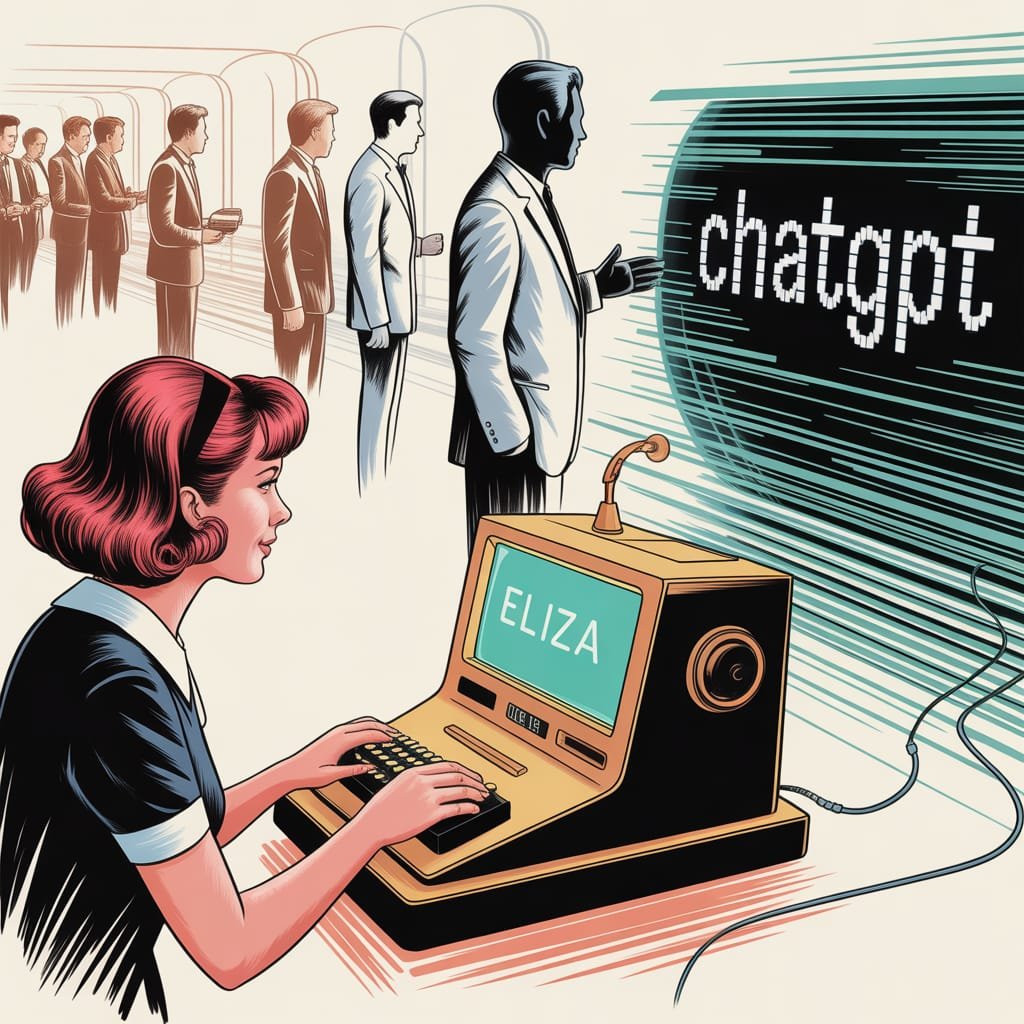
    Imagine this: it’s the 1960s. Bell bottoms were popular, The Beatles were famous, and at MIT, a computer scientist named Joseph Weizenbaum was making something truly new. He wasn’t building robots or self-driving cars. He was making ELIZA.

    ELIZA wasn’t a powerful AI, but she was one of the first programs that tried to talk using normal human language. Think of her as a very, very early chatbot. She was made to act like a therapist. People would type sentences, and ELIZA would reply. Often, she just turned their own words into questions.

    For example:
    User: “My head hurts.”
    ELIZA: “Why do you say your head hurts?”

    User: “I feel sad today.”
    ELIZA:”Can you tell me more about why you feel sad today?”

    This was amazing for its time! People actually felt connected to ELIZA. They talked to her as if she were a real person. They were, in a way, giving her basic “prompts” – simple sentences. ELIZA used smart tricks like finding keywords to understand and reply. This wasn’t about making a realistic picture of a cat in space. But it was the very start of AI prompt history. It was the first step in teaching machines to “understand” and react to what humans say. It was a simple but very important beginning. It showed that people wanted to talk to machines.

    Visualizing the progression of AI communication and prompt engineering.

    The Long, Winding Road to Nuance: Decades of Dedication

    After ELIZA’s simple way of talking, we started a journey that lasted many decades. Getting from those first, basic talks to today’s super smart AI tools took a lot of hard work. This included endless research in areas like natural language processing (NLP), machine learning (ML), and how computers understand language.

    For many years, the problem was huge. How do you teach a machine to not just spot keywords, but to understand the meaning, the subtle differences, and the goal? How do you go from just repeating a user’s words to actually creating clear, new, and useful answers?

    Scientists and engineers worked very hard. They created computer programs that could break down sentences, find different parts of speech, and later, understand how words relate to each other in meaning. Early tries were awkward, often giving funny, meaningless results. But with every new discovery – from simple math models to neural networks, and finally to the transformer system that makes today’s large language models (LLMs) work – AI got much, much better at “listening” and “understanding.”

    This wasn’t just about using more data. It was about totally new ways of thinking about how machines learn language. It was about teaching AI to not just read words, but to understand the hidden meaning, to guess, and to combine ideas. The journey from ELIZA’s simple word matching to modern AI like GPT-4 is truly an amazing jump. GPT-4 can follow complicated, many-part instructions and create very clear, creative, and relevant answers.

    Prompt Engineering: A Modern Art Form (and Science!)

    Now, let’s jump to today. The idea of an AI prompt has grown into an art form called “prompt engineering.” It’s not just about typing a question anymore. It’s about creating a full instruction, a scene, a character, and a style guide, all at once.

    You, the person making content or just exploring, are now like a movie director, writer, casting person, and art director, all rolled into one. You’re telling the AI: “Picture a fun, steampunk otter with one eye-glass, drinking tea in a busy old market. Make it look like a Hayao Miyazaki movie, with soft, warm light and lots of small details.”

    That’s very different from “My head hurts,” right?

    Today’s AI tools work best with these specific details. They can guess the mood, understand big ideas, and even follow complicated steps. The better you know how to “talk” to them – how to give them clear rules, examples, and background info – the better their results will be. It shows how amazing those decades of research were, that a machine can now understand such rich, detailed instructions and create something truly special. This change is a key part of our AI prompt history.

    Fun Facts & Mind-Benders About AI Prompts

    Besides the history, there are some really interesting AI facts and strange things about prompts that show how amazing this technology is:

    1. The “Magic Word” Effect: Have you noticed that adding “please” or “thank you” to a prompt sometimes seems to make the answer better? AI doesn’t have feelings. But these polite words can slightly change how the AI “sees” what you want. This can sometimes lead to more helpful or obedient answers. It’s not magic, but a cool trick because politeness is in the data AI learns from.
    2. AI’s Hidden Characters: With the right prompt, you can make an AI act like almost any character. Do you want it to be a grumpy pirate cook? A wise alien? A poet from Shakespeare’s time? Just tell it, and it will often play that role very well. Your prompt is more than just a command; it’s like a costume for the AI.
    3. The Prompt as a “Start”: One simple prompt can be the start for a whole creative project. “Write a story about a lost key” can grow into a book, a script, or many pictures. All of this is guided by more prompts given later. It’s like a team dance between what a human wants and what the machine creates.
    4. AI’s “Imagination” (or lack of it): AI can create very creative things, but it doesn’t “imagine” like humans do. It guesses the most likely next words or pixels based on the data it learned from. So, when you ask for “a purple elephant dancing on the moon,” it’s not making an image from nothing. It’s putting together parts it has seen from many pictures and texts to make something new. Still, the result feels like imagination, which is one of the coolest AI fun facts.
    5. The “Making Things Up” Factor: Sometimes, AI just invents things – facts, sources, even whole events. This is often called “hallucination.” But a well-written prompt can help stop this. By giving clear rules, asking it to show its sources, or even telling it not to make up information, you can guide it to be more accurate. It’s a constant game of smarts!
    6. “Best Ways” Change Quickly: What works as a great prompt today might not work as well tomorrow. As AI tools get better, the best ways to talk to them also change. Prompt engineering is a fast-changing area. This makes it one of the most exciting parts of using modern AI.

    Why This Matters to You: The Creator & The Curious

    Historical journey of AI prompts and human-AI interaction.

    So, why should you care about this AI prompt history or these fun AI facts? Whether you’re a blogger, a social media manager, a small business owner, or an artist who likes tech.

    Because understanding how we got from ELIZA to GPT-4 isn’t just for quizzes. It gives you power. It helps you see the amazing tech jumps that let you create special pictures without buying common stock photos. Or write great text in minutes. It makes the magic less mysterious, showing you how it all works.

    Knowing where AI prompts started and how AI’s “understanding” grew gives you a better gut feeling for how to write good prompts. It makes you want to try new things, to go further, and to see talking to AI not just as typing commands. Instead, see it as a chat with a smart tool that’s always getting better.

    The empty prompt box isn’t just for words. It’s a doorway to creating. And with a bit of history and some fun facts, you’re more ready than ever to step through it and make something truly wonderful. So go ahead, speak your next great idea into being. The AI is listening, and it has come a very long way.

  • The Rise of the Machines: A Glimpse into the Future

    Artificial intelligence (AI) is no longer a futuristic fantasy; it’s woven into the fabric of our daily lives. From the moment we wake up to the moment we drift off to sleep, AI is silently working behind the scenes, anticipating our needs, and shaping our experiences. In this article, we’ll delve into some of the most fascinating AI advancements that are transforming our world and shaping the future.

    “Did you know your weather forecast might be powered by AI that sees the whole Earth?”

    This isn’t science fiction; it’s the reality of today. Spire Global, a leading provider of space-based data and analytics, has developed groundbreaking AI weather models in collaboration with NVIDIA. These models leverage the immense power of NVIDIA’s Omniverse Blueprint for Earth-2, allowing scientists to analyze vast amounts of data from satellites, weather stations, and other sources to create hyper-accurate forecasts.Imagine a world where weather predictions are so precise that farmers can anticipate droughts and floods with pinpoint accuracy, allowing them to adjust their planting schedules and protect their crops. Imagine emergency responders being alerted to impending natural disasters with enough lead time to evacuate vulnerable communities. This is the promise of AI-powered weather forecasting, and it’s a testament to the incredible potential of AI to improve our lives.

    AI-Powered Robots: Leaping into the Future”Robots are learning to jump like tiny superheroes—thanks to AI!”

    This headline might sound like something out of a comic book, but it’s a real-world example of how AI is pushing the boundaries of robotics. Scientists are using AI to teach robots the remarkable jumping abilities of springtails, tiny insects that can leap dozens of times their body length. By analyzing the intricate movements of these creatures, researchers are developing algorithms that enable robots to perform similarly impressive feats of agility and dexterity.This research has far-reaching implications, from creating robots that can navigate challenging terrains to developing prosthetics that mimic the natural movements of the human body. The ability to mimic the incredible agility of nature’s creatures is a testament to the power of AI to unlock new possibilities in robotics and revolutionize how we interact with the world around us.

    AI and Medicine: Decoding the Human Body, One Molecule at a Time”AI is decoding the secrets of your body, one molecule at a time!”

    This is the reality of personalized medicine, where AI is being used to analyze the complex interplay of molecules within the human body to develop targeted therapies for individual patients. MIT spinout ReviveMed is at the forefront of this revolution, using AI to analyze metabolites—the tiny molecules that are the building blocks of life—to identify unique patterns associated with specific diseases.Imagine a future where doctors can predict your risk of developing certain diseases before they even manifest, allowing you to take proactive steps to prevent them. Imagine treatments that are tailored to your specific genetic makeup, maximizing their effectiveness and minimizing side effects. This is the promise of AI-powered personalized medicine, and it’s a testament to the transformative power of AI to revolutionize healthcare.

    “AI and Cybersecurity: Protecting Your Digital World”

    Your online security might be getting an AI upgrade!” In today’s hyper-connected world, cybersecurity is more critical than ever. Wiz, a leading cybersecurity company, has partnered with Google Cloud to leverage the power of AI to defend against increasingly sophisticated cyberattacks. By analyzing vast amounts of data and identifying patterns in malicious activity, AI can help organizations proactively identify and mitigate threats, protecting their valuable data and systems.Imagine a world where your online activities are protected by an invisible shield, constantly monitoring for threats and responding in real-time. This is the vision of AI-powered cybersecurity, and it’s a testament to the power of AI to protect our digital world and ensure our safety and security in the face of evolving threats.

    “AI and the Future of AI: A Recursive Revolution”AI is helping to build AI!”

    This seemingly paradoxical statement highlights the remarkable self-improving nature of AI. NVIDIA’s advancements in AI data platforms and reasoning models are enabling the development of more sophisticated AI systems that can learn and adapt at an unprecedented rate. These AI systems are not only capable of solving complex problems but also of improving their own algorithms and architectures, leading to a virtuous cycle of innovation.This recursive process of AI developing AI has the potential to unlock unimaginable breakthroughs in fields ranging from medicine and materials science to climate change and space exploration. As AI becomes increasingly sophisticated, it will continue to push the boundaries of what’s possible, leading to a future that is both exciting and unpredictable.

    The Future of AI: A Call to ActionAs we stand on the cusp of this AI revolution, it’s crucial to ask ourselves:

    What kind of future do we want to create? How can we harness the power of AI for good, while mitigating its potential risks? The answers to these questions will shape the future of humanity, and they require thoughtful consideration and collaboration among scientists, policymakers, and the public.The journey into the future of AI is one of both excitement and uncertainty. But one thing is certain: AI is transforming our world in profound ways, and its impact will only continue to grow in the years to come. As AI enthusiasts, it’s up to us to embrace this transformative technology, guide its development, and ensure that it serves the best interests of humanity.

  • Step-by-Step Guide: Build Your Personal AI Assistant

    Step-by-Step Guide: Build Your Personal AI Assistant

    Imagine having a personal ai agent to help you manage info and automate tasks. This would make your life easier and more efficient. With AI getting better fast, making a virtual assistant is now possible.

    OpenAI’s “deep research” feature is a big deal, even though it’s only for ChatGPT Pro users now. It could change how we get to complex info. Soon, it will be available in more packages, like ChatGPT Plus and Team.

    So, can you make a virtual assistant that learns and adapts to you? What tools and tech do you need to build such an ai agent?

    Starting to make your own ai assistant is exciting. You’ll learn about tools, techniques, and best practices for making smart chatbots. AI can automate tasks like data analysis and info search.

    This makes AI a must-have for both work and personal life. Your goal is to make a chatbot that gets and answers your questions. This will make your life simpler and more efficient.

    Key Takeaways

    • Building a personal ai agent needs a deep understanding of AI, machine learning, and natural language processing.
    • OpenAI’s “deep research” feature could change how we get to complex info.
    • Creating a virtual assistant can automate tasks and make life easier and more efficient.
    • Essential tools and technologies are needed to build an ai agent, like AI reasoning models and natural language processing techniques.
    • Continuous adjustments based on user feedback are key to improving your ai assistant’s quality and abilities.
    • Using a no-code platform can speed up making personalized apps.

    Understanding AI Agents and Their Capabilities

    AI agents are software programs that use artificial intelligence. They do tasks that need human smarts, like understanding language and making choices. They get better with machine learning, learning from data and improving over time.

    Some key things AI agents can do include:

    • Learning from data and getting better over time
    • Understanding and making language that sounds like humans
    • Seeing and making sense of images and other data
    • Deciding and acting based on the data they have

    Using ai agent tech with other tools is getting more common. Many groups use AI agents to automate tasks and help customers. By 2025, they will get even better at tasks like understanding language.

    As AI agents get smarter, we’ll see new uses for them. This includes machine learning-based chatbots and artificial intelligence-driven decision systems.

    Essential Tools and Technologies for AI Development

    Building AI needs many tools and technologies. This includes programming languages like Python and Java. Also, software development kits (SDKs) like TensorFlow and PyTorch are key. Knowing these tools is crucial for creating and using AI models.

    Python is a favorite for AI work because it’s easy and flexible. TensorFlow is a top choice for making and training machine learning models.

    In an ai tutorial, you can discover the main tools and technologies for AI. This includes programming languages and software development kits. OpenAI’s “deep research” feature uses its new o3 reasoning model. It helps with complex tasks in finance, science, policy, and engineering.

    Some important tools and technologies for AI are:

    • Programming languages such as Python and Java
    • Software development kits (SDKs) such as TensorFlow and PyTorch
    • Machine learning models and algorithms
    • Cloud computing platforms such as AWS, Google Cloud, and Microsoft Azure

    Using these tools can make AI development faster. Businesses can cut model development time by up to 80%. They can also see a 20-30% boost in efficiency.

    Companies can also speed up AI app deployment by up to 75%. This is thanks to containerization technologies.

    Preparing Your Development Environment

    To start with ai development, you need to get your environment ready. This means setting up your system and installing key libraries and frameworks. You also need to make sure your environment is good for machine learning and natural language processing.

    For example, you must install NLTK and spaCy for natural language processing. You can do this with the command `pip install crewai crewai-tools uv. Also, you’ll need a model like `cortecs/phi-4-FP8-Dynamic` for your ai development.

    Here are some important steps to get your environment ready:

    • Install necessary libraries and frameworks
    • Provision a suitable model
    • Manage dependencies, including `crewai[tools]>=0.100.1,=0.1.0`

    By doing these steps, you’ll be ready to start your ai development, machine learning, and natural language processing projects.

    Fundamentals of Natural Language Processing

    Natural language processing is a part of AI that helps computers talk to humans in their own language. It’s key to making AI models that can understand and create human language. This means programming and software development to make algorithms that can handle and analyze human language.

    Some big uses of natural language processing are language translation, feeling analysis, and text summary. These uses can change many fields like healthcare, finance, and customer service. For instance, it can help analyze patient data for better treatment or improve customer service by understanding feedback.

    To get into natural language processing, you need to know the basics and how it works in real life. This means studying what experts do and looking at online resources and tutorials. By learning more about natural language processing, developers can make AI that talks to humans more naturally.

    Some important skills for natural language processing are:
    * Programming skills in languages like Python or Java
    * Software development skills, including machine learning experience
    * A deep understanding of natural language processing concepts
    * The ability to work with big data and analyze it

    Create Your Own AI Agent: A Step-by-Step Guide

    To create your own ai agent, you must design a software program. It should do tasks that need human smarts. You’ll decide its purpose, how it works, and how users interact with it. AI tools help you build ai assistant for many tasks.

    The steps to ai agent creation include designing, building, and deploying. Tools like OpenAI’s “deep research” feature can help. It’s first for ChatGPT Pro users, offering advanced research tools.

    Here are the main steps to create your own ai agent:

    1. Determine the purpose and functionality of your AI agent
    2. Design the user interface and user experience
    3. Choose the right AI development tools and technologies
    4. Build and deploy your AI agent

    By following these steps, you can build ai assistant for many tasks. This boosts your productivity. AI agents are getting more popular. With the right tools, you can create your own ai agent for your needs.

    Selecting the Right Machine Learning Models

    Machine learning is key for AI agents to learn and get better. An ai tutorial helps developers learn about different models. These include supervised, unsupervised, and reinforcement learning models.

    Going the diy ai route gives developers more control. But picking the right model is crucial for the AI to do its job well.

    When choosing a model, think about the data, task complexity, and accuracy needed. The right model helps AI agents learn and improve. This leads to better performance over time.

    machine learning models

    • Supervised learning models, which are suitable for tasks such as image classification and natural language processing
    • Unsupervised learning models, which are useful for tasks such as clustering and dimensionality reduction
    • Reinforcement learning models, which are ideal for tasks that involve decision-making and optimization

    Understanding and choosing the right machine learning model is important. It helps developers make AI systems that learn and get better over time.

    Training Your AI Assistant

    Training your AI assistant is key to making it work well. You need to give it data and tweak its settings for better performance. The aim is to have an assistant that gets smarter over time, thanks to machine learning models.

    Getting a big and varied dataset is important for training ai. This lets the assistant learn from many examples and get more accurate. For example, AI helped with the Beatles’ song “Now and Then,” showing AI’s creative power.

    Here are some tips for training ai:

    • Use top-notch and relevant data
    • Adjust settings for the best results
    • Keep checking and boosting the assistant’s skills

    By sticking to these tips and using smart machine learning models, you can make an ai assistant that keeps getting better. It will help a lot in different tasks and areas.

    Implementing Conversational Capabilities

    Adding conversational skills to your AI agent is key for a smooth user experience. It means making interfaces that get and answer human talk. This uses methods like intent recognition and feeling analysis. A conversational ai model can team up with a chatbot for a more personal touch.

    A virtual assistant can get better at knowing what users like over time. This happens by using learning algorithms and natural language tech. Some cool things a conversational ai can do include:

    • Intent recognition: figuring out what the user really wants
    • Sentiment analysis: seeing how the user feels and reacting right
    • Contextual understanding: keeping track of what’s going on in a chat

    With these skills, your AI agent can talk to people in a way that feels natural. This makes users happier and more likely to come back.

    Building the User Interface

    Building the user interface for your AI agent is key. Ui design makes it easy and friendly for users. It’s important to know how to design a good user interface.

    For example, a simple design helps users understand things easily. This makes the AI work better with people.

    The ai development user interface should change with new information. This is done by adding memory to the AI. This way, it remembers what happened before and makes things better for the user.

    Some important things to think about when making the user interface are:

    • Creating a simple and consistent design language
    • Incorporating memory to maintain context across interactions
    • Using modular nodes to fulfill specific roles in workflow creation
    • Integrating external tools for real-time updates and dynamic data management

    By focusing on these, you can make a user interface that is easy to use and works well. Using ui design and user interface best practices is crucial. It helps your AI agent work well with humans, which is vital in ai development.

    ui design

    Security Measures and Privacy Considerations

    Building an AI agent means we must think about ai security and privacy considerations. We need to protect user data and stop unauthorized access. It’s key to know the best ways to keep AI safe and trustworthy.

    Encrypting data and using secure login methods are crucial. Also, machine learning models must be made with safety in mind. OpenAI’s “deep research” feature is first for ChatGPT Pro users. They plan to let more people use it, showing how important safe AI access is.

    Some important steps for security are:

    • Implementing encryption for data protection
    • Using secure authentication protocols
    • Designing machine learning models with security in mind

    By focusing on ai security and privacy considerations, we can make AI agents that work well and are safe. This makes the user experience better and keeps important info safe.

    Testing and Quality Assurance

    Testing and quality assurance are key in ai development. They make sure AI agents work well and accurately. The Beatles’ song “Now and Then” shows AI’s power in creative fields. It’s vital to know about testing and quality assurance for your AI.

    Testing involves using tools and manual checks to ensure AI quality. This includes:

    • Automated testing tools to find bugs
    • Manual testing to check AI performance
    • CI/CD pipelines for smooth deployment

    Quality assurance means checking AI model performance and improving it. This includes looking at metrics like accuracy and recall. By focusing on testing and quality assurance, developers make AI agents reliable and effective.

    Deployment and Hosting Options

    When choosing deployment and hosting for your AI agent, think about a few things. You want your AI to be easy to use and accessible. The right hosting and deployment are key to this.

    Cloud services like AWS or Google Cloud are great for hosting AI models. They offer the needed infrastructure.

    Important things to consider include:

    • Scalability: The ability to scale up or down to meet changing demands.
    • Security: Ensuring the security and integrity of the AI agent and its data.
    • Cost: Balancing the costs of deployment and hosting with the benefits of the AI agent.

    In ai development, how you deploy and host is crucial. The right plan makes AI agents efficient, secure, and affordable. As AI grows, we’ll see new hosting options like edge computing or hybrid clouds.

    ai development deployment

    Monitoring and Maintenance Strategies

    Effective monitoring and maintenance are key for AI agents’ long-term success. As AI grows, it’s vital to have strategies for keeping AI agents reliable and accurate. This means using tools to watch AI model performance and find ways to get better.

    In AI development, monitoring and maintenance mean watching AI models and making changes when needed. This includes updating models, tweaking settings, and making sure AI agents follow rules. By focusing on monitoring and maintenance, developers can make AI agents that are not just good but also safe and open.

    • Implementing logging and analytics tools to track AI model performance
    • Regularly updating AI models with new data and fine-tuning parameters
    • Establishing guidelines and protocols for AI agent operation

    By using these strategies, developers can make sure their AI agents work their best. They will give accurate and reliable results, helping AI grow and improve.

    Scaling Your AI Assistant

    As you work on your AI assistant, scaling is key. It means making your AI handle more users and tasks. This is important for AI to do things that humans do at a big scale. To do this, you need to know how to scale AI well. This includes using distributed computing and parallel processing.

    Companies like OpenAI are finding ways to grow their AI models. They have features like “deep research” for personal research help. By using machine learning and ai development, you can make AI that gets better with time. For example, tools like Roo Code and Cursor help developers write code faster.

    Some important things to think about when scaling your AI assistant include:

    • Using distributed computing and parallel processing to grow capacity
    • Applying machine learning to boost performance and accuracy
    • Connecting with other services to add more features
    • Making sure data is safe and private

    By following these tips and using the latest in ai development and machine learning, you can make a powerful AI assistant. It can handle tough tasks and give users useful insights. As you grow your AI, you’ll open up new ways to use it. This could be anything from automating tasks to giving personalized advice.

    Integration with External Services

    Connecting your AI assistant to other systems is key to making it better. This lets your AI talk to other services smoothly. APIs and data exchange protocols help share info between systems.

    AI agents can work with services like Airtable for better data management. This lets AI agents update records fast and make smart choices. It makes them more useful and quick.

    Integrating AI agents with services brings many benefits. Here are a few:

    • More features and abilities
    • Work faster and more efficiently
    • Grow and change easily

    As AI gets better, we’ll see new ways to use it. For example, AI in customer support and project management will make things better. AI agents can solve big problems, showing how flexible and smart they are.

    Unleashing the Future of Personal AI Assistance

    Artificial intelligence (AI) is getting better and better. This means our personal AI helpers will change how we live and work. They will do routine tasks, help us more, and meet our personal needs.

    Agentic AI is very exciting for keeping things safe. It can find and fix problems fast. This makes our digital world safer and more efficient.

    New tech like heterophilic hypergraph learning will make AI even better. Soon, AI will see threats, act fast, and fix problems on its own. This will change how we keep apps safe.

    But, we must think about the ethics of AI. We need to keep our data safe and understand how AI works. We must trust AI to use it wisely.

  • Cutting-Edge AI Design Trends to Watch

    Cutting-Edge AI Design Trends to Watch

    What makes a design stand out in the world of print on demand? The fast-changing world of pod design, image styles, and trends is key. AI in design is growing fast, expected to hit $11 billion by 2025. This makes me think about how I can use AI to boost my print-on-demand business.

    AI is changing the design world, with 70% of designers saying it boosts their creativity. It helps create designs that connect with people and cuts production time by half. To stand out, I must keep up with the latest trends in print on demand, pod design, image styles, and more.

    Key Takeaways

    • The integration of AI in design is expected to reach a market valuation of $11 billion by 2025.
    • 70% of design professionals believe AI tools enhance creativity in their workflow.
    • AI can reduce production time by an average of 50%, allowing for quicker turnaround on projects.
    • Print on demand, pod design, image styles, and design trends are crucial elements to consider in the design industry.
    • AI is projected to account for nearly 50% of the design process in industries such as advertising and game development by 2025.
    • 75% of consumers express a preference for personalized user experiences and content, indicating a growing demand for AI-driven solutions.
    • AI tools can help create unique and captivating designs that resonate with various audiences.

    Understanding AI Design Revolution in Print-on-Demand

    The print-on-demand industry is changing fast with AI in product design and custom printing. AI and design are coming together, making it easier to create complex designs. Now, anyone can make unique designs, not just experts.

    AI makes design easier and more accessible. It lets users create without needing to know a lot about design. Tools like DALL-E 3 help users improve designs through chat, showing a new way of creating.

    AI is making products faster and more creative. Companies like Printify and Printful are using AI to improve their services. Also, platforms like Merch Informer and CustomCatPOD offer full solutions for print-on-demand businesses.

    The future of print-on-demand looks bright with AI. AI design tools are getting cheaper, making design more affordable. For example, Photoshop costs $50 a month, but AI tools are around $20, saving 60%.

    AI in print-on-demand brings many benefits:

    • Faster product development cycles
    • Increased market responsiveness
    • Greater accessibility for aspiring designers
    • Reduced need for advanced design expertise

    Text-to-Image Generation: The Game-Changer

    Exploring print on demand, I’m thrilled about text-to-image generation’s impact. It changes how we design and make print-on-demand items, like t-shirt design and posters. Designers can now make unique designs that grab attention and connect with people.

    A solid marketing strategy is key in print on demand. Text-to-image generation helps by making high-quality images from text. This speeds up design creation and cuts down time to market for new products.

    Text-to-image generation in print on demand offers many benefits:

    • Quick prototyping and changes
    • Cost-effective design options
    • More access for those without art skills

    As this tech grows, we’ll see more cool uses in print on demand. It can boost your print on demand business, whether you’re making t-shirts, posters, or other items.

    Latest AI Design Trends Reshaping the Market

    Exploring AI design trends, I see a big move towards more detailed and custom designs. Generative AI 2.0 is set to change the design game. It lets designers make unique and engaging designs that speak to different people. This is great for pod design, as it means products can be made just for each person’s taste.

    In image styles, AI trends are opening new doors for designers. AI tools help create many design options from a few ideas. This makes choosing designs easier. It’s key for e-commerce businesses to keep up to stay ahead.

    Some top AI design trends include:

    • Neural style transfer, which moves styles from one image to another
    • Generative adversarial networks (GANs), which make new designs from old ones
    • Deep learning apps, which help understand and predict design trends

    Designers can now make designs that really grab attention. As the design world keeps changing, it’s crucial to keep up with AI trends. This way, designers can stay ahead in a busy market.

    AI-Powered Color Palette Generation

    As a designer, finding the perfect color palette can be tough. AI helps make this easier, saving time for other design tasks. It’s great for custom printing and image design, making designs that grab attention.

    AI looks at lots of data on color theory and psychology. It makes color schemes that fit the design perfectly. This is super useful in marketing, helping brands stand out by 80%. It also boosts creativity, offering new color ideas.

    AI-powered color palette generation

    • AI can pick colors in seconds, down from over an hour.
    • Color affects emotions and user experiences, with 90% of first impressions based on it.
    • 73% of shoppers make choices based on color.

    Using AI for color palettes helps designers create strong marketing plans. These plans include custom printing and image design, leading to business success.

    Automated Design Enhancement Tools

    In the world of print on demand, design trends are key to success. AI helps designers automate the design process. This saves time and effort, making high-quality designs easier to create.

    Designers can now make unique designs that appeal to many people. Product design is vital in e-commerce. AI tools help streamline the design process, allowing designers to focus on creativity.

    Automated design tools offer many benefits. They reduce tasks like layout adjustments and color suggestions by 60%. They also improve user behavior predictions by up to 40%.

    Designers save about 70% of time on copy and content ideas. This makes their work more efficient.

    The AI market is growing fast, expected to hit over $400 billion by 2027. Automated design tools will be crucial in the future of print on demand and e-commerce. These tools help designers be more creative and efficient, keeping them ahead in the design world.

    AI-Driven Pattern and Texture Creation

    I’m diving into AI-driven design, excited to see what’s possible with patterns and textures. Designers can now make complex, tailored designs that were hard to do before. This tech could change how we design print-on-demand items like t-shirts and posters.

    AI lets designers make unique designs that grab attention. They can match image styles with design trends for endless creativity. Plus, custom printing ensures high-quality products that today’s shoppers want.

    AI-driven pattern creation

    • Increased efficiency in design production
    • Enhanced creativity and innovation
    • Improved product quality and consistency
    • Ability to respond to changing design trends and consumer preferences

    Seamless Pattern Generation

    This tech lets designers make seamless patterns for fashion and home decor. With AI, they can try out different styles and textures for unique designs.

    Custom Texture Development

    Designers can now make custom textures for their designs. This tech could change how we make print-on-demand items, like custom phone cases and jewelry.

    Personalization Through AI Analytics

    Exploring AI-powered design shows how key personalization is. It makes experiences special for each person. Designers use AI analytics to craft marketing strategies that meet individual needs. This boosts the e-commerce experience for everyone.

    Designers can grab attention by using different image styles. Recent studies show AI’s role in making content and designs fit each person. For example, e-commerce sites like ASOS and Boohoo use AI for better shopping and prices.

    Personalization through AI analytics offers many benefits:

    • It makes customers happier and more engaged.
    • It helps in making better marketing strategy plans.
    • It makes product design and development more efficient.

    By using AI analytics and personalization, designers can change how they design and sell products. They create unique and exciting experiences that catch people’s eyes in a busy market.

    Integration of AR and AI in Design Preview

    The use of Augmented Reality (AR) and Artificial Intelligence (AI) in design preview is changing the print on demand world. Designers can now make designs that feel real and interactive. This tech is making it easier to design and make print-on-demand items like t-shirts and tote bags.

    In the fast-changing print on demand field, design trends are key to success. The trend of mixing real and virtual worlds is getting more popular. Designers can make designs that grab attention by using AR and AI in design preview. For example, pod design can be improved with AR, letting customers see the design on the product before buying.

    • Enhanced customer experience
    • Increased user engagement
    • Improved design accuracy
    • Reduced production time

    Designers can give customers a deeper experience by usingimage stylesand AR. This leads to more sales and happy customers. As people want more personalized and interactive designs, AR and AI in design preview are becoming essential in the print on demand world.

    Ethical Considerations in AI Design

    Exploring AI design, I see how crucial ethics are. AI helps designers craft detailed, custom designs for printing and image projects. Yet, it also brings up issues like copyright, ownership, and keeping creative work authentic in marketing.

    Ensuring fairness, accountability, and inclusivity in AI is a big challenge. Studies show 70% of AI experts worry about bias in AI leading to unfair treatment based on race, gender, or wealth. This shows the need for strong data protection and clear AI decision-making.

    To tackle these issues, designers can follow ethical guidelines in their AI design work. This includes:

    • Ensuring diverse and representative training datasets
    • Regularly auditing AI systems for bias and errors
    • Implementing transparent and explainable AI decision-making processes

    By focusing on ethics in AI design, designers can make unique, engaging designs that connect with different people. As the design world grows, it’s key to tackle the ethical sides of AI-generated content. Designers need to be ready to handle these complex matters.

    Statistic Percentage
    AI professionals concerned about bias in AI algorithms 70%
    Industries reporting challenges related to data privacy in AI applications 79%
    Designers who fear job displacement due to automation 45%

    Conclusion: Embracing the Future of AI-Powered Design

    The print-on-demand industry is changing fast, thanks to AI. Tools like text-to-image generation and automated color palettes are helping designers. They make it easier to create unique products that grab people’s attention and help businesses grow.

    The future of AI in design looks bright, with 83% of companies planning to use more AI by 2024. By using these tools, I can improve my designs and work faster. I can also give customers what they want, making them happier and more loyal.

    Looking ahead, we’ll see more AR and AI in design, and a focus on ethics. Designers will work more with AI, focusing on creativity. This means big changes for print-on-demand design. By keeping up with these trends and using AI, I’m ready to make designs that really pop and help the industry grow.

    FAQ

    What is the print-on-demand business, and why is it a highly competitive market?

    The print-on-demand business is very competitive. To stand out, you must keep up with design trends. AI helps designers make unique designs for things like t-shirts and tote bags.

    How is the AI design revolution transforming the print-on-demand industry?

    The AI design revolution is changing the print-on-demand industry a lot. AI and design are coming together, making complex designs possible. It gives designers new tools, like automated design improvement and AI-made patterns.

    How is text-to-image generation impacting the print-on-demand industry?

    Text-to-image generation is changing the print-on-demand industry a lot. AI lets designers make images from text, opening up new design possibilities. This technology could change how we make print-on-demand products, like t-shirts and posters.

    What are the latest AI design trends that are reshaping the market?

    New AI design trends are changing the market. Technologies like neural style transfer and GANs are making complex designs possible. These trends are transforming the design process.

    How is AI-powered color palette generation transforming the print-on-demand industry?

    AI-powered color palette generation is a big help for designers. It lets them create color palettes that look good and work well. This technology could change how we design print-on-demand products, like t-shirts and posters.

    How are automated design enhancement tools impacting the print-on-demand industry?

    Automated design enhancement tools are changing the print-on-demand industry. AI helps designers make designs faster and better. This could change how we make print-on-demand products, like t-shirts and posters.

    How is AI-driven pattern and texture creation transforming the print-on-demand industry?

    AI-driven pattern and texture creation is helping designers a lot. It lets them make complex designs that were hard to do before. This technology could change how we design print-on-demand products, like t-shirts and posters.

    How can personalization through AI analytics benefit the print-on-demand industry?

    Personalization through AI analytics is a big plus for designers. It lets them make designs that fit individual tastes. This technology could change how we design print-on-demand products, like t-shirts and posters.

    How can the integration of AR and AI in design preview transform the print-on-demand industry?

    AR and AI in design preview are changing the print-on-demand industry. They let designers make designs that people can try on virtually. This technology could change how we design print-on-demand products, like t-shirts and posters.

    What ethical considerations should designers keep in mind when using AI design tools?

    Designers using AI need to think about ethics. AI lets them make complex designs, but they must also consider risks. This includes issues like copyright and keeping designs authentic.