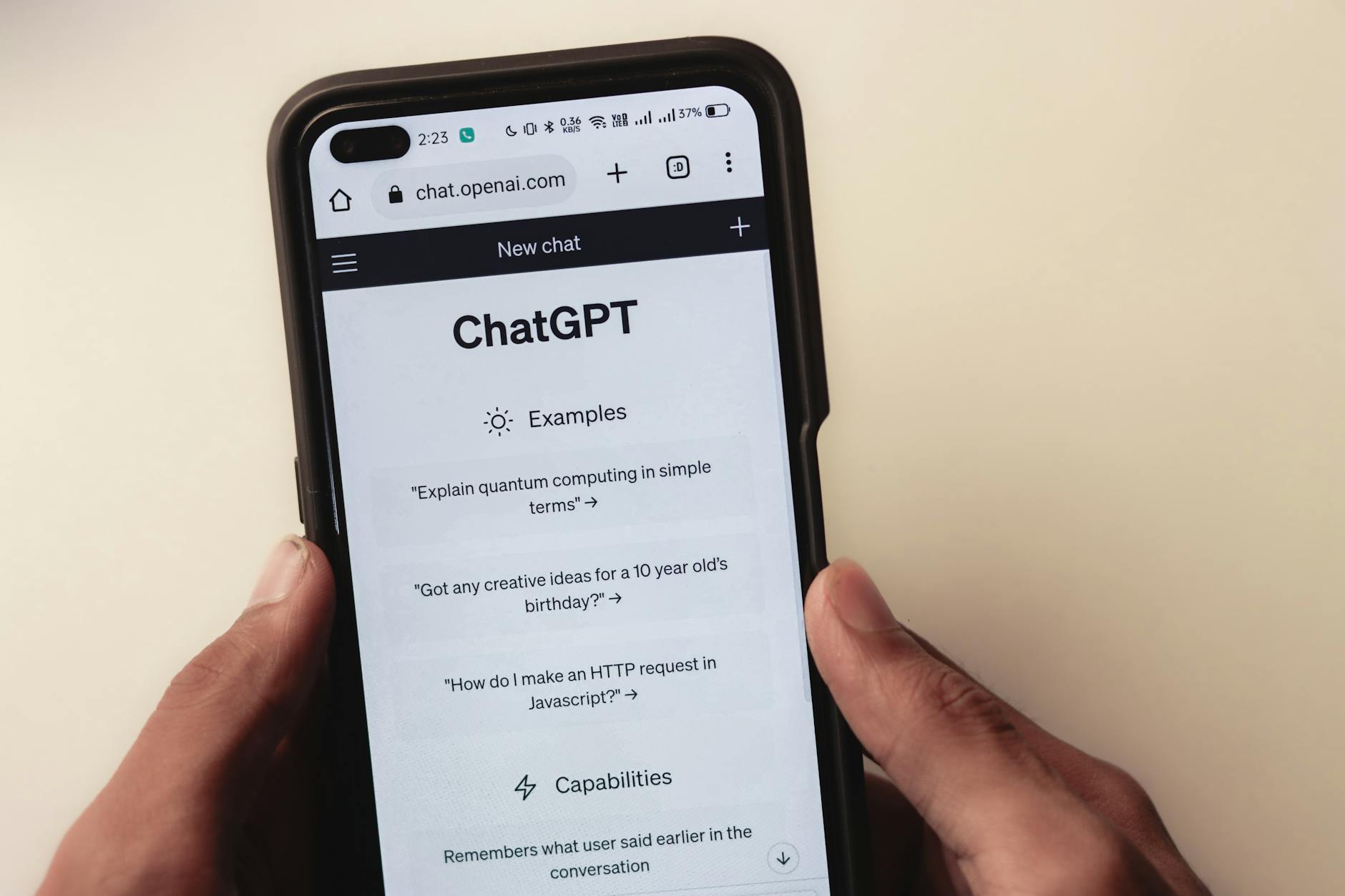
Tag: PromptPerfect

  • 10 Best AI Prompt Platforms in  2025

    10 Best AI Prompt Platforms in 2025

    What changed in 2025 is simple, AI moved from side project to daily workflow. Teams ship faster, solo creators produce more, and prompt quality now separates good results from great ones.

    AI prompt platforms help you write better prompts for models like ChatGPT. They guide tone, structure, and context, so outputs stay on brief and useful. Many also add templates, team libraries, and guardrails to cut trial and error.

    You need these tools now because the stakes are higher. More roles use AI for research, content, support, sales, code, and planning. Clear prompts save time, reduce revisions, and keep outputs on brand.

    This ranking focuses on what matters in practice, features, ease of use, cost, and real user feedback from 2025 reviews. Our research draws on trusted sources, including EddyBalle and Lindy.ai, to weigh depth against speed and value against results.

    Expect a mix of pro tools and friendly starters. From team platforms like AIPRM and Jasper to automation-first picks like Lindy.ai, from workspace helpers like Notion AI to workflow builders like Salesforce Prompt Builder, the list covers the main use cases. You will also see niche standouts like Promptmonitor for tracking and WebUtility’s ChatGPT Prompt Generator for tone control, plus free or low-cost options like Logi AI Prompt Builder.

    By the end, you will know which platform fits your work, whether you write marketing copy, manage support, or build agents. The goal is clear, better prompts, better outcomes, less guesswork.

    Top 5 AI Prompt Platforms for Teams and Daily Use

    These picks suit teams, data work, and quick improvements. They help you share, refine, and run prompts with less manual effort, so you get better outputs in less time.

    Two engineers collaborating on testing a futuristic robotic prototype in a modern indoor lab. Photo by ThisIsEngineering

    1. Team-GPT: Best for Collaborative Prompt Sharing

    Team-GPT helps marketing and sales teams build, save, and reuse prompts in one place. It adds workflow tools, versioning, and team automation, so playbooks stay current and organized. See how marketers compare it to other team tools in this breakdown: Team-GPT vs. ChatGPT Teams vs. Claude Team.

    • Key features: AI prompt builder, shared libraries, workflow automation.
    • Pros: organized sharing, easy automation, solid for groups, clear roles.
    • Cons: pricey for small teams, setup takes time.
    • Pricing: starts at $25 per user per month.
    • Pro tip: turn proven discovery questions into a sales script library, then auto-personalize by buyer persona and industry.

    2. Coefficient: Top Pick for Spreadsheet AI Work

    Coefficient brings AI to Google Sheets and Excel. It automates prompts for content and analysis, and it can trigger alerts on data changes. It fits teams that live in spreadsheets. For a quick overview, see this review of prompt tools that includes Coefficient: Best AI Prompt Writers of 2025.

    • Key features: Sheets and Excel add-ons, prompt automation, data alerts.
    • Pros: saves time on reports, fits data users, low learning curve.
    • Cons: best for spreadsheet fans, limited outside Sheets or Excel.
    • Pricing: free plan, paid from $49 per user per month.
    • Smart use: auto-generate weekly KPI reports with commentary in one tab.

    3. PromptPerfect: Quick Prompt Optimizer for Any AI

    PromptPerfect fine-tunes prompts in real time through a browser extension. It works across major models, so you get better outputs without guessing.

    • Key features: prompt optimization, cross-platform support, instant tweaks.
    • Pros: fast quality boost, versatile, light setup.
    • Cons: free tier limits, fewer team controls.
    • Pricing: free, paid from $19.99 per month.
    • Good fit: polish prompts for ChatGPT, Claude, and Gemini with one pass.

    4. HIX AI: Strong for Multilingual Tech Tasks

    HIX AI offers templates, style guides, and idea prompts for global teams. It handles multilingual work and technical writing with smart suggestions.

    • Key features: multilingual support, AI ideas, template library.
    • Pros: handles languages well, helpful for tech copy, steady output.
    • Cons: steep learning curve, interface feels busy.
    • Pricing: free, paid from $12.49 per month.
    • Practical use: generate code comments or translate API docs fast.

    5. Taskade: Flexible Generator for Apps and Tasks

    Taskade creates custom prompts tied to your daily tools. It connects with email and blog workflows, with a clean interface for quick setup.

    • Key features: integrations, simple UI, prompt templates for tasks.
    • Pros: easy to use, works across devices, fast setup.
    • Cons: lacks some advanced controls, fewer analytics.
    • Pricing: free, paid from $12.49 per month.
    • Use case: draft a project brief, task list, and email update from one prompt.

    Next 5 AI Prompt Platforms for Creators and Free Options
    Ranked comparison chart of top 10 AI prompt platforms for 2025 with ratings and features

    These picks fit writers, beginners, and budget users. They focus on originality, fast prompt upgrades, and ready-made libraries. Use them to check work, shape tone, or grab proven prompts without setup.

    6. Originality AI: Ideal for Original Content Checks

    Originality AI pairs an AI content checker with prompt polishers. It spots likely AI text, flags plagiarism, and suggests creative tweaks. That mix helps you fine-tune prompts, then validate the output’s originality. See third-party coverage of its prompt tools in this 2025 list: 10 Best AI Prompt Generators In 2025.

    • Key features: AI content detector, plagiarism scan, prompt refinements.
    • Pros: helps writers stay unique, strong on quality control.
    • Cons: narrow focus on text, fewer workflow tools.
    • Pricing: starts at $30 per month.
    • Best for: bloggers and editors who need clean, original copy.

    7. Feedough: Free Tool to Enhance Basic Prompts

    Feedough is a no-login prompt helper for text, images, and video ideas. It adds detail, context, and reasoning hints you can paste into your model. It is simple, fast, and works well across tools. Try it here: Feedough’s Free AI Prompt Generator.

    • Key features: detailed prompts, reasoning support, multi-format outputs.
    • Pros: free, no login, works with many AIs.
    • Cons: few custom controls, limited saved history.
    • Pricing: free.
    • Good for quick tests and early drafts.

    8. AI Parabellum: Advanced for Complex Projects

    AI Parabellum focuses on strategic prompt building. It guides structure, role, constraints, and evaluation. The site includes training content for advanced users. For a 2025 overview, see this review: The Best AI Prompt Generators in 2025.

    • Key features: precise prompt creation, educational guides, advanced workflows.
    • Pros: effective for tough tasks, teaches strong prompt habits.
    • Cons: requires expertise, longer setup.
    • Pricing: not listed publicly.
    • Best for pros and technical leads.

    9. WebUtility ChatGPT Prompt Generator: Chat-Focused Style

    WebUtility tailors prompts for ChatGPT conversations. You set tone, style, and depth, then it shapes a clean prompt for consistent replies.

    • Key features: tone presets, style control, conversation-ready outputs.
    • Pros: simple for ChatGPT, improves response quality.
    • Cons: focused on ChatGPT only.
    • Pricing: free or low-cost.
    • Example: build a polite, empathetic script for customer service replies.

    10. PromptBase: Marketplace for Ready-Made Prompts

    PromptBase is a marketplace where you buy and sell prompts. You can search by model or use case, then pick tested prompts for faster results. It saves time when you need proven outputs now.

    • Key features: large prompt collection, creator storefronts, ratings.
    • Pros: fast access to tested prompts, wide variety.
    • Cons: per-prompt costs can add up.
    • Pricing: varies per prompt.
    • Tip: busy users can buy once, then reuse as a team template.

    How to Choose the Right AI Prompt Platform in 2025

    Close-up of a monitor displaying ChatGPT Plus introduction on a green background. Photo by Andrew Neel

    Picking a prompt platform starts with your day-to-day work. Define who will use it, what tools it must connect to, and how you measure success. Then match features to needs, not hype. For a quick pulse on core capabilities, see this independent overview of prompt tools in 2025: 6 Best Prompt Engineering Tools for AI Optimization.

    Start with team size and use case

    • Solo or small team: lightweight tools with fast setup and templates fit best. PromptPerfect or Feedough style tools save time.
    • Cross-functional teams: shared libraries, permissions, and versioning matter. Team-GPT stands out for this need.
    • Data-heavy roles: sheet or BI integrations are key. Coefficient aligns with spreadsheet-first workflows.
    • Visual work: pick platforms that support image prompts. A quick refresher on parameters helps, see this Midjourney prompts cheat sheet.

    Budget and pricing fit

    • Free or starter plans: good for validation and small scopes.
    • Per-seat pricing: best when many users need shared assets.
    • Usage-based or credits: fits bursty work, but watch overages.
    • Ask: What is my monthly cap, and what happens at scale?

    Features that matter most

    • Prompt ops: version control, testing, A/B runs, and analytics.
    • Integrations: email, docs, Sheets, CRM, or APIs you already use.
    • Security: SSO, roles, audit logs, and data residency for teams.
    • Governance: style guides, guardrails, and review workflows.

    Quick comparisons to guide choice

    • Need collaboration and playbooks? Choose a team platform like Team-GPT.
    • Live in spreadsheets? Pick a sheet-native tool like Coefficient.
    • Want fast polish across models? Use a prompt optimizer like PromptPerfect.
    • Prefer ready-made prompts? A marketplace like PromptBase speeds results.

    Try free trials, run a real task, and compare outputs, time saved, and cost. Keep the one that makes your work faster this week, not someday.

    AI prompt platform dashboard showing improved output quality and performance metrics

    FAQ

    Q: What is the best AI prompt platform?
    A: The best AI prompt platform depends on your use case. Team-GPT leads for team collaboration, PromptPerfect excels at optimization across models, Coefficient is best for spreadsheet work, and PromptBase offers the largest marketplace of ready-made prompts.

    Q: Are there free AI prompt platforms?
    A: Yes, several platforms offer free options: Feedough (completely free, no login), PromptPerfect (free tier), Coefficient (free plan), Taskade (free tier), and WebUtility (free/low-cost). These work well for individual users and testing.

    Q: What is Team-GPT?
    A: Team-GPT is a collaborative AI prompt platform designed for marketing and sales teams. It provides shared prompt libraries, versioning, workflow automation, and team permissions starting at $25 per user per month.

    Q: How much do AI prompt platforms cost?
    A: AI prompt platform pricing ranges from free (Feedough, WebUtility) to $12-20/month for individual tools (HIX AI, Taskade, PromptPerfect) to $25-50+/month per user for team platforms (Team-GPT, Coefficient). PromptBase uses pay-per-prompt pricing.

    Q: Which AI prompt platform is best for teams?
    A: Team-GPT is the top choice for team collaboration, offering shared libraries, versioning, and workflow automation. Coefficient excels for teams working primarily in spreadsheets. Both provide permissions, analytics, and integration capabilities.

    Q: Do I need an AI prompt platform or can I write prompts myself?
    A: Prompt platforms save time and improve consistency, especially for teams or high-volume work. They’re most valuable when you need: shared templates, version control, quality optimization, integration with existing tools, or proven prompt templates.

    Conclusion

    The picks above cover the real needs in 2025. Team-GPT fits shared playbooks and collaboration. Coefficient helps spreadsheet-first teams. PromptPerfect upgrades prompts fast across models. HIX AI supports multilingual and technical work. Taskade ties prompts to daily tasks. Originality AI keeps content clean. Feedough gives a free, no-login starting point. AI Parabellum guides complex builds. WebUtility shapes clear ChatGPT conversations. PromptBase offers tested prompts when speed matters.

    These platforms raise output quality, save time, and cut back-and-forth. Use them to standardize tone, add guardrails, and capture what works. Start with your core use case, team size, and budget. Then run trials on a real task, measure output quality, time saved, and cost.

    AI now sits in the center of daily work. Strong prompts act like process, not just words. The right stack becomes a force multiplier for your team’s insight and speed. Pick the tools that help this week, and build from there.

    Thanks for reading. Share what you are using, what worked, and what fell short. Your notes will help others choose faster.


  • Best AI Prompt Package Providers in 2025 (Top Picks)

    Enterprise team using AI prompt management platform for collaboration and efficiency

    ChatGPT now sits in daily workflows, from drafting emails to shaping product ideas. Creators and teams use it to move faster, test more, and push out better work with less friction.

    AI prompt packages supercharge that flow. They are ready-made sets of prompts, templates, or services that guide models to produce clear, on-brand results. Think “Write a product brief from these bullet notes” or “Turn this meeting transcript into action items with owners.” You plug them in, you get strong output, you save time.

    The value is simple. Good prompts cut trial and error, reduce rewrites, and lift quality across tasks. They help non-experts get expert-level results, and they give experts a consistent baseline to improve.

    Demand is soaring in both business and personal use. Marketing teams want reliable SEO briefs and ad angles. Support teams want strong first drafts for replies. Freelancers want consistent client-ready copy. Founders want quick product docs, FAQs, and user stories that do not need heavy edits.

    Not all providers focus on the same needs, which is why choosing well matters. Some offer large, tested libraries inside ChatGPT. Others sell one-time prompt bundles with examples and use cases. Some focus on workflow speed with hardware shortcuts. Developer-first options add control for complex projects.

    In this guide, you will see how the top providers compare on features, ease, and value. We will cover AIPRM for built-in libraries, Promptrr for one-time packs, Logi AI Prompt Builder for quick access, AI Parabellum for structured prompt design, Microsoft Azure OpenAI Service for enterprise needs, and Hugging Face for developer control. You will leave with clear picks for your goals, budget, and team size.

    What Makes a Great AI Prompt Package Provider

    A person uses ChatGPT on a smartphone outdoors, showcasing technology in daily life. Photo by Sanket Mishra

    Choosing the right provider saves time, cuts errors, and lifts output quality. Look for a mix of easy onboarding, strong model support, clear pricing, and real help when you need it. The best picks fit both quick tests and serious team workflows.

    Focus on User-Friendly Features

    A simple interface helps you get value in minutes. Tools like AI Parabellum’s free prompt generator offer no-signup access, so you can draft and refine prompts without friction. The OpenAI Playground is great for quick tests across models, temperature, and system prompts.

    Why this matters:

    • Faster project starts, less time in setup menus.
    • Lower learning curve for non-technical teammates.
    • Clear prompt previews and examples that reduce guesswork.

    Look for clean editing, version history, and copy-ready outputs. These small touches help both beginners and pros move faster.

    Check Pricing and Scalability

    Start small, grow on demand. Free options like basic Hugging Face spaces work well for trials. Paid plans from tools like PromptPerfect add depth with prompt optimization at scale. Enterprise platforms such as Microsoft Azure OpenAI bring quotas, SSO, and regional hosting for larger teams.

    What to compare:

    • Free tier limits and overage costs.
    • Seats, workspaces, and audit logs.
    • Data retention and model access (GPT-4, GPT-4o, Claude, Llama).

    Smart scaling cuts hidden costs over time. You avoid tooling churn and costly migrations as usage rises.

    Look for Strong Support and Integration

    Great providers back you with guidance and smooth workflows. Firms like STS Software deliver custom setup and support. Platforms like LangSmith help you track prompts, evaluate runs, and fix failures before they reach users. Management layers such as PromptLayer add prompt versioning and analytics. Expert services like Krazimo can tailor prompts to your brand voice and domain.

    Integration wins:

    • Connect to docs, CRM, and chat tools to reduce copy-paste.
    • Use webhooks and APIs for repeatable pipelines.
    • Centralize prompts, tests, and approvals for team speed.

    Tip: Match the provider to your needs. Developers benefit from robust APIs and eval tools. Content teams want templates, guardrails, and clear reviews. Security-conscious orgs should prioritize SOC 2, data controls, and tenant isolation to avoid poor results and risk.

    Top AI Prompt Package Providers to Try Now

    Close-up of hands holding a smartphone displaying the ChatGPT application interface on the screen. Photo by Sanket Mishra

    You have two strong paths here. Hire expert services to design and maintain prompts for your workflows, or use focused tools to optimize, test, and deploy at speed. If you want a broader market view before choosing, skim this current AI prompt engineering companies list. Below are practical picks that work well in 2025 across different needs.

    Krazimo Private Limited: Expert Services for Businesses

    Krazimo pairs big‑tech‑trained engineers with domain experts to build custom prompt systems, RAG flows, and safety checks. Their onshore-offshore model keeps quality high and costs predictable. You get workshops, prompt libraries, and ongoing tuning for live use.

    • Pros: Senior talent, custom builds, clear delivery. Good cost control with mixed staffing.
    • Cons: Services take time to scope and implement. Less DIY.
    • Best for: Companies that want done-for-you prompt design and governance with measurable outcomes.

    Tip: Review their approach and case themes on the official site at Krazimo.

    PromptLayer: Best for Prompt Management and Testing

    PromptLayer is a workbench for AI engineering. It tracks prompts and versions, runs evaluations, and supports deployment across major models. Teams get shared workspaces, access controls, and analytics to improve outputs over time.

    • Pros: Versioning, evals, observability, and broad model support. Strong team features.
    • Cons: Requires setup and discipline to get full value.
    • Best for: Developers and data teams refining prompts, tests, and releases.

    Explore features and plans on the PromptLayer website.

    PromptPerfect: Auto-Optimize Your Prompts

    PromptPerfect automatically rewrites prompts to improve clarity and recall. You paste your goal, it returns optimized prompts you can run in your stack. Pricing tiers fit solo users, small teams, and power users.

    • Pros: Fast quality gains, minimal learning curve, strong for non-technical users.
    • Cons: Less control than hand-tuned engineering for edge cases.
    • Best for: Quick upgrades to drafts, briefs, support macros, and research prompts.

    Example: Feed a rough content brief and get a tighter, structured prompt ready for GPT-4.

    AI Parabellum: Free and Simple for Beginners

    AI Parabellum offers a no‑registration prompt generator with a clean UI. You can test ideas, structure prompts, and copy results in seconds. It is ideal for learning the basics without cost.

    • Pros: Free, frictionless, helpful templates for common tasks.
    • Cons: Limited depth for complex projects.
    • Best for: New users, students, and teams validating ideas before a larger rollout.

    Microsoft Azure OpenAI: Secure Choices for Teams

    Azure OpenAI provides GPT‑4 access with enterprise controls, SSO, logging, and regional hosting. You pay as you go, integrate via API, and add guardrails with Azure services. Compliance and data boundaries fit strict industries.

    • Pros: Security, governance, quotas, and reliable scaling. Strong integration with Azure.
    • Cons: Heavier setup, requires cloud administration.
    • Best for: Large teams that need secure LLM access, audit trails, and stable capacity.

    How to Choose and Start with Your Provider

    Close-up of a smartphone with ChatGPT interface on a speckled surface, highlighting technology and AI. Photo by Airam Dato-on

    Picking a provider is simpler when you map your needs, test fast, and scale in steps. Use the criteria above as your scorecard. Your goal is a tool or service that fits your work today and will not slow you down as usage grows.

    Map Your Needs First

    Start with a quick profile. Write it down so choices stay clear.

    • Solo or team, and who will use it daily.
    • Primary use cases, like SEO briefs, support replies, sales enablement, or docs.
    • Required models, data rules, and security needs.
    • Budget range and any must-have integrations.

    Tip: If you only need prompt libraries and light editing, a simple library or optimizer fits. If you need governance, versioning, and audits, pick a management platform.

    Run Quick Tests Before You Commit

    Use free tiers and sandboxes to validate the basics. The OpenAI Playground is perfect for fast checks on prompt behavior, temperature, and output style. Save a small set of test tasks that reflect real work, then score outputs for clarity, tone, and factual accuracy.

    For a broader view of tool trade-offs and stack choices, scan this concise guide on choosing AI tools in 2025: The Definitive Field Guide to Choosing AI Models ….

    Compare Providers With a Simple Matrix

    Make a short table or checklist and rate each option 1 to 5.

    • Ease of use, onboarding time, and learning curve.
    • Prompt quality and templates, plus model support.
    • Pricing clarity, overage costs, and team features.
    • Security, audit logs, and data boundaries.
    • Support quality and documentation.

    If you want a quick market snapshot of prompt platforms used by product teams, review this roundup: 7 Best AI Prompt Platforms That Product Teams Are Using ….

    Start Small, Then Scale

    Begin with one workflow, like weekly SEO briefs or support macros. Set a success metric, such as time saved per task or edit rate. If results hold for two weeks, add a second workflow and enable team seats or approvals.

    Prompt Basics That Work Everywhere

    Strong prompts cut errors across providers.

    • Use plain language and state the goal first.
    • Add inputs in bullets, not walls of text.
    • Specify format, length, and voice.
    • Provide one example. Example: “Write a 120-word product update, friendly tone, with 3 bullets and a CTA.”

    Make the Call

    Pick the provider that wins your test set and fits your budget. Lock a 30-day review to confirm results and adjust scope. Then standardize prompts, share templates, and keep iterating as your needs grow.

    FAQ…

    Q: What are AI prompt packages?
    A: AI prompt packages are ready-made collections of prompts, templates, or services designed to help businesses and individuals get consistent, high-quality outputs from AI models like ChatGPT and GPT-4 without extensive trial and error.

    Q: How much do AI prompt packages cost?
    A: Pricing varies widely. Free options like AI Parabellum exist for basic use. Mid-tier tools like PromptPerfect range from $10-50/month. Enterprise solutions like Azure OpenAI and custom services from Krazimo use usage-based or project pricing.

    Q: What is the difference between a prompt marketplace and a prompt package provider?
    A: Marketplaces like PromptBase sell individual prompts created by various sellers. Package providers offer managed libraries, optimization tools, versioning, and enterprise features designed for teams and workflows.

    Q: Which AI prompt package is best for businesses?
    A: It depends on your needs. PromptLayer excels for teams needing version control and testing. PromptPerfect works well for automated optimization. Krazimo provides custom engineering services. Azure OpenAI fits enterprises with strict compliance requirements.

    Q: Do I need technical skills to use AI prompt packages?
    A: Not necessarily. Tools like AI Parabellum and PromptPerfect are designed for non-technical users. Developer-focused platforms like PromptLayer require some technical knowledge for full utilization.

    Conclusion

    Good prompts set the floor for quality, speed, and consistency. Tools like PromptLayer help teams manage versions, tests, and rollouts, while Krazimo brings expert services for complex, high-stakes workflows.

    Pick one provider that fits your goals, then run a two-week pilot on a single workflow. Demand for prompt systems is rising fast in 2025, so small wins now compound into big gains later. These packages make AI more accessible, more reliable, and more useful for real work. If you would like my PDF “110 ChatGPT Prompts For Content Creation.” Email me at neondoodledesigns@gmail.com