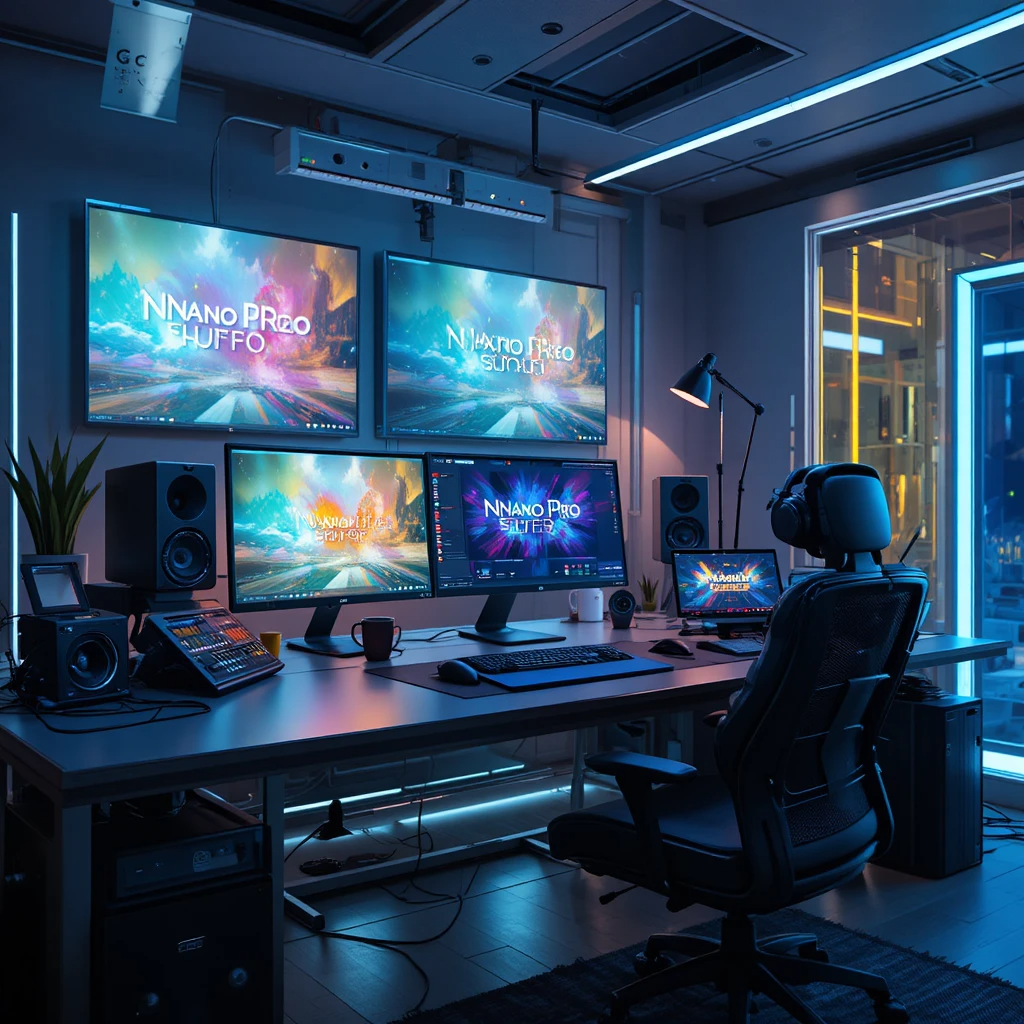
Most people treat Nano Banana Pro like “just another AI image model.” That is a huge mistake. Under the hood it is Gemini 3 Prom the highly upgraded Google image model that can read, write, and reason about what is inside your visuals, including text and data you will find the option under the “Thinking” Mode.
If you are a techie, developer, entrepreneur, blogger, or influencer, this guide is for you. You will get five Nano Banana Pro features not talked about much, prompt formulas that actually hold up under real work, and practical hacks to speed up content, campaigns, and product experiments.
Everything here is built to stay simple and action focused. You can copy these patterns into Gemini or your API calls and start shipping today.
Nano Banana Pro Basics: How It Works And When To Use It
Nano Banana Pro is Google’s high-end image model built on Gemini 3 Pro. You use it inside Gemini, in Google AI Studio, or through the API. It can:
- Generate images up to 4K
- Render readable text inside images, across fonts and languages
- Keep characters and objects consistent across a set
- Blend up to 14 images with text prompts
- Edit local regions instead of regenerating the whole image
- Use Google Search grounding to stay aligned with real data
For a deeper technical overview, the official style and strategy breakdown in the Nano-Banana Pro: Prompting Guide & Strategies on DEV Community is worth a read once you start pushing the model harder.
Think of the model family like this:
- Nano Banana: great for fast drafts, rough thumbnails, low-stakes visuals.
- Nano Banana Pro: the “final pass” tool for sharp, on-brand, higher resolution work.
Once you understand how prompts interact with its text rendering, consistency, and editing tools, those “final pass” images become faster and more predictable. That is the point of the five features and hacks below.
Core Features That Matter For Smart Prompts
Nano Banana Pro has many knobs. For prompt design, these matter most:
- Text in images
Use it for social posts, ads, thumbnails, and diagrams where words must be readable. The failure fixes in this Nano Banana Pro prompt breakdown from Skywork match what most creators run into: long, messy copy. - Character and object consistency
You can keep up to 5 people or 14 objects stable. Great for web comics, brand mascots, ongoing UGC characters, or a product line. - Multi-image blending
Combine sketches, UI wireframes, product photos, and reference styles into one image. Perfect for product mockups and quick design prototypes. - Aspect ratios
Tell it the target surface: 16:9 for YouTube, 9:16 for Stories, 1:1 for feed, 4:5 for carousels. You get layouts that “fit” without heavy cropping. - Localized editing
Edit only what you name: background, logo, shirt color, or a small object. Huge time saver when campaigns change weekly. - Studio controls
Ask for soft studio lighting, 50 mm camera look, bokeh background, or high-contrast color grading. This is how you match brand visuals without touching Photoshop. - Search grounding for data
For charts, diagrams, and infographics, Nano Banana Pro can look up current facts through Google Search grounding, then turn them into visuals. You still need to double-check the numbers, but it gives a strong first draft.
Together, these features serve three main groups:
- Developers: app logic diagrams, data visualizations, UI mockups.
- Founders: product shots, pitch deck slides, website hero images.
- Creators: social graphics, thumbnails, carousels, course visuals.
Prompt Structure That Gets Reliable Results
Use this simple pattern as your starting point:
[Goal] + [Subject] + [Style] + [Context] + [Technical details]
Where:
- Goal: what the image is for.
- Subject: the main person, object, or scene.
- Style: photo, 3D, flat, comic, etc.
- Context: audience, platform, mood.
- Technical: aspect ratio, resolution, text, language.
Example 1: Launch campaign ad
“Create a Facebook ad image for a new productivity SaaS, sleek laptop on a white desk with the dashboard on screen, clean modern photo style, aimed at busy founders, minimal colors, 16:9 aspect ratio, crisp readable text that says ‘Ship faster, stress less’ at the top center in bold sans-serif.”
Example 2: Product mockup
“High-detail product mockup of a matte black smart water bottle on a light gray background, soft studio lighting, 4K resolution, 3:4 aspect ratio, realistic shadows, small logo near the bottom of the bottle, no text outside the logo.”
Once this pattern feels natural, you can plug it into the hacks that follow.
Hidden Feature 1: Rock-Solid Text In Images For Posts, Ads, And Thumbnails
Most AI tools still struggle with clean, readable text in images. Nano Banana Pro is different. It can lay out crisp words across fonts and languages, which makes it ideal for thumbnails, ads, carousels, and headers.
You get the best results when you:
- Put exact copy in quotes.
- Keep lines short and punchy.
- Specify where text goes (top center, bottom left).
- Describe hierarchy (big title, small subtitle).
The prompt is your layout spec. Think like a lightweight Figma description, not a vague idea.
If you want more text-heavy examples, the Nano Banana Pro Prompting Guide on ImagineArt includes ready-made templates for content creators and product work.
Prompt Hack: Lock In Exact Text And Layout
Here are practical templates you can use today.
YouTube thumbnail
“YouTube thumbnail, bold close-up of a developer at a desk with dual monitors, high contrast and saturated colors, 16:9 aspect ratio, big headline at top center that says ‘SHIP APPS 5X FASTER’, small subtitle below that says ‘Real AI workflows’, both in thick sans-serif font, keep text perfectly sharp and readable.”
Instagram carousel cover
“Instagram carousel cover slide, pastel background with modern flat icons of a laptop, chat bubbles, and charts, 4:5 aspect ratio, centered title that says ‘Nano Banana Pro Hacks’ in playful handwritten-style font, smaller tagline under it that says ‘For devs, founders, and creators’, keep all text clean and not distorted.”
SaaS ad banner
“Horizontal web banner ad for a B2B analytics SaaS, minimalist dark background with subtle grid, glowing dashboard cards in the center, 1600×628 resolution, main headline on the left that says ‘See your revenue in real time’, small CTA button on the right that says ‘Start free trial’, both in clean sans-serif, align text neatly and make it easy to read.”
Blog header image
“Blog header image about AI prompt engineering, 16:9 ratio, abstract shapes and lines forming a brain made of light, no people, text on the right side that says ‘Nano Banana Pro Prompt Playbook’ in bold condensed font, small caption under it that says ‘From idea to asset in minutes’, keep all text clear and not curved.”
You can tune font words like “bold serif,” “handwritten,” “monospaced,” but keep them short. The more layout detail you put in, the more stable your output.
Prompt Hack: Multilingual Creatives Without Broken Letters
Nano Banana Pro handles multiple languages well if you guide it. The key rules:
- State the language and script.
- Keep copy short.
- Limit lines to 2 or 3 per visual.
Spanish product poster
“Vertical product poster in Spanish for a fitness app, 3:4 aspect ratio, fit woman running in a city at sunrise, modern photo style, big title at top center in Spanish that says ‘Entrena más inteligente’, smaller subtitle below that says ‘Planes guiados con IA’, both in clean sans-serif, text must be perfectly readable in Spanish.”
Hindi event announcement
“Square social graphic for a tech meetup, 1:1 ratio, dark blue background with neon line art cityscape, bilingual text with Hindi and English, large Hindi title at top that says ‘टेक भविष्य सम्मेलन 2025’ in Devanagari script, smaller English subtitle under it that says ‘Tech Future Summit’, all letters clear and not distorted.”
Bilingual launch graphic
“Instagram Story graphic for a SaaS launch, 9:16 aspect ratio, gradient background with subtle geometric shapes, two-line title in English and Spanish centered in the top half, first line says ‘AI for real work’, second line says ‘IA para trabajo real’, sharp sans-serif font, keep both languages easy to read.”
If you start to see broken letters, shorten the text, or move secondary details into the caption instead of the image.
Hidden Feature 2: Consistent Characters And Objects For Brand Stories
Nano Banana Pro can keep up to 5 people or 14 objects consistent across scenes. That means the same mascot, influencer avatar, or product can show up in many images without changing face shape, colors, or key traits.
This is perfect for:
- Web comics and content series.
- Brand mascots that appear across touchpoints.
- UGC-style characters that “host” your content.
- Full product lines for e-commerce or SaaS dashboards.
For inspiration on consistent character prompts, the Best Nano Banana Pro Prompts roundup on PlusAI has some breakdowns of style patterns that tend to hold across sets.
Prompt Hack: Build A Reusable Brand Mascot Or Influencer Avatar
First, write a “character spec” you can reuse.
Example reference chunk:
“friendly 30-year-old software engineer, medium brown skin, short curly dark hair, clear glasses, navy hoodie with a small lightning logo, casual jeans, white sneakers, relaxed confident smile, semi-realistic illustration style with soft shading”
Save that text as your base.
Scene 1: Coding at a desk
“Use the same character as my reference, sitting at a clean desk with a laptop, coffee mug, and a second monitor showing code, warm indoor lighting, semi-realistic illustration, 16:9 ratio, keep face, hairstyle, glasses, and hoodie identical to the reference.”
Scene 2: Presenting on stage
“Use the same character as my reference, standing on a small conference stage with a big screen behind them showing app wireframes, holding a clicker, soft spotlight, semi-realistic illustration, keep all character details matching the reference.”
Scene 3: Filming a short video
“Use the same character as my reference, sitting in front of a camera with a ring light, bookshelf background, horizontal 16:9 thumbnail style, character looking slightly to the side and talking, keep the same face, glasses, hoodie, and color palette as the reference.”
You can keep that reference chunk inside your prompt templates, or store it in your app and prepend it when you call the API.
Prompt Hack: Keep Product Shots Consistent Across A Full Funnel
Treat your product description as a single “source of truth.” Reuse it everywhere.
Example base spec:
“primary product is a matte black smart fitness band with a slim rectangular screen, rounded edges, subtle teal accent around the display, no extra logos, clean and modern look”
Website hero
“Website hero image of the primary product resting on a white marble surface, soft natural light, subtle shadow, 16:9 ratio, lots of empty space on the left for headline text that is not included in the image, keep the fitness band design exactly as in the primary product description.”
Feature callout
“Close-up shot of the primary product screen showing a heart rate graph, on a light gray background, 1:1 ratio, high detail, keep the same color, shape, and teal accent from the primary product description.”
Social ad
“Lifestyle photo of a runner wearing the primary product on their wrist, city background with motion blur, 4:5 ratio, focus on the band in the foreground, keep the device matching the primary product description so it looks identical to the website hero and close-ups.”
You never need complex IDs. Plain language plus a shared “primary product” spec is enough.
Hidden Feature 3: Multi-Image Blending For Fast Prototypes And Mockups
Nano Banana Pro can blend up to 14 images. Combined with text prompts, this becomes a very fast prototype machine.
You can upload:
- Hand-drawn UI wireframes.
- Low-fidelity landing page layouts.
- Mood board images: colors, styles, textures.
- Rough product photos.
Then tell Nano Banana Pro how to “upgrade” them. The model respects layout more when you mention it.
For more copy-paste prompt ideas around product and UI scenes, Fotor’s Nano Banana Pro prompt list has several layouts that match common marketing assets.
Prompt Hack: Turn A Sketch Or Wireframe Into A Realistic Product Image
Workflow:
- Upload your sketch or wireframe.
- Ask Nano Banana Pro to keep the layout.
- Define style, lighting, and polish.
- Refine small parts with local edits.
Mobile app screen
“Using the uploaded mobile app wireframe, keep the exact layout of buttons and sections, turn it into a clean modern UI in a light theme, subtle blue accent color, realistic smartphone mockup in a human hand, make it look like a polished product screenshot, 9:16 ratio.”
Gadget prototype
“Using the uploaded hand-drawn sketch of the gadget, keep the overall shape, buttons, and screen position, turn it into a realistic product photo on a neutral background, soft studio lighting, metallic silver body with a black glass front, 4K resolution.”
Landing page hero
“Using the uploaded landing page wireframe, keep the same placement of headline, subheadline, CTA button, and main illustration, convert it to a modern SaaS hero section, pastel gradient background, flat illustration of people collaborating on laptops, clean web design, 16:9 aspect ratio.”
Mention “keep the layout from the sketch” in every prompt that relies on your upload. This signals that composition matters more than freeform creativity.
Prompt Hack: Build Mood Boards And Visual Concepts From Mixed Inputs
Blend 3 to 5 key images:
- Color palette swatch.
- Style reference (photo, 3D, flat).
- One or two product photos or logos.
Brand kit concept
“Blend the uploaded color palette, logo, and lifestyle reference photo into a single brand scene, show a desk with a laptop, notebook, and coffee cup, apply the palette to objects and background, clean daylight photo, 16:9 ratio, make it look like a brand mood board turned into a real workspace.”
Event visual
“Blend the uploaded venue photo and neon poster reference into one image, show a tech conference stage with colored lights and a large screen, use the neon style from the poster, keep the venue shape from the photo, 3:4 aspect ratio, no text.”
Content series cover
“Using the uploaded portrait and abstract pattern, create a podcast cover for a weekly AI show, subject on the left, abstract pattern on the right, colors from the pattern, bold but minimal style, 1:1 ratio, no text, save space for overlay later.”
Short, direct style directions work better than vague art jargon.
Hidden Feature 4: Localized Editing For Pixel-Perfect Fixes With Plain Language
Localized editing lets you adjust only part of an image. You can fix colors, lighting, objects, or text size without starting over.
This is perfect when:
- A logo changed.
- A shirt color is off brand.
- Background feels messy.
- Lighting is too harsh.
You describe what to keep and what to change. Nano Banana Pro handles the rest.
Prompt Hack: Quick Fixes For Lighting, Colors, And Backgrounds
Here are edits you can stack across turns:
- “Keep everything the same but make the background pure white.”
- “Keep the same scene, soften the shadows on the face and brighten the eyes a little.”
- “Change the shirt color to our brand blue, keep texture and folds the same.”
- “Turn this into a night scene with cooler light, city lights visible in the background.”
You can chain prompts like this:
- First edit: “Make the background pure white and keep the subject unchanged.”
- Second edit on the new image: “Keep the scene but slightly increase overall brightness and contrast.”
- Third edit: “Reduce reflections on the product surface while keeping shape and color the same.”
Short, single-focus edits are more reliable than giant “fix everything” instructions.
Prompt Hack: Swap Elements Without Breaking The Whole Image
To swap one element, call it out clearly and freeze the rest.
Pattern:
“Keep everything the same but replace [old thing] with [new thing].”
Laptop model update
“Keep everything the same in this office scene, but replace the old laptop with a modern thin-bezel MacBook-style device, similar size and angle, matching the lighting.”
Logo refresh
“Keep the storefront, lighting, and people exactly the same, but replace the old logo sign with the new logo from the uploaded image, same size and position.”
UI chart update
“Keep the same dashboard layout, colors, and typography, but update the bar chart on the right side to show higher bars for 2025 compared to 2024, numbers should look realistic for SaaS revenue growth.”
This pattern is very effective for marketers, bloggers, and dev tool makers who update UI or brand assets often.
Hidden Feature 5: Data-Aware Infographics And Diagrams For Clear Stories
Nano Banana Pro can turn text or structured notes into charts, diagrams, and infographics that are both attractive and data aware. It uses Google Search grounding to pull current facts when you ask for it.
That matters if you:
- Explain trends in blog posts.
- Teach with visuals.
- Build pitch decks with charts.
You still need to verify any numbers. Think of the model as a smart designer that drafts the slide, not an analyst you blindly trust. The Analytics Vidhya guide to Nano Banana Pro prompts walks through several good starter patterns for data-focused content.
Prompt Hack: Turn Notes And Outlines Into Visual Diagrams
Feed it your outline, then point at the diagram type.
App logic flowchart
“Create a simple flowchart that explains mobile app login logic, starting from ‘Open app’ then ‘Check user session’ then branches to ‘Auto-login’ or ‘Show login form’, use rectangular boxes and arrows, bright but minimal color palette, 16:9 ratio, keep text short and easy to read.”
Customer journey map
“Turn these stages into a customer journey diagram: ‘Discover’, ‘Compare’, ‘Sign up’, ‘Onboard’, ‘Renew’, show them as a horizontal timeline with five labeled boxes, use our brand colors of blue and orange, keep all labels very short and clear.”
Process chart
“Create a vertical step-by-step process chart for ‘Launch an AI side project’ with 5 steps: ‘Idea’, ‘Prototype’, ‘Test’, ‘Iterate’, ‘Ship’, minimal flat design, light background, 3:4 aspect ratio, clear text labels inside each box.”
Keep labels tight and avoid long sentences inside diagrams. Use the blog or slide body copy for longer text.
Prompt Hack: Create Data-Backed Infographics With Search Grounding
Tell Nano Banana Pro to use recent data, show the numbers it used, and then format the visual.
Blog post infographic
“Use Google Search grounding to find the most recent global smartphone usage statistics by year for the last 5 years. First, show me the data you found in bullet points with sources. Then, based on that data, create a clean infographic in 16:9 format with a simple line chart and 3 short callout facts in plain English, light background, blue accent color, text must be readable.”
Pitch deck slide
“Use Google Search grounding to get current estimates of the global generative AI market size and projected growth over the next 3 years. Show the numbers and sources first so I can confirm them. After that, create a pitch deck slide image in 16:9 format with a bar chart on the left and three key data points as short bullets on the right, dark background with cyan accents, text large enough to present on stage.”
Always pause after the “show me the data” step. Once you confirm the numbers, you can ask Nano Banana Pro to adjust the chart style or reorder the callouts.
Workflow Tips: Multi-Turn Prompts, Batches, And API Tricks
The five features above really shine when you organize your workflow. Pros rarely try to get a perfect image in a single prompt. They move in small, controlled steps.
From Draft To Final: A Simple Multi-Turn Prompt Flow
Here is a reliable flow for a launch graphic or course thumbnail:
- Rough idea
“Create a rough 16:9 thumbnail concept for a course on Nano Banana Pro prompts, focus on a single person at a desk with vivid colors, no text yet, just explore composition.” - Refine style and layout
“Keep this composition but change the lighting to soft studio style, simplify the background, and reduce visual clutter behind the subject.” - Add and polish text
“Now add a big title at the top that says ‘Nano Banana Pro Prompt System’ and a small subtitle at the bottom that says ‘From zero to launch-ready’, use bold sans-serif font, make the text super sharp and easy to read.” - Run small variations
“Generate three variations of this thumbnail with different background colors and slightly different facial expressions, keep layout and text exactly the same.” - Export high resolution
“Take the best version and recreate it at 4K resolution, 16:9 ratio, keeping every detail and text layout identical.”
Each step edits the previous result instead of starting from zero. That is how you get repeatable, brand-safe images.
Scaling Up: Batch Prompts And API Ideas For Teams
If you work on growth, dev tools, or content teams, Nano Banana Pro’s API can save hours. A few ideas:
- Ad sets in multiple sizes
Start with one strong prompt for a hero visual, then auto-generate 1:1, 9:16, and 4:5 versions by only changing the aspect ratio in your prompt templates. - Localized creatives
Use the same visual prompt plus language-specific text snippets for headlines and CTAs. Feed “headline_es,” “headline_fr,” and “headline_pt” into the same layout pattern. - A/B test variants
Fix layout and text, only vary one thing at a time: background color, subject pose, or lighting style. Bake that pattern into your prompt template so engineers can automate tests without changing creative direction.
If you want ready-made prompt patterns to plug into batch workflows, the 15 production-ready Nano Banana Pro prompts on Ace Cloud are a solid reference to adapt.
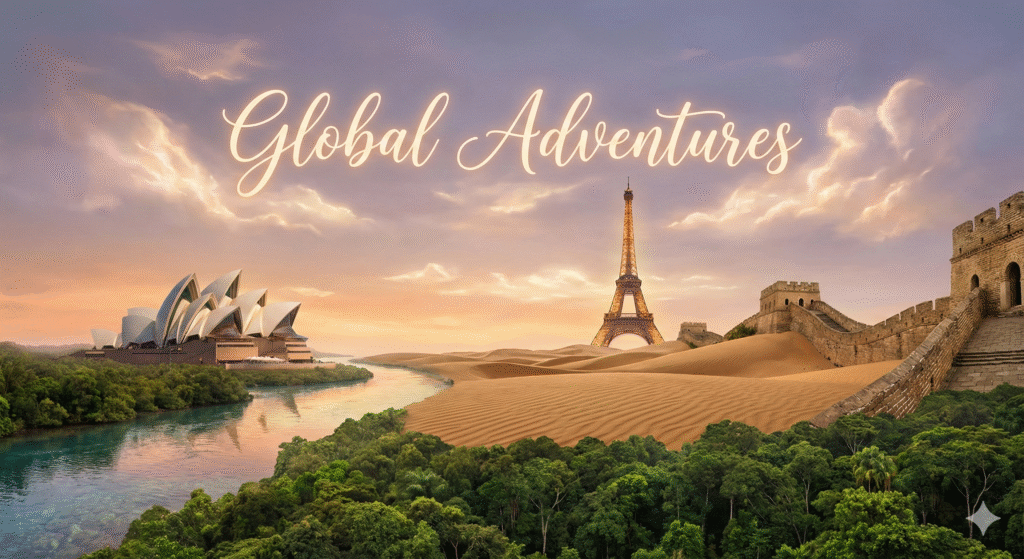
Prompt: A surreal and cohesive dream-like landscape that seamlessly merges five iconic world wonders into one breathtaking vista. In the foreground, the lush green canopy of the Amazon Rainforest transitions into the golden sand dunes of the Sahara Desert. The Great Wall of China snakes gracefully across the dunes, leading the eye toward the elegant silhouette of the Eiffel Tower in the mid-ground. To the side, the Sydney Opera House rests peacefully on the edge of a crystal-clear river flowing from the forest. The entire scene is bathed in the soft, ethereal glow of a twilight sky where the words ‘Global Adventures’ are written in elegant, glowing script among the wispy clouds. The lighting is warm and cinematic, creating a sense of wonder and unity across the diverse environments.
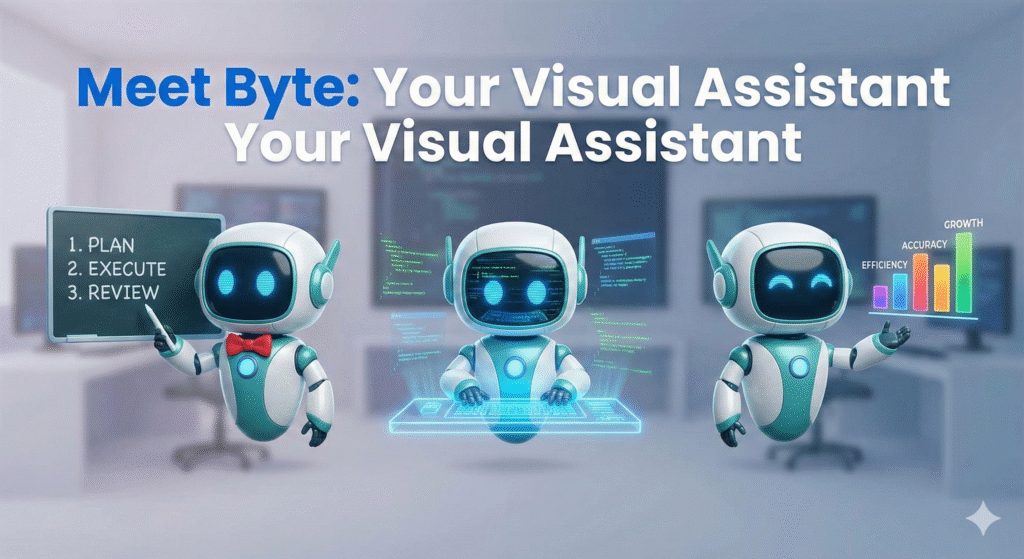
Prompt: A high-quality composite illustration featuring three distinct versions of a friendly, consistent cartoon robot named ‘Byte.’ Byte is a sleek, white-and-teal robot with expressive blue digital eyes and a rounded body. In the first pose on the left, Byte is teaching, wearing a small red bowtie and pointing at a digital chalkboard. In the center pose, Byte is coding intently at a glowing holographic workstation with floating lines of code reflected in its eyes. In the right pose, Byte is presenting confidently, gesturing toward a colorful bar chart. The background is a clean, minimalist tech studio with soft-focus lighting. Centered at the top of the image in a bold, modern sans-serif font is the text ‘Meet Byte: Your Visual Assistant’. The style is vibrant and polished with soft shadows and 3D-rendered textures.
Conclusion
Nano Banana Pro is more than a “pretty picture generator.” Its strengths in text in images, consistent characters and objects, multi-image blending, localized edits, and data-aware infographics turn it into a serious tool for techies, developers, entrepreneurs, bloggers, and influencers.
You now have practical prompt hacks for each of those features. Pick one to test today, maybe rock-solid text for your next thumbnail, or a reusable brand mascot that shows up across your funnel.
As you experiment, save every prompt that works into a simple “Nano Banana Pro prompt library.” Over a few projects, that library becomes a private asset that speeds up every launch, campaign, and prototype you touch.
FAQ
What is Nano Banana Pro and how does it differ from other AI image generators?
Nano Banana Pro is Google’s premium image model, powered by Gemini 3 Pro, designed for high-end visual generation. Its unique features include 4K output, readable text rendering, character consistency, multi-image blending, local region editing, and Google Search grounding, setting it apart from standard AI tools.
How can I ensure consistent character appearances across multiple images with Nano Banana Pro?
To maintain character consistency, use a robust initial prompt describing the character in detail, including physical attributes, clothing, and style. Then, consistently reference the character by a specific name or identifier in subsequent prompts, utilizing Nano Banana Pro’s built-in consistency features.