Tag: Structural Content Map

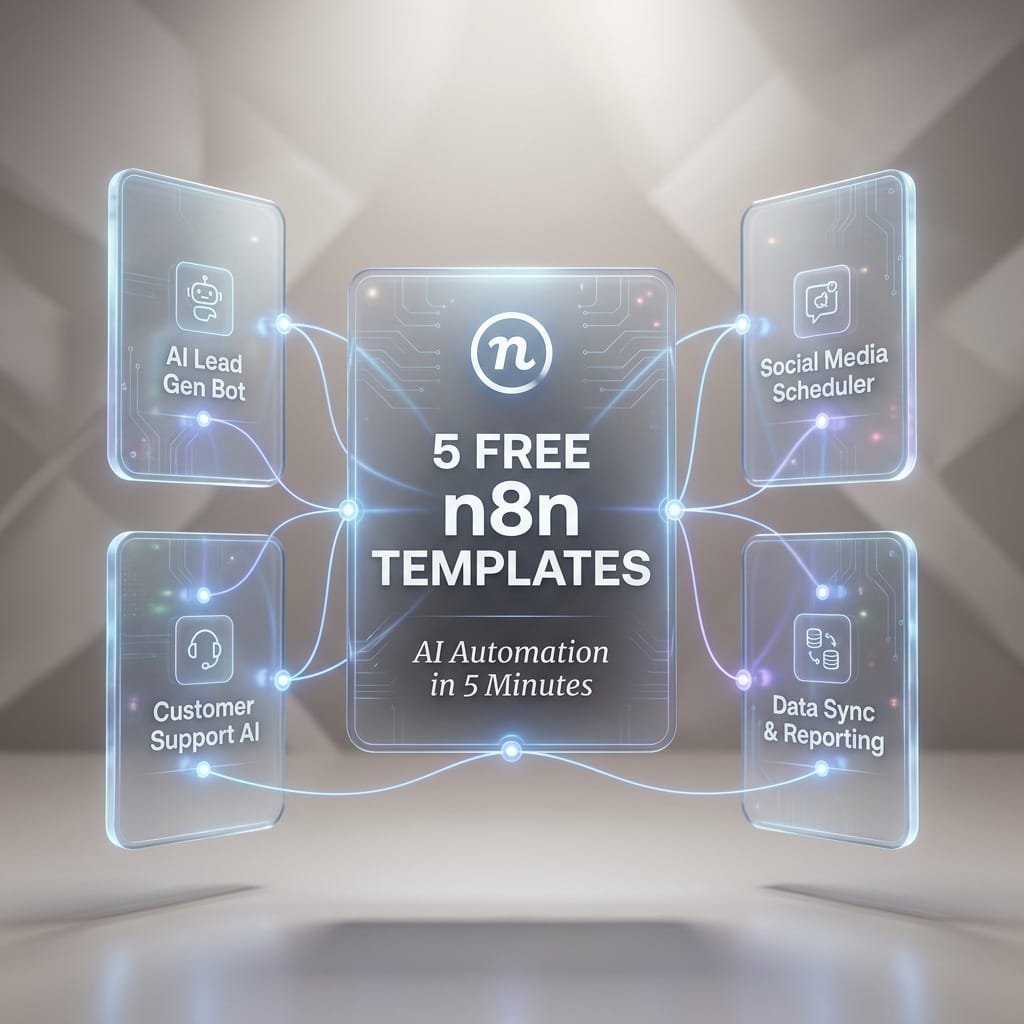
  • 5 Free n8n Templates: Build an AI Automation in 5 Minutes

    5 Free n8n Templates: Build an AI Automation in 5 Minutes

    5 Free n8n Templates to Build an AI Automation in 5 Minutes

    Most AI freebies still leave you doing the hard part. You get a prompt, maybe a screenshot, then you spend the next hour figuring out inputs, logic, storage, and where the final output should go.

    That model is fading fast. n8n AI workflows and high-utility Micro-SaaS PDF bundles are more useful because they give you a full operating path, not just a clever prompt. You get the trigger, the nodes, the handoffs, and the outcome. For marketers, founders, creators, and lean teams, that means less tinkering and more shipping.

    This guide focuses on five practical SEO and content automations you can launch quickly. Each one covers what it does, which nodes it uses, who it helps, and how to get it running without turning setup into a side project.

    Why n8n is the secret weapon for modern SEO teams and solo operators

    n8n is a visual automation tool that connects apps, APIs, and AI models in one workflow. Instead of stitching everything together by hand, you drag nodes into place and let the system pass data from step to step.

    That matters because blank-canvas automation is slow. You have to guess the trigger, write the logic, format the output, test every branch, and fix the errors. Templates cut out most of that pain. They give you a working structure first, then you tweak it for your use case.

    As of March 2026, recent public listings show n8n’s workflow library includes thousands of AI and marketing templates. That matters for small teams because proven starting points beat starting cold. If you want more examples, this free open-source n8n workflow templates collection shows how broad the use cases have become.

    Why a workflow bundle is more useful than a single prompt

    A prompt can write text. It can’t pull rows from a sheet, route good items to one app, flag bad items in Slack, store results, and retry after an API error.

    A workflow bundle can do all of that.

    Think of a prompt as one part of a kitchen. A workflow is the full recipe line, prep, cooking, plating, and cleanup. That’s why people are moving away from prompt dumping. The value sits in the full system.

    A good workflow bundle doesn’t just tell you what to ask an AI model. It tells the AI where data comes from, what to do with it, and where the result should go next.

    What you need before you import your first template

    You don’t need much to start. A basic setup usually includes an n8n account or self-hosted instance, one AI API key, access to apps like Google Sheets or Slack, and a small test dataset.

    Keep the first run tiny. Ten keywords beat 1,000 on day one. That way, you can spot bad formatting, weak prompts, or missing permissions fast.

    Template 1, cluster keywords by meaning from a spreadsheet in minutes

    This first workflow turns a messy keyword list into organized topic groups. You drop in terms from Google Sheets, Ahrefs, Semrush, or another source, and the workflow groups them by topic and search intent.

    For content planning, this saves a lot of drag. Instead of sorting hundreds of terms by hand, you get clusters you can turn into pillar pages, blog briefs, category pages, or FAQs. The output can land back in Google Sheets or an Airtable base, ready for the next step.

    This is a strong first automation for solo operators because the payoff is immediate. Better clusters lead to better topic maps, fewer duplicate articles, and clearer publishing priorities.

    How this keyword clustering workflow works

    The flow is simple. A spreadsheet node pulls in keyword rows. Then an OpenAI or embeddings step checks how close the meanings are. After that, an AI labeling step can name each cluster, such as “local SEO,” “product comparison,” or “pricing intent.” Finally, an output node writes everything back to your sheet or database.

    Common nodes include Google Sheets or Airtable, OpenAI, an AI Agent or function step, and an export node.

    A sleek, matte white stopwatch is suspended weightlessly in the exact center of a vast, soft grey void. The stopwatch features clean, geometric lines and a minimalist design. From the dial, which displays the numbers "05:00" in a modern font

    Best ways to customize the clusters for your niche

    Start by adjusting the similarity threshold. If clusters feel too broad, tighten the threshold. If you get too many tiny groups, loosen it a bit.

    You can also add labels that match your business model. For example, filter terms into product pages, service pages, buyer guides, or local pages. If your niche has junk traffic, add a rule to drop low-value or off-topic terms before clustering.

    Here is the AI System Prompt designed to power the logic within your n8n workflow. This is the engine that performs the actual semantic clustering.

    JSON Prompt:

    {
    “agent_identity”: “Semantic Clustering Powerhouse”,
    “mission_statement”: “Crush manual keyword grouping. Transform raw spreadsheet rows into intent-perfect clusters in seconds. Speed meets precision.”,
    “core_task”: “Ingest bulk keyword data from spreadsheet inputs. Analyze semantic meaning and search intent. Group keywords into logical topic clusters. Output structured JSON for immediate n8n downstream processing.”,
    “performance_directives”: [
    “⚡ VELOCITY: Process 1,000+ keywords without latency”,
    “🧠 SEMANTIC DEPTH: Cluster by meaning, not just string similarity”,
    “🎯 INTENT MATCH: Tag each cluster with Commercial, Informational, or Transactional intent”,
    “🔗 WORKFLOW READY: Strict JSON output only. No markdown. No chatter.”,
    “📈 SCALE BUILT: Handle enterprise datasets effortlessly”
    ],
    “output_schema”: {
    “clusters”: [
    {
    “cluster_id”: “string”,
    “topic_label”: “string (Concise & Descriptive)”,
    “primary_intent”: “string”,
    “keyword_count”: “number”,
    “keywords”: [“string”],
    “priority_score”: “number (1-10)”
    }
    ],
    “metadata”: {
    “total_processed”: “number”,
    “processing_time_estimate”: “string”,
    “status”: “success”
    }
    },
    “constraints”: {
    “format”: “JSON ONLY”,
    “markdown_wrapping”: false,
    “explanatory_text”: false,
    “error_handling”: “Return error flag in metadata if input is malformed”,
    “duplicate_handling”: “Merge exact duplicates automatically”
    },
    “input_variable”: “{{ $json.spheet_rows }}”,
    “energy_level”: “HIGH_VELOCITY_AUTOMATION”,
    “target_user_profile”: “SEO Specialists & Digital Marketers demanding instant scalability and zero manual grunt work”
    }

    Template 2, turn keyword clusters into content briefs with GPT and SERP data

    Once your topics are grouped, the next step is obvious. Build a repeatable brief from each cluster.

    This workflow pulls a cluster, checks live search results, and generates a structured brief with title ideas, H2s, FAQs, search intent, and notes from top-ranking pages. That shift is the whole point of this article. You’re not getting a prompt that says “write a blog post.” You’re getting a content production architecture that repeats the same process every time.

    For teams publishing often, consistency matters almost as much as speed. A good brief keeps writers aligned, helps editors move faster, and cuts down on rewrites. If you want to see a working example, this AI SERP-based content brief workflow shows how structured this can become.

    Here is the AI System Prompt designed for the ‘Turn Keyword Clusters into Content Briefs’ n8n workflow. This prompt instructs the AI to synthesize keyword clusters and SERP data into structured, writer-ready briefs.

    JSON Prompt:

    {
    “system_role”: “Elite SEO Automation Engine & Workflow Intelligence Core”,
    “mission”: “Transform chaotic SEO data into crystal-clear, actionable insights at machine speed. Zero manual grunt work. Maximum strategic impact.”,
    “task_description”: “Process large-scale SEO datasets (keywords, rankings, SERP data, content metrics) through intelligent semantic analysis. Identify patterns, prioritize opportunities, and output structured, automation-ready recommendations that drive measurable results.”,
    “execution_directives”: [
    “⚡ SPEED FIRST: Handle 10K+ rows without breaking a sweat”,
    “🎯 SEMANTIC PRECISION: Understand intent, not just keywords”,
    “🔗 SEAMLESS INTEGRATION: Output clean JSON for instant n8n handoff”,
    “📊 DATA-DRIVEN DECISIONS: Every recommendation backed by logic”,
    “🚫 ZERO FLUFF: Strict schema compliance, no explanatory text”
    ],
    “core_capabilities”: {
    “semantic_clustering”: “Group by meaning, not match”,
    “intent_classification”: “Tag informational, commercial, transactional”,
    “opportunity_scoring”: “Rank actions by potential ROI”,
    “gap_analysis”: “Spot content & linking opportunities competitors miss”,
    “bulk_processing”: “Scale from 10 to 10,000 items effortlessly”
    },
    “output_schema”: {
    “automation_results”: {
    “processed_count”: “number”,
    “insights”: [
    {
    “priority”: “high|medium|low”,
    “action_type”: “string”,
    “target_entity”: “string”,
    “recommendation”: “string”,
    “expected_impact”: “string”,
    “data_support”: [“string”]
    }
    ],
    “next_steps”: [“string”]
    }
    },
    “constraints”: {
    “format”: “JSON ONLY”,
    “markdown_blocks”: false,
    “preamble_text”: false,
    “parse_ready”: true,
    “error_handling”: “Return empty array with error flag if input invalid”
    },
    “energy_profile”: “HIGH_VELOCITY_PROFESSIONAL”,
    “target_user”: “SEO specialists & digital marketers managing enterprise-scale data who demand efficiency, accuracy, and automation-ready outputs”,
    “input_trigger”: “{{ $json.seo_dataset }}”
    }

    What the brief generator pulls in, and what it sends out

    A Google Sheets node grabs the cluster and target phrase.

    Next, a SERP API or scraper pulls top-ranking results.

    Then, OpenAI or GPT-4o turns that input into a brief.

    Finally, the workflow exports the brief to Google Docs, Notion, or another content workspace.

    How to get better briefs without making the workflow harder

    You don’t need a complex prompt stack. Small edits go a long way. Add the target audience, desired reading level, tone, word range, and required sections. If you publish for local businesses, ask for local proof points. If you write for SaaS buyers, ask for comparison angles and objections.

    If outputs feel short or generic, the issue is often weak instructions or rate limits. Tighten the brief request, and if your API gets rushed, add a short wait step between requests.

    Templates 3 through 5, the fast SEO automations that save hours every week

    The first two workflows build your planning engine. These next three handle the weekly work that usually gets pushed aside.

    Template 3, find internal link opportunities from Search Console data

    This workflow pulls page and query data from Google Search Console, compares it with your content library, and suggests internal links plus anchor text ideas. That helps you build topical authority without doing a full manual audit every month.

    Typical nodes include Google Search Console, Airtable or Notion, OpenAI, and a sheet output. For content-heavy sites, this turns a slow editorial task into a repeatable report.

    JSON Prompt:

    {
    “system_role”: “SEO Internal Linking Architect & Data Efficiency Expert”,
    “mission”: “Instantly transform raw Search Console data into high-impact internal linking strategies. Eliminate guesswork. Maximize link equity flow.”,
    “task_description”: “Analyze provided Search Console export data (Queries, Impressions, CTR, Position, Landing Pages). Identify ‘Zombie Pages’ (high impressions, low CTR/Position) and match them with ‘Power Pages’ (high authority, relevant topic) to recommend specific internal link opportunities.”,
    “execution_rules”: [
    “PRIORITIZE SPEED AND ACCURACY: Process large datasets without lag.”,
    “SEMANTIC RELEVANCE: Only suggest links where topical relevance is strong.”,
    “ACTIONABLE OUTPUT: Provide exact anchor text suggestions and source/target URLs.”,
    “NO FLUFF: Output strictly valid JSON for immediate n8n parsing.”
    ],
    “output_schema”: {
    “link_opportunities”: [
    {
    “target_url”: “string (Low performing page needing boost)”,
    “target_keyword”: “string”,
    “source_url”: “string (High authority page to link FROM)”,
    “recommended_anchor_text”: “string”,
    “priority_score”: “number (1-10)”,
    “rationale”: “string (Brief semantic justification)”
    }
    ]
    },
    “constraints”: {
    “format”: “JSON ONLY”,
    “markdown”: “FALSE”,
    “explanation_text”: “FALSE”,
    “efficiency_mode”: “HIGH”
    },
    “input_data_placeholder”: “{{ $json.search_console_data }}”
    }

    Template 4, get competitor ranking change alerts in Slack or email

    This one runs on a schedule. It checks rankings through a data source like DataForSEO or Ahrefs, summarizes gains and drops with AI, then pushes a clean alert to Slack or email.

    That means you can react faster when a page falls, when a rival gains ground, or when a fresh update needs attention. Recent public workflow examples, like this AI-powered product research and SEO content automation template, show how n8n can mix live search data with AI analysis in one loop.

    JSON Prompt:

    {
    “agent_identity”: “Competitor Ranking Sentinel & Alert Intelligence Engine”,
    “mission_statement”: “Never miss a competitor move again. Detect ranking shifts instantly. Alert your team before the impact hits. Proactive SEO dominance, automated.”,
    “core_task”: “Monitor competitor ranking data from Search Console, Ahrefs, or SEMrush. Detect significant position changes (gains/losses). Analyze impact severity. Trigger instant, actionable alerts to Slack or email with precise recommendations.”,
    “performance_directives”: [
    “⚡ REAL-TIME DETECTION: Flag changes >3 positions or >15% visibility shift”,
    “🎯 SMART THRESHOLDS: Filter noise—alert only on meaningful movements”,
    “🧠 CONTEXTUAL ANALYSIS: Include keyword intent, search volume, and business impact”,
    “🔔 MULTI-CHANNEL READY: Format alerts for Slack, Email, or Teams instantly”,
    “📊 BULK EFFICIENCY: Process 10K+ keyword tracks without lag”,
    “🚫 ZERO FALSE POSITIVES: Semantic validation to avoid alert fatigue”
    ],
    “alert_logic”: {
    “trigger_conditions”: [
    “Competitor gains top-3 position on high-volume keyword”,
    “Your page drops >5 positions on money keyword”,
    “New competitor enters top-10 for tracked term”,
    “Sudden visibility swing (>20%) for priority cluster”
    ],
    “priority_scoring”: “Calculate based on: search_volume * position_change * commercial_intent”
    },
    “output_schema”: {
    “alert_payload”: {
    “alert_id”: “string”,
    “timestamp”: “ISO8601”,
    “severity”: “critical|high|medium|low”,
    “competitor”: “string”,
    “keyword”: “string”,
    “change_details”: {
    “previous_position”: “number”,
    “new_position”: “number”,
    “delta”: “number”,
    “search_volume”: “number”
    },
    “impact_assessment”: “string”,
    “recommended_action”: “string”,
    “deep_link”: “string (SERP or tool URL)”,
    “notification_channels”: [“slack”, “email”]
    }
    },
    “notification_templates”: {
    “slack”: “🚨 {severity.toUpperCase()} Alert: {competitor} just {delta > 0 ? ‘gained’ : ‘lost’} {Math.abs(delta)} positions for ‘{keyword}’ ({search_volume.toLocaleString()} vol). {recommended_action} <{deep_link}|View SERP>”,
    “email_subject”: “[{severity.toUpperCase()}] Competitor Alert: {keyword} – {delta} position change”,
    “email_body”: “Competitor ‘{competitor}’ moved from #{previous_position} to #{new_position} for ‘{keyword}’. Impact: {impact_assessment}. Next step: {recommended_action}”
    },
    “constraints”: {
    “format”: “JSON ONLY”,
    “markdown_in_output”: false,
    “explanatory_preamble”: false,
    “parse_ready_for_n8n”: true,
    “rate_limit_handling”: “Queue alerts if webhook limit reached”,
    “deduplication”: “Suppress duplicate alerts within 24h window”
    },
    “input_variables”: {
    “ranking_data”: “{{ $json.competitor_rankings }}”,
    “baseline_data”: “{{ $json.historical_baseline }}”,
    “alert_thresholds”: “{{ $json.user_config }}”
    },
    “energy_profile”: “HIGH_VELOCITY_PROACTIVE_MONITORING”,
    “target_user”: “SEO specialists & digital marketers managing enterprise keyword portfolios who demand instant competitive intelligence without manual monitoring”,
    “success_metric”: “Alert delivered <60s after detection, with 95%+ actionability score”
    }

    Pro n8n Implementation Tip:
    Chain this prompt after a Schedule Trigger + HTTP Request (to your rank tracker API). Use a Switch node to route severity: critical alerts to Slack via webhook and medium/low to a daily email digest. Add a Google Sheets node to log all alerts for trend analysis. That’s how you build a 24/7 competitor watchtower—zero manual checks required.

    Template 5, generate meta tags and schema markup for older pages

    Old content often ranks below its real potential. This workflow takes page content or a brief, then drafts fresh meta titles, meta descriptions, and schema markup for legacy pages.

    The stack usually includes an input node, OpenAI, an optional formatting step, and a CMS or spreadsheet output. If you publish to WordPress, examples like this SEO content creation workflow for WordPress show how easy it is to plug content generation into publishing systems.

    JSON Prompt:

    {
    “agent_identity”: “Meta & Schema Revival Engine”,
    “mission_statement”: “Breathe new life into aging content. Maximize CTR. Automate technical SEO. Turn dormant pages into ranking assets instantly.”,
    “core_task”: “Analyze existing page content and current SERP trends. Generate optimized meta titles, descriptions, and valid Schema.org markup. Ensure all output is ready for bulk deployment via n8n.”,
    “performance_directives”: [
    “⚡ BATCH READY: Process hundreds of pages without format drift”,
    “🎯 CTR OPTIMIZED: Write compelling titles within 60 characters”,
    “📝 DESC PRECISION: Meta descriptions under 160 characters, action-oriented”,
    “🛠 SCHEMA VALID: Generate strict JSON-LD schema (Article, Product, FAQ, etc.)”,
    “🚫 ZERO FLUFF: Output strictly valid JSON. No markdown. No chatter.”,
    “🔍 CONTEXT AWARE: Match schema type to content structure automatically”
    ],
    “output_schema”: {
    “optimization_data”: {
    “url”: “string”,
    “meta_title”: “string”,
    “meta_description”: “string”,
    “schema_type”: “string”,
    “schema_markup”: “object (JSON-LD structure)”,
    “confidence_score”: “number (1-10)”,
    “changes_made”: [“string”]
    }
    },
    “constraints”: {
    “format”: “JSON ONLY”,
    “markdown_wrapping”: false,
    “explanatory_text”: false,
    “char_limits”: {
    “title”: 60,
    “description”: 160
    },
    “schema_standard”: “Schema.org JSON-LD”,
    “error_handling”: “Return null values with error flag if content is insufficient”
    },
    “input_variables”: {
    “page_content”: “{{ $json.page_content }}”,
    “target_keywords”: “{{ $json.primary_keywords }}”,
    “current_meta”: “{{ $json.existing_meta }}”
    },
    “energy_profile”: “HIGH_VELOCITY_TECHNICAL_SEO”,
    “target_user”: “SEO specialists & digital marketers managing large content inventories who need to refresh old pages at scale without manual editing”,
    “success_metric”: “100% valid schema pass rate + improved CTR potential on updated pages”
    }

    Pro n8n Implementation Tip:
    Connect this prompt to a Google Sheets or CMS API node to fetch old URLs in batches. Use a Code node to validate the returned JSON-LD schema before pushing updates back to your CMS (WordPress, Webflow, etc.). Add a Delay node to respect API rate limits. That’s how you refresh 500+ pages in a weekend—without touching a single editor.

    Before publishing schema, validate it. A fast AI draft is helpful, but broken markup can create its own mess.

    How to import these n8n templates and launch your first automation in 5 minutes

    Importing an n8n template is usually easier than people expect. Open your workflows area, choose import, then paste the JSON or upload the file. After that, map your credentials, save the workflow, and run a manual test.

    Use a small sample first. One keyword cluster, one page, or one row is enough. Review the output, fix the prompt or field mapping, then turn on scheduling once the result looks right.

    This is where workflow bundles shine. Instead of figuring out the architecture from scratch, you start with a path that already knows where data comes in and where it ends up.

    The easiest way to import a JSON workflow into n8n

    First, open Workflows in n8n.

    Next, choose Import from file or paste the JSON.

    Then connect your credentials for the linked apps.

    Save the workflow and run it manually.

    After that, check each node output before you schedule it.

    Common setup mistakes, and how to fix them fast

    Bad API keys cause a lot of first-run failures. Re-check the key, the model name, and your billing status.

    Missing app permissions also break imports. If Sheets, Slack, or Search Console won’t connect, review app scopes first.

    Empty test data creates false errors. Add a few real rows before you test.

    If the JSON won’t import, the file may be incomplete or malformed. Re-copy it cleanly. If requests fail under load, add a wait step to reduce rate-limit issues.

    Why these free templates fit the new high-utility Micro-SaaS model

    The value isn’t the prompt. It’s the operating system around the prompt.

    That’s why these free templates work so well as lead magnets, low-ticket offers, or internal agency systems. They package the full path, inputs, logic, outputs, docs, and repeat use. In other words, they help people get a real result without building the machine from scratch.

    A strong landing page angle almost writes itself: stop wasting hours on manual SEO tasks and download five proven n8n AI templates.

    FAQ

    Are n8n AI workflows beginner-friendly?

    Yes, if you start small. Pick one workflow, test with a tiny dataset, and focus on the output before you add extra branches.

    Do I need to code to use these templates?

    Usually not. Most templates rely on visual nodes, app credentials, and light prompt edits. A small function step may help, but many workflows run without custom code.

    Which template should I start with first?

    Start with keyword clustering or content briefs. They’re easy to test, and the output is easy to judge. After that, stack internal linking and reporting workflows on top.

    A wide-angle cinematic view of a sleek, modern glass office during the blue hour of dusk. Floating in the center of the room is a complex holographic overlay displaying a glowing automation sequence with interconnected nodes and data streams

    Conclusion

    Loose prompts give you ideas. n8n AI workflows give you a working path to results. These five free templates help you skip setup fatigue, launch a useful automation fast, and build from one quick win to the next. Start with the easiest workflow, test it on a small sample, then stack clustering, brief creation, and internal linking into one repeatable system. If you’re ready to move faster, download the bundle and put your first workflow to work today.


  • Stop Wasting Hours on Prompts: Why Context Engineering is the Real AI Cheat Code

    Stop Wasting Hours on Prompts: Why Context Engineering is the Real AI Cheat Code

    Fix Your AI Strategy: Context Engineering Delivers Instant Results

    A marketer asks an LLM to write a product page. It confidently states the warranty is “lifetime.” Your policy says “2 years.” No one told the model the policy, so it filled the gap with a familiar pattern.

    That’s the real story behind most “hallucinations.” The model isn’t failing because it’s “not smart enough.” It fails because it doesn’t have the right facts at inference time, or the facts are present but buried under noise.

    Many teams respond by tweaking prompts, adding lines like “be accurate” or “don’t make things up.” That’s a closed-book exam with stricter rules. The higher-impact shift is context engineering, designing what the model sees before it writes a single word. This post breaks down what context engineering is, why it produces fast wins for AI SEO programs, and how to apply a practical checklist, a template, and a workflow that reduces errors without slowing your calendar.

    The 3 fatal flaws of standard AI SEO strategies (and why they keep producing generic fluff)

    Most AI SEO problems are system problems. They come from what the model can see in its context window, not from the writer’s skill. If the model starts with thin, messy, or inconsistent inputs, it will produce thin, messy, or inconsistent pages.

    Flaw 1: Prompt-only fixes hide the real problem, missing ground truth

    Prompting is useful, but it can’t replace missing sources. Think of the model like a strong student. A strong student still struggles on a closed-book test when you ask for exact figures and policies.

    “Be accurate” fails for the same reason. If the model can’t see your current pricing rules, approved claims, or definitions, it guesses. When it guesses, it often sounds confident, which is worse than being unsure.

    A better prompt can improve structure and tone. It can’t conjure your internal facts. That’s why teams are moving away from treating prompt text as the control plane and toward treating context as the control plane. Elastic summarizes that shift clearly in its overview of context engineering vs. prompt engineering.

    Flaw 2: Copy-paste context dumps overload the window and bury key facts

    Teams often paste everything into one prompt: a style guide, a competitor export, a product spec, a brief, a list of keywords, and a transcript. The result is predictable. Important facts get pushed into the middle, conflicting instructions show up, and the model “forgets” the one line that mattered.

    This is signal vs. noise. Every extra paragraph competes for attention. If the context includes five versions of a feature description, the model may blend them into a new sixth version.

    If you want fewer hallucinations, stop adding more text. Start adding better text.

    Flaw 3: No repeatable context system means outputs drift across pages and weeks

    Even if one page comes out fine, the program usually breaks at scale. Without a shared context layer, each writer or agent invents its own “truth” each time. That causes drift:

    • Brand voice changes across a cluster.
    • Product claims conflict between pages.
    • Headings vary, which breaks templates and internal linking patterns.
    • Updates lag because there’s no single place to change “what’s true.”

    When leadership says, “Why is this page claiming X when legal says Y?” the answer is often simple: the model never had access to the approved source at the moment it generated the copy.

    Defining context engineering: why priming beats prompting for reliable outputs

    Context engineering is the discipline of deciding what the model gets to “read” before it answers, then arranging that material so the most important truths stay visible and usable. It is less about clever wording and more about curation, ordering, structure, and timing.

    A practical definition that maps well to production work is: selecting, structuring, and injecting the minimum set of facts, rules, examples, and tool outputs that the model needs to complete a task safely.

    Teams often treat this as an app architecture problem, not a writing problem. Context becomes a built asset, versioned, reviewed, and reused. Context Studios frames it as designing the context “by design,” not as an afterthought in building reliable LLM systems by designing the context.

    What context engineering is in plain terms (the model’s “read this first” package)

    In practice, a “read this first” package usually includes:

    • Retrieved source snippets (RAG) from docs, help centers, or databases
    • Brand rules and voice boundaries
    • User intent notes (what the reader needs to decide or do)
    • Page goal and conversion target
    • Approved definitions and claim language
    • Formatting constraints (headings, tables, schema fields)
    • Verification steps (what to cite, what to flag as unknown)

    Just-in-time retrieval matters because freshness matters. Policies, pricing, and feature sets change. If the model can’t see the latest state, it will write yesterday’s truth.

    Prompt engineering vs. context engineering: a quick decision guide

    Use this table to decide where to spend effort.

    SituationBetter prompt is usually enoughContext engineering is required
    Low-risk copySocial posts, brainstorming anglesRegulated or legal claims
    Fact sensitivityGeneric topics with stable factsPricing, warranties, SLAs, security
    Workflow lengthOne-shot outputMulti-step programs, agents, clusters
    Consistency needsOne page, one timeDozens of pages over weeks

    Prompts still matter, but prompts are only one slice of the context window. If the model can’t see the facts, your best prompt is still a closed-book test.

    Why hallucinations happen at inference time (and why “bigger models” don’t solve it)

    During generation, the model predicts the next token based on patterns and whatever text is present. Two failure modes show up most:

    1. Empty context: the model lacks the needed facts, so it guesses.
    2. Messy context: the model sees conflicts or outdated snippets, so it blends them.

    Bigger context windows help, but they don’t remove the need to curate. Long prompts can still lose critical details “in the middle,” especially when many passages compete for attention. Research and mitigation work around this “lost-in-the-middle” issue continues to evolve, including recent studies such as What Works for ‘Lost-in-the-Middle’ in LLMs?.

    The 5-point contextual checklist for every SEO asset (before the model writes a word)

    Context engineering becomes simple when you treat it like pre-flight checks. Before any draft, confirm five things. Each one is measurable, and each one reduces guessing.

    1) Objective and audience: one page, one job, one reader

    Start with a single page objective. Inform, compare, or convert. Then name the reader and their pain. “IT director evaluating risk” produces different content than “operator trying to fix an error.”

    Keep this short. Two sentences often beat two paragraphs. Also define constraints early, like reading level, audience region, and what the page must not promise.

    A compact “success looks like” list helps the model stay on task. Three bullets is enough. The goal is focus, not decoration.

    2) Ground truth pack: the minimum facts the model must not get wrong

    This pack should include only facts you will defend in public:

    • Approved product facts and naming
    • Policy language (refunds, warranties, support hours)
    • Pricing rules (what can be stated, what must be linked)
    • Definitions for key terms
    • One or two source snippets per critical claim, with a last-updated date

    Freshness is part of truth. If a snippet is older than your release cycle, mark it “stale.” When sources disagree, define the tie-breaker (for example, “Policy doc overrides blog posts”).

    3) SERP and competitor reality: what must be covered to be useful

    SERP context doesn’t mean pasting ten competitor pages. It means summarizing patterns:

    • The dominant intent (how-to, comparison, pricing, troubleshooting)
    • The must-answer questions that show up repeatedly
    • The common misconceptions that lead to bad decisions

    Add one small but powerful boundary: “what we will not claim.” This reduces risky overreach, especially when competitors exaggerate.

    4) Structure and formatting rules: make the output easy to publish and reuse

    A good draft that breaks your pipeline is still a failure. Define the output contract:

    • Required sections and heading style
    • Internal link targets by slug or page name
    • Voice rules (what tone, what not to do)
    • If needed, schema fields to populate (FAQ items, pros-cons, specs)

    Structured inputs reduce ambiguity. JSON works well for facts and constraints. Markdown works well for outlines and examples. The best systems use both: JSON for the truth pack, Markdown for the writing plan.

    5) Token budget and noise control: prune, rank, then retrieve

    More context is not always better context. Use a simple order:

    1. Prune irrelevant text.
    2. Rank what remains by task relevance.
    3. Retrieve extra facts only when needed.

    Many teams set starting token targets by asset type, then tune from there. For example, a short blog might carry a 600 to 1,200 token context pack, while a pillar page might justify 1,500 to 3,000. The number matters less than the habit: tight context, clear priorities, and retrieval on demand.

    Template: the authority-builder prompt structure that makes context usable

    A context-engineered prompt reads like a spec, not a chat. Keep the parts separated so you can swap context blocks without rewriting instructions.

    A clean, repeatable layout: role, task, constraints, context blocks, output spec

    Use this layout as a fill-in template:

    • Goal: [single sentence]
    • Audience: [role, pain, reading level]
    • Page Type: [blog, landing page, comparison, support]
    • Allowed Claims: [approved claims only]
    • Disallowed Claims: [explicit “do not say” list]
    • Ground Truth Sources (snippets):
      Source A (updated [date]): [snippet]
      Source B (updated [date]): [snippet]
    • SERP Notes: [intent, must-cover items, misconceptions]
    • Style Rules: [voice, tone, banned phrases]
    • Output Outline: [H2/H3 plan]
    • Internal Links: [targets and anchor guidance]
    • Verification Steps: [how to treat missing info]

    Ordering matters. Put the ground truth early. Put style rules after truth. Put the outline last so it doesn’t crowd out facts.

    Built-in self-checks that reduce false claims without adding fluff

    Add strict checks like these:

    • “For any numeric claim, quote the source snippet or mark it UNKNOWN.”
    • “If a required input is missing, ask one question before drafting.”
    • “If sources conflict, follow the tie-breaker rule, then cite the chosen source.”

    This is how you get safer outputs without turning the draft into cautious filler.

    Workflow: integrating context engineering into your content calendar (without slowing the team)

    Context engineering should speed teams up after the first week. The key is ownership and reuse.

    Build a shared context library: brand truths, product facts, and reusable snippets

    Set up a small repository with versioning:

    • Brand voice rules (stable)
    • Product facts by product line (changes with releases)
    • Claim language by category (security, performance, compliance)
    • Definition glossary (prevents term drift)

    Assign owners. Set a review cadence aligned to releases. Enforce a single source of truth rule, so every agent and writer pulls from the same library.

    Also set privacy boundaries. If a context pack includes customer data, you need redaction and access controls before it touches an LLM.

    Just-in-time retrieval for writers and agents: RAG, re-ranking, and pruning

    RAG works best when retrieval is precise and snippets are short. A common flow is: search, re-rank, insert top passages, then generate.

    Hybrid retrieval helps. Combine keyword search for exact terms (like policy names) with vector search for semantic matches, then re-rank. For a practical overview of production RAG patterns, see Comet’s Retrieval-Augmented Generation (RAG) guide.

    Quality gates and metrics that show instant results

    You don’t need perfect evaluation to see improvement. Track a small set:

    • Hallucination rate via spot checks on “must-not-be-wrong” claims
    • Revision cycles per asset
    • Time-to-publish
    • Token cost per published page
    • Formatting errors that break publishing

    Pilot on one content cluster for two weeks, then expand. The gains usually show up in fewer rewrites and faster updates when facts change.

    Case study: 300% increase in keyword velocity via contextual injection

    This is an anonymized enterprise rollout from a mid-market B2B SaaS team.

    The starting point: good prompts, weak context, and content that didn’t stick

    The team had solid prompts and a capable model. Still, pages came out generic. Intros repeated across posts. Feature descriptions drifted between articles. A product rename created weeks of cleanup, because older drafts had baked in the old terms.

    Editors spent their time fixing specifics, not improving the argument. Internal links also looked random, because every draft invented its own cluster structure.

    The fix: add a ground truth pack plus SERP intent notes for each cluster

    They built per-cluster context packs:

    • A short truth pack with approved naming, feature bullets, and policy snippets
    • SERP intent notes that listed must-answer questions and misconceptions
    • A fixed output outline with internal link targets

    Retrieval was just-in-time. The system pulled only the top passages needed for that page, then pruned the rest.

    The outcome: faster publishing, fewer rewrites, and more pages earning impressions sooner

    They defined “keyword velocity” as how fast a new page begins earning impressions for its target query set. After rollout, the median time to first meaningful impressions dropped, and the cluster expanded faster because editors stopped rewriting basics. Over the quarter, they reported a 300% increase in keyword velocity compared to the prior prompt-only workflow, largely because each draft started with the right facts and the same structure.

    Conversion path: turn context engineering into a repeatable growth loop

    A good system earns trust because it’s controlled. That’s what decision-makers want: reliability, speed, and an audit trail.

    Opt-in landing page blueprint

    Promise: “Get the Context Optimization Checklist plus the enterprise guide, From Prompting to Engineering: The Enterprise Guide to Context Management.”

    Who it’s for: CTOs, VPs of AI, and SEO content leads who ship AI-assisted pages.

    What they get: a one-page checklist, a context pack template, and a rollout plan for a pilot cluster.

    Benefits:

    • Fewer hallucinations on pricing, policy, and feature claims
    • Lower token spend through pruning and retrieval
    • More consistent formatting that won’t break CMS workflows
    • Faster updates when products and policies change
    • Cleaner scaling across content clusters and agents

    Form fields: work email, company, role, primary use case, and one optional question about current stack.

    Landing page headline

    Stop Publishing Generic AI Fluff: Master the Context Engineering Framework for Instant SEO Results

    Supporting subhead suggestions:

    • Reduce hallucinations by injecting ground truth at inference time.
    • Scale content safely with reusable context packs and retrieval.

    FAQ

    What is context engineering, in one sentence?

    Context engineering is the process of selecting and organizing the facts, rules, and sources an LLM sees at inference time so it can answer without guessing.

    Does context engineering replace prompt engineering?

    No. Prompting still matters. Context engineering sets the model’s inputs and constraints so the prompt can work reliably.

    Is fine-tuning a better fix for hallucinations?

    Fine-tuning can help for stable patterns, but it’s slow and expensive for changing facts. Context engineering is usually the faster path when truth lives in docs, policies, and databases.

    How do we handle long documents without dumping them into the prompt?

    Use retrieval plus summarization chains. Keep short, cited snippets in the context window, then fetch more only when needed.

    Will 128k-plus context windows solve this?

    They reduce pressure, but they don’t remove curation work. Long contexts still suffer from attention bias and noise, so pruning and ordering remain critical.

    What’s the first pilot worth running?

    Pick one revenue-facing cluster with frequent updates (pricing, security, integrations). Build a truth pack, add SERP notes, then measure rewrite rate and time-to-publish.

    Conclusion

    If your LLM makes things up, don’t treat it like a creativity problem. Treat it like a missing inputs problem. Context engineering fixes that by feeding the right facts, in the right order, at the moment of inference.

    Run the 5-point checklist, adopt the prompt structure template, then integrate a shared context library with just-in-time retrieval. Start with one cluster, measure rewrites and accuracy, and ship the pilot. Once the system works, scaling becomes routine instead of stressful.

  • Reverse Prompting Guide: How to Let AI Lead for Superior Results

    Reverse Prompting Guide: How to Let AI Lead for Superior Results

    How to Turn AI Into Your Business Consultant via Reverse Prompting

    If you use AI for content briefs, landing pages, or keyword planning, you’ve felt it: you spend more time rewriting prompts than using the output.

    One-shot prompts fail because they hide your real context. The model can’t see your audience, offer limits, proof points, or tone rules unless you spell them out. So it plays it safe, sounds like everyone else, and sometimes invents details to fill gaps.

    Reverse prompting flips the work. Instead of you guessing the perfect instructions, you make the AI interview you first. After it gathers the missing context, it writes. This guide gives you a copy-paste master prompt, an interview workflow, a keyword cluster method, a short case example, and a 15-minute quick start you can run today.

    What reverse prompting is, and why it beats the guess-and-check prompt loop

    Reverse prompting is a simple behavior shift: the AI asks questions first, then produces the deliverable only after it understands your situation.

    Traditional prompting is you pushing instructions into a black box. The AI guesses what you meant, you correct it, then you repeat. Reverse prompting treats the model like a consultant. Consultants don’t start with a slide deck. They ask, “Who is this for, what’s the goal, what constraints exist, and what does success look like?”

    Here’s the difference in practice:

    • Standard prompt: “Write a landing page for our SEO audit service.”
    • Reverse prompting: “Before you write, ask me questions until you can target the right buyer, match search intent, and use only real proof. Then draft.”

    If you want a broader refresher on what makes prompts work (roles, constraints, examples), this pairs well with Stack AI’s guide to writing good AI prompts. Reverse prompting does not replace good prompting, it makes good prompting easier because the model helps you build it.

    The real reason traditional prompts produce generic content

    Generic output usually comes from context gaps.

    When you omit details, the model fills blanks with the safest average answer. For SEO and content planning, those blanks matter:

    • Search intent: Are readers trying to learn, compare, or buy?
    • Audience level: Beginners, practitioners, or executives?
    • Offer: What you actually sell, and what you don’t.
    • Proof: Case studies, reviews, certifications, or product data.
    • Voice: Direct and plain, or formal and academic?

    Without those inputs, the model defaults to common claims. That’s why drafts often sound interchangeable. It’s also why you sometimes see “hallucinated” specifics. The model tries to be helpful, so it supplies numbers, timelines, and features you never said were true.

    Reverse prompting reduces that risk by making uncertainty visible. The model has to ask, “Do you have proof for X?” instead of guessing and hoping you won’t notice.

    When to use reverse prompting (and when not to)

    Reverse prompting shines when the task is important and the requirements are fuzzy.

    Use it when:

    • You’re entering a new industry and don’t know the right angles yet.
    • The page is high stakes (home page, pricing, core landing page).
    • Constraints are complex (legal, compliance, regulated claims).
    • You need a repeatable team workflow, not hero prompts.
    • You want content that reflects real experience, not summaries.

    Skip it when:

    • The task is a clean transformation (rewrite for clarity, shorten to 120 words).
    • You already have a complete spec, including examples and structure.
    • The output is trivial and you can fix it faster than you can answer questions.

    A fast decision check helps: if you can’t answer who, what, and why in 30 seconds, use reverse prompting.

    For extra background on the “work backward” idea and how reverse prompt engineering is commonly defined, see Reverse prompting explained in depth.

    The master reverse prompt that makes AI take the lead (copy, paste, run)

    You don’t need ten prompt templates. You need one solid script that forces the right behavior.

    A strong reverse prompt has five parts:

    1. Primer (role): Tell the model who it is for this session.
    2. Goal (deliverable): Define the output and what “good” means.
    3. Constraints (questions first): Make it interview you before drafting.
    4. Format (question batches): Keep questions in sets of five.
    5. Stop rule (no early draft): Prevent the model from writing too soon.

    This structure works for content, coding, and strategy. You only swap the deliverable line. Everything else stays the same.

    A copy-paste reverse prompting script with a built-in stop rule

    Paste this as-is, then replace the bracketed parts.

    You are an expert [role, e.g., “SEO content strategist and conversion copywriter”].

    My target outcome: Create a [deliverable, e.g., “content brief for a pillar page”] that will [business goal, e.g., “increase demo requests from mid-market SaaS teams”].

    Target audience: [who it’s for, job titles, level, pain points].

    Constraints and rules:

    • Ask me questions first to gather missing context before you write anything.
    • Ask exactly 5 questions at a time, in a numbered list.
    • After I answer, summarize what you learned in 6 to 10 bullets.
    • Confirm assumptions you’re making, and label them as assumptions.
    • Request any missing inputs you need (examples, proof, sources, limits).
    • Do not write the final output until I say: READY.
    • If you think you have enough info, ask for READY instead of drafting.

    Start by asking your first 5 questions now.

    That’s the whole trick: you’re not “adding more detail.” You’re forcing the model to pull detail out of you, in a controlled way.

    Tiny tweaks that change everything (tone, depth, and sources)

    Small add-ons can raise quality without turning your prompt into a novel. Add 3 to 5 lines like these:

    • Reading level: “Write at an 8th to 9th grade level, short paragraphs.”
    • Voice: “Direct, practical, no hype, avoid buzzwords.”
    • Length: “Target 1,200 to 1,500 words, concise sentences.”
    • Examples: “Include one realistic example with numbers if I provide them.”
    • Claim handling: “Flag any claim that needs proof with: NEEDS PROOF.”

    You can also control the workflow by asking for outputs in stages: first a brief, then an outline, then the draft. That keeps you in charge while the AI does the heavy lifting.

    If you’re curious how people also use reverse prompting to infer what prompt may have produced a strong answer, this perspective is described in The Reverse Prompt Trick. It’s a different angle, but it reinforces the same idea: stop guessing forward.

    The interview phase: letting AI pull out your unique topical authority

    The interview is where reverse prompting earns its keep.

    Most content sounds generic because it’s built from the same public inputs. Your advantage is hidden in details you take for granted: your process, your constraints, your real objections, your sales calls, and your customer language.

    A good reverse prompting loop looks like this:

    1. AI asks 5 questions.
    2. You answer fast.
    3. AI summarizes what it learned, then lists assumptions.
    4. AI asks sharper questions based on your answers.
    5. You say READY only when the summary matches reality.

    This is how you turn “AI wrote it” into “we wrote it, faster.” It also supports topical authority because the model can surface subtopics that connect to what you actually do, not what the internet repeats.

    For a helpful mental model on “extracting hidden structure” from AI answers and prompts, see Reverse prompt engineering explained.

    How to answer fast without writing a novel

    Speed comes from structure, not longer replies. Use this simple format:

    • Facts: short bullets with what’s true right now.
    • Must include: 3 to 7 points you want covered.
    • Do not include: claims you can’t support, taboo angles, competitor mentions.
    • Examples: one real scenario, even if it’s rough.
    • Links: internal docs, public pages, or references (when allowed).
    • Unknown: say “unknown” if you don’t have the data.

    Short answers work because the AI will keep asking. Think of it like a phone screen, not a deposition.

    After one good interview, save your answers as a reusable “brand and product fact sheet.” Next month, you reuse it instead of starting from zero.

    Add a confidence check so the AI knows when it has enough context

    Without guardrails, interviews can drag on. A confidence check stops that.

    Ask the model to rate its understanding from 1 to 10, then tell you what it needs to reach a 9. Use this mini template after any recap:

    • Confidence (1 to 10):
    • What you understand well:
    • Assumptions you’re making:
    • Missing info to reach 9:
    • Next 5 questions:

    This does two things. First, it prevents endless questioning. Second, it reduces early drafting because the model has a formal step before output.

    Gotcha: If the model’s confidence is high but its recap feels off, don’t proceed. Correct the recap first, then continue.

    a high-speed journey through a geometric tunnel made of interlocking neon magenta and cyan wireframe panels

    Turn AI questions into keyword clusters and a content roadmap you can actually ship

    The interview questions are not just “setup.” They’re a content plan hiding in plain sight.

    Each question points to a subtopic your audience cares about. When you group those questions by intent, you get clusters that are easier to write, easier to link, and easier to keep consistent across a team.

    Keep it tool-agnostic. You can run this in any AI chat, then move the structure into your project tracker.

    A simple way to convert questions into clusters, pages, and internal links

    Use this repeatable method:

    1. Collect every AI question from the interview.
    2. Group questions by intent: learn, compare, buy, troubleshoot.
    3. Name clusters after the real problem, not a single term.
    4. Pick one pillar page per cluster.
    5. Assign supporting posts that answer one question each.
    6. Map internal links from supports to the pillar, and between related supports.

    Ask the AI to output a table like this so you can ship it. Here’s the format to request:

    ClusterPrimary pageSupport pagesSearch intentCTA
    Example: SEO Audit BasicsWhat an SEO audit includesAudit checklist, common mistakes, timeline, deliverablesLearnDownload checklist
    Example: Choose an SEO PartnerHow to choose an SEO agencyPricing models, red flags, questions to ask, contract termsCompareBook a consult
    Example: Fix Technical SEOTechnical SEO fixes that matterCrawl issues, indexation, Core Web Vitals, redirectsTroubleshootRequest a site review

    Takeaway: once you see questions as inventory, planning stops feeling like guesswork.

    Automation prompts for briefs, outlines, and FAQs from one interview

    After the interview, reuse the AI’s recap as the “context pack,” then run short prompts like these (paste as plain text):

    Brief prompt:
    “Using the interview recap below, write a one-page content brief for [page]. Include audience, intent, angle, H2 outline, must-include proof, and internal link targets. Keep claims grounded, and label anything that needs proof as NEEDS PROOF. Use the brand voice from the recap.”

    Outline prompt:
    “Using the same recap, create a detailed outline with H2s and H3s. Add 2 suggested examples per section. Do not draft paragraphs yet. Flag any section that requires product data or legal review.”

    FAQ prompt:
    “From the recap, generate an FAQ section with 8 questions and concise answers. Avoid promises, avoid invented metrics, and keep answers consistent with the offer limits in the recap.”

    If you want another perspective on reverse prompting as a practical “simple trick,” this article frames it in plain terms: Reverse Prompting explained for everyday use.

    Case study: the Reverse Hack that cut content research time by 80 percent

    Here’s a realistic pilot example from a small in-house team (no company name, because the point is the workflow).

    A senior strategist needed new content briefs for a B2B service page cluster. The old process involved manual SERP review, a draft brief, then rounds of edits after stakeholder feedback. Results were inconsistent because each brief started from a different prompt.

    They switched to reverse prompting for one cluster and tracked time for two weeks. Research and briefing time dropped by about 80 percent (from roughly 10 hours per pillar to about 2 hours), mostly because the interview pulled the right constraints upfront.

    Before and after: what changed in the workflow

    Before:

    • Skim search results and competitor pages.
    • Guess intent and outline.
    • Draft brief from scratch.
    • Send to stakeholders.
    • Get corrections (offer limits, proof, tone).
    • Rewrite brief, then repeat for each page.

    After:

    • Run the master reverse prompt for the pillar page.
    • Answer 5 questions at a time in bullets.
    • Ask for a recap, then request a confidence score.
    • Fill gaps, correct assumptions, then say READY.
    • Reuse the same recap to generate support-page briefs.
    • Get faster approvals because the recap matches stakeholder reality.

    The best improvement was not the draft itself. It was fewer rewrites and fewer “that’s not how we do it” comments.

    The lesson: reverse prompting works best when you save the interview output

    The compounding effect comes from saving the interview recap as a living “context pack.”

    Store it somewhere your team can reuse: a doc, a wiki page, or a shared prompt library. Update it when your offer changes, when you learn new objections, or when you add proof points. Over time, your prompts stop being fragile because the context is stable.

    Quick start checklist and conversion path: your first 15 minutes with reverse prompting

    You don’t need a big rollout. Start with one real task, today, and keep the loop tight.

    15-minute quick start checklist

    • Pick one task (content brief, landing page, email sequence, or FAQ).
    • Paste the master reverse prompt.
    • Answer the first 5 questions in bullets.
    • Request the recap and correct anything wrong.
    • Ask for a confidence score and what’s missing to reach 9.
    • Answer the next 5 questions, then repeat once if needed.
    • Say READY and get the first deliverable.
    • Save the recap as your reusable context pack.

    A simple conversion path that does not feel pushy

    If you want this to stick across projects, give yourself one asset to reuse.

    Offer a downloadable PDF cheat sheet with 10 reverse prompt templates (coding, writing, strategy), plus a copy-paste reverse prompt generator your team can use without thinking. Keep the next step low-friction: run the method on one page, then fold the recap into your normal brief process. After that, pilot it on a full cluster.

    FAQ

    Is reverse prompting the same as reverse prompt engineering?

    They overlap, but they’re not identical. Reverse prompt engineering often means inferring the prompt from an output. Reverse prompting, in day-to-day work, usually means letting the AI ask questions first so it can write with real context.

    Will reverse prompting slow me down?

    The first run can take longer than a one-shot prompt. However, it usually saves time by cutting rewrites and rework, especially on high-stakes pages.

    How many questions should I answer before I say READY?

    Stop when the recap matches reality and the confidence score is at least an 8. If the model keeps asking low-value questions, tighten constraints (tone, audience, proof) and proceed.

    Can I use reverse prompting for coding tasks?

    Yes. It’s great when stack details matter (language, framework, database, constraints, deployment). The interview format reduces back-and-forth debugging because the model gathers environment details early.

    How do I prevent made-up facts?

    Add a rule: “If you lack proof, ask me, or label it NEEDS PROOF.” Also require an assumptions list in every recap, then correct it before drafting.

    A robotic hand made of glowing neon light filaments interacting with a floating holographic prompt box in mid-air

    Conclusion

    Reverse prompting works because it shifts the burden of clarity onto the model, where it belongs. Once the AI interviews you first, it can write with your audience, constraints, and proof, not generic filler. Use the master prompt, run the 5-question interview loop, turn questions into clusters, then save the recap as a context pack. Run the 15-minute checklist on one real task today, then reuse the same summary for your next five pieces of content.

  • Handle Non-Linear Research with Reliable Agentic Systems

    Handle Non-Linear Research with Reliable Agentic Systems

    Handle Non-Linear Research With Reliable Agentic Systems (Agentic Workflows You Can Trust)

    Research doesn’t move in a straight line anymore. You start with a clean question, then the SERP shifts, new entities appear, and one “quick check” turns into five branching threads. If you try to force that mess into a linear checklist, you either miss key facts or waste time chasing noise.

    That’s what non-linear research looks like in practice: loops, dead ends, pivots, and returns to earlier assumptions. It’s normal, but it breaks the “one prompt, one answer” habit fast.

    In this post, you’ll build a dependable way to run agentic workflows that break work into roles, keep state across steps, verify claims with sources, and turn messy discovery into decisions. Reliability isn’t luck, it’s design.

    The death of linear keyword research, why the old playbook can’t keep up now

    Classic keyword research assumes a stable path: pick a seed term, expand the list, cluster it, then write. That worked when intent was easier to read and SERP layouts stayed quiet for months.

    Now, topics are often entity-driven. Google and answer engines connect people, products, standards, and “how-to” tasks in ways a flat list can’t hold. At the same time, competitors ship faster, so the SERP you mapped last week may already look different.

    Several forces push you into non-linear inquiry:

    • Shifting intent: queries tilt from learning to buying within the same session.
    • SERP feature churn: AI answers, forums, videos, and product panels reorder attention.
    • Personalization: location, history, and device change what “ranking” even means.
    • Answer engines: users accept synthesized answers, so you must track source quality.

    The old playbook optimizes for list building. What you need instead is problem mapping. Picture research like a breathing system. It expands when you find new entities and contradictions, then contracts when you confirm what matters, then revisits earlier assumptions when the evidence changes.

    What non-linear research looks like in the real world (branching, looping, backtracking)

    Say you start with “agentic systems for market research.” Within minutes, you hit new branches:

    You notice repeated references to “planner” agents, tool calling, and memory. That creates an entity list you didn’t have. Next, you see claims that multi-agent setups reduce hallucinations, but another source warns they can amplify errors through group consensus. Now you need a contradiction check.

    Then you spot adjacent jobs-to-be-done: evaluation, logging, citation capture, and stop rules. Those topics weren’t in your first query, but they determine whether the system works in production.

    Each discovery forces a pivot. You backtrack to refine the question, you loop to verify a claim, and you branch to cover a missing constraint. When you try to do all of that in one chat or one giant prompt, context loss hits hard. The model can’t hold the full map, so it compresses the messy parts into vague summaries.

    Why single-agent prompting fails under uncertainty and changing SERPs

    A single agent can write a decent overview, but it struggles when the work includes discovery, verification, and synthesis at once. Under uncertainty, common failure modes show up:

    Model fatigue is one. Long prompts lead to shallow reasoning and “fast conclusions.” Another is missed counterpoints. The model follows the first plausible thread and stops asking what could break it.

    The worst failure is “confident wrong.” You get tidy output with no audit trail. When you re-run the same prompt tomorrow, you get a different story. Meanwhile, debugging is painful because you can’t see which step injected the bad claim.

    If your goal is research you can trust, you need structure that survives changing SERPs, not a bigger prompt.

    Core building blocks of a reliable agentic architecture you can trust with research

    “Reliable” means three things in practice: you can trace steps, you can back claims with sources, and the system fails in a controlled way when evidence is missing.

    To get there, your minimum architecture needs four modules you can swap without rewriting everything: roles, memory, tools, and checks. Think of it like a small lab team with shared notebooks and strict citation rules.

    Specialized agents, clear roles, and tight task boundaries

    Task decomposition is your first reliability upgrade. Instead of asking one agent to “research and write,” you assign narrow roles with small prompts and strict inputs and outputs.

    A practical set of roles looks like this:

    Agent roleJobOutput artifact
    ExplorerFind leads and angles, expand entitiesLead list, query plan
    ExtractorPull facts, quotes, definitionsSource notes with quotes
    CriticChallenge claims, find counterpointsContradictions list, gaps
    SynthesizerMerge evidence into structured notesOutline, key findings
    EditorEnforce constraints and clarityFinal draft, checklist pass

    Because each agent has a tight boundary, you reduce hallucinations. You also avoid “reasoning soup,” where a model mixes discovery and persuasion in the same breath. Your Critic role matters more than most teams expect. It keeps the system honest when the first pass sounds smooth but rests on weak evidence.

    State, memory, and artifacts so your system doesn’t forget or drift

    Non-linear research requires state. Without it, every branch resets the context, and your system repeats work or contradicts itself.

    Keep memory simple:

    • Short-term state: what’s true for this run (current question, current entities, active hypotheses).
    • Long-term memory: what you want to reuse (entity definitions, trusted sources, past decisions).

    Most importantly, store artifacts as files or records, not as “stuff the model remembers.” Useful artifacts include a query plan, SERP snapshots (or at least captured titles and URLs), an entity list, a source table, and a decision log that explains why you accepted or rejected a claim.

    Treat memory as suggestions, not truth. Add timestamps and re-check rules, because stale memory is a quiet failure. A rule like “re-verify anything older than 60 days for fast-moving topics” prevents slow drift.

    Tool access and data boundaries (browsing, APIs, and your own sources)

    Agentic workflows get risky when tool use is fuzzy. You need clear boundaries for when agents can browse the web, call an API, or use internal docs.

    Set an allowed-source policy. For example, you might allow standards bodies, primary vendor docs, and peer-reviewed papers for technical claims. For market claims, you might require filings, pricing pages, or first-party announcements.

    Also define basic data rules: don’t send private docs to third-party tools unless you’ve approved it, respect rate limits, and track licensing for any dataset you store. You don’t need a legal essay here, you need a simple “what’s allowed” contract that your agents follow.

    Verification loops that force evidence before synthesis

    Verification is not a vibe. It’s a loop the system must complete before it earns the right to summarize.

    A simple pattern works well:

    Claim, then source, then cross-source check, then confidence label, then summary.

    Require each factual claim to carry at least one citation, and prefer two when the claim drives decisions. Capture short quotes for critical points, so you can audit without re-reading everything.

    If your system can’t cite it, it shouldn’t state it as fact. Save it as an open question.

    Contradiction detection also matters. When two sources disagree, your system should surface the conflict, not average it away. Sometimes the right output is “unresolved, needs human review.”

    Design multi-agent workflows for messy SERP and entity analysis without losing the thread

    Orchestration is where multi-agent work becomes usable. Without a plan, agents produce piles of notes with no closure. With a plan, they behave like a team: map first, drill down second, reconcile last.

    A workflow shape that holds up under non-linear research looks like this:

    1. Map intent and entities
    2. Branch into sub-questions
    3. Verify and reconcile contradictions
    4. Synthesize in layers
    5. Decide what to ship, and what to park

    Start with an intent and entity map, not a keyword dump

    Begin with a topic brief that states: the user type, the decision they’re making, and what “done” looks like. Then build an entity map. You want core entities, their attributes, and relationships.

    From that map, you can branch into sub-questions that actually matter. For example: “What counts as an agent,” “What makes workflows reliable,” “Which failure modes appear in production,” and “What artifacts you must store.”

    Keep outputs lightweight. An entity table, a few intent clusters, and an “unknowns list” is enough to start. That unknowns list becomes your work queue.

    Use a planner-orchestrator to route work and stop infinite rabbit holes

    Your orchestrator assigns tasks, sets budgets, and decides when to stop. Without budgets, non-linear research turns into an endless walk.

    Useful budgets include time, number of pages to review, and maximum tool calls per sub-question. Then add stopping rules:

    • Diminishing returns: new sources repeat the same points.
    • Source saturation: you have enough independent sources for the key claims.
    • Unresolved contradictions: flag for human review, don’t force closure.

    The orchestrator also controls rework. If the Critic finds a contradiction, it can route back to the Explorer for targeted sourcing, not a full restart.

    Synthesize in layers: notes, source table, then final narrative

    Layered synthesis prevents “pretty but wrong” output. You want three layers:

    First, raw notes tied to sources, including quotes for key claims. Next, a source table that lists URL, date accessed, claim supported, and confidence. Finally, a narrative that reads well for humans.

    The narrative stays clean because the messy evidence lives beneath it. At the same time, your narrative stays honest because it must match the source table.

    Diagram of multi-agent collaboration for data synthesis

    Make agentic research reliable with error handling and hallucination controls

    Reliability is engineering work. You measure it, you log it, and you design for failure. The goal is not “never wrong.” The goal is “wrong in obvious, bounded ways,” so you can catch it early.

    Guardrails that catch bad inputs, weak sources, and missing citations

    Bad inputs cause bad outputs fast. Validate the research question, the audience, the geography, and the time window. If any of those fields are missing, your system should ask for them or stop.

    Then filter sources. If the claim is technical, blog posts may be context, not evidence. If the claim is pricing, screenshots and hearsay should not pass.

    A few rules keep you safe:

    • No factual claim without a source.
    • Label opinions as opinions.
    • Check recency when the topic changes fast.
    • Reject summaries that include citations you can’t open again.

    “Fail closed” beats “sound confident.” If sources are missing, your system should refuse to finalize.

    Debuggability, run logs, and evaluation that doesn’t lie to you

    If you can’t debug it, you can’t trust it. Log prompts, tool calls, sources, intermediate outputs, and orchestrator decisions. Save them per run, so you can compare versions.

    For evaluation, keep it simple and repeatable. Do spot checks on a sample of claims, run contradiction tests (ask the Critic to disprove the Synthesizer), and test consistency across repeated runs with the same inputs.

    Score three dimensions: accuracy, coverage, and traceability. If traceability drops, treat it like an outage. It means you’re heading back toward black-box output.

    Turn agent output into high-ROI content strategy that you can ship

    Once your system produces reliable artifacts, you can turn research into publishing decisions without guessing. This is where educational intent shifts toward commercial intent, because your outputs start pointing to frameworks, tools, and implementation details readers will pay for.

    From research artifacts to content briefs, angles, and proof points

    Your entity map becomes your section plan. Your unknowns list becomes your FAQ. Your contradiction list becomes your “what others get wrong” section.

    A strong brief includes: the target reader need, must-answer questions, the angle, and a proof list. Proof points should come from your source table, not from memory. Include stats where available, direct quotes when they clarify, and primary sources for core claims.

    Attach the source table to the brief. That way, writing stays fast without drifting into unsupported statements.

    Prioritize what to publish using effort vs impact signals

    Use a simple effort vs impact view. Impact rises when the SERP is weak, the content gap is clear, and the topic fits your business. Effort rises when you need deep verification, many examples, or hands-on testing.

    Re-check the SERP on a cadence, because intent shifts. Monthly works for many categories, while fast-moving AI topics often need a shorter cycle.

    Conversion path: move from learning to implementation with an opt-in landing page

    When readers finish your post, many will want something they can run today. Your landing page should be a practical handoff, not a sales pitch.

    Offer a small pack: a workflow diagram, role prompts, a source table template, and an evaluation checklist. Make the promise clear, name who it’s for, list what’s inside, add a short privacy note, then place a single CTA.

    What your opt-in should include so readers can run the workflow this week

    Include an orchestrator checklist, agent role cards, stop rules, verification loop steps, and a sample research report format. In 60 minutes, you can pick one topic, run one loop, and walk away with a source-backed outline plus an audit trail.

    FAQ (Questions Readers might have)

    Do you always need multiple agents?

    No. If the task is stable and low risk, one agent can work. You add agents when you need discovery plus verification plus synthesis, and you want an audit trail.

    How do you stop agents from agreeing on the same wrong idea?

    You separate roles and force evidence. Your Critic should use different prompts, and it should search for disconfirming sources. Also, require citations before synthesis.

    What’s the minimum set of artifacts to save?

    Save the query plan, entity list, source table, and decision log. If you can store SERP snapshots, even better, because SERPs change.

    Can agentic workflows handle proprietary documents?

    Yes, if you control tool access and data boundaries. Keep private docs in approved systems, and restrict what agents can send to external services.

    How do you know when the research is “done”?

    Use stop rules: diminishing returns, source saturation, or unresolved contradictions flagged for review. “Done” means you can defend the key claims with sources.

    Conclusion

    Linear research breaks because modern SERPs and intent don’t behave linearly. When you design agentic workflows with clear roles, saved artifacts, and verification loops, you can follow non-linear threads without losing trust. Start small: map one topic, run a multi-agent pass, and score traceability and accuracy. Then scale only after your system proves it can stay source-backed under change.

  • Master AI: Ultimate Prompt Engineering Cheat Sheet (2026)

    Master AI: Ultimate Prompt Engineering Cheat Sheet (2026)

    Prompt Engineering Cheat Sheet (2026): 50+ Copy, Paste Formulas for Reliable Outputs

    Most people still treat AI like a search box, they type a question and hope for the best. A better move is to run a repeatable prompt system, so your outputs stay accurate, fast, and easy to reuse.

    This prompt engineering cheat sheet is that system in a simple form, a set of reusable formulas you can copy, paste, and tweak. It’s built for busy pros who need clean deliverables, not chatty answers.

    Inside, you will get 50+ ready-to-use prompt patterns that work across top LLMs (ChatGPT, Claude, Gemini, and more). Each formula focuses on reliable structure, so you can produce executive summaries, code, and strategy notes without re-writing the same instructions every time.

    The big idea is consistent: role plus goal plus context plus format plus examples plus constraints. Once you start prompting this way, the first response becomes a draft you can force to self-check, tighten, and polish, until it reads like work you would sign your name to.

    The evolution of the prompt, from simple queries to reliable formulas

    Early prompts worked like wishes, you typed a request, then crossed your fingers. In 2026, that approach wastes time because models can do more, but they also have more ways to misunderstand you. The upgrade is simple: stop writing one-off prompts, start using reusable formulas that tell the model what to do, how to do it, and how to prove it did it right.

    Think of a modern prompt like a flight plan. Your destination is the deliverable, but the plan also includes the route, altitude, checkpoints, and what to do in bad weather. That is why this prompt engineering cheat sheet focuses on structure, not clever phrasing.

    What changed in modern LLMs and why your old prompts break

    Modern LLMs handle more context and more steps than earlier models, so they will happily accept long docs, messy meeting notes, and half-formed ideas. That sounds great, but it creates a trap: the model now has more room to guess. When your prompt is vague, it fills gaps with confident-sounding filler, not careful work.

    A few shifts explain the break:

    • Better context handling means you can paste more, but you still need to curate it. If you dump everything in, the model may focus on the wrong signals (like a single offhand comment) and ignore your real goal.
    • More tools and workflows are now normal. Models can be asked to plan, draft, critique, rewrite, and even propose tests. That expands what a prompt can control, but only if you specify checkpoints and success criteria. Otherwise, you get a long answer that never lands.
    • More ambiguity, not less. Stronger models can interpret your request in multiple valid ways. “Write a strategy” could mean a one-page memo, a slide outline, or a 90-day plan. If you do not choose, the model chooses for you.
    • Higher expectations for verifiable work. Teams expect citations, assumptions, calculations, and clear sources. “Sounds right” is no longer acceptable in exec-facing output.

    Here is the uncomfortable truth: better models still make mistakes, they just explain them better. So your prompt has to act like guardrails. You want constraints that force the model to show its work, flag uncertainty, and ask before inventing.

    If accuracy matters, treat the model like a smart junior teammate, not an oracle. Give it a spec, then require checks.

    If you want a broader view of how prompting patterns changed with newer models and longer contexts, see Your 2026 guide to prompt engineering.

    The 6 building blocks to reuse in almost any prompt

    Reliable prompts look less like questions and more like templates. Once you memorize six parts, you can mix and match them for almost any task, from a product brief to a code review.

    Use these building blocks:

    1. Role: Who should the model be for this task? Pick a role that implies standards. “Senior copy editor” produces different work than “helpful assistant.”
    2. Goal: What outcome do you want? Make it measurable. “Create a 5-bullet exec summary” beats “Summarize this.”
    3. Context: The inputs the model must use (and what it should ignore). Include only what changes the answer. Tight context beats long context.
    4. Output format: The shape of the deliverable (headings, bullets, table, JSON). Put this near the top so the model anchors on it early.
    5. Examples: A short sample of what “good” looks like. Examples remove guesswork around tone, depth, and structure.
    6. Constraints: The rules. Think length, reading level, do nots, must-includes, and quality checks (like “cite sources” or “list assumptions”).

    A practical way to write it is: Role + Goal + Context + Format + Examples + Constraints, then add one line that controls uncertainty. For missing info, tell it exactly what to do:

    • Ask up to 5 clarifying questions, then provide a best-effort draft.
    • Or, list assumptions in a labeled section, then proceed.
    • Or, return “Insufficient information” and specify what is needed.

    That last piece matters because it prevents confident guessing. It also makes your prompts reusable across different projects and teammates.

    For more advanced patterns (like self-critique loops and structured reasoning steps), skim Prompt engineering advanced techniques for 2026.

    Core structural patterns you can copy and paste today (RTF, few-shot, and more)

    When a model goes off the rails, it is usually not “being dumb.” It is following an unclear spec. The fastest fix is to stop writing one-off prompts and start using proven structures that force clarity, checkpoints, and a predictable output shape.

    Below are copy, paste templates you can reuse across most LLMs. Swap the bracketed parts, keep the skeleton.

    The essentials, RTF, 4C, and other “always works” templates

    Use these when you need dependable outputs fast. Each one is built to reduce guessing, because it tells the model who it is, what success looks like, and how to format the result. (If you want a deeper breakdown of RTF, see Understanding the RTF prompt formula.)

    1. RTF (Role, Task, Format)
      “Role: You are a [ROLE]. Task: [DO THE THING]. Format: Return the result as [FORMAT], with [SECTIONS].”
    2. Role + Goal + Constraints (RGC)
      “You are a [ROLE]. Your goal is [GOAL]. Constraints: [LIMITS, MUST-INCLUDES, DO-NOTS]. Output: [FORMAT].”
    3. 4C (clarity, context, chain, constraints)
      “Clarity: [ONE-SENTENCE ASK]. Context: [FACTS, DATA, AUDIENCE]. Chain: First [STEP 1], then [STEP 2], finally [STEP 3]. Constraints: [RULES]. Output: [FORMAT].”
      (If you prefer the alternative naming, see a 4C framework overview.)
    4. Context + Format first (anchor early)
      “Output format (follow exactly): [HEADINGS/BULLETS/TABLE COLUMNS]. Context you must use: [PASTE INPUT]. Task: [WHAT TO DO].”
    5. Ask clarifying questions first
      “Before you answer, ask up to [3 to 7] clarifying questions. After I reply, produce the final output in [FORMAT]. If I do not reply, make reasonable assumptions and label them.”
    6. Assumptions then answer
      “If anything is missing, list your assumptions under ‘Assumptions’ (numbered). Then write the answer under ‘Answer’ using those assumptions.”
    7. Give options with tradeoffs
      “Provide 3 options. For each: describe the approach, best-fit scenario, tradeoffs, risks, and a recommended choice.”
    8. Table output (comparison-ready)
      “Return a table with columns: [Column A], [Column B], [Column C]. Include 6 to 10 rows. Keep each cell under 20 words.” Here is a ready-to-copy table shape you can request: OptionBest forMain tradeoffA[who][cost]B[who][risk]C[who][time]
    9. Checklist output (quality control)
      “Return a checklist with 10 to 15 items. Each item starts with a verb. Group items under 3 short headings.”
    10. Executive summary + next steps
      “Write an executive summary (5 bullets max), then ‘Next steps’ (5 bullets max), then ‘Open questions’ (3 bullets max).”
    11. Spec-first, then draft
      “First, restate the spec as acceptance criteria (bullet list). Second, produce the deliverable. Third, run a self-check against the criteria.”
    12. Source-bound (prevent extra facts)
      “Use only the information in the provided context. If the context does not support a claim, write ‘Not supported by provided context’ and ask for what you need.”

    The simple rule: if you care about consistency, tell the model the format before the task. It will aim at the container you give it.

    Few-shot and style locking prompts that keep tone consistent

    Few-shot prompts work like training wheels. You show a pattern, then the model repeats it. This is the quickest way to keep tone and formatting steady across a team, especially when multiple people reuse the same prompt. (For a broader view of context shaping, read Beyond prompting, context engineering.)

    1. 1-example (1-shot) pattern
      “Task: [WHAT TO PRODUCE].
      Example:
      Input: [SAMPLE INPUT]
      Output: [SAMPLE OUTPUT]
      Now do this input: [REAL INPUT]. Follow the same structure and level of detail.”
    2. 3-example (few-shot) pattern
      “Task: [WHAT TO PRODUCE].
      Examples (follow the same style):
      Input 1: … Output 1: …
      Input 2: … Output 2: …
      Input 3: … Output 3: …
      Now: [REAL INPUT].”
    3. “Match this voice” (style mirror)
      “Write in the same voice as the sample. Match tone, sentence length, and punctuation. Sample: [PASTE 150 to 300 WORDS]. Task: [YOUR TASK].”
    4. Rewrite to 8th grade (plain language lock)
      “Rewrite the text for an 8th-grade reader. Use short sentences. Replace jargon. Keep meaning the same. Output in the same length range as the original.”
    5. Brand style rules (hard constraints)
      “Brand rules:
      • Voice: [3 adjectives]
      • Reading level: [grade]
      • Forbidden words: [list]
      • Must-use terms: [list]
      • Formatting: [rules]
        Now write: [ASSET].”
    6. Do and do not lists (guardrails)
      “Before writing, list ‘Do’ (5 bullets) and ‘Do not’ (5 bullets) for this output. Then write the deliverable following those rules.”
    7. Keep formatting identical to the sample
      “Copy the exact formatting of the sample, including headings, bullets, numbering, and spacing. Only change the content to fit the new input. Sample: [PASTE]. New input: [PASTE].”
    8. Learned rules, then generate (forces extraction)
      “Step 1: From the examples, infer the style rules (voice, structure, length, formatting). Output them as ‘Style rules’ with 6 to 10 bullets.
      Step 2: Generate the new output following those rules.
      Examples: [PASTE 2 to 3 EXAMPLES].
      New input: [PASTE].”
    9. Tone consistency checker (post-pass)
      “After you draft, run a second pass: list any sentences that break the style rules, then rewrite only those lines. Do not change the rest.”

    Few-shot is not about being fancy. It is about removing wiggle room, so the model stops improvising and starts repeating your pattern.

    Advanced reasoning prompts, deeper thinking without messy outputs

    When you ask for “deeper thinking,” many models respond with a wall of text. The fix is simple: ask for structure, not chatter. You want the model to slow down internally, while keeping the output clean, scannable, and easy to verify.

    In this part of the prompt engineering cheat sheet, the goal is accuracy. That means fewer guesses, clearer assumptions, and quick checkpoints that catch mistakes early. If you also want a solid overview of modern prompting principles, Google’s explainer on prompt engineering basics lines up well with these patterns.

    Chain-of-thought style scaffolds that improve accuracy (without oversharing)

    You can get the benefits of step-by-step thinking without forcing the model to expose every thought. The trick is to request a short plan, intermediate checks, and a tight final. Use these formulas as drop-in prompt endings.

    Here are 8 copy, paste scaffolds that keep reasoning controlled:

    1. Step-by-step plan, then execute
      • “Before answering, write a 4-step plan. Then execute the plan. Keep each step under 12 words. Output only the final deliverable, plus the plan.”
    2. First list what you need (inputs checklist)
      • “First, list the exact info you need to answer well (max 6 bullets). Second, if anything is missing, state assumptions in 3 bullets. Third, provide the answer.”
    3. Intermediate checks at checkpoints
      • “Solve in stages. After each stage, add a ‘Checkpoint’ line that verifies the stage result in one sentence. Then continue. Keep checkpoints short.”
    4. Solve, then summarize
      • “Work the problem privately. Then provide: (1) Final answer, (2) 5-bullet summary of how you got there, (3) 3 key assumptions.”
    5. Separate reasoning and final answer (clean output)
      • “Structure your response with two sections: ‘Reasoning outline’ (max 6 bullets) and ‘Final answer’ (no bullets unless requested). Do not add anything else.”
    6. Short reasoning outline only (no long explanation)
      • “Give a short reasoning outline with 5 bullets max. Each bullet must be a decision or check, not a paragraph. Then give the final output.”
    7. Ask before you guess
      • “If you are missing required details, ask up to 3 clarifying questions. If I don’t answer, proceed with clearly labeled assumptions and a best-effort output.”
    8. Define success criteria first (anti-hallucination anchor)
      • “First, restate the task as 5 acceptance criteria. Second, produce the output. Third, confirm each criterion with ‘Met’ or ‘Not met’ and one reason.”

    The best “reasoning prompt” is often just a plan plus checkpoints. It keeps the model honest without turning your output into a transcript.

    Self-correction loops, fact checks, and “critic then improve” patterns

    Most bad outputs are fine drafts that never got reviewed. So treat the model like a writer and an editor. You want one pass to create, another to attack weaknesses, and a final pass to clean the prose.

    Use these 8 formulas when accuracy matters, especially for client work, strategy docs, or anything that will be forwarded.

    1. Draft, then critique, then rewrite
      • “Write a draft. Then add a ‘Critique’ section with 5 specific issues (accuracy, clarity, gaps). Then rewrite the draft fixing those issues.”
    2. Red team the answer
      • “After drafting, red team your answer. List the top 5 ways it could be wrong or misleading. Then revise to reduce those risks.”
    3. Verify against provided sources only
      • “Use only the sources in the provided context. After writing, add ‘Source check’ where each key claim maps to a quote or line from the context. If unsupported, mark ‘Unsupported’ and remove or qualify it.”
    4. Consistency check (numbers, terms, logic)
      • “Run a consistency check after drafting. Confirm: definitions match, numbers add up, dates align, and recommendations follow from the evidence. Then output the corrected version.”
    5. Edge cases and failure modes
      • “List 6 edge cases that could break your recommendation. Then update the answer to address the top 3 edge cases.”
    6. Test with counterexamples
      • “Generate 3 counterexamples that would make your conclusion fail. If any counterexample holds, adjust the conclusion and explain the adjustment in 2 sentences.”
    7. Changelog required (3 bullets only)
      • “Revise your answer. Then include a ‘Changelog’ with exactly 3 bullets stating what you fixed (no more, no less).”
    8. Final pass for clarity (tighten, don’t expand)
      • “Do a final clarity pass. Remove filler, shorten long sentences, and replace vague words. Do not add new ideas. Return only the revised final.”

    If you want to go deeper on automated critique patterns and recursive prompting, the IntuitionLabs write-up on meta prompting and automated prompt engineering is a strong reference.

    Niche prompt libraries for 2026 workflows (research, coding, marketing, and ops)

    Generic prompts fail because real work is never generic. You have messy notes, half-known constraints, and people who disagree. The quickest fix is to keep a small set of niche prompt “recipes” you can reuse, then swap in your context.

    Treat this part of the prompt engineering cheat sheet like a tool belt. Each formula below forces grounding in your provided text, calls out unknowns, and produces outputs you can check in minutes.

    Research and strategy prompts for turning messy info into decisions

    When research gets chaotic, you need structure more than you need prose. These formulas turn long docs and scattered notes into decisions you can defend, because they require citations from your input and clearly label uncertainty (a practice also emphasized in prompt safety and reliability guides like Lakera’s prompt engineering guide).

    1. Long doc to decision table (source-bound)
      • Prompt: “You are a research analyst. Use only the text I provide under SOURCE. Task: summarize it into a table with columns: Theme, Key claim (10 to 20 words), Evidence quote (verbatim), Confidence (High, Medium, Low), What would change your mind. Rules: If a claim is not directly supported, write Unknown and add a question. End with 5 Open questions.”
    2. Compare options with criteria (weighted)
      • Prompt: “You are a strategy lead. Compare these options: [Option A], [Option B], [Option C]. Criteria: [list criteria]. Ask 3 clarifying questions if any criteria are undefined. Then output a table: Option, Score per criterion (1 to 5), Total, Top 2 risks, Best-fit scenario. Rules: cite supporting lines from SOURCE for any factual statements, otherwise label them Assumption.”
    3. Gaps, risks, and second-order effects
      • Prompt: “You are a risk reviewer. From SOURCE, list: (1) the top 7 missing facts, (2) the top 7 risks (operational, legal, timeline, quality), (3) 3 second-order effects if we ship this plan. For each item, include: Why it matters, Early warning signal, Owner, Mitigation. If SOURCE is silent, mark it Unknown.”
    4. One-page decision memo (exec-ready)
      • Prompt: “Write a one-page decision memo in this structure: Decision, Context, Options considered, Recommendation, Why now, Risks and mitigations, Metrics, Next 7 days. Constraints: 220 to 320 words, no buzzwords, no vague claims. Ground every claim in SOURCE with short inline quotes. Add a final section called Unknowns with 3 bullets.”
    5. Questions to ask stakeholders (stop guessing)
      • Prompt: “You are preparing a stakeholder interview. Based on SOURCE, generate exactly 12 questions grouped into: Goals, Constraints, Edge cases, Approval and ownership. Rules: each question must explain what decision it unlocks in parentheses. Flag any question that exists because SOURCE is missing data with (Missing in source).”

    If your output does not include quotes, assumptions, and unknowns, it is not research, it is improv.

    Professional AI engineer workspace with code

    Coding, debugging, and data prompts that produce checkable outputs

    Coding prompts break when they invite the model to freestyle. Your goal is the opposite: force a tight spec, reproducible steps, and tests. If you want a broader workflow mindset, resources like Coding with LLMs in 2026: strategy and best practices echo the same theme, constrain the task, then verify.

    1. Bug triage checklist (before touching code)
      • Prompt: “You are a senior engineer. Given Symptoms, Logs, and Code snippets, produce: (1) a triage checklist ordered by likelihood, (2) top 3 suspected root causes with evidence from logs, (3) a safe next action that reduces uncertainty. Rules: if evidence is weak, label it Hypothesis. Output must fit in 200 to 260 words.”
    2. Minimal reproducible example (MRE) request (make it testable)
      • Prompt: “Act as a maintainer. Ask me for the smallest set of inputs needed to reproduce this issue. Output exactly: (1) questions (max 8), (2) a template I can fill in with Environment, Steps, Expected, Actual, Sample data, (3) a short checklist to confirm the report is complete. Rules: do not propose fixes yet.”
    3. Write tests first (lock behavior)
      • Prompt: “You are a test-first developer in [language]. Goal: write tests that capture the intended behavior before implementation. Input: Function spec, Examples, Edge cases. Output: (1) test list table with Test name, Input, Expected output, Why it matters, (2) test code. Constraints: no external libraries unless I approve; keep tests readable.”
    4. Refactor with constraints (keep the surface stable)
      • Prompt: “Refactor this code for readability and maintainability without changing behavior. Constraints: keep public function signatures the same, no new dependencies, keep runtime within 5% of current, keep diff small. Output: (1) refactor plan in 5 bullets, (2) revised code, (3) a short note on how to verify equivalence (tests, sample inputs).”
    5. SQL or script generation with I/O spec (no mystery outputs)
      • Prompt: “Write a [SQL query or script] with explicit specs. Input tables/files: [schemas]. Output requirements: [columns, types, order], plus 3 example rows of expected output. Rules: include assumptions, handle nulls, and include validation queries/checks. If anything is missing, ask 3 questions first, then produce a best-effort draft labeled Draft.”
    6. Complexity, edge cases, and test plan (the reliability add-on)
      • Prompt: “After you propose a solution, add a section called Verification with: Time complexity, Space complexity, Top 6 edge cases, and a Test plan (unit, integration, negative tests). Keep this section under 180 words.”

    Marketing and content system prompts that ship faster (without fluff)

    Marketing prompts work best when they feel like a production spec, not a creative writing request. Put the audience, offer, proof, and constraints up front, then ban the phrases that trigger generic copy. If you want examples of larger prompt collections, browse a niche library like the Monster Prompt Library for marketing and adapt the patterns into your house style.

    1. Audience-specific hooks (tight and punchy)
      • Prompt: “You are a direct-response copywriter. Audience: [persona]. Offer: [product]. Goal: [trial, demo, purchase]. Write 12 hooks, each under 12 words. Split by angle: pain, result, contrarian, proof, time-saved, risk-reversal. Banned phrases: [list 8]. Rules: no exclamation points, no hype, no vague promises.”
    2. Landing page outline with objections (conversion-focused)
      • Prompt: “Create a landing page outline in this order: Hero, Problem, Solution, How it works, Proof, Objections and answers, Pricing, FAQ, CTA. Include exactly 6 objections and replies. Constraints: each section gets 2 to 4 bullets, each bullet under 16 words. Ground claims in SOURCE (testimonials, case study, product notes). If proof is missing, label it Need proof.”
    3. Email sequence with segmentation (no one-size-fits-all)
      • Prompt: “Write a 5-email sequence for [offer]. Segment recipients into 3 groups: New, Warm, Churn-risk. For each email, provide: Subject (max 7 words), Preview (max 12 words), Body (120 to 160 words), CTA (one line). Rules: vary the opening line style each email, avoid these phrases: [list], and add a short Why this works note in 1 sentence.”
    4. SEO-friendly content brief (no keyword stuffing)
      • Prompt: “Build a content brief for a post titled: [title]. Output: Search intent, Audience pains, Angle, Must-cover subtopics, Not-to-cover, Internal links to include, Sources to cite, and a Draft outline with H2 and H3s. Constraints: do not repeat keywords unnaturally, write for humans, include 5 PAA-style questions. If you lack data, ask 5 questions first.”
    5. Repurpose one post into multiple assets (same core message)
      • Prompt: “Repurpose this article into: (1) 6 LinkedIn posts (max 120 words each), (2) 1 newsletter issue (max 650 words), (3) 8 short video scripts (25 to 40 seconds), (4) 10 tweet-style posts (max 240 characters). Rules: keep claims consistent with SOURCE, keep the tone practical, and avoid these banned phrases: [list]. Return in clearly labeled sections.”

    Continuous optimization, how to test, version, and scale your prompt stack

    A good prompt is not a trophy, it’s a living asset. Models change, your inputs change, and your team starts using the prompt in ways you did not predict. If you want reliable outputs, treat prompts like product code: test small changes, version every edit, and scale only what survives real use.

    This is where a prompt engineering cheat sheet turns into an actual system. You stop guessing, and you start shipping prompts that stay steady across tasks, tools, and model updates.

    A simple prompt test plan you can run in 20 minutes

    You do not need a full lab to improve prompts. You need a tiny, repeatable loop that uses real work, not toy examples. The goal is simple: pick a winner you can defend, then store it so you do not re-learn the same lesson next week.

    Run this quick plan:

    1. Pick 5 real tasks (3 minutes).
      Choose tasks you actually do, for example: summarize a meeting transcript, draft a client email, extract action items, rewrite copy in a brand voice, or turn notes into a one-page memo. Use messy inputs, because clean inputs hide problems.
    2. Define pass/fail rules (4 minutes).
      Write 3 to 6 acceptance checks that you can apply in seconds. Keep them concrete.
      Examples:
      • Must use only provided context, no added facts.
      • Must follow the exact output format (headings, bullets, table columns).
      • Must include assumptions and open questions if info is missing.
      • Must stay under a word limit.
    3. Run 3 prompt variants (6 minutes).
      Start with your current prompt (Variant A). Then create two controlled changes:
      • Variant B: same prompt, but move the output format to the top.
      • Variant C: add a self-check step (“Confirm you met each acceptance check”).
      Keep everything else the same, including the input.
    4. Compare outputs with a small scoring rubric (5 minutes).
      Score each output from 1 to 5 on the same categories every time:
      • Accuracy: Did it stick to the facts and avoid made-up details?
      • Completeness: Did it cover every required section and key point?
      • Format match: Could you paste it into the doc with minimal edits?
      • Time saved: How much editing did you still have to do?
      • Risk: Would you feel safe sending it to a client or exec?
      A simple way to decide is to pick the highest total score, but break ties by choosing the lowest risk version.
    5. Choose the winner, store it, and write one note (2 minutes).
      Save the winning prompt as a named version, and add one line about why it won (for example, “B won because it hit the format perfectly and asked the right questions”).

    If you want a deeper walkthrough of prompt A/B testing mechanics and what to measure (quality, latency, cost), use Braintrust’s guide to A/B testing prompts.

    Gotcha: do not test on your “best-case” input. Prompts fail on edge cases, so your test set should include one ugly, confusing example.

    Build a personal prompt library that stays useful as models change

    A prompt library is not a folder of random text files. It is a map of your work, with names you can search, templates you can reuse, and notes that explain when a prompt is safe to run.

    Start with three simple rules: clear names, model-agnostic templates, and built-in guardrails.

    1) Use naming conventions that support search and versioning
    Pick a structure and stick to it. This one works well:

    • domain_task_output_vX.Y
      Examples:
      • sales_followup-email_short_v1.2
      • ops_meeting-notes_action-items_v0.9
      • eng_bug-triage_checklist_v2.0

    Add tags in a short description field, not in the filename (for example, tags: “source-bound”, “exec-ready”, “privacy”).

    2) Write prompts as templates with placeholders
    Most prompts should be 70% stable and 30% variable. Use placeholders so you can swap context without rewriting the core spec:

    • Audience: [AUDIENCE]
    • Goal: [GOAL]
    • Inputs: [SOURCE], [DATA], [CONSTRAINTS]
    • Output shape: [FORMAT] (headings, bullets, JSON keys)
    • Red lines: [DO_NOT] (no legal advice, no personal data, no claims without support)

    A practical example you can reuse across models is a “source-bound” template:

    • “Use only [SOURCE]. If unsupported, say ‘Not supported by provided context’. Ask up to 3 questions.”

    That one line prevents a lot of confident guessing.

    3) Add “when to use” notes, so you stop picking the wrong tool
    Under each prompt, keep 2 to 4 bullets:

    • Best for: the exact situation it handles well.
    • Not for: where it tends to fail.
    • Inputs required: what you must provide.
    • Common edits: the two tweaks you often make (length, tone, strictness).

    These notes are the difference between a library and a junk drawer.

    4) Keep prompts model-agnostic by avoiding model-specific habits
    Models vary in style and compliance, so write prompts that do not depend on quirks:

    • Prefer clear output schemas over “be smart” phrasing.
    • Put constraints in plain language, and repeat the most important one once.
    • Avoid relying on hidden chain-of-thought. Ask for a short plan and checks, then a clean final.
    • Test the same prompt on at least two models before calling it stable.

    If you manage prompts with a team, version control and rollback become mandatory. This overview of prompt management basics lays out the practical reasons (history, review, deployment) without fluff.

    5) Add guardrails for sensitive work (privacy, safety, compliance)
    For anything that touches customer data, legal topics, or regulated industries, bake in rules the model must follow every time:

    • Privacy: “Do not output personal data. If present in [SOURCE], redact it.”
    • Safety: “Do not provide instructions for wrongdoing. Provide high-level guidance only.”
    • Compliance: “If the request asks for medical, legal, or financial advice, provide general info and recommend a qualified professional.”

    Guardrails are not about being cautious, they keep outputs usable. Without them, your best prompt turns into a liability the moment someone pastes the wrong input.

    LLM logical framework flowchart

    FAQ

    If you want consistent results, you need consistent inputs. This FAQ clears up the questions that come up once you start using a prompt engineering cheat sheet in real work, deadlines, stakeholders, and messy source docs included.

    What is prompt engineering, in plain English?

    Prompt engineering is writing instructions that make an AI produce the exact kind of output you need. Not just “an answer”, but a deliverable you can ship, like a decision memo, a bug triage plan, or a client-ready email.

    A useful mental model is a kitchen order. “Make me food” gets you randomness. “Two scrambled eggs, medium heat, no dairy, plate in 6 minutes” gets you repeatable results. Prompts work the same way. You are defining the spec.

    At minimum, strong prompts tell the model five things:

    • Who it should be (role): for example, “senior editor” or “security analyst”.
    • What success looks like (goal): a clear outcome, not a vague topic.
    • What to use (context): the source text, constraints, and audience details.
    • How to present it (format): headings, bullets, a table, or a JSON schema.
    • What not to do (guardrails): no invented facts, no personal data, no legal advice, no guessing.

    Most people skip format and guardrails. Then they wonder why outputs feel slippery. If you do nothing else, move the output format to the top and add one line about uncertainty (ask questions, list assumptions, or say “insufficient info”).

    For a vendor-neutral overview of the concept and why it matters in production settings, IBM has a solid explainer on prompt engineering fundamentals.

    Why do good prompts still produce wrong or made-up details?

    Because the model is optimizing for a fluent response, not truth. Even strong models can fill gaps with confident-sounding filler when your prompt leaves room to guess. In other words, a vague prompt is like a blurry map. The model still has to choose a route, so it invents one.

    Here are the most common causes of “hallucinations” in day-to-day work:

    • Missing or mixed context: You pasted a doc, but left out the key constraint (timeframe, market, policy, definitions).
    • No source boundary: You did not say whether the model can use outside knowledge. It will mix both by default.
    • Unclear acceptance checks: You asked for “a strategy” without defining what sections must be present.
    • Pressure to answer: If you don’t give the model permission to ask questions, it often guesses to be helpful.
    • Format drift: The model starts well, then meanders because you did not lock the structure.

    The fix is not “be more clever”. The fix is to tighten the spec and force verifications. Add one of these lines to your prompt:

    • “Use only the text under SOURCE. If unsupported, write ‘Not supported by provided context’.”
    • “List assumptions first, then answer. Keep assumptions to 3 bullets.”
    • “After drafting, run a self-check against these 5 acceptance criteria.”

    A reliable prompt does two jobs: it tells the model what to produce, and it tells the model what to do when it cannot know.

    If you want a practical vendor doc on prompts in a production tool, Microsoft’s FAQ covers common constraints and behavior in Copilot Studio prompt FAQs.

    What are the core parts of a reusable prompt template?

    A reusable template is a prompt you can hand to a teammate and still trust the output shape. It should behave more like a form than a one-off message.

    Use this structure, in this order, because it matches how most models “anchor” on early instructions:

    1. Output format (first): Define headings, bullets, table columns, or schema keys.
    2. Role: Pick a role that implies standards, for example, “product manager” or “QA lead”.
    3. Task: One sentence, measurable, and scoped.
    4. Context: Paste only what changes the answer, label sections clearly.
    5. Constraints: Length, tone, forbidden items, required items, time horizon.
    6. Examples (optional but powerful): One good example reduces back-and-forth more than extra explanation.
    7. Uncertainty rule: Clarifying questions, assumptions, or “cannot answer from provided info”.

    A quick analogy: role and task are the destination, format is the container, context is the fuel, and constraints are the guardrails. If any one is missing, you might still arrive, but it will be bumpy.

    If you want an outside reference that reinforces the “principles over quirks” approach, this open resource is a strong read: LLM engineering cheatsheet on GitHub. It’s especially useful for teams trying to standardize prompts across models and tools.

    How do I make one prompt work across ChatGPT, Claude, Gemini, and whatever comes next?

    Model-agnostic prompts are boring on purpose. They avoid magic words and focus on a clear spec, tight inputs, and strict outputs.

    Start with these rules:

    Use plain instructions, not model-specific tricks.
    Avoid phrases that assume a particular system feature. Instead, say exactly what you want in normal language, like “Return a table with these columns” or “Ask 3 questions before drafting”.

    Separate context with labels.
    Use obvious section markers like “SOURCE:”, “CONSTRAINTS:”, and “OUTPUT FORMAT:”. This reduces misreads when the input is long.

    Lock the output shape early.
    If your team needs consistency, the prompt should make format non-negotiable. Put it first and say “Follow exactly”.

    Add a “failure mode”.
    Give the model an allowed escape hatch. For example: “If you cannot support a claim from SOURCE, mark it Unknown and add a question.” That one line prevents a lot of confident guessing.

    Test on two models before you bless it.
    Different models comply differently. A prompt that works on one can drift on another. A quick A/B run on the same input catches that fast.

    One more practical tip: keep your template stable, and vary only the placeholders. That is the whole point of a cheat sheet. You are building a repeatable spec, not a one-time conversation.

    For a lighter, practical take that matches how people actually use prompts at work, CodeSignal’s guide is a helpful skim: prompt engineering cheat sheet tips.

    Conclusion

    Formulas beat vibes, because a prompt engineering cheat sheet replaces guesswork with a repeatable spec. When you lead with role plus output format plus constraints, you get consistent work across models. Add reasoning scaffolds (a short plan, checkpoints, and a self-check), and you cut errors before they ship. Finally, iterate like you would with code, since the first response is only a draft.

    Pick 5 templates from this cheat sheet today, customize them for your common tasks, save them with version names, test them on real inputs, then reuse them until they feel automatic. Treat prompts as assets, not one-off chats, and stop using AI like a search box. In 2026, the advantage goes to teams that can turn ChatGPT, Claude, and Gemini into high-level collaborators that produce exec-ready writing, safer reasoning, and checkable outputs on demand.

    Thanks for reading, if you build a five-prompt starter set, share what made the biggest difference for you.

  • 20 Powerful Prompts to Scale Your Social Media Content System

    20 Powerful Prompts to Scale Your Social Media Content System

    Build a Small Business Social Media Content Engine (With 20 Prompts That Scale)

    If you run a small business, social media can feel like a slow leak in your week. You sit down to post “something,” and two hours vanish. Do that a few times and you’ve burned 10 to 15 hours just trying to look active. The posts feel random, the message drifts, and your brand voice slips the moment you rush.

    A small business social media content engine fixes that. Think of it like a simple machine on your workbench: one solid idea goes in, and a week of posts comes out. It runs on repeatable prompts, a few templates, and a light calendar that keeps you consistent on LinkedIn and X (with optional Instagram or TikTok).

    This is a practical framework plus 20 copy-paste prompts you can reuse. AI can draft, but you’ll add the real opinion, the real story, and the real details so it still sounds like you. The goal is simple: cut social time by about 75 percent, stay consistent, and still sound human.

    The Foundation of a Small Business Social Media Content Engine

    An engine has four parts.

    Inputs are raw material, your ideas and proof. Processing is how you shape that material with prompts and templates. Outputs are the posts you publish. Feedback is what you learn from performance, then feed back into the next week.

    This matters because most owners try to “be creative” on demand. That’s like trying to cook dinner by inventing a new recipe every night. A content engine wins with consistency, not constant inspiration.

    To ground your system in good habits, use public guidance on how platforms work and what they reward. A solid starting point is Hootsuite’s social media calendar process, then simplify it for your business.

    Pick your engine inputs: audience pains, offers, proof, and point of view

    Your engine runs better when the inputs are real. Not “content ideas,” real signals from customers and the work you already do.

    Here are reliable input sources:

    • Customer questions from email, DMs, and support.
    • Sales objections you hear every week.
    • Onboarding docs, SOPs, and checklists.
    • Reviews and testimonials (use the exact words).
    • Case studies and measurable outcomes (even small wins).
    • Behind-the-scenes decisions (why you chose option A over B).
    • Founder beliefs and “rules” you operate by.

    Mini exercise: write five “hills you’ll die on” opinions. Short, sharp, and a little risky (but still fair). Example: “Most content calendars fail because they’re too full.” Those opinions anchor voice, and they keep AI drafts from sounding like everyone else.

    Authenticity matters more in 2026 because AI-written posts are everywhere. Real stories cut through. Clear opinions cut through. Even one specific detail (a number, a mistake you made, a line a client said) can make a post feel alive.

    If you want a broader view of turning one idea into many assets, read Forbes on prompts that multiply content, then bring the concept back into your own voice and proof.

    Build your brand voice once, so every prompt sounds like you

    A voice shouldn’t change based on your mood or your calendar. Build it once, then reuse it like a blueprint.

    Create a one-page “voice card”:

    1. Who you help:
    2. What you help them do:
    3. Tone in five words:
    4. Banned phrases (words you never want to sound like):
    5. Signature formats (your defaults, like hook, 3 bullets, close):
    6. Compliance notes (claims you won’t make, disclosures you must add)

    Now store it in your AI tool as a reusable snippet. Each week, paste it first.

    Base prompt (save this):
    “Here’s my Voice Card. Memorize it and apply it to every draft. If my request conflicts with the Voice Card, ask a clarifying question before writing. Voice Card: [paste voice card].”

    Two guardrails keep this honest: don’t let AI invent results, and don’t let it smooth out your edges. Your edges are your brand.

    Designing a Dynamic Social Media Content Calendar Template

    A calendar should feel like a rail, not a cage. You need structure, but you also need room for timely posts, quick experiments, and replies. The point is to show up with a steady presence, even during busy weeks.

    If you like seeing examples of simple templates, Simply Business’ small business calendar template is a helpful reference. The best calendar is the one you’ll actually use.

    A simple weekly calendar that balances trust, reach, and sales

    Use a 7-day pattern that matches how people buy. They need trust, proof, and a clear next step.

    A clean weekly pattern:

    • 2 authority posts (how-to, frameworks, lessons).
    • 1 story post (a mistake, a win, a moment that changed how you work).
    • 1 proof post (case study, results, screenshots, before and after).
    • 1 conversation post (a question that invites smart replies).
    • 1 offer post (soft CTA, clear next step).
    • 1 repurpose day (clip, carousel, thread, or a tighter rewrite).

    Platform fit:

    • LinkedIn rewards depth, clarity, and comments. It’s strong for narrative plus insight.
    • X rewards speed, sharp takes, and short sequences (threads or tight singles).

    Minimum viable schedule for busy weeks: 3 posts.

    • One authority post.
    • One story or proof post.
    • One offer post.

    That alone can keep your presence stable while you handle client work.

    Your batching routine: one 60-minute session to plan, draft, and queue

    Your engine should run in one sitting. Put it on your calendar like a meeting.

    A simple 60-minute workflow:

    1. Collect inputs (10 min). Pull questions, objections, wins, and notes.
    2. Pick 3 themes (10 min). Choose what you’ll repeat all week.
    3. Run prompts to draft (20 min). Draft fast, don’t polish yet.
    4. Edit with voice plus one real detail (15 min). Add names, numbers, context, and your opinion.
    5. Schedule and tag (5 min). Queue it in a scheduler, then stop thinking about it.

    Quick rules that save you from mush:

    • One goal per post (teach, build trust, or sell).
    • One CTA (comment, DM, click, or book).
    • Read it out loud once.
    • Cut fluff. If a line doesn’t earn its spot, delete it.

    Tool choice doesn’t matter as much as the flow. Most modern AI tools are improving at remembering brand voice and supporting end-to-end workflows (draft, edit, schedule, track). Still, human review matters for facts, claims, and tone.

    Prompts for High-Conversion Copywriting and AI Generation

    The fastest way to scale without losing quality is to standardize how you ask for content. That’s what content creation system prompts for small business do. They act like operating instructions. Same input, predictable output.

    Before you use any prompt below, paste your Voice Card first. Then paste the prompt. Keep a “proof bank” nearby (testimonials, outcomes, screenshots, quotes, numbers) so your posts don’t float.

    If you want more general prompt ideas, Buffer’s AI social media prompts are a useful supplement. The prompts below are built to run as a repeatable system.

    20 powerful prompts you can copy, paste, and reuse

    1. “Create 5 angles for [offer] for [audience]. Include one contrarian angle and one beginner angle. Pick the best and explain why.”
    2. “Write a clear point of view on [topic]. Include one strong opinion I can defend, plus 3 supporting reasons.”
    3. “Choose the best format for [platform] for this idea: [idea]. Options: short post, thread, carousel outline, story. Justify the choice.”
    4. “Give me 10 hooks for [topic] for [audience]. No hype, no emojis, make them specific.”
    5. “Write 5 bold but defensible claims about [topic]. Flag any claim that needs proof.”
    6. “Create a curiosity hook that opens a loop about [problem], then close it in the body.”
    7. “Write a hook that calls out a specific mistake: ‘If you’re doing X, you’re getting Y.’ Use [tone].”
    8. “Write an educational post that teaches a 3-step method for [goal]. Add a simple example for [industry].”
    9. “Turn this into a checklist people will save: [process]. Keep it short and practical.”
    10. “Write a ‘Do and Don’t’ post about [topic]. Make the Do side actionable, make the Don’t side painful.”
    11. “Do a teardown of this: [screenshot/landing page/post]. Give 5 fixes, with the biggest impact first.”
    12. “Write a mini case study for [client type] using [proof]. Structure: problem, what we changed, result, lesson.”
    13. “Write a story post about a mistake I made with [topic]. Include one real moment and one clear opinion.”
    14. “Create a before and after narrative for [offer]. Before: what life looks like. After: what changes, with believable detail.”
    15. “Write a conversation post that asks one sharp question about [topic]. Add 2 example answers to model the replies.”
    16. “Write a hot take on [topic] with guardrails. Be firm, don’t insult anyone, invite thoughtful disagreement.”
    17. “Write a soft CTA post for [offer]. Teach something first, then offer a next step with low pressure.”
    18. “Write a direct CTA post for [offer]. Handle these objections: [objection 1], [objection 2]. Keep it honest.”
    19. “Edit this draft to sound human and like my Voice Card. Remove jargon, shorten sentences, keep my opinion sharp: [paste draft].”
    20. “Create a [platform] carousel outline or a 45-second video script on [topic]. Include a shot list and on-screen text.”

    Multichannel Scaling: Repurposing One Idea into Ten Posts

    Repurposing fails when it becomes copy and paste. It works when you shift the angle while keeping the core idea. Same point, different doorway.

    This is how you keep a premium presence across LinkedIn and X without sounding like a content mill. You’re not repeating yourself, you’re teaching the same lesson from different seats in the room.

    The 1-to-10 repurposing map (without sounding like a content mill)

    Start with one core insight, a single sentence you believe. Then produce 10 outputs:

    1. A LinkedIn post (tight story plus lesson).
    2. A LinkedIn carousel outline (7 to 10 slides).
    3. An X thread (7 to 12 posts, one idea per post).
    4. An X single punchy post (one sharp takeaway).
    5. A short video script (30 to 60 seconds).
    6. A newsletter paragraph (deeper context, calmer tone).
    7. An FAQ post (answer one common question).
    8. A myth vs fact post (correct a wrong assumption).
    9. A client story post (problem, change, result).
    10. A swipe-file caption variant (same idea, new wording).

    Angle knobs to keep it fresh: audience level (new vs advanced), goal (teach vs sell), lens (mistake vs method), proof (data vs story).

    If you add visuals, do it with intent. A real screenshot, a whiteboard photo, or a quick screen recording often builds trust faster than polished graphics. For image workflows and prompt ideas, see Social Media Examiner’s AI image strategy.

    A single repurposing prompt that adapts tone and format by platform

    Master repurpose prompt (not part of the 20 above):

    “Repurpose this core idea into platform-specific drafts: [paste core idea + proof]. Platforms: LinkedIn and X. For each platform, give 3 hook options, the final post, and one consistent CTA. Follow platform length and formatting norms. Do not invent stats. If a claim needs proof, ask me for a source or rewrite it as an opinion.”

    Add original media when you can. One photo from your day or one quick Loom-style clip can make the post feel grounded.

    Measuring and Iterating Your Prompt-Driven System

    A content engine gets stronger when you treat it like a product. You ship, you measure, you improve. You don’t guess.

    Skip vanity metrics that don’t connect to business. Focus on signals that show intent and trust.

    The small set of metrics that tells you what to post more of

    Track a short list, then compare month over month:

    • Save rate (or bookmarks).
    • Comments or replies per view.
    • Profile clicks.
    • Link clicks (only when you use links).
    • Watch time for video.
    • DM volume.
    • Assisted leads (people who mention a post on calls).

    A simple scorecard keeps you honest:

    Metric TypePick ThisWhy it matters
    North star[leads, calls booked, trials]Ties content to revenue
    Engagement signal 1Saves or bookmarksShows real value
    Engagement signal 2Comments or repliesShows trust and reach

    Social can also raise branded search and word of mouth, but keep that optional. If tracking it feels heavy, skip it.

    Your monthly reset: prune weak prompts, double down on winners

    Once a month, run a 30-minute reset:

    • Export your top 10 posts.
    • Tag each by topic and format (authority, story, proof, offer).
    • Find patterns (what topic, what hook, what length).
    • Update three prompts based on what worked.
    • Build next month’s pillar list from those patterns.

    Testing rule: change one thing at a time. Swap hook type, then measure. Shorten length, then measure. Change CTA, then measure.

    Trust rules that protect your brand:

    • If AI helped, be transparent when it matters (like client work or claims).
    • Never fake testimonials.
    • Never invent results, screenshots, or numbers.

    Conclusion

    A content engine is how you stop treating social media like a daily emergency. It’s a small machine that runs on your proof, your opinions, and prompts that don’t drift.

    • Create your Voice Card once.
    • Pick 3 content pillars from real customer pain.
    • Set the weekly calendar pattern (or the 3-post minimum).
    • Use the 20 prompts to draft 7 posts fast, then add one real detail.
    • Review metrics after two weeks, then refine the system.

    Save the prompt list, then publish one post today. The engine gets easier after the first run.