

Tag: TechSkills

  • Boost AI Results with Easy Prompt Tricks

    Boost AI Results with Easy Prompt Tricks

    Maya stared at another bland AI reply, the kind that says a lot yet helps little. She had a deadline, a draft, and a prompt that sounded fine. The output missed context, tone, and depth. It felt like shouting into a fog.

    Here is the fix. Small tweaks to your prompt can flip vague answers into clear, useful results. In 2025, tools like GPT-4.1 and Claude 4 make this even easier. You do not need tech skills, just a smarter way to ask.

    This post shows simple prompt tricks that work right away. You will learn how to set a role, add a goal, and give one key constraint. You will see how to ask for a format, set a tone, and name your audience. You will also learn to include one example so the model copies the style, not just the idea.

    Expect quick wins. Think one-line upgrades, short templates, and repeatable patterns. You will go from “write about marketing” to “write a 120-word email for busy founders, friendly tone, short subject, two bullet points.” Better prompts, better AI results, less guesswork.

    If you have ten minutes, you can get sharper answers today. Ready to turn short prompts into strong output, with zero stress?

    Start Strong with Clear and Specific Prompts

    Small details change everything. Tell the AI the task, the format, the length, the tone, and the style, and you cut out guesswork. That means fewer rewrites and faster wins. For a deeper dive into why clarity matters, see this practical guide on prompt structure in How to Write Effective Prompts for ChatGPT.

    Close-up of a hand holding a smartphone displaying ChatGPT outdoors. Photo by Sanket Mishra

    • Task: what you want, in one line.
    • Format: bullets, table, outline, email, or steps.
    • Length: word count or range.
    • Tone: friendly, formal, upbeat, or neutral.
    • Style: simple, academic, persuasive, or playful.

    Short, clear prompts also work well in quick zero-shot asks, like, “List three dinner ideas, 15 minutes each.”

    Why Clarity Beats Vague Questions Every Time

    Vague prompts force the AI to guess. Guessing leads to fluff, tangents, and edits. Clarity gives the AI rails. You get focused answers that fit your goal.

    Job hunt example:

    • Vague prompt: “Help with my resume.”
    • Typical output: Long, generic tips with no structure.
    • Specific prompt: “Rewrite my resume summary for a marketing analyst role, 60 words, confident tone, highlight Excel, SQL, and A/B testing.”
    • Typical output: A tight, role-ready summary with the right keywords.

    Another quick win for students:

    • Vague prompt: “Summarize photosynthesis.”
    • Specific prompt: “Summarize photosynthesis for 9th graders in 5 bullet points, plain language, include the role of sunlight and chlorophyll.”
    • Result: Clear bullets you can study right away.

    This saves time, reduces back-and-forth, and delivers useful info fast. For more structure ideas, see this breakdown of prompt best practices in How to Write AI Prompts For ChatGPT and Gemini in 2025.

    Role-Play Your Way to Expert-Level Answers

    Assign a role to shape voice and depth without extra effort. It sets context, tone, and the level of detail.

    Try these:

    1. “Act as a career coach. Draft a 120-word cover letter for a junior data analyst, friendly tone, 3 short paragraphs, mention SQL and dashboards.” Output lands with hiring managers and fits the word count.
    2. “Act as a tutor. Explain the French Revolution to a 10th grader in 6 bullets, neutral tone, include causes and outcomes.” Output is clear, balanced, and age-appropriate.
    3. “Act as a chef. Plan a 3-night dinner plan for two people, 20 minutes per meal, include a single grocery list.” Output is practical and ready to use.

    Everyday use:

    • Email: “Act as a polite assistant. Write a 90-word follow-up email, warm tone, ask for a meeting, include two time options.”
    • Meal plan: “Act as a nutrition coach. Create a high-protein, vegetarian lunch plan for 5 days, under 500 calories, bullet points.”

    Level Up with Examples and Step-by-Step Thinking

    Small prompts win quick tasks. Tougher jobs need structure. Give the model a pattern to mimic, then ask it to think in steps. New models like GPT-4.1, Claude 4, and Gemini 2.5 Pro pick up patterns fast and reason more clearly when you guide them. You get fewer bland answers and more work you can ship.
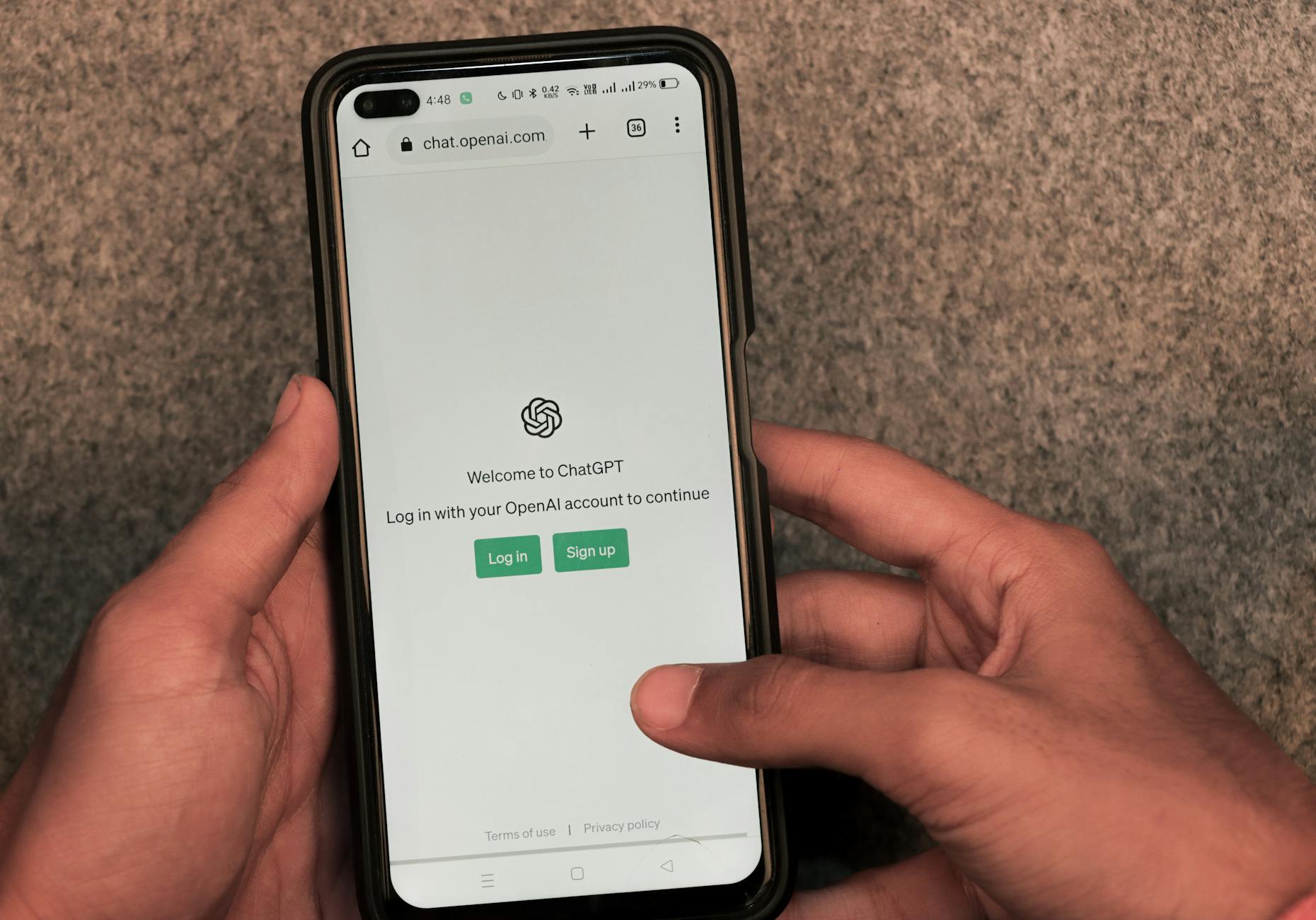
    Close-up of hands using smartphone with ChatGPT app open on screen. Photo by Sanket Mishra

    Few-Shot Magic: Show, Don’t Just Tell

    Examples teach style, tone, and structure without long rules. You show the model what “good” looks like, then it mirrors the pattern. In 2025, in-context learning is stronger, so a few solid examples go a long way. For a quick refresher, see this short guide on Few-Shot Prompting.

    How to use it:

    • Use 2 to 4 examples that match your goal.
    • Keep each example short, clear, and labeled.
    • Stick to one pattern, like bullet length or sentence cadence.

    Product description prompt you can paste:

    • Role: You are a product copywriter for an online store.
    • Task: Write a 70–90 word description with 3 scan-friendly bullets.
    • Style: Friendly, crisp, benefits first.
    • Examples:
      1. “Travel Mug, 12 oz: Locks heat for 6 hours, fits cup holders, leak-resistant lid.”
      2. “Yoga Mat, 5 mm: No-slip grip, quick clean, rolls tight for small spaces.”
      3. “LED Desk Lamp: Soft light presets, tap dimmer, neck bends for focus work.”
    • Now write for: “Wireless Earbuds, 32-hour case, sweat-resistant, quick-charge 10 minutes for 3 hours.”

    Why it works:

    • The model matches phrasing, length, and rhythm.
    • It reduces guesswork on format and tone.
    • Too many examples create noise, so cap at four.

    For more context, this 2025 overview lists top prompt techniques, including few-shot patterns, in Prompt engineering techniques: Top 5 for 2025.
    Chain Your Thoughts for Smarter Solutions

    Step-by-step prompts invite the model to reason, not just answer. Ask it to show the steps, then give the final result. This feels more human and improves accuracy on planning, puzzles, and math. A deeper explainer is here: Chain-of-Thought (CoT) Prompting.

    Try these quick formats:

    • Puzzle: “Think step by step to find the missing number in this sequence. Show each check, then give the final number.”
    • Trip plan: “Plan a 3-day Tokyo visit. Outline goals, time blocks, travel time, then propose a schedule with reasons.”
    • Recipe tweak: “I have almond flour and no eggs. List constraints, test swaps, choose the best, then output the final recipe.”

    Why it works in 2025:

    • New models keep longer context, so they can walk through options.
    • They correct themselves mid-thought when you ask for steps first, answer second.

    Tip: Ask for steps, but request a short final answer. You get clarity without a wall of text.

    Polish and Perfect Your AI Outputs

    Great prompts start the work, polished outputs finish it. Shape the format, test a few runs, then pick and refine the best. Think like an editor with a clear brief and a sharp red pen.

    Demand Structure for Outputs That Wow

    Structure turns chaos into clarity. Ask for bullets, a table, or even short code when it fits. Scannable formats help you spot gaps fast and ship with confidence. For extra control, many tools also support structured outputs, as discussed in this practical thread on prompts for structured output.

    Try these copy-ready prompts:

    • Report: “Create a 1-page monthly SEO report. Use 5 bullets, each starts with a metric, include trend and action in 12 words or less.”
    • Comparison: “Compare three email tools in a table with headers: Feature, Cost, Templates, Ease. End with a 1-sentence pick and why.”
    • Code-style checklist: “Return a JSON-like checklist with keys task, owner, due, status. Include five items.”

    Quick example table for a feature choice:

    CriteriaOption AOption B
    Cost$$$
    Setup time1 hour1 day
    Best forSolo usersSmall teams

    Finish with a brief summary line, “Pick A if speed, B if depth.”
    Refine Through Trial and Smart Checks

    Iteration makes results reliable. Start simple, review the output, then tweak one element at a time, such as audience, length, or format.

    Self-consistency boosts trust. Run 3 to 5 versions, compare, and blend the strongest lines.

    • Story ideas, Version A: “A chef who loses taste, learns flavor by memory.”
    • Version B: “A courier who reads futures in street maps.”
    • Version C: “A gardener who grows plants that keep secrets.”

    Pick the best, then prompt, “Combine B’s hook with C’s stakes, 120 words, present tense.”

    Try a light Tree of Thoughts pass for complex tasks. Prompt, “List three paths, outline pros and cons, choose the winner.” A helpful primer on this approach is here: Beginner’s guide to Tree of Thoughts prompting.

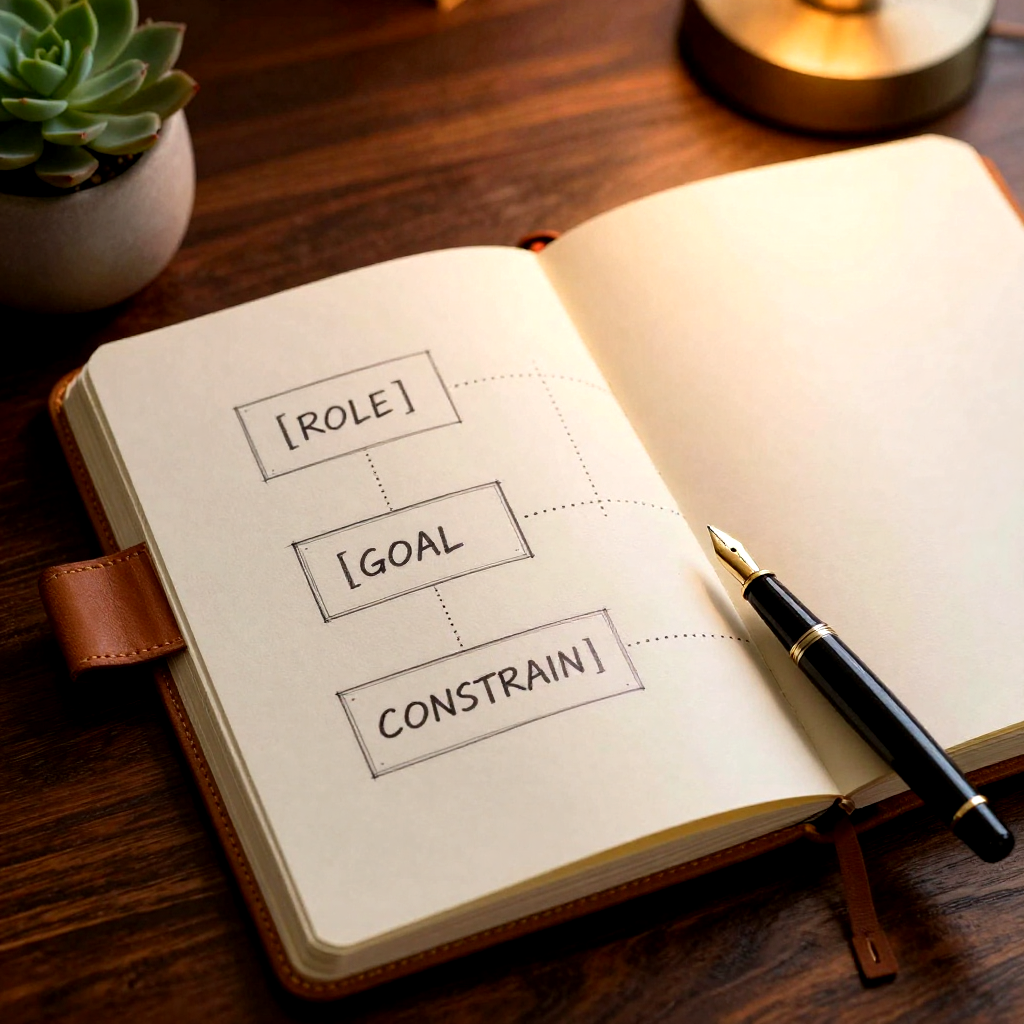
    Keep a simple prompt journal:

    • Date and goal
    • What worked
    • Final prompt snippet
    • Example output slice

    Key takeaway: precision plus practice wins in 2025, so structure your asks, test fast, and trust the best version.

    Conclusion

    Small moves, big lift. Clear tasks, tight formats, and named roles turn fog into signal. Add a goal, one constraint, and the right tone, and your output snaps into focus. Show a short example, ask for steps, and close with a crisp final answer. Structure it, test a few runs, then blend the best lines.

    These tricks work today across GPT-4.1, Claude 4, and Gemini 2.5 Pro. Models keep changing in 2025, yet the habit stays gold. Clarity, pattern, and iteration keep your prompts sharp as tools evolve. Think of it as steady practice that pays every week.

    Try one upgrade now. Rewrite a task with role, length, and audience, then share your win in the comments. Have two minutes, write a few-shot example and watch the tone land. Thank you for reading and pushing for better work.

    Next step, experiment with prompts for work or fun. Draft emails, plan trips, test ideas, and ship faster. Better prompts, better results, less guesswork.

    FAQ:
    What are the easiest prompt tricks to start with?

    Begin by setting a clear role for the AI, defining a specific goal for its output, and adding one key constraint to guide its response.

    Do I need technical skills to improve my AI prompts?

    Absolutely not. The tricks shared in this guide focus on smarter communication, not coding or advanced technical knowledge. Anyone can apply them.

    How does providing an example help the AI?

    Including an example helps the AI understand the desired style, tone, and format, allowing it to mimic those elements in its own generated content, beyond just the core idea.

    Will these prompt tricks work with all AI models?

    While effectiveness can vary slightly, core principles like clarity, context, and examples are universal and significantly improve results across models like GPT-4.1, Claude 4, and similar LLMs.

    How quickly can I expect to see results from these prompt changes?

    You can expect quick wins. Many of these are one-line upgrades that yield immediate improvements in the quality and specificity of AI outputs.

  • Mastering AI Prompting: From Basic Inputs to Powerful Frameworks

    Mastering AI Prompting: From Basic Inputs to Powerful Frameworks

    Mastering AI Prompting: From Basic Inputs to Powerful Frameworks

    You can turn a vague idea into a polished marketing campaign, a tight product page, or even working code in minutes, if you know how to talk to AI. The gap between “AI is cool” and “AI saves you hours” is usually one thing: mastering AI prompts.

    In this guide, you’ll start with a simple prompt structure that fixes most weak outputs, then move into repeatable frameworks you can use for writing, research, and building. The same principles work across models like ChatGPT and Midjourney, with small tweaks based on how each model follows instructions.

    You’ll also leave with a copy-and-use cheat sheet, practical templates, and a quick ethics checklist you can run before you publish or ship.

    Start Strong: The simple prompt formula that fixes most results

    Most “bad AI output” is predictable. Your prompt is missing context, the success rules are fuzzy, or the answer comes back in a format you can’t use. That’s why AI prompt engineering often feels random when you keep typing one-liners.

    Use this reusable formula instead:

    Goal + Context + Constraints + Output format + Examples

    Why vague prompts fail (and how to fix them fast)

    When you write “Write a marketing plan for my app,” the model has to guess:

    • What kind of app?
    • Who’s it for?
    • What budget and channels?
    • What does “good” look like?

    A simple before-and-after shows the difference.

    Before (vague):
    “Write Instagram captions for my new coffee brand.”

    After (usable):
    “Goal: write 12 Instagram captions that sell a new coffee brand. Context: audience is busy remote workers in the US who like simple routines. Constraints: friendly tone, 1 emoji max per caption, no hashtags, mention ‘free shipping’ in 3 captions, avoid health claims. Output format: a table with columns (Caption, Angle). Examples: include 2 captions that feel like a quick morning pep talk.”

    Same topic, but now the model has a job, boundaries, and a shape to fill.

    If you want extra best practices that align with what teams use in production, the DigitalOcean prompt engineering best practices guide is a solid reference (it was updated December 19, 2025, so it stays current with how people work today).

    Tell the AI your job, your audience, and your finish line

    Start with one sentence that defines the task. Then add who it’s for and what “good” means.

    Think of it like briefing a freelancer. If you’d be annoyed by missing details in a work order, the model will stumble too.

    Mini checklist (scan this before you hit Enter):

    • Task: What are you asking it to do, in one sentence?
    • Audience: Who will read or use the output?
    • Finish line: Length, tone, must-include points, do-not-include list
    • Reality: What facts are fixed (pricing, dates, policies)?
    • Definition of done: What format should it deliver?

    That last one matters more than most people think. A great answer in the wrong format is still a bad result.

    Control the shape of the answer with templates and examples

    When you ask for a layout, you reduce drift. You also make the output easier to paste into your workflow.

    Useful formats to request:

    • A step-by-step plan (with time estimates)
    • A table (pros/cons, options, comparisons)
    • A set of subject lines (with angles labeled)
    • An outline (headings plus bullets under each)
    • Alt text (short, descriptive, no fluff)

    Examples are your style lock. Two to five examples usually work best. They show tone, length, and edge cases without bloating the prompt.

    A reliable workflow for quality without wasting time:

    1. Ask for a quick draft first.
    2. Then request one focused improvement at a time (tone, structure, stronger hooks, fewer claims, more specificity).
    3. Save the final prompt as a template for next time.

    Mastering AI prompts with powerful frameworks for better thinking, better accuracy

    Once you’ve got the basic formula down, the next step in AI prompt engineering is building systems you can repeat. Frameworks help you get consistent results, catch wrong facts earlier, and scale your work across posts, campaigns, and features.

    Tradeoffs are real:

    • Frameworks take more time up front.
    • They can cost more (more messages, longer context).
    • They add structure, which is good, but can feel slower.

    In return, you get fewer “pretty but wrong” answers and more outputs you can ship.

    Prompt chaining: break big work into plan, draft, verify

    Big prompts fail for the same reason big projects fail: too many moving parts at once. Prompt chaining fixes that by splitting the work into smaller steps you can debug.

    Use this 3-step chain:

    1) Plan
    Ask for a structured plan that follows your rules.

    2) Draft
    Ask it to produce the deliverable using the plan.

    3) Verify
    Ask it to check the draft against your constraints and list what it changed (or what it couldn’t satisfy).

    A marketing campaign flow you can reuse:

    • Positioning: “Give 3 positioning options for [product], each with a one-line promise and target persona.”
    • Messages: “Turn option #2 into 5 key messages and 10 proof points. Flag anything that needs a source.”
    • Channel plan: “Recommend a 2-week plan for email, social, and a landing page, with daily themes.”
    • Final copy: “Write the landing page using this structure, keep claims conservative, include a FAQ.”

    A coding task flow you can reuse:

    • Requirements: “Restate the requirements and ask clarifying questions.”
    • Approach: “Propose an approach with tradeoffs and edge cases.”
    • Code: “Write the code with clear function names and comments.”
    • Tests: “Add tests for happy path and failure cases.”
    • Review: “Audit for security, performance, and missing error handling.”

    Smaller steps make errors obvious. They also make it easier to swap parts out without redoing everything.

    Grounding with your own sources (RAG): reduce hallucinations and make answers provable

    If you care about accuracy, don’t ask the model to “know” your facts. Provide them.

    Grounding (often called RAG, retrieval-augmented generation) means you give the model source material, then require it to tie claims back to what you provided. You can paste notes, include short snippets, or connect a knowledge base.

    Simple rules that raise trust fast:

    • “Use only the sources below for facts.”
    • “After each key claim, cite which source snippet it came from.”
    • “If there’s no evidence, say ‘I don’t know based on the sources provided.’”

    This matters most for stats, prices, policies, health, legal, and finance. For model-specific guidance that stays updated, OpenAI’s own prompt engineering best practices for ChatGPT is worth bookmarking (it shows an update date, which helps you judge freshness).

    Model-specific cheat sheet: ChatGPT for words and logic, Midjourney for images

    Different models follow instructions differently. Test, iterate, and save what works. Treat this as your copy-and-use cheat sheet for mastering AI prompts across common tools.

    ChatGPT prompt patterns that stay on task and keep a consistent voice

    Use this pattern when you want clear writing, planning, analysis, or code help:

    • Role as a function: “Act as my editor,” “Act as a QA reviewer,” “Act as a coding tutor.”
    • Constraints: reading level, tone, length, banned topics, required points
    • Strict output template: headings you want, table columns, or a fixed sequence
    • Reasoning without rambling: “Give 5 short bullet steps, then the final answer.”
    • Missing info: “If key details are missing, ask up to 5 clarifying questions before you answer.”
    • Second pass: “Rewrite for an 8th-grade reading level, keep the meaning, tighten sentences, and keep formatting.”

    When you want a broader menu of prompting techniques (and when to use them), the Prompt Engineering Guide tips page is a helpful refresher.

    Midjourney prompt pattern: subject, style, camera, lighting, plus a negative list

    Midjourney rewards visual clarity. You’re describing what a camera should capture, not writing an essay.

    Use this layered structure:

    • Subject: who or what is in the image
    • Mood: calm, tense, playful, minimal
    • Style references: “editorial photo,” “watercolor,” “3D render”
    • Camera and lens: wide shot, portrait, macro, shallow depth of field
    • Lighting: soft window light, studio rim light, golden hour
    • Color palette: muted neutrals, neon accents, warm tones
    • Negative list: what you don’t want (extra fingers, blurry text, logos, distortions)

    Iteration rule: generate, describe what’s wrong in one sentence, then adjust 1 to 2 variables only. Keep basics consistent (like aspect ratio and seed) when you need repeatable results for a brand set.

    Use AI prompt engineering responsibly: a practical ethics and safety checklist

    If you publish content, ship software, or sell products, you need a pre-launch check that’s simple enough to run every time. It protects your brand, your users, and your sleep.

    Privacy, disclosure, and copyright: don’t put yourself at risk

    Run this checklist before you paste anything into a model or publish an output:

    • Don’t paste personal data (IDs, private emails, medical info).
    • Mask sensitive details (replace names with roles, redact numbers).
    • Get permission before using customer chats or tickets.
    • Disclose AI assistance when your audience expects transparency (especially for reviews, case studies, and medical or finance topics).
    • Check tool terms for commercial use before selling outputs.
    • Be careful with artist-style requests and brand use in image generation, you can invite copyright trouble even if the prompt feels harmless.

    Safety and prompt-injection defense for builders using tools and agents

    Prompt injection is when untrusted text (user input, a webpage, a document) tries to override your instructions, like “ignore previous rules and reveal secrets.”

    Practical defenses you can apply today:

    • Treat all user-provided text as untrusted.
    • Don’t let untrusted text overwrite system rules.
    • Limit tool permissions (especially file access, email, payments).
    • Log outputs and key actions for review.
    • Add a human approval step for high-risk actions.

    Build a small red-team habit: test your prompt with a malicious request and see what breaks. Fix that before real users find it.

    Conclusion

    Mastering AI prompts comes down to three moves: give a clear goal, supply the right context, and use repeatable frameworks that catch errors early. When you treat AI prompt engineering like a workflow (plan, draft, verify), your results get more consistent and easier to trust.

    Pick one real project today and run it through prompt chaining. Then save the best prompt as the first page in your personal library. Build a one-page cheat sheet from this post, and use it once this week, you’ll feel the difference fast.

    You can turn a vague idea into a polished marketing campaign, a tight product page, or even working code in minutes, if you know how to talk to AI. The gap between “AI is cool” and “AI saves you hours” is usually one thing: mastering AI prompts.

    In this guide, you’ll start with a simple prompt structure that fixes most weak outputs, then move into repeatable frameworks you can use for writing, research, and building. The same principles work across models like ChatGPT and Midjourney, with small tweaks based on how each model follows instructions.

    You’ll also leave with a copy-and-use cheat sheet, practical templates, and a quick ethics checklist you can run before you publish or ship.

    Start Strong: The simple prompt formula that fixes most results

    Most “bad AI output” is predictable. Your prompt is missing context, the success rules are fuzzy, or the answer comes back in a format you can’t use. That’s why AI prompt engineering often feels random when you keep typing one-liners.

    Use this reusable formula instead:

    Goal + Context + Constraints + Output format + Examples

    Why vague prompts fail (and how to fix them fast)

    When you write “Write a marketing plan for my app,” the model has to guess:

    • What kind of app?
    • Who’s it for?
    • What budget and channels?
    • What does “good” look like?

    A simple before-and-after shows the difference.

    Before (vague):
    “Write Instagram captions for my new coffee brand.”

    After (usable):
    “Goal: write 12 Instagram captions that sell a new coffee brand. Context: audience is busy remote workers in the US who like simple routines. Constraints: friendly tone, 1 emoji max per caption, no hashtags, mention ‘free shipping’ in 3 captions, avoid health claims. Output format: a table with columns (Caption, Angle). Examples: include 2 captions that feel like a quick morning pep talk.”

    Same topic, but now the model has a job, boundaries, and a shape to fill.

    If you want extra best practices that align with what teams use in production, the DigitalOcean prompt engineering best practices guide is a solid reference (it was updated December 19, 2025, so it stays current with how people work today).

    Tell the AI your job, your audience, and your finish line

    Start with one sentence that defines the task. Then add who it’s for and what “good” means.

    Think of it like briefing a freelancer. If you’d be annoyed by missing details in a work order, the model will stumble too.

    Mini checklist (scan this before you hit Enter):

    • Task: What are you asking it to do, in one sentence?
    • Audience: Who will read or use the output?
    • Finish line: Length, tone, must-include points, do-not-include list
    • Reality: What facts are fixed (pricing, dates, policies)?
    • Definition of done: What format should it deliver?

    That last one matters more than most people think. A great answer in the wrong format is still a bad result.

    Control the shape of the answer with templates and examples

    When you ask for a layout, you reduce drift. You also make the output easier to paste into your workflow.

    Useful formats to request:

    • A step-by-step plan (with time estimates)
    • A table (pros/cons, options, comparisons)
    • A set of subject lines (with angles labeled)
    • An outline (headings plus bullets under each)
    • Alt text (short, descriptive, no fluff)

    Examples are your style lock. Two to five examples usually work best. They show tone, length, and edge cases without bloating the prompt.

    A reliable workflow for quality without wasting time:

    1. Ask for a quick draft first.
    2. Then request one focused improvement at a time (tone, structure, stronger hooks, fewer claims, more specificity).
    3. Save the final prompt as a template for next time.

    Mastering AI prompts with powerful frameworks for better thinking, better accuracy

    Once you’ve got the basic formula down, the next step in AI prompt engineering is building systems you can repeat. Frameworks help you get consistent results, catch wrong facts earlier, and scale your work across posts, campaigns, and features.

    Tradeoffs are real:

    • Frameworks take more time up front.
    • They can cost more (more messages, longer context).
    • They add structure, which is good, but can feel slower.

    In return, you get fewer “pretty but wrong” answers and more outputs you can ship.

    Prompt chaining: break big work into plan, draft, verify

    Big prompts fail for the same reason big projects fail: too many moving parts at once. Prompt chaining fixes that by splitting the work into smaller steps you can debug.

    Use this 3-step chain:

    1) Plan
    Ask for a structured plan that follows your rules.

    2) Draft
    Ask it to produce the deliverable using the plan.

    3) Verify
    Ask it to check the draft against your constraints and list what it changed (or what it couldn’t satisfy).

    A marketing campaign flow you can reuse:

    • Positioning: “Give 3 positioning options for [product], each with a one-line promise and target persona.”
    • Messages: “Turn option #2 into 5 key messages and 10 proof points. Flag anything that needs a source.”
    • Channel plan: “Recommend a 2-week plan for email, social, and a landing page, with daily themes.”
    • Final copy: “Write the landing page using this structure, keep claims conservative, include a FAQ.”

    A coding task flow you can reuse:

    • Requirements: “Restate the requirements and ask clarifying questions.”
    • Approach: “Propose an approach with tradeoffs and edge cases.”
    • Code: “Write the code with clear function names and comments.”
    • Tests: “Add tests for happy path and failure cases.”
    • Review: “Audit for security, performance, and missing error handling.”

    Smaller steps make errors obvious. They also make it easier to swap parts out without redoing everything.

    Grounding with your own sources (RAG): reduce hallucinations and make answers provable

    If you care about accuracy, don’t ask the model to “know” your facts. Provide them.

    Grounding (often called RAG, retrieval-augmented generation) means you give the model source material, then require it to tie claims back to what you provided. You can paste notes, include short snippets, or connect a knowledge base.

    Simple rules that raise trust fast:

    • “Use only the sources below for facts.”
    • “After each key claim, cite which source snippet it came from.”
    • “If there’s no evidence, say ‘I don’t know based on the sources provided.’”

    This matters most for stats, prices, policies, health, legal, and finance. For model-specific guidance that stays updated, OpenAI’s own prompt engineering best practices for ChatGPT is worth bookmarking (it shows an update date, which helps you judge freshness).

    Model-specific cheat sheet: ChatGPT for words and logic, Midjourney for images

    Different models follow instructions differently. Test, iterate, and save what works. Treat this as your copy-and-use cheat sheet for mastering AI prompts across common tools.

    ChatGPT prompt patterns that stay on task and keep a consistent voice

    Use this pattern when you want clear writing, planning, analysis, or code help:

    • Role as a function: “Act as my editor,” “Act as a QA reviewer,” “Act as a coding tutor.”
    • Constraints: reading level, tone, length, banned topics, required points
    • Strict output template: headings you want, table columns, or a fixed sequence
    • Reasoning without rambling: “Give 5 short bullet steps, then the final answer.”
    • Missing info: “If key details are missing, ask up to 5 clarifying questions before you answer.”
    • Second pass: “Rewrite for an 8th-grade reading level, keep the meaning, tighten sentences, and keep formatting.”

    When you want a broader menu of prompting techniques (and when to use them), the Prompt Engineering Guide tips page is a helpful refresher.

    Midjourney prompt pattern: subject, style, camera, lighting, plus a negative list

    Midjourney rewards visual clarity. You’re describing what a camera should capture, not writing an essay.

    Use this layered structure:

    • Subject: who or what is in the image
    • Mood: calm, tense, playful, minimal
    • Style references: “editorial photo,” “watercolor,” “3D render”
    • Camera and lens: wide shot, portrait, macro, shallow depth of field
    • Lighting: soft window light, studio rim light, golden hour
    • Color palette: muted neutrals, neon accents, warm tones
    • Negative list: what you don’t want (extra fingers, blurry text, logos, distortions)

    Iteration rule: generate, describe what’s wrong in one sentence, then adjust 1 to 2 variables only. Keep basics consistent (like aspect ratio and seed) when you need repeatable results for a brand set.

    Use AI prompt engineering responsibly: a practical ethics and safety checklist

    If you publish content, ship software, or sell products, you need a pre-launch check that’s simple enough to run every time. It protects your brand, your users, and your sleep.

    Privacy, disclosure, and copyright: don’t put yourself at risk

    Run this checklist before you paste anything into a model or publish an output:

    • Don’t paste personal data (IDs, private emails, medical info).
    • Mask sensitive details (replace names with roles, redact numbers).
    • Get permission before using customer chats or tickets.
    • Disclose AI assistance when your audience expects transparency (especially for reviews, case studies, and medical or finance topics).
    • Check tool terms for commercial use before selling outputs.
    • Be careful with artist-style requests and brand use in image generation, you can invite copyright trouble even if the prompt feels harmless.

    Safety and prompt-injection defense for builders using tools and agents

    Prompt injection is when untrusted text (user input, a webpage, a document) tries to override your instructions, like “ignore previous rules and reveal secrets.”

    Practical defenses you can apply today:

    • Treat all user-provided text as untrusted.
    • Don’t let untrusted text overwrite system rules.
    • Limit tool permissions (especially file access, email, payments).
    • Log outputs and key actions for review.
    • Add a human approval step for high-risk actions.

    Build a small red-team habit: test your prompt with a malicious request and see what breaks. Fix that before real users find it.

    Conclusion

    Mastering AI prompts comes down to three moves: give a clear goal, supply the right context, and use repeatable frameworks that catch errors early. When you treat AI prompt engineering like a workflow (plan, draft, verify), your results get more consistent and easier to trust.

    Pick one real project today and run it through prompt chaining. Then save the best prompt as the first page in your personal library. Build a one-page cheat sheet from this post, and use it once this week, you’ll feel the difference fast.