You tried prompt after prompt and still got vague answers, bland ideas, and wasted time. Same here, until you started using AI prompt package expert tips that cut through the noise. Results snapped into focus, and your workflow finally clicked.
AI prompt packages are simple. They are curated sets of ready-made templates, roles, examples, and strategies you can plug into your tools to get sharper, faster outputs. Think of them as a toolkit you reuse and remix for blogs, scripts, code, briefs, and more.
You will love how these secrets change your AI game. In 2025, the strongest packages use modular parts, few-shot examples, and clear role prompts. They add step-by-step instructions, safe data practices, and simple output formats. You test, compare, and refine with A/B checks, then store the winners.
This post gives you battle-tested moves for content creators, beginners, tech folks, business pros, and prompt engineers. You will see how to wire in chain-of-thought prompts for complex tasks, when to use short vs. long context, and how tools like LangChain and PromptFlow keep everything tidy. Most of all, you will learn to measure quality, not guess it.
Get ready for practical AI prompt package expert tips you can use today. Up next, you will see a fast glossary, a setup checklist, high-impact templates, test workflows, and a simple scorecard to prove what works.
Strong fundamentals power every great prompt package. Use clear instructions, tight structure, and simple formats. You can see huge improvements fast. For a quick boost, try this helpful AI prompt generator tool.
Why Structure and Context Make a Big Difference
Great prompts give the model a job, context, and a format. Add just enough background to anchor the task, then break work into steps. Watch your AI outputs shine!
Try this upgrade path:
Vague: “Explain photosynthesis.”
Better: “Explain photosynthesis in simple terms for high school students. Use three bullet points and a short analogy.”
Best: “Act as a biology tutor. Explain photosynthesis for ninth graders. Use 3 bullets, a one-line metaphor, and a 2-sentence summary.”
For complex tasks, split the flow:
Outline the steps.
Ask for the first step only.
Review, then request the next step.
Tech enthusiasts can add few-shot samples. For example:
Instruction: “Classify logs as info, warn, or error.”
Samples: “2025-01-10 Connected to DB → info”; “Disk at 92% → warn”; “Null pointer at line 45 → error.”
Balance detail with brevity. If your prompt feels bloated, trim extra words, keep the structure. For a solid primer on effective wording and format, scan MIT’s guide on writing effective prompts.
Customize Prompts for Your Specific Needs
Assign a clear role and you set the tone. You will tailor AI to fit perfectly!
Business pros: “Act as a marketing expert for B2B SaaS. Create a 5-step email workflow with subject lines, preview text, and one CTA per email.”
Content creators: “Act as an editor. Tighten this paragraph, keep the voice, return a bulleted changelog.”
Prompt engineers: “Act as a test runner. Produce three varied outputs, then score clarity, accuracy, and style from 1 to 5.”
Close the loop with quick feedback:
“Shorter sentences.”
“More examples, fewer adjectives.”
“Keep bullets, add a numbered summary.”
Then, save the winner as a template. Keep a note for input length, role, examples, and output format. Rinse and repeat inside your AI prompt package. This is how you stack repeatable wins with real AI prompt package expert tips.
Pro Techniques to Supercharge Your AI Outputs
You are past the basics. It is time to push for sharper results with focused experiments. Mix prompt styles, swap roles, and stitch outputs to reduce errors. Try zero-shot for speed, few-shot for tone control, and conversational prompts to guide the model across steps. Use package templates for content generation, data analysis, and research. Pair that with an effective AI writing prompt formula from your toolkit like this guide on ChatGPT prompts for writing better content. Try this and see the magic! These AI prompt package expert tips will lift your quality fast.
Break Down Tasks with Prompt Chaining
Prompt chaining splits big jobs into small, repeatable steps. You feed the output of one step into the next. This lowers confusion, narrows scope, and boosts accuracy.
For content creators, build a blog post in stages:
Outline the H2s and H3s.
Draft the intro in 120 words.
Write each section to a strict brief.
Add examples, internal links, and sources.
Edit for voice, then format for publishing.
You get step-by-step wins! Add few-shot samples to lock voice. Use zero-shot for quick outlines, then switch to conversational prompts for edits and QA. Tech people and prompt engineers can add scaffolding. Assign roles, like Planner, Writer, and Editor, then pass outputs along the chain. For a clear overview of the method, skim IBM’s primer on what prompt chaining is. Aim for small hops, not leaps. Tight hops reduce hallucinations and keep style consistent.
Test and Refine for Top Results
Treat your prompt package like a product. Update your library when models change. Record what breaks. Test edge cases, like super short inputs, tricky formats, or noisy data. Compare zero-shot, few-shot, and role-playing versions against the same task.
Make it a habit:
Version prompts with dates and tags.
Log wins, fails, and notes.
Keep 3 variants per task and A/B/C test weekly.
Store proven templates for content and data analysis.
Teams should use versioning, pull requests, and simple checklists. Add a scoring sheet for clarity, accuracy, and style. Track response length and token cost too. You will refine like a pro! For a tight refresher on prompt quality, review MIT’s guide to effective prompts for AI. Keep what works, retire the rest, and your outputs stay sharp month after month.
These secrets will blow you away. You can sharpen quality and cut risk with a few smart habits. Start by guarding against bad inputs. Add input rules, safe words to avoid, and format checks to every template. Use domain-specific prompts that mirror how your team talks, and keep a lightweight glossary inside your package. For quick wins, borrow structure from proven ChatGPT prompts for bloggers, then adapt to your field.
Share your best prompts in a team library. Add tags, version notes, and a feedback form. Engineers can run adversarial tests and bias checks, while beginners use safe templates. In 2025, you get better results by mixing few-shot examples, tight output schemas, and short review loops. Keep a small scoreboard for accuracy, clarity, and style. For a clear rundown of prompt testing methods, skim this guide to AI prompt testing in 2025. These AI prompt package expert tips turn trial and error into steady wins.
Stay Safe and Smart with Edge Case Checks
Edge cases expose where your prompts crack. Test short, messy, and tricky inputs, then lock in fixes. You protect your work easily! Use a simple sweep each time you ship a template:
Very short input, like one word.
Long, noisy input with mixed formats.
Conflicting instructions in the same message.
Out-of-domain terms or bait for hallucinations.
Requests for private or banned data.
Beginner example you can try today:
Prompt: “Act as a concise tutor. Explain ‘quantum computing’ in 3 bullets for a 10-year-old.”
Edge case: Replace the topic with a nonsense term, like “quantum banana.” The model should respond with “I do not have enough info” instead of making facts up. Add that rule to your system message.
Engineers can automate this with small test suites and bias probes. Keep logs, score results, and save the strong versions. In time, these checks build stable, reliable AI use across your projects.
Conclusion
You started with vague outputs, now you have a clear playbook. With these AI prompt package expert tips, you structure tasks, use few-shot examples, and chain steps for steady gains. You test versions, track wins, and guard against edge cases, so your results stay sharp over time.
Pick one move today, like adding a role, trimming fluff, or scoring outputs. Save the winner as a template, then reuse it across your projects. Keep your library tidy, tag versions, and review weekly. You get faster, cleaner work, and fewer surprises.
Use this quick recap to guide your next runs:
User Type
High-Impact Tip
Content creators
Chain prompts, then lock tone with two strong examples.
AI beginners
Give a clear role, set format, and keep inputs short.
Tech people
Add schemas, test edge cases, and log token costs.
Business pros
Use short briefs, define success criteria, and A/B weekly.
Prompt engineers
Version prompts, build test suites, and score clarity and accuracy.
Try one technique now, then share your wins in the comments. Keep iterating, keep scores, and retire what fails. You are ready to level up your AI skills!
FAQ
Q: What are AI prompt packages? A: AI prompt packages are curated collections of ready-made templates, roles, examples, and strategies designed to help users get better outputs from AI tools like ChatGPT. They include structured prompts that can be reused and customized for various tasks like content creation, coding, and business workflows.
Q: How do I improve my AI prompt quality? A: Improve AI prompt quality by: 1) Assigning clear roles, 2) Providing context and structure, 3) Using few-shot examples, 4) Breaking complex tasks into steps (prompt chaining), 5) Testing and refining with A/B comparisons, and 6) Specifying output format clearly.
Q: What is prompt chaining? A: Prompt chaining is a technique where you break large tasks into smaller, sequential steps. Each prompt’s output becomes the input for the next prompt. This reduces errors, maintains consistency, and produces higher-quality results for complex projects.
Q: What’s the difference between few-shot and zero-shot prompting? A: Zero-shot prompting gives instructions without examples—fast but less controlled. Few-shot prompting includes 2-3 examples of desired outputs, which helps AI understand tone, format, and style better. Use zero-shot for quick tasks, few-shot when consistency matters.
Q: How often should I test and update my prompts? A: Test prompts regularly, especially when AI models update. Best practice: Keep 3 variants per task, run A/B tests weekly, version your prompts with dates, and retire what doesn’t perform. Review your prompt library monthly.
Turn simple text into vivid architecture visuals in minutes. With Midjourney, you can sketch ideas with words, then see floor plans, cozy rooms, and bold facades appear, no drawing skills needed.
As of October 2025, AI tools are standard in design work. Teams use them to test options faster, spark better ideas, and present clear visuals. That means less guesswork, more time saved, and more creative control for hobbyists, students, and pros.
This post shows how prompt packs guide you to consistent, high‑quality results. You’ll see how to shape space, test styles, and refine details, from plan layouts to lighting and facade rhythm. Stick around for ready‑to‑use prompts, smart tweaks, and examples that help you move from concept to share‑worthy images fast.
Why Choose Prompt Packs for Midjourney Architecture Projects
Prompt packs are ready-made sets of detailed prompts tuned for architecture. They cover themes like floor plans, cozy rooms, and bold facades. You get structure, style consistency, and a smoother path from idea to image. They help beginners feel confident, and they help pros move faster with fewer retries.
Key Benefits of Using Pre-Made Prompt Packs
Prompt packs remove guesswork so you can focus on design quality. Here is why they help on day one.
Quick starts: Load a pack, swap the style, and render. For a concept lobby, change a few words like oak slat ceiling to exposed concrete and you are ready.
Proven inspiration: Prompts tested for subject, facade rhythm, and camera angle save time. See a solid overview of effective prompt elements in this guide to architecture prompt structure.
Easy customization: Adjust size, materials, or mood without breaking the prompt. Example: change soft north light to golden hour backlight, or switch Scandinavian minimal to Brutalist.
Consistent style across sets: Keep the same tone across plans, interiors, and exteriors. Your deck looks unified, which helps client reviews move faster.
Real-world payoff: an architect can test five facade options before lunch. Start with brick rainscreen, deep reveals then try charred timber, vertical battens and glass fins, soft frit. One pack, many paths, clean results.
How Prompt Packs Fit Midjourney’s Latest Features
Modern packs align with Midjourney V7’s strengths for sharper, more reliable renders. V7 brings better geometry, richer light, and stronger depth, plus style references for brand consistency. See a helpful overview of these updates in this look at Midjourney v7 architecture outputs.
Here is how solid packs use those features:
Lighting control: Prompts call out precise light types, like overcast sky, soft bounce, sunset rim light, or IES downlights, to shape mood and legibility.
Material realism: Packs name textures and finishes so V7 can resolve detail. Try board-formed concrete, subtle form-tie pattern, low-iron glass, 40% frit, recycled aluminum cladding.
Camera and spatial depth: Prompts set 35mm lens, two-point perspective, and eye-level view to keep geometry clean and space readable.
Style reference and consistency: Packs often include a style anchor, so your plan, lobby, and facade align in tone.
Eco-forward presets: Many include trends like green roofs, cross-laminated timber, and solar fins. For sustainability ideas and phrasing, explore this focused set of green architecture prompts.
Eco variant: urban infill apartment, recycled brick rainscreen, green roof with sedum, solar shading fins, two-point perspective, overcast light, photoreal
With V7’s improved detail and animation support, these small changes read clearly across stills and motion. Packs give you the right words so Midjourney returns images that feel buildable, not vague.
Build Detailed Floor Plans with Smart Midjourney Prompts
A clear prompt builds a clear plan. Start with open layouts, high ceilings, and honest materials. Then guide Midjourney with scale, light, and flow so rooms feel real and useful.
Essential Elements to Include in Floor Plan Prompts
Good floor plan prompts balance clarity and character. Use concrete numbers and clear relationships between spaces so Midjourney knows how rooms connect.
Room sizes: Use ranges and proportions. Try “primary bedroom 14×16 ft,” “kitchen 12×14 ft,” “kids’ bedrooms 10×12 ft,” “8 ft hall width.”
Flow between spaces: Write the sequence. “Entry to mudroom to kitchen,” “kitchen opens to dining and living,” “privacy stack from public to private.”
Natural light sources: Name light and orientation. “South-facing clerestory windows,” “east morning light in kitchen,” “skylight over hallway.”
Structure and cores: Anchor the plan. “Central stair and powder room core,” “wet wall stacks for kitchen and baths,” “column grid 20 ft.”
Warm materials: Add human touch. “White oak floors,” “stone hearth,” “oak slat ceiling,” “limewash walls.” These cues improve legibility and mood.
Doors, glazing, and thresholds: Specify types. “Pocket doors at study,” “12 ft sliding glass wall to courtyard,” “low sill window seat.”
Furnishing hints: Place key pieces. “8-seat dining table,” “sectional facing fireplace,” “queen bed with two nightstands.” Furniture helps Midjourney scale the rooms.
Use vivid but simple phrases:
Active verbs: “Kitchen anchors the living core,” “hallway frames courtyard view.”
“Modern courtyard house, single story, open plan living-dining-kitchen, 12 ft ceilings in living, bedrooms 10×12 ft, primary suite 14×16 ft with garden view, central courtyard 20×20 ft with tree, south glazing with deep overhangs, white oak floors, honed limestone, skylight over hall, two-car garage with mudroom link, clean linework, labeled rooms, scale bar.”
“Family home plan, 2,100 sq ft, open kitchen-living with island seating for 4, pantry and laundry near garage, kids’ wing with two 10×12 bedrooms and shared bath, primary suite split for privacy, covered porch facing west, large windows, warm wood, stone fireplace, clear furniture layout, north arrow, dimensions.”
“Compact urban duplex, 24×60 lot, stacked units, efficient cores, 9 ft ceilings, light wells, balcony facing street, bike storage at entry, durable finishes, clear circulation arrows, room tags, legible walls.”
To iterate for sharper results:
Add or tighten dimensions after the first render.
Raise or lower ceilings to tune volume and light.
Adjust window size and orientation for glare, views, and heat.
Swap materials to change mood without breaking the plan.
Move the stair or wet walls to free up furniture layouts.
Real Examples of Floor Plans from Prompt Packs
These adapted examples show how prompt packs translate into readable plans and how you can tweak them fast.
Cozy family home with an open core
Base prompt idea: “Single-level family plan, 1,900 sq ft, open kitchen-living-dining, 11 ft living ceiling, bedrooms 9 ft, kitchen island 9 ft, pantry, mudroom from garage, kids’ bedrooms 10×12 with shared bath, primary 14×16 with walk-in closet, covered rear porch, south light, white oak floors, stone hearth, labeled rooms.”
Why it works: The open core makes daily life easy. Higher ceilings in the living area bring air and light, while lower bedroom ceilings feel calm and efficient.
Tweak it:
Need more storage? Add “built-ins along living wall, larger pantry with prep sink.”
Base prompt idea: “Adaptive reuse office floor plan, 6,000 sq ft, exposed structure, timber and recycled steel, open studio bays, quiet rooms 8×10, phone booths, central collaboration zone with skylight, plant buffer near windows, operable windows for cross breeze, 12-person conference, material tags, north arrow, dimensions.”
Why it works: The plan favors daylight and air, with quiet rooms off the main studio for focus. Plants and timber add warmth and help zone the space.
Tweak it:
More privacy? Increase “acoustic partitions” and add “sound-rated doors.”
More density? “Hot-desk clusters,” “compact storage wall,” and “narrower circulation.”
Stronger brand? Add “feature wall with recycled paneling,” “color-coded neighborhoods.”
Variation tips that stay reliable across prompt packs:
Change only one or two variables per iteration, like ceiling height or window type.
Keep orientation, core, and room sizes stable for comparability.
Re-state key elements in every version, such as “north arrow, labeled rooms, scale bar,” so Midjourney draws consistent, readable plans.
Small edits compound fast. With prompt packs and clear targets, you move from a rough idea to a functional, appealing plan that looks ready for a client review.
Tips to Maximize Your Midjourney Architecture Prompts
Get clear, then get creative. Strong prompts call out the subject, the context, and the mood. You set the lens, materials, and time of day. Midjourney rewards this clarity with images that read like real projects, not vague sketches.
Use a simple frame: building type, site, view, style, material, light, and detail level. Then iterate in small steps so changes stay legible.
Common Mistakes to Avoid in Your Prompts
Vague prompts waste time. Name the building, the view, the style, and the mood. Write like a mini photo brief.
Missing view: Add camera and angle. Try two-point perspective, 35mm lens, eye level.
Style mush: Pick one style family per image. Say Brutalist or Baroque revival, not both.
Context blind: State setting. Dense urban corner lot, coastal bluff, or alpine meadow.
Material fog: Specify finishes. board-formed concrete, charred timber, low-iron glass.
Light guesswork: Call the light. overcast, golden hour backlight, or soft north light.
No mood: Add tone. quiet, contemplative, vibrant, street life, or serene, minimal.
Refine based on what you see. Tighten density, adjust height, or swap materials without rewriting the whole prompt.
Try this quick fix loop:
Lock the subject and view. Keep library annex, street view, two-point perspective steady.
Change one variable per pass. Swap brick rainscreen for recycled aluminum.
Re-state key items each time. Repeat eye level, photoreal, overcast for stability.
Compare results side by side, then commit the best settings to your pack.
Smart building hints: Note dynamic shading, occupancy-sensing lights, energy dashboard.
Prefab logic: Include modular grid, panelized envelope, repeatable units.
Midjourney responds well to crisp material and light cues. Pair trend terms with concrete view and site details.
Prompt ideas you can adapt:
cultural pavilion, riverfront park, aerial three-quarter view, photovoltaic glass curtain wall, laminated timber roof, Brutalist podium in board-formed concrete, golden hour light, crowds at sunset, photoreal
city library renovation, interior reading hall, eye level, Baroque-inspired vaulted ceiling with contemporary ribs, warm limestone, integrated acoustic panels, clerestory daylight, calm atmosphere, high detail
mid-rise office, dense urban block, two-point perspective, recycled aluminum panels, vertical solar fins, operable windows for cross breeze, rain garden at sidewalk, soft overcast, real-world proportions
Tell a short story to lock the mood. Name the users and time. Example: students gather at dawn, families drift through the plaza at dusk, or office workers exit after rain. Small narrative cues help Midjourney land believable scenes.
Pro move for fast iteration:
Keep a stable spine: building type, site, view, lens.
Swap one trend module at a time: photovoltaic glass to green terracotta baguettes.
Toggle light for drama: overcast to golden hour to blue hour.
Save winning combos as prompt presets in your pack so you can reuse them across plans, interiors, and facades.
Conclusion
Prompt packs make Midjourney clear, fast, and consistent. They turn rough ideas into clean floor plans, inviting rooms, and bold facades with less trial and more control.
Pick a pack, run one prompt now, then swap a material or light and compare. Share your best render with your team or community, and tell us what worked. Watch for new packs and trend updates that push detail, mood, and buildable form even further.
Thanks for reading. AI makes design both playful and precise, and the next image is yours to make.
P.S. Here are a few Midjourney Style interior Prompts to play with and stimulate ideation for you next creation! Enjoy.
A pristine modern minimalist living room, bathed in soft, diffused natural light. Scandinavian design principles are evident with clean lines, light-toned natural wood furniture, a plush low-profile sofa, and a round concrete coffee table. The color palette is strictly neutral: off-white walls, light grey textiles, and muted beige accents. A large window with sheer linen curtains overlooks a serene view. The overall ambiance is incredibly cozy and inviting. –ar 16:9 –v 7 –style raw –q 2
A lavish Art Deco master bedroom, bathed in soft, diffused light. Features include a grand bed with a plush emerald green velvet headboard, flanked by symmetrical nightstands of polished black marble and brass. Walls are adorned with intricate gold leaf geometric patterns and dark lacquered wood paneling. Rich sapphire blue and deep burgundy textiles, opulent mirrored surfaces, and a statement chandelier. Interior design magazine aesthetic, wide shot, high detail.
Professional architectural photography of a sleek, contemporary kitchen. Minimalist design featuring matte black cabinetry, pristine white marble countertops, and integrated stainless steel appliances. Open shelving with carefully curated ceramics. Abundant natural light streams through large windows, illuminating the polished concrete floor. Wide-angle shot, high resolution, ultra-detailed, photorealistic. –ar 16:9 –v 5.2 –style raw
A highly detailed, cozy bohemian reading nook, bathed in warm, soft ambient light. The space features an eclectic collection of vintage furniture and global decor, adorned with richly textured, vibrant jewel-toned textiles, patterned rugs, and an abundance of plush cushions. Lush green plants cascade from shelves, and overflowing bookshelves create a serene, inviting atmosphere perfect for relaxation.
An elegant, photorealistic mid-century modern dining room. Features clean architectural lines, organic shapes, and rich, warm walnut wood tones. Iconic Danish modern furniture, such as a Saarinen Tulip table with Eames DSW chairs, bathed in soft, diffused natural light from a large window. Minimalist decor, a large abstract art piece, and a strategically placed fiddle-leaf fig plant complete the scene. Ultra-detailed, cinematic lighting, 8k, interior design magazine quality.
AI can feel like magic, but the real trick is the prompt, the tiny spell that tells the genie what to do. Prompts are short instructions you give an AI, kind of like asking a smart friend for help with clear, simple directions. Say what you want, set the tone, add key details, then let the model do the heavy lifting. Do this well, and you get sharper answers, cleaner drafts, and faster wins.
If you’re new, free tools make the first step painless. No credit card, no stress, just tap and try. You learn by doing, which beats reading a thousand tips. Plus, you pick up patterns fast, like how context, examples, and constraints shape better output.
October 2025 is buzzing with handy updates, so it’s a great time to jump in. Tools are getting more personal and flexible, which means less guesswork. Taskade now lets you add your own notes or facts into prompts for tighter results, a huge help for emails, briefs, and blog outlines. AI Parabellum rolled out an AI Prompt Manager that keeps your best prompts organized, versioned, and ready to reuse.
In this guide, you’ll find easy, beginner‑friendly picks that punch above their weight. You’ll see flexible prompt makers like Taskade and Feedough, plus smart helpers like AI Parabellum and WebUtility that tune tone and style for ChatGPT. We’ll also nod to Originality.ai for quick writing and code prompts when you just need a strong start.
Grab a coffee, think of one small task you want done, and get ready to try a prompt or two. You’ll learn how to ask, what to tweak, and which free tools spark ideas on the spot. By the end, you’ll have a tiny toolkit that turns wild ideas into tidy outputs, fast and fun.
Why Start with Free AI Prompt Tools? Easy Wins for New Users
Free tools remove the pressure. No wallet, no setup maze, just type and see what happens. You get quick wins that build confidence, like turning a rough email into a clean draft or shaping a bland outline into a sharp plan.
Beginner worries are normal. You might fear confusing the AI or wasting time. Friendly interfaces fix that with plain language, sample prompts, and guardrails. Templates act like training wheels, so you learn how to ask without guessing. It feels like a tiny prompt coach in your pocket, whispering, “Say it this way.”
Low risk learning: Test prompts, fail fast, tweak, repeat.
Fast experiments: See how tone, context, and examples change results.
No-login options: Many tools let you try a few runs before sign-up, a small but real relief.
Quick example to prove the point:
“Write a polite refund email, keep it under 120 words, and suggest store credit.” You get a neat draft to edit, not a blank page stare-down.
“Turn my grocery list into a short story about a detective shopping for clues.” Boring chores become tiny adventures.
If you want a trusted roundup to spark ideas, this quick review of prompt generators shows what free tiers can do, including simple templates and prompt examples: 5 Best AI Prompt Generators In 2025. If you code or want to dabble, this overview of beginner-friendly code tools maps free options by task: 10 Best AI code generators in 2025.
Spot the Best Fits for Your First AI Tries
Pick the tool by the job, not the hype. Start small, match your goal, then pick features that keep you moving.
Use this quick guide to choose:
Writing fast: Look for tools with prompt templates, tone presets, and sample outputs. These remove guesswork and teach good structure.
Brainstorming: Choose generators with idea lists, one-click variations, and “expand or shorten” buttons. You get volume without chaos.
Kids or absolute beginners: Block-based or card-style prompts keep it visual and safe. Drag, drop, run, smile.
Emails and reports: Seek “insert context” fields and personas like “friendly support agent” or “firm project manager.” Precision beats fluff.
Coding tries: Find tools with code snippets, fix suggestions, and clear error notes. Even a basic “explain this code” button helps a lot.
Examples: Side-by-side prompts and outputs, like training wheels.
Tone controls: Casual, formal, playful, serious. One switch, big change.
Context slots: Paste notes, requirements, or data into labeled fields.
Undo and variations: Try again without losing the thread.
Tiny prompt tricks you can steal today:
Add a role: “You are a helpful editor. Improve this intro for clarity.”
Add constraints: “Keep it under 120 words, add two bullets, no emojis.”
Add examples: “Match this style: short, friendly, direct. Example: ‘Thanks for your time. Here is the plan.’”
Add audience: “Write for a 9th grader, plain words, short sentences.”
If you want a first try that feels like coaching, start with a tool that shows three things on one screen: a template, a filled example, and a place to paste your notes. That mix teaches you faster than any guide. After a few runs, you will hear the prompts in your head, and that is when the magic happens.
Top Free Tools to Experiment with AI Prompts Today
You do not need a giant toolkit to start. You need a few friendly sidekicks that make your ideas sharper, faster, and more fun. These picks keep the learning curve small and the results big. Try one, then stack a second. Each tool below includes a quick example so you can test it in under a minute.
Taskade AI Prompt Generator: Build Prompts Your Way
Taskade is the calm coach that helps you write prompts that fit your voice. It works well for emails, briefs, and blog drafts, and it lets you add personal notes or context so the output matches your facts. You can shape tone, audience, and structure, then send the prompt into your favorite AI tool.
Why beginners like it: Simple interface, clear fields, and zero fluff. You can tweak and rerun fast.
Plays nice with others: Use Taskade to build prompts, then paste into ChatGPT, Claude, or Gemini.
Save time: Build once, reuse often for repeat tasks like weekly updates or outreach.
Try this: “Write a fun story about a cat detective.” Add a note like, “Set it in a tiny bakery, keep it under 180 words.” Watch the tone lock in.
Feedough AI Prompt Generator: Quick Polish Without the Fuss
Feedough is speedy. No login, no detours, just a clean box that turns rough ideas into sharper prompts. It is great when you have a half-formed thought and need it tidy for ChatGPT or Midjourney.
Why beginners like it: Instant results with clear, detailed phrasing. Perfect for first drafts.
Use cases: Brainstorms, one-liners turned into structured prompts, quick tone fixes.
Saves time: Cuts the “how do I word this” struggle in seconds.
Example upgrade: Turn “draw a dragon” into “Create a high-detail image of a jade-green dragon perched on a cliff at sunrise, mist swirling, 35mm lens feel, soft rim light, cinematic contrast.”
AI Parabellum: Smart Questions for Stronger Prompts
Think of AI Parabellum as a prompt gym trainer. It asks guided questions that push your thinking, so your prompts get stronger and clearer. It is built for more complex needs and teaches structure you can reuse.
Why beginners like it: The questions show what details matter and why.
Strength: Step-by-step shaping of purpose, audience, tone, and constraints.
Speed win: You avoid vague prompts that waste time.
Build a business email prompt step by step:
Goal: “Announce a price change with a friendly but firm tone.”
Audience: “Existing customers, small agencies.”
Context: “Increase starts Nov 15, 10 percent, value add is faster support.”
Constraints: “120 words, two short bullets, clear call to action.” Final prompt: “You are a helpful account manager. Write a 120-word email to small agency customers announcing a 10 percent price increase on Nov 15. Add two bullets on benefits, keep tone friendly but firm, and end with a link to schedule a call.”
WebUtility ChatGPT Prompt Generator: Tune Your Chat Tone
WebUtility focuses on conversational style. It makes it easy to shape tone, length, and reading level so your chats feel natural. Great for “explain it like I am five” moments or quick teaching notes.
Why beginners like it: Straightforward controls for tone and clarity.
Best for: Q&A prompts, short explainers, friendly support replies.
Time saver: Cuts rephrasing loops so you get usable text faster.
Try this: “Explain quantum physics like I am five.” Add, “Use a toy example, three short sentences, friendly tone.” You get a clean, kid-proof answer on the first pass.
Scratch with AI Extensions: Playful Coding for Young Experimenters
Scratch turns AI into a digital playground. With block coding and AI extensions, kids and visual learners can build simple projects without touching complex syntax. It feels like stacking LEGO, but the blocks can see and describe things.
Why beginners like it: Drag, drop, run, smile. No code walls to climb.
What it can do: Image recognition, basic text prompts, fun interactive demos.
Great starter project: “AI that spots objects in photos.” Load a sample image, add a block that identifies an object, then speak the result with a cute character.
Try this mini brief: “Identify the main object in this image, then say it with a goofy robot voice and show a speech bubble.” It teaches input, process, output in one tiny loop.
Bonus Picks: Small Boosters That Punch Above Their Weight
When you want extra polish without a full rewrite, these helpers act like pocket-sized sidekicks.
QuillBot: Quick rephrasing, tone options, and grammar fixes. Drop a clunky line, get a smoother one.
Gamma: Turn prompts into simple slides. Great for class notes, quick pitches, or team updates.
Quick prompts to test:
QuillBot: “Rewrite this sentence to sound confident but friendly: I think we could try a different plan.”
Gamma: “Create a 7-slide deck that explains our new support process, with one visual idea per slide.”
Key takeaway: Pick the tool that matches your task. Taskade gives structure, Feedough cleans phrasing, AI Parabellum teaches prompt muscles, WebUtility tunes tone, and Scratch makes learning feel like play. Add a bonus booster when you want polish or slides without the headache.
Tips to Nail Your AI Prompts and Keep the Fun Going
Great prompts feel like good recipes. Clear goal, right ingredients, simple steps. Start simple, add details, then taste test with quick variations. Use tool feedback to steer your next try. Stack tools when it helps, like drafting in a prompt generator, then polishing with QuillBot. Keep it playful, keep it tight, and you will see better outputs in fewer tries. Research backs this up, since clear prompts improve quality and reduce follow-up edits, which lines up with guidance on writing effective prompts from MIT Sloan’s primer on the topic: Effective Prompts for AI: The Essentials.
Common Slip-Ups to Dodge for Smarter AI Results
Vague prompts invite weird answers. The fix is small tweaks, not a full rewrite. Use these quick upgrades and laugh at the bad examples, then improve them.
Too vague
Weak: “Make it better.”
Better: “Rewrite this paragraph for clarity, keep under 90 words, friendly tone.”
Funny fail: Ask “Summarize my doc” without pasting the doc, and the AI writes a summary of nothing. Very confident, very wrong.
Missing role or audience
Weak: “Explain SEO.”
Better: “You are a teacher. Explain SEO to a 9th grader in 5 short points.”
Quick rule: Add a role, audience, and output format.
No constraints
Weak: “Write a blog intro.”
Better: “Write a 60 to 80 word intro, punchy first line, one call to action.”
Constraint ideas: word count, bullets, tone, style, examples to match.
Overstuffed with fluff
Weak: “Please kindly, if you do not mind, could you possibly…”
Better: “Give 3 headlines, under 60 characters, active voice.”
Missing context
Weak: “Plan a launch.”
Better: “Plan a feature launch for a note-taking app, Gen Z users, budget is small, timeline 2 weeks, focus on TikTok.”
Try this simple loop to iterate without chaos:
Run your first prompt.
Change one thing, such as tone or length.
Rerun and compare.
Keep the best line, drop the rest.
Power users swear by this one-change rule to fix bad answers fast, a tip echoed in community threads like this practical walkthrough: AI Prompting Tips from a Power User.
Quirky hacks to keep the fun alive:
Prompt chains for stories: Outline in one prompt, character bios in the next, scene beats in a third, final draft last. You build momentum and avoid plot soup.
Style grafting: Paste a short sample of your voice, then say, “Match this style,” with clear constraints.
Double-pass polish: Draft with a prompt tool, then paste into QuillBot for tone and flow. Fast glow-up.
Friendly warning: AI can be confident and wrong. Add sources when facts matter, ask for citations, and sanity-check names and dates. Keep the big jobs in small steps, and you will avoid spaghetti output.
Daily practice beats theory. Set a five-minute prompt sprint each day. Start simple, add one new detail, test a variation, and save what works. Your prompts will get sharper, your results will get cleaner, and the fun will stick.
Conclusion
You now have a simple starter kit that feels friendly and fun. Taskade shapes structure, Feedough cleans phrasing, AI Parabellum asks sharp questions, and WebUtility tunes tone. Scratch keeps learning playful, while QuillBot and Gamma polish and package your work. The vibe is light, the results are real, and the steps are small on purpose.
October 2025 is a sweet spot for free access and fresh updates. Guided templates, gentle guardrails, and quick exports remove friction, so you can learn by doing. You do not need a big plan, just one clear task and a prompt or two.
Pick one tool, run a tiny test today. Draft a 120 word email, spin up three headline options, or turn notes into a tidy outline. Save what works, rerun what almost works, and toss the rest.
Tell me your first prompt win in the comments. What did you try, what did you tweak, and what surprised you. Your note might help the next beginner skip a stumble.
This is the moment to build prompt habits that stick. The tools are getting faster, cleaner, and more personal, and the learning curve keeps shrinking. Start small, ship something, then add one new trick tomorrow. Your AI adventure awaits, no cape required.
Hiring in 2025 is tough. Unemployment sits near 4 percent, yet openings swing by sector, and skills gaps slow callbacks. AI reshapes roles, which adds noise to every search. You need an edge that does not cost money.
These 90 free ChatGPT prompts give you that edge. They help you write stronger resumes, sharper cover letters, and tighter interview answers. You save time, tailor every application, and sound confident on paper and in person. The result is simple, more responses and faster interviews.
Here is what you will get. Prompts that turn duties into impact bullets with numbers. Prompts that align your resume with a job post and ATS keywords. Prompts that draft a clear, human cover letter in your voice. Prompts that build STAR stories and practice tough interview questions.
Expect a clean path from first draft to final send. We start with resume prompts, then move to cover letters, then interview prep. You will also see prompts for follow-ups and quick LinkedIn tweaks. Each prompt includes a fill-in format, with a short example you can copy.
Use them as a checklist. Paste a prompt, add your facts, and let ChatGPT do the heavy lift. Keep the parts that sound like you, and cut the rest. You will ship better applications in minutes, not hours.
If you want more interviews this month, start here. Pick three prompts, update one resume section, and draft one cover letter. Then run two interview drills with STAR prompts. You will feel ready, your message will land, and your inbox will show it.
Kickstart Your Job Search: 20 ChatGPT Prompts for Career Exploration and Finding Opportunities
Use these prompts to uncover roles that fit your strengths, speed up your research, and aim your applications where they will land. You save hours of guesswork and move faster toward interviews. For deeper self-assessments, you can pair these with tools like the free Skills Matcher from CareerOneStop and the O*NET Career Exploration Tools.
Assess Your Skills and Match Them to Dream Jobs
Build a tight skills map first, then match it to real roles. Clarity here makes every resume and cover letter easier.
Paste your resume and a job post, then ask: “Compare my experience to this role. List gaps and matches, with priority fixes.”
You get a clear checklist for targeted updates.
“From my resume, extract my top 10 skills, group them into technical and soft skills, and rate them by strength.”
This turns a messy history into a simple skills inventory.
“Using these three job ads, identify shared keywords and skills, then propose a core profile summary that fits all.”
You build one strong profile you can tailor fast.
“Map my achievements to the main duties of [target role]. Suggest 5 impact bullets with numbers.”
You turn tasks into proof that wins attention.
“Review these certifications, courses, and tools I know. Suggest the top 5 dream jobs they qualify me for today.”
You see realistic targets, not wish lists.
Why it matters: You write stronger applications because you know what to feature and what to fix.
Discover Unexpected Career Paths with Your Background
Your skills cross over more than you think. Ask for fresh angles that widen your pipeline.
“Given my skills and interests, list 10 non-obvious roles I could do next. Explain the match for each in one sentence.”
You get ideas you would not find in a basic search.
“I have experience in [industry]. Suggest roles in adjacent fields that value these skills, and rank them by transferability.”
You spot near moves that keep pay and momentum.
“Turn these tasks into transferable skills, then show three industries where they are in demand.”
You shift from titles to portable strength. For ideas on common transferable skills, see this guide on unexpected transferable skills.
“Propose 5 freelance or contract roles that match my background, with one-line pitch angles for each.”
You open faster entry points and test markets.
“From this list of hobbies and volunteer work, suggest 5 roles that could value them and why.”
You surface hidden proof of fit that others miss.
Why it matters: More options mean more shots on goal and faster traction.
Research Companies and Roles That Fit You Best
Aim at teams that match your values and work style. Focus beats volume.
“Compare [Role A] vs [Role B] for my skills and goals. Summarize differences in responsibilities, pay drivers, and growth paths.”
You choose with facts, not guesses.
“Analyze these three companies. Summarize mission, products, hiring pace, and common skill requirements for my role.”
You learn where you are most likely to get a yes.
“Using my preferences (size, remote, industry), compile a shortlist of 15 companies to target, with reasons.”
You get a clean outreach list that fits you.
“Review this company’s job descriptions and careers page. Extract repeated keywords and cultural cues I should mirror.”
You tailor language that aligns with their signals.
“Based on recent trends in [field], list 10 emerging job titles I should track, with sample responsibilities.”
You stay ahead of the market. For role research, browse the O*NET occupation database alongside these prompts.
Why it matters: Better targeting raises response rates and saves time.
Build a Targeted Job Search Strategy
Turn insights into a simple weekly plan. Prioritize actions that move you closer to interviews.
“Create a 30-day job search plan with weekly goals, daily actions, and output targets for my field.”
You get structure that keeps you moving.
“Generate keyword strings for job boards based on my skills, including synonyms and seniority variants.”
You uncover roles that basic searches miss.
“Draft a 5-message outreach sequence for warm contacts and a 3-message sequence for cold contacts.”
You start more conversations without overthinking.
“Build a tracker template with columns for company, job link, keywords used, resume version, status, and next step.”
You stay organized and avoid dropped leads.
“Design a weekly review ritual. List metrics to track and quick fixes if numbers are low.”
You adjust early, so results improve faster. If you want ideas for unique roles to widen your search, scan this list of unique careers and translate relevant duties into your keywords.
Why it matters: A clear plan reduces drift and creates steady momentum.
Craft a Standout Resume: 25 ChatGPT Prompts to Showcase Your Value
Your resume has one job, get you interviews. These prompts help you tailor for each role, add proof with numbers, and polish the layout for quick scans. You pass ATS checks and hook busy recruiters fast. For deeper keyword tips, review this clear guide on how to create an ATS-friendly resume in 2025.
Tailor Your Resume to Beat Applicant Tracking Systems
ATS software scans for exact keywords, standard headings, and clean formatting. These prompts pull target terms from the job post and weave them into your resume naturally, so it reaches human eyes.
Paste the job post and your resume. Ask: “Extract core keywords and update my bullets to reflect them without changing facts.” Tip: Keep verbs and tools identical to the posting.
“List required tools, certifications, and soft skills from this ad. Tell me where to place each in my summary, skills, or experience.” Tip: Use exact names, not synonyms.
“Rewrite my professional summary to mirror this role’s top requirements in 3 to 4 lines.” Tip: Lead with the job title and 2 to 3 standout skills.
“Compare my resume to this job. Identify missing keywords and add one line per role to close gaps.” Tip: Use results-focused phrasing to avoid keyword stuffing.
“Standardize headings for ATS parsing: Summary, Skills, Work Experience, Education, Certifications. Reformat my content accordingly.” Tip: Avoid tables, text boxes, and graphics.
“Create a ‘Core Competencies’ line with 10 skills that match this post, ordered by importance.” Tip: Keep it tight and scannable in one line.
Why this works: ATS ranks matches by keyword alignment and clarity. You show fit upfront, so recruiters read on.
Highlight Achievements with Power-Packed Bullet Points
Hiring teams skip duty lists and hunt for proof. Use numbers to show scale, speed, savings, or growth. These prompts turn tasks into results that land.
“Turn this task into a metric bullet: [paste duty]. Use the ‘increased X by Y percent through Z’ pattern.” Tip: Add timeframe to show speed.
“From my last role, draft 4 bullets with a strong verb, what I did, and a number.” Tip: Use percent, dollar, time, or volume metrics.
“Quantify leadership. Add team size, cross-functional partners, and delivery timeline to this bullet.” Tip: Show scope and coordination.
“Rewrite my sales or growth bullets using before and after numbers.” Tip: Include baseline and outcome for clarity.
“Create two bullets that show efficiency gains, such as time saved or error reduction, with data.” Tip: Use tools or processes as the ‘how.’
“For CX or creative work, add engagement, CSAT, NPS, reach, or output metrics to each bullet.” Tip: If no data, estimate range and label it.
Why this works: Numbers build trust and help hiring managers picture your impact. They also make you memorable in a fast skim.
Format and Structure for Maximum Impact
A clean structure helps both ATS and humans. Put the most relevant details first, keep sections simple, and avoid design traps.
“Build a one-page layout for [target role] ordered by impact: Summary, Skills, Work Experience, Education, Certifications.” Tip: Shift sections based on your strengths.
“Write a 3 to 4 line summary that names the role, top skills, and one quantified win.” Tip: Cut fluff, keep it job-focused.
“Create a skills section with 10 to 12 items grouped into Technical and Soft Skills.” Tip: Bold two or three that match the post.
“Format each job entry with title, company, location, dates, and 4 impact bullets.” Tip: Use reverse chronological order.
“Design a projects section with 3 entries: name, tools, and a one-line outcome.” Tip: Ideal for career changers or students.
“Write an education entry with degree, school, location, and one relevant detail (GPA, coursework, or honor).” Tip: Place above experience only if you are early career.
“Suggest fonts, sizes, and spacing that pass ATS and read clean.” Tip: Use a simple font, clear headings, and consistent spacing.
Why this works: Recruiters scan in seconds. Clear visual hierarchy and standard sections guide them to the right details, fast.
Handle Gaps or Career Changes Smoothly
Gaps and pivots are normal. Context, activity, and relevance calm concerns. These prompts help you frame breaks as growth and changes as smart moves.
“Write a one-line gap explanation for [reason], plus one skill or activity gained.” Tip: Keep it brief and positive.
“Add freelance, contract, or volunteer entries to cover [dates]. Include a result tied to the target role.” Tip: Show outcomes, not just duties.
“Create a career change summary that links 4 transferable skills from [old field] to [new field].” Tip: Mirror the new job’s language.
“Group short gaps across a period into one line, then highlight recent steady roles.” Tip: Emphasize momentum.
“Update bullets to show how past wins support new goals, with metrics where possible.” Tip: Add tools or methods used in the new field.
“For a long break, build a functional skills section first, then add concise chronology.” Tip: Lead with value, then timeline.
These 25 prompts make your resume job-specific, numbers-driven, and easy to scan. That combination gets you past ATS filters and into more interviews.
Write Winning Cover Letters: 20 ChatGPT Prompts to Connect with Hiring Managers
A strong cover letter sounds like you. It links your story to the role, proves you solve their problems, and ends with a clear next step. Use the prompts below to build letters that feel personal, show fit, and move hiring managers to reply. For extra guidance on structure and tone, skim this helpful breakdown on 29 ChatGPT cover letter prompts for 2025.
Hook Them from the First Line
Openings set the pace. Aim for one tight line that ties who you are to what they need.
“Write a first line that links my turning point story [short event] to [job title] at [company], in one sentence.”
Why it works: You share motive and fit fast.
“Start with a result I am proud of [achievement with metric], then connect it to [team’s goal from job post]. Keep it under 25 words.”
Why it works: Numbers grab attention.
“Use a quick contrast: before [problem], after [result]. Tie it to [company mission or product] in one punchy line.”
Why it works: Clear change shows value.
“Open with a customer moment: ‘A [customer type] told me [insight].’ Link that insight to [role] impact at [company].”
Why it works: Shows empathy and market sense.
“Write a first line that mirrors [company slogan or value] and matches my win in [skill area], no fluff.”
Why it works: Signals culture match without buzzwords.
Example: “I doubled trial-to-paid in 90 days, and I am ready to do it for your Growth team.”
Show How You Solve Their Problems
Shift from you to them. Use the job post to match skills to needs, then forecast quick wins. For more prompt ideas and structure, see this step-by-step guide on how to use ChatGPT for cover letters.
“From this job post, list their top 3 pains in plain language, then write one sentence each on how my wins address them.”
Why it works: Direct alignment beats generic claims.
“Link my skill in [tool or method] to their KPI [metric in job post], with a short example and number.”
Why it works: Tools plus numbers show proof.
“Turn these three bullets from my resume into outcomes that map to [team goal], not duties.”
Why it works: Outcomes show impact and speed.
“Write a mini case: problem, action, result, in three short lines, using my [project] example for [company’s similar challenge].”
Why it works: Simple story structure sticks.
“Translate my background in [industry A] to [industry B] by naming 3 transferable wins that match their roadmap.”
Why it works: Connects dots for the reader.
“Propose a 30-60-90 day value sketch based on the posting: what I would audit, fix, and scale.”
Why it works: You look ready to start fast.
Tip: Keep verbs strong. Write “cut churn by 18 percent,” not “responsible for churn reduction.”
End with a Confident Call to Action
Close with clarity. Ask for the meeting, show respect for their time, and set an easy next step.
“Write a closing line that requests a 20-minute call to discuss [specific initiative from posting], polite and confident.”
Why it works: Clear ask, low-friction next step.
“Close by restating one key result [metric], linking it to [team goal], and asking about next week’s availability.”
Why it works: Repeats value at the finish.
“Offer one useful asset, like a brief plan or portfolio, and invite them to review it before a call.”
Why it works: Adds proof without pressure.
“Write a courteous thank-you plus a scheduling nudge, 20 words max.”
Why it works: Respectful and direct.
“Create a sign-off that matches their tone, with my name, role target, and contact info on one line.”
Why it works: Clean finish helps quick replies.
Example: “Thanks for your time. Can we schedule a 20-minute call next week to review my 30-day plan for your onboarding KPI?”
Personalize for Every Application
Generic letters get skipped. Pull in the right details so your letter sounds like it was written for one team only. For quick prompt templates, the WSU guide on best AI prompts for cover letters is useful.
“Scan [company site or job post] and draft two lines that reference a product update, press note, or value that ties to my skills.”
Why it works: Shows you did real homework.
“Mirror their language by extracting 5 repeated terms from the posting and weaving them into my summary naturally.”
Why it works: Familiar words signal fit.
“Write a short line that names the team, the hiring manager if known, and a current company goal from public sources.”
Why it works: Personal and precise.
“Tailor my opener and one body line to match [office location, market, or customer segment] mentioned in the ad.”
Why it works: Context proves you understand their world.
Quick personalization checklist: name the team, echo two keywords, tie one metric to one goal, end with a clear ask. Letters that do this feel human, focused, and worth a reply.
Ace Your Interviews: 25 ChatGPT Prompts for Confident Preparation and Practice
A clear plan beats guesswork on interview day. Use these prompts to practice out loud, shape tight STAR stories, and rehearse technical and role-specific answers. You will calm nerves, speak with proof, and move the conversation toward an offer. If you want a quick refresher on STAR structure, scan this guide on the STAR interview response technique.
Prepare for Common Behavioral Questions
Use STAR to turn experiences into short, clear stories. Keep each answer under 90 seconds. Lead with the result.
“Act as an interview coach. Ask a behavioral question about teamwork. Then help me shape a STAR answer using this experience: [brief situation]. Give me one tighter version for a second try.”
“I faced a conflict with a coworker over [topic]. Build a STAR answer that shows calm, clear action, and a positive result. Keep it under 120 words.”
“Create 3 STAR bullets for a time I missed a deadline. Use data for the result and show how I fixed the root cause.”
“Draft a STAR story for problem-solving. Situation: [context]. Task: [goal]. Action: [steps]. Result: [metric]. Add one sentence on what I learned.”
“Turn this leadership moment into STAR: I led [size] team to deliver [project] under [constraint]. Include numbers and a customer impact line.”
“Write a STAR answer for handling pressure. Show how I set priorities, protected quality, and hit [metric]. End with a short follow-up I can ask.”
“Build a STAR story for dealing with a difficult stakeholder. Focus on listening, clarity, and a measurable outcome like time saved or risk reduced.”
Example STAR for teamwork:
Situation: Our release slipped due to QA bottlenecks.
Task: Ship within two weeks without cutting scope.
Action: Reworked test plan, split runs by risk, added nightly smoke tests.
Result: Shipped in 10 days, cut defects in prod by 32 percent.
Show how you think, not just what you know. Walk through steps, tradeoffs, and results. For deeper tech prep, the Tech Interview Handbook is a useful reference.
“I am interviewing for [role]. Ask me 5 core technical questions based on this job post. Grade my answers for clarity, accuracy, and depth. Suggest improvements in one line each.”
“Create a whiteboard-style walkthrough for [system or process]. I will explain design choices, constraints, and tradeoffs. Give feedback on missed risks.”
“For [tool or framework], quiz me with 5 applied questions. Ask follow-ups that test judgment, not trivia. Then write one sample strong answer.”
“Write a concise case prompt for my field: context, constraints, data. Let me respond in 2 minutes. Score by business impact and logic.”
“Turn this project into a brief ‘how’ story: problem, approach, metrics, and one pitfall I handled. Keep it under 60 seconds.”
“Generate 6 lightning questions I may get in [industry], with one-sentence model answers that show expertise and plain language.”
Master Follow-Up and Thank-You Notes
A sharp note keeps you top of mind. Reinforce fit, recap strengths, and ask for next steps.
“Draft a thank-you email to [interviewer name] within 150 words. Mention [topic discussed], restate my strength in [skill], and ask about next steps next week.”
“Write a follow-up note that highlights one insight from the interview and ties it to my result [metric]. Keep tone warm and confident.”
“Create a thank-you email to the panel. Personalize one line per person: [name, topic]. End with a short 30-60-90 value line.”
“I missed a question on [topic]. Draft a brief follow-up that adds a clear answer and a link to a sample or resource.”
“Write a polite check-in if I have not heard back after [timeframe]. Reaffirm interest, cite one strength, and ask for an update.”
“Compose a note after a rejection that keeps the door open. Thank them, request brief feedback, and ask to stay in touch for future roles.”
Build Confidence Through Mock Sessions
Practice out loud to lock in pace and presence. Record yourself. Focus on tone, pauses, and clean endings.
“Run a 25-minute mock interview for [role]. Mix behavioral and technical questions. After each answer, give two fix points and one strong line I can reuse.”
“Simulate a phone screen. Ask 8 quick questions on background, skills, pay, and start date. Coach me on concise, direct replies.”
“Do a stress round with short follow-ups and interruptions. Help me keep answers under 60 seconds and end with a clear result.”
“Host a panel-style mock. Rotate perspectives: hiring manager, peer, recruiter. Provide feedback on clarity and presence.”
“Time-box a final round case: 10 minutes to think, 5 to present. Score structure, numbers, and executive summary.”
“Create a warm-up script I can read for 3 minutes before any interview. Include a brief intro, two STAR summaries, and one closing ask.”
Tip for every prompt: speak, do not just type. Rehearse answers twice. On the second run, cut filler, lead with results, and keep eye contact with the camera or the person across the table. Consistent practice lowers anxiety and boosts recall, which raises your odds of an offer.
Conclusion
These 90 prompts give you speed, clarity, and control. You save hours on drafts, tailor every line to the job, and turn past work into proof with numbers. The payoff is real, more callbacks, better interviews, and a cleaner story across your resume, cover letters, and practice sessions. You started this post because hiring in 2025 is noisy. Now you have a simple system that cuts through it.
Start today. Pick three prompts, update one resume section, and draft one cover letter. Then run two interview drills and send one follow-up. Small steps stack into offers when you move with focus. Share what works for you in the comments, and subscribe for more prompt sets and job search playbooks.
Keep your momentum. Keep your voice. Keep your wins front and center. Your next role is closer than it feels, and consistent action in 2025 will move you there faster.
ChatGPT now sits in daily workflows, from drafting emails to shaping product ideas. Creators and teams use it to move faster, test more, and push out better work with less friction.
AI prompt packages supercharge that flow. They are ready-made sets of prompts, templates, or services that guide models to produce clear, on-brand results. Think “Write a product brief from these bullet notes” or “Turn this meeting transcript into action items with owners.” You plug them in, you get strong output, you save time.
The value is simple. Good prompts cut trial and error, reduce rewrites, and lift quality across tasks. They help non-experts get expert-level results, and they give experts a consistent baseline to improve.
Demand is soaring in both business and personal use. Marketing teams want reliable SEO briefs and ad angles. Support teams want strong first drafts for replies. Freelancers want consistent client-ready copy. Founders want quick product docs, FAQs, and user stories that do not need heavy edits.
Not all providers focus on the same needs, which is why choosing well matters. Some offer large, tested libraries inside ChatGPT. Others sell one-time prompt bundles with examples and use cases. Some focus on workflow speed with hardware shortcuts. Developer-first options add control for complex projects.
In this guide, you will see how the top providers compare on features, ease, and value. We will cover AIPRM for built-in libraries, Promptrr for one-time packs, Logi AI Prompt Builder for quick access, AI Parabellum for structured prompt design, Microsoft Azure OpenAI Service for enterprise needs, and Hugging Face for developer control. You will leave with clear picks for your goals, budget, and team size.
Choosing the right provider saves time, cuts errors, and lifts output quality. Look for a mix of easy onboarding, strong model support, clear pricing, and real help when you need it. The best picks fit both quick tests and serious team workflows.
Focus on User-Friendly Features
A simple interface helps you get value in minutes. Tools like AI Parabellum’s free prompt generator offer no-signup access, so you can draft and refine prompts without friction. The OpenAI Playground is great for quick tests across models, temperature, and system prompts.
Why this matters:
Faster project starts, less time in setup menus.
Lower learning curve for non-technical teammates.
Clear prompt previews and examples that reduce guesswork.
Look for clean editing, version history, and copy-ready outputs. These small touches help both beginners and pros move faster.
Check Pricing and Scalability
Start small, grow on demand. Free options like basic Hugging Face spaces work well for trials. Paid plans from tools like PromptPerfect add depth with prompt optimization at scale. Enterprise platforms such as Microsoft Azure OpenAI bring quotas, SSO, and regional hosting for larger teams.
What to compare:
Free tier limits and overage costs.
Seats, workspaces, and audit logs.
Data retention and model access (GPT-4, GPT-4o, Claude, Llama).
Smart scaling cuts hidden costs over time. You avoid tooling churn and costly migrations as usage rises.
Look for Strong Support and Integration
Great providers back you with guidance and smooth workflows. Firms like STS Software deliver custom setup and support. Platforms like LangSmith help you track prompts, evaluate runs, and fix failures before they reach users. Management layers such as PromptLayer add prompt versioning and analytics. Expert services like Krazimo can tailor prompts to your brand voice and domain.
Integration wins:
Connect to docs, CRM, and chat tools to reduce copy-paste.
Use webhooks and APIs for repeatable pipelines.
Centralize prompts, tests, and approvals for team speed.
Tip: Match the provider to your needs. Developers benefit from robust APIs and eval tools. Content teams want templates, guardrails, and clear reviews. Security-conscious orgs should prioritize SOC 2, data controls, and tenant isolation to avoid poor results and risk.
You have two strong paths here. Hire expert services to design and maintain prompts for your workflows, or use focused tools to optimize, test, and deploy at speed. If you want a broader market view before choosing, skim this current AI prompt engineering companies list. Below are practical picks that work well in 2025 across different needs.
Krazimo Private Limited: Expert Services for Businesses
Krazimo pairs big‑tech‑trained engineers with domain experts to build custom prompt systems, RAG flows, and safety checks. Their onshore-offshore model keeps quality high and costs predictable. You get workshops, prompt libraries, and ongoing tuning for live use.
Pros: Senior talent, custom builds, clear delivery. Good cost control with mixed staffing.
Cons: Services take time to scope and implement. Less DIY.
Best for: Companies that want done-for-you prompt design and governance with measurable outcomes.
Tip: Review their approach and case themes on the official site at Krazimo.
PromptLayer: Best for Prompt Management and Testing
PromptLayer is a workbench for AI engineering. It tracks prompts and versions, runs evaluations, and supports deployment across major models. Teams get shared workspaces, access controls, and analytics to improve outputs over time.
Pros: Versioning, evals, observability, and broad model support. Strong team features.
Cons: Requires setup and discipline to get full value.
Best for: Developers and data teams refining prompts, tests, and releases.
PromptPerfect automatically rewrites prompts to improve clarity and recall. You paste your goal, it returns optimized prompts you can run in your stack. Pricing tiers fit solo users, small teams, and power users.
Pros: Fast quality gains, minimal learning curve, strong for non-technical users.
Cons: Less control than hand-tuned engineering for edge cases.
Best for: Quick upgrades to drafts, briefs, support macros, and research prompts.
Example: Feed a rough content brief and get a tighter, structured prompt ready for GPT-4.
AI Parabellum: Free and Simple for Beginners
AI Parabellum offers a no‑registration prompt generator with a clean UI. You can test ideas, structure prompts, and copy results in seconds. It is ideal for learning the basics without cost.
Pros: Free, frictionless, helpful templates for common tasks.
Cons: Limited depth for complex projects.
Best for: New users, students, and teams validating ideas before a larger rollout.
Microsoft Azure OpenAI: Secure Choices for Teams
Azure OpenAI provides GPT‑4 access with enterprise controls, SSO, logging, and regional hosting. You pay as you go, integrate via API, and add guardrails with Azure services. Compliance and data boundaries fit strict industries.
Pros: Security, governance, quotas, and reliable scaling. Strong integration with Azure.
Picking a provider is simpler when you map your needs, test fast, and scale in steps. Use the criteria above as your scorecard. Your goal is a tool or service that fits your work today and will not slow you down as usage grows.
Map Your Needs First
Start with a quick profile. Write it down so choices stay clear.
Solo or team, and who will use it daily.
Primary use cases, like SEO briefs, support replies, sales enablement, or docs.
Required models, data rules, and security needs.
Budget range and any must-have integrations.
Tip: If you only need prompt libraries and light editing, a simple library or optimizer fits. If you need governance, versioning, and audits, pick a management platform.
Run Quick Tests Before You Commit
Use free tiers and sandboxes to validate the basics. The OpenAI Playground is perfect for fast checks on prompt behavior, temperature, and output style. Save a small set of test tasks that reflect real work, then score outputs for clarity, tone, and factual accuracy.
Begin with one workflow, like weekly SEO briefs or support macros. Set a success metric, such as time saved per task or edit rate. If results hold for two weeks, add a second workflow and enable team seats or approvals.
Prompt Basics That Work Everywhere
Strong prompts cut errors across providers.
Use plain language and state the goal first.
Add inputs in bullets, not walls of text.
Specify format, length, and voice.
Provide one example. Example: “Write a 120-word product update, friendly tone, with 3 bullets and a CTA.”
Make the Call
Pick the provider that wins your test set and fits your budget. Lock a 30-day review to confirm results and adjust scope. Then standardize prompts, share templates, and keep iterating as your needs grow.
FAQ…
Q: What are AI prompt packages? A: AI prompt packages are ready-made collections of prompts, templates, or services designed to help businesses and individuals get consistent, high-quality outputs from AI models like ChatGPT and GPT-4 without extensive trial and error.
Q: How much do AI prompt packages cost? A: Pricing varies widely. Free options like AI Parabellum exist for basic use. Mid-tier tools like PromptPerfect range from $10-50/month. Enterprise solutions like Azure OpenAI and custom services from Krazimo use usage-based or project pricing.
Q: What is the difference between a prompt marketplace and a prompt package provider? A: Marketplaces like PromptBase sell individual prompts created by various sellers. Package providers offer managed libraries, optimization tools, versioning, and enterprise features designed for teams and workflows.
Q: Which AI prompt package is best for businesses? A: It depends on your needs. PromptLayer excels for teams needing version control and testing. PromptPerfect works well for automated optimization. Krazimo provides custom engineering services. Azure OpenAI fits enterprises with strict compliance requirements.
Q: Do I need technical skills to use AI prompt packages? A: Not necessarily. Tools like AI Parabellum and PromptPerfect are designed for non-technical users. Developer-focused platforms like PromptLayer require some technical knowledge for full utilization.
Conclusion
Good prompts set the floor for quality, speed, and consistency. Tools like PromptLayer help teams manage versions, tests, and rollouts, while Krazimo brings expert services for complex, high-stakes workflows.
Pick one provider that fits your goals, then run a two-week pilot on a single workflow. Demand for prompt systems is rising fast in 2025, so small wins now compound into big gains later. These packages make AI more accessible, more reliable, and more useful for real work. If you would like my PDF “110 ChatGPT Prompts For Content Creation.” Email me at neondoodledesigns@gmail.com
You know that feeling, right? You’re pouring your heart into a prompt, dreaming of digital masterpieces or prose so good it’d make Shakespeare shed a tear. But what do you get back? Something that looks like it was generated by a toaster oven on a Tuesday morning. If that rings a bell, then welcome aboard, fellow AI adventurer! You’ve just stumbled upon the single most important skill in this wild new world: prompting.
Prompting is both an art and a science – it’s about learning how to talk to your AI models to get truly mind-blowing results. Think of it as the secret handshake, the magic spell, the key that unlocks the difference between asking for “a cat” and getting “a fluffy ginger cat wearing a tiny pirate hat, gazing wistfully at a galaxy made of yarn, rendered in the style of Van Gogh.” Quite a jump, isn’t it?
But here’s the thing: mastering this skill takes time, practice, and a good dose of mad scientist experimentation. And honestly, who has endless hours for trial and error when you’ve got content to create, art to generate, and a digital empire to build?
That’s where AI prompt marketplaces come in! Picture them as your personal cheat sheet, a fast track to becoming an AI wizard. These platforms are packed with expertly designed prompts, ready to plug in and use. They’ll save you countless hours of head-scratching and help bring your AI dreams to life. PromptBase has been a big name in this area for a while – sort of the original prompt supplier. But just like there’s more than one flavor of ice cream (thank goodness!), there’s a whole universe of fantastic alternatives out there, just waiting for you to discover.
So, let’s take a look into the best PromptBase alternatives, looking at what makes each one special, how they’re priced, and the quality of their offerings. The goal? To help you find your perfect prompt paradise. Say goodbye to the frustrating prompt struggle; your AI journey is about to get a whole lot smoother, and more productive!
Why Explore Beyond PromptBase? (It’s Not You, It’s The Ever-Changing AI World!)
Look, PromptBase has been great; it really helped introduce prompt engineering to a wider audience. But the AI world moves at lightning speed! Different platforms are built for different AI models (think ChatGPT, Midjourney, Stable Diffusion, DALL-E), they offer unique community perks, or they specialize in specific kinds of prompts. So, checking out alternatives can mean:
More Variety: You’ll discover a wider array of styles, specific niches, and fresh creative approaches. Better Value: You might find more competitive pricing or subscription plans that genuinely fit how you work. Niche Focus: Some platforms are absolute pros in specific areas, whether that’s dazzling image generation or super-smart text content. Innovative Features: Expect cool new tools for building prompts, interacting with others, or even testing your prompts before you commit.
Ultimately, it’s about finding the perfect fit for your AI journey. Let’s jump into some of the best options out there!
Ready for the Grand Tour? Here are the PromptBase Alternatives You Should Know!
We’re about to explore a few key players in the prompt marketplace game. Each one brings something special to the table, so keep an eye out for what aligns best with your personal AI goals.
PromptHero: Your Go-To for Stunning AI Art
If you’re all about creating breathtaking visuals with AI – think Midjourney, Stable Diffusion, or DALL-E – then PromptHero is likely to become your new favorite spot. It’s like a massive online art gallery filled with incredible AI-generated images, and the best part? Every single one comes with the prompt that made it happen.
What’s so great about it?
Purely Visual: PromptHero lives and breathes image generation prompts. You’ll discover an astonishing variety of styles, subjects, and artistic directions. A Creative Community: It’s more than just a marketplace; it’s a bustling hub where artists show off their creations and the prompts they used. Think of it as a giant, interactive inspiration board. Explore and Create: You can browse trending prompts, easily filter by your preferred AI model, or even use their built-in builder to start crafting your own unique masterpieces. Mix of Free and Premium: Loads of prompts are shared freely by the community, which is fantastic for learning and experimenting without spending a dime. Plus, there’s a marketplace for those premium, perfectly tuned prompts. Model-Specific: Everything is clearly organized by AI model (Midjourney, Stable Diffusion, DALL-E 2, etc.), so finding exactly what you need is a breeze.
Pricing: You can explore a huge library of community-shared prompts for free. If you want premium, curated prompts, prices usually range from a few dollars for simpler ones to a bit more for highly complex or specialized creations. They also offer a Pro subscription if you’re looking for advanced features like prompt history or private prompts.
Quality: Generally, the quality is excellent, especially for the paid options. The community plays a big role here, with users rating and commenting on prompts, which acts as a helpful peer review system. And since it’s so visual, you can actually see the results before you commit, which is a massive advantage.
The Good Stuff:
Absolutely unbeatable for image generation prompts. A vibrant community and an endless gallery of inspiration. Fantastic filtering and search tools. You get both free and paid options. You can preview the output before you buy!
The Not-So-Good Stuff:
Not really built for text-based LLM prompts (like ChatGPT). The sheer volume of choices can feel a bit overwhelming at first.
Who’s it for? Artists, designers, content creators who depend on AI for visual content, or anyone eager to push the limits of AI image generation. If your AI-generated cat absolutely needs a tiny pirate hat and a galaxy made of yarn, this is where you’ll find the magic.
FlowGPT: The Word Wizard’s Secret Weapon for LLMs
If your AI goals lean more towards crafting amazing stories, churning out marketing copy, brainstorming fresh ideas, or simply having a super-smart conversation, then FlowGPT is a name you absolutely need to put on your radar. This platform is perfectly designed for Large Language Models (LLMs) like ChatGPT, putting the incredible power of words right at your fingertips.
What makes it stand out?
Purely Text-Based: Forget images – FlowGPT is all about text. You’ll discover prompts for just about anything: writing blog posts, social media updates, coding help, academic research, and even creative storytelling. Super Organized: Prompts are neatly tucked into clear categories like “Marketing,” “Writing,” “Coding,” “Education,” and “Fun,” so finding your way around is a breeze. Community-Powered: This platform thrives on its community, with users sharing their best prompts. There’s also a careful curation process to showcase the highest quality and most popular ones. Test Before You Use: Many prompts let you “try” them right on the platform, so you can get a feel for the output before you commit. Handy Collections: Users can put together and share collections of related prompts, giving you comprehensive solutions for specific projects or tasks.
Pricing: FlowGPT uses a freemium model. You’ll find a huge number of excellent prompts available for free, all shared by the community. For more advanced features, private prompts, or access to special collections, they offer subscription plans. The vibe here is definitely about sharing and learning together.
Quality: Since it’s user-contributed, quality can sometimes vary. However, the rating and review systems are really helpful for finding the best prompts. The popular, highly-rated ones are almost always fantastic, and being able to “try” prompts beforehand lets you check the quality for yourself.
The Good Stuff:
Absolutely brilliant for ChatGPT and other LLM prompts. An enormous, diverse library of text-based prompts. A strong, active community with helpful ratings and comments. You can test prompts directly on the platform. A fantastic resource for anyone learning text-based prompt engineering.
The Not-So-Good Stuff:
Zero focus on image generation prompts. Quality can be a bit hit-or-miss with less popular prompts.
Who’s it for? Writers, marketers, content creators, students, developers, customer service pros – basically, anyone who regularly uses LLMs for text. If you need your AI to whip up a witty limerick or a killer sales email, FlowGPT is your new best friend.
PromptVine: The “Something for Everyone” Marketplace
Picture a busy digital general store, but for prompts. You can find a little bit of everything here – from stunning image generation prompts to powerful text commands. That’s the feeling you get with PromptVine, a growing platform that aims to be your one-stop shop for all things AI prompts.
What makes it special?
Covers All Bases: PromptVine isn’t picky. You’ll discover prompts for Midjourney, Stable Diffusion, DALL-E, ChatGPT, and many other popular AI models, all neatly gathered in one place. Easy to Use: Its clean, intuitive design means even new users can browse, search, and buy prompts without getting tangled in confusing tech jargon. Curated Bundles: They often highlight curated collections or bundles of prompts, which offer excellent value if you’re working on specific projects (like a “Fantasy Art Pack” or a “Social Media Content Bundle”). Empowering Sellers: PromptVine really supports prompt engineers who want to sell their creations, providing them with tools and analytics. This focus often leads to a wonderfully diverse and constantly updated catalog. Ratings and Reviews: Just like other marketplaces, user feedback is key here, helping you quickly spot the high-quality prompts from the less effective ones.
Pricing: Similar to PromptBase, PromptVine usually works on a per-prompt purchase model. Prices will depend on how complex or valuable a prompt is, typically ranging from a few dollars to more for premium, multi-part prompt bundles. Keep an eye out for occasional discounts or special promotional bundles too!
Quality: You’ll generally find good quality here, as sellers are motivated to create effective prompts to get sales and positive reviews. The platform’s curation also helps ensure a solid standard. My advice? Always double-check those reviews before you buy!
The Good Stuff:
Perfect if you switch between different AI models (for both text and images). A clean, straightforward interface that’s a joy to navigate. Does a great job supporting prompt sellers, which means a wider, more varied selection for you. Always getting fresh prompts and new collections.
The Not-So-Good Stuff:
Won’t have the intense specialization you’d find in PromptHero for images or FlowGPT for text. It’s mainly a paid marketplace, so fewer free options compared to community-focused sites.
Who’s it for? Generalists, freelancers, small businesses, or anyone who juggles various AI tools for different tasks. If your afternoon involves needing a Midjourney logo prompt and a ChatGPT marketing slogan, PromptVine offers a super convenient, all-in-one solution.
How to Pick Your Perfect Prompt Paradise: A Quick Guide
Okay, you’ve seen the delicious buffet of options! Now, how do you choose the perfect plate for you? Don’t just pick the first one you see. Take a moment to think about these key questions:
Which AI tool do you use most often? Are you a Midjourney maestro or a ChatGPT wizard? Your main AI companion should definitely guide your choice of prompt marketplace.
What’s your budget like? Are you hunting for freebies to get started, or are you ready to invest in premium prompts that save you serious time? Remember, some platforms thrive on free community contributions, while others are mainly paid.
What kind of prompts do you need? Get specific! Are we talking niche, general, images, text, coding, marketing?
How important are community features to you? Do you love connecting with other prompt engineers, sharing your creations, and learning from their experiences? Some platforms have a much stronger community vibe than others.
What’s your learning style? Do you prefer seeing visual examples, reading detailed explanations, or getting hands-on and testing prompts interactively?
By thinking through these points, you’ll easily narrow down your options and discover a marketplace that genuinely levels up your AI game.
Maximizing Your Prompt Marketplace Experience: Pro Tips!
Buying prompts is just the beginning. To truly get ahead, here’s how to squeeze every last drop of value from your chosen prompt haven:
Don’t Just Buy – Learn! Take purchased prompts apart. Figure out what makes them tick. How are parameters used effectively? Try to reverse-engineer the magic behind them! Experiment and Iterate: Think of bought prompts as a launchpad, not the finish line. Tweak them, mash them up, and see what happens when you make small changes. Read Reviews (and Write Them!): User reviews are incredibly valuable. They tell you if a prompt actually delivers on its promise. And once you’ve tried one, do others a favor and share your honest feedback. Think About Selling Your Own: Once you get really good at prompt engineering, you might start creating prompts so brilliant that others would gladly pay for them! Many of these platforms make it easy to become a seller yourself. Stay Curious: The AI world is constantly evolving. Keep an eye out for new platforms, features, and fresh prompt engineering techniques.
The Final Prompt: Your AI Journey Starts Now!
The world of AI prompting is truly your oyster, and these marketplaces are here to help you find the pearls. While PromptBase has been a great starting point for many, the innovative alternatives we’ve explored offer specialized tools, thriving communities, and fresh ideas to truly elevate your AI creations.
No more frustrated conversations with that smart, but sometimes stubborn, AI. With the perfect prompt marketplace by your side, you’re not just using AI; you’re mastering it. So, go forth, explore, create, and let your AI handle the heavy lifting, all guided by the best prompts you can find!
Want to dive even deeper into AI content creation? Grab my free PDF, “ChatGPT Prompts Bundle for Content Creators!” Just send me an email.
Ready to Supercharge Your AI? Discover the Best Prompt Marketplaces!
In today’s fast-paced AI world, the difference between a “meh” output and a masterpiece often boils down to one crucial thing: the prompt. As AI tools like ChatGPT, Midjourney, Stable Diffusion, and DALL-E become essential for creators, marketers, developers, and businesses, the demand for high-quality, effective prompts has skyrocketed. It’s not just a niche curiosity anymore; crafting precise and powerful prompts is a valuable skill.
But what if you don’t have the time, expertise, or inspiration to engineer the perfect prompt every single time? Or perhaps you’ve mastered the art of prompt crafting and are looking to make some cash from your unique talent? That’s where AI prompt marketplaces come in – exciting hubs where innovation meets commerce, allowing you to buy and sell expertly designed prompts that truly unlock AI’s potential.
This guide will dive deep into the world of AI prompt marketplaces, showing you the top platforms where you can find premium prompts or start your journey as a prompt seller today. Get ready to elevate your AI game!
Why Quality AI Prompts Are Your New Secret Weapon
Imagine your AI as a super-smart, incredibly versatile assistant that sometimes needs a little direction. Without clear, concise, and well-structured instructions, even the most advanced AI can produce generic, irrelevant, or just plain uninspiring results. A quality prompt is like the steering wheel, guiding your AI exactly where you want it to go, with precision and creativity.
Why bother with premium prompts? Well, they help you:
Save Time: No more spending hours on trial-and-error prompt engineering. Achieve Superior Results: Get access to prompts proven to generate high-quality, specific outputs. Unlock New Possibilities: Discover creative ways to use AI you might not have considered. Boost Efficiency: Streamline your workflows for content creation, image generation, code development, and more.
Basically, great prompts fuel your AI’s performance, transforming it from a general tool into your personal, super-efficient, specialized assistant.
The Rise of the AI Prompt Marketplace
The AI boom naturally led to prompt marketplaces. Once “prompt engineer” became a legitimate and highly sought-after role, it was clear we needed platforms where these valuable digital tools could be exchanged. These marketplaces are great for two main reasons:
For Buyers: They offer a curated selection of prompts for various AI models and use cases, often categorized and reviewed. This makes it super easy to find exactly what you need. From intricate Midjourney prompts for photorealistic art to sophisticated ChatGPT prompts for marketing copy, the options are vast. For Sellers: They provide a platform to earn money from your prompt engineering skills. If you’re great at getting incredible results from AI, you can package and sell your best prompts, earning passive income from your expertise. It’s a fantastic way to contribute to the AI community while being rewarded for your creativity.
These aren’t just shops; they’re communities where prompt engineers share their best work, learn from each other, and push AI’s limits.
Top AI Prompt Marketplaces to Explore
Ready to explore? Here are the top platforms to find and sell awesome prompts, each with its own vibe and community.
PromptBase: The Gold Standard for High-Quality Prompts
If you’re looking for a dedicated AI prompt marketplace, PromptBase is usually the first name that comes up. They kicked things off aiming to make prompt selling a real profession, and offer a sleek interface with a strong emphasis on quality.
For Buyers: PromptBase has a huge selection of prompts for popular AI models like ChatGPT, Midjourney, Stable Diffusion, DALL-E, and even specific applications like Claude and Llama. Prompts are well-categorized, often include example outputs, and are designed for specific outcomes – from “realistic photography” to “professional blog post outlines.” Because they’re so selective, you’re pretty much guaranteed to find top-notch, tested prompts. For Sellers: If you have a knack for crafting effective prompts, PromptBase offers an excellent opportunity to sell them. They have a strict submission and approval process, ensuring a high standard of quality. Sellers set their own prices, and PromptBase takes a cut (typically 20%). It’s a fantastic platform for prompt engineers to showcase their skills and earn income.
Why it’s a Top Pick: Its focus on premium quality, user-friendly interface, and robust support for both buyers and sellers make PromptBase a leading contender in the AI prompt marketplace arena.
PromptHero: A Huge Community with Premium Perks
PromptHero started as a massive library of free AI art prompts, allowing users to browse and get inspiration for Midjourney, Stable Diffusion, and other image generators. While it still offers a significant free section, it has now evolved to include premium options too, making it a full-fledged AI prompt marketplace.
For Buyers: You can explore millions of prompts, many shared by the community for free. This is perfect for learning and experimenting. For those seeking more refined or niche prompts, PromptHero also features a “Pro” section where creators can sell their best work. The ability to filter by AI model, style, and even specific artists makes finding what you need incredibly efficient. For Sellers: PromptHero allows creators to build a profile, share their prompts (both free and premium), and get noticed by a huge community. While lots of free content can mean more competition, it’s an excellent platform for building a reputation and eventually directing users to your premium offerings.
Why it’s a Top Pick: Its blend of a vast free prompt library with growing premium options, coupled with a highly active community, makes PromptHero a powerful resource for both inspiration and commerce.
FlowGPT: For Complex Tasks and Smart Workflows
FlowGPT is special because it’s not just about single prompts, but “flows” – like a chain of prompts, or even whole AI workflows designed for bigger, more complex jobs. This AI prompt marketplace is particularly great for anyone wanting to automate multi-step processes or get super specific, detailed results.
For Buyers: If you’re looking to generate a series of interconnected content pieces, develop a complex narrative, or implement a multi-stage creative process, FlowGPT is an excellent resource. Prompts here are often more elaborate, complete with instructions for iterating and refining. They cater to a more advanced user base who wants to push the boundaries of AI automation. For Sellers: Crafting effective “flows” requires really understanding AI and how to string prompts together. If you excel at designing comprehensive AI solutions, FlowGPT offers a unique platform to sell these intricate prompt chains. The community aspect, with upvoting and comments, helps quality flows rise to the top.
Why it’s a Top Pick: Its emphasis on multi-step prompts and workflows differentiates it, making it ideal for users and sellers focused on advanced AI applications and automation.
General Marketplaces: Gumroad & Etsy
Even though they aren’t just for AI prompts, platforms like Gumroad and Etsy have become popular spots for creators to sell their digital goods.
Gumroad: This e-commerce platform is a favorite among independent creators for selling digital stuff straight to their fans. Many prompt engineers create bundles or specialized prompt guides and sell them through Gumroad. It offers more control over branding and pricing. Etsy: Known for handmade and unique items, Etsy has also seen a surge in digital product sales, including AI prompts. Sellers often make attractive listings for prompt bundles, especially for image generation AIs, appealing to a creative audience.
Pros of General Marketplaces: More control, potentially lower fees (depending on volume), direct relationship with customers. Cons of General Marketplaces: Less built-in discovery for prompts specifically, requires more self-promotion.
These platforms are excellent alternatives for sellers who want more autonomy and for buyers who prefer to support individual creators directly.
How to Buy Prompts Effectively
Shopping for prompts can be fun, but a little strategy goes a long way:
Know what you need: Which AI are you using? What specific output are you trying to achieve? (e.g., “Midjourney prompt for cyberpunk cityscapes,” “ChatGPT prompt for LinkedIn post ideas”).
Read descriptions carefully: Look for clarity, examples of outputs, and instructions on how to use the prompt effectively.
Check reviews and ratings: Community feedback is invaluable for assessing a prompt’s quality and effectiveness.
Consider the price vs. value: While some prompts might seem expensive, think about the time and effort they save you, and the quality of output they enable.
Try it out and tweak it: Once purchased, experiment with the prompt. You might need to make minor adjustments to perfectly align it with your specific requirements.
How to Sell Prompts Successfully
Thinking of selling your prompts on an AI prompt marketplace? Here’s how to hit it big:
Become a pro: Get exceptionally good at prompt engineering for at least one AI model. Understand its nuances, strengths, and weaknesses.
Find your niche: Instead of generic prompts, focus on specific use cases or aesthetics (e.g., “vintage sci-fi art prompts,” “SEO-optimized blog intro prompts”).
Make amazing prompts: Your prompts should be clear, concise, and consistently produce excellent results. Test them rigorously.
Write clear descriptions: Explain what your prompt does, what AI model it’s for, and include multiple example outputs. Clear instructions for use are crucial.
Price smart: Research what similar prompts are selling for. Price competitively but also value your expertise.
Be helpful: Be prepared to answer questions from buyers. Good customer service can lead to repeat business and positive reviews.
Get the word out: Even within a marketplace, promote your listings on social media, your website, or relevant forums.
Conclusion: Your Gateway to AI Excellence
AI prompt marketplaces are more than just places to swap digital files; they’re a testament to the amazing collaboration and innovation fueling the AI revolution. Whether you’re an AI pro streamlining your work, a budding creator looking for ideas, or a skilled prompt engineer ready to earn from your talent, these platforms open up incredible doors.
With great, well-chosen prompts, you can boost your AI efficiency, creativity, and precision like never before. Jump in, see what’s out there, and totally change how you use AI!
Ready to supercharge your content creation with AI? Message me to get my pdf “ChatGPT Prompts Bundle for Content Creators”!
The world of Artificial Intelligence is booming, but the key to unlocking its true power lies in one crucial skill: prompting. A well-crafted prompt can be the difference between generic, unusable text and a masterpiece of marketing copy, efficient code, or stunning art. But mastering this skill takes time. That’s where specialized AI prompting tools come in. They are the force multipliers for the modern creator, marketer, and developer. This curated list will guide you through the best tools on the market, helping you cut through the noise and choose the perfect solution to elevate your AI interactions, boost your output, and ultimately, save you precious time and mental energy. As an extra bonus I’ve included 50 prompts at the end to give these tools a try for yourselves. You’re welcome to copy and paste and use for whatever!
Jasper
Brief Overview: Jasper is a powerful, all-in-one AI content platform designed specifically for marketers and businesses to scale their content creation.
Key Features & Benefits: Brand Voice Consistency: Teach Jasper your brand’s style and tone, and it will apply it across all content, ensuring a unified brand identity. SEO Mode Integration: Built-in SEO suggestions (via SurferSEO) help you create content that ranks higher on search engines right from the start. Long-Form Document Editor: Go beyond short snippets and craft full-length blog posts, reports, and stories with a intuitive, word processor-like interface. Templates for Everything: Access over 50 templates for everything from Facebook ads and email subject lines to video scripts and creative stories.
Why We Love It: Jasper feels like having a professional copywriter on your team who never sleeps. Its focus on marketing-specific use cases makes it incredibly practical.
Affiliate Angle: If you’re frustrated with the disjointed nature of generating ideas in one tool, outlines in another, and final copy in a third, Jasper is your solution. It streamlines the entire content workflow into a single, powerful platform, making it an indispensable tool for agencies and content teams serious about scaling their output without sacrificing quality or brand voice. It’s the ultimate ROI play for content-driven businesses.
Copy.ai
Brief Overview: Copy.ai is a user-friendly AI writing assistant focused on generating high-converting marketing copy, social media content, and sales collateral at incredible speed.
Key Features & Benefits: Freemium Model: Get started immediately with a free plan that offers generous credits, making it perfect for beginners and those on a tight budget. Workflow Automation (“Infinity Mode”): Create custom workflows to generate not just one piece of content, but an entire series of related assets (e.g., a blog post, a social media carousel, and an email newsletter) from a single prompt. Vast Template Library: An extensive collection of templates for digital marketing needs, including cold emails, product descriptions, and LinkedIn bios. Multi-Language Support: Create content in over 25 languages, a huge advantage for global teams and marketers.
Why We Love It: Its incredibly low barrier to entry and focus on quick, effective copy make it a go-to for solopreneurs and social media managers.
Affiliate Angle: For anyone who needs to beat writer’s block and produce a week’s worth of social media posts or ad copy in an afternoon, Copy.ai is a game-changer. The free plan allows you to test its value risk-free, and the workflow automation features save so much time that the paid version quickly pays for itself. It’s the ultimate tool for maximizing your content output while minimizing effort.
ChatGPT Plus (by OpenAI)
Brief Overview: The subscription tier for the world’s most famous AI chatbot, ChatGPT Plus gives you reliable access to the advanced GPT-4 model, even during peak times.
Key Features & Benefits: Access to GPT-4: Experience significantly improved reasoning, creativity, and accuracy compared to the free GPT-3.5 model, handling complex prompts with ease. General-Purpose Powerhouse: Unlike niche tools, ChatGPT is a jack-of-all-trades, capable of assisting with coding, creative writing, brainstorming, analysis, and casual conversation. Priority Access: Skip the queue during high-demand periods, ensuring you can use the tool whenever inspiration strikes. Plugins & Browsing (Beta): Extend its capabilities with plugins for specific tasks (e.g., Expedia, Kayak, Wolfram) and allow it to access current web information.
Why We Love It: It’s the most versatile AI assistant available, acting as a Swiss Army knife for a huge range of intellectual tasks.
Affiliate Angle: If you’ve been disappointed by the downtime or limitations of the free version of ChatGPT, upgrading to Plus is a no-brainer. The leap in capability with GPT-4 is substantial, transforming it from a novelty into a truly professional-grade tool. For developers, writers, and researchers who need dependable, top-tier AI performance, the monthly fee is a minimal investment for a massive productivity boost.
Midjourney
Brief Overview: Midjourney is an AI program and service that generates stunning, high-resolution images from text descriptions (prompts) through a Discord channel.
Key Features & Benefits: Unmatched Aesthetic Quality: Widely regarded as producing the most artistic, visually beautiful, and photorealistic images of any mainstream AI image generator. Strong Community Aspect:** Learning happens in public on Discord, allowing you to see the prompts behind other users’ amazing creations and improve your own skills. High Customization: Use parameters to finely control aspect ratios, stylization, chaos, and specific models to get exactly the look you want. Iterative Refinement: Easily create variations and upscale chosen images to high resolution for practical use.
Why We Love It: For artists, designers, and concept creators, Midjourney is pure magic. The quality of output consistently inspires awe.
Affiliate Angle: Struggling to find the perfect stock image or commission expensive custom artwork? Midjourney puts the power of a digital artist in your hands. While there’s a learning curve to crafting the perfect prompt, the ability to generate completely unique, royalty-free visual assets for branding, blog posts, and mood boards is an incredible value. It’s not just a tool; it’s a source of unlimited creative inspiration.
PromptHero
Brief Overview: PromptHero is not a generator itself but a massive search engine for AI art prompts, allowing users to discover the prompts used to create specific images from DALL-E, Midjourney, and Stable Diffusion.
Key Features & Benefits: Reverse Image & Prompt Search: Find images similar to one you have or love, and see the exact prompt used to create them. Massive Learning Database: Deconstruct successful AI art to understand how specific keywords and phrases affect the final output. Community Rankings: See which prompts and images are most popular and effective, giving you a curated list of proven formulas. Save & Organize: Build collections of your favorite prompts and images for future projects.
Why We Love It: It dramatically shortens the learning curve for AI image generation by showing you what works, not just telling you.
Affiliate Angle: If you’ve ever wasted credits on failed image generations because you couldn’t find the right words, PromptHero is your secret weapon. It pays for itself by saving you time and subscription fees on your AI art tools. This is the ultimate resource for going from an AI art novice to a proficient prompt engineer, ensuring you get usable results every time.
Of course. Here are the remaining five products to complete your comprehensive roundup article.
Claude AI (by Anthropic)
Brief Overview: Claude is a next-generation AI assistant known for its conversational depth, long-context capabilities, and strong focus on safety and constitutional AI principles.
Key Features & Benefits: Massive Context Window: Claude can process and remember information from extremely long documents (up to 200K tokens), making it ideal for analyzing lengthy reports, contracts, or entire books. Nuanced Dialogue: Excels at complex reasoning, summarization, and open-ended conversation with a noticeably natural and helpful tone. Reduced Harmful Outputs: Built with a strong constitutional AI framework to be more cautious, honest, and less prone to generating harmful or biased content. Document Analysis: You can upload PDFs, Word docs, and other text files directly for Claude to read, summarize, and answer questions about.
Why We Love It: Claude feels like a thoughtful, intelligent partner, especially for deep work involving large amounts of text. Its ability to “remember” context over long conversations is unparalleled.
Affiliate Angle: If you’re working with dense legal documents, lengthy technical papers, or need to synthesize information from multiple large sources, Claude is your indispensable research assistant. It saves you hours of manual reading and analysis, allowing you to focus on strategic decision-making instead of information gathering. For professionals who value accuracy and depth, Claude offers a uniquely reliable AI experience.
Perplexity AI
Brief Overview: Perplexity AI is an AI-powered answer engine that combines the capabilities of a chatbot with the accuracy of a search engine, providing detailed answers with cited sources.
Key Features & Benefits: Source-Cited Answers: Every response includes footnotes linking directly to the sources it pulled information from, allowing for instant fact-checking and deeper research. Proactive Search: Instead of just answering your question, it often asks clarifying follow-ups to provide the most relevant and comprehensive answer possible. Focus & Search Modes: Tailor your search to specific domains like academic papers, computational knowledge, or general web search. Copilot Feature: An interactive AI guide that helps you explore topics thoroughly by asking you questions to narrow down your search.
Why We Love It* It eliminates the guesswork and frustration of verifying AI-generated information, making it the ultimate tool for researchers, students, and journalists.
Affiliate Angle: Tired of AI chatbots that confidently state misinformation? Perplexity solves the biggest trust issue in AI today. It’s the perfect tool for anyone who needs fast, accurate, and verifiable information without having to wade through pages of search results. For content creators who need to back up their work with credible sources, Perplexity isn’t just a nice-to-have; it’s a critical part of a responsible workflow.
Stable Diffusion (via DreamStudio)
Brief Overview: Stable Diffusion is a powerful open-source AI image generation model, and DreamStudio is its official, user-friendly web interface created by Stability AI.
Key Features & Benefits: Unprecedented Control: Offers a wide array of settings to fine-tune your generated images, including negative prompts (what not to include), sampler types, and step counts. Open-Source Foundation: Because the core model is open-source, it has a massive community constantly creating custom models and styles (e.g., generating photorealistic people, anime styles, 3D icons). Cost-Effective Credits: DreamStudio operates on a pay-as-you-go credit system, which can be very economical for users who don’t need a unlimited monthly subscription. Image-to-Image Editing: Upload an existing image and use a prompt to modify it, alter its style, or fill in parts of the picture.
Why We Love It: It offers the best balance of power, control, and affordability for serious AI art enthusiasts who want to tweak every aspect of the generation process.
Affiliate Angle: For the AI artist who has outgrown the constraints of simpler tools and wants granular control over their creations, Stable Diffusion through DreamStudio is the next step. The ability to use negative prompts alone is a game-changer for fixing common AI image errors. If you want to develop a unique artistic style and leverage the power of community-trained models, this platform offers a professional-grade toolkit without a hefty subscription fee.
Writer
Brief Overview: Writer is a full-stack generative AI platform built for the enterprise, focusing on secure, brand-consistent, and governed content creation at scale.
Key Features & Benefits: Enterprise-Grade Security & Governance:** Offers robust data encryption, strict access controls, and guarantees that your data is never used to train public models. Knowledge Graph: Teach Writer your company’s specific terminology, product details, and style guidelines, and it will adhere to them religiously. Workflow Integrations: Seamlessly integrates into existing workflows via APIs, Chrome extension, and direct plugins for tools like Figma, Slack, and Word. Built-in Fact Checking: Includes features designed to help verify claims and reduce hallucinations in generated text.
Why We Love It: It’s the most secure and customizable platform for large organizations that need to maintain strict brand voice and data security.
Affiliate Angle: If your legal and compliance teams are hesitant about adopting public AI tools, Writer provides a secure, auditable, and controlled solution. It’s not just a writing tool; it’s a knowledge management system that ensures every piece of content, from marketing to internal comms, is on-brand and accurate. For regulated industries and large teams, Writer mitigates the risks of AI while maximizing its benefits for productivity.
NovelAI
Brief Overview: NovelAI is a monthly subscription service for AI-assisted authorship, storytelling, and virtual companionship, with a strong focus on unfiltered creative freedom.
Key Features & Benefits: Uncensored Storytelling: Specifically designed to avoid the heavy-handed content restrictions of other AIs, allowing for a wider range of creative genres and themes. Memory & Lorebook: Powerful features that let you build a persistent world. The Memory section keeps track of key plot details, while the Lorebook is a wiki for your characters, settings, and rules. Image Generation: Includes a powerful image gen module (trained on anime/illustrative styles) perfectly suited for creating character art and scene illustrations for your stories. Customizable AI Personas:** Adjust the AI’s prose style, verbosity, and genre adherence to match your specific needs.
Why We Love It: It’s a sanctuary for writers of fiction and role-play who have been frustrated by other AIs refusing to follow their creative lead.
Affiliate Angle: Have you ever had an AI suddenly moralize or shut down a creative story idea? NovelAI is built on the principle that the user is the author, offering unparalleled freedom for storytellers, game masters, and writers exploring niche genres. Its unique Lorebook system ensures your story’s world remains consistent chapter after chapter. If you want an AI that collaborates on your terms without judgment, this is the ultimate creative sandbox.
How to Choose the Right AI Prompting Tool for You
Selecting the best tool depends entirely on your primary need: For Marketers & Bloggers: Jasper, Copy.ai, and Writer.com are top choices. For Developers & Analysts: ChatGPT Plus and Claude.ai excel. For Artists & Designers: Midjourney and Stable Diffusion are industry leaders. For Researchers & Curious Minds: Perplexity.ai and ChatGPT Plus are incredible resources. For Enterprises with Security Needs: Writer is the standout platform. For Fiction Writers & Role-Play: NovelAI is in a class of its own.
Most tools offer free trials or freemium plans—we highly recommend testing a few to see which interface and output style resonate with you.
Here are some image prompts to use to try the image generation platforms:
A hovering over ethereal massive huge moon. Mixed media of hyper-detailed digital illustration, a luminous painting inspired by William Blake, in a masterpiece with smooth clear clean edges
A deciphering bioluminescent crystal ball. Mixed media of hyper-detailed vector art, a mystical painting inspired by Salvador Dalí, in a masterpiece with smooth clear clean edges
A summoning ornate ancient ruins. Mixed media of hyper-detailed oil painting, a haunting painting inspired by Hieronymus Bosch, in a masterpiece with smooth clear clean edges
A sailing through holographic sci-fi city. Mixed media of hyper-detailed neon art, a futuristic painting inspired by Syd Mead, in a masterpiece with smooth clear clean edges
A repairing fractured dimension portal. Mixed media of hyper-detailed etching, a surreal painting inspired by M.C. Escher, in a masterpiece with smooth clear clean edges
A discovering whimsical enchanted forest. Mixed media of hyper-detailed watercolor painting, a dreamlike painting inspired by Arthur Rackham, in a masterpiece with smooth clear clean edges
A transforming cybernetic organism. Mixed media of hyper-detailed 3D rendering, a metallic painting inspired by H.R. Giger, in a masterpiece with smooth clear clean edges
A defending celestial nebula. Mixed media of hyper-detailed acrylic painting, a cosmic painting inspired by Chesley Bonestell, in a masterpiece with smooth clear clean edges
A conjuring iridescent mystical island. Mixed media of hyper-detailed mixed media artwork, a fantastical painting inspired by Alan Lee, in a masterpiece with smooth clear clean edges
A evoking melancholic abandoned laboratory. Mixed media of hyper-detailed charcoal sketch, a dramatic painting inspired by Zdzisław Beksiński, in a masterpiece with smooth clear clean edges
A navigating steampunk city. Mixed media of hyper-detailed collage, a vintage painting inspired by Jules Verne, in a masterpiece with smooth clear clean edges
A igniting glowing alien landscape. Mixed media of hyper-detailed digital Photoshop creation, an otherworldly painting inspired by Wayne Barlowe, in a masterpiece with smooth clear clean edges
A avenging cursed vampire castle. Mixed media of hyper-detailed ink drawing, a gothic painting inspired by Brom, in a masterpiece with smooth clear clean edges
A building colossal giant robot. Mixed media of hyper-detailed technical drawing, a mechanical painting inspired by Hayao Miyazaki, in a masterpiece with smooth clear clean edges
A banishing shadowy figure. Mixed media of hyper-detailed pen and ink drawing, a haunting painting inspired by Edward Gorey, in a masterpiece with smooth clear clean edges
A exploring bioluminescent bay. Mixed media of hyper-detailed pastel artwork, an ethereal painting inspired by Rebecca Guay, in a masterpiece with smooth clear clean edges
A revealing sacred shrine. Mixed media of hyper-detailed gold leaf art, a divine painting inspired by Klimt, in a masterpiece with smooth clear clean edges
A dancing in flamboyant ballroom. Mixed media of hyper-detailed art deco painting, an elegant painting inspired by Tamara de Lempicka, in a masterpiece with smooth clear clean edges
A repairing fractured time machine. Mixed media of hyper-detailed schematic, a retro-futuristic painting inspired by Moebius, in a masterpiece with smooth clear clean edges
A observing prismatic parallel universe. Mixed media of hyper-detailed op art, a psychedelic painting inspired by Alex Grey, in a masterpiece with smooth clear clean edges
A sculpting frozen ice fortress. Mixed media of hyper-detailed ice sculpture, a crystalline painting inspired by Andy Goldsworthy, in a masterpiece with smooth clear clean edges
A chasing luminous firefly. Mixed media of hyper-detailed miniature painting, a whimsical painting inspired by Beatrix Potter, in a masterpiece with smooth clear clean edges
A weaving intricate tapestry. Mixed media of hyper-detailed textile art, a textile painting inspired by Anni Albers, in a masterpiece with smooth clear clean edges
A decoding arcane manuscript. Mixed media of hyper-detailed calligraphy, an esoteric painting inspired by Aubrey Beardsley, in a masterpiece with smooth clear clean edges
A ascending colossal celestial event. Mixed media of hyper-detailed astronomical illustration, a cosmic painting inspired by Chesley Bonestell, in a masterpiece with smooth clear clean edges
A vaporizing ethereal dragonfly. Mixed media of hyper-detailed stained glass art, a luminescent painting inspired by Louis Comfort Tiffany, in a masterpiece with smooth clear clean edges
A navigating colossal steampunk city. Mixed media of hyper-detailed etching, an intricate painting inspired by Hayao Miyazaki, in a masterpiece with smooth clear clean edges
A healing fractured crystal ball. Mixed media of hyper-detailed watercolor painting, a serene painting inspired by Alphonse Mucha, in a masterpiece with smooth clear clean edges
A dismantling cybernetic organism. Mixed media of hyper-detailed technical drawing, a metallic painting inspired by H.R. Giger, in a masterpiece with smooth clear clean edges
A discovering bioluminescent bay. Mixed media of hyper-detailed digital illustration, an ethereal painting inspired by James Cameron, in a masterpiece with smooth clear clean edges
A conjuring iridescent mushroom. Mixed media of hyper-detailed macro photography, a psychedelic painting inspired by Alex Grey, in a masterpiece with smooth clear clean edges
A defending ancient manuscript. Mixed media of hyper-detailed calligraphy, a mystical painting inspired by John Howe, in a masterpiece with smooth clear clean edges
A ascending parallel universe. Mixed media of hyper-detailed astronomical illustration, a cosmic painting inspired by Chesley Bonestell, in a masterpiece with smooth clear clean edges
A repairing time machine. Mixed media of hyper-detailed schematic, a retro-futuristic painting inspired by Moebius, in a masterpiece with smooth clear clean edges
A evoking melancholic abandoned laboratory. Mixed media of hyper-detailed charcoal sketch, a haunting painting inspired by Zdzisław Beksiński, in a masterpiece with smooth clear clean edges
A weaving intricate tapestry. Mixed media of hyper-detailed textile art, a textile painting inspired by Anni Albers, in a masterpiece with smooth clear clean edges
A decoding arcane shrine. Mixed media of hyper-detailed gold leaf art, a divine painting inspired by Gustav Klimt, in a masterpiece with smooth clear clean edges
A chasing luminous firefly. Mixed media of hyper-detailed miniature painting, a whimsical painting inspired by Beatrix Potter, in a masterpiece with smooth clear clean edges
A sculpting frozen ice fortress. Mixed media of hyper-detailed ice sculpture, a crystalline painting inspired by Andy Goldsworthy, in a masterpiece with smooth clear clean edges
A observing prismatic nebula. Mixed media of hyper-detailed op art, a psychedelic painting inspired by Bridget Riley, in a masterpiece with smooth clear clean edges
A summoning ornate vampire castle. Mixed media of hyper-detailed ink drawing, a gothic painting inspired by Brom, in a masterpiece with smooth clear clean edges
A transforming holographic alien landscape. Mixed media of hyper-detailed neon art, a futuristic painting inspired by Syd Mead, in a masterpiece with smooth clear clean edges
A banishing shadowy figure. Mixed media of hyper-detailed pen and ink drawing, a haunting painting inspired by Edward Gorey, in a masterpiece with smooth clear clean edges
A navigating colossal celestial event. Mixed media of hyper-detailed astronomical illustration, a cosmic painting inspired by Chesley Bonestell, in a masterpiece with smooth clear clean edges
A deciphering fractured dimension portal. Mixed media of hyper-detailed etching, a surreal painting inspired by M.C. Escher, in a masterpiece with smooth clear clean edges
A igniting glowing enchanted forest. Mixed media of hyper-detailed digital Photoshop creation, a fantastical painting inspired by Alan Lee, in a masterpiece with smooth clear clean edges
A avenging cursed time machine. Mixed media of hyper-detailed technical drawing, a retro-futuristic painting inspired by Jules Verne, in a masterpiece with smooth clear clean edges
A discovering whimsical mushroom. Mixed media of hyper-detailed watercolor painting, a dreamlike painting inspired by Arthur Rackham, in a masterpiece with smooth clear clean edges
A hovering over ethereal massive huge moon. Mixed media of hyper-detailed vector art, a luminous painting inspired by William Blake, in a masterpiece with smooth clear clean edges
A repairing cybernetic organism. Mixed media of hyper-detailed 3D rendering, a metallic painting inspired by Masamune Shirow, in a masterpiece with smooth clear clean edges
A crystallizing luminous dragonfly. Mixed media of hyper-detailed stained glass art, a prismatic painting inspired by Louis Comfort Tiffany, in a masterpiece with smooth clear clean edges
A unraveling bioluminescent mushroom. Mixed media of hyper-detailed macro photography, a psychedelic painting inspired by Alex Grey, in a masterpiece with smooth clear clean edges
A resurrecting fractured ancient ruins. Mixed media of hyper-detailed charcoal sketch, a haunting painting inspired by Zdzisław Beksiński, in a masterpiece with smooth clear clean edges
A navigating colossal steampunk city. Mixed media of hyper-detailed etching, an intricate painting inspired by Hayao Miyazaki, in a masterpiece with smooth clear clean edges
A decoding iridescent crystal ball. Mixed media of hyper-detailed calligraphy, a mystical painting inspired by John Howe, in a masterpiece with smooth clear clean edges
A weaving ethereal tapestry. Mixed media of hyper-detailed textile art, a textile painting inspired by Anni Albers, in a masterpiece with smooth clear clean edges
A summoning ornate vampire castle. Mixed media of hyper-detailed ink drawing, a gothic painting inspired by Brom, in a masterpiece with smooth clear clean edges
A transforming holographic alien landscape. Mixed media of hyper-detailed neon art, a futuristic painting inspired by Syd Mead, in a masterpiece with smooth clear clean edges
A banishing shadowy figure. Mixed media of hyper-detailed pen and ink drawing, a haunting painting inspired by Edward Gorey, in a masterpiece with smooth clear clean edges
A sculpting frozen ice fortress. Mixed media of hyper-detailed ice sculpture, a crystalline painting inspired by Andy Goldsworthy, in a masterpiece with smooth clear clean edges
A observing prismatic nebula. Mixed media of hyper-detailed op art, a psychedelic painting inspired by Bridget Riley, in a masterpiece with smooth clear clean edges
A igniting glowing enchanted forest. Mixed media of hyper-detailed digital Photoshop creation, a fantastical painting inspired by Alan Lee, in a masterpiece with smooth clear clean edges
A avenging cursed time machine. Mixed media of hyper-detailed technical drawing, a retro-futuristic painting inspired by Jules Verne, in a masterpiece with smooth clear clean edges
A discovering whimsical mushroom. Mixed media of hyper-detailed watercolor painting, a dreamlike painting inspired by Arthur Rackham, in a masterpiece with smooth clear clean edges
A hovering over ethereal massive huge moon. Mixed media of hyper-detailed vector art, a luminous painting inspired by William Blake, in a masterpiece with smooth clear clean edges
A repairing cybernetic organism. Mixed media of hyper-detailed 3D rendering, a metallic painting inspired by Masamune Shirow, in a masterpiece with smooth clear clean edges
A evaporating luminous firefly. Mixed media of hyper-detailed miniature painting, a whimsical painting inspired by Beatrix Potter, in a masterpiece with smooth clear clean edges
A ascending parallel universe. Mixed media of hyper-detailed astronomical illustration, a cosmic painting inspired by Chesley Bonestell, in a masterpiece with smooth clear clean edges
A deciphering fractured dimension portal. Mixed media of hyper-detailed etching, a surreal painting inspired by M.C. Escher, in a masterpiece with smooth clear clean edges
A healing bioluminescent bay. Mixed media of hyper-detailed digital illustration, an ethereal painting inspired by James Cameron, in a masterpiece with smooth clear clean edges
A dismantling cybernetic organism. Mixed media of hyper-detailed technical drawing, a metallic painting inspired by H.R. Giger, in a masterpiece with smooth clear clean edges
A conjuring iridescent mystical island. Mixed media of hyper-detailed mixed media artwork, a fantastical painting inspired by Alan Lee, in a masterpiece with smooth clear clean edges
A defending celestial nebula. Mixed media of hyper-detailed acrylic painting, a cosmic painting inspired by Chesley Bonestell, in a masterpiece with smooth clear clean edges
A evoking melancholic abandoned laboratory. Mixed media of hyper-detailed charcoal sketch, a dramatic painting inspired by Zdzisław Beksiński, in a masterpiece with smooth clear clean edges
A navigating colossal celestial event. Mixed media of hyper-detailed astronomical illustration, a cosmic painting inspired by Chesley Bonestell, in a masterpiece with smooth clear clean edges
1|CONTENT STRATEGY / WRITING PROMPTS
Prompt: “Act as a social media strategist. Create a 30-day content calendar for Instagram Reels and Carousels in the [your niche] space with hooks that grab attention.’”
2 VIRAL HOOKS
Prompt: “Generate 25 viral-style hooks for social media posts, keeping them short, bold, and curiosity-driven.”
3 SCRIPT WRITER
Prompt: “Write engaging 30-second scripts for Instagram Reels based on these 5 topics: [insert topics]. Keep them punchy and fast- paced.”
4ICAPTION BUILDER
Prompt: “Write captions for Instagram Reels that expand on the scriot. include storytelling, and finish with a strong CTA to follow me.”
5 1 DESIGN IDEA GENERATOR
Prompt: “Suggest creative visual ideas for a carousel post on [topic] including layout, colors, and text placement.”
6 I VIDEO EDITOR
Prompt: “Give me editing instructions for a viral-style Reel, including transitions, text overlays, and trending effects.”
7 ISCHEDULER
Prompt: “Organize this content into a posting schedule, optimized for reach in US/UK/Canada time zones.’”
Final Thoughts
The right AI prompting tool doesn’t replace your creativity; it amplifies it. By handling the heavy lifting, these platforms free you to focus on strategy, refinement, and big-picture thinking. Investing in one is an investment in your own productivity and creative potential. Explore the options on this list, find the one that best fits your workflow, and start creating smarter, not harder.
Ready to transform how you work? Click on any tool above to visit their website and start your free trial today!
Pay Once, Generate Forever: 10 AI Image Tools That Give Lifetime Access for a Single Price
Tired of the endless cycle of monthly AI subscriptions eating away at your creative budget? Whether you’re a freelancer, marketer, or a casual creator, you want dependable, high-quality image generation—without the commitment of recurring fees. Good news: a wave of AI platforms now offer lifetime access with a one-time payment. Imagine unlocking powerful image generation tools and using them forever—no subscriptions, no renewals, just creative freedom. In this post, we’ll explore 10 such platforms that deliver exactly that. Each one lets you pay once, generate indefinitely, and keep your wallet happy. Ready to future‑proof your design workflow? Let’s dive in—and don’t forget to grab your favorite deal before it expires!
1. Imagiyo AI – Standard Plan (Lifetime)
What’s on offer: Lifetime access to Imagiyo’s full image generator with high-res outputs, NSFW/SFW options, multiple sizes, and full commercial rights.
Price: Currently just $39.97, down from $495—a whopping 92% discount.
Why it rocks: Built with Stable Diffusion and FLUX AI, it delivers clean, versatile visuals fast—perfect for marketers, creators, and anyone who needs pro-quality visuals on demand.
2. Imagiyo AI – Basic Plan (Lifetime)
Offer: Lifetime access to create up to 250 images per month, watermark-free, ad‑free, and with full commercial use. Uses FLUX Schnell and Modelslab Stable Diffusion for smooth, detailed results Flux AI+15SFGATE+15CO/AI+15.
Price: Now just $29 (regularly $345)—a solid 91% off.
Why it works: Ideal for solo content creators and small teams needing reliable output volume—with no subscription hassle.
3. Imagiyo AI – Standard Deal (Latest)
Offer: Same as entry #1, but with an updated limited‑time deal.
Price: $49 for lifetime Standard Plan access—a full 90% off the regular $495 cost.
Why it matters: Great if you’re looking for flexibility—still high‑powered, but on sale longer than the $39 deal. Act fast!
4. Flux Pro AI – One-Time Credit Packs
Offer: Credit-based image generation using potent Flux AI models (Schnell, Dev, Pro, etc.) with no recurring fees. Two one‑time tiers:
$20 → 400 credits
$50 → 1,000 credits Permanent history and no subscription required.
Why it’s valuable: Pay once, use credits at your pace. Great if you prefer control over how many generations you need, without locking into monthly plans.
5. ArtSpace AI – Lifetime Deal
Offer: One-time purchase unlocks pro models for image/art creation, including features like face-swapping and 4K upscaling.
Price: Usually around $77 (often discounted from $297)—though may fluctuate—so check the latest on their site.
Why it stands out: Excellent for artists and designers who want high-resolution tools and creative flexibility without ongoing costs.
(I personally use this platform and love it!)
6. PromptsGenii – Lifetime Prompt Guide Access
Offer: Lifetime access to expert-crafted prompt guides that help you generate sharper, more accurate results with AI image tools.
Price: Around $39, marked down from $780—an eye-watering 95% discount.
Why use it: Perfect if you’re new to prompt engineering or want to polish your prompt game once and for all.
7. Artistly – Unlimited Lifetime License
Offer: One-time purchase unlocks unlimited image creation with commercial license included—no caps, no monthly limits.
Price: “Low one-time price” (varies; check artistly.ai for current deals).
Why it’s useful: Ultimate simplicity—buy it, use it, never pay again.
8. 1min.AI – Pro Lifetime Subscription (Multi-Tool)
Offer: Lifetime access to a full AI toolkit—image, text, audio, and video generation—credit-based model using top engines like ChatGPT and Gemini.
Price: About $29.97, down from $234.
Why it’s cool: Freelancer? Marketer? You get everything in one platform for under $30.
9. Luminar Neo – Lifetime Bundled AI Editing
Offer: Full suite of AI-powered editing tools (Skyᴬᴵ, Skinᴬᴵ, Relightᴬᴵ, overlays, tutorials).
Price: ~$119.99 (discounted from $682).
Why photographers/designers love it: Not just image generation—but intelligent editing with lifetime access.
10. Photomator – AI Photo Editor (Lifetime License)
Offer: Non-destructive batch editing with AI enhancements—still available as a one-time purchase for Mac users.
Price: Around $99.
Why it fits: If you’re looking to level up photo editing without future fees, this is a solid choice.
Picking Your Best Lifetime Deal
Ask yourself:
How many images do you generate monthly?
Do you need upscaling, editing tools, or just content generation?
Is commercial use required?
Do you value credit flexibility or simply want unlimited access?
Pick your deal:
Imagiyo Basic or Standard → Best for creators needing consistent image output.
Flux Pro credit packs → Great when you want flexibility without ongoing payments.
ArtSpace or Luminar Neo → Go-to if you care deeply about high-res or editing features.
1min.AI → All-in-one solution for multi-format content creators.
PromptsGenii → Bonus tool to boost results across any platform.
Final Thoughts
Say goodbye to nickel-and-diming subscriptions and hello to creative freedom. These one-time deals let you pay once, unlock lifetime access, and generate without limits—saving you money and headaches. Ready to pick the best value? Grab your favorite platform now before the deal vanishes—your future self (and creative projects) will thank you.
The world of AI is changing fast. We’re moving away from rigid rules and stiff commands. Instead, we are finding a more natural way to tell machines what we want. This exciting shift is all about “vibe-coding.”
So, what is vibe-coding? It means you speak to AI in plain language. You tell it your goals and what you want to achieve. The AI then figures out the complex code needed. Think about it: you describe the feeling or “vibe” of what you need. Then the AI makes it real. This is very different from old coding, which used strict rules. New AI models like a rumored GPT-5 will truly understand these broad instructions. They will bring out their amazing “reasoning juice,” leading to breakthroughs we’ve only dreamed of.
The Evolution of Code Generation
From Syntax to Semantics
Early computer programs were tough. Developers had to use very specific commands. These rules were for the machine, not for humans. Every tiny mistake would break the code. It was like speaking a secret language with no room for error.
Over time, programming languages got easier. We moved to “high-level” languages. These let us write code that looked more like English. Developers could focus on bigger ideas. They didn’t have to worry about every small machine step.
Then, AI stepped in. At first, AI helped with small tasks. It would finish a line of code or suggest a basic snippet. But a human was always in charge. The AI still needed a lot of guidance.
The “Vibe-Coding” Paradigm Shift
Vibe-coding is a big leap forward. It focuses on the behavior you want. It’s about the final outcome of the code. You don’t tell the AI how to build it piece by piece. You describe the vision.
Natural language is the new code. Smart AI can now understand our normal speech. This lets developers explain their wishes more clearly. It’s like talking to a very smart assistant.
Imagine you want to sort a list. With vibe-coding, you might say, “Make a function that sorts this list from biggest to smallest. Make sure it doesn’t crash if the list is empty.” You don’t have to name the exact sorting method. The AI figures it out. This makes coding feel more like a conversation.
Unlocking AI’s Reasoning Juice
Beyond Pattern Matching
Today’s AI models are very powerful. They can spot patterns in huge amounts of data. This helps them write text or create images. But they often struggle with new problems. They might not truly understand what they are doing. They are great at repeating what they’ve learned. They aren’t always great at deep thinking.
“Reasoning juice” is the AI’s ability to think. It’s their power to solve problems and use what they know in new ways. This is more than just repeating facts. It’s about deep logic and smart choices.
Vibe-coding helps unlock this reasoning. When you give AI a high-level goal, you challenge it. The AI must use its smarts to fill in the gaps. It needs to connect your broad idea to real code steps. This forces the AI to truly reason.
The Role of GPT-5 and Future Models
Reports suggest GPT-5 will be a game-changer. It may have much better logical thinking. Its memory for context could grow. This would help it understand subtle commands. Such power would make vibe-coding incredibly effective.
Future models might even understand more than just words. Imagine showing an AI a drawing. Or you could speak your ideas aloud. The AI could use these hints as part of the “vibe.” This is called multimodal understanding.
These advanced AI tools won’t just write code. They will be like smart partners. They can help design your project. They can solve tough problems with you. It’s a true team effort between humans and AI.
Practical Applications and Benefits
Increased Developer Productivity
Vibe-coding can speed up your work. You can create early code quickly. This helps you test ideas faster. It’s great for making quick prototypes.
AI can handle the boring parts of coding. It writes the standard setup for many tasks. This frees up developers. They can focus on the unique, important parts of their projects.
This new way of coding also opens doors. People with great ideas but less coding practice can now build things. It makes coding more open to everyone. This lowers the barrier for creative minds.
Enhanced Code Quality and Innovation
AI might find better ways to write code. With a clear “vibe,” it can suggest smart or new solutions. This can lead to more efficient programs.
Models that understand the whole project are even better. They can make code that fits perfectly. This leads to cleaner, more integrated systems.
Picture this: A designer explains an animation’s flow. “I want this menu to slide out smoothly, with a slight bounce at the end.” The AI could then write the exact code for that animation. It translates feeling into function.
Challenges and Considerations
The Nuance of “Vibe”
Natural language can be tricky. Words have many meanings. What one person means by “fast” might differ for another. This can cause misunderstandings.
Vibe-coding still needs clear prompts. You must clearly state your goal. The more precise your description, the better the AI’s results. It’s about clear thinking, even in plain words.
Sometimes, AI can make up answers. This is called “hallucinations.” The AI might give code that looks right but doesn’t work. Or it might be very inefficient. Always check the AI’s work.
Ethical and Security Implications
AI learns from data. If the data has biases, the code it makes might have them too. This could lead to unfair or unhelpful results. We must be careful about AI’s training.
AI-generated code needs strong security checks. Bad code could create weaknesses. Rigorous testing is always key, no matter who or what writes the code.
Who owns the code an AI writes? These questions are new. Laws and rules are still catching up. It’s important to think about who gets credit and responsibility.
The Future of Coding: A Human-AI Symphony
Actionable Tips for Embracing Vibe-Coding
To get the most from vibe-coding, start smart. First, know exactly what you want the code to do. Define your outcome clearly before you ask the AI.
Treat AI-generated code as a first draft. It’s a starting point. Give the AI feedback. Make changes yourself. This back-and-forth makes the final product better.
Don’t just run the code. Try to understand why the AI wrote it that way. Learn the logic behind its choices. This will make you a better problem-solver.
Experiment with your words. Try different ways to describe your idea. You’ll find which phrases work best for different tasks. It’s a skill you develop over time.
Expert Quotes/References
Leading AI researchers and software developers are eagerly watching this shift. They believe these advanced models will redefine how we build technology. Discussions often center on the potential for more creative problem-solving and greater access to powerful tools. Many see this as a pivotal moment for innovation in software.
The Road Ahead
AI models will keep getting better. They will understand more complex tasks. Their code generation will become even more precise.
Expect new tools to pop up. These will make vibe-coding even easier. They will help developers work seamlessly with AI. This new era will bring new frameworks and platforms.
The skills needed for developers will change. Less time on basic syntax means more time on big ideas. Focus will shift to designing systems. Talking effectively with AI will become a core skill.
Conclusion
Vibe-coding is changing how we create software. It moves us toward a more intuitive way of building. You tell the AI your desired outcome. It then writes the underlying code. This approach unlocks new levels of productivity. It also boosts creativity. And it makes software development open to more people. Dive in and start experimenting. The future of AI-powered coding is here.

 Photo by Sanket Mishra
 Photo by Sanket Mishra
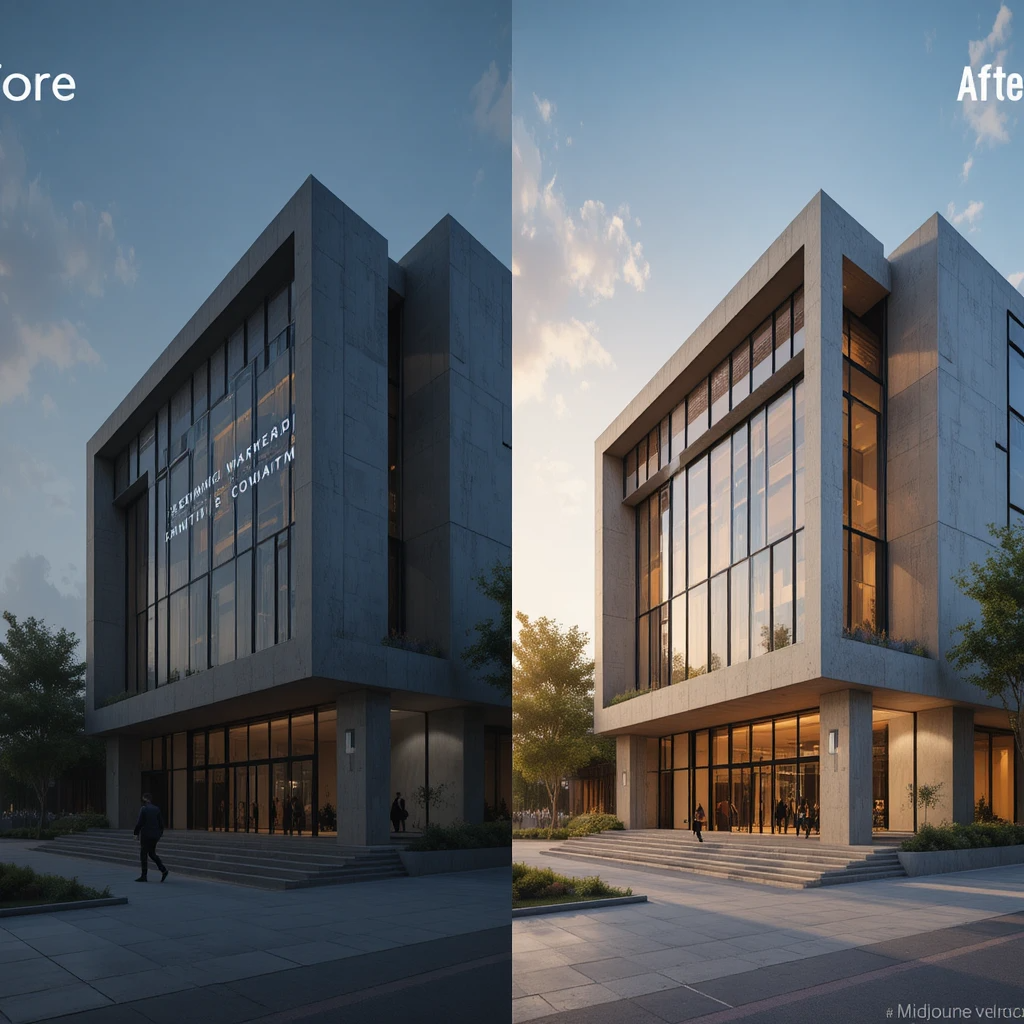


 Photo by




 Photo by
  Photo by