Category: AI Chatbot Secrets

  • Ultimate AI Prompt Store Guide: Where to Find Premium Prompts

    Digital marketplace interface for premium AI prompts and creative resources.

    Your Go-To Guide: Finding the Best AI Prompts to Supercharge Your Creativity

    The AI revolution isn’t just on the horizon; it’s already here, transforming how we work and create. Whether you’re whipping up stunning visuals with Midjourney and DALL-E, or churning out compelling copy and complex code with ChatGPT, artificial intelligence is a game-changer for everyone – from digital artists and graphic designers to business owners and tech enthusiasts. But here’s the catch: AI is only as good as the instructions you give it. Feed it generic prompts, and you’ll get generic results. That often leaves users feeling frustrated and wondering if these powerful tools are really all they’re cracked up to be.

    It’s not the AI’s fault, though! The real key to unlocking its full potential lies in “prompt engineering” – that’s the fancy term for the art and science of giving AI super clear, effective instructions so it can deliver exactly what you want, every time. Sure, you could spend hours trying to master this skill through trial and error. Or, you could take a shortcut. A whole new marketplace of expertly crafted, premium AI prompts has popped up, ready to help you achieve excellent results much faster.

    This guide is your roadmap to navigating that exciting world of AI prompt stores. I’ll show you where to find the best expert-crafted prompts for tools like ChatGPT, Midjourney, DALL-E, and many others. We’ll dive into why these premium prompts are such a game-changer, what to keep an eye out for when choosing a store, and how to use these fantastic resources to truly level up your creative and professional projects.

    The Rise of Prompt Engineering: From Basic Commands to Strategic Instructions

    Remember when a simple command like “write a poem about a cat” was enough for AI? Those days are long gone! As AI gets incredibly sophisticated, our instructions need to keep up. Prompt engineering has become a vital skill, helping us bridge the gap between what we want AI to do and what it actually does.

    Think of prompt engineering as all about being clear, specific, and providing context. It’s like learning how a specific AI model “thinks” and what kind of information it needs to perform its best. A basic prompt is like telling a chef, “Make some food.” An engineered prompt, however, is like handing them a detailed recipe: ingredients, cooking methods, desired flavors, even how you want it presented. The results? Night and day!

    For digital creators, this means you can consistently generate artwork in a specific style, create characters with consistent features, or design social media graphics that perfectly match your brand. Business owners can get marketing copy that actually converts, detailed reports, or innovative product descriptions that grab attention. Honestly, without well-engineered prompts, you’re just skimming the surface of what AI can do – settling for “meh” results when “mind-blowing” is totally possible!

    Why Invest in Premium AI Prompts? The ROI for Every Professional

    Now, you might be thinking, “Why would I buy prompts when many AI tools are free or subscription-based?” Good question! But trust me, premium prompts offer an incredible return on investment for all sorts of professionals:

    For Digital Creators & Graphic Artists: Unleash Your Inner Artist!

    Save Tons of Time: This is huge! No more endless trial-and-error. Instead of tweaking prompts for hours to get that perfect look or concept, a premium prompt gives you a proven starting point. Often, you’ll get stunning results on your very first try.
    Get Higher Quality, Unique Results: Expert prompts are built to really dig into AI’s creative core. This means you get outputs that aren’t just technically brilliant, but also far more imaginative and less “cookie-cutter” than what you’d get with a basic prompt. Think consistent artistic styles, intricate compositions, and specific visual stories.
    Beat Creative Blocks: We’ve all been there – inspiration just isn’t hitting. A curated prompt can be that m uch-needed spark! It offers fresh perspectives, challenges you with specific limitations, or introduces stylistic elements you hadn’t even thought of, really pushing your creative boundaries.
    Keep Things Consistent:** If you’re working on branding or a series, premium prompts help maintain a consistent look and feel across all your image generations. This keeps your brand identity strong and your narrative cohesive.

    For Business Owners: Boost Efficiency and Spark Innovation

    Faster Content Creation: Need blog posts, email newsletters, social media updates, or product descriptions? Premium prompts can seriously speed up how fast you create high-quality, on-brand content, giving your marketing and content teams precious time back.
    Smarter Marketing & Sales Copy: Get prompts specifically designed to craft captivating headlines, persuasive calls-to-action, and engaging sales copy that truly speaks to your audience. This can seriously boost your conversion rates!
    Streamlined Operations: Use prompts for everything from generating internal reports and summarizing long documents to drafting professional emails or even creating simple code. It all adds up to better operational efficiency.
    Gain a Competitive Edge: By using top-notch AI-generated assets, your business can project a more polished, innovative, and professional image. This keeps you ahead of competitors who are still fumbling with basic AI results.

    For Prompt Enthusiasts: Become an AI Master!

    Learn from the Pros: Premium prompts are like a secret playbook! By breaking down these expert-crafted prompts, you can figure out the strategies and techniques used by seasoned prompt engineers, rapidly improving your own skills.
    Discover New AI Tricks: Many premium prompts really push the envelope, showing off innovative ways to use AI. They can help you uncover new functionalities or stylistic possibilities you might never have dreamed of.
    Expand Your Toolkit: Build up a diverse collection of prompts for all sorts of situations. This way, you’ll always be ready to tackle any creative or professional challenge using AI.

    Understanding Different AI Models and Their Prompt Needs

    Before we jump into specific prompt stores, it’s super important to know that different AI models have their own quirks – their own strengths, weaknesses, and unique prompt requirements. What works perfectly for Midjourney likely won’t cut it for ChatGPT, and vice-versa.

    ChatGPT (and other Large Language Models like Claude, Gemini)

    What it’s for: Generating text, creating content, summarizing, coding, brainstorming ideas, and having conversations.
    Prompt style: You need to be crystal clear and specific. Often, this means giving the AI a “role” (like “Act as a marketing expert”), telling it what tone to use (“professional,” “humorous”), setting specific limits (“under 500 words,” “include three bullet points”), and sometimes even providing examples to guide its writing style. Keywords, context, and the format you want are absolutely key here.

    Midjourney (and other Image Generators like Stable Diffusion)

    What it’s for: Creating stunning images, exploring artistic styles, visual concepts, and intricate compositions.
    Prompt style: Get really descriptive! Think vivid adjectives, specific artistic styles (“photorealistic,” “impressionistic,” “cyberpunk”), and technical details (like aspect ratios --ar 16:9, camera angles, or lighting). You’ll also need to describe subjects, actions, and environments. And don’t forget “negative prompts” to tell it what you don’t want. Midjourney loves evocative language and lots of detail.

    DALL-E (and other Image Generators)

    What it’s for: Generating images, often with a knack for clear, literal interpretations and imaginative mashups.
    Prompt style: Similar to Midjourney, but DALL-E often prefers language that’s a bit more concise and direct. It can handle artistic styles, but it tends to be more literal with objects and scenes. Being very specific about the subject, action, setting, and desired visual attributes is crucial.

    Navigating the Landscape: What Makes a “Good” Prompt Store?

    With so many AI prompt stores popping up, the quality can really swing from amazing to “meh.” To make sure you’re spending your money wisely, here’s what to look for:

    1. Quality Control: Does the store actually check and approve prompts? Are they tested on different AI versions to ensure they work? Prioritize platforms that value quality over just having a huge number of prompts.
    2. Variety & Niche Focus: Do they have prompts for your AI model (ChatGPT, Midjourney, DALL-E, Stable Diffusion, etc.)? And do they cater to your specific niche – maybe a particular art style, business function, or content type? The best stores offer a good mix, both broad and deep.
    3. Clear Instructions & Examples: Any premium prompt should come with a straightforward explanation of what it does, how to use it, and ideally, examples of the results you can expect. This transparency is super helpful.
    4. User Reviews & Community Buzz: What are other people saying? Positive reviews, especially those with output examples, are a great sign that a prompt really works. A lively community can also offer support and insights.
    5. Pricing: You’ll find different models: one-time buys for single prompts or bundles, subscription services for continuous access, or even free, community-shared prompts. Pick what fits your usage and budget best.
    6. Updates & Future-Proofing: AI models are always changing! Do the prompt creators update their offerings to stay compatible and optimized with the latest versions of ChatGPT, Midjourney, and so on?
    7. Expertise Behind the Prompts: Who made these prompts? Are they experienced prompt engineers or subject matter experts? Their background can seriously impact how good and useful the prompts are.

    Top AI Prompt Stores: A Curated Selection for Premium Prompts

    The market for AI prompts is always changing, but a few platforms have really become trusted spots for high-quality options:

    1. PromptBase:
      What it is: A top marketplace for buying and selling AI prompts. It’s got tons of categories for Midjourney, DALL-E, Stable Diffusion, and ChatGPT. Prompts usually come with clear descriptions and output examples.
      Why it’s great: Fantastic variety across different AI models, solid quality control, and helpful examples. Perfect if you’re looking for specific prompts for both images and text.
      Who it’s for: Anyone wanting a diverse selection of high-quality, vetted prompts for various AI needs.
    2. Creative Market / Etsy:
      What they are: Not just AI prompt stores, but these platforms are home to tons of independent creators selling prompt bundles, especially for graphic design and art using Midjourney and DALL-E. You can dig up some really niche collections and unique stylistic prompts here.
      Why they’re great: You get access to unique, creator-specific styles and bundles, often at competitive prices. Awesome for finding prompts for a specific aesthetic or themed project.
      Who they’re for: Graphic artists, digital designers, and creators hunting for unique artistic styles or comprehensive prompt bundles.
    3. PromptHero:
      What it is: A brilliant resource mainly for image generation prompts (think Midjourney, Stable Diffusion). It’s a community-driven spot where users share and discover prompts, often with breathtaking visual examples. Many prompts are free, making it a superb place to learn what makes an image prompt effective.
      Why it’s great: Loads of visual examples, a strong community, and an excellent way to see what image AI can really do. Fantastic for learning and getting inspired before you even think about buying.
      Who it’s for: Midjourney and Stable Diffusion users looking for inspiration, wanting to understand prompt structures, and eager to discover new visual styles.
    4. AIPRM (for ChatGPT):
      What it is: This is a popular browser extension (for Chrome and Edge) that pops a curated list of prompt templates right into your ChatGPT interface. It’s community-driven but really focuses on prompts for business, marketing, SEO, and content creation.
      Why it’s great: It integrates seamlessly with ChatGPT, gives you a huge library of professionally made prompts for all sorts of text tasks, and just makes your workflow smoother.
      Who it’s for: Content creators, marketers, SEO specialists, and business owners who lean heavily on ChatGPT for generating text and content strategy.
    5. FlowGPT:
      What it is: Another community-powered platform, this one also hones in on ChatGPT prompts. Users can browse, share, and upvote prompts, making it a lively spot to discover new and effective ways to chat with those large language models.
      Why it’s great: A huge variety of prompts for different situations, an active community, and a solid source for innovative text-based applications.
      Who it’s for: ChatGPT users seeking a wide array of community-tested prompts and inspiration for diverse text-based projects.

    How to Effectively Use Purchased Prompts

    Okay, so you’ve got your premium prompts – awesome! But simply buying them is just the beginning. To really get the most out of them, try these strategies:

    1. Understand, Don’t Just Copy: Don’t just paste and go! Take a moment to really break down the prompt. What elements are in there? Which parameters are being used? Understanding the structure and the why behind an expert prompt will seriously boost your own prompt engineering skills.
    2. Adapt and Customize: It’s rare for a purchased prompt to be a perfect fit right out of the box. Feel free to tweak variables, swap out keywords, or adjust parameters to match your brand’s voice, artistic style, or specific project needs.
    3. Experiment (Little by Little): Use that premium prompt as a strong foundation, then play around with small modifications. See how tiny changes affect the AI’s output – it’s how you really fine-tune your results.
    4. Mix and Match: Don’t shy away from combining elements from different premium prompts. Maybe you’ll take a stylistic touch from one image prompt and a subject description from another, or blend different writing approaches for a truly comprehensive piece of content.
    5. Keep a “Prompt Journal”: Log the prompts you use, any changes you make, and the results you get. This “prompt journal” will become an incredibly valuable resource for future projects and for honing your skills.

    Beyond the Purchase: Developing Your Own Prompt Engineering Skills

    Premium prompts are a huge leg up, but they’re not a replacement for building your own prompt engineering skills. Think of them as advanced training wheels! Keep doing these things:

    Practice, Practice, Practice: The more you play around with AI, the better you’ll grasp its little quirks and nuances.
    Read the Manuals: Stay current with the latest features and recommended prompting techniques for the AI models you use.
    Follow the Pros: Connect with prompt engineers and AI artists on social media and in forums. Their insights are invaluable!
    Know AI’s Superpowers and Weak Spots: Understanding what AI is brilliant at and where it tends to stumble will help you create prompts that are both more realistic and more effective.

    Conclusion: Empowering Your AI Journey

    The AI era is all about access, yes, but it’s equally about skill. While these powerful tools are becoming more common, knowing how to really make them sing is what sets you apart. AI prompt stores aren’t just places to buy things; they’re goldmines of expert knowledge, offering digital creators, artists, business owners, and AI fans a direct route to unlocking AI’s true potential.

    By smartly investing in premium, expertly crafted prompts, you’ll save precious time, boost the quality of your work, conquer creative blocks, and gain a real competitive edge. This guide has given you the know-how to explore this exciting new world, helping you move past basic inputs and start an AI journey filled with incredible creativity, efficiency, and innovation.

    Want to supercharge your content creation with ChatGPT?

    Shoot me an email to get your free PDF: “ChatGPT Prompts Bundle for Content Creators.”

  • 10 AI Prompt Tools to Make You More Creative. (And Over 50 Free Prompts to try them out!)

    10 AI Prompt Tools to Make You More Creative. (And Over 50 Free Prompts to try them out!)

    The world of Artificial Intelligence is booming, but the key to unlocking its true power lies in one crucial skill: prompting. A well-crafted prompt can be the difference between generic, unusable text and a masterpiece of marketing copy, efficient code, or stunning art. But mastering this skill takes time. That’s where specialized AI prompting tools come in. They are the force multipliers for the modern creator, marketer, and developer. This curated list will guide you through the best tools on the market, helping you cut through the noise and choose the perfect solution to elevate your AI interactions, boost your output, and ultimately, save you precious time and mental energy. As an extra bonus I’ve included 50 prompts at the end to give these tools a try for yourselves. You’re welcome to copy and paste and use for whatever!

    1. Jasper

    Brief Overview: Jasper is a powerful, all-in-one AI content platform designed specifically for marketers and businesses to scale their content creation.

    Key Features & Benefits:
    Brand Voice Consistency: Teach Jasper your brand’s style and tone, and it will apply it across all content, ensuring a unified brand identity.
    SEO Mode Integration: Built-in SEO suggestions (via SurferSEO) help you create content that ranks higher on search engines right from the start.
    Long-Form Document Editor: Go beyond short snippets and craft full-length blog posts, reports, and stories with a intuitive, word processor-like interface.
    Templates for Everything: Access over 50 templates for everything from Facebook ads and email subject lines to video scripts and creative stories.

    Why We Love It: Jasper feels like having a professional copywriter on your team who never sleeps. Its focus on marketing-specific use cases makes it incredibly practical.

    Affiliate Angle: If you’re frustrated with the disjointed nature of generating ideas in one tool, outlines in another, and final copy in a third, Jasper is your solution. It streamlines the entire content workflow into a single, powerful platform, making it an indispensable tool for agencies and content teams serious about scaling their output without sacrificing quality or brand voice. It’s the ultimate ROI play for content-driven businesses.

    1. Copy.ai

    Brief Overview: Copy.ai is a user-friendly AI writing assistant focused on generating high-converting marketing copy, social media content, and sales collateral at incredible speed.

    Key Features & Benefits:
    Freemium Model: Get started immediately with a free plan that offers generous credits, making it perfect for beginners and those on a tight budget.
    Workflow Automation (“Infinity Mode”): Create custom workflows to generate not just one piece of content, but an entire series of related assets (e.g., a blog post, a social media carousel, and an email newsletter) from a single prompt.
    Vast Template Library: An extensive collection of templates for digital marketing needs, including cold emails, product descriptions, and LinkedIn bios.
    Multi-Language Support: Create content in over 25 languages, a huge advantage for global teams and marketers.

    Why We Love It: Its incredibly low barrier to entry and focus on quick, effective copy make it a go-to for solopreneurs and social media managers.

    Affiliate Angle: For anyone who needs to beat writer’s block and produce a week’s worth of social media posts or ad copy in an afternoon, Copy.ai is a game-changer. The free plan allows you to test its value risk-free, and the workflow automation features save so much time that the paid version quickly pays for itself. It’s the ultimate tool for maximizing your content output while minimizing effort.

    1. ChatGPT Plus (by OpenAI)

    Brief Overview: The subscription tier for the world’s most famous AI chatbot, ChatGPT Plus gives you reliable access to the advanced GPT-4 model, even during peak times.

    Key Features & Benefits:
    Access to GPT-4: Experience significantly improved reasoning, creativity, and accuracy compared to the free GPT-3.5 model, handling complex prompts with ease.
    General-Purpose Powerhouse: Unlike niche tools, ChatGPT is a jack-of-all-trades, capable of assisting with coding, creative writing, brainstorming, analysis, and casual conversation.
    Priority Access: Skip the queue during high-demand periods, ensuring you can use the tool whenever inspiration strikes.
    Plugins & Browsing (Beta): Extend its capabilities with plugins for specific tasks (e.g., Expedia, Kayak, Wolfram) and allow it to access current web information.

    Why We Love It: It’s the most versatile AI assistant available, acting as a Swiss Army knife for a huge range of intellectual tasks.

    Affiliate Angle: If you’ve been disappointed by the downtime or limitations of the free version of ChatGPT, upgrading to Plus is a no-brainer. The leap in capability with GPT-4 is substantial, transforming it from a novelty into a truly professional-grade tool. For developers, writers, and researchers who need dependable, top-tier AI performance, the monthly fee is a minimal investment for a massive productivity boost.

    1. Midjourney

    Brief Overview: Midjourney is an AI program and service that generates stunning, high-resolution images from text descriptions (prompts) through a Discord channel.

    Key Features & Benefits:
    Unmatched Aesthetic Quality: Widely regarded as producing the most artistic, visually beautiful, and photorealistic images of any mainstream AI image generator.
    Strong Community Aspect:** Learning happens in public on Discord, allowing you to see the prompts behind other users’ amazing creations and improve your own skills.
    High Customization: Use parameters to finely control aspect ratios, stylization, chaos, and specific models to get exactly the look you want.
    Iterative Refinement: Easily create variations and upscale chosen images to high resolution for practical use.

    Why We Love It: For artists, designers, and concept creators, Midjourney is pure magic. The quality of output consistently inspires awe.

    Affiliate Angle: Struggling to find the perfect stock image or commission expensive custom artwork? Midjourney puts the power of a digital artist in your hands. While there’s a learning curve to crafting the perfect prompt, the ability to generate completely unique, royalty-free visual assets for branding, blog posts, and mood boards is an incredible value. It’s not just a tool; it’s a source of unlimited creative inspiration.

    1. PromptHero

    Brief Overview: PromptHero is not a generator itself but a massive search engine for AI art prompts, allowing users to discover the prompts used to create specific images from DALL-E, Midjourney, and Stable Diffusion.

    Key Features & Benefits:
    Reverse Image & Prompt Search: Find images similar to one you have or love, and see the exact prompt used to create them.
    Massive Learning Database: Deconstruct successful AI art to understand how specific keywords and phrases affect the final output.
    Community Rankings: See which prompts and images are most popular and effective, giving you a curated list of proven formulas.
    Save & Organize: Build collections of your favorite prompts and images for future projects.

    Why We Love It: It dramatically shortens the learning curve for AI image generation by showing you what works, not just telling you.

    Affiliate Angle: If you’ve ever wasted credits on failed image generations because you couldn’t find the right words, PromptHero is your secret weapon. It pays for itself by saving you time and subscription fees on your AI art tools. This is the ultimate resource for going from an AI art novice to a proficient prompt engineer, ensuring you get usable results every time.

    Of course. Here are the remaining five products to complete your comprehensive roundup article.

    1. Claude AI (by Anthropic)

    Brief Overview: Claude is a next-generation AI assistant known for its conversational depth, long-context capabilities, and strong focus on safety and constitutional AI principles.

    Key Features & Benefits:
    Massive Context Window: Claude can process and remember information from extremely long documents (up to 200K tokens), making it ideal for analyzing lengthy reports, contracts, or entire books.
    Nuanced Dialogue: Excels at complex reasoning, summarization, and open-ended conversation with a noticeably natural and helpful tone.
    Reduced Harmful Outputs: Built with a strong constitutional AI framework to be more cautious, honest, and less prone to generating harmful or biased content.
    Document Analysis: You can upload PDFs, Word docs, and other text files directly for Claude to read, summarize, and answer questions about.

    Why We Love It: Claude feels like a thoughtful, intelligent partner, especially for deep work involving large amounts of text. Its ability to “remember” context over long conversations is unparalleled.

    Affiliate Angle: If you’re working with dense legal documents, lengthy technical papers, or need to synthesize information from multiple large sources, Claude is your indispensable research assistant. It saves you hours of manual reading and analysis, allowing you to focus on strategic decision-making instead of information gathering. For professionals who value accuracy and depth, Claude offers a uniquely reliable AI experience.

    1. Perplexity AI

    Brief Overview: Perplexity AI is an AI-powered answer engine that combines the capabilities of a chatbot with the accuracy of a search engine, providing detailed answers with cited sources.

    Key Features & Benefits:
    Source-Cited Answers: Every response includes footnotes linking directly to the sources it pulled information from, allowing for instant fact-checking and deeper research.
    Proactive Search: Instead of just answering your question, it often asks clarifying follow-ups to provide the most relevant and comprehensive answer possible.
    Focus & Search Modes: Tailor your search to specific domains like academic papers, computational knowledge, or general web search.
    Copilot Feature: An interactive AI guide that helps you explore topics thoroughly by asking you questions to narrow down your search.

    Why We Love It* It eliminates the guesswork and frustration of verifying AI-generated information, making it the ultimate tool for researchers, students, and journalists.

    Affiliate Angle: Tired of AI chatbots that confidently state misinformation? Perplexity solves the biggest trust issue in AI today. It’s the perfect tool for anyone who needs fast, accurate, and verifiable information without having to wade through pages of search results. For content creators who need to back up their work with credible sources, Perplexity isn’t just a nice-to-have; it’s a critical part of a responsible workflow.

    1. Stable Diffusion (via DreamStudio)

    Brief Overview: Stable Diffusion is a powerful open-source AI image generation model, and DreamStudio is its official, user-friendly web interface created by Stability AI.

    Key Features & Benefits:
    Unprecedented Control: Offers a wide array of settings to fine-tune your generated images, including negative prompts (what not to include), sampler types, and step counts.
    Open-Source Foundation: Because the core model is open-source, it has a massive community constantly creating custom models and styles (e.g., generating photorealistic people, anime styles, 3D icons).
    Cost-Effective Credits: DreamStudio operates on a pay-as-you-go credit system, which can be very economical for users who don’t need a unlimited monthly subscription.
    Image-to-Image Editing: Upload an existing image and use a prompt to modify it, alter its style, or fill in parts of the picture.

    Why We Love It: It offers the best balance of power, control, and affordability for serious AI art enthusiasts who want to tweak every aspect of the generation process.

    Affiliate Angle: For the AI artist who has outgrown the constraints of simpler tools and wants granular control over their creations, Stable Diffusion through DreamStudio is the next step. The ability to use negative prompts alone is a game-changer for fixing common AI image errors. If you want to develop a unique artistic style and leverage the power of community-trained models, this platform offers a professional-grade toolkit without a hefty subscription fee.

    1. Writer

    Brief Overview: Writer is a full-stack generative AI platform built for the enterprise, focusing on secure, brand-consistent, and governed content creation at scale.

    Key Features & Benefits:
    Enterprise-Grade Security & Governance:** Offers robust data encryption, strict access controls, and guarantees that your data is never used to train public models.
    Knowledge Graph: Teach Writer your company’s specific terminology, product details, and style guidelines, and it will adhere to them religiously.
    Workflow Integrations: Seamlessly integrates into existing workflows via APIs, Chrome extension, and direct plugins for tools like Figma, Slack, and Word.
    Built-in Fact Checking: Includes features designed to help verify claims and reduce hallucinations in generated text.

    Why We Love It: It’s the most secure and customizable platform for large organizations that need to maintain strict brand voice and data security.

    Affiliate Angle: If your legal and compliance teams are hesitant about adopting public AI tools, Writer provides a secure, auditable, and controlled solution. It’s not just a writing tool; it’s a knowledge management system that ensures every piece of content, from marketing to internal comms, is on-brand and accurate. For regulated industries and large teams, Writer mitigates the risks of AI while maximizing its benefits for productivity.

    1. NovelAI

    Brief Overview: NovelAI is a monthly subscription service for AI-assisted authorship, storytelling, and virtual companionship, with a strong focus on unfiltered creative freedom.

    Key Features & Benefits:
    Uncensored Storytelling: Specifically designed to avoid the heavy-handed content restrictions of other AIs, allowing for a wider range of creative genres and themes.
    Memory & Lorebook: Powerful features that let you build a persistent world. The Memory section keeps track of key plot details, while the Lorebook is a wiki for your characters, settings, and rules.
    Image Generation: Includes a powerful image gen module (trained on anime/illustrative styles) perfectly suited for creating character art and scene illustrations for your stories.
    Customizable AI Personas:** Adjust the AI’s prose style, verbosity, and genre adherence to match your specific needs.

    Why We Love It: It’s a sanctuary for writers of fiction and role-play who have been frustrated by other AIs refusing to follow their creative lead.

    Affiliate Angle: Have you ever had an AI suddenly moralize or shut down a creative story idea? NovelAI is built on the principle that the user is the author, offering unparalleled freedom for storytellers, game masters, and writers exploring niche genres. Its unique Lorebook system ensures your story’s world remains consistent chapter after chapter. If you want an AI that collaborates on your terms without judgment, this is the ultimate creative sandbox.

    How to Choose the Right AI Prompting Tool for You

    Selecting the best tool depends entirely on your primary need:
    For Marketers & Bloggers: Jasper, Copy.ai, and Writer.com are top choices.
    For Developers & Analysts: ChatGPT Plus and Claude.ai excel.
    For Artists & Designers: Midjourney and Stable Diffusion are industry leaders.
    For Researchers & Curious Minds: Perplexity.ai and ChatGPT Plus are incredible resources.
    For Enterprises with Security Needs: Writer is the standout platform.
    For Fiction Writers & Role-Play: NovelAI is in a class of its own.

    Most tools offer free trials or freemium plans—we highly recommend testing a few to see which interface and output style resonate with you.

    Here are some image prompts to use to try the image generation platforms:

    A hovering over ethereal massive huge moon. Mixed media of hyper-detailed digital illustration, a luminous painting inspired by William Blake, in a masterpiece with smooth clear clean edges

    A deciphering bioluminescent crystal ball. Mixed media of hyper-detailed vector art, a mystical painting inspired by Salvador Dalí, in a masterpiece with smooth clear clean edges

    A summoning ornate ancient ruins. Mixed media of hyper-detailed oil painting, a haunting painting inspired by Hieronymus Bosch, in a masterpiece with smooth clear clean edges

    A sailing through holographic sci-fi city. Mixed media of hyper-detailed neon art, a futuristic painting inspired by Syd Mead, in a masterpiece with smooth clear clean edges

    A repairing fractured dimension portal. Mixed media of hyper-detailed etching, a surreal painting inspired by M.C. Escher, in a masterpiece with smooth clear clean edges

    A discovering whimsical enchanted forest. Mixed media of hyper-detailed watercolor painting, a dreamlike painting inspired by Arthur Rackham, in a masterpiece with smooth clear clean edges

    A transforming cybernetic organism. Mixed media of hyper-detailed 3D rendering, a metallic painting inspired by H.R. Giger, in a masterpiece with smooth clear clean edges

    A defending celestial nebula. Mixed media of hyper-detailed acrylic painting, a cosmic painting inspired by Chesley Bonestell, in a masterpiece with smooth clear clean edges

    A conjuring iridescent mystical island. Mixed media of hyper-detailed mixed media artwork, a fantastical painting inspired by Alan Lee, in a masterpiece with smooth clear clean edges

    A evoking melancholic abandoned laboratory. Mixed media of hyper-detailed charcoal sketch, a dramatic painting inspired by Zdzisław Beksiński, in a masterpiece with smooth clear clean edges

    A navigating steampunk city. Mixed media of hyper-detailed collage, a vintage painting inspired by Jules Verne, in a masterpiece with smooth clear clean edges

    A igniting glowing alien landscape. Mixed media of hyper-detailed digital Photoshop creation, an otherworldly painting inspired by Wayne Barlowe, in a masterpiece with smooth clear clean edges

    A avenging cursed vampire castle. Mixed media of hyper-detailed ink drawing, a gothic painting inspired by Brom, in a masterpiece with smooth clear clean edges

    A building colossal giant robot. Mixed media of hyper-detailed technical drawing, a mechanical painting inspired by Hayao Miyazaki, in a masterpiece with smooth clear clean edges

    A banishing shadowy figure. Mixed media of hyper-detailed pen and ink drawing, a haunting painting inspired by Edward Gorey, in a masterpiece with smooth clear clean edges

    A exploring bioluminescent bay. Mixed media of hyper-detailed pastel artwork, an ethereal painting inspired by Rebecca Guay, in a masterpiece with smooth clear clean edges

    A revealing sacred shrine. Mixed media of hyper-detailed gold leaf art, a divine painting inspired by Klimt, in a masterpiece with smooth clear clean edges

    A dancing in flamboyant ballroom. Mixed media of hyper-detailed art deco painting, an elegant painting inspired by Tamara de Lempicka, in a masterpiece with smooth clear clean edges

    A repairing fractured time machine. Mixed media of hyper-detailed schematic, a retro-futuristic painting inspired by Moebius, in a masterpiece with smooth clear clean edges

    A observing prismatic parallel universe. Mixed media of hyper-detailed op art, a psychedelic painting inspired by Alex Grey, in a masterpiece with smooth clear clean edges

    A sculpting frozen ice fortress. Mixed media of hyper-detailed ice sculpture, a crystalline painting inspired by Andy Goldsworthy, in a masterpiece with smooth clear clean edges

    A chasing luminous firefly. Mixed media of hyper-detailed miniature painting, a whimsical painting inspired by Beatrix Potter, in a masterpiece with smooth clear clean edges

    A weaving intricate tapestry. Mixed media of hyper-detailed textile art, a textile painting inspired by Anni Albers, in a masterpiece with smooth clear clean edges

    A decoding arcane manuscript. Mixed media of hyper-detailed calligraphy, an esoteric painting inspired by Aubrey Beardsley, in a masterpiece with smooth clear clean edges

    A ascending colossal celestial event. Mixed media of hyper-detailed astronomical illustration, a cosmic painting inspired by Chesley Bonestell, in a masterpiece with smooth clear clean edges

    A vaporizing ethereal dragonfly. Mixed media of hyper-detailed stained glass art, a luminescent painting inspired by Louis Comfort Tiffany, in a masterpiece with smooth clear clean edges

    A navigating colossal steampunk city. Mixed media of hyper-detailed etching, an intricate painting inspired by Hayao Miyazaki, in a masterpiece with smooth clear clean edges

    A healing fractured crystal ball. Mixed media of hyper-detailed watercolor painting, a serene painting inspired by Alphonse Mucha, in a masterpiece with smooth clear clean edges

    A dismantling cybernetic organism. Mixed media of hyper-detailed technical drawing, a metallic painting inspired by H.R. Giger, in a masterpiece with smooth clear clean edges

    A discovering bioluminescent bay. Mixed media of hyper-detailed digital illustration, an ethereal painting inspired by James Cameron, in a masterpiece with smooth clear clean edges

    A conjuring iridescent mushroom. Mixed media of hyper-detailed macro photography, a psychedelic painting inspired by Alex Grey, in a masterpiece with smooth clear clean edges

    A defending ancient manuscript. Mixed media of hyper-detailed calligraphy, a mystical painting inspired by John Howe, in a masterpiece with smooth clear clean edges

    A ascending parallel universe. Mixed media of hyper-detailed astronomical illustration, a cosmic painting inspired by Chesley Bonestell, in a masterpiece with smooth clear clean edges

    A repairing time machine. Mixed media of hyper-detailed schematic, a retro-futuristic painting inspired by Moebius, in a masterpiece with smooth clear clean edges

    A evoking melancholic abandoned laboratory. Mixed media of hyper-detailed charcoal sketch, a haunting painting inspired by Zdzisław Beksiński, in a masterpiece with smooth clear clean edges

    A weaving intricate tapestry. Mixed media of hyper-detailed textile art, a textile painting inspired by Anni Albers, in a masterpiece with smooth clear clean edges

    A decoding arcane shrine. Mixed media of hyper-detailed gold leaf art, a divine painting inspired by Gustav Klimt, in a masterpiece with smooth clear clean edges

    A chasing luminous firefly. Mixed media of hyper-detailed miniature painting, a whimsical painting inspired by Beatrix Potter, in a masterpiece with smooth clear clean edges

    A sculpting frozen ice fortress. Mixed media of hyper-detailed ice sculpture, a crystalline painting inspired by Andy Goldsworthy, in a masterpiece with smooth clear clean edges

    A observing prismatic nebula. Mixed media of hyper-detailed op art, a psychedelic painting inspired by Bridget Riley, in a masterpiece with smooth clear clean edges

    A summoning ornate vampire castle. Mixed media of hyper-detailed ink drawing, a gothic painting inspired by Brom, in a masterpiece with smooth clear clean edges

    A transforming holographic alien landscape. Mixed media of hyper-detailed neon art, a futuristic painting inspired by Syd Mead, in a masterpiece with smooth clear clean edges

    A banishing shadowy figure. Mixed media of hyper-detailed pen and ink drawing, a haunting painting inspired by Edward Gorey, in a masterpiece with smooth clear clean edges

    A navigating colossal celestial event. Mixed media of hyper-detailed astronomical illustration, a cosmic painting inspired by Chesley Bonestell, in a masterpiece with smooth clear clean edges

    A deciphering fractured dimension portal. Mixed media of hyper-detailed etching, a surreal painting inspired by M.C. Escher, in a masterpiece with smooth clear clean edges

    A igniting glowing enchanted forest. Mixed media of hyper-detailed digital Photoshop creation, a fantastical painting inspired by Alan Lee, in a masterpiece with smooth clear clean edges

    A avenging cursed time machine. Mixed media of hyper-detailed technical drawing, a retro-futuristic painting inspired by Jules Verne, in a masterpiece with smooth clear clean edges

    A discovering whimsical mushroom. Mixed media of hyper-detailed watercolor painting, a dreamlike painting inspired by Arthur Rackham, in a masterpiece with smooth clear clean edges

    A hovering over ethereal massive huge moon. Mixed media of hyper-detailed vector art, a luminous painting inspired by William Blake, in a masterpiece with smooth clear clean edges

    A repairing cybernetic organism. Mixed media of hyper-detailed 3D rendering, a metallic painting inspired by Masamune Shirow, in a masterpiece with smooth clear clean edges

    A crystallizing luminous dragonfly. Mixed media of hyper-detailed stained glass art, a prismatic painting inspired by Louis Comfort Tiffany, in a masterpiece with smooth clear clean edges

    A unraveling bioluminescent mushroom. Mixed media of hyper-detailed macro photography, a psychedelic painting inspired by Alex Grey, in a masterpiece with smooth clear clean edges

    A resurrecting fractured ancient ruins. Mixed media of hyper-detailed charcoal sketch, a haunting painting inspired by Zdzisław Beksiński, in a masterpiece with smooth clear clean edges

    A navigating colossal steampunk city. Mixed media of hyper-detailed etching, an intricate painting inspired by Hayao Miyazaki, in a masterpiece with smooth clear clean edges

    A decoding iridescent crystal ball. Mixed media of hyper-detailed calligraphy, a mystical painting inspired by John Howe, in a masterpiece with smooth clear clean edges

    A weaving ethereal tapestry. Mixed media of hyper-detailed textile art, a textile painting inspired by Anni Albers, in a masterpiece with smooth clear clean edges

    A summoning ornate vampire castle. Mixed media of hyper-detailed ink drawing, a gothic painting inspired by Brom, in a masterpiece with smooth clear clean edges

    A transforming holographic alien landscape. Mixed media of hyper-detailed neon art, a futuristic painting inspired by Syd Mead, in a masterpiece with smooth clear clean edges

    A banishing shadowy figure. Mixed media of hyper-detailed pen and ink drawing, a haunting painting inspired by Edward Gorey, in a masterpiece with smooth clear clean edges

    A sculpting frozen ice fortress. Mixed media of hyper-detailed ice sculpture, a crystalline painting inspired by Andy Goldsworthy, in a masterpiece with smooth clear clean edges

    A observing prismatic nebula. Mixed media of hyper-detailed op art, a psychedelic painting inspired by Bridget Riley, in a masterpiece with smooth clear clean edges

    A igniting glowing enchanted forest. Mixed media of hyper-detailed digital Photoshop creation, a fantastical painting inspired by Alan Lee, in a masterpiece with smooth clear clean edges

    A avenging cursed time machine. Mixed media of hyper-detailed technical drawing, a retro-futuristic painting inspired by Jules Verne, in a masterpiece with smooth clear clean edges

    A discovering whimsical mushroom. Mixed media of hyper-detailed watercolor painting, a dreamlike painting inspired by Arthur Rackham, in a masterpiece with smooth clear clean edges

    A hovering over ethereal massive huge moon. Mixed media of hyper-detailed vector art, a luminous painting inspired by William Blake, in a masterpiece with smooth clear clean edges

    A repairing cybernetic organism. Mixed media of hyper-detailed 3D rendering, a metallic painting inspired by Masamune Shirow, in a masterpiece with smooth clear clean edges

    A evaporating luminous firefly. Mixed media of hyper-detailed miniature painting, a whimsical painting inspired by Beatrix Potter, in a masterpiece with smooth clear clean edges

    A ascending parallel universe. Mixed media of hyper-detailed astronomical illustration, a cosmic painting inspired by Chesley Bonestell, in a masterpiece with smooth clear clean edges

    A deciphering fractured dimension portal. Mixed media of hyper-detailed etching, a surreal painting inspired by M.C. Escher, in a masterpiece with smooth clear clean edges

    A healing bioluminescent bay. Mixed media of hyper-detailed digital illustration, an ethereal painting inspired by James Cameron, in a masterpiece with smooth clear clean edges

    A dismantling cybernetic organism. Mixed media of hyper-detailed technical drawing, a metallic painting inspired by H.R. Giger, in a masterpiece with smooth clear clean edges

    A conjuring iridescent mystical island. Mixed media of hyper-detailed mixed media artwork, a fantastical painting inspired by Alan Lee, in a masterpiece with smooth clear clean edges

    A defending celestial nebula. Mixed media of hyper-detailed acrylic painting, a cosmic painting inspired by Chesley Bonestell, in a masterpiece with smooth clear clean edges

    A evoking melancholic abandoned laboratory. Mixed media of hyper-detailed charcoal sketch, a dramatic painting inspired by Zdzisław Beksiński, in a masterpiece with smooth clear clean edges

    A navigating colossal celestial event. Mixed media of hyper-detailed astronomical illustration, a cosmic painting inspired by Chesley Bonestell, in a masterpiece with smooth clear clean edges

    1|CONTENT STRATEGY / WRITING PROMPTS

    Prompt: “Act as a social media strategist. Create a 30-day content calendar for Instagram Reels and Carousels in the [your niche] space with hooks that grab attention.’”

    2 VIRAL HOOKS

    Prompt: “Generate 25 viral-style hooks for social media posts, keeping them short, bold, and curiosity-driven.”

    3 SCRIPT WRITER

    Prompt: “Write engaging 30-second scripts for Instagram Reels based on these 5 topics: [insert topics]. Keep them punchy and fast- paced.”

    4ICAPTION BUILDER

    Prompt: “Write captions for Instagram Reels that expand on the scriot. include storytelling, and finish with a strong CTA to follow me.”

    5 1 DESIGN IDEA GENERATOR

    Prompt: “Suggest creative visual ideas for a carousel post on [topic] including layout, colors, and text placement.”

    6 I VIDEO EDITOR

    Prompt: “Give me editing instructions for a viral-style Reel, including transitions, text overlays, and trending effects.”

    7 ISCHEDULER

    Prompt: “Organize this content into a posting schedule, optimized for reach in US/UK/Canada time zones.’”

    Final Thoughts

    The right AI prompting tool doesn’t replace your creativity; it amplifies it. By handling the heavy lifting, these platforms free you to focus on strategy, refinement, and big-picture thinking. Investing in one is an investment in your own productivity and creative potential. Explore the options on this list, find the one that best fits your workflow, and start creating smarter, not harder.

    Ready to transform how you work? Click on any tool above to visit their website and start your free trial today!

  • Pay Once, Generate Forever: 10 AI Image Tools That Give Lifetime Access for a Single Price

    Pay Once, Generate Forever: 10 AI Image Tools That Give Lifetime Access for a Single Price

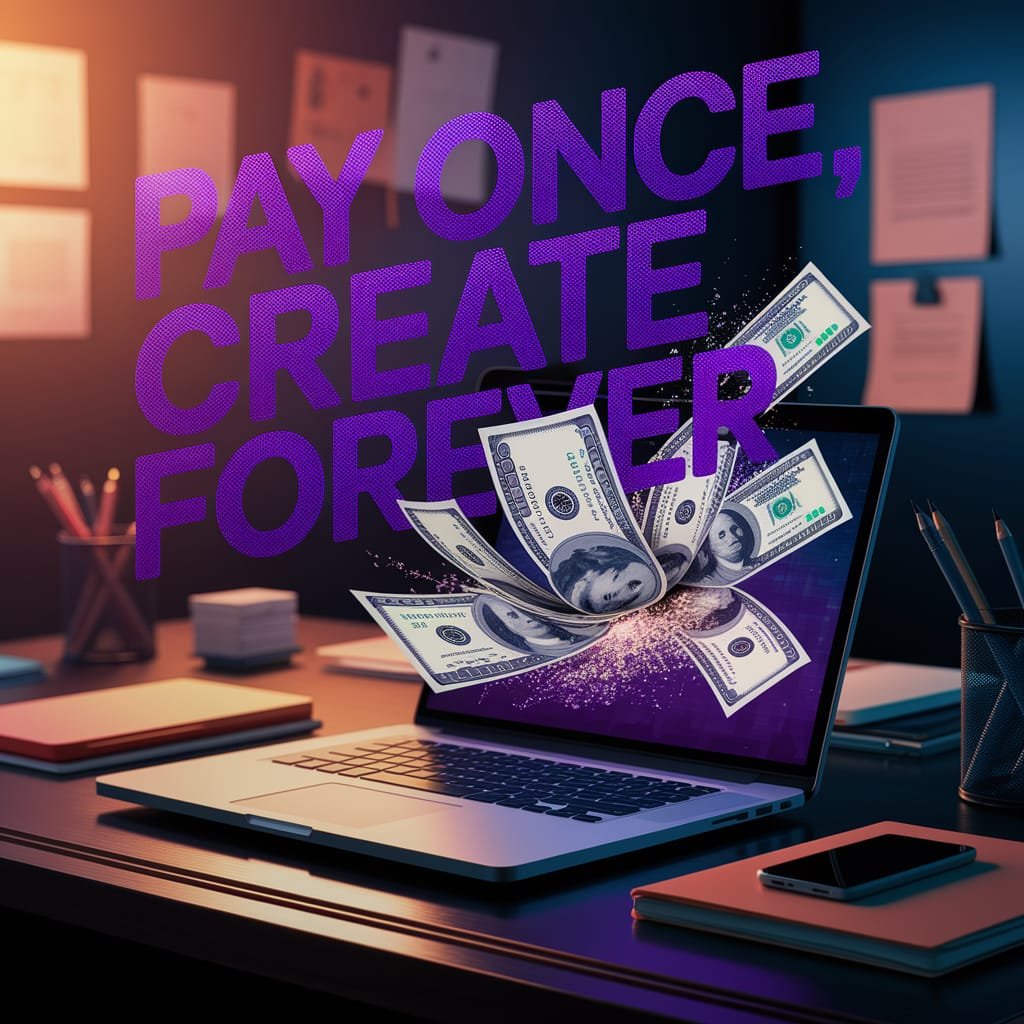
    Laptop on a dark workspace with glowing screens of AI art tools, digital dollar bills turning into bright pixels, text overlay reading ‘Pay Once, Create Forever,’ in neon purple and navy tones.”


    Tired of the endless cycle of monthly AI subscriptions eating away at your creative budget? Whether you’re a freelancer, marketer, or a casual creator, you want dependable, high-quality image generation—without the commitment of recurring fees. Good news: a wave of AI platforms now offer lifetime access with a one-time payment. Imagine unlocking powerful image generation tools and using them forever—no subscriptions, no renewals, just creative freedom. In this post, we’ll explore 10 such platforms that deliver exactly that. Each one lets you pay once, generate indefinitely, and keep your wallet happy. Ready to future‑proof your design workflow? Let’s dive in—and don’t forget to grab your favorite deal before it expires!


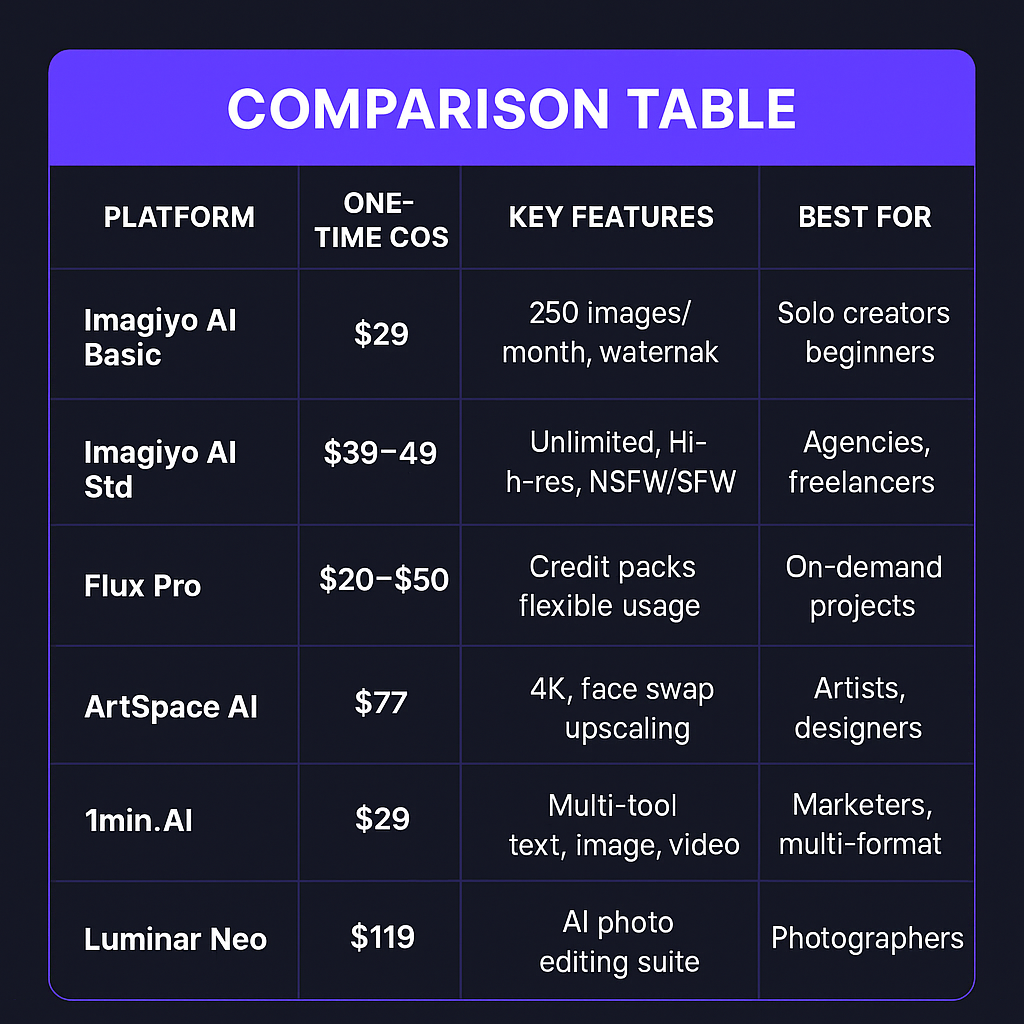
    1. Imagiyo AI – Standard Plan (Lifetime)

    • What’s on offer: Lifetime access to Imagiyo’s full image generator with high-res outputs, NSFW/SFW options, multiple sizes, and full commercial rights.
    • Price: Currently just $39.97, down from $495—a whopping 92% discount.
    • Why it rocks: Built with Stable Diffusion and FLUX AI, it delivers clean, versatile visuals fast—perfect for marketers, creators, and anyone who needs pro-quality visuals on demand.

    2. Imagiyo AI – Basic Plan (Lifetime)

    • Offer: Lifetime access to create up to 250 images per month, watermark-free, ad‑free, and with full commercial use. Uses FLUX Schnell and Modelslab Stable Diffusion for smooth, detailed results Flux AI+15SFGATE+15CO/AI+15.
    • Price: Now just $29 (regularly $345)—a solid 91% off.
    • Why it works: Ideal for solo content creators and small teams needing reliable output volume—with no subscription hassle.

    3. Imagiyo AI – Standard Deal (Latest)

    • Offer: Same as entry #1, but with an updated limited‑time deal.
    • Price: $49 for lifetime Standard Plan access—a full 90% off the regular $495 cost.
    • Why it matters: Great if you’re looking for flexibility—still high‑powered, but on sale longer than the $39 deal. Act fast!

    4. Flux Pro AI – One-Time Credit Packs

    • Offer: Credit-based image generation using potent Flux AI models (Schnell, Dev, Pro, etc.) with no recurring fees. Two one‑time tiers:
      • $20 → 400 credits
      • $50 → 1,000 credits
        Permanent history and no subscription required.
    • Why it’s valuable: Pay once, use credits at your pace. Great if you prefer control over how many generations you need, without locking into monthly plans.

    5. ArtSpace AI – Lifetime Deal

    • Offer: One-time purchase unlocks pro models for image/art creation, including features like face-swapping and 4K upscaling.
    • Price: Usually around $77 (often discounted from $297)—though may fluctuate—so check the latest on their site.
    • Why it stands out: Excellent for artists and designers who want high-resolution tools and creative flexibility without ongoing costs.
    • (I personally use this platform and love it!)

    6. PromptsGenii – Lifetime Prompt Guide Access

    • Offer: Lifetime access to expert-crafted prompt guides that help you generate sharper, more accurate results with AI image tools.
    • Price: Around $39, marked down from $780—an eye-watering 95% discount.
    • Why use it: Perfect if you’re new to prompt engineering or want to polish your prompt game once and for all.

    7. Artistly – Unlimited Lifetime License

    • Offer: One-time purchase unlocks unlimited image creation with commercial license included—no caps, no monthly limits.
    • Price: “Low one-time price” (varies; check artistly.ai for current deals).
    • Why it’s useful: Ultimate simplicity—buy it, use it, never pay again.

    8. 1min.AI – Pro Lifetime Subscription (Multi-Tool)

    • Offer: Lifetime access to a full AI toolkit—image, text, audio, and video generation—credit-based model using top engines like ChatGPT and Gemini.
    • Price: About $29.97, down from $234.
    • Why it’s cool: Freelancer? Marketer? You get everything in one platform for under $30.

    9. Luminar Neo – Lifetime Bundled AI Editing

    • Offer: Full suite of AI-powered editing tools (Skyᴬᴵ, Skinᴬᴵ, Relightᴬᴵ, overlays, tutorials).
    • Price: ~$119.99 (discounted from $682).
    • Why photographers/designers love it: Not just image generation—but intelligent editing with lifetime access.

    10. Photomator – AI Photo Editor (Lifetime License)

    • Offer: Non-destructive batch editing with AI enhancements—still available as a one-time purchase for Mac users.
    • Price: Around $99.
    • Why it fits: If you’re looking to level up photo editing without future fees, this is a solid choice.

    Picking Your Best Lifetime Deal

    Ask yourself:

    • How many images do you generate monthly?
    • Do you need upscaling, editing tools, or just content generation?
    • Is commercial use required?
    • Do you value credit flexibility or simply want unlimited access?

    Pick your deal:

    • Imagiyo Basic or Standard → Best for creators needing consistent image output.
    • Flux Pro credit packs → Great when you want flexibility without ongoing payments.
    • ArtSpace or Luminar Neo → Go-to if you care deeply about high-res or editing features.
    • 1min.AI → All-in-one solution for multi-format content creators.
    • PromptsGenii → Bonus tool to boost results across any platform.

    Final Thoughts 

    Say goodbye to nickel-and-diming subscriptions and hello to creative freedom. These one-time deals let you pay once, unlock lifetime access, and generate without limits—saving you money and headaches. Ready to pick the best value? Grab your favorite platform now before the deal vanishes—your future self (and creative projects) will thank you.

  • Vibe-Coding: Unlocking AI’s Reasoning Juice with GPT-5 and

    Vibe-Coding: Unlocking AI’s Reasoning Juice with GPT-5 and

    GPT-5 & AI: Vibe-Coding Unleashed

    The world of AI is changing fast. We’re moving away from rigid rules and stiff commands. Instead, we are finding a more natural way to tell machines what we want. This exciting shift is all about “vibe-coding.”

    So, what is vibe-coding? It means you speak to AI in plain language. You tell it your goals and what you want to achieve. The AI then figures out the complex code needed. Think about it: you describe the feeling or “vibe” of what you need. Then the AI makes it real. This is very different from old coding, which used strict rules. New AI models like a rumored GPT-5 will truly understand these broad instructions. They will bring out their amazing “reasoning juice,” leading to breakthroughs we’ve only dreamed of.

    The Evolution of Code Generation

    From Syntax to Semantics

    Early computer programs were tough. Developers had to use very specific commands. These rules were for the machine, not for humans. Every tiny mistake would break the code. It was like speaking a secret language with no room for error.

    Over time, programming languages got easier. We moved to “high-level” languages. These let us write code that looked more like English. Developers could focus on bigger ideas. They didn’t have to worry about every small machine step.

    Then, AI stepped in. At first, AI helped with small tasks. It would finish a line of code or suggest a basic snippet. But a human was always in charge. The AI still needed a lot of guidance.

    The “Vibe-Coding” Paradigm Shift

    Vibe-coding is a big leap forward. It focuses on the behavior you want. It’s about the final outcome of the code. You don’t tell the AI how to build it piece by piece. You describe the vision.

    Natural language is the new code. Smart AI can now understand our normal speech. This lets developers explain their wishes more clearly. It’s like talking to a very smart assistant.

    Imagine you want to sort a list. With vibe-coding, you might say, “Make a function that sorts this list from biggest to smallest. Make sure it doesn’t crash if the list is empty.” You don’t have to name the exact sorting method. The AI figures it out. This makes coding feel more like a conversation.

    Unlocking AI’s Reasoning Juice

    Beyond Pattern Matching

    Today’s AI models are very powerful. They can spot patterns in huge amounts of data. This helps them write text or create images. But they often struggle with new problems. They might not truly understand what they are doing. They are great at repeating what they’ve learned. They aren’t always great at deep thinking.

    “Reasoning juice” is the AI’s ability to think. It’s their power to solve problems and use what they know in new ways. This is more than just repeating facts. It’s about deep logic and smart choices.

    Vibe-coding helps unlock this reasoning. When you give AI a high-level goal, you challenge it. The AI must use its smarts to fill in the gaps. It needs to connect your broad idea to real code steps. This forces the AI to truly reason.

    The Role of GPT-5 and Future Models

    Reports suggest GPT-5 will be a game-changer. It may have much better logical thinking. Its memory for context could grow. This would help it understand subtle commands. Such power would make vibe-coding incredibly effective.

    Future models might even understand more than just words. Imagine showing an AI a drawing. Or you could speak your ideas aloud. The AI could use these hints as part of the “vibe.” This is called multimodal understanding.

    These advanced AI tools won’t just write code. They will be like smart partners. They can help design your project. They can solve tough problems with you. It’s a true team effort between humans and AI.

    Practical Applications and Benefits

    Increased Developer Productivity

    Vibe-coding can speed up your work. You can create early code quickly. This helps you test ideas faster. It’s great for making quick prototypes.

    AI can handle the boring parts of coding. It writes the standard setup for many tasks. This frees up developers. They can focus on the unique, important parts of their projects.

    This new way of coding also opens doors. People with great ideas but less coding practice can now build things. It makes coding more open to everyone. This lowers the barrier for creative minds.

    Enhanced Code Quality and Innovation

    AI might find better ways to write code. With a clear “vibe,” it can suggest smart or new solutions. This can lead to more efficient programs.

    Models that understand the whole project are even better. They can make code that fits perfectly. This leads to cleaner, more integrated systems.

    Picture this: A designer explains an animation’s flow. “I want this menu to slide out smoothly, with a slight bounce at the end.” The AI could then write the exact code for that animation. It translates feeling into function.

    Challenges and Considerations

    The Nuance of “Vibe”

    Natural language can be tricky. Words have many meanings. What one person means by “fast” might differ for another. This can cause misunderstandings.

    Vibe-coding still needs clear prompts. You must clearly state your goal. The more precise your description, the better the AI’s results. It’s about clear thinking, even in plain words.

    Sometimes, AI can make up answers. This is called “hallucinations.” The AI might give code that looks right but doesn’t work. Or it might be very inefficient. Always check the AI’s work.

    Ethical and Security Implications

    AI learns from data. If the data has biases, the code it makes might have them too. This could lead to unfair or unhelpful results. We must be careful about AI’s training.

    AI-generated code needs strong security checks. Bad code could create weaknesses. Rigorous testing is always key, no matter who or what writes the code.

    Who owns the code an AI writes? These questions are new. Laws and rules are still catching up. It’s important to think about who gets credit and responsibility.

    The Future of Coding: A Human-AI Symphony

    Actionable Tips for Embracing Vibe-Coding

    To get the most from vibe-coding, start smart. First, know exactly what you want the code to do. Define your outcome clearly before you ask the AI.

    Treat AI-generated code as a first draft. It’s a starting point. Give the AI feedback. Make changes yourself. This back-and-forth makes the final product better.

    Don’t just run the code. Try to understand why the AI wrote it that way. Learn the logic behind its choices. This will make you a better problem-solver.

    Experiment with your words. Try different ways to describe your idea. You’ll find which phrases work best for different tasks. It’s a skill you develop over time.

    Expert Quotes/References

    Leading AI researchers and software developers are eagerly watching this shift. They believe these advanced models will redefine how we build technology. Discussions often center on the potential for more creative problem-solving and greater access to powerful tools. Many see this as a pivotal moment for innovation in software.

    The Road Ahead

    AI models will keep getting better. They will understand more complex tasks. Their code generation will become even more precise.

    Expect new tools to pop up. These will make vibe-coding even easier. They will help developers work seamlessly with AI. This new era will bring new frameworks and platforms.

    The skills needed for developers will change. Less time on basic syntax means more time on big ideas. Focus will shift to designing systems. Talking effectively with AI will become a core skill.

    Conclusion

    Vibe-coding is changing how we create software. It moves us toward a more intuitive way of building. You tell the AI your desired outcome. It then writes the underlying code. This approach unlocks new levels of productivity. It also boosts creativity. And it makes software development open to more people. Dive in and start experimenting. The future of AI-powered coding is here.

  • Unlocking the Secrets: How NotebookLM Hacks Revolutionized My Business

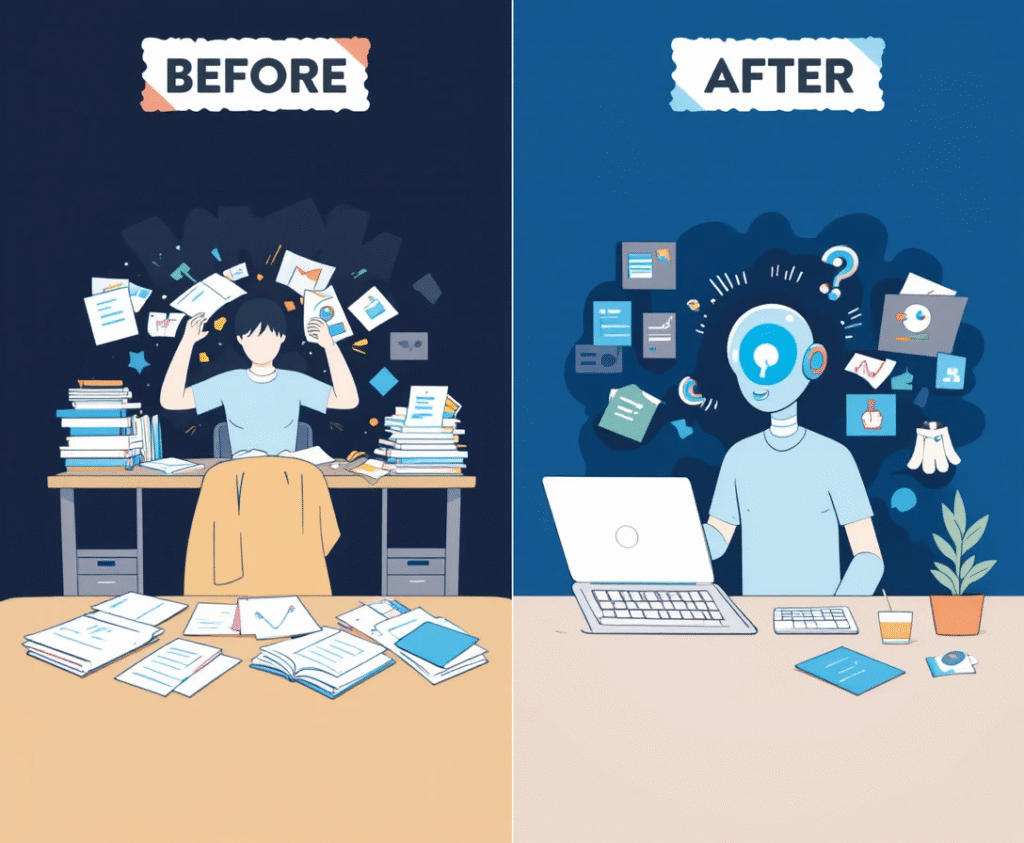
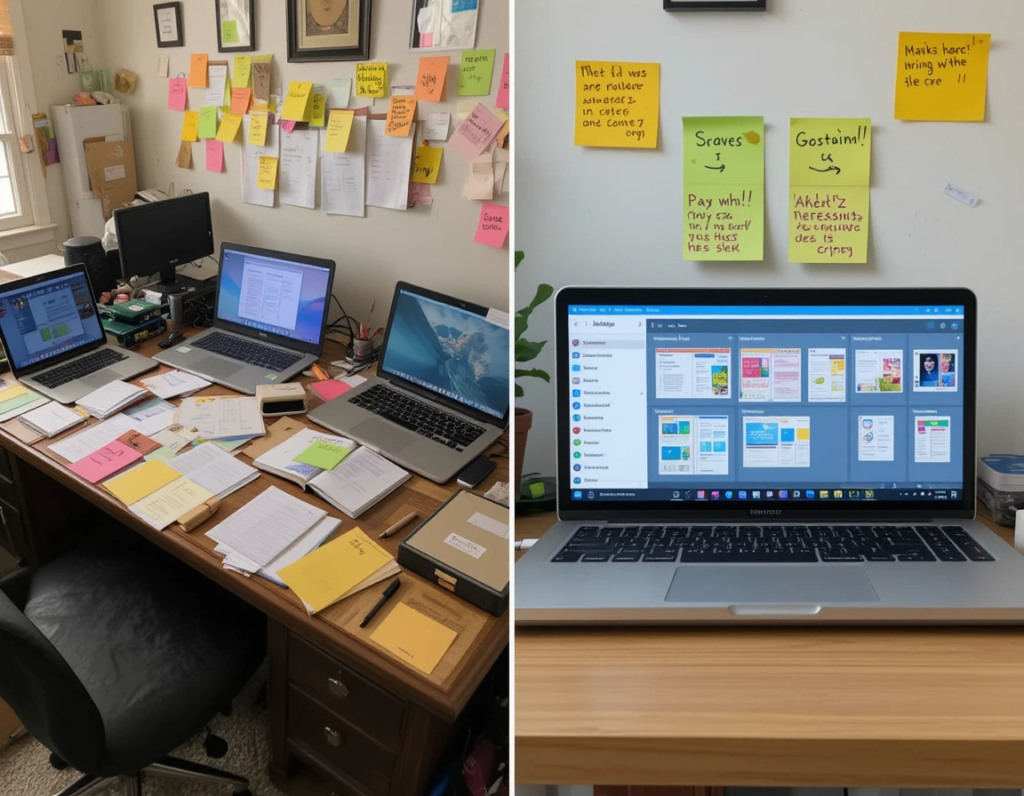
    "Split-screen comparison showing a cluttered desk with multiple open laptops, scattered papers, and sticky notes on the left, versus a clean, organized workspace with a single laptop displaying NotebookLM interface and organized digital notebooks on the right"

    This AI-powered research assistant has literally saved me many hours per week and helped me create better. I can confidently say that mastering NotebookLM isn’t just helpful – it’s essential if you want to stay competitive in today’s fast-paced digital landscape.

    Why NotebookLM is Perfect for Content Creators and Business Owners

    Here’s the thing about running a content business: you’re constantly juggling multiple projects, each requiring deep research and unique insights. Whether you’re creating YouTube videos, writing blog posts, developing courses, or crafting social media campaigns, the ability to quickly synthesize information and generate fresh perspectives is what separates successful creators from the rest.

    NotebookLM solves this problem beautifully. Unlike other AI tools that give you generic responses based on general training data, NotebookLM becomes an expert on YOUR specific materials. Upload your research documents, client briefs, industry reports, and even your own content – and suddenly you have a personalized AI assistant that understands your niche better than most humans.

    The privacy aspect is huge too. Your uploaded content stays private and isn’t used to train the model. For us business owners handling sensitive client information or proprietary research, this peace of mind is invaluable.

    The Real-World Impact on My Business

    Before NotebookLM, my typical research process looked like this: open 20+ browser tabs, take scattered notes across different documents, try to remember which source said what, and spend hours trying to connect the dots. Sound familiar?

    Now? I upload everything to a project-specific notebook, ask targeted questions, and get comprehensive answers with proper citations. The audio overview feature has been particularly incredible – I can turn complex research into engaging podcasts that I listen to while walking my dog or commuting. It’s like having a personal research team that never sleeps.

    My content quality has improved dramatically because I’m able to go deeper into topics without getting overwhelmed by information overload. Plus, the citations feature means I can always trace back to original sources, which adds credibility to my work.

    10 Practical NotebookLM Hacks for Daily Workflow Success

    Alright, let’s get into the specific techniques that have transformed my productivity. These aren’t just theoretical tips – they’re battle-tested strategies I use every single day.

    1. Create Your “Everything Notebook” Master Hub

    Start by creating one comprehensive notebook that contains your core business knowledge. I upload my brand guidelines, client testimonials, industry reports, competitor analysis, and even my own best-performing content. This becomes your go-to resource for quick insights and maintains consistency across all your projects.

    Pro tip: Include inspirational content and quotes that align with your brand voice. When you need creative inspiration, just ask your notebook for relevant quotes or concepts.

    2. Master the Project-Specific Notebook Strategy

    For each major project or client, create a dedicated notebook. Upload the client brief, relevant research, previous work examples, and any reference materials. This keeps everything organized and ensures you’re always working with the most relevant information.

    I name my notebooks with a clear convention: “Client_ProjectType_Date” (e.g., “TechStartup_ContentStrategy_Dec2024”). This makes finding specific projects effortless.

    3. Use the Feynman Technique Prompt for Complex Topics

    When dealing with complicated subjects, I use this prompt to break things down:

    Prompt:

    “Explain [TOPIC] using simple terms that a 12-year-old would understand. Identify any knowledge gaps, then provide real-world examples and create practice questions to test understanding.”

    This approach helps me create content that’s accessible to my audience while ensuring I truly understand the material myself.

    4. Generate Multiple Content Formats from One Source

    Here’s a massive time-saver: upload your research materials and ask NotebookLM to generate different content formats. I regularly ask for:

    – Blog post outlines

    – Social media captions

    – Email newsletter topics

    – Video script ideas

    – FAQ sections

     "Professional business person sitting at a modern desk with holographic AI assistant interface floating above, showing document analysis, audio waveforms, and interconnected knowledge graphs representing personalized research synthesis"

    One research session becomes the foundation for weeks of content across multiple platforms.

    5. Leverage Audio Overviews for Mobile Learning

    The audio overview feature is pure gold for busy creators. I generate audio discussions of my research materials and listen while exercising, commuting, or doing mundane tasks. It’s like having a personalized podcast about your exact niche.

    For variety, I customize the audio with prompts like: 

    Prompt:

    “Make this discussion more conversational and include practical examples that a small business owner would find relevant.”

    6. Create Template Prompts for Recurring Tasks

    I’ve developed a library of go-to prompts for common tasks:

    – “Generate 10 content ideas based on the uploaded materials”

    – “Create a comprehensive FAQ from these sources”

    – “Identify the top 5 trends mentioned across these documents”

    – “Summarize this information for a beginner audience”

    Having these templates saves time and ensures consistency in my workflow.

    7. Use NotebookLM for Competitive Research

    Upload your competitors’ content, industry reports, and market research to understand your competitive landscape better. Ask questions like:

    – “What content gaps exist in this market?”

    – “What are the common pain points mentioned across these sources?”

    – “What unique angles haven’t been covered yet?”

    This helps me identify opportunities and create content that stands out.

    8. Combine Tools for Maximum Efficiency

    I use NotebookLM alongside other tools for enhanced productivity:

    – Research and synthesize in NotebookLM

    – Refine ideas in ChatGPT

    – Create visuals in Canva

    – Build presentations in Gamma

    This tool combination creates a powerful content creation pipeline.

    9. Generate Study Materials for Skill Development

    As a business owner, continuous learning is crucial. I upload courses, articles, and industry resources to NotebookLM and generate:

    – Flashcards for key concepts

    – Study guides with main points

    – Audio overviews for review

    – Practice questions to test knowledge

    This has accelerated my learning curve significantly.

    10. Build Client Presentation Materials

    When preparing for client meetings or creating proposals, I upload relevant case studies, industry data, and project requirements. Then I ask NotebookLM to:

    – Create executive summaries

    – Generate compelling statistics

    – Identify key selling points

    – Develop presentation outlines

    This ensures my presentations are data-driven and highly relevant to each client’s needs.

    Making NotebookLM Work for Your Business

    The key to success with NotebookLM isn’t just knowing these techniques – it’s consistently applying them and adapting them to your specific needs. Start with one or two hacks that address your biggest pain points, then gradually incorporate more advanced techniques.

    Remember, the goal isn’t to use every feature available, but to find the combination that makes your workflow more efficient and your content more valuable. Some creators might focus heavily on audio overviews, while others might prefer the research synthesis capabilities.

    Here are five more prompts to get you started on your way to better more effective research and content creation:

    Understanding & Summarizing Prompts
    1. “Summarize this document in 5 bullet points.” 
    2. “What are the key takeaways from this article?” 
    3. “Explain this text like I’m a beginner.” 
    4. “Create a glossary of important terms from this document.” 
    5. “What questions would a teacher ask about this material?”

    The Bottom Line

    NotebookLM isn’t just another AI tool – it’s a fundamental shift in how we approach research, content creation, and knowledge management. In a world where information overload is the norm, having a tool that can intelligently synthesize and analyze YOUR specific materials is incredibly powerful.

    For content creators and business owners, time is money. Every hour you save on research is an hour you can spend creating, marketing, or growing your business. NotebookLM doesn’t just save time – it improves the quality of your work by helping you uncover insights and connections you might have missed.

     "Isometric illustration of a content creator's workflow showing documents being uploaded to NotebookLM, transforming into multiple content formats (blog posts, social media graphics, audio podcasts, video scripts) flowing outward like a creative pipeline"

    If you haven’t started using NotebookLM yet, you’re missing out on a massive competitive advantage. And if you’re already using it, hopefully these hacks will help you unlock even more value from this incredible tool.

    Trust me, once you experience the power of having a personalized AI research assistant, you’ll wonder how you ever managed without it. Your future self will thank you for making the investment in mastering these techniques today.

    What’s your biggest challenge with research and content creation? Have you tried NotebookLM yet? Let me know in the comments – I’d love to hear about your experiences and share more specific tips!

  • Chatbot Whisperer? Here Are 7 Genius Tips to Unlock Its Full Power

    Lady on the computer with her chatbot sitting across form her as her "Chatbot Whisperer."

    You’re not using your chatbot right — and that’s okay. Most people don’t.

    Let’s be real: you probably think of your chatbot as that slightly awkward friend who sometimes gives amazing advice… and sometimes just blurts out nonsense.

    But what if I told you that with just a few tweaks, your chatbot could become your personal brainstorming buddy , writing sidekick , and learning guru ?

    Spoiler alert: It’s not about being techy or smart — it’s about knowing how to ask the right questions .

    Here comes the genius (but totally simple) tips to unlock the full power of your chatbot — no PhD required.

    Why Most People Don’t Get the Most Out of Their Chatbot
    Raise your hand if you’ve ever typed something like:

    “Explain quantum physics.”

    Yeah, me too. And guess what? The chatbot spits back a wall of text that sounds impressive but makes zero sense by the end.

    That’s because most people make one big mistake: they treat their chatbot like a robot instead of a super-smart partner who just needs a little direction.

    Think of it like asking for directions from someone who knows everything — but doesn’t know what you actually need.

    So here’s the secret: be specific, be clear, and have fun with it.

    5 Game-Changing Chatbot Tips (That Nobody Talks About)

    1. Be Specific Like You’re Ordering Coffee
      Would you walk into a café and say, “Give me something to drink”?

    Probably not — you’d get whatever’s cheapest or easiest, which might not be what you want.

    Same with your chatbot.

    Try this:

    “Explain [topic] in simple terms.”
    “How would you explain blockchain to my grandma?”

    Result: Clearer, simpler answers that actually help you learn.

    1. Talk Like You’re Teaching a Kid
      Kids ask great questions because they don’t assume anything.

    Try telling your chatbot:

    Try this:

    “Explain [topic] like I’m 12.”

    Result: Instantly simplifies complex ideas without losing meaning — perfect for learning or explaining things to others.

    1. Use Role-Play to Level Up Help
      Chatbots love pretending to be someone else — and it works!

    Want better writing help? Ask it to act like an editor. Need career advice? Let it play HR pro.

    Try this:

    “Act as a marketing expert and help me write a social media caption.”
    “You’re my personal chef — give me a meal plan for the week.”

    Result: More focused, targeted, and helpful responses.

    1. Chain Your Thoughts Like a Pro
      Don’t stop at one question. Think of your chatbot like a conversation — not a one-time transaction.

    Try this:

    “Tell me about climate change.”
    “Now give me the key points in bullet form.”
    “Rewrite that for a high school science class.”

    Result: Build deeper understanding and tailor responses exactly how you need them.

    1. Ask for Formats That Fit Your Brain
      Some people love lists. Others need visuals. Some want stories.

    Guess what? Your chatbot can do all of those — if you ask.

    Try this:

    “Summarize this article in bullet points.”
    “Create a timeline of World War II in table format.”
    “Tell me the story of AI in five sentences.”

    Result: Information that sticks, whether you’re studying, presenting, or just curious.

    Best Prompts to Use Right Now (Copy & Paste Magic)
    Here are a few ready-to-go prompts you can steal today:

    “Rewrite this in a more positive tone.”
    “Break down [concept] into a 3-step process.”
    “Explain [topic] like I’m a beginner.”
    “Can you brainstorm 5 creative angles for [idea]?”
    “What are the pros and cons of [decision]?”
    “Create a table comparing X vs Y.”
    “Generate a quiz about [subject].”
    “Write a short story where [insert scenario].”
    “Give me a timeline of [event] in table format.”
    “Explain this like I’m 12.”
    Bonus tip: Save these somewhere handy — they work like magic across any topic.

    Creative Ways to Use Your Chatbot Beyond Q&A
    Still thinking your chatbot is just for answering questions? Think again.

    Here are some fun and practical ways to put it to work:

    Writing Help
    Draft emails, scripts, or social posts
    Improve your grammar and tone
    Turn notes into polished content
    Learning Hacks
    Create flashcards for study sessions
    Summarize long articles or books
    Quiz yourself on tricky topics
    Productivity Power
    Organize meeting notes into action items
    Generate to-do lists or daily planners
    Write email templates for common tasks
    Decision-Making
    Weigh pros and cons of big decisions
    Role-play arguments to prepare for tough talks
    Get different perspectives on problems
    Just for Fun
    Tell jokes or riddles
    Create themed stories (e.g., “A pirate explains cryptocurrency”)
    Play text-based games or choose-your-own-adventure
    How to Improve Communication With Any Chatbot
    The best part? Anyone can get better at working with chatbots — even if you’re not techy.

    Just follow these golden rules:

    Be kind and clear: Chatbots respond better when you’re polite and direct.
    Test different tones: Want formal? Casual? Friendly? Just ask.
    Iterate and refine: If you don’t like the first answer, rephrase or dig deeper.
    Refer back to earlier points: Chatbots remember context — use it!
    Ask for feedback: Yep, even chatbots can improve. Try:
    “Was that explanation helpful?”
    “Can you make this better?”
    Final Thoughts: Ready, Set, Chat!
    Your chatbot isn’t just a tool — it’s your new favorite teammate.

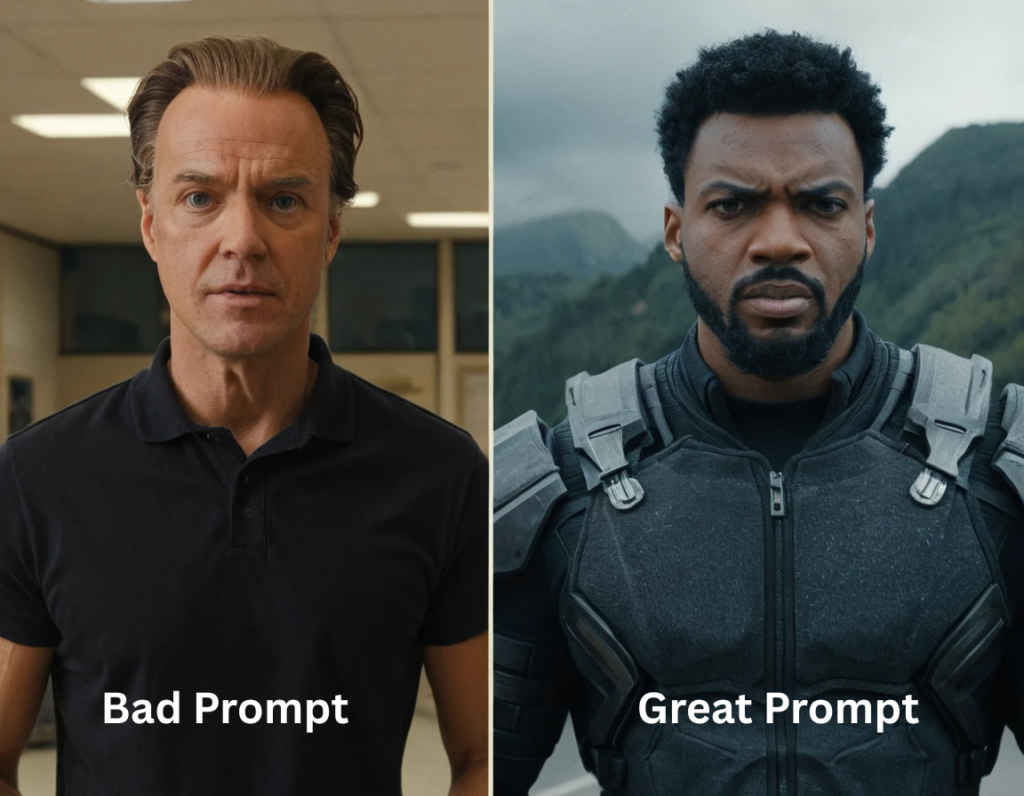
    Image of two men, one plain and simple the other is outfitted and ready to go, illustrating a the difference between a good prompt and a bad prompt.

    With the right prompts and mindset, it can help you write smarter, learn faster, and even laugh a little along the way.

    So go ahead — try one of those prompts, experiment with role-play, or chain a few questions together. You’ll be amazed at how powerful this little AI helper can be.

    Want More Chatbot Magic?
    Drop your favorite prompt in the comments below — let’s build the ultimate chatbot cheat sheet together!

    And if you found this post helpful, share it with a friend who’s still typing “Explain everything” into their chatbot.