The digital realm has transformed countless industries, and art is no exception. With the rise of artificial intelligence (AI), the question arises: can machines genuinely create art? This exploration delves into the world of AI-generated creations, spotlighting significant changes in how we perceive artistry.
The Blurring Lines Between Human and Machine Creativity
As AI technology advances, the boundary between human and machine creativity becomes less distinct. Traditional notions of art focused on the human touch, emotion, and experience. However, AI can mimic these qualities. Today, artworks generated by algorithms can evoke real feelings and provoke thought. This evolution challenges long-held beliefs about what constitutes art.
The Rise of AI Art Generators and Their Impact on the Art World
AI art generators have surged in popularity. Tools like DALL-E and Midjourney allow users to create visually stunning pieces with simple prompts. These generators rely on extensive datasets of images to learn styles, techniques, and themes, producing unique outputs.
Not only are these creations captivating, but they also raise questions regarding authenticity and value in the art world. As more artists embrace these technologies, art forms are diversifying and reshaping established standards.
Setting the Stage: Defining Art and Creativity
To appreciate AI-generated art, it’s essential to explore definitions of art and creativity. Art has often been associated with human intent and emotional expression. Creativity involves generating new ideas, whether through traditional methods or innovative means. By expanding this definition, we can embrace the artistic contributions of AI.
Understanding AI Art Generation Techniques
AI art generation employs various techniques, each contributing to its potential. Here are some key methods:
Generative Adversarial Networks (GANs): The Power of Competition
GANs consist of two neural networks—one generating images and the other critiquing them. This competitive process fosters continual improvement, yielding increasingly sophisticated creations.
Deep Learning Models: Training Algorithms on Vast Datasets
Deep learning algorithms analyze extensive collections of images and styles. They identify patterns, textures, and forms, allowing AI to generate original pieces that mimic different artistic styles.
Evolutionary Algorithms: Adapting and Refining Artistic Styles
Similar to natural selection, evolutionary algorithms evolve artworks over time. These algorithms generate variations, gradually refining them based on user feedback or set criteria.
Analyzing the Artistic Merit of AI Creations
Evaluating AI-generated art involves several factors, including aesthetics, human input, and legal considerations.
Assessing Aesthetics: Beauty, Emotion, and Impact
Just like traditional art, AI creations can be judged by beauty, emotional resonance, and impact. Viewers often respond to these pieces similarly to human-made art, highlighting their aesthetic value.
The Role of Human Input: Prompt Engineering and Artistic Direction
While AI does much of the heavy lifting, human input remains crucial. Prompt engineering—crafting effective prompts—guides the AI in creating desired outcomes. The artist’s vision shapes the final product, allowing collaboration between human and machine.
Copyright and Ownership: Navigating Legal Grey Areas
Legal issues arise with AI-generated art. Who owns the rights? The user, the AI developer, or neither? This gray area presents challenges for artists and the art world, demanding new frameworks to address these concerns.
The Impact of AI on the Art World and Society
AI’s influence extends beyond individual artworks. It alters how we think about creativity and art itself.
AI as a Tool for Artists: Expanding Creative Possibilities
Artists are finding new ways to incorporate AI into their practices. It acts as an assistant, providing fresh perspectives, ideas, and inspiration. This collaboration opens communities to explore uncharted territories in art.
The Future of Art Education: Integrating AI into Curricula
As digital art grows, educational institutions must adapt. Integrating AI into art curricula teaches future artists to use these tools efficiently, blending traditional techniques with modern technology.
The Ethical Considerations: Bias, Representation, and Authenticity
AI is not without its flaws. Data bias can lead to misrepresentation in art. Understanding these ethical concerns is vital to ensuring AI promotes diversity and authenticity rather than perpetuating stereotypes.
Famous Examples of AI Art and Their Significance
Several noteworthy examples highlight the capabilities of AI in art creation.
Specific Examples of AI-Generated Artworks
Portrait of Edmond de Belamy: Created by Obvious, this piece sold for over $432,000 at auction, showcasing the commercial viability of AI art.
The Next Rembrandt: This project utilized machine learning to recreate a compelling piece mimicking Rembrandt’s style, bridging historical and modern art forms.
Analysis of their reception and impact on the art community
These examples received mixed reactions. Some applaud the innovation, while others argue it diminishes human creativity. Regardless, they spark dialogue about art’s future.
Discussion of the artists (human and AI) involved
The interplay between human and AI artists fosters a new creative ecosystem. Traditional artists and tech developers collaborate, creating pioneering works that redefine artistic boundaries.
Conclusion: A Future Shaped by Human-AI Collaboration
AI’s role in art creation is undeniable. As technology advances, artists and machines can work in tandem, enriching the art world with fresh ideas and perspectives.
Key Takeaways: The evolving role of AI in art creation
AI is not replacing artists; it’s enhancing creativity. By embracing new tools, artists can push boundaries and explore new realms of expression.
Call to action: Further exploration and engagement with AI art
Engage with AI art by exploring different platforms, participating in discussions, and considering its implications. The future of art is a joint endeavor, inviting creativity from both machines and humans.
The world of art is changing fast, thanks to AI art generators. These tools are transforming how we create, experience, and think about art. From stunning visuals to imaginative concepts, AI is pushing the boundaries of creativity.
AI art refers to artwork produced with the help of artificial intelligence technologies. This can include images, paintings, music, and even text-based art. It comes in many forms, powered by various algorithms and techniques. Understanding AI art is vital in today’s digital world, where technology meets imagination.
Understanding the Technology Behind AI Art
Generative Adversarial Networks (GANs)
One primary technology behind AI art is Generative Adversarial Networks, or GANs. These networks work by having two components: a generator and a discriminator.
Generator: Creates images based on random noise or existing sample data.
Discriminator: Evaluates images and determines whether they are real or generated.
This back-and-forth process improves the quality of the generated art over time, leading to stunning results.
Diffusion Models
Diffusion models are another innovative approach in AI art generation. They start with random noise and gradually refine it into coherent images through multiple iterations.
Process: The model learns patterns from training data and applies them to create art.
Outcome: This method can produce high-quality images, making it a favorite among creators.
Other AI Art Techniques
AI art also includes other techniques, such as neural style transfer, which applies the style of one image to the content of another. Despite their strengths, these methods have limitations, including biases in training data and a lack of creative intent.
Popular AI Art Generators: A Comparative Look
Midjourney
Midjourney offers an accessible platform for users to create art with ease. Its features include:
User-friendly interface.
Community-driven support.
However, it may lack advanced customization options compared to others.
DALL-E 2
DALL-E 2, developed by OpenAI, is known for its impressive capabilities. It can generate unique images based on textual prompts. Key points include:
High-quality image output.
Ability to understand complex prompts.
Its limitations involve restrictions on explicit content and bulk generation.
Stable Diffusion
Stable Diffusion has gained popularity for its open-source nature. This allows for:
Community contributions.
Versatile applications.
Its uniqueness lies in its accessibility, appealing to both amateurs and professionals.
Ethical Considerations and the Future of AI Art
Copyright and Ownership Issues
As AI art grows, so do questions about copyright. Who owns AI-generated art? The original artists whose works trained the AI? The developers of the AI? Clear guidelines are still needed.
Impact on Human Artists
AI art also influences human creativity. While some artists embrace AI as a tool, others fear it may replace traditional methods. This raises questions about the role of human touch in artistic expression.
Societal Implications
The development of AI art may reshape societal norms around creativity. As more creators use AI, discussions about authenticity and originality become increasingly relevant.
Mastering the Art of AI Art Prompts
Crafting Effective Prompts
When using AI art generators, writing effective prompts is crucial. Clear and descriptive language helps the AI understand your vision better. Experiment with different styles and contexts to see varied results.
Using Keywords and Negative Prompts
Incorporating specific keywords can guide the AI to produce desired outcomes. Negative prompts help define what you don’t want, refining the results further.
Experimentation and Iteration
Iterate on your prompts. AI art thrives on experimentation. Test variations until you achieve the results you wish for.
AI Art: Applications and Beyond
AI Art in Commercial Applications
AI art finds applications in marketing and design. Businesses use it to create eye-catching visuals quickly, saving time and resources.
AI Art in Creative Fields
Movies and music also benefit from AI-generated content. For instance, filmmakers experiment with visuals that blend real and virtual elements. Musicians use AI to compose unique soundscapes.
Shaping Future Artistic Expressions
AI is shaping new ways to express art. As more tools become available, the future of creativity may involve a collaboration between humans and machines.
Conclusion: Embracing the AI Art Revolution
AI art presents incredible possibilities but also challenges. Key takeaways include the importance of understanding the technology and its implications for the art world. As we navigate this new space, engagement with AI art can spark creativity and innovation.
Explore AI art generators and try creating your own pieces. Discover the power of combining human creativity with artificial intelligence. The future of art is here, and it’s an exciting time to be a part of the revolution!
Keyword research is a cornerstone of SEO success. Studies show that 70% of marketers say keyword research has a significant impact on their overall content strategy. Yet, manual keyword research can be tedious and time-consuming. This is where AI-powered keyword research tools come into play, offering a smarter approach to finding the right keywords.
Understanding AI’s Role in Keyword Selection
How AI Algorithms Analyze Search Data
AI tools can sift through mountains of data from search engines, social media, and other online platforms. They quickly analyze trends, search volumes, and user behavior to identify the keywords that matter most. This eliminates the guesswork that often comes with manual research.
Benefits of Using AI for Keyword Research
The efficiency and accuracy of AI tools streamline the keyword research process. According to recent data, businesses that effectively research keywords can see up to a 200% increase in organic traffic. AI tools provide insights that manual research often overlooks. These insights help you target the right audience.
Limitations of AI in Keyword Research
While AI can offer valuable data, it has limitations. It may lack the nuanced understanding of context that a human has. This is why combining AI insights with human expertise is crucial in creating a cohesive keyword strategy.
Top AI-Powered Keyword Research Tools
Ahrefs
Ahrefs is a favorite among SEO professionals. It offers features like keyword tracking, competitive analysis, and backlink monitoring. Pricing starts at $99 per month. Many marketers have successfully used Ahrefs to boost their visibility. As SEO expert Neil Patel states, “Ahrefs is the best tool for analyzing your competition.”
SEMrush
SEMrush is another powerful tool that provides a range of features like keyword suggestions, SEO audits, and PPC analytics. Prices begin at $119.95 per month. For example, a brand increased its organic traffic by 150% after implementing SEMrush insights. According to marketing consultant Krista Neher, “SEMrush helps you find keywords your competitors are ranking for.”
SurferSEO
SurferSEO focuses on content optimization alongside keyword analysis. It suggests keywords based on current top-ranking pages. The pricing is competitive, starting at $59 per month. Users have reported significant improvements in content ranking after using SurferSEO. Expert Brian Dean claims, “SurferSEO connects the dots between keyword research and on-page optimization.”
Beyond Keyword Suggestions: AI’s Deeper Insights
Identifying Keyword Intent
AI tools excel at figuring out what users really want when they search. They can determine if a keyword is informational, transactional, or navigational. This understanding helps you create content that directly meets user needs.
Competitive Keyword Analysis
Analyzing competitor keywords can provide valuable insights. AI tools allow you to explore which keywords your competitors rank for and how they achieve their success. Use this information to inform your strategy by choosing keywords that fill gaps in your own content.
Content Optimization Suggestions
AI tools also suggest relevant keywords for improving existing content. They analyze keyword density and placement, helping you optimize for the terms that matter most. This ensures that your content remains relevant and boosts SEO effectiveness.
Choosing the Right AI Keyword Tool for Your Needs
Factors to Consider
When selecting an AI keyword tool, think about:
Budget: How much can you invest?
Features: What capabilities do you need?
Ease of use: Will you be able to navigate it easily?
Integration: Can it work with your other tools?
Free vs. Paid Tools
There are free tools that can do basic keyword research, but paid ones provide a wealth of features. Free tools may lack depth, while paid options offer detailed analysis and insights.
Trial Periods and Free Plans
Always take advantage of trial periods. Testing different tools helps you understand what fits best with your strategy before committing to a subscription.
Integrating AI Keyword Research into Your SEO Strategy
Developing a Keyword Strategy
Start by identifying your target audience. Use insights from AI tools to find keywords that resonate with them. Create a comprehensive plan that incorporates these findings.
Monitoring and Refining Keywords
Track the performance of your keywords over time. Adjustment is key; what works today may not work next month. Regular reviews of keyword performance are crucial for staying ahead.
Combining AI with Human Expertise
AI provides great insights, but human judgment is essential. Blend AI data with your experience to make strategic decisions that drive results.
Conclusion:
Using AI for keyword research offers speed and depth that manual methods can’t match. Pairing these tools with human insight creates a robust keyword strategy. Start with one actionable tip: begin using AI tools today to identify your next high-impact keyword.
Imagine having a personal ai agent to help you manage info and automate tasks. This would make your life easier and more efficient. With AI getting better fast, making a virtual assistant is now possible.
OpenAI’s “deep research” feature is a big deal, even though it’s only for ChatGPT Pro users now. It could change how we get to complex info. Soon, it will be available in more packages, like ChatGPT Plus and Team.
So, can you make a virtual assistant that learns and adapts to you? What tools and tech do you need to build such an ai agent?
Starting to make your own ai assistant is exciting. You’ll learn about tools, techniques, and best practices for making smart chatbots. AI can automate tasks like data analysis and info search.
This makes AI a must-have for both work and personal life. Your goal is to make a chatbot that gets and answers your questions. This will make your life simpler and more efficient.
Key Takeaways
Building a personal ai agent needs a deep understanding of AI, machine learning, and natural language processing.
OpenAI’s “deep research” feature could change how we get to complex info.
Creating a virtual assistant can automate tasks and make life easier and more efficient.
Essential tools and technologies are needed to build an ai agent, like AI reasoning models and natural language processing techniques.
Continuous adjustments based on user feedback are key to improving your ai assistant’s quality and abilities.
Using a no-code platform can speed up making personalized apps.
Understanding AI Agents and Their Capabilities
AI agents are software programs that use artificial intelligence. They do tasks that need human smarts, like understanding language and making choices. They get better with machine learning, learning from data and improving over time.
Some key things AI agents can do include:
Learning from data and getting better over time
Understanding and making language that sounds like humans
Seeing and making sense of images and other data
Deciding and acting based on the data they have
Using ai agent tech with other tools is getting more common. Many groups use AI agents to automate tasks and help customers. By 2025, they will get even better at tasks like understanding language.
As AI agents get smarter, we’ll see new uses for them. This includes machine learning-based chatbots and artificial intelligence-driven decision systems.
Essential Tools and Technologies for AI Development
Building AI needs many tools and technologies. This includes programming languages like Python and Java. Also, software development kits (SDKs) like TensorFlow and PyTorch are key. Knowing these tools is crucial for creating and using AI models.
Python is a favorite for AI work because it’s easy and flexible. TensorFlow is a top choice for making and training machine learning models.
In an ai tutorial, you can discover the main tools and technologies for AI. This includes programming languages and software development kits. OpenAI’s “deep research” feature uses its new o3 reasoning model. It helps with complex tasks in finance, science, policy, and engineering.
Some important tools and technologies for AI are:
Programming languages such as Python and Java
Software development kits (SDKs) such as TensorFlow and PyTorch
Machine learning models and algorithms
Cloud computing platforms such as AWS, Google Cloud, and Microsoft Azure
Using these tools can make AI development faster. Businesses can cut model development time by up to 80%. They can also see a 20-30% boost in efficiency.
Companies can also speed up AI app deployment by up to 75%. This is thanks to containerization technologies.
Preparing Your Development Environment
To start with ai development, you need to get your environment ready. This means setting up your system and installing key libraries and frameworks. You also need to make sure your environment is good for machine learning and natural language processing.
For example, you must install NLTK and spaCy for natural language processing. You can do this with the command `pip install crewai crewai-tools uv. Also, you’ll need a model like `cortecs/phi-4-FP8-Dynamic` for your ai development.
Here are some important steps to get your environment ready:
Install necessary libraries and frameworks
Provision a suitable model
Manage dependencies, including `crewai[tools]>=0.100.1,=0.1.0`
By doing these steps, you’ll be ready to start your ai development, machine learning, and natural language processing projects.
Fundamentals of Natural Language Processing
Natural language processing is a part of AI that helps computers talk to humans in their own language. It’s key to making AI models that can understand and create human language. This means programming and software development to make algorithms that can handle and analyze human language.
Some big uses of natural language processing are language translation, feeling analysis, and text summary. These uses can change many fields like healthcare, finance, and customer service. For instance, it can help analyze patient data for better treatment or improve customer service by understanding feedback.
To get into natural language processing, you need to know the basics and how it works in real life. This means studying what experts do and looking at online resources and tutorials. By learning more about natural language processing, developers can make AI that talks to humans more naturally.
Some important skills for natural language processing are:
* Programming skills in languages like Python or Java
* Software development skills, including machine learning experience
* A deep understanding of natural language processing concepts
* The ability to work with big data and analyze it
Create Your Own AI Agent: A Step-by-Step Guide
To create your own ai agent, you must design a software program. It should do tasks that need human smarts. You’ll decide its purpose, how it works, and how users interact with it. AI tools help you build ai assistant for many tasks.
The steps to ai agent creation include designing, building, and deploying. Tools like OpenAI’s “deep research” feature can help. It’s first for ChatGPT Pro users, offering advanced research tools.
Here are the main steps to create your own ai agent:
Determine the purpose and functionality of your AI agent
Design the user interface and user experience
Choose the right AI development tools and technologies
Build and deploy your AI agent
By following these steps, you can build ai assistant for many tasks. This boosts your productivity. AI agents are getting more popular. With the right tools, you can create your own ai agent for your needs.
Selecting the Right Machine Learning Models
Machine learning is key for AI agents to learn and get better. An ai tutorial helps developers learn about different models. These include supervised, unsupervised, and reinforcement learning models.
Going the diy ai route gives developers more control. But picking the right model is crucial for the AI to do its job well.
When choosing a model, think about the data, task complexity, and accuracy needed. The right model helps AI agents learn and improve. This leads to better performance over time.
Supervised learning models, which are suitable for tasks such as image classification and natural language processing
Unsupervised learning models, which are useful for tasks such as clustering and dimensionality reduction
Reinforcement learning models, which are ideal for tasks that involve decision-making and optimization
Understanding and choosing the right machine learning model is important. It helps developers make AI systems that learn and get better over time.
Training Your AI Assistant
Training your AI assistant is key to making it work well. You need to give it data and tweak its settings for better performance. The aim is to have an assistant that gets smarter over time, thanks to machine learning models.
Getting a big and varied dataset is important for training ai. This lets the assistant learn from many examples and get more accurate. For example, AI helped with the Beatles’ song “Now and Then,” showing AI’s creative power.
Here are some tips for training ai:
Use top-notch and relevant data
Adjust settings for the best results
Keep checking and boosting the assistant’s skills
By sticking to these tips and using smart machine learning models, you can make an ai assistant that keeps getting better. It will help a lot in different tasks and areas.
Implementing Conversational Capabilities
Adding conversational skills to your AI agent is key for a smooth user experience. It means making interfaces that get and answer human talk. This uses methods like intent recognition and feeling analysis. A conversational ai model can team up with a chatbot for a more personal touch.
A virtual assistant can get better at knowing what users like over time. This happens by using learning algorithms and natural language tech. Some cool things a conversational ai can do include:
Intent recognition: figuring out what the user really wants
Sentiment analysis: seeing how the user feels and reacting right
Contextual understanding: keeping track of what’s going on in a chat
With these skills, your AI agent can talk to people in a way that feels natural. This makes users happier and more likely to come back.
Building the User Interface
Building the user interface for your AI agent is key. Ui design makes it easy and friendly for users. It’s important to know how to design a good user interface.
For example, a simple design helps users understand things easily. This makes the AI work better with people.
The ai development user interface should change with new information. This is done by adding memory to the AI. This way, it remembers what happened before and makes things better for the user.
Some important things to think about when making the user interface are:
Creating a simple and consistent design language
Incorporating memory to maintain context across interactions
Using modular nodes to fulfill specific roles in workflow creation
Integrating external tools for real-time updates and dynamic data management
By focusing on these, you can make a user interface that is easy to use and works well. Using ui design and user interface best practices is crucial. It helps your AI agent work well with humans, which is vital in ai development.
Security Measures and Privacy Considerations
Building an AI agent means we must think about ai security and privacy considerations. We need to protect user data and stop unauthorized access. It’s key to know the best ways to keep AI safe and trustworthy.
Encrypting data and using secure login methods are crucial. Also, machine learning models must be made with safety in mind. OpenAI’s “deep research” feature is first for ChatGPT Pro users. They plan to let more people use it, showing how important safe AI access is.
Some important steps for security are:
Implementing encryption for data protection
Using secure authentication protocols
Designing machine learning models with security in mind
By focusing on ai security and privacy considerations, we can make AI agents that work well and are safe. This makes the user experience better and keeps important info safe.
Testing and Quality Assurance
Testing and quality assurance are key in ai development. They make sure AI agents work well and accurately. The Beatles’ song “Now and Then” shows AI’s power in creative fields. It’s vital to know about testing and quality assurance for your AI.
Testing involves using tools and manual checks to ensure AI quality. This includes:
Automated testing tools to find bugs
Manual testing to check AI performance
CI/CD pipelines for smooth deployment
Quality assurance means checking AI model performance and improving it. This includes looking at metrics like accuracy and recall. By focusing on testing and quality assurance, developers make AI agents reliable and effective.
Deployment and Hosting Options
When choosing deployment and hosting for your AI agent, think about a few things. You want your AI to be easy to use and accessible. The right hosting and deployment are key to this.
Cloud services like AWS or Google Cloud are great for hosting AI models. They offer the needed infrastructure.
Important things to consider include:
Scalability: The ability to scale up or down to meet changing demands.
Security: Ensuring the security and integrity of the AI agent and its data.
Cost: Balancing the costs of deployment and hosting with the benefits of the AI agent.
In ai development, how you deploy and host is crucial. The right plan makes AI agents efficient, secure, and affordable. As AI grows, we’ll see new hosting options like edge computing or hybrid clouds.
Monitoring and Maintenance Strategies
Effective monitoring and maintenance are key for AI agents’ long-term success. As AI grows, it’s vital to have strategies for keeping AI agents reliable and accurate. This means using tools to watch AI model performance and find ways to get better.
In AI development, monitoring and maintenance mean watching AI models and making changes when needed. This includes updating models, tweaking settings, and making sure AI agents follow rules. By focusing on monitoring and maintenance, developers can make AI agents that are not just good but also safe and open.
Implementing logging and analytics tools to track AI model performance
Regularly updating AI models with new data and fine-tuning parameters
Establishing guidelines and protocols for AI agent operation
By using these strategies, developers can make sure their AI agents work their best. They will give accurate and reliable results, helping AI grow and improve.
Scaling Your AI Assistant
As you work on your AI assistant, scaling is key. It means making your AI handle more users and tasks. This is important for AI to do things that humans do at a big scale. To do this, you need to know how to scale AI well. This includes using distributed computing and parallel processing.
Companies like OpenAI are finding ways to grow their AI models. They have features like “deep research” for personal research help. By using machine learning and ai development, you can make AI that gets better with time. For example, tools like Roo Code and Cursor help developers write code faster.
Some important things to think about when scaling your AI assistant include:
Using distributed computing and parallel processing to grow capacity
Applying machine learning to boost performance and accuracy
Connecting with other services to add more features
Making sure data is safe and private
By following these tips and using the latest in ai development and machine learning, you can make a powerful AI assistant. It can handle tough tasks and give users useful insights. As you grow your AI, you’ll open up new ways to use it. This could be anything from automating tasks to giving personalized advice.
Integration with External Services
Connecting your AI assistant to other systems is key to making it better. This lets your AI talk to other services smoothly. APIs and data exchange protocols help share info between systems.
AI agents can work with services like Airtable for better data management. This lets AI agents update records fast and make smart choices. It makes them more useful and quick.
Integrating AI agents with services brings many benefits. Here are a few:
More features and abilities
Work faster and more efficiently
Grow and change easily
As AI gets better, we’ll see new ways to use it. For example, AI in customer support and project management will make things better. AI agents can solve big problems, showing how flexible and smart they are.
Unleashing the Future of Personal AI Assistance
Artificial intelligence (AI) is getting better and better. This means our personal AI helpers will change how we live and work. They will do routine tasks, help us more, and meet our personal needs.
Agentic AI is very exciting for keeping things safe. It can find and fix problems fast. This makes our digital world safer and more efficient.
New tech like heterophilic hypergraph learning will make AI even better. Soon, AI will see threats, act fast, and fix problems on its own. This will change how we keep apps safe.
But, we must think about the ethics of AI. We need to keep our data safe and understand how AI works. We must trust AI to use it wisely.
Imagine having a personal ai agent to help you manage info and automate tasks. This would make your life easier and more efficient. With AI getting better fast, making a virtual assistant is now possible.
OpenAI’s “deep research” feature is a big deal, even though it’s only for ChatGPT Pro users now. It could change how we get to complex info. Soon, it will be available in more packages, like ChatGPT Plus and Team.
So, can you make a virtual assistant that learns and adapts to you? What tools and tech do you need to build such an ai agent?
Starting to make your own ai assistant is exciting. You’ll learn about tools, techniques, and best practices for making smart chatbots. AI can automate tasks like data analysis and info search.
This makes AI a must-have for both work and personal life. Your goal is to make a chatbot that gets and answers your questions. This will make your life simpler and more efficient.
Key Takeaways
Building a personal ai agent needs a deep understanding of AI, machine learning, and natural language processing.
OpenAI’s “deep research” feature could change how we get to complex info.
Creating a virtual assistant can automate tasks and make life easier and more efficient.
Essential tools and technologies are needed to build an ai agent, like AI reasoning models and natural language processing techniques.
Continuous adjustments based on user feedback are key to improving your ai assistant’s quality and abilities.
Using a no-code platform can speed up making personalized apps.
Understanding AI Agents and Their Capabilities
AI agents are software programs that use artificial intelligence. They do tasks that need human smarts, like understanding language and making choices. They get better with machine learning, learning from data and improving over time.
Some key things AI agents can do include:
Learning from data and getting better over time
Understanding and making language that sounds like humans
Seeing and making sense of images and other data
Deciding and acting based on the data they have
Using ai agent tech with other tools is getting more common. Many groups use AI agents to automate tasks and help customers. By 2025, they will get even better at tasks like understanding language.
As AI agents get smarter, we’ll see new uses for them. This includes machine learning-based chatbots and artificial intelligence-driven decision systems.
Essential Tools and Technologies for AI Development
Building AI needs many tools and technologies. This includes programming languages like Python and Java. Also, software development kits (SDKs) like TensorFlow and PyTorch are key. Knowing these tools is crucial for creating and using AI models.
Python is a favorite for AI work because it’s easy and flexible. TensorFlow is a top choice for making and training machine learning models.
In an ai tutorial, you can discover the main tools and technologies for AI. This includes programming languages and software development kits. OpenAI’s “deep research” feature uses its new o3 reasoning model. It helps with complex tasks in finance, science, policy, and engineering.
Some important tools and technologies for AI are:
Programming languages such as Python and Java
Software development kits (SDKs) such as TensorFlow and PyTorch
Machine learning models and algorithms
Cloud computing platforms such as AWS, Google Cloud, and Microsoft Azure
Using these tools can make AI development faster. Businesses can cut model development time by up to 80%. They can also see a 20-30% boost in efficiency.
Companies can also speed up AI app deployment by up to 75%. This is thanks to containerization technologies.
Preparing Your Development Environment
To start with ai development, you need to get your environment ready. This means setting up your system and installing key libraries and frameworks. You also need to make sure your environment is good for machine learning and natural language processing.
For example, you must install NLTK and spaCy for natural language processing. You can do this with the command `pip install crewai crewai-tools uv. Also, you’ll need a model like `cortecs/phi-4-FP8-Dynamic` for your ai development.
Here are some important steps to get your environment ready:
Install necessary libraries and frameworks
Provision a suitable model
Manage dependencies, including `crewai[tools]>=0.100.1,=0.1.0`
By doing these steps, you’ll be ready to start your ai development, machine learning, and natural language processing projects.
Fundamentals of Natural Language Processing
Natural language processing is a part of AI that helps computers talk to humans in their own language. It’s key to making AI models that can understand and create human language. This means programming and software development to make algorithms that can handle and analyze human language.
Some big uses of natural language processing are language translation, feeling analysis, and text summary. These uses can change many fields like healthcare, finance, and customer service. For instance, it can help analyze patient data for better treatment or improve customer service by understanding feedback.
To get into natural language processing, you need to know the basics and how it works in real life. This means studying what experts do and looking at online resources and tutorials. By learning more about natural language processing, developers can make AI that talks to humans more naturally.
Some important skills for natural language processing are:
* Programming skills in languages like Python or Java
* Software development skills, including machine learning experience
* A deep understanding of natural language processing concepts
* The ability to work with big data and analyze it
Create Your Own AI Agent: A Step-by-Step Guide
To create your own ai agent, you must design a software program. It should do tasks that need human smarts. You’ll decide its purpose, how it works, and how users interact with it. AI tools help you build ai assistant for many tasks.
The steps to ai agent creation include designing, building, and deploying. Tools like OpenAI’s “deep research” feature can help. It’s first for ChatGPT Pro users, offering advanced research tools.
Here are the main steps to create your own ai agent:
Determine the purpose and functionality of your AI agent
Design the user interface and user experience
Choose the right AI development tools and technologies
Build and deploy your AI agent
By following these steps, you can build ai assistant for many tasks. This boosts your productivity. AI agents are getting more popular. With the right tools, you can create your own ai agent for your needs.
Selecting the Right Machine Learning Models
Machine learning is key for AI agents to learn and get better. An ai tutorial helps developers learn about different models. These include supervised, unsupervised, and reinforcement learning models.
Going the diy ai route gives developers more control. But picking the right model is crucial for the AI to do its job well.
When choosing a model, think about the data, task complexity, and accuracy needed. The right model helps AI agents learn and improve. This leads to better performance over time.
Supervised learning models, which are suitable for tasks such as image classification and natural language processing
Unsupervised learning models, which are useful for tasks such as clustering and dimensionality reduction
Reinforcement learning models, which are ideal for tasks that involve decision-making and optimization
Understanding and choosing the right machine learning model is important. It helps developers make AI systems that learn and get better over time.
Training Your AI Assistant
Training your AI assistant is key to making it work well. You need to give it data and tweak its settings for better performance. The aim is to have an assistant that gets smarter over time, thanks to machine learning models.
Getting a big and varied dataset is important for training ai. This lets the assistant learn from many examples and get more accurate. For example, AI helped with the Beatles’ song “Now and Then,” showing AI’s creative power.
Here are some tips for training ai:
Use top-notch and relevant data
Adjust settings for the best results
Keep checking and boosting the assistant’s skills
By sticking to these tips and using smart machine learning models, you can make an ai assistant that keeps getting better. It will help a lot in different tasks and areas.
Implementing Conversational Capabilities
Adding conversational skills to your AI agent is key for a smooth user experience. It means making interfaces that get and answer human talk. This uses methods like intent recognition and feeling analysis. A conversational ai model can team up with a chatbot for a more personal touch.
A virtual assistant can get better at knowing what users like over time. This happens by using learning algorithms and natural language tech. Some cool things a conversational ai can do include:
Intent recognition: figuring out what the user really wants
Sentiment analysis: seeing how the user feels and reacting right
Contextual understanding: keeping track of what’s going on in a chat
With these skills, your AI agent can talk to people in a way that feels natural. This makes users happier and more likely to come back.
Building the User Interface
Building the user interface for your AI agent is key. Ui design makes it easy and friendly for users. It’s important to know how to design a good user interface.
For example, a simple design helps users understand things easily. This makes the AI work better with people.
The ai development user interface should change with new information. This is done by adding memory to the AI. This way, it remembers what happened before and makes things better for the user.
Some important things to think about when making the user interface are:
Creating a simple and consistent design language
Incorporating memory to maintain context across interactions
Using modular nodes to fulfill specific roles in workflow creation
Integrating external tools for real-time updates and dynamic data management
By focusing on these, you can make a user interface that is easy to use and works well. Using ui design and user interface best practices is crucial. It helps your AI agent work well with humans, which is vital in ai development.
Security Measures and Privacy Considerations
Building an AI agent means we must think about ai security and privacy considerations. We need to protect user data and stop unauthorized access. It’s key to know the best ways to keep AI safe and trustworthy.
Encrypting data and using secure login methods are crucial. Also, machine learning models must be made with safety in mind. OpenAI’s “deep research” feature is first for ChatGPT Pro users. They plan to let more people use it, showing how important safe AI access is.
Some important steps for security are:
Implementing encryption for data protection
Using secure authentication protocols
Designing machine learning models with security in mind
By focusing on ai security and privacy considerations, we can make AI agents that work well and are safe. This makes the user experience better and keeps important info safe.
Testing and Quality Assurance
Testing and quality assurance are key in ai development. They make sure AI agents work well and accurately. The Beatles’ song “Now and Then” shows AI’s power in creative fields. It’s vital to know about testing and quality assurance for your AI.
Testing involves using tools and manual checks to ensure AI quality. This includes:
Automated testing tools to find bugs
Manual testing to check AI performance
CI/CD pipelines for smooth deployment
Quality assurance means checking AI model performance and improving it. This includes looking at metrics like accuracy and recall. By focusing on testing and quality assurance, developers make AI agents reliable and effective.
Deployment and Hosting Options
When choosing deployment and hosting for your AI agent, think about a few things. You want your AI to be easy to use and accessible. The right hosting and deployment are key to this.
Cloud services like AWS or Google Cloud are great for hosting AI models. They offer the needed infrastructure.
Important things to consider include:
Scalability: The ability to scale up or down to meet changing demands.
Security: Ensuring the security and integrity of the AI agent and its data.
Cost: Balancing the costs of deployment and hosting with the benefits of the AI agent.
In ai development, how you deploy and host is crucial. The right plan makes AI agents efficient, secure, and affordable. As AI grows, we’ll see new hosting options like edge computing or hybrid clouds.
Monitoring and Maintenance Strategies
Effective monitoring and maintenance are key for AI agents’ long-term success. As AI grows, it’s vital to have strategies for keeping AI agents reliable and accurate. This means using tools to watch AI model performance and find ways to get better.
In AI development, monitoring and maintenance mean watching AI models and making changes when needed. This includes updating models, tweaking settings, and making sure AI agents follow rules. By focusing on monitoring and maintenance, developers can make AI agents that are not just good but also safe and open.
Implementing logging and analytics tools to track AI model performance
Regularly updating AI models with new data and fine-tuning parameters
Establishing guidelines and protocols for AI agent operation
By using these strategies, developers can make sure their AI agents work their best. They will give accurate and reliable results, helping AI grow and improve.
Scaling Your AI Assistant
As you work on your AI assistant, scaling is key. It means making your AI handle more users and tasks. This is important for AI to do things that humans do at a big scale. To do this, you need to know how to scale AI well. This includes using distributed computing and parallel processing.
Companies like OpenAI are finding ways to grow their AI models. They have features like “deep research” for personal research help. By using machine learning and ai development, you can make AI that gets better with time. For example, tools like Roo Code and Cursor help developers write code faster.
Some important things to think about when scaling your AI assistant include:
Using distributed computing and parallel processing to grow capacity
Applying machine learning to boost performance and accuracy
Connecting with other services to add more features
Making sure data is safe and private
By following these tips and using the latest in ai development and machine learning, you can make a powerful AI assistant. It can handle tough tasks and give users useful insights. As you grow your AI, you’ll open up new ways to use it. This could be anything from automating tasks to giving personalized advice.
Integration with External Services
Connecting your AI assistant to other systems is key to making it better. This lets your AI talk to other services smoothly. APIs and data exchange protocols help share info between systems.
AI agents can work with services like Airtable for better data management. This lets AI agents update records fast and make smart choices. It makes them more useful and quick.
Integrating AI agents with services brings many benefits. Here are a few:
More features and abilities
Work faster and more efficiently
Grow and change easily
As AI gets better, we’ll see new ways to use it. For example, AI in customer support and project management will make things better. AI agents can solve big problems, showing how flexible and smart they are.
Unleashing the Future of Personal AI Assistance
Artificial intelligence (AI) is getting better and better. This means our personal AI helpers will change how we live and work. They will do routine tasks, help us more, and meet our personal needs.
Agentic AI is very exciting for keeping things safe. It can find and fix problems fast. This makes our digital world safer and more efficient.
New tech like heterophilic hypergraph learning will make AI even better. Soon, AI will see threats, act fast, and fix problems on its own. This will change how we keep apps safe.
But, we must think about the ethics of AI. We need to keep our data safe and understand how AI works. We must trust AI to use it wisely.
The AI industry is not just using AI—it’s being fundamentally reshaped by it. This rapid evolution is driven by breakthroughs in technology, understanding, and application. As artificial intelligence continues to mature, companies across all sectors are finding innovative ways to harness its power.
Currently, the AI industry is booming, with investments flooding in and new applications emerging daily. In 2023, the global AI market was valued at over $100 billion, and predictions show it will grow significantly in 2024. Five key trends are poised to dominate this evolving landscape, offering unprecedented opportunities along with significant challenges.
Generative AI’s Expanding Applications
Beyond Text and Images
Generative AI is venturing beyond creating text and images. It’s now making strides in code generation and scientific discovery. According to a report, the generative AI market is expected to reach $800 billion by 2028. This surge indicates a massive shift in how businesses approach problem-solving.
Real-world Example
In the pharmaceutical industry, generative AI has been instrumental in drug discovery. For instance, Insilico Medicine successfully utilized this technology to develop a new drug for fibrosis in just 18 months—a process that typically takes years.
Challenges and Ethical Considerations
Despite its benefits, generative AI raises several ethical questions. Issues around copyright, misinformation, and biases must be addressed to ensure responsible use. Companies need to implement guidelines to manage these risks.
The Rise of AI-Powered AI Development
AutoML and Its Impact
Automated Machine Learning (AutoML) is changing the way companies develop AI solutions. It allows non-experts to build and deploy models quickly. Adoption rates are climbing, with studies showing a 50% increase in organizations implementing AutoML tools in the last year.
Case Study
A great example is DataRobot, which has helped companies like AstraZeneca enhance their AI capabilities. By using AutoML, they streamline processes, allowing their scientists to focus on critical analysis rather than technical details.
The Future of AI Development
Looking ahead, AI itself will play a key role in shaping future AI technologies. The ability for systems to learn from one another aims to create even more sophisticated AI tools that are easier to use.
The Growing Importance of Explainable AI (XAI)
Need for Transparency and Trust
As AI systems become more complex, transparency becomes vital. A survey found that 67% of consumers worry about the decisions made by AI. This concern emphasizes the need for explainable AI, which can clarify how decisions are made.
Techniques and Methods
Developing Explainable AI involves using techniques like LIME (Local Interpretable Model-Agnostic Explanations) to provide insight into how models arrive at their conclusions. Clear communication about these methodologies builds trust among users.
Regulatory Implications
With increased scrutiny on AI practices, regulatory bodies are focusing on ensuring compliance. Future regulations will likely emphasize the need for transparency in AI systems, affecting how companies design their algorithms.
The Intensification of the AI Talent War
Skills Gap in the AI Industry
The demand for AI talent is skyrocketing. A recent report shows over 350,000 AI-related jobs remain unfilled in the U.S. alone. This talent war is pushing companies to rethink how they attract skilled professionals.
Strategies for Attracting Talent
To recruit top AI talent, companies are enhancing their offers. Competitive salaries, flexible work environments, and growth opportunities are top considerations for job candidates today.
Role of Education and Training
To bridge the skills gap, educational institutions must adapt. Offering AI-focused programs and boot camps helps equip the workforce with necessary skills, ensuring a steady talent pipeline.
The Expanding Focus on AI Safety and Ethics
Addressing Biases and Societal Impacts
With great power comes great responsibility. AI ethics expert Kate Crawford states, “AI technologies must be developed with a keen eye on their societal impact.” Companies face pressure to address inherent biases that could cause harm.
Best Practices for Responsible Development
To ensure responsible AI use, organizations should embrace best practices such as diverse hiring, regular audits, and continuous training on ethical AI development to mitigate risks.
Regulation and Governance
Governments are now drafting regulations to govern AI usage. These laws aim to protect citizens while promoting innovation. Staying compliant will be crucial for organizations moving forward.
Conclusion
In summary, the AI industry is evolving rapidly, with five key trends shaping the future: the expansion of generative AI, the rise of AI-powered development, the importance of explainable AI, the escalating talent war, and the expanding focus on safety and ethics. These trends present both challenges and exciting opportunities, urging stakeholders to stay informed and adaptable.
Engage with the topic further—consider how these trends might impact your industry or job role in the coming year.
In today’s fast-paced digital landscape, Deep Research and Open AI are revolutionizing industries by unlocking unprecedented potential. From healthcare to finance, these cutting-edge technologies are paving the way for smarter systems, enhanced decision-making, and groundbreaking discoveries. In this article, we’ll dive deep into the world of Deep Research and Open AI, exploring their applications, benefits, and the impact they have on driving organic traffic and solving real-world challenges.
The synergy between Deep Research and Open AI is particularly noteworthy. While Deep Research focuses on extracting insights from vast datasets, Open AI provides the tools and frameworks to apply those insights in practical, scalable ways. Together, they form a powerful combination that can address some of the most pressing issues facing humanity today.
What is Deep Research?
Understanding the Foundations
Deep Research refers to the process of leveraging advanced computational techniques, machine learning algorithms, and vast datasets to uncover insights that were previously inaccessible. It involves analyzing patterns, trends, and correlations within massive amounts of structured and unstructured data to generate actionable intelligence.
For instance, in medical research, Deep Research can analyze genomic data to identify potential treatments for rare diseases. Similarly, in climate science, it helps predict weather patterns and assess environmental risks with remarkable accuracy. This level of analysis goes beyond traditional methods, enabling researchers to tackle problems that were once considered unsolvable.
Why Deep Research Matters
The ability to extract meaningful insights from complex datasets has far-reaching implications. Businesses can optimize operations, researchers can accelerate discoveries, and governments can make informed policy decisions. By combining Deep Research with tools like Open AI, organizations can scale their efforts and achieve results faster than ever before.
Moreover, Deep Research plays a crucial role in democratizing access to knowledge. With open-source platforms and cloud-based solutions, even small startups can harness the power of big data without needing massive infrastructure investments. This accessibility is driving innovation across industries and leveling the playing field for entrepreneurs and researchers alike.
Open AI: A Catalyst for Innovation
What is Open AI?
Open AI is a research laboratory founded with the mission to ensure artificial general intelligence (AGI) benefits all of humanity. Its suite of tools, including GPT (Generative Pre-trained Transformer), enables developers and businesses to build intelligent applications capable of understanding and generating human-like text.
From chatbots to content creation, Open AI has democratized access to AI technologies, empowering individuals and enterprises alike to harness the power of machine learning without needing extensive technical expertise. For example, marketers can use Open AI to generate compelling ad copy, while educators can create personalized lesson plans tailored to individual student needs.
Applications of Open AI
Content Creation: Automating blog posts, social media updates, and marketing copy.
Details: Tools like GPT-4 allow users to input prompts and receive high-quality, contextually relevant content in seconds. This not only saves time but also ensures consistency and relevance across various platforms.
Customer Support: Enhancing chatbot capabilities to provide personalized assistance.
Details: Advanced natural language processing (NLP) models enable chatbots to understand nuanced queries and respond appropriately, improving customer satisfaction and reducing response times.
Education: Creating interactive learning experiences tailored to individual needs.
Details: Adaptive learning systems powered by Open AI can assess a student’s strengths and weaknesses, offering customized resources and exercises to maximize learning outcomes.
Healthcare: Assisting doctors in diagnosing conditions and recommending treatment plans.
Details: AI-driven diagnostic tools can analyze medical records, imaging scans, and genetic data to suggest possible diagnoses and treatment options, aiding clinicians in making informed decisions.
How Deep Research and Open AI Drive Organic Traffic
SEO Optimization Through AI
One of the most significant advantages of integrating Deep Research and Open AI into your strategy is improved search engine optimization (SEO). These technologies enable you to:
Generate High-Quality Content: Use AI models to produce well-researched, keyword-rich articles that resonate with readers and rank higher on Google.
Details: AI-powered content generators can analyze trending topics, identify gaps in existing content, and suggest new angles to explore. This ensures your material remains fresh, relevant, and engaging.
Analyze User Behavior: Understand what users are searching for and tailor your content accordingly.
Details: By leveraging Deep Research, you can track user interactions, click-through rates, and bounce rates to refine your content strategy. This data-driven approach helps align your offerings with audience expectations.
Optimize Metadata: Automatically generate meta titles, descriptions, and tags that align with trending keywords.
Details: AI tools can scan your content and recommend optimal metadata based on current search trends, ensuring maximum visibility and clickability.
Case Study: Boosting Website Traffic with AI
A recent study showed that companies using AI-powered tools experienced a 40% increase in organic traffic within six months. By automating repetitive tasks and focusing on high-value activities, businesses can streamline their workflows while delivering exceptional value to their audience.
For example, an e-commerce company implemented Open AI-based product descriptions and saw a 60% rise in conversion rates. The AI-generated content was not only more engaging but also optimized for long-tail keywords, attracting highly targeted traffic.
Challenges and Ethical Considerations
While Deep Research and Open AI offer immense opportunities, they also raise important ethical questions. Issues such as data privacy, algorithmic bias, and job displacement must be addressed to ensure responsible use of these technologies.
To mitigate risks, organizations should adopt transparent practices, invest in employee training, and collaborate with regulatory bodies to establish guidelines for AI deployment. For instance, implementing robust data anonymization protocols can protect user privacy while still allowing for meaningful analysis.
Additionally, addressing algorithmic bias requires ongoing monitoring and adjustment. By regularly auditing AI systems, developers can identify and correct biases that may inadvertently disadvantage certain groups. This commitment to fairness and inclusivity is essential for building trust and ensuring equitable outcomes.
Conclusion
The convergence of Deep Research and Open AI represents a new era of innovation. By embracing these technologies, businesses can unlock untapped potential, drive organic traffic, and stay ahead of the competition. However, success requires not only adopting the right tools but also fostering a culture of responsibility and continuous learning.
As we look to the future, one thing is clear: the possibilities are limitless. Whether you’re a researcher, entrepreneur, or marketer, now is the time to explore how Deep Research and Open AI can transform your field. By staying informed and proactive, you can position yourself at the forefront of this technological revolution.
AI image generation is revolutionizing the way we create digital art, design, and visual content. With AI-powered tools like Midjourney, DALL·E, and Stable Diffusion, users can generate high-quality images from simple text prompts. But to fully leverage these tools, mastering prompt engineering is essential.
This guide will walk you through AI image generation, explain how to craft effective prompts, and provide SEO-friendly strategies to help your content rank higher on Google.
What is AI Image Generation?
AI image generation involves using machine learning models to create images based on text inputs. These models, trained on vast datasets, interpret and translate prompts into highly detailed visuals.
Popular AI Image Generators:
Midjourney – Known for artistic and high-quality renders.
DALL·E – Developed by OpenAI, excels in detailed and creative compositions.
Stable Diffusion – Open-source and highly customizable.
Each of these tools allows users to craft prompts that shape the final output, making prompt engineering a crucial skill.
How to Craft Effective AI Image Generation Prompts
A well-structured AI prompt ensures high-quality, specific, and aesthetically pleasing results. Here’s how to craft one:
1. Use Clear and Descriptive Language
Instead of a vague prompt like “a cat,” try “a hyper-realistic orange tabby cat sitting on a vintage leather chair, illuminated by soft morning light.”
2. Include Style & Medium
Specify an artistic style or medium, such as:
“Anime-style illustration of a futuristic cityscape”
“Watercolor painting of a snowy forest”
3. Add Composition Details
Include elements like:
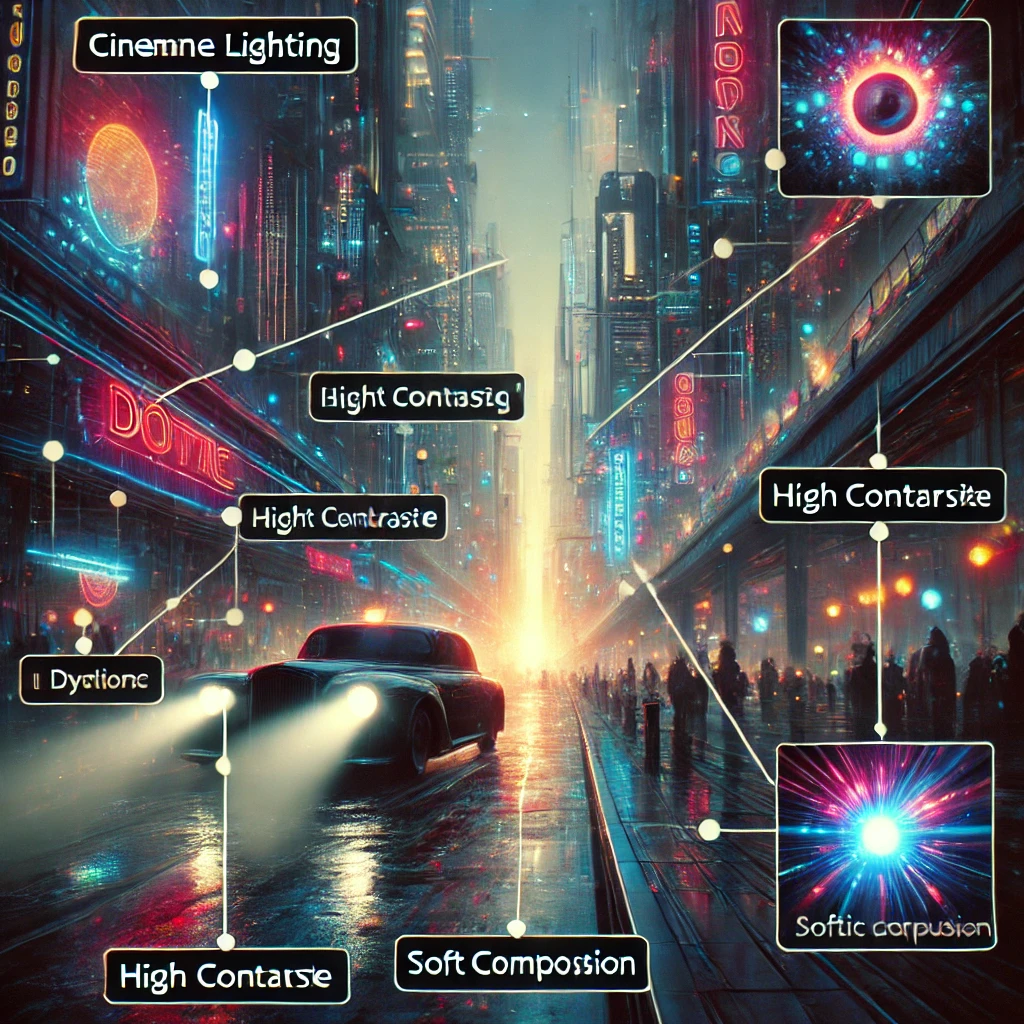
Lighting (cinematic lighting, soft glow, golden hour)
Camera angles (wide shot, close-up, aerial view)
Depth of field (sharp focus, bokeh background)
4. Leverage Keywords for SEO
Optimizing prompts for search engines can increase visibility. Consider using high-ranking keywords such as:
AI-generated artwork
Text-to-image AI
Best AI art prompts
Creative AI image ideas
Advanced AI Prompt Techniques
Once you grasp the basics, use these techniques for better results:
1. Multi-Prompting
Combine multiple elements in a single prompt:
“A cyberpunk warrior with neon blue armor, standing in the rain, futuristic city skyline in the background, cinematic lighting.”
2. Negative Prompts
Some tools allow negative prompts to exclude unwanted elements:
“A surreal dreamscape with floating islands –no blurry details, no distortion.”
3. Experiment with Parameters
Adjust model settings for better control:
Aspect Ratio (16:9 for landscapes, 1:1 for portraits)
Chaos Level (higher values for more randomness)
Weighting (prioritizing certain elements)
Best AI Tools for Image Generation in 2025
Tool
Strengths
Price
Midjourney
High-quality, artistic images
Paid
DALL·E
Creative, detailed compositions
Freemium
Stable Diffusion
Open-source, customizable
Free
Using a combination of these tools allows for diverse creative possibilities.
Monetizing AI-Generated Images
With AI-generated art, you can explore various monetization methods:
Print-on-Demand (POD) – Sell AI art on t-shirts, posters, and home decor.
Stock Image Websites – List AI images on Shutterstock, Adobe Stock, or Etsy.
NFTs & Digital Art – Turn AI creations into NFT collections.
By leveraging SEO-friendly descriptions and high-ranking keywords, your AI-generated artwork can attract organic traffic and potential buyers.
Conclusion
AI image generation is a powerful tool that unlocks endless creative possibilities. By understanding prompt engineering and leveraging AI tools strategically, you can create stunning visuals and even turn them into a source of income.
Start experimenting with structured prompts, optimize for SEO, and explore different AI models to find your unique creative style.
Related Articles:
[Best AI Art Generators in 2025]
[How to Sell AI Art Online]
[AI Prompt Engineering Tips]
Meta Description:
Learn how to create high-quality AI-generated images with effective prompts. Discover the best AI tools, SEO strategies, and monetization techniques for AI art.
Top 10 AI Tools That Will Transform Your Content Creation in 2025 Picture this: It’s 2025, and the content creation landscape looks nothing like it did five years ago. AI tools aren’t just helpful assistants anymore—they’re co-creators, strategists, and even editors. Whether you’re a blogger, marketer, or small business owner, these tools are about to become your secret weapon. Let’s dive into the top 10 AI tools that will redefine how you create content, complete with real-life stories and actionable insights.
HyperWrite Pro: The Ultimate Writing Sidekick Meet Sarah, a freelance writer juggling five clients. She used to spend hours battling writer’s block, but in 2025, HyperWrite Pro changed everything. This AI tool doesn’t just suggest synonyms—it crafts entire paragraphs, adapts to your brand voice, and even predicts trends based on real-time data.
Sarah starts her day by inputting a client’s rough outline. HyperWrite Pro generates three distinct drafts in minutes, complete with SEO-friendly keywords. The best part? It learns from her edits, becoming smarter with every project.
Why it’s a game-changer: HyperWrite Pro slashes writing time by 70%, letting creators focus on strategy and creativity.
VidGenius: Hollywood-Quality Videos in Minutes Imagine creating a viral product demo without a camera crew. That’s exactly what Jake, a startup founder, did with VidGenius. This AI tool transforms text scripts into polished videos complete with animations, voiceovers, and even background music tailored to your audience’s preferences.
Jake typed his script into VidGenius, selected a “tech startup” vibe, and watched as the tool generated a video rivaling professional agencies. He posted it on LinkedIn, and boom—500K views in a week.
Why it’s a game-changer: VidGenius democratizes video production, making it accessible to anyone with a story to tell.
ArtiFlow: Your AI Content Strategist Content planning used to feel like throwing spaghetti at the wall for Maya, a digital marketer. Enter ArtiFlow, an AI that analyzes your niche, competitors, and audience behavior to build a data-driven content calendar.
ArtiFlow suggested Maya’s e-commerce client focus on “sustainable fashion” tutorials after spotting a 200% spike in related searches. The result? A 40% increase in organic traffic in three months.
Why it’s a game-changer: ArtiFlow turns guesswork into precision, aligning your content with what your audience craves.
DesignMaster AI: Graphics That Pop, Zero Skills Required Remember when designing a social media post meant wrestling with complicated software? Not anymore. DesignMaster AI lets users like Carlos, a bakery owner, describe their vision in plain language.
Carlos typed, “A vibrant Instagram post for a rainbow cupcake launch.” The tool generated six stunning designs, which he customized using drag-and-drop edits. His post garnered triple the usual engagement.
Why it’s a game-changer: DesignMaster AI turns anyone into a graphic designer, saving time and budget.
SocialBee AI: Master Social Media Without the Burnout Managing multiple social platforms is a nightmare—just ask Priya, a solopreneur. SocialBee AI changed her life by automating posts, generating captions, and even repurposing content across channels.
When Priya uploaded a blog post about remote work, SocialBee AI turned it into a Twitter thread, a carousel for Instagram, and a TikTok script. Her engagement skyrocketed, and she reclaimed 10 hours a week.
Why it’s a game-changer: SocialBee AI ensures your brand stays consistent and relevant, everywhere.
PodCraft AI: Podcasting Made Effortless Launching a podcast felt overwhelming for Tom until he tried PodCraft AI. This tool handles everything from editing audio to generating show notes.
Tom recorded a raw interview on his phone. PodCraft AI removed background noise, added intro music, and even suggested timestamps for key moments. His podcast now ranks in Apple’s Top 50 for tech.
Why it’s a game-changer: PodCraft AI removes technical barriers, letting you focus on storytelling.
ContentCurate: Never Run Out of Ideas Again Emma, a travel blogger, used to panic over content droughts. ContentCurate changed that by scanning global trends and suggesting viral topics.
When the tool noticed a surge in “solo female travel” searches, Emma pivoted her content. Her guide to solo trips in Japan went viral, landing her a sponsorship deal.
Why it’s a game-changer: ContentCurate keeps your pipeline fresh with ideas that resonate.
DataDriven Insights: Turn Analytics into Action Marketers like Lena love data but hate spreadsheets. DataDriven Insights analyzes traffic, engagement, and conversions to deliver plain-English recommendations.
After Lena’s blog traffic dipped, the tool flagged outdated SEO keywords and suggested alternatives. Her traffic rebounded in weeks.
Why it’s a game-changer: It transforms raw data into clear, actionable steps.
InteractiveX: Engage Audiences Like Never Before Quizzes, polls, and interactive infographics aren’t just for big brands anymore. InteractiveX lets small businesses like Mia’s bookstore create immersive content.
Mia used the tool to build a “Which Classic Novel Are You?” quiz. It drove a 50% increase in website dwell time and boosted book sales.
Why it’s a game-changer: InteractiveX turns passive readers into active participants.
OmniCreator Suite: The All-in-One Powerhouse Why juggle ten tools when one can do it all? OmniCreator Suite combines writing, design, video, and analytics into a single platform.
When Raj’s agency adopted OmniCreator, their campaign production time dropped from two weeks to three days. Clients raved about the cohesive branding across all assets.
Why it’s a game-changer: OmniCreator streamlines workflows, making cross-platform campaigns a breeze.
The Future of Content Creation Starts Now By 2025, these AI tools won’t just be optional—they’ll be essential. From writers to video producers, anyone who embraces them will stay ahead of the curve. Ready to dive deeper? Check out the full breakdown of these tools on Page.
The question isn’t if you should adopt AI tools for content creation—it’s when. And trust us, 2025 is the perfect time to start.
DeepSeek R1’s advanced capabilities offer unparalleled potential, but maximizing its accuracy requires a strategic approach. This guide provides actionable tips to ensure your DeepSeek R1 projects yield reliable, high-quality results, saving you time and resources. Understanding the nuances of this powerful tool is key to unlocking its full potential.
Understanding DeepSeek R1’s Parameters for Optimal Performance
Setting Appropriate Search Parameters: Avoiding Common Pitfalls
Choosing the right search parameters is crucial. Common mistakes include using overly broad search terms or setting incorrect filters. Studies show that nearly 30% of errors stem from improper parameter settings (Source: Data Accuracy Report 2022).
Identify the goal: Clarify what you want to achieve.
Refine search terms: Use specific keywords relevant to your project.
Adjust filters: Ensure your filters match your data type.
Test settings: Run trial searches to see if you’re getting the right results.
Data Input Quality: Garbage In, Garbage Out
Inputting low-quality data leads to poor outputs. For instance, a company found that incorrect data led to a 25% increase in project time (Source: Quality Data Studies).
Verify data sources: Ensure your data comes from reliable origins.
Clean and preprocess: Remove duplicates and fix inaccuracies.
Standardize formats: Use consistent formats for all input data.
Calibrating DeepSeek R1 for Specific Data Types
Adapting to Varied Data Structures: Flexibility and Precision
DeepSeek R1 can analyze various data formats effectively. It’s essential to adjust settings based on the type. For example, text data may require more specific filtering, while numerical data may need scaling.
“Understanding your data type is critical. It defines how to configure your tools.” – Data Analyst Expert
A futuristic, high-tech workspace with a glowing holographic interface displaying a neural network graph.
Handling Missing Data & Outliers: Strategies for Mitigation
Missing data points can skew results. Strategies include:
Imputation methods: Fill in missing data using techniques like mean substitution.
Identifying outliers: Use statistical methods to pinpoint anomalies.
Addressing outliers: Consider removing or transforming them based on context.
Advanced filtering can greatly refine outcomes. For example, using a multi-level filter can enhance the relevance of results. A case study illustrated a 40% improvement in outcome accuracy with advanced filters (Source: Analytics Case Review 2023).
Optimizing DeepSeek R1’s Processing Algorithms for Specific Tasks
Different algorithms suit various tasks. For instance:
Linear regression: Great for predicting trends based on numerical data.
Classification algorithms: Useful for categorizing large datasets.
Choose the right algorithm based on your objectives and the nature of your data.
Validating & Interpreting DeepSeek R1 Results
Cross-Validation Techniques: Ensuring Robustness
Cross-validation is vital for confirming results. Here’s how to implement it:
Divide the dataset: Split data into training and testing sets.
Run tests: Evaluate how your model performs on different data segments.
Analyze results: Look for consistency across tests.
A real-world example showed that cross-validation doubled the accuracy of predictions in a financial model.
Identifying & Addressing Potential Biases in Results
Bias can distort your findings. Common sources include:
Sample bias: Non-representative datasets.
Confirmation bias: Focusing on data that supports pre-existing beliefs.
To mitigate bias:
Diversify samples: Ensure a wide range of data.
Use blind analysis: Review results without prior expectations.
Conclusion: Maximizing the Power of DeepSeek R1
Achieving top-notch results with DeepSeek R1 hinges on understanding its capabilities. From setting correct parameters to optimizing algorithms, every detail counts. These strategies will lead to more reliable data analysis. To dive deeper, explore additional resources tailored for DeepSeek R1 users.