Category: Design

  • 10 Best AI Prompt Platforms in  2025

    10 Best AI Prompt Platforms in 2025

    What changed in 2025 is simple, AI moved from side project to daily workflow. Teams ship faster, solo creators produce more, and prompt quality now separates good results from great ones.

    AI prompt platforms help you write better prompts for models like ChatGPT. They guide tone, structure, and context, so outputs stay on brief and useful. Many also add templates, team libraries, and guardrails to cut trial and error.

    You need these tools now because the stakes are higher. More roles use AI for research, content, support, sales, code, and planning. Clear prompts save time, reduce revisions, and keep outputs on brand.

    This ranking focuses on what matters in practice, features, ease of use, cost, and real user feedback from 2025 reviews. Our research draws on trusted sources, including EddyBalle and Lindy.ai, to weigh depth against speed and value against results.

    Expect a mix of pro tools and friendly starters. From team platforms like AIPRM and Jasper to automation-first picks like Lindy.ai, from workspace helpers like Notion AI to workflow builders like Salesforce Prompt Builder, the list covers the main use cases. You will also see niche standouts like Promptmonitor for tracking and WebUtility’s ChatGPT Prompt Generator for tone control, plus free or low-cost options like Logi AI Prompt Builder.

    By the end, you will know which platform fits your work, whether you write marketing copy, manage support, or build agents. The goal is clear, better prompts, better outcomes, less guesswork.

    Top 5 AI Prompt Platforms for Teams and Daily Use

    These picks suit teams, data work, and quick improvements. They help you share, refine, and run prompts with less manual effort, so you get better outputs in less time.

    Two engineers collaborating on testing a futuristic robotic prototype in a modern indoor lab. Photo by ThisIsEngineering

    1. Team-GPT: Best for Collaborative Prompt Sharing

    Team-GPT helps marketing and sales teams build, save, and reuse prompts in one place. It adds workflow tools, versioning, and team automation, so playbooks stay current and organized. See how marketers compare it to other team tools in this breakdown: Team-GPT vs. ChatGPT Teams vs. Claude Team.

    • Key features: AI prompt builder, shared libraries, workflow automation.
    • Pros: organized sharing, easy automation, solid for groups, clear roles.
    • Cons: pricey for small teams, setup takes time.
    • Pricing: starts at $25 per user per month.
    • Pro tip: turn proven discovery questions into a sales script library, then auto-personalize by buyer persona and industry.

    2. Coefficient: Top Pick for Spreadsheet AI Work

    Coefficient brings AI to Google Sheets and Excel. It automates prompts for content and analysis, and it can trigger alerts on data changes. It fits teams that live in spreadsheets. For a quick overview, see this review of prompt tools that includes Coefficient: Best AI Prompt Writers of 2025.

    • Key features: Sheets and Excel add-ons, prompt automation, data alerts.
    • Pros: saves time on reports, fits data users, low learning curve.
    • Cons: best for spreadsheet fans, limited outside Sheets or Excel.
    • Pricing: free plan, paid from $49 per user per month.
    • Smart use: auto-generate weekly KPI reports with commentary in one tab.

    3. PromptPerfect: Quick Prompt Optimizer for Any AI

    PromptPerfect fine-tunes prompts in real time through a browser extension. It works across major models, so you get better outputs without guessing.

    • Key features: prompt optimization, cross-platform support, instant tweaks.
    • Pros: fast quality boost, versatile, light setup.
    • Cons: free tier limits, fewer team controls.
    • Pricing: free, paid from $19.99 per month.
    • Good fit: polish prompts for ChatGPT, Claude, and Gemini with one pass.

    4. HIX AI: Strong for Multilingual Tech Tasks

    HIX AI offers templates, style guides, and idea prompts for global teams. It handles multilingual work and technical writing with smart suggestions.

    • Key features: multilingual support, AI ideas, template library.
    • Pros: handles languages well, helpful for tech copy, steady output.
    • Cons: steep learning curve, interface feels busy.
    • Pricing: free, paid from $12.49 per month.
    • Practical use: generate code comments or translate API docs fast.

    5. Taskade: Flexible Generator for Apps and Tasks

    Taskade creates custom prompts tied to your daily tools. It connects with email and blog workflows, with a clean interface for quick setup.

    • Key features: integrations, simple UI, prompt templates for tasks.
    • Pros: easy to use, works across devices, fast setup.
    • Cons: lacks some advanced controls, fewer analytics.
    • Pricing: free, paid from $12.49 per month.
    • Use case: draft a project brief, task list, and email update from one prompt.

    Next 5 AI Prompt Platforms for Creators and Free Options

    Ranked comparison chart of top 10 AI prompt platforms for 2025 with ratings and features

    These picks fit writers, beginners, and budget users. They focus on originality, fast prompt upgrades, and ready-made libraries. Use them to check work, shape tone, or grab proven prompts without setup.

    6. Originality AI: Ideal for Original Content Checks

    Originality AI pairs an AI content checker with prompt polishers. It spots likely AI text, flags plagiarism, and suggests creative tweaks. That mix helps you fine-tune prompts, then validate the output’s originality. See third-party coverage of its prompt tools in this 2025 list: 10 Best AI Prompt Generators In 2025.

    • Key features: AI content detector, plagiarism scan, prompt refinements.
    • Pros: helps writers stay unique, strong on quality control.
    • Cons: narrow focus on text, fewer workflow tools.
    • Pricing: starts at $30 per month.
    • Best for: bloggers and editors who need clean, original copy.

    7. Feedough: Free Tool to Enhance Basic Prompts

    Feedough is a no-login prompt helper for text, images, and video ideas. It adds detail, context, and reasoning hints you can paste into your model. It is simple, fast, and works well across tools. Try it here: Feedough’s Free AI Prompt Generator.

    • Key features: detailed prompts, reasoning support, multi-format outputs.
    • Pros: free, no login, works with many AIs.
    • Cons: few custom controls, limited saved history.
    • Pricing: free.
    • Good for quick tests and early drafts.

    8. AI Parabellum: Advanced for Complex Projects

    AI Parabellum focuses on strategic prompt building. It guides structure, role, constraints, and evaluation. The site includes training content for advanced users. For a 2025 overview, see this review: The Best AI Prompt Generators in 2025.

    • Key features: precise prompt creation, educational guides, advanced workflows.
    • Pros: effective for tough tasks, teaches strong prompt habits.
    • Cons: requires expertise, longer setup.
    • Pricing: not listed publicly.
    • Best for pros and technical leads.

    9. WebUtility ChatGPT Prompt Generator: Chat-Focused Style

    WebUtility tailors prompts for ChatGPT conversations. You set tone, style, and depth, then it shapes a clean prompt for consistent replies.

    • Key features: tone presets, style control, conversation-ready outputs.
    • Pros: simple for ChatGPT, improves response quality.
    • Cons: focused on ChatGPT only.
    • Pricing: free or low-cost.
    • Example: build a polite, empathetic script for customer service replies.

    10. PromptBase: Marketplace for Ready-Made Prompts

    PromptBase is a marketplace where you buy and sell prompts. You can search by model or use case, then pick tested prompts for faster results. It saves time when you need proven outputs now.

    • Key features: large prompt collection, creator storefronts, ratings.
    • Pros: fast access to tested prompts, wide variety.
    • Cons: per-prompt costs can add up.
    • Pricing: varies per prompt.
    • Tip: busy users can buy once, then reuse as a team template.

    How to Choose the Right AI Prompt Platform in 2025

    Close-up of a monitor displaying ChatGPT Plus introduction on a green background. Photo by Andrew Neel

    Picking a prompt platform starts with your day-to-day work. Define who will use it, what tools it must connect to, and how you measure success. Then match features to needs, not hype. For a quick pulse on core capabilities, see this independent overview of prompt tools in 2025: 6 Best Prompt Engineering Tools for AI Optimization.

    Start with team size and use case

    • Solo or small team: lightweight tools with fast setup and templates fit best. PromptPerfect or Feedough style tools save time.
    • Cross-functional teams: shared libraries, permissions, and versioning matter. Team-GPT stands out for this need.
    • Data-heavy roles: sheet or BI integrations are key. Coefficient aligns with spreadsheet-first workflows.
    • Visual work: pick platforms that support image prompts. A quick refresher on parameters helps, see this Midjourney prompts cheat sheet.

    Budget and pricing fit

    • Free or starter plans: good for validation and small scopes.
    • Per-seat pricing: best when many users need shared assets.
    • Usage-based or credits: fits bursty work, but watch overages.
    • Ask: What is my monthly cap, and what happens at scale?

    Features that matter most

    • Prompt ops: version control, testing, A/B runs, and analytics.
    • Integrations: email, docs, Sheets, CRM, or APIs you already use.
    • Security: SSO, roles, audit logs, and data residency for teams.
    • Governance: style guides, guardrails, and review workflows.

    Quick comparisons to guide choice

    • Need collaboration and playbooks? Choose a team platform like Team-GPT.
    • Live in spreadsheets? Pick a sheet-native tool like Coefficient.
    • Want fast polish across models? Use a prompt optimizer like PromptPerfect.
    • Prefer ready-made prompts? A marketplace like PromptBase speeds results.

    Try free trials, run a real task, and compare outputs, time saved, and cost. Keep the one that makes your work faster this week, not someday.

    AI prompt platform dashboard showing improved output quality and performance metrics

    FAQ

    Q: What is the best AI prompt platform?
    A: The best AI prompt platform depends on your use case. Team-GPT leads for team collaboration, PromptPerfect excels at optimization across models, Coefficient is best for spreadsheet work, and PromptBase offers the largest marketplace of ready-made prompts.

    Q: Are there free AI prompt platforms?
    A: Yes, several platforms offer free options: Feedough (completely free, no login), PromptPerfect (free tier), Coefficient (free plan), Taskade (free tier), and WebUtility (free/low-cost). These work well for individual users and testing.

    Q: What is Team-GPT?
    A: Team-GPT is a collaborative AI prompt platform designed for marketing and sales teams. It provides shared prompt libraries, versioning, workflow automation, and team permissions starting at $25 per user per month.

    Q: How much do AI prompt platforms cost?
    A: AI prompt platform pricing ranges from free (Feedough, WebUtility) to $12-20/month for individual tools (HIX AI, Taskade, PromptPerfect) to $25-50+/month per user for team platforms (Team-GPT, Coefficient). PromptBase uses pay-per-prompt pricing.

    Q: Which AI prompt platform is best for teams?
    A: Team-GPT is the top choice for team collaboration, offering shared libraries, versioning, and workflow automation. Coefficient excels for teams working primarily in spreadsheets. Both provide permissions, analytics, and integration capabilities.

    Q: Do I need an AI prompt platform or can I write prompts myself?
    A: Prompt platforms save time and improve consistency, especially for teams or high-volume work. They’re most valuable when you need: shared templates, version control, quality optimization, integration with existing tools, or proven prompt templates.

    Conclusion

    The picks above cover the real needs in 2025. Team-GPT fits shared playbooks and collaboration. Coefficient helps spreadsheet-first teams. PromptPerfect upgrades prompts fast across models. HIX AI supports multilingual and technical work. Taskade ties prompts to daily tasks. Originality AI keeps content clean. Feedough gives a free, no-login starting point. AI Parabellum guides complex builds. WebUtility shapes clear ChatGPT conversations. PromptBase offers tested prompts when speed matters.

    These platforms raise output quality, save time, and cut back-and-forth. Use them to standardize tone, add guardrails, and capture what works. Start with your core use case, team size, and budget. Then run trials on a real task, measure output quality, time saved, and cost.

    AI now sits in the center of daily work. Strong prompts act like process, not just words. The right stack becomes a force multiplier for your team’s insight and speed. Pick the tools that help this week, and build from there.

    Thanks for reading. Share what you are using, what worked, and what fell short. Your notes will help others choose faster.

  • 25 awesome Halloween Prompt ideas for MidJourney.

    Midjourney art: Whimsical digital painting of an enchanting pumpkin patch at night, filled with intricately carved, warmly glowing jack-o'-lanterns. Stylized illustration, atmospheric lighting, deep Halloween colors, clear focal point.

    Time to get your spooky on! We’ve cooked up 25 awesome Halloween ideas for MidJourney.

    Hey there, Halloween fanatics! Feeling that crisp autumn air? Catching a whiff of pumpkin spice yet? If you’re itching to turn your wildest Halloween dreams into amazing visuals, you’ve landed in the perfect spot. Halloween’s almost here, and it’s prime time to unleash your inner artist.

    Picture this: haunted houses, creepy ghosts, spine-tingling scenes. Guess what? MidJourney makes it super easy and fun to bring those visions to life. You can whip up some seriously cool AI Halloween art with just a few simple words.

    
A friendly, plump ghost wearing a tiny top hat, floating through a moonlit pumpkin patch, whimsical art.

    Ready to dive into some MidJourney Halloween ideas? Let’s make some magic!

    Crafting Your Own Spooky Masterpieces: MidJourney Tips

    Before we jump into the fun stuff, let’s quickly chat about how to write a killer prompt. Think of it like casting a spell – you need the perfect words to conjure up exactly what you’re seeing in your mind. When you’re making a Halloween image, aim to be both super creative and crystal clear about the picture you want. Remember, you’re describing a visual, not writing a short story.

    Want to create truly chilling Halloween pictures? Here are my top tips:

    Keep it Short & Sweet: Forget long sentences. MidJourney loves short, punchy descriptions. Instead of rambling, “I want a picture of a house that’s haunted and looks really old and scary,” try: “haunted house, falling apart, overgrown ivy, broken windows, strange light.” Much more direct, right?
    Play with Styles & Views: This is where the real fun begins! Experiment with different art styles like “gothic horror,” “realistic horror,” “fantasy,” “cartoon,” “steampunk Halloween,” or even an “old postcard style.” Don’t forget about camera angles either! A “view from above,” “first-person view,” “close-up,” or “wide shot” can dramatically change your final image.
    Hint at a Story: You’re not writing a novel, but a tiny story element can add so much depth. Think “witch brewing a potion under a full moon,” “zombie emerging from a grave at sunset,” or “ghost peering from a window.” These little snippets help the AI build a compelling scene.
    Describe What You See, Not What’s Happening: Like keeping it concise, focus on visuals. “Creepy clown in a dark alley, evil smile, glowing red eyes, wet ground” paints a much clearer picture than “a clown is standing in an alley and it’s creepy.”
    Use Colors to Set the Mood: Colors and atmosphere are incredibly powerful tools. Use words to describe them: “dark and foggy,” “blood-red sky,” “scary shadows,” “bright pumpkin orange,” “old photo look,” or “faded colors.” These instantly convey the feeling you’re going for.
    Tell It What You Don’t Want (Use ‘NO’): Sometimes it’s easier to say what you don’t want in your picture. Just use no followed by the unwanted elements. For instance, no bright colors for a dark scene, or no modern buildings for a vintage vibe. This can save you a ton of tweaking! Emphasize Details: Want something to really pop? Use double brackets [[ ]] or add a number with a double colon :: to give it more weight. So, glowing eyes::2 or [[torn dress]] tells the AI to focus on those features. Advanced Tip: Negative Embeddings: If MidJourney keeps adding something you dislike (like a certain art style you always want to avoid), you can use "negative embeddings." It's a bit more advanced, but super helpful for fine-tuning. For example, tryno cartoonish features or no happy faces to make sure your creations are truly scary.

    Mastering these tricks will seriously boost your creative game and unlock endless possibilities for your AI Halloween art. Ready for some ideas?

    Your Spooky Inspiration: 25 Top MidJourney Halloween Prompts

    Okay, here are 25 varied MidJourney Halloween prompts to get your spooky gears turning! Feel free to tweak them, mix and match, or sprinkle in your own unique flair.

    Haunted Houses & Scary Places:

    Professional pop art style design of a whimsical fantasy haunted mansion Halloween pattern, featuring an intricate, silhouetted roofline of a spooky mansion with broken windows, where gothic gargoyles appear to animate, set against a swirling vortex of bats and shimmering ghostly apparitions, all silhouetted against a dark, turbulent, stormy grey and electric blue misty backdrop. The design is intricate and dynamic, evoking a sense of awakened ancient spirits.
    1. A decrepit Victorian haunted house, full moon, swirling mist, glowing eyes in windows, gothic horror, highly detailed, cinematic lighting –ar 16:9
    2. Abandoned pumpkin patch at midnight, scarecrows with glowing eyes, eerie fog, gnarled trees, realistic horror, volumetric lighting –ar 3:2
    3. A dark, overgrown cemetery, ancient gravestones, spectral figures, moonlit, realistic photo, wide shot, atmospheric –ar 4:3
    4. Mysterious forest path, twisted branches forming an archway, faint glowing orbs, deep shadows, fantasy art, mysterious, 8k –ar 16:9
    5. A forgotten carnival at dusk, rusted Ferris wheel, tattered tents, single blinking red light, creepy clown lurking, vintage horror –ar 5:4

    Spooky Characters & Creatures:

    1. Witch brewing a vibrant, bubbling potion in a dimly lit cottage, surrounded by arcane symbols, mystical glow, intricate details, fantasy illustration –ar 1:1
    2. A friendly ghost floating through a library, holding a glowing book, whimsical, cute Halloween, soft pastel colors, storybook style –ar 9:16
    3. Zombie horde emerging from thick fog, tattered clothes, decaying flesh, intense shadows, realistic horror, cinematic –ar 16:9
    4. Vampire queen in a grand, gothic ballroom, opulent gown, blood-red lips, elegant yet menacing, oil painting style –ar 3:2
    5. Werewolf howling at a full moon on a rocky outcrop, powerful, muscular, detailed fur, dynamic pose, dark fantasy art –ar 4:3

    Scary Moods & Strange Horrors:

    1. A swirling vortex of autumn leaves and spectral dust, forming a ghostly face, abstract, ethereal, vibrant fall colors with dark undertones –ar 1:1
    2. Shadow creatures reaching from a dark abyss, sharp claws, glowing red eyes, minimalist horror, high contrast, unsettling –ar 9:16
    3. A pumpkin carved with an intricate, terrifying face, lit from within, casting long, dancing shadows on a wall, close-up, hyperrealistic –ar 16:9
    4. A lone, flickering candle in a pitch-black room, revealing just hints of cobwebs and ancient artifacts, unsettling, film noir style –ar 3:2
    5. A blood-red moon illuminating a vast, desolate landscape, silhouetted skeletal trees, oppressive atmosphere, dark fantasy –ar 4:3

    Fun & Cute Halloween:

    
Dynamic illustration of three skeletal figures in a macabre dance within a gothic, moon-drenched graveyard. Sharp, angular tombstones and ornate wrought-iron fences define the scene, with a massive, ancient oak tree silhouetted against a full, luminous moon. The atmosphere is intensely eerie and supernatural.
    1. A group of adorable trick-or-treating kids in classic costumes (witch, ghost, pumpkin), walking down a suburban street at dusk, warm glow, Pixar style –ar 16:9
    2. A friendly black cat sitting on a stack of pumpkins, surrounded by colorful autumn leaves, cozy, charming, watercolor illustration –ar 1:1
    3. A smiling Frankenstein’s monster offering candy, surrounded by small, happy bats, cartoon style, vibrant colors, children’s book illustration –ar 9:16
    4. A haunted teacup party with cute, spectral animals, floating pastries, whimsical, dreamlike, soft lighting –ar 3:2
    5. A patchwork scarecrow waving gently in a field of glowing jack-o’-lanterns, starry night, cozy Halloween, digital painting –ar 4:3

    New & Creative Ideas:

    1. Steampunk zombie invasion of a Victorian city, gears and clockwork, gritty, sepia tones, intricate details, alternate history –ar 16:9
    2. A cybernetic grim reaper on a futuristic motorcycle, neon lights, dystopian cityscape, sci-fi horror, dramatic lighting –ar 9:16
    3. An ancient Egyptian mummy rising from a sarcophagus in a torchlit tomb, hieroglyphs glowing, adventure horror, cinematic –ar 16:9
    4. A ghostly pirate ship sailing through a swirling, phosphorescent sea, tattered sails, skeletal crew, high fantasy, epic –ar 5:4
    5. A portal opening to a dimension of candy corn mountains and gummy worm rivers, but with a subtly sinister undertone, surreal, vibrant yet eerie –ar 1:1

    So, there you have it! A fantastic jumping-off point for your MidJourney Halloween projects. Remember, the real magic of AI art comes from playing around. Don’t be afraid to mix and match, add your personal touch, and see what incredible AI Halloween art you can dream up.

    Professional pop art style design of a Halloween pattern featuring intricate, playful sugar skull illustrations engaged in a game of charades with exaggerated, funny gestures and puzzled expressions, surrounded by marigold flowers.

    This Halloween, let MidJourney be your creative sidekick. Go ahead and conjure up some truly awesome, spooky, and totally unique pictures!

    FAQ Section

    Q: How do I create Halloween art in MidJourney?
    A: Type /imagine followed by a descriptive Halloween prompt. Use short, visual descriptions like “haunted Victorian house, full moon, glowing windows, gothic horror, cinematic lighting –ar 16:9” for best results.

    Q: What makes a good Halloween MidJourney prompt?
    A: Good prompts are short, visually specific, include style tags (gothic horror, realistic), mention lighting/mood, use color descriptions, and add technical specs like aspect ratio (–ar 16:9).

    Q: Should I use long or short prompts for Halloween art?
    A: Short and punchy works best. Instead of “I want a scary haunted house that looks old,” use “decrepit Victorian mansion, broken windows, swirling fog, moonlight, gothic horror.”

    Q: What aspect ratio should I use for Halloween MidJourney art?
    A: Use –ar 16:9 for social media landscapes, –ar 9:16 for Instagram stories, –ar 1:1 for square posts, –ar 3:2 for prints. Match your intended use.

    Q: How do I make my Halloween AI art scarier?
    A: Add mood words like “eerie fog,” “blood-red moon,” “deep shadows,” use “realistic horror” or “gothic horror” style tags, and include details like “glowing eyes” or “decaying flesh.”

    Q: Can MidJourney create cute Halloween art too?
    A: Absolutely! Use style modifiers like “Pixar style,” “cartoon,” “whimsical,” “watercolor illustration,” and describe friendly characters: “smiling ghost,” “adorable witch,” “cozy Halloween.”

    Q: What are negative prompts and how do I use them?
    A: Negative prompts tell MidJourney what to exclude. Add “no bright colors” for dark scenes, “no modern buildings” for vintage vibes, or “no cartoonish features” for realistic horror.

    Want more free image ideas? Make sure to follow us!

  • From ELIZA to ChatGPT: The Fun and Amazing History of AI Prompts

    From ELIZA to ChatGPT: The Fun and Amazing History of AI Prompts

    Let’s be honest: it feels like we all suddenly became good at talking to AI. One moment, we were just searching on Google. The next, we’re carefully writing instructions for Midjourney, DALL-E, or ChatGPT. We’re trying to get the best image, a great blog post, or useful code. It’s like learning a new secret language.

    But here’s a surprising idea: talking to AI isn’t new at all! Today’s smart AI tools seem like something from a movie. But the history of AI prompts actually goes back many years. It started in simple, yet very interesting ways. So, grab a drink, because we’re going to look at some fun AI facts and learn about how prompts really began.

    The Genesis: When AI First Started “Listening” (Sort Of)

    Imagine this: it’s the 1960s. Bell bottoms were popular, The Beatles were famous, and at MIT, a computer scientist named Joseph Weizenbaum was making something truly new. He wasn’t building robots or self-driving cars. He was making ELIZA.

    ELIZA wasn’t a powerful AI, but she was one of the first programs that tried to talk using normal human language. Think of her as a very, very early chatbot. She was made to act like a therapist. People would type sentences, and ELIZA would reply. Often, she just turned their own words into questions.

    For example:
    User: “My head hurts.”
    ELIZA: “Why do you say your head hurts?”

    User: “I feel sad today.”
    ELIZA:”Can you tell me more about why you feel sad today?”

    This was amazing for its time! People actually felt connected to ELIZA. They talked to her as if she were a real person. They were, in a way, giving her basic “prompts” – simple sentences. ELIZA used smart tricks like finding keywords to understand and reply. This wasn’t about making a realistic picture of a cat in space. But it was the very start of AI prompt history. It was the first step in teaching machines to “understand” and react to what humans say. It was a simple but very important beginning. It showed that people wanted to talk to machines.

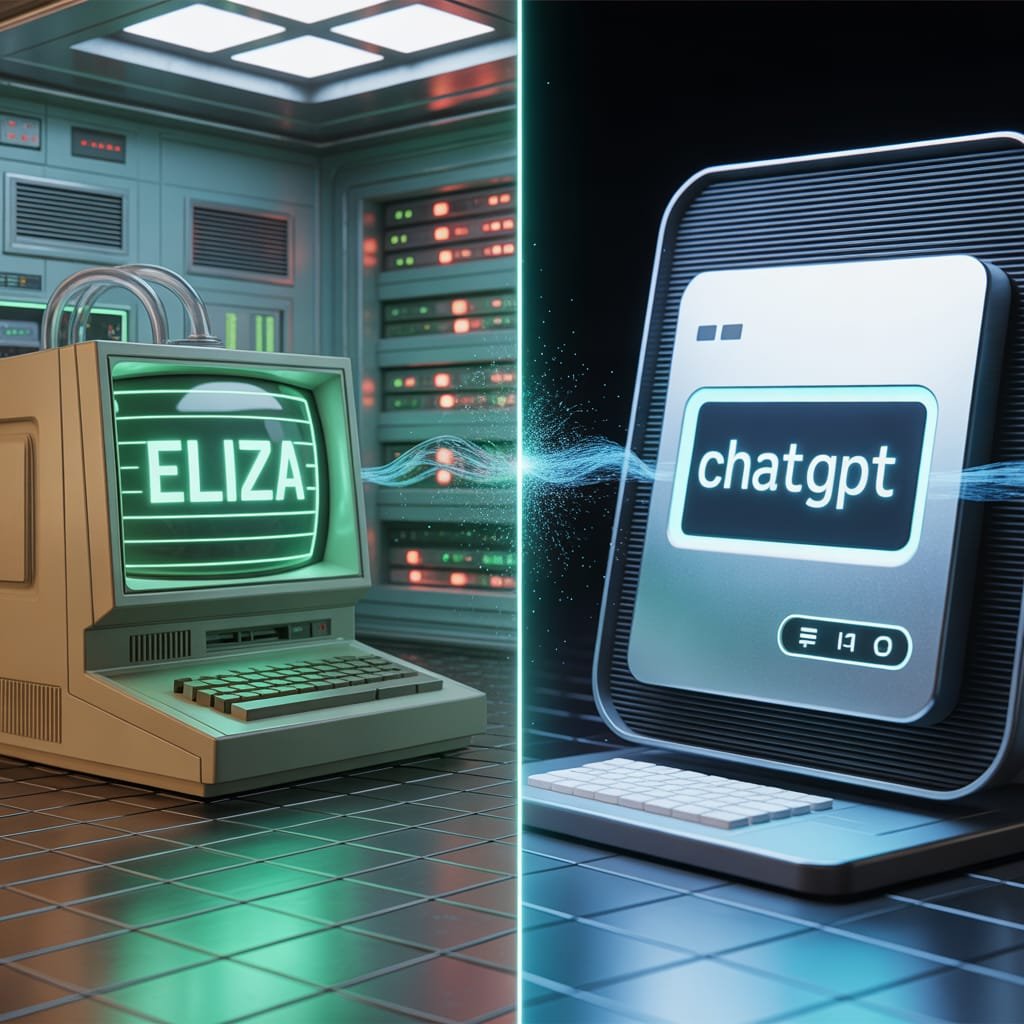
    Visualizing the progression of AI communication and prompt engineering.

    The Long, Winding Road to Nuance: Decades of Dedication

    After ELIZA’s simple way of talking, we started a journey that lasted many decades. Getting from those first, basic talks to today’s super smart AI tools took a lot of hard work. This included endless research in areas like natural language processing (NLP), machine learning (ML), and how computers understand language.

    For many years, the problem was huge. How do you teach a machine to not just spot keywords, but to understand the meaning, the subtle differences, and the goal? How do you go from just repeating a user’s words to actually creating clear, new, and useful answers?

    Scientists and engineers worked very hard. They created computer programs that could break down sentences, find different parts of speech, and later, understand how words relate to each other in meaning. Early tries were awkward, often giving funny, meaningless results. But with every new discovery – from simple math models to neural networks, and finally to the transformer system that makes today’s large language models (LLMs) work – AI got much, much better at “listening” and “understanding.”

    This wasn’t just about using more data. It was about totally new ways of thinking about how machines learn language. It was about teaching AI to not just read words, but to understand the hidden meaning, to guess, and to combine ideas. The journey from ELIZA’s simple word matching to modern AI like GPT-4 is truly an amazing jump. GPT-4 can follow complicated, many-part instructions and create very clear, creative, and relevant answers.

    Prompt Engineering: A Modern Art Form (and Science!)

    Now, let’s jump to today. The idea of an AI prompt has grown into an art form called “prompt engineering.” It’s not just about typing a question anymore. It’s about creating a full instruction, a scene, a character, and a style guide, all at once.

    You, the person making content or just exploring, are now like a movie director, writer, casting person, and art director, all rolled into one. You’re telling the AI: “Picture a fun, steampunk otter with one eye-glass, drinking tea in a busy old market. Make it look like a Hayao Miyazaki movie, with soft, warm light and lots of small details.”

    That’s very different from “My head hurts,” right?

    Today’s AI tools work best with these specific details. They can guess the mood, understand big ideas, and even follow complicated steps. The better you know how to “talk” to them – how to give them clear rules, examples, and background info – the better their results will be. It shows how amazing those decades of research were, that a machine can now understand such rich, detailed instructions and create something truly special. This change is a key part of our AI prompt history.

    Fun Facts & Mind-Benders About AI Prompts

    Besides the history, there are some really interesting AI facts and strange things about prompts that show how amazing this technology is:

    1. The “Magic Word” Effect: Have you noticed that adding “please” or “thank you” to a prompt sometimes seems to make the answer better? AI doesn’t have feelings. But these polite words can slightly change how the AI “sees” what you want. This can sometimes lead to more helpful or obedient answers. It’s not magic, but a cool trick because politeness is in the data AI learns from.
    2. AI’s Hidden Characters: With the right prompt, you can make an AI act like almost any character. Do you want it to be a grumpy pirate cook? A wise alien? A poet from Shakespeare’s time? Just tell it, and it will often play that role very well. Your prompt is more than just a command; it’s like a costume for the AI.
    3. The Prompt as a “Start”: One simple prompt can be the start for a whole creative project. “Write a story about a lost key” can grow into a book, a script, or many pictures. All of this is guided by more prompts given later. It’s like a team dance between what a human wants and what the machine creates.
    4. AI’s “Imagination” (or lack of it): AI can create very creative things, but it doesn’t “imagine” like humans do. It guesses the most likely next words or pixels based on the data it learned from. So, when you ask for “a purple elephant dancing on the moon,” it’s not making an image from nothing. It’s putting together parts it has seen from many pictures and texts to make something new. Still, the result feels like imagination, which is one of the coolest AI fun facts.
    5. The “Making Things Up” Factor: Sometimes, AI just invents things – facts, sources, even whole events. This is often called “hallucination.” But a well-written prompt can help stop this. By giving clear rules, asking it to show its sources, or even telling it not to make up information, you can guide it to be more accurate. It’s a constant game of smarts!
    6. “Best Ways” Change Quickly: What works as a great prompt today might not work as well tomorrow. As AI tools get better, the best ways to talk to them also change. Prompt engineering is a fast-changing area. This makes it one of the most exciting parts of using modern AI.

    Why This Matters to You: The Creator & The Curious

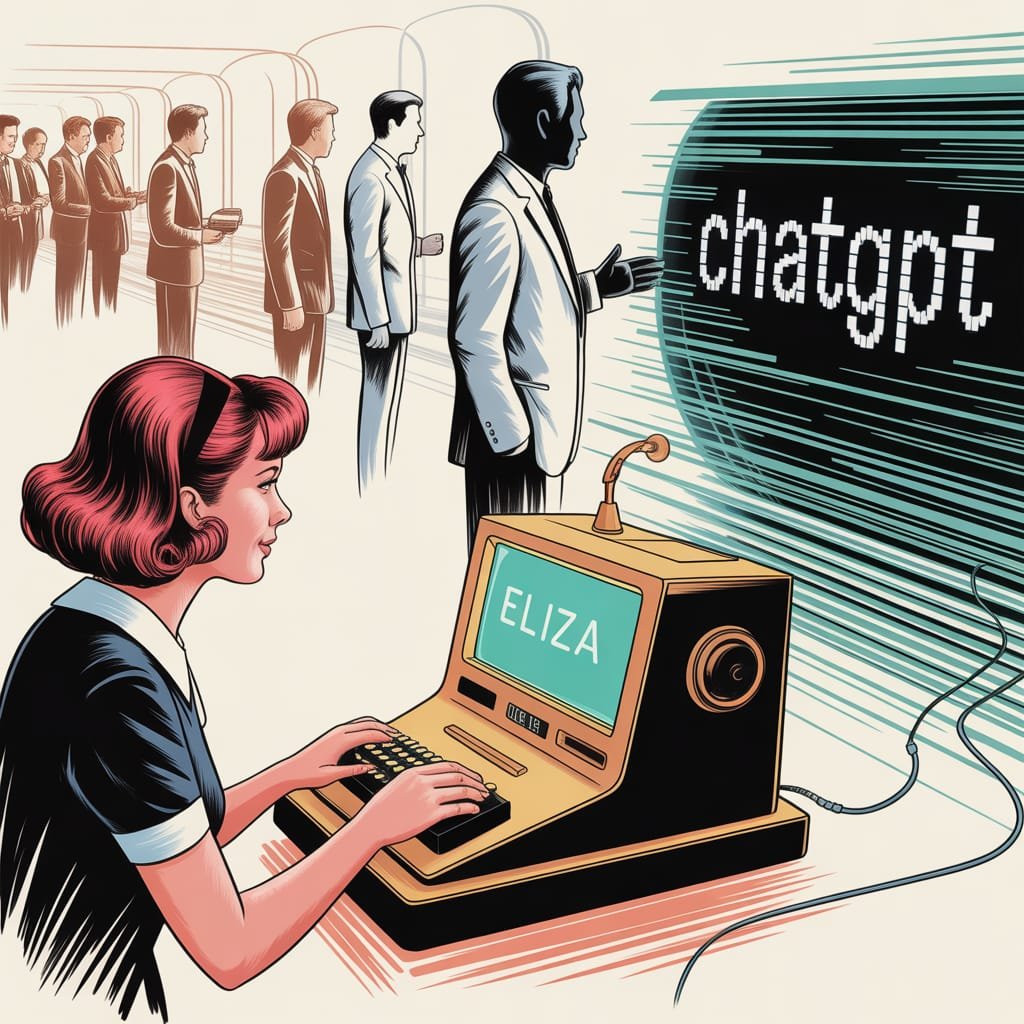
    Historical journey of AI prompts and human-AI interaction.

    So, why should you care about this AI prompt history or these fun AI facts? Whether you’re a blogger, a social media manager, a small business owner, or an artist who likes tech.

    Because understanding how we got from ELIZA to GPT-4 isn’t just for quizzes. It gives you power. It helps you see the amazing tech jumps that let you create special pictures without buying common stock photos. Or write great text in minutes. It makes the magic less mysterious, showing you how it all works.

    Knowing where AI prompts started and how AI’s “understanding” grew gives you a better gut feeling for how to write good prompts. It makes you want to try new things, to go further, and to see talking to AI not just as typing commands. Instead, see it as a chat with a smart tool that’s always getting better.

    The empty prompt box isn’t just for words. It’s a doorway to creating. And with a bit of history and some fun facts, you’re more ready than ever to step through it and make something truly wonderful. So go ahead, speak your next great idea into being. The AI is listening, and it has come a very long way.

  • Ultimate AI Prompt Store Guide: Where to Find Premium Prompts

    Digital marketplace interface for premium AI prompts and creative resources.

    Your Go-To Guide: Finding the Best AI Prompts to Supercharge Your Creativity

    The AI revolution isn’t just on the horizon; it’s already here, transforming how we work and create. Whether you’re whipping up stunning visuals with Midjourney and DALL-E, or churning out compelling copy and complex code with ChatGPT, artificial intelligence is a game-changer for everyone – from digital artists and graphic designers to business owners and tech enthusiasts. But here’s the catch: AI is only as good as the instructions you give it. Feed it generic prompts, and you’ll get generic results. That often leaves users feeling frustrated and wondering if these powerful tools are really all they’re cracked up to be.

    It’s not the AI’s fault, though! The real key to unlocking its full potential lies in “prompt engineering” – that’s the fancy term for the art and science of giving AI super clear, effective instructions so it can deliver exactly what you want, every time. Sure, you could spend hours trying to master this skill through trial and error. Or, you could take a shortcut. A whole new marketplace of expertly crafted, premium AI prompts has popped up, ready to help you achieve excellent results much faster.

    This guide is your roadmap to navigating that exciting world of AI prompt stores. I’ll show you where to find the best expert-crafted prompts for tools like ChatGPT, Midjourney, DALL-E, and many others. We’ll dive into why these premium prompts are such a game-changer, what to keep an eye out for when choosing a store, and how to use these fantastic resources to truly level up your creative and professional projects.

    The Rise of Prompt Engineering: From Basic Commands to Strategic Instructions

    Remember when a simple command like “write a poem about a cat” was enough for AI? Those days are long gone! As AI gets incredibly sophisticated, our instructions need to keep up. Prompt engineering has become a vital skill, helping us bridge the gap between what we want AI to do and what it actually does.

    Think of prompt engineering as all about being clear, specific, and providing context. It’s like learning how a specific AI model “thinks” and what kind of information it needs to perform its best. A basic prompt is like telling a chef, “Make some food.” An engineered prompt, however, is like handing them a detailed recipe: ingredients, cooking methods, desired flavors, even how you want it presented. The results? Night and day!

    For digital creators, this means you can consistently generate artwork in a specific style, create characters with consistent features, or design social media graphics that perfectly match your brand. Business owners can get marketing copy that actually converts, detailed reports, or innovative product descriptions that grab attention. Honestly, without well-engineered prompts, you’re just skimming the surface of what AI can do – settling for “meh” results when “mind-blowing” is totally possible!

    Why Invest in Premium AI Prompts? The ROI for Every Professional

    Now, you might be thinking, “Why would I buy prompts when many AI tools are free or subscription-based?” Good question! But trust me, premium prompts offer an incredible return on investment for all sorts of professionals:

    For Digital Creators & Graphic Artists: Unleash Your Inner Artist!

    Save Tons of Time: This is huge! No more endless trial-and-error. Instead of tweaking prompts for hours to get that perfect look or concept, a premium prompt gives you a proven starting point. Often, you’ll get stunning results on your very first try.
    Get Higher Quality, Unique Results: Expert prompts are built to really dig into AI’s creative core. This means you get outputs that aren’t just technically brilliant, but also far more imaginative and less “cookie-cutter” than what you’d get with a basic prompt. Think consistent artistic styles, intricate compositions, and specific visual stories.
    Beat Creative Blocks: We’ve all been there – inspiration just isn’t hitting. A curated prompt can be that m uch-needed spark! It offers fresh perspectives, challenges you with specific limitations, or introduces stylistic elements you hadn’t even thought of, really pushing your creative boundaries.
    Keep Things Consistent:** If you’re working on branding or a series, premium prompts help maintain a consistent look and feel across all your image generations. This keeps your brand identity strong and your narrative cohesive.

    For Business Owners: Boost Efficiency and Spark Innovation

    Faster Content Creation: Need blog posts, email newsletters, social media updates, or product descriptions? Premium prompts can seriously speed up how fast you create high-quality, on-brand content, giving your marketing and content teams precious time back.
    Smarter Marketing & Sales Copy: Get prompts specifically designed to craft captivating headlines, persuasive calls-to-action, and engaging sales copy that truly speaks to your audience. This can seriously boost your conversion rates!
    Streamlined Operations: Use prompts for everything from generating internal reports and summarizing long documents to drafting professional emails or even creating simple code. It all adds up to better operational efficiency.
    Gain a Competitive Edge: By using top-notch AI-generated assets, your business can project a more polished, innovative, and professional image. This keeps you ahead of competitors who are still fumbling with basic AI results.

    For Prompt Enthusiasts: Become an AI Master!

    Learn from the Pros: Premium prompts are like a secret playbook! By breaking down these expert-crafted prompts, you can figure out the strategies and techniques used by seasoned prompt engineers, rapidly improving your own skills.
    Discover New AI Tricks: Many premium prompts really push the envelope, showing off innovative ways to use AI. They can help you uncover new functionalities or stylistic possibilities you might never have dreamed of.
    Expand Your Toolkit: Build up a diverse collection of prompts for all sorts of situations. This way, you’ll always be ready to tackle any creative or professional challenge using AI.

    Understanding Different AI Models and Their Prompt Needs

    Before we jump into specific prompt stores, it’s super important to know that different AI models have their own quirks – their own strengths, weaknesses, and unique prompt requirements. What works perfectly for Midjourney likely won’t cut it for ChatGPT, and vice-versa.

    ChatGPT (and other Large Language Models like Claude, Gemini)

    What it’s for: Generating text, creating content, summarizing, coding, brainstorming ideas, and having conversations.
    Prompt style: You need to be crystal clear and specific. Often, this means giving the AI a “role” (like “Act as a marketing expert”), telling it what tone to use (“professional,” “humorous”), setting specific limits (“under 500 words,” “include three bullet points”), and sometimes even providing examples to guide its writing style. Keywords, context, and the format you want are absolutely key here.

    Midjourney (and other Image Generators like Stable Diffusion)

    What it’s for: Creating stunning images, exploring artistic styles, visual concepts, and intricate compositions.
    Prompt style: Get really descriptive! Think vivid adjectives, specific artistic styles (“photorealistic,” “impressionistic,” “cyberpunk”), and technical details (like aspect ratios --ar 16:9, camera angles, or lighting). You’ll also need to describe subjects, actions, and environments. And don’t forget “negative prompts” to tell it what you don’t want. Midjourney loves evocative language and lots of detail.

    DALL-E (and other Image Generators)

    What it’s for: Generating images, often with a knack for clear, literal interpretations and imaginative mashups.
    Prompt style: Similar to Midjourney, but DALL-E often prefers language that’s a bit more concise and direct. It can handle artistic styles, but it tends to be more literal with objects and scenes. Being very specific about the subject, action, setting, and desired visual attributes is crucial.

    Navigating the Landscape: What Makes a “Good” Prompt Store?

    With so many AI prompt stores popping up, the quality can really swing from amazing to “meh.” To make sure you’re spending your money wisely, here’s what to look for:

    1. Quality Control: Does the store actually check and approve prompts? Are they tested on different AI versions to ensure they work? Prioritize platforms that value quality over just having a huge number of prompts.
    2. Variety & Niche Focus: Do they have prompts for your AI model (ChatGPT, Midjourney, DALL-E, Stable Diffusion, etc.)? And do they cater to your specific niche – maybe a particular art style, business function, or content type? The best stores offer a good mix, both broad and deep.
    3. Clear Instructions & Examples: Any premium prompt should come with a straightforward explanation of what it does, how to use it, and ideally, examples of the results you can expect. This transparency is super helpful.
    4. User Reviews & Community Buzz: What are other people saying? Positive reviews, especially those with output examples, are a great sign that a prompt really works. A lively community can also offer support and insights.
    5. Pricing: You’ll find different models: one-time buys for single prompts or bundles, subscription services for continuous access, or even free, community-shared prompts. Pick what fits your usage and budget best.
    6. Updates & Future-Proofing: AI models are always changing! Do the prompt creators update their offerings to stay compatible and optimized with the latest versions of ChatGPT, Midjourney, and so on?
    7. Expertise Behind the Prompts: Who made these prompts? Are they experienced prompt engineers or subject matter experts? Their background can seriously impact how good and useful the prompts are.

    Top AI Prompt Stores: A Curated Selection for Premium Prompts

    The market for AI prompts is always changing, but a few platforms have really become trusted spots for high-quality options:

    1. PromptBase:
      What it is: A top marketplace for buying and selling AI prompts. It’s got tons of categories for Midjourney, DALL-E, Stable Diffusion, and ChatGPT. Prompts usually come with clear descriptions and output examples.
      Why it’s great: Fantastic variety across different AI models, solid quality control, and helpful examples. Perfect if you’re looking for specific prompts for both images and text.
      Who it’s for: Anyone wanting a diverse selection of high-quality, vetted prompts for various AI needs.
    2. Creative Market / Etsy:
      What they are: Not just AI prompt stores, but these platforms are home to tons of independent creators selling prompt bundles, especially for graphic design and art using Midjourney and DALL-E. You can dig up some really niche collections and unique stylistic prompts here.
      Why they’re great: You get access to unique, creator-specific styles and bundles, often at competitive prices. Awesome for finding prompts for a specific aesthetic or themed project.
      Who they’re for: Graphic artists, digital designers, and creators hunting for unique artistic styles or comprehensive prompt bundles.
    3. PromptHero:
      What it is: A brilliant resource mainly for image generation prompts (think Midjourney, Stable Diffusion). It’s a community-driven spot where users share and discover prompts, often with breathtaking visual examples. Many prompts are free, making it a superb place to learn what makes an image prompt effective.
      Why it’s great: Loads of visual examples, a strong community, and an excellent way to see what image AI can really do. Fantastic for learning and getting inspired before you even think about buying.
      Who it’s for: Midjourney and Stable Diffusion users looking for inspiration, wanting to understand prompt structures, and eager to discover new visual styles.
    4. AIPRM (for ChatGPT):
      What it is: This is a popular browser extension (for Chrome and Edge) that pops a curated list of prompt templates right into your ChatGPT interface. It’s community-driven but really focuses on prompts for business, marketing, SEO, and content creation.
      Why it’s great: It integrates seamlessly with ChatGPT, gives you a huge library of professionally made prompts for all sorts of text tasks, and just makes your workflow smoother.
      Who it’s for: Content creators, marketers, SEO specialists, and business owners who lean heavily on ChatGPT for generating text and content strategy.
    5. FlowGPT:
      What it is: Another community-powered platform, this one also hones in on ChatGPT prompts. Users can browse, share, and upvote prompts, making it a lively spot to discover new and effective ways to chat with those large language models.
      Why it’s great: A huge variety of prompts for different situations, an active community, and a solid source for innovative text-based applications.
      Who it’s for: ChatGPT users seeking a wide array of community-tested prompts and inspiration for diverse text-based projects.

    How to Effectively Use Purchased Prompts

    Okay, so you’ve got your premium prompts – awesome! But simply buying them is just the beginning. To really get the most out of them, try these strategies:

    1. Understand, Don’t Just Copy: Don’t just paste and go! Take a moment to really break down the prompt. What elements are in there? Which parameters are being used? Understanding the structure and the why behind an expert prompt will seriously boost your own prompt engineering skills.
    2. Adapt and Customize: It’s rare for a purchased prompt to be a perfect fit right out of the box. Feel free to tweak variables, swap out keywords, or adjust parameters to match your brand’s voice, artistic style, or specific project needs.
    3. Experiment (Little by Little): Use that premium prompt as a strong foundation, then play around with small modifications. See how tiny changes affect the AI’s output – it’s how you really fine-tune your results.
    4. Mix and Match: Don’t shy away from combining elements from different premium prompts. Maybe you’ll take a stylistic touch from one image prompt and a subject description from another, or blend different writing approaches for a truly comprehensive piece of content.
    5. Keep a “Prompt Journal”: Log the prompts you use, any changes you make, and the results you get. This “prompt journal” will become an incredibly valuable resource for future projects and for honing your skills.

    Beyond the Purchase: Developing Your Own Prompt Engineering Skills

    Premium prompts are a huge leg up, but they’re not a replacement for building your own prompt engineering skills. Think of them as advanced training wheels! Keep doing these things:

    Practice, Practice, Practice: The more you play around with AI, the better you’ll grasp its little quirks and nuances.
    Read the Manuals: Stay current with the latest features and recommended prompting techniques for the AI models you use.
    Follow the Pros: Connect with prompt engineers and AI artists on social media and in forums. Their insights are invaluable!
    Know AI’s Superpowers and Weak Spots: Understanding what AI is brilliant at and where it tends to stumble will help you create prompts that are both more realistic and more effective.

    Conclusion: Empowering Your AI Journey

    The AI era is all about access, yes, but it’s equally about skill. While these powerful tools are becoming more common, knowing how to really make them sing is what sets you apart. AI prompt stores aren’t just places to buy things; they’re goldmines of expert knowledge, offering digital creators, artists, business owners, and AI fans a direct route to unlocking AI’s true potential.

    By smartly investing in premium, expertly crafted prompts, you’ll save precious time, boost the quality of your work, conquer creative blocks, and gain a real competitive edge. This guide has given you the know-how to explore this exciting new world, helping you move past basic inputs and start an AI journey filled with incredible creativity, efficiency, and innovation.

    Want to supercharge your content creation with ChatGPT?

    Shoot me an email to get your free PDF: “ChatGPT Prompts Bundle for Content Creators.”

  • How I Sell AI Prompts in 2025 with AI Prompt Marketplaces

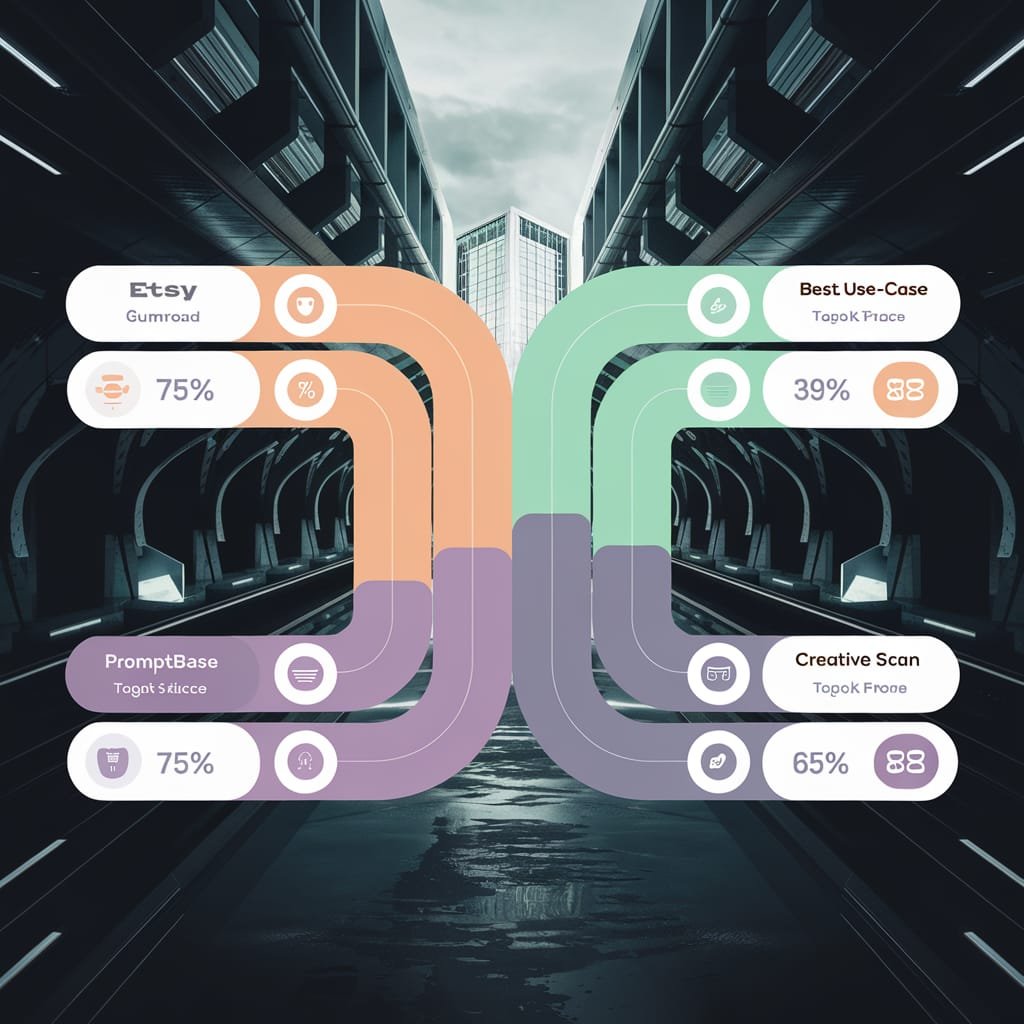
    Clean comparison infographic showing major AI prompt marketplaces (Etsy, Gumroad, PromptBase, Creative Fabrica) with icons, fee structures displayed as percentages, traffic indicators, and best-use-case labels, professional business visualization with clear hierarchy, modern flat design, easy to scan"

    ChatGPT, Midjourney, and DALL-E went mainstream, and prompt creation turned into real income. I’ve seen how easy it can be to start, and the demand keeps rising in 2025. Sellers report steady monthly income, often in the low four figures, with top creators crossing five figures.

    An AI prompt is a short set of instructions that guides the model to produce a better output. Great prompts save time, reduce edits, and push quality higher. That’s why buyers return and why AI Prompt Marketplaces keep growing.

    If you’re a creator, artist, or small business owner, this is a practical way to monetize skills you already have. You can list prompts on AI Prompt Marketplaces or run your own AI prompt store and keep more control. Shop the best AI prompt stores for ChatGPT, Midjourney, and DALL-E. Get expert-crafted prompts that deliver results.

    What Are AI Prompts and Why Sell Them Now?

    An AI prompt is a short, clear instruction that directs a model to produce a useful output. The right words change the output from average to publish-ready. That is why buyers return to AI Prompt Marketplaces and why a well-stocked AI prompt store can pay off fast. I focus on prompts that save time, reduce edits, and hit a consistent style. If you want proof that shops are thriving, look at active marketplaces like PromptBase. Shop the best AI prompt stores for ChatGPT, Midjourney, and DALL-E. Get expert-crafted prompts that deliver results.

    Key Tools That Need Great Prompts

    I use these tools daily and know the right prompt makes all the difference.

    • ChatGPT for writing: strong for briefs, posts, and outreach.
      • Example: “Generate a blog idea for small businesses targeting local SEO.”
      • Example: “Write a 150-word product blurb in a friendly tone.”
    • Midjourney for visuals: great for stylized art and scenes.
      • Example: “Create a fantasy landscape image with glowing rivers, cinematic lighting.”
      • Example: “Logo concept for a coffee truck, minimalist, vector.”
    • DALL-E for visuals: fast iterations with clear style tags.
      • Example: “Illustration of a retro robot reading a book, flat style, pastel palette.”
      • Example: “Product mockup of a skincare bottle on marble, soft shadows.”

    Artists can sell image prompts that unlock repeatable styles. Businesses can buy content prompts that speed up campaigns. Better prompts lead to sharper outputs, fewer revisions, and higher ROI.

    The Growing Demand in 2025

    Demand is up because adoption outpaced prompt skill. Teams rely on AI, but many users do not know how to ask for what they need. From what I’ve researched, sellers earn steady from repeat buyers, since prompts that solve a clear job get reused across projects. Product leaders and operators are sharing what works, and interviews in Lenny’s Newsletter on prompt engineering mirror what I see in practice.

    Here is why 2025 is hot:

    1. Businesses need custom content fast. Marketing, support, and ops are under deadlines, and prompts turn hours into minutes.
    2. One-time creation, ongoing sales. A single prompt pack can sell for months with minor updates.
    3. Clear fit for side gigs. Creators, artists, and small businesses can turn niche know-how into prompt products.
    4. Marketplaces add reach. AI Prompt Marketplaces bring traffic and social proof, while an AI prompt store gives control and better margins.
    5. Buyers want consistency. Teams pay for prompts that lock in tone, style, and compliance.

    I build prompt packs that target specific outcomes, like “cold outreach with high reply rates” or “brand visuals with a consistent color system.” The result is repeatable value and predictable sales.

    Content creator at modern home office desk working on laptop, screen showing AI prompt marketplace dashboard with sales notifications and earnings graph trending upward, smartphone displaying ChatGPT and Midjourney apps, notebook with prompt ideas, coffee cup, plants, natural lighting through window, sense of success and passive income"

    Step-by-Step Guide to Creating and Selling AI Prompts

    Selling prompts is a repeatable process. I keep it simple: pick a niche, write prompts that work, then package and price for profit. This works across AI Prompt Marketplaces and my AI prompt store.

    Pick a Niche That Fits You

    I started with what I knew best. That choice made writing, testing, and messaging much easier. Good niches solve a clear job for a clear buyer. A few that work right now:

    • Marketing copy for small businesses, like local SEO posts and product blurbs.
    • Art styles for DALL-E users, with consistent color, lighting, and composition.
    • Chat scripts for ChatGPT, such as sales rebuttals, cold outreach, and support replies.

    Match the niche to your strengths. If you are an artist, focus on Midjourney or DALL-E styles. If you write, go deep on content and sales prompts. Targeted buyers pay more for ready-to-use results. I also scan proven prompt patterns to spot demand and gaps. For a solid primer on structure and clarity, the guidance in The ultimate guide to writing effective AI prompts is useful when shaping niche-specific templates.

    Write Prompts That Deliver Results

    My best sellers come from prompts I refined over time. I use three rules:

    1. Use details. Define audience, tone, format, and constraints.
    2. Specify style or length. For images, include lens, lighting, and mood. For text, set word count and structure.
    3. Include examples. A short input and a model answer set the standard.

    Then I test on free or low-cost tools until outputs are predictable. I track what improves outcomes, like adding constraints for tone or examples for structure. This helps average Joes create pro-level work with a single paste-and-go prompt. For marketing use cases, I align with best practices like those in A marketer’s guide: How to write (much) better AI prompts, which mirror what buyers want from prompt packs in AI Prompt Marketplaces.

    Quick example format:

    • Instruction: “Write a 150-word product blurb in a friendly tone.”
    • Context: “Audience is local shoppers, bakery sells sourdough.”
    • Output: “Include headline, two sentences, and a soft CTA.”

    Package and Price for Profit

    Bundling helped me boost sales quickly. I ship themed packs of 10 to 20 prompts at $20 to $50, organized by use case, like “Local SEO” or “Brand Visuals.” Single prompts work at $2 to $5 for impulse buys. I add simple bonuses, such as usage tips, a quick start PDF, or a short prompt-testing checklist. These add perceived value and reduce refunds. This structure makes it easy to list on AI Prompt Marketplaces and mirror the same packs in my AI prompt store for higher margins.

    Best AI Prompt Marketplaces to Launch Your Store

    I list on AI Prompt Marketplaces for reach, then mirror the same packs in my AI prompt store for higher margins. Each platform has a vibe, a fee structure, and a buyer base. I pick the ones that match my products and test two or three before I scale. Shop the best AI prompt stores for ChatGPT, Midjourney, and DALL-E. Get expert-crafted prompts that deliver results.

    Etsy and Gumroad: Easy Starts for Beginners

    Etsy is a familiar launchpad if you sell visual or printable-style products. It shines for Midjourney and DALL-E prompt packs that produce consistent art styles. Tags and keywords matter. I use clear search terms like “Midjourney logo prompts” and “AI image style pack,” then add visual thumbnails that show sample outputs. Etsy brings built-in traffic, but you pay marketplace and payment fees, and competition is high.

    Gumroad is simple and fast for digital downloads. I can build a clean product page, host prompt files, and start selling without setup headaches. Gumroad let me keep more earnings. The audience is more creator-friendly, with buyers who expect PDFs, prompt templates, and updates. My take: Etsy for image-focused prompts and discovery, Gumroad for speed, email capture, and better margins on repeat buyers.

    • Quick tip: Match thumbnails to outputs a buyer can repeat, not one-off art.

    Specialized Sites Like PromptBase

    PromptBase is built for prompt buyers. Listings are organized by tools like ChatGPT, Midjourney, and image or writing use cases. I get sharper traffic and fewer refund requests because buyers understand prompts. PromptBase connected me to AI fans. The community vibe helps with feedback, and top listings show what outcomes people pay for. Before I publish, I test prompts on the stated model, include input examples, and show 2 to 3 output samples.

    For visual-heavy packs, Creative Fabrica and similar platforms attract designers who want repeatable styles. I keep listings tight: outcome, tool, steps, and a short usage guide. That structure works across niche marketplaces and my own store.

    Split-screen showing generic AI output on left (bland, unfocused result) versus professional prompt output on right (polished, on-brand result), visible prompt text at bottom showing the difference in instructions, green dollar signs on right indicating monetization value, clean professional design"

    Maximize Your Earnings with Smart Strategies

    I focus on two levers to grow revenue fast: smart promotion and simple automation. This fits whether you sell on AI Prompt Marketplaces, your own AI prompt store, or both. Shop the best AI prompt stores for ChatGPT, Midjourney, and DALL-E. Get expert-crafted prompts that deliver results.

    Promote Your Prompts Effectively

    Visibility wins. I pair free value with clear calls to action and consistent posting. On Twitter, I share mini prompts and short output clips as free samples. “Sharing teasers grew my audience.” I write threads that show before-and-after outputs and link to the full pack. For artists, Pinterest pins with vertical mockups drive steady clicks, especially for Midjourney and DALL-E styles. Etsy ads help me rank early while listings gain favorites and reviews.

    Partnerships push reach further. I collaborate with AI influencers for shoutouts and short demos that feature a prompt in action. I also use social proof, like testimonials and quick screen recordings. If you need fresh post ideas that convert, this guide on AI prompts for social media has solid frameworks. For a deeper look at how prompts fuel content beyond ideas, I like this overview on AI prompts that go beyond content creation.

    • What I post: 1 teaser, 1 proof of output, 1 clear link to buy.

    Scale to Passive Income

    I package winners and let systems sell. I bundle top prompts by outcome, then add a short course on prompt writing and workflow tips. I list on multiple AI Prompt Marketplaces and mirror the catalog in my AI prompt store for higher margins. I track views, clicks, and conversion so I can expand bestsellers and retire weak listings. I update packs quarterly to keep them current in 2025. “Now, sales happen without daily work.” For inspiration on building a prompt-based income stream, this piece on turning a ChatGPT prompt into passive income makes the case for systems and scale.

    Conclusion

    You now have the plan: create strong prompts, choose the right platforms, and promote with proof. AI Prompt Marketplaces bring reach, and your AI prompt store gives control and better margins. Shop the best AI prompt stores for ChatGPT, Midjourney, and DALL-E. Get expert-crafted prompts that deliver results.

    Pick one niche today, write one prompt, and list it this week. Check top AI prompt stores for inspiration, then ship a simple pack and learn from the data. You can do this; I did. Creators and businesses are turning consistent prompt packs into steady income in 2025.

    I would love to hear how your first listing goes, share your experience in the comments. Also, make sure to message me and get my free PDF “ChatGPT Prompts Bundle for
    Content Creators.” For Free download…

  • 2025 Guide to AI Prompt Marketplaces – Best AI prompt store

    Great prompts turn ChatGPT, Midjourney, and DALL-E into real workhorses. If you run a small shop, design for clients, or build content daily, the right words save hours and raise quality. That is where AI prompt stores come in. They are simple marketplaces to buy or sell ready-made prompts that improve outputs fast.

    In 2025, AI prompt marketplaces are booming. You can shop expert-crafted prompts for product photos, ad copy, blog outlines, code refactors, and more. Many stores now feature mega-prompts, clear instructions with context and variables that beat quick one-liners. Expect more multimodal prompts too, which pair text with image references for sharper results.

    I wrote this guide to help you find the best AI prompt store for your goals. I will compare options for beginners and pros, point out smart filters, and show how to test before you buy. I will also cover licensing basics, refund policies, and what to look for in seller profiles so you do not waste budget.

    If you want a quick start, I recommend shopping AI prompt marketplaces that focus on ChatGPT, Midjourney, and DALL-E. Look for strong ratings, transparent examples, and prompts that include input fields you can reuse. Shop the best AI prompt stores for ChatGPT, Midjourney, and DALL-E. Get expert-crafted prompts that deliver results.

    What Are AI Prompt Marketplaces and Why Do You Need Them?

    AI Prompt Marketplaces make finding high-performing prompts simple. Think of an AI prompt store as Etsy for prompts, with expert-built templates you can plug into ChatGPT, Midjourney, and DALL·E. You shop by use case, preview results, and buy only what fits your workflow. If you want consistent quality without trial and error, these marketplaces cut the guesswork and save hours.

    Key Features of Top AI Prompt Stores

    The best stores focus on clarity, quality, and speed. Here is what I look for when I shop AI Prompt Marketplaces:

    • Curated catalogs: Editors highlight proven prompts, so you skip low-quality fillers. Curation keeps you close to winning options for marketing, design, coding, and research.
    • User ratings and reviews: Star ratings and comments reveal if a prompt delivers real results. I scan for notes on output quality, ease of use, and where it shines.
    • Model support: Support for ChatGPTMidjourney, and DALL·E is table stakes. Top listings specify model versions, ideal parameters, and image ratios for visual models.
    • Clear instructions: Prompts with variables, input fields, and step-by-step usage lower the learning curve. You do not need to be a prompt engineer to get great output.
    • Live examples: Before-and-after samples show what to expect. This helps you judge tone, style, and image quality.
    • Search and filters: Category filters for product photos, ad copy, blog outlines, and code refactors speed up shopping.
    • Licensing clarity: Clean license terms help you use prompts in client work without surprises.
    • Seller profiles: Top sellers show niche expertise, update history, and support channels.

    Together, these features make an AI prompt store easy for average users. You browse by result, not by theory, then apply prompts with minimal tweaks. For a quick overview of popular marketplaces in 2025, this roundup of the best AI prompt marketplaces offers a helpful starting point.

    Who Benefits Most from Premium Prompts

    Premium prompts pay for themselves when you need reliable output fast. These buyers get the most value:

    • Digital creators: You can turn ideas into polished scripts, thumbnails, and social captions in minutes. For example, a YouTube creator can use a prompt pack to generate titles, hooks, and B-roll shot lists that match a channel’s voice.
    • AI prompt engineers: You get advanced frameworks that stack personas, constraints, and system prompts. This reduces setup time and improves consistency across teams.
    • Artists and designers: Midjourney and DALL·E prompts with style tags, camera cues, and color guidance help you hit a brand look on demand. Product mockups, album covers, and character sheets become repeatable.
    • Small businesses: Need ad copy, email sequences, or product descriptions now? Store-bought prompts give you templates you can reuse across campaigns. Results are more consistent than writing from scratch each time.
    • Everyday users new to image prompts: If you are learning Midjourney or DALL·E, premium prompts act like training wheels. You get the structure right away, then adjust variables like subject, lighting, and mood.

    If you want to sharpen your skills while you buy, pair marketplace prompts with a solid prompting guide. This practical resource on writing better prompts in 2025 can help you adapt templates to your brand voice and workflow.

    Bottom line, AI Prompt Marketplaces cut trial and error, and a strong AI prompt store gives you well-documented, model-ready prompts that scale. Shop the best AI prompt stores for ChatGPT, Midjourney, and DALL·E, and use expert-crafted prompts that deliver results.

    Top AI Prompt Stores for ChatGPT, Midjourney, and DALL-E in 2025

    I keep a shortlist of AI Prompt Marketplaces I trust when I need fast, repeatable results. Each AI prompt store below supports core models like ChatGPT, Midjourney, and DALL·E, with clear examples and fair pricing. If you want to save time, start here, then refine your toolkit based on your use cases.

    PromptBase: The Go-To AI Prompt Store

    PromptBase has the most mature mix of scale and quality. The marketplace lists 220,000+ curated prompts for DALL·E, Midjourney, and ChatGPT, and it is easy to filter by use case or model. You can scan previews, see ratings, and buy in minutes with Stripe.

    • Why I use it: Big catalog, steady curation, and clear examples. I can find prompts for ads, product photos, blog outlines, and style-specific image work without digging.
    • Pricing: Low single-prompt prices keep testing cheap. I can try a few options, then standardize on one.
    • Workflow fit: Many listings include variables and usage notes. This helps teams reuse the prompt across briefs.

    If you want a one-stop shop with scale and strong seller activity, start with the PromptBase marketplace.

    Chatsonic and Other Free or Low-Cost Options

    Free and low-cost platforms are great for testing or building your prompt muscle. Chatsonic’s prompt library ties into a broader writing and marketing workflow, which is ideal if you draft, edit, and publish in one place. I use it when I want quick drafts with context and brand voice in the loop. Check out Chatsonic if you want prompts that sit next to research, outlines, and campaign tools.

    FlowGPT offers a large user-driven gallery that makes discovery simple. You can browse trending prompts, test ideas, and pick up patterns that work with popular LLMs. The social feedback loop is handy for beginners who want to see what others use. Try the core gallery at FlowGPT.

    ChatX also shares free prompts that help new users learn structure and improve output quality. It is a good way to build confidence before you buy premium packs.

    Smart ways to use these options:

    • Start with free prompts, then upgrade to paid when you need consistency.
    • Save top performers in your own swipe file, and track changes as models update.
    • Measure results by output quality, not just novelty.

    Specialized Stores for Art and Niche Needs

    When style and control matter, you want stores built for visuals. PromptHero stands out for Stable Diffusion and DALL·E art prompts with rich tags, artist references, and lighting notes. If you build product mockups, brand lookbooks, or album covers, this catalog speeds up your path to a consistent style.

    For tailored work, PromptSea connects you with creators who build custom prompts. This is useful when you need brand-safe outputs, a unique visual language, or prompts tuned to your client’s sector. You pay more than a single listing, but you gain a reusable asset that fits your pipeline.

    What I look for in art-focused AI Prompt Marketplaces:

    • Granular metadata: Camera cues, aspect ratios, and model versions.
    • Clear remix notes: Tips on changing subject, mood, or palette without breaking the style.
    • Before-and-after: Real samples that match the final image quality I expect.

    If you run client design work or high-volume content, pair a general AI prompt store with a specialized art catalog. You get breadth for everyday tasks, plus depth for high-stakes visuals.

    Pro tip: Shop the best AI prompt stores for ChatGPT, Midjourney, and DALL·E when you need speed, then standardize on a small set that delivers reliable, on-brand results.

    Mobile shopping experience for AI prompts on marketplace platform

    How to Pick and Use Premium Prompts Effectively

    Buying a great prompt is like getting a seasoned creative partner. It cuts trial and error, speeds delivery, and lifts quality. Here is how I pick winners from AI Prompt Marketplaces, plug them into my stack, and squeeze the most value from every AI prompt store purchase.

    Steps to Buy Your First Premium Prompt

    Start with a clear use case and a simple process. I keep it tight and repeatable:

    1. Search for your outcome Use specific terms that match your workflow, like “product photo white background Midjourney,” “email welcome sequence ChatGPT,” or “long-form SEO blog outline.” Scan top categories in your preferred AI prompt store.
    2. Review real examples Look for listings with before-and-after samples, usage notes, and parameters. If you work with images, confirm model versions and ratios. Browse a large, curated catalog like PromptBase to compare styles and success rates.
    3. Check instructions and variables Strong prompts include placeholders and clear steps. You should see fields like {product}, {audience}, {tone}, and image tags for lighting or lens style. Clear instructions reduce setup time.
    4. Purchase and save your baseline Buy the top fit, then store the original prompt in your swipe file. Keep a clean “as purchased” version, plus a working copy where you adapt tone and brand rules.
    5. Plug into your model and test Paste the prompt into ChatGPT, Midjourney, or DALL·E. Replace variables with your details, then run a small test set. For image models, set the listed aspect ratio and quality settings. Example input for ChatGPT: You are a senior copywriter. Use the structure below to draft 5 ad variants for {product} targeting {audience}. Tone: {tone}. Constraints: {constraints}.
    6. Evaluate results quickly Judge against your brief: clarity, brand voice, and on-spec outputs. If it hits 80 percent on the first run, you picked well.

    Tips to Maximize Results from AI Prompts

    You get the best output when you refine, mix sources, and measure performance. I use a simple loop:

    • Tweak variables first: Change subject, audience, tone, or constraints before editing structure. Small shifts often fix output fast.
    • Add a system role: For ChatGPT, set a role like “You are a senior UX writer” to guide style and depth.
    • Chain prompts: Run a plan prompt, then a drafting prompt, then an editing prompt. Modular steps reduce errors.
    • Combine stores for reach: Use one marketplace for general tasks and another for visuals. This guide to the best AI prompt marketplaces can help you build a balanced toolkit.
    • Track what works: Keep a spreadsheet with prompt name, source, model, parameters, and a 1-5 score by task. Note changes that improved results.
    • Version with intent: Save variants for short copy, long form, and strict compliance. Different goals need different constraints.
    • Tune for your brand: Add your voice rules, banned words, and reading level. Lock these into the top of the prompt.
    • Document winning settings: For Midjourney or DALL·E, save aspect ratios, camera cues, and seed values with the prompt.

    When you approach AI Prompt Marketplaces with a plan, you buy fewer prompts and get more done. Shop the best AI prompt stores for ChatGPT, Midjourney, and DALL·E, and build a small library that delivers on demand.

    Content creator shopping for premium AI prompts at online marketplace store

    Conclusion

    AI Prompt Marketplaces make AI easier, faster, and far more consistent, especially when quality matters. The right AI prompt store gives you proven templates, clear instructions, and model-ready settings that cut trial and error. Start small, test one prompt against your real task, then expand your library as wins stack up. I suggest beginning with PromptBase for breadth and ratings, then adding niche sources for art or custom needs.

    Keep your workflow tight. Save a clean baseline, track variables, and document what works. Mix free trials for ideas with paid prompts for reliable delivery. Treat each prompt like a reusable asset that you improve over time. The result is a steady pipeline of outputs that match brand voice, meet specs, and ship on schedule.

    These tools changed how I plan, produce, and iterate. I spend less time fixing and more time publishing. If you want more practical tips on prompts, testing, and workflows, check our site for more AI guidance and fresh picks.

    Ready to act? Pick one use case, buy one prompt, and run a measured test. Momentum starts with a single result that proves the value.

    Shop the best AI prompt stores for ChatGPT, Midjourney, and DALL-E. Get expert-crafted prompts that deliver results.

    FAQ

    Q: What is an AI prompt marketplace?
    A: An AI prompt marketplace is an online store where users can buy and sell ready-made prompts for AI tools like ChatGPT, Midjourney, and DALL-E. These marketplaces offer curated catalogs of expert-crafted prompts with ratings, examples, and clear instructions.

    Q: How much do AI prompts cost?
    A: AI prompt prices vary by marketplace and complexity. Most individual prompts cost $2-20, with some specialized or comprehensive prompt packages ranging up to $50. Many marketplaces also offer free prompts for users to test.

    Q: Where can I buy ChatGPT prompts?
    A: The best places to buy ChatGPT prompts are PromptBase (largest catalog), FlowGPT (free and paid options), and Chatsonic (integrated workflow). Each offers curated prompts with user ratings and clear usage instructions.

    Q: Is it worth buying premium AI prompts?
    A: Yes, premium prompts save significant time and deliver more consistent, professional results than trial-and-error experimentation. They’re especially valuable for business use cases where quality and reliability matter.

    Q: Can I resell prompts I buy from marketplaces?
    A: Licensing varies by marketplace and seller. Most prompts are licensed for personal or commercial use but not for resale. Always check the specific license terms before purchasing.

    Q: What’s the best AI prompt marketplace for Midjourney?
    A: PromptHero and PromptBase are the top choices for Midjourney prompts. PromptHero specializes in visual AI with detailed metadata, while PromptBase offers the largest overall catalog with strong image prompt sections.

  • AI Prompt Package Expert Tips: Maximize Your Performance Now

    AI Prompt Package Expert Tips: Maximize Your Performance Now

    You tried prompt after prompt and still got vague answers, bland ideas, and wasted time. Same here, until you started using AI prompt package expert tips that cut through the noise. Results snapped into focus, and your workflow finally clicked.

    AI prompt packages are simple. They are curated sets of ready-made templates, roles, examples, and strategies you can plug into your tools to get sharper, faster outputs. Think of them as a toolkit you reuse and remix for blogs, scripts, code, briefs, and more.

    You will love how these secrets change your AI game. In 2025, the strongest packages use modular parts, few-shot examples, and clear role prompts. They add step-by-step instructions, safe data practices, and simple output formats. You test, compare, and refine with A/B checks, then store the winners.

    This post gives you battle-tested moves for content creators, beginners, tech folks, business pros, and prompt engineers. You will see how to wire in chain-of-thought prompts for complex tasks, when to use short vs. long context, and how tools like LangChain and PromptFlow keep everything tidy. Most of all, you will learn to measure quality, not guess it.

    If you want a quick spark before we start, watch this short inspo clip: https://www.youtube.com/watch?v=Od3FRMLqwFk

    Get ready for practical AI prompt package expert tips you can use today. Up next, you will see a fast glossary, a setup checklist, high-impact templates, test workflows, and a simple scorecard to prove what works.

    Master the Basics to Get Started Right

    Close-up of a hand holding a smartphone displaying ChatGPT outdoors. Photo by Sanket Mishra

    Strong fundamentals power every great prompt package. Use clear instructions, tight structure, and simple formats. You can see huge improvements fast. For a quick boost, try this helpful AI prompt generator tool.

    Why Structure and Context Make a Big Difference

    Great prompts give the model a job, context, and a format. Add just enough background to anchor the task, then break work into steps. Watch your AI outputs shine!

    Try this upgrade path:

    • Vague: “Explain photosynthesis.”
    • Better: “Explain photosynthesis in simple terms for high school students. Use three bullet points and a short analogy.”
    • Best: “Act as a biology tutor. Explain photosynthesis for ninth graders. Use 3 bullets, a one-line metaphor, and a 2-sentence summary.”

    For complex tasks, split the flow:

    1. Outline the steps.
    2. Ask for the first step only.
    3. Review, then request the next step.

    Tech enthusiasts can add few-shot samples. For example:

    • Instruction: “Classify logs as info, warn, or error.”
    • Samples: “2025-01-10 Connected to DB → info”; “Disk at 92% → warn”; “Null pointer at line 45 → error.”

    Balance detail with brevity. If your prompt feels bloated, trim extra words, keep the structure. For a solid primer on effective wording and format, scan MIT’s guide on writing effective prompts.

    Customize Prompts for Your Specific Needs

    Assign a clear role and you set the tone. You will tailor AI to fit perfectly!

    • Business pros: “Act as a marketing expert for B2B SaaS. Create a 5-step email workflow with subject lines, preview text, and one CTA per email.”
    • Content creators: “Act as an editor. Tighten this paragraph, keep the voice, return a bulleted changelog.”
    • Prompt engineers: “Act as a test runner. Produce three varied outputs, then score clarity, accuracy, and style from 1 to 5.”

    Close the loop with quick feedback:

    • “Shorter sentences.”
    • “More examples, fewer adjectives.”
    • “Keep bullets, add a numbered summary.”

    Then, save the winner as a template. Keep a note for input length, role, examples, and output format. Rinse and repeat inside your AI prompt package. This is how you stack repeatable wins with real AI prompt package expert tips.

    Pro Techniques to Supercharge Your AI Outputs

    You are past the basics. It is time to push for sharper results with focused experiments. Mix prompt styles, swap roles, and stitch outputs to reduce errors. Try zero-shot for speed, few-shot for tone control, and conversational prompts to guide the model across steps. Use package templates for content generation, data analysis, and research. Pair that with an effective AI writing prompt formula from your toolkit like this guide on ChatGPT prompts for writing better content. Try this and see the magic! These AI prompt package expert tips will lift your quality fast.

    Break Down Tasks with Prompt Chaining

    Prompt chaining splits big jobs into small, repeatable steps. You feed the output of one step into the next. This lowers confusion, narrows scope, and boosts accuracy.

    For content creators, build a blog post in stages:

    1. Outline the H2s and H3s.
    2. Draft the intro in 120 words.
    3. Write each section to a strict brief.
    4. Add examples, internal links, and sources.
    5. Edit for voice, then format for publishing.

    You get step-by-step wins! Add few-shot samples to lock voice. Use zero-shot for quick outlines, then switch to conversational prompts for edits and QA. Tech people and prompt engineers can add scaffolding. Assign roles, like Planner, Writer, and Editor, then pass outputs along the chain. For a clear overview of the method, skim IBM’s primer on what prompt chaining is. Aim for small hops, not leaps. Tight hops reduce hallucinations and keep style consistent.

    Test and Refine for Top Results

    Treat your prompt package like a product. Update your library when models change. Record what breaks. Test edge cases, like super short inputs, tricky formats, or noisy data. Compare zero-shot, few-shot, and role-playing versions against the same task.

    Make it a habit:

    • Version prompts with dates and tags.
    • Log wins, fails, and notes.
    • Keep 3 variants per task and A/B/C test weekly.
    • Store proven templates for content and data analysis.

    Teams should use versioning, pull requests, and simple checklists. Add a scoring sheet for clarity, accuracy, and style. Track response length and token cost too. You will refine like a pro! For a tight refresher on prompt quality, review MIT’s guide to effective prompts for AI. Keep what works, retire the rest, and your outputs stay sharp month after month.

    Insider Secrets That Give You the Edge

    Close-up of hands holding a smartphone displaying the ChatGPT application interface on the screen. Photo by Sanket Mishra

    These secrets will blow you away. You can sharpen quality and cut risk with a few smart habits. Start by guarding against bad inputs. Add input rules, safe words to avoid, and format checks to every template. Use domain-specific prompts that mirror how your team talks, and keep a lightweight glossary inside your package. For quick wins, borrow structure from proven ChatGPT prompts for bloggers, then adapt to your field.

    Share your best prompts in a team library. Add tags, version notes, and a feedback form. Engineers can run adversarial tests and bias checks, while beginners use safe templates. In 2025, you get better results by mixing few-shot examples, tight output schemas, and short review loops. Keep a small scoreboard for accuracy, clarity, and style. For a clear rundown of prompt testing methods, skim this guide to AI prompt testing in 2025. These AI prompt package expert tips turn trial and error into steady wins.

    Stay Safe and Smart with Edge Case Checks

    Edge cases expose where your prompts crack. Test short, messy, and tricky inputs, then lock in fixes. You protect your work easily! Use a simple sweep each time you ship a template:

    • Very short input, like one word.
    • Long, noisy input with mixed formats.
    • Conflicting instructions in the same message.
    • Out-of-domain terms or bait for hallucinations.
    • Requests for private or banned data.

    Beginner example you can try today:

    • Prompt: “Act as a concise tutor. Explain ‘quantum computing’ in 3 bullets for a 10-year-old.”
    • Edge case: Replace the topic with a nonsense term, like “quantum banana.” The model should respond with “I do not have enough info” instead of making facts up. Add that rule to your system message.

    Engineers can automate this with small test suites and bias probes. Keep logs, score results, and save the strong versions. In time, these checks build stable, reliable AI use across your projects.

    Conclusion

    You started with vague outputs, now you have a clear playbook. With these AI prompt package expert tips, you structure tasks, use few-shot examples, and chain steps for steady gains. You test versions, track wins, and guard against edge cases, so your results stay sharp over time.

    Pick one move today, like adding a role, trimming fluff, or scoring outputs. Save the winner as a template, then reuse it across your projects. Keep your library tidy, tag versions, and review weekly. You get faster, cleaner work, and fewer surprises.

    Use this quick recap to guide your next runs:

    User TypeHigh-Impact Tip
    Content creatorsChain prompts, then lock tone with two strong examples.
    AI beginnersGive a clear role, set format, and keep inputs short.
    Tech peopleAdd schemas, test edge cases, and log token costs.
    Business prosUse short briefs, define success criteria, and A/B weekly.
    Prompt engineersVersion prompts, build test suites, and score clarity and accuracy.
    AI prompt testing and optimization dashboard showing performance metrics and A/B results

    Try one technique now, then share your wins in the comments. Keep iterating, keep scores, and retire what fails. You are ready to level up your AI skills!

    FAQ

    Q: What are AI prompt packages? A: AI prompt packages are curated collections of ready-made templates, roles, examples, and strategies designed to help users get better outputs from AI tools like ChatGPT. They include structured prompts that can be reused and customized for various tasks like content creation, coding, and business workflows.

    Q: How do I improve my AI prompt quality? A: Improve AI prompt quality by: 1) Assigning clear roles, 2) Providing context and structure, 3) Using few-shot examples, 4) Breaking complex tasks into steps (prompt chaining), 5) Testing and refining with A/B comparisons, and 6) Specifying output format clearly.

    Q: What is prompt chaining? A: Prompt chaining is a technique where you break large tasks into smaller, sequential steps. Each prompt’s output becomes the input for the next prompt. This reduces errors, maintains consistency, and produces higher-quality results for complex projects.

    Q: What’s the difference between few-shot and zero-shot prompting? A: Zero-shot prompting gives instructions without examples—fast but less controlled. Few-shot prompting includes 2-3 examples of desired outputs, which helps AI understand tone, format, and style better. Use zero-shot for quick tasks, few-shot when consistency matters.

    Q: How often should I test and update my prompts? A: Test prompts regularly, especially when AI models update. Best practice: Keep 3 variants per task, run A/B tests weekly, version your prompts with dates, and retire what doesn’t perform. Review your prompt library monthly.

  • Architecture Prompt  for Midjourney: Opulent Interiors to Bold Facades.

    Architecture Prompt for Midjourney: Opulent Interiors to Bold Facades.

    Turn simple text into vivid architecture visuals in minutes. With Midjourney, you can sketch ideas with words, then see floor plans, cozy rooms, and bold facades appear, no drawing skills needed.

    As of October 2025, AI tools are standard in design work. Teams use them to test options faster, spark better ideas, and present clear visuals. That means less guesswork, more time saved, and more creative control for hobbyists, students, and pros.

    This post shows how prompt packs guide you to consistent, high‑quality results. You’ll see how to shape space, test styles, and refine details, from plan layouts to lighting and facade rhythm. Stick around for ready‑to‑use prompts, smart tweaks, and examples that help you move from concept to share‑worthy images fast.

    Why Choose Prompt Packs for Midjourney Architecture Projects

    Prompt packs are ready-made sets of detailed prompts tuned for architecture. They cover themes like floor plans, cozy rooms, and bold facades. You get structure, style consistency, and a smoother path from idea to image. They help beginners feel confident, and they help pros move faster with fewer retries.

    Key Benefits of Using Pre-Made Prompt Packs

    Prompt packs remove guesswork so you can focus on design quality. Here is why they help on day one.

    • Quick starts: Load a pack, swap the style, and render. For a concept lobby, change a few words like oak slat ceiling to exposed concrete and you are ready.
    • Proven inspiration: Prompts tested for subject, facade rhythm, and camera angle save time. See a solid overview of effective prompt elements in this guide to architecture prompt structure.
    • Easy customization: Adjust size, materials, or mood without breaking the prompt. Example: change soft north light to golden hour backlight, or switch Scandinavian minimal to Brutalist.
    • Consistent style across sets: Keep the same tone across plans, interiors, and exteriors. Your deck looks unified, which helps client reviews move faster.

    Real-world payoff: an architect can test five facade options before lunch. Start with brick rainscreen, deep reveals then try charred timber, vertical battens and glass fins, soft frit. One pack, many paths, clean results.

    How Prompt Packs Fit Midjourney’s Latest Features

    Modern packs align with Midjourney V7’s strengths for sharper, more reliable renders. V7 brings better geometry, richer light, and stronger depth, plus style references for brand consistency. See a helpful overview of these updates in this look at Midjourney v7 architecture outputs.

    Here is how solid packs use those features:

    • Lighting control: Prompts call out precise light types, like overcast sky, soft bounce, sunset rim light, or IES downlights, to shape mood and legibility.
    • Material realism: Packs name textures and finishes so V7 can resolve detail. Try board-formed concrete, subtle form-tie pattern, low-iron glass, 40% frit, recycled aluminum cladding.
    • Camera and spatial depth: Prompts set 35mm lens, two-point perspective, and eye-level view to keep geometry clean and space readable.
    • Style reference and consistency: Packs often include a style anchor, so your plan, lobby, and facade align in tone.
    • Eco-forward presets: Many include trends like green roofs, cross-laminated timber, and solar fins. For sustainability ideas and phrasing, explore this focused set of green architecture prompts.

    Try this simple swap to see the effect:

    • Base: urban infill apartment, brick rainscreen, two-point perspective, overcast light, photoreal
    • Eco variant: urban infill apartment, recycled brick rainscreen, green roof with sedum, solar shading fins, two-point perspective, overcast light, photoreal

    With V7’s improved detail and animation support, these small changes read clearly across stills and motion. Packs give you the right words so Midjourney returns images that feel buildable, not vague.

    Build Detailed Floor Plans with Smart Midjourney Prompts

    A clear prompt builds a clear plan. Start with open layouts, high ceilings, and honest materials. Then guide Midjourney with scale, light, and flow so rooms feel real and useful.

    Essential Elements to Include in Floor Plan Prompts

    A warm and inviting farmhouse entryway, bathed in soft golden hour light, featuring a rustic reclaimed wood console table adorned with vintage decor, a cozy braided rug, and a large woven basket. The walls are painted a creamy off-white, complementing the exposed wooden beams.

    Good floor plan prompts balance clarity and character. Use concrete numbers and clear relationships between spaces so Midjourney knows how rooms connect.

    • Room sizes: Use ranges and proportions. Try “primary bedroom 14×16 ft,” “kitchen 12×14 ft,” “kids’ bedrooms 10×12 ft,” “8 ft hall width.”
    • Flow between spaces: Write the sequence. “Entry to mudroom to kitchen,” “kitchen opens to dining and living,” “privacy stack from public to private.”
    • Natural light sources: Name light and orientation. “South-facing clerestory windows,” “east morning light in kitchen,” “skylight over hallway.”
    • Ceiling height and volume: Define hierarchy. “Living room 11 ft,” “bedrooms 9 ft,” “double-height stair void.”
    • Structure and cores: Anchor the plan. “Central stair and powder room core,” “wet wall stacks for kitchen and baths,” “column grid 20 ft.”
    • Warm materials: Add human touch. “White oak floors,” “stone hearth,” “oak slat ceiling,” “limewash walls.” These cues improve legibility and mood.
    • Doors, glazing, and thresholds: Specify types. “Pocket doors at study,” “12 ft sliding glass wall to courtyard,” “low sill window seat.”
    • Furnishing hints: Place key pieces. “8-seat dining table,” “sectional facing fireplace,” “queen bed with two nightstands.” Furniture helps Midjourney scale the rooms.

    Use vivid but simple phrases:

    • Active verbs: “Kitchen anchors the living core,” “hallway frames courtyard view.”
    • Directional cues: “North entry,” “south garden,” “west mountain view.”
    • Lighting mood: “Soft overcast,” “warm late afternoon sun,” “diffuse skylight.”

    Try short, specific prompts. They tend to render cleanly and read well. For more prompt styles, see this guide to the best 25 Midjourney floor plan prompts. You can also browse architecture phrasing patterns in this collection of Midjourney architecture prompts.

    Example prompts from packs you can adapt:

    1. “Modern courtyard house, single story, open plan living-dining-kitchen, 12 ft ceilings in living, bedrooms 10×12 ft, primary suite 14×16 ft with garden view, central courtyard 20×20 ft with tree, south glazing with deep overhangs, white oak floors, honed limestone, skylight over hall, two-car garage with mudroom link, clean linework, labeled rooms, scale bar.”
    2. “Family home plan, 2,100 sq ft, open kitchen-living with island seating for 4, pantry and laundry near garage, kids’ wing with two 10×12 bedrooms and shared bath, primary suite split for privacy, covered porch facing west, large windows, warm wood, stone fireplace, clear furniture layout, north arrow, dimensions.”
    3. “Compact urban duplex, 24×60 lot, stacked units, efficient cores, 9 ft ceilings, light wells, balcony facing street, bike storage at entry, durable finishes, clear circulation arrows, room tags, legible walls.”

    To iterate for sharper results:

    • Add or tighten dimensions after the first render.
    • Raise or lower ceilings to tune volume and light.
    • Adjust window size and orientation for glare, views, and heat.
    • Swap materials to change mood without breaking the plan.
    • Move the stair or wet walls to free up furniture layouts.

    Real Examples of Floor Plans from Prompt Packs

    These adapted examples show how prompt packs translate into readable plans and how you can tweak them fast.

    1. Cozy family home with an open core
    • Base prompt idea: “Single-level family plan, 1,900 sq ft, open kitchen-living-dining, 11 ft living ceiling, bedrooms 9 ft, kitchen island 9 ft, pantry, mudroom from garage, kids’ bedrooms 10×12 with shared bath, primary 14×16 with walk-in closet, covered rear porch, south light, white oak floors, stone hearth, labeled rooms.”
    • Why it works: The open core makes daily life easy. Higher ceilings in the living area bring air and light, while lower bedroom ceilings feel calm and efficient.
    • Tweak it:
      • Need more storage? Add “built-ins along living wall, larger pantry with prep sink.”
      • Hot climate? Add “deep porch, exterior screens, light-colored roof, cross ventilation.”
      • Cold climate? Add “airlock entry, smaller glazing ratios on north, radiant floors.”
    1. Sustainable office layout for small teams
    • Base prompt idea: “Adaptive reuse office floor plan, 6,000 sq ft, exposed structure, timber and recycled steel, open studio bays, quiet rooms 8×10, phone booths, central collaboration zone with skylight, plant buffer near windows, operable windows for cross breeze, 12-person conference, material tags, north arrow, dimensions.”
    • Why it works: The plan favors daylight and air, with quiet rooms off the main studio for focus. Plants and timber add warmth and help zone the space.
    • Tweak it:
      • More privacy? Increase “acoustic partitions” and add “sound-rated doors.”
      • More density? “Hot-desk clusters,” “compact storage wall,” and “narrower circulation.”
      • Stronger brand? Add “feature wall with recycled paneling,” “color-coded neighborhoods.”

    Variation tips that stay reliable across prompt packs:

    • Change only one or two variables per iteration, like ceiling height or window type.
    • Keep orientation, core, and room sizes stable for comparability.
    • Re-state key elements in every version, such as “north arrow, labeled rooms, scale bar,” so Midjourney draws consistent, readable plans.

    Small edits compound fast. With prompt packs and clear targets, you move from a rough idea to a functional, appealing plan that looks ready for a client review.

    Tips to Maximize Your Midjourney Architecture Prompts

    Get clear, then get creative. Strong prompts call out the subject, the context, and the mood. You set the lens, materials, and time of day. Midjourney rewards this clarity with images that read like real projects, not vague sketches.

    Use a simple frame: building type, site, view, style, material, light, and detail level. Then iterate in small steps so changes stay legible.

    Common Mistakes to Avoid in Your Prompts

    Vague prompts waste time. Name the building, the view, the style, and the mood. Write like a mini photo brief.

    • Missing view: Add camera and angle. Try two-point perspective, 35mm lens, eye level.
    • Style mush: Pick one style family per image. Say Brutalist or Baroque revival, not both.
    • Context blind: State setting. Dense urban corner lot, coastal bluff, or alpine meadow.
    • Material fog: Specify finishes. board-formed concrete, charred timber, low-iron glass.
    • Light guesswork: Call the light. overcast, golden hour backlight, or soft north light.
    • No mood: Add tone. quiet, contemplative, vibrant, street life, or serene, minimal.

    Refine based on what you see. Tighten density, adjust height, or swap materials without rewriting the whole prompt.

    Try this quick fix loop:

    1. Lock the subject and view. Keep library annex, street view, two-point perspective steady.
    2. Change one variable per pass. Swap brick rainscreen for recycled aluminum.
    3. Re-state key items each time. Repeat eye level, photoreal, overcast for stability.
    4. Compare results side by side, then commit the best settings to your pack.

    For a quick overview of pitfalls, see this list of common Midjourney architecture prompt mistakes.

    Helpful example that sets a clear target:

    • urban infill boutique hotel, corner site, street-level eye view, Brutalist massing, board-formed concrete, deep reveals, bronze storefront, rainy evening, wet pavement reflections, people with umbrellas, photoreal

    Staying Ahead with 2025 Architecture Trends

    Trend-aware prompts feel current and credible. Blend classic cues with clean tech and climate-smart systems so your images read future-proof.

    • Brutalist clarity: Use solid massing, recessed glazing, exposed concrete, rhythmic bays.
    • Baroque drama: Try grand stair, curved profiles, sculpted cornice, warm stone.
    • Eco-forward skins: Call photovoltaic glass, solar fins, double-skin facade, green roof.
    • Biophilic moves: Add courtyard trees, planter ledges, light wells, water feature.
    • Smart building hints: Note dynamic shading, occupancy-sensing lights, energy dashboard.
    • Prefab logic: Include modular grid, panelized envelope, repeatable units.

    Midjourney responds well to crisp material and light cues. Pair trend terms with concrete view and site details.

    Prompt ideas you can adapt:

    • cultural pavilion, riverfront park, aerial three-quarter view, photovoltaic glass curtain wall, laminated timber roof, Brutalist podium in board-formed concrete, golden hour light, crowds at sunset, photoreal
    • city library renovation, interior reading hall, eye level, Baroque-inspired vaulted ceiling with contemporary ribs, warm limestone, integrated acoustic panels, clerestory daylight, calm atmosphere, high detail
    • mid-rise office, dense urban block, two-point perspective, recycled aluminum panels, vertical solar fins, operable windows for cross breeze, rain garden at sidewalk, soft overcast, real-world proportions

    Tell a short story to lock the mood. Name the users and time. Example: students gather at dawn, families drift through the plaza at dusk, or office workers exit after rain. Small narrative cues help Midjourney land believable scenes.

    Pro move for fast iteration:

    • Keep a stable spine: building type, site, view, lens.
    • Swap one trend module at a time: photovoltaic glass to green terracotta baguettes.
    • Toggle light for drama: overcast to golden hour to blue hour.
    • Save winning combos as prompt presets in your pack so you can reuse them across plans, interiors, and facades.
    Atmospheric and sophisticated mid-century modern dining room, emphasizing fluid organic shapes and the interplay of warm teak and brass materials. The space is illuminated by soft, indirect ambient lighting, creating a serene and inviting mood. A vintage credenza and a minimalist ceramic sculpture adorn the room.

    Conclusion

    Prompt packs make Midjourney clear, fast, and consistent. They turn rough ideas into clean floor plans, inviting rooms, and bold facades with less trial and more control.

    Pick a pack, run one prompt now, then swap a material or light and compare. Share your best render with your team or community, and tell us what worked. Watch for new packs and trend updates that push detail, mood, and buildable form even further.

    Thanks for reading. AI makes design both playful and precise, and the next image is yours to make.

    P.S. Here are a few Midjourney Style interior Prompts to play with and stimulate ideation for you next creation! Enjoy.

    1. A pristine modern minimalist living room, bathed in soft, diffused natural light. Scandinavian design principles are evident with clean lines, light-toned natural wood furniture, a plush low-profile sofa, and a round concrete coffee table. The color palette is strictly neutral: off-white walls, light grey textiles, and muted beige accents. A large window with sheer linen curtains overlooks a serene view. The overall ambiance is incredibly cozy and inviting. –ar 16:9 –v 7 –style raw –q 2
    2. A lavish Art Deco master bedroom, bathed in soft, diffused light. Features include a grand bed with a plush emerald green velvet headboard, flanked by symmetrical nightstands of polished black marble and brass. Walls are adorned with intricate gold leaf geometric patterns and dark lacquered wood paneling. Rich sapphire blue and deep burgundy textiles, opulent mirrored surfaces, and a statement chandelier. Interior design magazine aesthetic, wide shot, high detail.
    3. Professional architectural photography of a sleek, contemporary kitchen. Minimalist design featuring matte black cabinetry, pristine white marble countertops, and integrated stainless steel appliances. Open shelving with carefully curated ceramics. Abundant natural light streams through large windows, illuminating the polished concrete floor. Wide-angle shot, high resolution, ultra-detailed, photorealistic. –ar 16:9 –v 5.2 –style raw
    4. A highly detailed, cozy bohemian reading nook, bathed in warm, soft ambient light. The space features an eclectic collection of vintage furniture and global decor, adorned with richly textured, vibrant jewel-toned textiles, patterned rugs, and an abundance of plush cushions. Lush green plants cascade from shelves, and overflowing bookshelves create a serene, inviting atmosphere perfect for relaxation.
    5. An elegant, photorealistic mid-century modern dining room. Features clean architectural lines, organic shapes, and rich, warm walnut wood tones. Iconic Danish modern furniture, such as a Saarinen Tulip table with Eames DSW chairs, bathed in soft, diffused natural light from a large window. Minimalist decor, a large abstract art piece, and a strategically placed fiddle-leaf fig plant complete the scene. Ultra-detailed, cinematic lighting, 8k, interior design magazine quality.

  • Best Free AI Prompt Tools for Beginners

    AI can feel like magic, but the real trick is the prompt, the tiny spell that tells the genie what to do. Prompts are short instructions you give an AI, kind of like asking a smart friend for help with clear, simple directions. Say what you want, set the tone, add key details, then let the model do the heavy lifting. Do this well, and you get sharper answers, cleaner drafts, and faster wins.

    If you’re new, free tools make the first step painless. No credit card, no stress, just tap and try. You learn by doing, which beats reading a thousand tips. Plus, you pick up patterns fast, like how context, examples, and constraints shape better output.

    October 2025 is buzzing with handy updates, so it’s a great time to jump in. Tools are getting more personal and flexible, which means less guesswork. Taskade now lets you add your own notes or facts into prompts for tighter results, a huge help for emails, briefs, and blog outlines. AI Parabellum rolled out an AI Prompt Manager that keeps your best prompts organized, versioned, and ready to reuse.

    In this guide, you’ll find easy, beginner‑friendly picks that punch above their weight. You’ll see flexible prompt makers like Taskade and Feedough, plus smart helpers like AI Parabellum and WebUtility that tune tone and style for ChatGPT. We’ll also nod to Originality.ai for quick writing and code prompts when you just need a strong start.

    Grab a coffee, think of one small task you want done, and get ready to try a prompt or two. You’ll learn how to ask, what to tweak, and which free tools spark ideas on the spot. By the end, you’ll have a tiny toolkit that turns wild ideas into tidy outputs, fast and fun.

    Why Start with Free AI Prompt Tools? Easy Wins for New Users

    Free tools remove the pressure. No wallet, no setup maze, just type and see what happens. You get quick wins that build confidence, like turning a rough email into a clean draft or shaping a bland outline into a sharp plan.

    Beginner worries are normal. You might fear confusing the AI or wasting time. Friendly interfaces fix that with plain language, sample prompts, and guardrails. Templates act like training wheels, so you learn how to ask without guessing. It feels like a tiny prompt coach in your pocket, whispering, “Say it this way.”

    Close-up of hands typing on a laptop displaying ChatGPT interface indoors. Photo by Matheus Bertelli

    Here is why free tools are a smart first stop:

    • No commitment: Try 3 to 5 tools in under an hour.
    • Low risk learning: Test prompts, fail fast, tweak, repeat.
    • Fast experiments: See how tone, context, and examples change results.
    • No-login options: Many tools let you try a few runs before sign-up, a small but real relief.

    Quick example to prove the point:

    • “Write a polite refund email, keep it under 120 words, and suggest store credit.” You get a neat draft to edit, not a blank page stare-down.
    • “Turn my grocery list into a short story about a detective shopping for clues.” Boring chores become tiny adventures.

    If you want a trusted roundup to spark ideas, this quick review of prompt generators shows what free tiers can do, including simple templates and prompt examples: 5 Best AI Prompt Generators In 2025. If you code or want to dabble, this overview of beginner-friendly code tools maps free options by task: 10 Best AI code generators in 2025.

    Spot the Best Fits for Your First AI Tries

    Pick the tool by the job, not the hype. Start small, match your goal, then pick features that keep you moving.

    Use this quick guide to choose:

    • Writing fast: Look for tools with prompt templates, tone presets, and sample outputs. These remove guesswork and teach good structure.
    • Brainstorming: Choose generators with idea lists, one-click variations, and “expand or shorten” buttons. You get volume without chaos.
    • Kids or absolute beginners: Block-based or card-style prompts keep it visual and safe. Drag, drop, run, smile.
    • Emails and reports: Seek “insert context” fields and personas like “friendly support agent” or “firm project manager.” Precision beats fluff.
    • Coding tries: Find tools with code snippets, fix suggestions, and clear error notes. Even a basic “explain this code” button helps a lot.

    A simple map to speed your pick:

    Your goalTool style to tryWhy it helps
    Clean emails, short postsTemplate-based writerTeaches structure and tone with examples
    Ideas in bulkPrompt generator with variationsFast drafts you can prune in minutes
    Learning with kidsBlock-based interfaceSafe, visual, and fun to explore
    First coding stepsCode helper with explanationsShows how and why, not just output

    Beginner-friendly features that matter:

    • Templates: “Product review,” “lesson plan,” “bug report.” Clear starting points.
    • Examples: Side-by-side prompts and outputs, like training wheels.
    • Tone controls: Casual, formal, playful, serious. One switch, big change.
    • Context slots: Paste notes, requirements, or data into labeled fields.
    • Undo and variations: Try again without losing the thread.

    Tiny prompt tricks you can steal today:

    1. Add a role: “You are a helpful editor. Improve this intro for clarity.”
    2. Add constraints: “Keep it under 120 words, add two bullets, no emojis.”
    3. Add examples: “Match this style: short, friendly, direct. Example: ‘Thanks for your time. Here is the plan.’”
    4. Add audience: “Write for a 9th grader, plain words, short sentences.”

    If you want a first try that feels like coaching, start with a tool that shows three things on one screen: a template, a filled example, and a place to paste your notes. That mix teaches you faster than any guide. After a few runs, you will hear the prompts in your head, and that is when the magic happens.

    Top Free Tools to Experiment with AI Prompts Today

    You do not need a giant toolkit to start. You need a few friendly sidekicks that make your ideas sharper, faster, and more fun. These picks keep the learning curve small and the results big. Try one, then stack a second. Each tool below includes a quick example so you can test it in under a minute.

    Close-up of hands holding a smartphone displaying the ChatGPT application interface on the screen. Photo by Sanket Mishra

    Taskade AI Prompt Generator: Build Prompts Your Way

    Taskade is the calm coach that helps you write prompts that fit your voice. It works well for emails, briefs, and blog drafts, and it lets you add personal notes or context so the output matches your facts. You can shape tone, audience, and structure, then send the prompt into your favorite AI tool.

    • Why beginners like it: Simple interface, clear fields, and zero fluff. You can tweak and rerun fast.
    • Plays nice with others: Use Taskade to build prompts, then paste into ChatGPT, Claude, or Gemini.
    • Save time: Build once, reuse often for repeat tasks like weekly updates or outreach.

    Try this: “Write a fun story about a cat detective.” Add a note like, “Set it in a tiny bakery, keep it under 180 words.” Watch the tone lock in.

    Explore the tool here: Taskade AI Prompt Generator.

    Feedough AI Prompt Generator: Quick Polish Without the Fuss

    Feedough is speedy. No login, no detours, just a clean box that turns rough ideas into sharper prompts. It is great when you have a half-formed thought and need it tidy for ChatGPT or Midjourney.

    • Why beginners like it: Instant results with clear, detailed phrasing. Perfect for first drafts.
    • Use cases: Brainstorms, one-liners turned into structured prompts, quick tone fixes.
    • Saves time: Cuts the “how do I word this” struggle in seconds.

    Example upgrade: Turn “draw a dragon” into “Create a high-detail image of a jade-green dragon perched on a cliff at sunrise, mist swirling, 35mm lens feel, soft rim light, cinematic contrast.”

    Get it here: Feedough AI Prompt Generator.

    AI Parabellum: Smart Questions for Stronger Prompts

    Think of AI Parabellum as a prompt gym trainer. It asks guided questions that push your thinking, so your prompts get stronger and clearer. It is built for more complex needs and teaches structure you can reuse.

    • Why beginners like it: The questions show what details matter and why.
    • Strength: Step-by-step shaping of purpose, audience, tone, and constraints.
    • Speed win: You avoid vague prompts that waste time.

    Build a business email prompt step by step:

    1. Goal: “Announce a price change with a friendly but firm tone.”
    2. Audience: “Existing customers, small agencies.”
    3. Context: “Increase starts Nov 15, 10 percent, value add is faster support.”
    4. Constraints: “120 words, two short bullets, clear call to action.” Final prompt: “You are a helpful account manager. Write a 120-word email to small agency customers announcing a 10 percent price increase on Nov 15. Add two bullets on benefits, keep tone friendly but firm, and end with a link to schedule a call.”

    WebUtility ChatGPT Prompt Generator: Tune Your Chat Tone

    WebUtility focuses on conversational style. It makes it easy to shape tone, length, and reading level so your chats feel natural. Great for “explain it like I am five” moments or quick teaching notes.

    • Why beginners like it: Straightforward controls for tone and clarity.
    • Best for: Q&A prompts, short explainers, friendly support replies.
    • Time saver: Cuts rephrasing loops so you get usable text faster.

    Try this: “Explain quantum physics like I am five.” Add, “Use a toy example, three short sentences, friendly tone.” You get a clean, kid-proof answer on the first pass.

    Scratch with AI Extensions: Playful Coding for Young Experimenters

    Scratch turns AI into a digital playground. With block coding and AI extensions, kids and visual learners can build simple projects without touching complex syntax. It feels like stacking LEGO, but the blocks can see and describe things.

    • Why beginners like it: Drag, drop, run, smile. No code walls to climb.
    • What it can do: Image recognition, basic text prompts, fun interactive demos.
    • Great starter project: “AI that spots objects in photos.” Load a sample image, add a block that identifies an object, then speak the result with a cute character.

    Try this mini brief: “Identify the main object in this image, then say it with a goofy robot voice and show a speech bubble.” It teaches input, process, output in one tiny loop.

    Bonus Picks: Small Boosters That Punch Above Their Weight

    When you want extra polish without a full rewrite, these helpers act like pocket-sized sidekicks.

    • QuillBot: Quick rephrasing, tone options, and grammar fixes. Drop a clunky line, get a smoother one.
    • Gamma: Turn prompts into simple slides. Great for class notes, quick pitches, or team updates.

    Quick prompts to test:

    • QuillBot: “Rewrite this sentence to sound confident but friendly: I think we could try a different plan.”
    • Gamma: “Create a 7-slide deck that explains our new support process, with one visual idea per slide.”

    Key takeaway: Pick the tool that matches your task. Taskade gives structure, Feedough cleans phrasing, AI Parabellum teaches prompt muscles, WebUtility tunes tone, and Scratch makes learning feel like play. Add a bonus booster when you want polish or slides without the headache.

    Tips to Nail Your AI Prompts and Keep the Fun Going

    Great prompts feel like good recipes. Clear goal, right ingredients, simple steps. Start simple, add details, then taste test with quick variations. Use tool feedback to steer your next try. Stack tools when it helps, like drafting in a prompt generator, then polishing with QuillBot. Keep it playful, keep it tight, and you will see better outputs in fewer tries. Research backs this up, since clear prompts improve quality and reduce follow-up edits, which lines up with guidance on writing effective prompts from MIT Sloan’s primer on the topic: Effective Prompts for AI: The Essentials.

    Common Slip-Ups to Dodge for Smarter AI Results

    A whimsical split-panel image: on the left, a comically absurd and poorly rendered creature or object, clearly a 'bad example' of AI generation, eliciting a chuckle. On the right, the same creature or object, meticulously refined and beautifully rendered with intricate details and vibrant colors, showcasing a dramatic improvement. Artstation, highly detailed, fantasy art, dramatic lighting, side-by-side comparison, photorealistic.

    Vague prompts invite weird answers. The fix is small tweaks, not a full rewrite. Use these quick upgrades and laugh at the bad examples, then improve them.

    • Too vague
      • Weak: “Make it better.”
      • Better: “Rewrite this paragraph for clarity, keep under 90 words, friendly tone.”
      • Funny fail: Ask “Summarize my doc” without pasting the doc, and the AI writes a summary of nothing. Very confident, very wrong.
    • Missing role or audience
      • Weak: “Explain SEO.”
      • Better: “You are a teacher. Explain SEO to a 9th grader in 5 short points.”
      • Quick rule: Add a role, audience, and output format.
    • No constraints
      • Weak: “Write a blog intro.”
      • Better: “Write a 60 to 80 word intro, punchy first line, one call to action.”
      • Constraint ideas: word count, bullets, tone, style, examples to match.
    • Overstuffed with fluff
      • Weak: “Please kindly, if you do not mind, could you possibly…”
      • Better: “Give 3 headlines, under 60 characters, active voice.”
    • Missing context
      • Weak: “Plan a launch.”
      • Better: “Plan a feature launch for a note-taking app, Gen Z users, budget is small, timeline 2 weeks, focus on TikTok.”

    Try this simple loop to iterate without chaos:

    1. Run your first prompt.
    2. Change one thing, such as tone or length.
    3. Rerun and compare.
    4. Keep the best line, drop the rest.

    Power users swear by this one-change rule to fix bad answers fast, a tip echoed in community threads like this practical walkthrough: AI Prompting Tips from a Power User.

    Quirky hacks to keep the fun alive:

    • Prompt chains for stories: Outline in one prompt, character bios in the next, scene beats in a third, final draft last. You build momentum and avoid plot soup.
    • Style grafting: Paste a short sample of your voice, then say, “Match this style,” with clear constraints.
    • Double-pass polish: Draft with a prompt tool, then paste into QuillBot for tone and flow. Fast glow-up.

    Friendly warning: AI can be confident and wrong. Add sources when facts matter, ask for citations, and sanity-check names and dates. Keep the big jobs in small steps, and you will avoid spaghetti output.

    Daily practice beats theory. Set a five-minute prompt sprint each day. Start simple, add one new detail, test a variation, and save what works. Your prompts will get sharper, your results will get cleaner, and the fun will stick.

    Conclusion

    You now have a simple starter kit that feels friendly and fun. Taskade shapes structure, Feedough cleans phrasing, AI Parabellum asks sharp questions, and WebUtility tunes tone. Scratch keeps learning playful, while QuillBot and Gamma polish and package your work. The vibe is light, the results are real, and the steps are small on purpose.

    October 2025 is a sweet spot for free access and fresh updates. Guided templates, gentle guardrails, and quick exports remove friction, so you can learn by doing. You do not need a big plan, just one clear task and a prompt or two.

    Pick one tool, run a tiny test today. Draft a 120 word email, spin up three headline options, or turn notes into a tidy outline. Save what works, rerun what almost works, and toss the rest.

    Tell me your first prompt win in the comments. What did you try, what did you tweak, and what surprised you. Your note might help the next beginner skip a stumble.

    This is the moment to build prompt habits that stick. The tools are getting faster, cleaner, and more personal, and the learning curve keeps shrinking. Start small, ship something, then add one new trick tomorrow. Your AI adventure awaits, no cape required.

  • Best AI Prompt Package Providers in 2025 (Top Picks)

    Enterprise team using AI prompt management platform for collaboration and efficiency

    ChatGPT now sits in daily workflows, from drafting emails to shaping product ideas. Creators and teams use it to move faster, test more, and push out better work with less friction.

    AI prompt packages supercharge that flow. They are ready-made sets of prompts, templates, or services that guide models to produce clear, on-brand results. Think “Write a product brief from these bullet notes” or “Turn this meeting transcript into action items with owners.” You plug them in, you get strong output, you save time.

    The value is simple. Good prompts cut trial and error, reduce rewrites, and lift quality across tasks. They help non-experts get expert-level results, and they give experts a consistent baseline to improve.

    Demand is soaring in both business and personal use. Marketing teams want reliable SEO briefs and ad angles. Support teams want strong first drafts for replies. Freelancers want consistent client-ready copy. Founders want quick product docs, FAQs, and user stories that do not need heavy edits.

    Not all providers focus on the same needs, which is why choosing well matters. Some offer large, tested libraries inside ChatGPT. Others sell one-time prompt bundles with examples and use cases. Some focus on workflow speed with hardware shortcuts. Developer-first options add control for complex projects.

    In this guide, you will see how the top providers compare on features, ease, and value. We will cover AIPRM for built-in libraries, Promptrr for one-time packs, Logi AI Prompt Builder for quick access, AI Parabellum for structured prompt design, Microsoft Azure OpenAI Service for enterprise needs, and Hugging Face for developer control. You will leave with clear picks for your goals, budget, and team size.

    What Makes a Great AI Prompt Package Provider

    A person uses ChatGPT on a smartphone outdoors, showcasing technology in daily life. Photo by Sanket Mishra

    Choosing the right provider saves time, cuts errors, and lifts output quality. Look for a mix of easy onboarding, strong model support, clear pricing, and real help when you need it. The best picks fit both quick tests and serious team workflows.

    Focus on User-Friendly Features

    A simple interface helps you get value in minutes. Tools like AI Parabellum’s free prompt generator offer no-signup access, so you can draft and refine prompts without friction. The OpenAI Playground is great for quick tests across models, temperature, and system prompts.

    Why this matters:

    • Faster project starts, less time in setup menus.
    • Lower learning curve for non-technical teammates.
    • Clear prompt previews and examples that reduce guesswork.

    Look for clean editing, version history, and copy-ready outputs. These small touches help both beginners and pros move faster.

    Check Pricing and Scalability

    Start small, grow on demand. Free options like basic Hugging Face spaces work well for trials. Paid plans from tools like PromptPerfect add depth with prompt optimization at scale. Enterprise platforms such as Microsoft Azure OpenAI bring quotas, SSO, and regional hosting for larger teams.

    What to compare:

    • Free tier limits and overage costs.
    • Seats, workspaces, and audit logs.
    • Data retention and model access (GPT-4, GPT-4o, Claude, Llama).

    Smart scaling cuts hidden costs over time. You avoid tooling churn and costly migrations as usage rises.

    Look for Strong Support and Integration

    Great providers back you with guidance and smooth workflows. Firms like STS Software deliver custom setup and support. Platforms like LangSmith help you track prompts, evaluate runs, and fix failures before they reach users. Management layers such as PromptLayer add prompt versioning and analytics. Expert services like Krazimo can tailor prompts to your brand voice and domain.

    Integration wins:

    • Connect to docs, CRM, and chat tools to reduce copy-paste.
    • Use webhooks and APIs for repeatable pipelines.
    • Centralize prompts, tests, and approvals for team speed.

    Tip: Match the provider to your needs. Developers benefit from robust APIs and eval tools. Content teams want templates, guardrails, and clear reviews. Security-conscious orgs should prioritize SOC 2, data controls, and tenant isolation to avoid poor results and risk.

    Top AI Prompt Package Providers to Try Now

    Close-up of hands holding a smartphone displaying the ChatGPT application interface on the screen. Photo by Sanket Mishra

    You have two strong paths here. Hire expert services to design and maintain prompts for your workflows, or use focused tools to optimize, test, and deploy at speed. If you want a broader market view before choosing, skim this current AI prompt engineering companies list. Below are practical picks that work well in 2025 across different needs.

    Krazimo Private Limited: Expert Services for Businesses

    Krazimo pairs big‑tech‑trained engineers with domain experts to build custom prompt systems, RAG flows, and safety checks. Their onshore-offshore model keeps quality high and costs predictable. You get workshops, prompt libraries, and ongoing tuning for live use.

    • Pros: Senior talent, custom builds, clear delivery. Good cost control with mixed staffing.
    • Cons: Services take time to scope and implement. Less DIY.
    • Best for: Companies that want done-for-you prompt design and governance with measurable outcomes.

    Tip: Review their approach and case themes on the official site at Krazimo.

    PromptLayer: Best for Prompt Management and Testing

    PromptLayer is a workbench for AI engineering. It tracks prompts and versions, runs evaluations, and supports deployment across major models. Teams get shared workspaces, access controls, and analytics to improve outputs over time.

    • Pros: Versioning, evals, observability, and broad model support. Strong team features.
    • Cons: Requires setup and discipline to get full value.
    • Best for: Developers and data teams refining prompts, tests, and releases.

    Explore features and plans on the PromptLayer website.

    PromptPerfect: Auto-Optimize Your Prompts

    PromptPerfect automatically rewrites prompts to improve clarity and recall. You paste your goal, it returns optimized prompts you can run in your stack. Pricing tiers fit solo users, small teams, and power users.

    • Pros: Fast quality gains, minimal learning curve, strong for non-technical users.
    • Cons: Less control than hand-tuned engineering for edge cases.
    • Best for: Quick upgrades to drafts, briefs, support macros, and research prompts.

    Example: Feed a rough content brief and get a tighter, structured prompt ready for GPT-4.

    AI Parabellum: Free and Simple for Beginners

    AI Parabellum offers a no‑registration prompt generator with a clean UI. You can test ideas, structure prompts, and copy results in seconds. It is ideal for learning the basics without cost.

    • Pros: Free, frictionless, helpful templates for common tasks.
    • Cons: Limited depth for complex projects.
    • Best for: New users, students, and teams validating ideas before a larger rollout.

    Microsoft Azure OpenAI: Secure Choices for Teams

    Azure OpenAI provides GPT‑4 access with enterprise controls, SSO, logging, and regional hosting. You pay as you go, integrate via API, and add guardrails with Azure services. Compliance and data boundaries fit strict industries.

    • Pros: Security, governance, quotas, and reliable scaling. Strong integration with Azure.
    • Cons: Heavier setup, requires cloud administration.
    • Best for: Large teams that need secure LLM access, audit trails, and stable capacity.

    How to Choose and Start with Your Provider

    Close-up of a smartphone with ChatGPT interface on a speckled surface, highlighting technology and AI. Photo by Airam Dato-on

    Picking a provider is simpler when you map your needs, test fast, and scale in steps. Use the criteria above as your scorecard. Your goal is a tool or service that fits your work today and will not slow you down as usage grows.

    Map Your Needs First

    Start with a quick profile. Write it down so choices stay clear.

    • Solo or team, and who will use it daily.
    • Primary use cases, like SEO briefs, support replies, sales enablement, or docs.
    • Required models, data rules, and security needs.
    • Budget range and any must-have integrations.

    Tip: If you only need prompt libraries and light editing, a simple library or optimizer fits. If you need governance, versioning, and audits, pick a management platform.

    Run Quick Tests Before You Commit

    Use free tiers and sandboxes to validate the basics. The OpenAI Playground is perfect for fast checks on prompt behavior, temperature, and output style. Save a small set of test tasks that reflect real work, then score outputs for clarity, tone, and factual accuracy.

    For a broader view of tool trade-offs and stack choices, scan this concise guide on choosing AI tools in 2025: The Definitive Field Guide to Choosing AI Models ….

    Compare Providers With a Simple Matrix

    Make a short table or checklist and rate each option 1 to 5.

    • Ease of use, onboarding time, and learning curve.
    • Prompt quality and templates, plus model support.
    • Pricing clarity, overage costs, and team features.
    • Security, audit logs, and data boundaries.
    • Support quality and documentation.

    If you want a quick market snapshot of prompt platforms used by product teams, review this roundup: 7 Best AI Prompt Platforms That Product Teams Are Using ….

    Start Small, Then Scale

    Begin with one workflow, like weekly SEO briefs or support macros. Set a success metric, such as time saved per task or edit rate. If results hold for two weeks, add a second workflow and enable team seats or approvals.

    Prompt Basics That Work Everywhere

    Strong prompts cut errors across providers.

    • Use plain language and state the goal first.
    • Add inputs in bullets, not walls of text.
    • Specify format, length, and voice.
    • Provide one example. Example: “Write a 120-word product update, friendly tone, with 3 bullets and a CTA.”

    Make the Call

    Pick the provider that wins your test set and fits your budget. Lock a 30-day review to confirm results and adjust scope. Then standardize prompts, share templates, and keep iterating as your needs grow.

    FAQ…

    Q: What are AI prompt packages?
    A: AI prompt packages are ready-made collections of prompts, templates, or services designed to help businesses and individuals get consistent, high-quality outputs from AI models like ChatGPT and GPT-4 without extensive trial and error.

    Q: How much do AI prompt packages cost?
    A: Pricing varies widely. Free options like AI Parabellum exist for basic use. Mid-tier tools like PromptPerfect range from $10-50/month. Enterprise solutions like Azure OpenAI and custom services from Krazimo use usage-based or project pricing.

    Q: What is the difference between a prompt marketplace and a prompt package provider?
    A: Marketplaces like PromptBase sell individual prompts created by various sellers. Package providers offer managed libraries, optimization tools, versioning, and enterprise features designed for teams and workflows.

    Q: Which AI prompt package is best for businesses?
    A: It depends on your needs. PromptLayer excels for teams needing version control and testing. PromptPerfect works well for automated optimization. Krazimo provides custom engineering services. Azure OpenAI fits enterprises with strict compliance requirements.

    Q: Do I need technical skills to use AI prompt packages?
    A: Not necessarily. Tools like AI Parabellum and PromptPerfect are designed for non-technical users. Developer-focused platforms like PromptLayer require some technical knowledge for full utilization.

    Conclusion

    Good prompts set the floor for quality, speed, and consistency. Tools like PromptLayer help teams manage versions, tests, and rollouts, while Krazimo brings expert services for complex, high-stakes workflows.

    Pick one provider that fits your goals, then run a two-week pilot on a single workflow. Demand for prompt systems is rising fast in 2025, so small wins now compound into big gains later. These packages make AI more accessible, more reliable, and more useful for real work. If you would like my PDF “110 ChatGPT Prompts For Content Creation.” Email me at neondoodledesigns@gmail.com