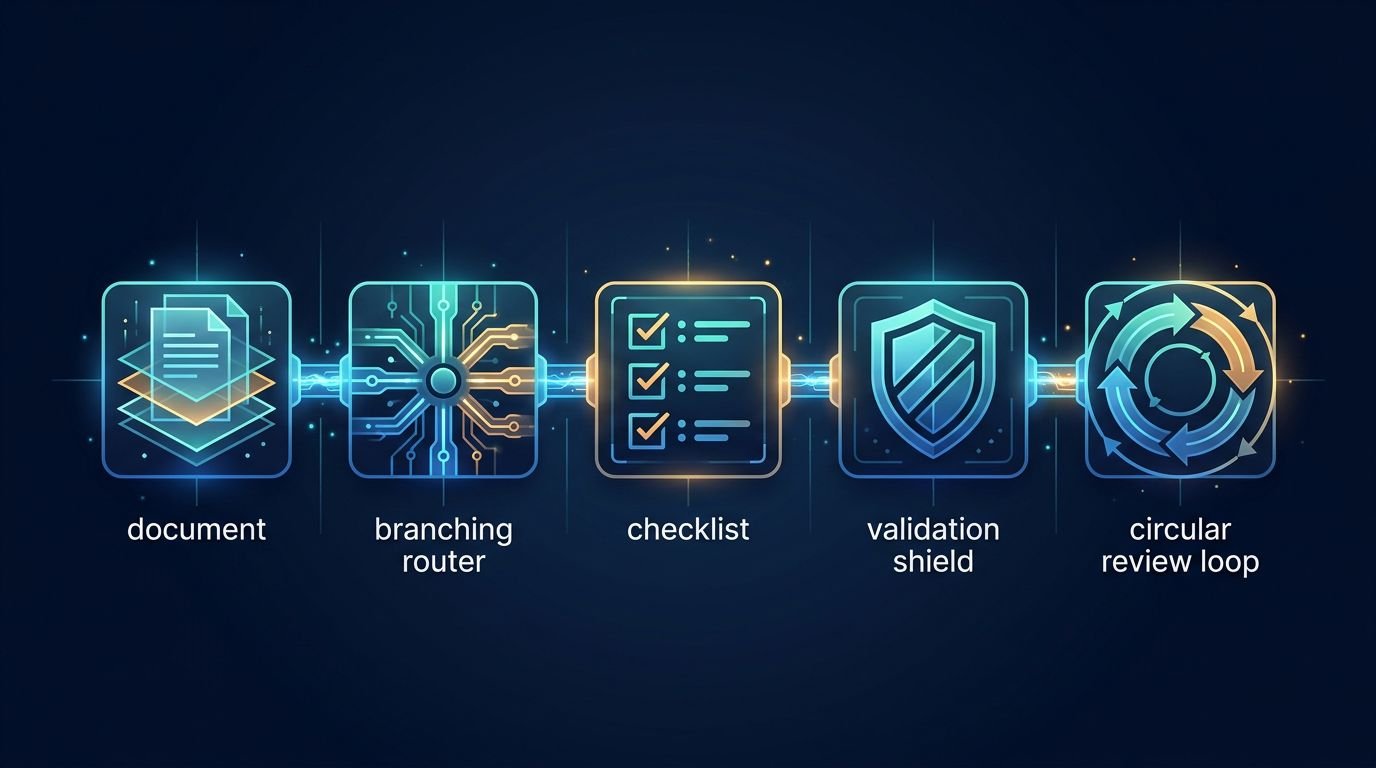
AI Prompt Writing in 2026: 7 Frameworks That Beat Simple Queries
A one-line prompt used to be enough. In 2026, it usually gives you thin content, weak angles, and copy that sounds like everyone else.
That shift matters because AI search, LLM answers, and modern content systems now reward context-rich prompting. They want clear intent, topical fit, and structure, not a vague request like “write about SEO.” If you want content that ranks, gets cited, or earns trust, the prompt has to do more work.
Why simple queries no longer rank in an AI-first search world
What changed in search behavior and AI results
Search now works more like an answer engine. Google and other platforms often show AI summaries first, so users may get the main idea before they ever click a page. Because of that, the content that wins is the content AI can read, trust, and quote fast.
Keyword matching still matters, but it no longer carries weak writing. Search systems read meaning, page structure, source quality, and topical coverage. Natural language interface trends also push this forward. Users ask fuller questions, while AI tools interpret intent instead of waiting for exact phrasing.
Why generic prompts create generic content
When you type “write a blog post about SEO,” the model has to guess almost everything. It guesses the audience, the angle, the depth, the format, and the outcome. That guesswork shows up fast.
You get safe intros, flat subheads, broad claims, and recycled advice. The copy may look clean, but it often misses the real search job. A good practitioner’s playbook on prompt engineering for SEO makes the same point in practical terms, chained prompts beat one oversized request because they reduce model drift.
The new standard for prompt quality
Strong AI prompt writing now looks closer to editorial planning. You tell the model who the content is for, what the reader wants, what the page should achieve, and how the answer should be shaped.
A solid prompt includes audience context, business context, desired format, tone, constraints, and a success test. That doesn’t make prompts longer for the sake of length. It makes them easier for the model to follow.
Strong prompts reduce guesswork, and better inputs create better drafts.
The seven prompt frameworks that make AI SEO content stronger
These frameworks work because they mirror how strong content teams already think.
Contextual anchoring gives AI the facts your brand needs
Start with source material, then feed the model your brand voice, product facts, offer details, audience pain points, and what sets you apart. Without that context, it fills the blanks with average assumptions, and the output starts to sound generic. Some people think the model will sort it out on its own, but it can’t guess your positioning with any real accuracy.
This is how AI is changing prompt engineering. The job is less about writing clever commands and more about supplying clean context. In practice, context beats guesswork every time.
Semantic cluster prompts move past one keyword at a time
Search systems map topics, not single terms. So your prompt should include related entities, supporting questions, comparisons, objections, and common follow-up searches. That gives the system more context and helps it match how people actually search, instead of focusing on one narrow keyword.
That broader frame helps AI build content with stronger semantic range. It also improves the odds that your page feels complete, which matters when LLMs decide what source to quote.
Intent mapping keeps the prompt tied to user goals
Search volume doesn’t tell you what the reader wants to do next. Your prompt should. Ask whether the user wants to learn, compare, buy, troubleshoot, or validate a choice.
That shift changes the whole draft. A comparison page, a how-to guide, and a sales page need different language, proof, and page structure. Prompt for the goal first, then let the wording follow.
Prompt chaining breaks long work into useful stages
One prompt can draft an outline, another can build sections, and a third can tighten flow or fix thin spots. This chained workflow usually beats a single giant instruction.
It also gives teams control points. You can approve the angle before the draft expands, then improve weak sections before editing line by line. That’s faster, and the quality is easier to manage.
The search intent critic makes the model review itself
This is where LLM self-correction becomes useful. After the first draft, ask the model to score its own work for intent fit, clarity, depth, missing objections, and unsupported claims.
Then ask for a rewrite based on the gaps it found. That second pass often removes filler and surfaces holes an editor would catch later. AI-driven prompt optimization works best when critique is built into the workflow.
Data-driven prompts use live search and fresh sources
Static prompts age fast. Better prompts include live SERP notes, recent source material, support tickets, sales call themes, or current market shifts. Fresh input keeps the model from writing stale copy.
If you want a strong reference point, AISO Hub’s 2026 prompt engineering patterns show why prompts should separate instructions, context, and source data. That structure makes output more current and easier to trust.
Recursive refinement improves the prompt, not only the output
Most teams only edit the draft. Better teams also edit the prompt. They compare versions, score results, and keep what worked.
This is where meta-prompting techniques help. You can ask the model to explain why one version performed better, then turn that into a reusable template. Automated prompt generation methods can speed this up, but people still need to judge the results.
How to build a prompt-friendly SEO workflow that scales
A repeatable system beats a folder full of random prompt snippets.
Start with audience, intent, and content goal
Set the order early. First define the reader. Then define the intent. After that, set the page goal, such as education, lead generation, product comparison, or conversion support.
Senior strategists and prompt engineers both benefit from this order. It keeps briefs tighter, and it stops the model from drifting into generic language.
Add structure that helps AI write better answers
The best prompt-friendly structure is plain and direct. Give the model the section order, target length, tone, examples to include, facts to avoid, and formatting rules.
That sounds simple, but it changes the draft quality fast. A useful prompt engineering guide for SEOs shows the value of layered instructions, validation steps, and format constraints. Those details make outputs easier to review and publish.
Use AI for drafting, then use humans for judgment
AI is fast at pattern assembly. People are better at judgment. Editors catch weak claims, tone problems, bad assumptions, and brand mismatches that a model may miss.
So the workflow should stay split. Use AI to produce options, summaries, rewrites, and section drafts. Then let humans own final accuracy, point of view, and editorial quality.
AI Prompt Examples for content workflows
These examples are short on purpose. Each one gives the model a job, a target, and a boundary.
“Build a blog outline for B2B marketers on AI prompt writing, aimed at decision-stage readers, with practical section angles and no beginner filler.”
“Map this topic into a semantic cluster, including related entities, common objections, and supporting questions that belong on linked pages.”
“Write a comparison page for buyers evaluating in-house prompting versus agency support, using commercial intent and plain language.”
“Review the top-ranking pages for this topic and list the content gaps our article should cover to feel more complete.”
“Turn these customer support themes into a FAQ section that answers real user concerns without repeating sales copy.”
“Rewrite this draft to match our brand voice, which is direct, calm, and useful, with short paragraphs and no hype.”
“Draft an introduction that answers the main search intent in the first 80 words and sets up the rest of the page.”
“Audit this article for AI overview visibility, then suggest clearer headings, tighter answers, and missing source support.”
“Act as a search intent critic, score this draft from 1 to 10 for relevance, clarity, and depth, then revise weak sections.”
“Compare Prompt A and Prompt B, explain which one produced the stronger content, and recommend a better combined version.”
Conclusion
Basic prompting no longer holds up when search systems read for meaning, depth, and trust. The future of prompt writing looks more like content design, with context, intent, source input, and revision built in.
Strong AI prompt writing creates stronger drafts, but it also creates stronger systems. When the prompt improves over time, the content usually does too.
FAQ
Does AI prompt writing replace SEO strategy?
No. It speeds up execution, but strategy still comes first. Teams still need audience research, content priorities, page goals, and editorial judgment before a model can help well.
How long should a prompt be?
A prompt should be as long as the task needs. Short prompts work for small edits. For ranking content, a longer prompt often performs better because it gives the model context, rules, and a clear target.
Can one master prompt handle a full article?
Usually, no. One large prompt tends to flatten the output. Prompt chaining works better because each step has a narrow job, and each result can be checked before moving on.
What is meta-prompting in plain terms?
Meta-prompting means using AI to improve the prompt itself. You ask the model to review instructions, compare prompt versions, spot weak phrasing, and help build a better template for the next run.
SaaS API Infrastructure Is Rising as AI Agents Replace the Dashboard
Traditional SaaS screens are no longer the main place where work gets done. More teams now ask an AI agent to pull a report, update a record, send a message, or start a workflow, and the agent handles the clicks.
That shift changes what software companies are building. SaaS API infrastructure is becoming the durable layer, while the agent becomes the part users notice. For CTOs and product leaders, this is no longer a side bet. If your product still assumes a human will drive every task through a dashboard, you’re designing for less of the actual work.
Why the classic SaaS interface is fading fast
Dashboards still matter, but they matter less than they used to. Most business users already juggle too many tabs, too many alerts, and too many admin chores. As a result, software that waits for manual input loses ground to software that can act.
### Why users are tired of managing software by hand
Dashboard fatigue is easy to spot. Teams bounce between CRM, support, billing, analytics, and project tools just to finish one job. Each hop costs time because people must re-orient, remember context, and repeat actions.
That friction feels small in isolation. Across a week, it becomes expensive. A sales ops lead doesn’t want to open four tools to approve a territory change. A support manager doesn’t want to build reports one filter at a time. They want the result.
What headless SaaS looks like in practice
Headless SaaS shifts value away from the screen and into the system. Data, actions, permissions, and workflow triggers move behind stable endpoints. The front end can still exist, but it no longer defines the product.
This is why the new integration race matters. In this look at the changing integration model for B2B SaaS, the core argument is simple: if agents can connect outward and act across tools, the product with the best connectivity gains the advantage.
Why AI agents are taking over simple operator tasks
Routine operator work fits agents well because the work is repetitive and rules-based. Agents can create accounts, move data, trigger alerts, update fields, and draft responses without waiting for a human to open a portal.
As of May 2026, that pattern is already visible across enterprise software. Vendors such as Salesforce, Cloudflare, and Stripe are exposing more agent-ready capabilities through APIs, so agents can perform work directly. The human stays in the loop for approval, exceptions, and judgment.
What SaaS API infrastructure really means
An API alone doesn’t make a SaaS product infrastructure. Real infrastructure is stable under load, predictable over time, secure by default, and clear enough for machines to use without guesswork.
### From monolithic apps to modular, API-first platforms
Older SaaS products often bundled everything into one app and one experience. Modern products are more decoupled. Identity, billing, records, search, notifications, and workflow logic can now operate as separate services.
That modular setup works better for agentic workflows. An agent doesn’t need your whole app. It needs reliable actions it can call, chain, and verify. In practice, decoupled software is easier to orchestrate because each endpoint has a narrow job and a clear response.
The difference between having an API and becoming infrastructure
Many companies say they are API-first because they publish a developer page. That isn’t enough. Agents need endpoints that are consistent, versioned, well-scoped, and easy to discover. They also need clean error handling and predictable response formats.
That is why agent-friendly API design has become a product issue, not only a developer issue. If an agent can’t trust your API, it won’t build a workflow on top of it.
If agents are becoming active users, your API is now part product and part control plane.
Security, limits, and control in machine-to-machine systems
Machine-to-machine security gets more important as agents move from reading data to taking action. Permissions must narrow what an agent can do. OAuth flows need to support agent access. Rate limits need to prevent abuse without breaking normal automation.
Audit trails matter too. When a non-human identity creates a user, changes a policy, or sends a message, teams need logs that explain what happened. Agent permissions, scoped tokens, and action history are no longer edge concerns. They are standard product requirements.
How AI agents become the real product layer
The user experience is shifting toward a language user interface, or LUI. Instead of learning a product’s menus, the user states intent. The agent maps that intent to software actions.
### How agents turn intent into API calls
The flow is simple on the surface. A user says, “Create a new customer, send the contract, and notify finance.” The agent breaks that into steps, checks permissions, selects the right tools, and calls the needed APIs in sequence.
Under the hood, this is orchestration. One request can touch identity, CRM, e-signature, billing, and messaging systems. The user sees one interaction. The system handles the choreography.
Why LUI is replacing GUI for many workflows
GUI is still better for deep analysis, setup, and edge-case review. However, LUI is better for repeatable work because it cuts navigation time. Voice and text also fit moments when a screen is slow, crowded, or unnecessary.
For many operator tasks, the interface is becoming a thin approval layer. IBM’s view of APIs in an agentic era captures this change well: the API is no longer just data access, it is the means through which agents complete work.
Real examples of agents bypassing the interface entirely
The clearest examples are not flashy. An agent can open a support case, enrich the account record, draft a reply, and route the issue for approval without loading a dashboard. Another can launch cloud resources, buy a domain, or reconcile subscription data through API calls.
The screen still has a place. It is where people inspect, override, and investigate. But it is no longer the primary product layer for routine work.
How SaaS companies should adapt before the interface becomes obsolete
If the dashboard stops being your main differentiator, product strategy has to shift. Teams need to treat the API, the workflow graph, and the trust model as first-class product surfaces.
### Rethink pricing around usage, credits, and outcomes
Per-seat pricing breaks when one agent can do the work of several operators. In that model, more automation can reduce seat count even while customer value rises. That is a bad incentive.
This comparison shows where pricing is moving.
Model
Works best for
Main weakness
Per-seat
Human-driven workflows
Penalizes automation
Usage-based
API calls, compute, data volume
Can feel noisy
Outcome-based
Completed tasks or business results
Harder to define cleanly
Recent Deloitte analysis on SaaS and AI agents points to hybrid models, where subscriptions, credits, and outcome pricing coexist. That fits agent-heavy products better because value comes from work completed, not seats occupied.
Build documentation and workflows for machines, not just humans
Docs used to teach developers. Now they also shape how models understand your product. That means better examples, tighter schemas, predictable naming, and fewer ambiguous actions.
In practice, good documentation lowers support load and raises adoption. It also improves agent reliability because the model has less room to guess. If your docs read like marketing copy, they won’t help developers or machines.
Defend your moat when the UI is no longer special
A polished interface is easier to copy than trusted infrastructure. The moat now sits in workflow depth, proprietary data, compliance, uptime, integration quality, and control. Customers will favor the system that agents can use safely at scale.
That shifts the product question. Instead of asking, “Is our UI nicer?” ask, “Are we the most dependable system for this job?” In an API economy, dependable wins more often than pretty.
FAQ
Will dashboards disappear?
No. They will shrink in importance for repeatable work. People still need screens for setup, audit, exception handling, and analysis.
What makes an API ready for AI agents?
It needs stable endpoints, clear permissions, structured responses, version control, rate limits, and strong logs. Public access alone doesn’t make it agent-ready.
Should every SaaS company build its own agent?
Not always. Some should expose clean infrastructure first and let third-party agents do the orchestration. Others should build a native agent because the workflow is core to the product.
How should leaders measure success in this shift?
Track task completion, API consumption, error rates, recovery time, and outcome value. Seat growth alone will miss what agents are doing.
Conclusion
The center of gravity is moving. SaaS is becoming API infrastructure, and AI agents are becoming the layer where users express intent and get work done.
That doesn’t kill the interface. It changes its role. The companies that win next won’t build only for human clicks. They’ll build systems that humans can trust and agents can use.
The Founder’s Guide to Vibe Coding: Building Full-Stack Apps with Natural Language
For a couple of decades, the barrier to entry for building software was steep. If you had a million-dollar idea but couldn’t write code, you faced a dilemma: spend months learning Python or JavaScript, or spend tens of thousands of dollars hiring a development agency. That bottleneck is finally breaking with the new AI Vibe Coding trend.
Welcome to the era of Vibe Coding.
Vibe Coding isn’t about sloppy work; it’s about shifting your focus from syntax (the grammar of code) to intent (the goal of the software). It means describing what you want in natural language and letting AI handle the translation into functional applications. For lean startups and non-technical founders, this is a paradigm shift. It allows you to validate ideas in days rather than months. You don’t need to know how the engine works to drive the car, but you do need to know how to steer. This guide will teach you how to hold the wheel.
What Is Vibe Coding? The Rise of AI-Assisted Development Definition and Origin
Vibe Coding is a newer approach to software development that goes past basic autocomplete. Instead of only suggesting code line by line, it uses AI to turn a developer’s intent into working code.
At its core, Vibe Coding shifts programming away from strict syntax and toward intent. In other words, the focus moves from writing every command by hand to describing what the software should do. This is why the idea is closely tied to Natural Language Programming.
The term gained wide attention through Andrej Karpathy, who described a style of building software where developers guide AI with plain-language prompts and high-level direction. That idea spread quickly because it matched what many programmers were already starting to experience with modern AI tools.
1. Step 1: Formulating the ‘Vibe’
The biggest mistake founders make when using AI is being vague. If you tell an AI builder to “make a clone of Uber,” you will get a generic, broken shell. To succeed, you must act as a Product Manager, not just a dreamer. You need to translate your vision into a structured narrative that the AI can execute.
Start by defining the User Flow. Describe the journey step-by-step. For example: “A user lands on the homepage, clicks ‘Sign Up,’ enters their email, and is immediately taken to a dashboard where they can upload a PDF.” Be specific about what happens next.
Next, outline your Data Needs. Even without knowing database schema, you can describe relationships. Tell the AI: “Users need to have profiles. Each profile should store a history of their uploads and their subscription status.” This helps the AI structure the backend logic correctly.
Finally, set the UI/UX Tone. Don’t just say “make it look nice.” Say, “Use a minimalist design with a dark mode option. The primary action buttons should be bright green, and the font should be modern sans-serif.” The more sensory details you provide, the closer the initial output will match your vision. Treat the AI like a brilliant junior developer who knows every coding language but knows nothing about your specific business logic.
Inside the Process: How Natural Language Turns Into Running Code A technical guide for non-technical founders
Large language models (AI Platforms) are the new compilers. They convert plain English into usable code, which is a core idea behind Vibe Coding. Context windows and ongoing prompt loops matter because they keep the model grounded in the task, the codebase, and the goal. Autonomous AI coding agents add another layer. They don’t just suggest code, they can plan steps, write files, test outputs, and keep moving through a build process with limited supervision.
2. Step 2: Choosing Your AI Arsenal
Not all tools are created equal. Some are designed for pure speed, while others offer more control. Here is how to choose the right platform for your vibe coding journey.
Replit Agent: This is arguably the most powerful all-in-one solution for beginners. It runs in your browser and handles everything from setting up the server to deploying the app. It’s ideal if you want a hands-off experience where the AI manages the environment for you.
Bolt.new & Lovable: These tools specialize in generating full-stack web applications instantly in the browser. They are fantastic for prototyping marketing sites or simple SaaS (Software as a Service) tools. They excel at creating beautiful frontends quickly.
Cursor with Vercel: If you want slightly more control and plan to eventually hand the code off to a human developer, use Cursor. It is an AI-powered code editor. You can write prompts to generate features, then deploy the result to Vercel (a hosting platform). This workflow creates standard code files that are easier to migrate later.
The Strategy: Absolute beginners start with Replit or Bolt for your initial prototype to validate the idea quickly. If the product gains traction and you need complex custom logic, migrate to Cursor so you own the codebase directly. Don’t get bogged down choosing the perfect tool; pick one and start building. Many AI platforms such as, Claude, Open AI and Gemini and others offer vibe coding options that are competing but to really vibe-code with ultimate control is with a paid platform as above. Prices vary between each company.
3. Step 3: The Reality Check (QA & Debugging)
AI is incredibly capable, but it is not infallible. It can hallucinate features that don’t work or create security gaps. Once your app is generated, you must enter the Quality Assurance (QA) phase. Do not assume the first build is production-ready.
Your job is to try to break the app. Click every button. Submit empty forms. Try to log in with incorrect passwords. When you find a bug, don’t try to fix the code yourself. Instead, describe the error to the AI in plain English.
For example, instead of saying “Fix the null pointer exception,” say, “When I click submit without entering a name, the app crashes instead of showing an error message.” The AI can usually identify the logic error and patch it instantly.
Keep a log of issues. If the AI fixes one thing but breaks another, revert to the previous version. Most of these platforms have version history. Remember, you are the gatekeeper of quality. The AI builds the house, but you must inspect the foundation before inviting guests over.
4. Step 4: Beyond the MVP
There comes a point where “vibe coding” hits a ceiling. This usually happens when you need complex integrations, high-scale performance, or strict security compliance. AI-generated code is often functional but not always optimized for scale. It might be messy or redundant under the hood.
Once you have validated your MVP (Minimum Viable Product) and have paying customers, you need to plan for sustainability. This is the time to consider refactoring. You might keep using AI to add small features, but you should begin documenting how the system works.
Crucially, know when to bring in a technical lead. If your user base grows to thousands, or if you are handling sensitive financial data, you need a human expert to audit the architecture. A technical lead can take your vibe-coded prototype and rebuild the core infrastructure to be robust and secure. There is no shame in this; you used AI to save money and time on validation, which allows you to invest wisely in engineering later. Use vibe coding to get to the starting line, not to win the marathon alone.
Why Vibe Coding Matters for Solo Founders and Startups Business
Vibe coding helps solo founders and startups build and launch an MVP in far less time. As a result, teams can test ideas sooner, gather feedback earlier, and move toward product-market fit without long development cycles.
It also lowers the barrier for non-technical founders and domain experts. With tools powered by natural language processing, people can turn ideas into working products with simple prompts and clear direction, even without deep coding experience.
Cost matters at the early stage, too. Instead of spending large agency budgets on initial builds, founders can shift that money toward validation, customer research, and growth. That makes Vibe coding a practical choice for startups that need speed, flexibility, and tighter control over early spending.
The Founder’s Glossary
To help you communicate effectively with your AI tools and future hires, here are five essential terms decoded.
Frontend vs. Backend: Think of a restaurant. The Frontend is the dining area—the menus, the decor, and where the customer sits (what users see in their browser). The Backend is the kitchen—where the food is cooked, ingredients are stored, and orders are managed (the server and database logic users don’t see).
API Integration: An API (Application Programming Interface) is like a waiter. It takes a request from the frontend (the customer) to the backend (the kitchen) and brings the response back. API Integration means connecting your app to external services, like telling your app to talk to Stripe for payments or Google Maps for location.
Deployment: This is the process of making your software available to the public. While you build on your local computer or a sandbox, Deployment pushes your code to a live server so anyone with an internet link can use it.
State Management: This refers to how your app remembers things. If a user adds an item to a cart, State Management ensures the cart icon updates to show ‘1 item’ even if the user navigates to a different page. It keeps the data consistent across the user’s session.
Environment Variables: These are secret settings kept separate from your main code. Think of them as the keys to your safe. You wouldn’t write your password on a sticky note on your monitor; similarly, Environment Variables store API keys and passwords securely so they aren’t exposed if your code is shared.
The power to build is now in your hands. You no longer need permission to create. With the right vibe, the right tools, and a pragmatic approach to testing, you can turn abstract ideas into tangible products. Start small, test often, and let the AI handle the syntax while you focus on the vision. Your product awaits. To get you started, here is a few prompts to try:
The DX-First Developer Experience Cheat Sheet Act as a senior developer advocate specializing in modern web ecosystems. Create a ‘Vibe Coding Tech Stack Cheat Sheet’ that focuses exclusively on Developer Experience (DX) and achieving ‘flow state.’ For each category (Frontend, Backend, Database, Auth, Deployment), select one ‘high-vibe’ tool known for low friction (e.g., Next.js, Supabase, Vercel, Tailwind). For each selection, provide: 1) The ‘Vibe’ (a 1-sentence aesthetic description), 2) Why it is ‘Vibe-heavy’ (focus on speed and lack of boilerplate), and 3) A ‘Pro-Tip’ for maximizing productivity. Tone: Professional, modern, and high-energy. Format: Markdown table followed by detailed bullet points. Audience: Full-stack developers who value rapid shipping.
Minimalist Aesthetic Founder’s Stack Guide Create a curated ‘Vibe Coding’ cheat sheet tailored for a solo founder building a sleek, minimalist SaaS. The tone should be aspirational, concise, and sophisticated. Structure the guide into three tiers: ‘The Core’ (The essential language and framework), ‘The Polish’ (UI/UX and animation libraries like Framer Motion), and ‘The Infrastructure’ (Serverless and Edge computing). Limit descriptions to 20 words per tool. Emphasize tools that support ‘coding by intuition’ and ‘aesthetic-driven development.’ Target audience: Design-engineers and creative technologists. Total word count: Under 500 words.
Viral Tech-Twitter Vibe Stack ThreadGenerate a witty and high-energy Twitter thread script (10-12 tweets) titled ‘The 2024 Vibe Coding Tech Stack Cheat Sheet.’ Use a mix of industry jargon and contemporary tech-culture slang (e.g., ‘shipping,’ ‘zero-config,’ ‘aura’). Each tweet should highlight a specific tool or workflow hack that defines the ‘vibe coding’ movement. Include a ‘hot take’ on why traditional enterprise stacks are ‘vibe killers.’ Use emojis strategically to enhance the visual appeal. Target audience: The Tech Twitter/X community and early-stage startup builders. Ensure the final tweet includes a call to action for users to share their own ‘vibe-heavy’ tools.
Minimalist Aesthetic Founder’s Stack
Curated for Vibe Coding
For the design-engineer who sculpts digital experiences through intuition and taste. This is your stack.
The Core
Essential language, framework, and tools for coding by feeling.
Next.js — The edge-ready React framework with file-based routing that mirrors your mental model of the page.
TypeScript — Type safety that sharpens intent, embedding design constraints directly in the code.
Tailwind CSS — Utility classes that enable constraint-driven design, composing style at the speed of thought.
tRPC — End-to-end typesafe APIs that vanish glue code, letting you shape the experience unimpeded.
Cursor — The AI-native editor where you converse with your codebase, turning intuition into implementation.
The Polish
UI/UX and motion libraries for that signature feel.
shadcn/ui — Beautifully crafted, copy-paste components that give full control over the aesthetic.
Framer Motion — Declarative animations that turn intention into fluid motion with minimal code.
Lucide Icons — Crisp, consistent iconography that scales from outline to solid, always refined.
Vaul — A drawer component so smooth it feels native; perfect for mobile-first gestures.
Lenis — Buttery smooth scrolling with easing that makes every scroll a tactile delight.
The Infrastructure
Serverless and edge, so you can ship like a studio.
Vercel — Deploy with edge functions and analytics; the platform co-created by the Next.js team.
Neon — Serverless Postgres that branches like Git, empowering fearless experimentation.
Clerk — Authentication components so polished they feel like a design system, not a box-ticking exercise.
Stripe — Payments infrastructure that handles the complexity, leaving you with a clean checkout.
Resend — Transactional email that renders beautifully, matching your app’s minimalist soul.
FAQ
What is “Stop Writing Syntax: The Founder’s Blueprint for 10x Vibe Coding”?
It’s a 2026 guide, presented as a developer-focused video blueprint, built around a simple shift: founders should stop writing code line by line and start directing AI with plain-language intent. The core promise is speed, because AI agents handle much of the syntax, scaffolding, and iteration. Based on the available source material, it’s positioned more as a practical method than a formal book release.
What does “vibe coding” actually mean?
Vibe coding means describing what you want software to do, then letting AI tools generate and revise the code. Instead of focusing on syntax first, you work at the level of product goals, flows, and constraints. In practice, that makes the founder or developer more of a decision-maker and editor, while AI handles much of the implementation.
Who created it?
The current source material doesn’t clearly name a single author. The concept appears in a 2026 developer guide video, and the framing draws on broader AI-assisted coding ideas, including what the source calls the “Karpathy Paradigm of Abductive Programming.” So, if you’re looking for a confirmed byline, there isn’t one in the cited material.
Is vibe coding only for non-technical founders?
No, although it’s especially appealing to founders who want to move fast without deep expertise in syntax. Technical builders can use the same approach to prototype, debug, refactor, and ship faster. The difference is that experienced developers are usually better at setting guardrails, reviewing outputs, and catching weak code early.
Does vibe coding replace software engineering basics?
It doesn’t remove the need for judgment. The current advice tied to this approach still includes planning before you build, using version control, writing tests, fixing errors methodically, documenting changes, and refactoring often. AI can speed up delivery, but product clarity, architecture choices, and code review still matter if you want reliable software.
In SaaS, AI claims don’t carry much weight anymore. Investors and enterprise buyers want proof of AI maturity, and they want it fast.
That puts founders in a tight spot. You need something more convincing than a chatbot tab, but you also can’t disappear into a six-week build cycle. A tight SaaS deployment framework solves that problem by turning AI into a visible, testable portfolio in two days.
FAQ
Why does every SaaS founder need an AI portfolio fast?
A single AI feature rarely changes how people judge your company. It may look clever, but it doesn’t show depth. A real AI portfolio shows range, product judgment, and the ability to deploy safely.
That matters more in April 2026 than it did a year ago. Trend data now points to vertical AI companies taking more than 40% of startup funding, while 75% of SaaS firms are expected to ship AI automation this year. Buyers have moved from “Do you have AI?” to “How mature is your AI layer?”
Investors rarely reward one flashy AI trick. They reward evidence that your product can apply AI across a real workflow.
For a founder, an AI portfolio means three connected proofs. First, AI can reduce user effort. Second, it can work with your product’s own data. Third, it can fit inside a sensible delivery process. That’s why a one-off feature often fails. It looks isolated, and isolated features are easy to copy.
This is also where valuation changes. If your product shows a believable path to AI-assisted retention, expansion, or lower service cost, the story gets stronger for Series A and B conversations. You don’t need a giant platform in week one. You need a compact portfolio that signals you know where AI belongs in your product.
Fast matters because deep engineering comes later. The first 48 hours are for validation, narrative, and proof. That’s why AI-native founders keep gravitating toward starter systems like VelocityKit, which help them reach a first deploy without rebuilding the same plumbing every time.
What should happen in hours 0-12 of this SaaS deployment framework?
The first block is about selection, not speed for its own sake. If you pick the wrong use case, you can move fast and still waste two days.
Start with your existing data moat. Look for customer tickets, call notes, CRM records, usage logs, docs, contracts, or internal templates. Proprietary context is what makes your AI portfolio hard to imitate. Then map that data against the friction your users already feel. Good targets include slow setup, unclear reporting, repetitive support work, or messy handoffs.
This quick table keeps the sprint grounded:
Time block
Focus
Output
0-4 hours
Audit data and workflows
Short list of usable data sources
4-8 hours
Match friction to LLM tasks
5 to 7 candidate features
8-12 hours
Narrow and scope
3 demo-ready AI features
The best three-feature mix usually shows breadth. Pick one assistant feature, one generation feature, and one analysis feature. For example, a sales SaaS might build call-summary drafting, proposal generation, and churn-risk analysis. Together, they tell a stronger story than three similar helpers.
Keep scope tight. Each feature should have one trigger, one output, and one clear win for the user. If the flow needs three integrations and a permissions rewrite, cut it.
A lot of founders now follow a hybrid path, which means using AI tools to validate first and hardening the product later. That pattern is laid out well in this 2026 guide to building an MVP with AI agents, and it fits this 48-hour sprint.
What stack works best in hours 12-24 for rapid AI prototyping?
Now you build the fastest believable version.
For many founders, the stack is simple. Use OpenAI API for model calls, LangChain for prompt flows or tool routing, and Vercel for fast deployment. If the main goal is a live demo, Streamlit or Gradio can give you an interactive frontend in hours, not days. That mix is practical because it cuts setup work while keeping enough control for real testing.
Mock your data pipeline if needed. Pull a scrubbed export, synthetic sample, or read-only replica into a separate environment. Don’t connect a rough prompt chain to your production database on day one. Speed is good, but speed with a rollback plan is better.
This is where a good SaaS deployment framework pays off. The build path should be modular enough that each demo feature can stand alone, but close enough that the portfolio still feels like one product. Shared auth, shared layout, shared prompt logging, and one analytics view go a long way.
If you’re tired of spending a week on setup before the first user flow exists, an AI SaaS boilerplate for Next.js can remove that drag.
Before you write more code, map your use cases, data sources, prompt flows, and guardrails in a free 48-Hour AI Architecture Template in Figma or Miro.
How do you turn raw prototypes into one strong AI story in hours 24-36?
A portfolio fails when it feels like a stack of unrelated demos. It works when each feature feels like part of one user journey.
So this block is less about code and more about product framing. Put your three AI features behind one dashboard. Use the same input pattern, status feedback, and result view across each module. That gives stakeholders a sense of system design, not just prompt experiments.
Then focus on “magic moments,” the few seconds when the user sees real value. Maybe the app turns a 30-minute onboarding task into a 2-minute draft. Maybe it flags risk in a customer account before the manager spots it. That moment should be easy to trigger during a live demo and easy to explain in plain English.
Documentation matters here too. Write one page per feature with five items: problem, input, output, source data, and known limits. That makes the portfolio legible to buyers, investors, and your own team. If you want a practical example of how teams package a fast build for demo and handoff, this write-up on a custom AI MVP in 48 hours is worth scanning.
What has to happen in hours 36-48 before you show it to investors or buyers?
The last block is where speed can hurt you if you get careless. A working prototype still needs a clean deploy, basic guardrails, and a demo that doesn’t wander.
Put each service in a container or use a platform that abstracts that step cleanly. Host it in an isolated environment with locked-down secrets and test accounts. You don’t need enterprise-grade infrastructure for a sprint build, but you do need basic security hygiene.
Then stress-test your prompts. Feed them bad inputs, empty fields, long text, odd formatting, and edge cases from real customer data. Add simple guardrails for refusal behavior, PII handling, source references, and fallback responses. If the model fails, the product should fail politely.
Finally, record a hero demo. Keep it under three minutes. Show the problem first, then the trigger, then the result, then the business impact. Founders often ramble here because they know the build too well. A script keeps the story sharp.
If you want more speed at this stage, tools like DeployFrame can help you get a polished AI app live without rebuilding every deployment step.
Conclusion
The fastest founders aren’t winning because they build more AI. They win because they can package proof faster than everyone else.
A solid SaaS deployment framework gives you that proof in 48 hours: three useful features, one product story, one safe demo environment, and one narrative that holds up in a pitch. That is enough to validate interest before you commit months of engineering time.
If your next board meeting, customer pitch, or fundraise is close, book a strategic AI integration consultation or subscribe to advanced SaaS AI blueprints before you add another random feature.
In a microservices-driven landscape, APIs are the contractual backbone of every distributed system. Without a formal, machine-readable schema, teams operate on assumptions — and assumptions break systems.
Core Benefits
Contractual Consistency An API schema (most commonly an OpenAPI Specification) acts as a single source of truth shared between frontend developers, backend engineers, QA teams, and technical writers. Schema generators enforce that what is deployed matches what is documented, eliminating “docs drift” — the silent killer of developer experience.
Automated Documentation Rather than hand-crafting documentation that goes stale the moment a route changes, schema generators like SpringDoc or FastAPI’s built-in engine introspect live code (or vice versa) to produce interactive, always-current documentation rendered by Swagger UI, Redoc, or Scalar.
SDK & Client Code Generation A valid OpenAPI 3.x schema unlocks automatic generation of typed client libraries across 50+ languages via tools like openapi-generator, Speakeasy, or liblab. This removes manual integration work and guarantees type-safe consumption of your APIs.
Contract Testing & Validation Schema-driven development enables powerful contract testing. Tools like Prism can mock your API from the spec before a single line of backend code is written, and validators like Spectral can enforce governance rules across every spec in your organization. Source
Parallel Development Velocity When the schema is defined upfront, frontend, backend, QA, and documentation teams can work in parallel. An agreed-upon OpenAPI spec decouples team dependencies and dramatically reduces time-to-market.
What a Schema Enables
Downstream Artifact
Tool Examples
Interactive API Docs
Swagger UI, Redoc, Scalar
Type-safe Client SDKs
openapi-generator, Speakeasy, Fern, liblab
Server Stubs
openapi-generator, tsoa
Mock Servers
Prism, WireMock, Beeceptor
Contract Tests
Dredd, Pact, Schemathesis
Governance Linting
Spectral, Vacuum
2. Code-First vs. Design-First Approaches
This is the foundational architectural decision every API team must make. The two paradigms are fundamentally different in philosophy, tooling, and team workflow. Source
Code-First (Schema-from-Code)
“Build the implementation; derive the contract from it.”
In a code-first workflow, developers write application code using annotations, decorators, or type definitions. A generator then introspects that code to produce an OpenAPI (or GraphQL/gRPC) schema as an artifact.
How It Works (FastAPI Example):
from fastapi import FastAPI
from pydantic import BaseModel
app = FastAPI(title="Orders API", version="2.1.0")
class Order(BaseModel):
id: int
product: str
quantity: int
price: float
@app.post("/orders", response_model=Order, tags=["Orders"])
async def create_order(order: Order):
"""Create a new order in the system."""
return order
# OpenAPI spec auto-generated at /openapi.json
How It Works (Spring Boot / SpringDoc Example):
@RestController
@RequestMapping("/orders")
@Tag(name = "Orders", description = "Order management endpoints")
public class OrderController {
@Operation(summary = "Create a new order")
@ApiResponse(responseCode = "201", description = "Order created successfully")
@PostMapping
public ResponseEntity<Order> createOrder(@RequestBody @Valid Order order) {
return ResponseEntity.status(HttpStatus.CREATED).body(orderService.save(order));
}
}
✅ Advantages of Code-First
Speed to prototype: Developers can move quickly without upfront specification overhead.
Schema accuracy: The spec is derived from running code, so it always reflects the actual implementation state.
Lower context-switching: Developers stay in their IDE and framework; no external tooling required.
Ideal for rapid iteration: Well-suited for small teams, startups, and internal tooling where the API consumer is the same team.
Late stakeholder alignment: Non-developer stakeholders (QA, technical writers, frontend) cannot evaluate or test the API until the backend is at least partially implemented.
Retrofit documentation culture: Documentation becomes an afterthought, often leading to incomplete or inconsistent specs.
Governance gaps: Without upfront design review, inconsistencies (naming conventions, error schemas, pagination patterns) proliferate across services.
Breaking changes slip through: Without a defined contract, breaking changes are discovered at runtime rather than at design time.
Design-First (Code-from-Schema)
“Define the contract; generate or build the implementation from it.”
In a design-first workflow, architects and developers collaboratively author an OpenAPI YAML/JSON file (or GraphQL SDL) before any implementation code is written. Code generators then produce server stubs and client SDKs from this spec.
How It Works (OpenAPI YAML → Code):
# openapi.yaml
openapi: 3.1.0
info:
title: Orders API
version: 2.1.0
paths:
/orders:
post:
operationId: createOrder
tags: [Orders]
summary: Create a new order
requestBody:
required: true
content:
application/json:
schema:
$ref: '#/components/schemas/Order'
responses:
'201':
description: Order created
content:
application/json:
schema:
$ref: '#/components/schemas/Order'
components:
schemas:
Order:
type: object
required: [product, quantity, price]
properties:
id:
type: integer
readOnly: true
product:
type: string
quantity:
type: integer
minimum: 1
price:
type: number
format: float
Parallel team execution: Frontend, backend, QA, and docs can all begin work simultaneously from the agreed-upon spec.
Early governance enforcement: Style guides and naming conventions can be validated by linters (Spectral) before implementation begins.
API-as-product thinking: Forces teams to think from the consumer’s perspective, resulting in more ergonomic APIs.
Breaking change prevention: A diff of two spec versions immediately surfaces breaking changes before they reach production.
Mock servers from day one: Tools like Prism generate a mock server directly from the spec, enabling immediate frontend integration.
Disadvantages of Design-First
Upfront investment: Writing a complete OpenAPI spec before coding takes discipline and tooling expertise.
Spec-code synchronization: Teams must maintain discipline to keep the spec and implementation synchronized, or divergence reintroduces the same drift problems.
Learning curve: Developers unfamiliar with OpenAPI YAML structure face an initial productivity dip.
Overhead for small/exploratory projects: For internal tools or early-stage prototypes, the design overhead may outweigh the benefits.
Head-to-Head Comparison
Dimension
Code-First
Design-First
Initial Speed
✅ Faster to start
❌ Slower to start
Stakeholder Alignment
❌ Delayed
✅ Early & parallel
Spec Accuracy
✅ Always in sync
⚠️ Requires discipline
Governance Enforcement
❌ Reactive
✅ Proactive
Breaking Change Detection
❌ At runtime
✅ At design time
Mock Server Availability
❌ Requires running server
✅ Immediate via Prism
Best For
Startups, internal APIs, rapid prototyping
Platform APIs, public APIs, large teams
Tooling Maturity
✅ Very mature
✅ Rapidly maturing
Architect’s Recommendation: For public-facing or platform APIs serving multiple consumers, Design-First is non-negotiable. For internal microservices within a mature team that owns both sides of the contract, Code-First with automated spec generation and Spectral validation in CI/CD delivers the best velocity without sacrificing governance. A hybrid approach — code-first with mandatory Spectral linting and spec diff checks in CI — is increasingly common in enterprise environments.
3. Top Tools by Language & Ecosystem
Python — FastAPI
FastAPI is the gold standard for Python API development with automatic schema generation. It leverages Pydantic v2 for data modeling and introspects routes, types, and annotations to produce a fully compliant OpenAPI 3.1 specification with zero additional configuration.
Key Capabilities:
Auto-generation: Every route automatically becomes an operation in the OpenAPI document. Every Pydantic model becomes a schema component.
OpenAPI 3.1 native: FastAPI generates OpenAPI 3.1 by default, enabling full JSON Schema Draft 2020-12 compatibility.
Customizable metadata: Operation IDs, tags, server URLs, security schemes, and webhooks are all configurable.
Multiple UIs: Serves Swagger UI at /docs and Redoc at /redoc out of the box.
SDK generation: FastAPI-generated specs are directly consumable by Speakeasy, liblab, and openapi-generator. Source
tsoa is a framework-agnostic TypeScript tool that uses TypeScript decorators and type annotations to generate OpenAPI 3.0/3.1 specs and Express/Koa/Hapi route handlers simultaneously. It enforces type safety from model definition through to generated spec. Source
import { Route, Get, Post, Body, Tags } from 'tsoa';
import { Order, CreateOrderRequest } from '../models/order';
@Route('orders')
@Tags('Orders')
export class OrderController {
@Get('{orderId}')
public async getOrder(orderId: number): Promise<Order> {
return orderService.findById(orderId);
}
@Post()
public async createOrder(@Body() body: CreateOrderRequest): Promise<Order> {
return orderService.create(body);
}
}
// Run: tsoa spec-and-routes
// Outputs: openapi.json + routes.ts
For teams using plain JavaScript or Express without TypeScript, swagger-jsdoc parses JSDoc comment blocks to construct an OpenAPI spec at runtime or as a build artifact.
Fastify’s schema-based routing (using JSON Schema for input validation) makes OpenAPI generation a natural byproduct. @fastify/swagger and @fastify/swagger-ui expose the spec and UI automatically.
Tooling Summary:
Tool
Approach
OAS Version
TypeScript Support
tsoa
Code-First
3.0 / 3.1
✅ Native
swagger-jsdoc
Code-First (JSDoc)
2.0 / 3.0
⚠️ Via TS types
@fastify/swagger
Code-First
3.0
✅ With plugins
Hono + zod-openapi
Code-First
3.1
✅ Native
Go
Go’s strength in building high-performance APIs pairs with a growing ecosystem of spec generators.
Swag converts Go annotations embedded in source code comments into Swagger 2.0 / OpenAPI 3.0 documentation. It integrates with Gin, Echo, Fiber, and the standard net/http package.
// @title Orders API
// @version 2.1.0
// @description Production order management service
// @host api.example.com
// @BasePath /v1
// @Summary Create order
// @Description Create a new order in the system
// @Tags orders
// @Accept json
// @Produce json
// @Param order body CreateOrderRequest true "Order payload"
// @Success 201 {object} Order
// @Router /orders [post]
func CreateOrder(c *gin.Context) { ... }
oapi-codegen is the premier design-first tool for Go. It takes an OpenAPI 3.x specification and generates strongly-typed Go interfaces, server boilerplate, and client code for Gin, Echo, Chi, or net/http. It enforces that the implementation satisfies the generated interface at compile time.
A comprehensive Swagger 2.0 implementation for Go with bidirectional generation (spec-to-code and code-to-spec). Better suited for teams not yet migrated to OpenAPI 3.x.
SpringDoc is the de facto standard for OpenAPI 3.x generation in Spring Boot applications. It replaced the aging springfox library and offers seamless auto-configuration that introspects Spring MVC controllers, Spring Security, and Spring Data REST endpoints. Source
@Configuration
@OpenAPIDefinition(
info = @Info(
title = "Orders API",
version = "2.1.0",
description = "Production order management service"
),
security = @SecurityRequirement(name = "bearerAuth")
)
@SecurityScheme(
name = "bearerAuth",
type = SecuritySchemeType.HTTP,
scheme = "bearer",
bearerFormat = "JWT"
)
public class OpenApiConfig {}
With SpringDoc, the spec is served at /v3/api-docs and Swagger UI at /swagger-ui.html automatically. It supports OpenAPI 3.0 natively, with community efforts pushing toward 3.1.
Key features:
Spring Security integration for documenting auth flows
Support for Kotlin coroutines and reactive WebFlux APIs
@Schema, @Parameter, @Operation, @ApiResponse annotation support
Maven/Gradle plugin for spec generation at build time
GraphQL Tools
GraphQL has its own distinct schema paradigm using the Schema Definition Language (SDL). The tooling ecosystem divides into schema-first (write SDL, generate resolvers) and code-first (write resolvers, generate SDL).
The most widely adopted GraphQL codegen tool. Given a GraphQL schema (SDL), it generates TypeScript types, React hooks, Angular services, and resolver signatures. Essential for type-safe end-to-end development.
Pothos is the modern choice for code-first GraphQL in TypeScript. It uses a plugin architecture and TypeScript inference to generate type-safe GraphQL schemas without any code generation step — the schema is the types.
TypeGraphQL uses TypeScript decorators (@ObjectType, @Field, @Resolver) to define the schema alongside class definitions, similar to SpringDoc’s annotation approach. Well-established with a large ecosystem.
Apollo Studio provides a collaborative environment for schema design, registry, federation management, and breaking change detection across federated GraphQL supergraphs.
JSON/YAML linter for OpenAPI, AsyncAPI, JSON Schema
API governance and CI/CD linting
4. Key Evaluation Criteria
When selecting an API schema generator for your stack, assess each tool against the following dimensions:
Criteria 1: OpenAPI Version Support
The OpenAPI specification version determines which features your schema can express and which downstream tooling it’s compatible with.
Feature
OpenAPI 2.0 (Swagger)
OpenAPI 3.0.x
OpenAPI 3.1.x
Full JSON Schema support
❌
❌ Partial
✅ Draft 2020-12
Webhooks
❌
❌
✅ Native
Nullable fields
❌
nullable: true
Type union ["string","null"]
$ref with siblings
❌
❌
✅
$schema declaration
❌
❌
✅
Examples in schemas
Limited
Limited
✅ First-class
Tooling maturity
✅ Widest
✅ Very wide
⚠️ Growing fast
Recommendation: Prefer tools that support OpenAPI 3.1 for new projects. For teams with mature 3.0 specs, verify critical downstream tooling (SDK generators, documentation renderers) supports 3.1 before migrating. Source
Criteria 2: Automated SDK & Client Generation
Evaluate whether the tool’s output is clean enough for direct SDK generation without manual remediation:
Operation ID uniqueness and readability: Poorly named operationId values (ordersPost vs createOrder) produce unusable SDK method names.
Schema component reuse: Tools that inline all schemas vs. using $ref components produce bloated, non-navigable specs.
Security scheme accuracy: Authentication flows must be correctly modeled for SDKs to generate usable auth helpers.
Response schema completeness: All status codes (200, 201, 400, 401, 422, 500) should have documented response schemas for robust error handling in SDKs.
SDK Generator Comparison:
Generator
Languages
Quality
Enterprise
Cost
openapi-generator
50+
Variable
❌
Free
Speakeasy
8+
✅ High
⚠️ Partial
Paid
Fern
6+
✅ High
⚠️ Partial
Freemium
liblab
6+ (TypeScript, Python, Java, Go, C#, PHP)
✅ High
✅ SOC 2
Paid
Stainless
Limited
✅ High
⚠️
Paid
Criteria 3: Validation & Linting Capabilities
A schema generator that produces an invalid or incomplete spec is worse than no generator at all — it gives a false sense of security.
Validation levels to evaluate:
Syntactic validity: Does the generated spec conform to the OpenAPI JSON Schema?
Semantic validity: Are all $ref references resolvable? Are required fields present?
Style governance: Are naming conventions (camelCase, kebab-case), required fields (descriptions, examples), and pagination patterns enforced?
Breaking change detection: Does the tool or its CI companion detect changes that would break existing consumers?
Key validation tools to integrate:
# Spectral: OpenAPI linting with custom rulesets
npx @stoplight/spectral-cli lint openapi.yaml --ruleset .spectral.yaml
# oasdiff: Detect breaking changes between spec versions
oasdiff breaking base-openapi.yaml new-openapi.yaml
# Redocly: Full validation and bundling
redocly lint openapi.yaml
Criteria 4: Framework & Language Integration Depth
Superficial integration produces incomplete schemas. Deep integration means:
Automatic route discovery: All endpoints detected, not just manually annotated ones.
Pydantic/TypeScript/Java type reflection: Complex generic types, unions, and discriminated unions are correctly translated to JSON Schema.
Middleware awareness: Authentication, rate limiting headers, and standard error responses derived from framework middleware are included.
Versioning support: Native support for API versioning strategies (path versioning, header versioning).
Criteria 5: CI/CD & Automation Readiness
Does the tool offer a CLI for use in automated pipelines?
Does it support exit code semantics (non-zero exit on validation failure)?
Are there official GitHub Actions / GitLab CI integrations?
Can it diff two spec versions and fail the pipeline on breaking changes?
Does it produce artifacts (JSON/YAML files) that can be published to a registry or documentation platform?
Criteria 6: Community, Maintenance & Licensing
Factor
What to Check
Maintenance cadence
Last commit date, release frequency, open issues response time
Integrating API schema generation into your CI/CD pipeline transforms schema management from a manual, error-prone task into an automated quality gate.
FastAPI or tsoa (code-first) + Spectral lint in CI
This guide reflects the state of the ecosystem as of early 2026. The API tooling landscape evolves rapidly — always validate tool capabilities against your specific framework version before adoption.
5 Best Schema Generator Tools for 2026 (Ranked for Real SEO Results)
With AI Overviews and rich snippets taking over search results, basic titles and meta descriptions aren’t enough anymore. If you want stars, FAQs, product details, and other rich results, you need structured data that matches what’s on the page.
The 5 best picks for 2026 are Schema Pro, Merkle’s Schema Markup Generator, WordLift, Rank Math Pro, and InLinks, each suited to a different setup (from quick one-off JSON-LD to full site automation). This post breaks down the best schema generator tools for speed, accuracy, and control, without turning your workflow into a coding project.
First, you’ll get a quick schema primer so the terms make sense. Then you’ll see which tool fits your stack, plus practical steps to avoid errors that stop rich results from showing up.
Schema markup in 2026, what it is, why it matters, and what’s changing
Schema markup still does the same core job in 2026: it tells search engines what your content means, not just what it says. What’s changing is the stakes. Search results are more visual, more mixed (classic links plus AI answers), and more competitive. That pushes structured data from “nice to have” into “quiet advantage”, especially when you’re comparing or choosing the best schema generator tools to keep everything accurate at scale.
What schema markup is (in plain English)
Think of schema markup like labels on your content, the same way a grocery store labels products so nobody mistakes soup for sauce. Your page can look clear to a human, yet still be fuzzy to a machine. Schema adds the missing labels.
In practice, schema is structured data (usually JSON-LD) that describes your page using the Schema.org vocabulary. You are not “adding keywords”. You are declaring entities and properties, like: this is a product, this is the price, this is the author.
Common schema types you’ve probably seen, even if you didn’t know the names:
Article: blog posts and news content (headlines, author, publish date).
Organization: brand identity (logo, social profiles, contact points).
LocalBusiness: address, hours, service area, reviews.
Review: ratings tied to a real item (not generic site-wide stars).
FAQPage: question and answer pairs.
HowTo: step-by-step instructions with tools, time, and steps.
Once you see it as labeling, it gets simpler: you’re helping Google avoid guessing.
The real benefits in 2026: richer SERP features, better understanding, fewer wrong guesses
Schema matters in 2026 because search engines try to answer faster, summarize more, and interpret intent with less room for error. Structured data gives them a cleaner map of your page.
Here’s what you actually get out of it:
Eligibility for rich results: review stars, product info, FAQ drop-downs, breadcrumbs, and more. Schema doesn’t guarantee rich snippets, but it can be the difference between qualifying and never being considered. Google is explicit about that in its structured data and rich results documentation.
Clearer meaning for AI systems: when a model tries to summarize or cite sources, it needs clean facts (product name, price, author, business info). Schema can reduce “blended” answers where your details get mixed with someone else’s.
Better matching for search intent: if your page is a product, label it like a product. If it’s a how-to, label steps like steps. That helps systems match the page to the right queries and features.
Fewer wrong guesses: without schema, search engines infer. Inference fails most on messy pages, templated pages, and pages with repeated elements.
One more thing changes the day-to-day work: schema decay. Pages change constantly, especially ecommerce and service sites. Price changes, availability flips, FAQs get edited, authors update bios. If your markup doesn’t keep up, you get mismatches, warnings, or lost eligibility.
The safest rule: schema must match what a user can see on the page. If it’s not visible or supported, don’t mark it up.
That’s why “set it and forget it” schema rarely holds up in 2026. The best results come from systems that update markup when content changes, then validate often with tools like Google’s Rich Results Test and the Schema.org validator.
JSON-LD vs. Microdata, which format should you use today?
If you’re picking a structured data format in 2026, the decision is usually simple: choose JSON-LD unless you’re stuck with a platform that forces Microdata. Both can work, and Google can read both, but the day-to-day experience is very different.
Think of JSON-LD like a clean shipping label you attach to the outside of a box. Microdata is like writing the shipping details across the cardboard flaps, tape, and seams. When the box changes shape, the message breaks.
Why JSON-LD wins for most sites (especially with AI and frequent updates)
JSON-LD keeps schema in one place, usually a single <script type="application/ld+json"> block in the head or body. That separation is the whole point. Your HTML can change without dragging your structured data down with it.
This matters more now because sites update constantly. Prices change, availability flips, authors rotate, FAQs get rewritten, and AI tools generate new sections fast. With JSON-LD, you can update schema without touching templates, CSS hooks, or fragile DOM structure. As a result, your markup is less likely to decay when the layout changes.
JSON-LD also makes QA less painful. Since it’s one block of data, you can:
Validate faster: Copy and paste one snippet into a validator, fix, and redeploy.
Diff changes cleanly: In Git, schema edits show up as clear JSON changes, not scattered HTML attribute edits.
Automate safely: Many of the best schema generator tools output JSON-LD by default, because it’s easier to generate reliably.
For larger sites, the scaling story is even better. You can generate JSON-LD from a CMS, a product feed, or server-side rendering, then apply it consistently across thousands of URLs. With Microdata, every template variation can become a new failure point.
Practical rule: if your schema lives in a script tag, redesigns usually won’t break it. If it’s mixed into HTML attributes, redesigns often will.
When Microdata still makes sense (rare cases)
Microdata can still be a reasonable choice when you have hard platform limits. Some older CMS themes, legacy ecommerce systems, or locked-down page builders only allow small inline changes inside HTML, but block script tags. In those situations, Microdata may be the only way to add structured data without a full rebuild.
It can also fit strict templating setups where you already control the exact markup, and it rarely changes. For example, a small site with a stable set of templates and minimal A/B testing might keep Microdata working for a long time, if nobody touches the layout.
Still, the trade-off is real. Microdata is easier to mess up because it’s woven into the HTML. A simple refactor (wrapping an element, moving a price, changing a component) can break the connection between itemprop fields and the entity they describe.
Before you choose Microdata, be honest about the maintenance cost:
More surface area for errors: dozens of attributes across many elements.
Harder reviews: code reviewers must scan HTML structure and attributes together.
More fragile over time: template changes can silently drop required properties.
If you inherit Microdata, it often makes sense to keep it temporarily, then migrate to JSON-LD during the next template refresh. That’s also when switching to one of the best schema generator tools can pay off, because it reduces the manual work that Microdata tends to create.
The 5 best schema generator tools for 2026 (pros, cons, pricing, best fit)
The “best” schema tool depends on how you work. If you publish at scale, you want templates, rules, and automation that keep markup aligned with page content. If you only need schema on a few pages, a fast JSON-LD generator might be enough.
To make this easy to scan, here’s a quick snapshot, then we’ll break down each pick.
Tool
Pricing style
Best fit
What it’s best at
Schema Pro
Paid plugin (annual, plus lifetime option)
WordPress agencies, large WP sites
Rules, mapping, and hands-off deployment
Merkle Schema Markup Generator
Free
One-off pages, testing
Quick JSON-LD you paste anywhere
WordLift
Paid platform (subscription)
Content-heavy brands
Entity linking, semantic SEO, knowledge graph approach
Rank Math Pro
Paid plugin (tiered annual plans)
WordPress site owners
SEO + schema in one place, strong templates
InLinks
Paid SaaS (monthly plans)
Publishers, teams
Entities, internal linking, automation across many URLs
Schema Pro: best for hands-off schema on WordPress sites
Schema Pro is built for one goal: make schema largely automatic on WordPress, without you hand-writing JSON-LD for every page. The real power is in display rules and mapping. You can assign schema types to post types (posts, pages, products), then map properties to what you already store in WordPress (title, excerpt, author, featured image) or to custom fields (like ACF).
That’s a big deal on busy sites. Instead of editing schema per URL, you set rules once and let the plugin scale it across hundreds or thousands of pages. Agencies like it because each client can have different templates, yet the workflow stays consistent.
Pros
Automation at scale: Map once, apply site-wide.
Common rich result types supported out of the box (Article, FAQ, Product, Review, LocalBusiness, and more).
Fast deployment: Great when you need coverage quickly on a large WordPress install.
Cons
WordPress-only.
Custom setups take work: If your schema rules depend on complex conditions or messy custom fields, expect setup time.
Pricing (typical paid plugin model)
Annual licensing, plus a lifetime option. See the current tiers on the Schema Pro pricing page.
Best fit
WordPress agencies and in-house teams managing large WP sites, especially if you rely on custom fields and repeatable content patterns.
Merkle Schema Markup Generator: best free option for quick JSON-LD you can paste anywhere
Sometimes you don’t need automation. You need a clean JSON-LD block you can paste into a page builder, a Shopify custom HTML section, or a static landing page. That’s where Merkle-style generators shine.
The workflow is simple: pick a schema type, fill in fields, copy JSON-LD, and publish. It’s perfect for one-off pages and fast drafts, because there’s no install, no plugin conflicts, and no site-wide settings to untangle.
The trade-off is maintenance. If the page changes, the schema won’t update itself. You have to remember to revisit it, or schema drift creeps in quietly.
Pros
Free and fast: Great for quick wins.
No install: Works with any CMS because it outputs paste-ready JSON-LD.
Low friction for testing: Ideal for validating ideas before you systemize them.
Cons
Manual updates: Every content edit can create schema mismatches.
Easy to miss required properties: Especially on Product, Review, and FAQ-like markup.
A single service landing page, a webinar registration page, a small local business site, or testing FAQ/HowTo markup before rolling it out broadly.
If your schema lives in a spreadsheet or a sticky note, it will eventually get out of sync. Free generators are best when the page won’t change often.
WordLift: best for AI-powered entity linking and semantic SEO at scale
WordLift is less of a “fill in the blanks” schema generator and more of a semantic layer for your content. Instead of only tagging pages as Article or FAQ, it focuses on entities (people, products, places, concepts) and relationships between them. That matters more in 2026 because search is increasingly about understanding topics, not just matching keywords.
On content-heavy sites, entity work can act like a map of your expertise. When your site repeatedly references the same entities, and those entities connect cleanly across articles, you end up with stronger topical consistency. Structured data becomes a byproduct of a better content model, not a separate chore.
Pros
Semantic focus: Helps you build entity clarity across a site, not just per page.
Automation for structured content: Useful when you publish a lot and need consistency.
Strong for complex topics: Especially when categories overlap and internal connections matter.
Cons
Learning curve: Teams need a shared approach to entities and editorial structure.
Cost: It’s a bigger investment than a simple generator.
Overkill for small sites: If you publish occasionally, you won’t use its depth.
Pricing
Typically subscription-based. For plan and feature context, you can cross-check third-party summaries like WordLift listings and user feedback.
Best fit
Content publishers, SaaS companies, and brands with deep libraries (or ambitious publishing plans) where entity consistency is worth the effort.
Rank Math Pro: best all-in-one SEO plugin with strong schema controls
Rank Math Pro is the “one dashboard” option. You manage SEO settings and schema in the same place, which reduces context switching and keeps workflows simple for WordPress teams. For many sites, that’s the whole point: you don’t want a separate schema system unless you truly need it.
Schema-wise, Rank Math is strong because it offers schema templates you can apply per post type or per page, including common rich result formats like FAQ, HowTo, Article, and Product. You can also customize fields, set defaults, and roll schema out quickly across content.
Pros
Convenient UI: Friendly schema controls without touching code.
Flexible templates: Good coverage for typical content and marketing pages.
Fast deployment: Easy to standardize schema while you handle other SEO tasks.
Cons
WordPress-only.
Can add complexity: If you already run another SEO plugin, switching or doubling up can create conflicts and confusion.
WordPress site owners who want strong schema controls, but also want keyword tracking, on-page checks, and other SEO features in one plugin.
InLinks: best for combining internal linking, entity optimization, and automated structured data
InLinks is best viewed as a content optimization system that happens to produce schema, not a simple schema generator. Its core strength is entity-driven organization: it helps you understand what your pages are about, how they connect, and where internal links and topic coverage are weak.
That broader approach can support schema in a more durable way. When your content is organized around entities and topic clusters, your structured data tends to stay consistent too. For large blogs and publishers, this becomes a workflow advantage because you’re improving multiple ranking inputs at once.
Pros
Entity-driven suggestions: Helps keep topic coverage clean and consistent.
Scales across many pages: Built for large sites that need repeatable processes.
Publishers, large blogs, and content teams who want internal linking, entity optimization, and structured data working together across hundreds of URLs.
Hands-on: how to create schema with Google’s Structured Data Markup Helper (and when you should not)
Google’s Structured Data Markup Helper can still help you understand what structured data is trying to describe. It’s a training-wheels workflow for mapping page elements to fields. That said, it often nudges you toward older, fragile implementations, so treat it as a learning and prototyping tool, not your long-term schema system.
When you’re aiming for real SEO results in 2026, most teams get better outcomes with the best schema generator tools that output clean JSON-LD and fit your stack. Still, if you want a fast, hands-on way to see how “tagging” works, here’s a practical walkthrough.
Step-by-step walkthrough you can follow in 10 minutes
Use this flow when you’re marking up a single page and you want a quick draft to refine.
Open the Structured Data Markup Helper. If you can’t find it easily, that’s a hint it’s no longer a primary Google workflow in 2026. Keep going only if you’re prototyping.
Enter a page URL (or paste HTML). Use a page that’s publicly accessible and stable, like a published blog post or product page. Avoid pages behind logins or heavy personalization.
Pick the closest data type. Choose something like Article, Product, LocalBusiness, Event, or Recipe. If you’re between two, pick the one that matches the page’s main purpose.
Tag elements in the preview. Highlight visible content (title, author, price, FAQs) and assign the matching fields. Move slowly here. One wrong tag can ripple into a broken entity.
Keep the markup aligned with what users can see. Don’t tag hidden tabs, collapsed content that isn’t accessible, or “marketing claims” that aren’t on the page. If a user can’t verify it, don’t mark it up.
Generate the code. Export the output. Then treat it as a draft, not a final artifact. You usually need to clean it up and convert to JSON-LD if it outputs Microdata.
Place the schema in the right spot (JSON-LD best practice). If you end up with JSON-LD, add it in a single <script type="application/ld+json"> block. Most sites place it in the <head>, although Google can read it in the body too. Pick one convention and stick to it.
Validate before you publish (and after). Run the live URL or code through the Rich Results Test. Fix errors first, then re-test. After publishing, watch Search Console rich result reports for warnings.
If you ship schema you didn’t validate, you’re guessing. Validators catch missing required fields and mismatched types before Google does.
When you should not use the Markup Helper: Skip it if you need schema at scale, if your pages change often (prices, availability, FAQs), or if you want a clean JSON-LD workflow. In those cases, a dedicated generator, CMS automation, or an entity-based platform is more reliable.
Manual tagging vs. tools, how to pick the right approach for your site
The “right” approach is the one you can maintain. Schema that rots is worse than no schema, because it creates mismatches and lost eligibility.
Here’s a simple decision guide that matches how most teams actually work:
Use WordPress plugins when you’re on WP and want ongoing accuracy. Plugins (like the ones covered in this post) can map schema to your post types and custom fields. That reduces human error, because updates happen when content updates.
Use generators for small sites and one-off landing pages. If you have a handful of pages, a generator that outputs JSON-LD is usually enough. The trade-off is upkeep. Someone must revisit the markup when the page changes.
Use entity platforms when you publish at scale. If you manage hundreds or thousands of URLs, manual tagging becomes a treadmill. Entity-focused platforms can keep topics, internal links, and structured data consistent across the whole site.
To make the choice concrete, compare these scenarios:
Your situation
Best approach
Why it fits
5 to 20 mostly static pages
JSON-LD generator
Fast setup, low overhead
WordPress blog or store that changes weekly
WP schema plugin
Lower maintenance, fewer mismatches
Large content site with multiple authors
Entity platform
Consistency across categories, better long-term control
Custom app (Next.js, Rails, Django)
Manual JSON-LD in templates
Precise control, integrates with your data layer
One final rule keeps you out of trouble: treat schema like code, not decoration. Version it, review it, and update it when the page changes. That’s how the best schema generator tools earn their keep, they reduce maintenance as your site grows.
Advanced schema that tends to move the needle: FAQ, Product, and Recipe
If you want structured data that people actually notice in the SERP, focus on the schema types tied to intent rich queries. FAQPage, Product, and Recipe are the big three because they map cleanly to what searchers want next: a quick answer, a confident buy decision, or a recipe they can cook tonight.
That said, schema is like putting your content into a labeled bin. If the label doesn’t match what’s inside, Google can ignore it, or worse, treat it as spam. The best schema generator tools help, but they can’t save markup that’s disconnected from the page.
FAQ schema: how to qualify for helpful Q and A displays without risking spam
FAQ schema looks simple, which is why it’s often abused. The safest approach is to treat it like documentation: clear questions, direct answers, and zero hype. Also, remember that FAQ rich results are not guaranteed. Results vary by query, site, and what Google chooses to show.
Before you ship, sanity check your page using this practical checklist:
Real Q&A is on the page: Every question and answer in your JSON-LD must be visible to users (not hidden in tabs that never load, popups, or accordion content that isn’t accessible).
Answers stay short and factual: Aim for quick, complete answers that a human can skim. If it sounds like ad copy, rewrite it.
Avoid marketing fluff: Don’t stuff CTAs, pricing pitches, or “best in class” claims into answers. Keep it neutral.
One question, one answer: FAQPage is for a single authoritative answer, not a community thread. If you have discussions, that’s a different markup type.
Update schema when content changes: If you edit the FAQ section, update the FAQ markup the same day. Otherwise you create mismatches that can kill eligibility.
A good rule: if your FAQ section wouldn’t help a customer support rep, it probably won’t help your search snippet either.
Product and Recipe schema: the fields that most often get missed
Product and Recipe schema are where small omissions cost you. A generator might output “valid” JSON-LD, but still miss the properties that help rich results (or merchant features) trigger. So, think in terms of “what would a shopper or cook want to know instantly?”
Product schema fields that get skipped most often:
name and image: Don’t use placeholders or tiny images. Match what’s on the product page.
offers.price + offers.priceCurrency: Pricing should match the page and update when it changes.
offers.availability: Keep stock status accurate, especially if inventory flips often.
brand: Add it when it’s known and visible.
sku or gtin (GTIN-12, GTIN-13, etc.): Include identifiers if you have them. They help disambiguate similar products.
Reviews and ratings only if shown: Mark up aggregateRating and review only when users can see the same rating content on the page.
If you want a reference list of common fields and pitfalls, this Product schema markup guide is a solid checklist.
Recipe schema fields that get missed most often:
name and image: Recipe rich results are visual, images matter.
prepTime and cookTime: Include both when you display them. If you only have total time, still be consistent.
recipeIngredient: Use a real ingredient list, not a paragraph.
recipeInstructions: Steps should be structured as steps, not one long blob.
nutrition (only if present): If you show calories or macros, mark them up. If you don’t, skip it.
Finally, prioritize implementation in this order: high-traffic money pages first, then category-level templates, then long-tail content. That’s where the best schema generator tools pay off, because they help you roll out correct markup across the pages that already have demand.
Fix schema errors fast: common Search Console issues and a simple troubleshooting flow
When Google Search Console flags structured data errors, it’s rarely mysterious. Most failures come from a handful of repeat patterns: missing fields, mismatched on-page content, or formatting that looks fine to humans but breaks parsers.
The upside is that you can fix most issues in minutes if you follow the same flow every time. That’s also where the best schema generator tools earn their keep: they reduce the “death by tiny mistakes” that happens when schema gets edited in five places by five people.
The most common problems (and what they usually mean)
Search Console error labels sound technical, but they point to simple realities: Google could not find a required value, could not parse a value, or thinks your markup doesn’t match what users see.
Here are the issues that show up the most, plus what they typically mean in practice:
Missing required field: You picked a rich result type that has mandatory properties, but your markup omits one. For example, Product missing offers.price, or Article missing headline. This often happens when templates pull from fields that are empty on some pages.
Invalid value type: The property exists, but the value is the wrong kind. A common example is using a word where a number is required (rating set to "five" instead of 5), or providing a plain string where Google expects an object (like author needing a Person object).
Image too small (or invalid image): Your page uses tiny thumbnails, SVGs, blocked images, or images that Googlebot can’t fetch. This is common on ecommerce when the schema points to a CDN URL that requires cookies or blocks bots. It can also happen when schema generators map to a “featured image” that is not the same as the main visible product image.
Price format wrong: Prices need consistent formatting. You’ll see this when a template injects currency symbols into numeric fields ("$29.00" instead of 29.00), or when localization changes decimals and separators. Another classic failure is showing a price range on-page but marking one fixed price in schema.
aggregateRating without visible reviews: This is a big one. If you add rating markup but the page doesn’t show the actual rating and review count to users, Google can treat it as misleading and ignore it. The clean fix is simple: either show real review content on-page, or remove rating markup.
FAQ marked up without real questions on the page: FAQ schema must reflect visible Q&A content. People often mark up “objections” or sales copy as FAQs, or load questions behind tabs that never render for bots. If a user can’t see the questions and answers, don’t mark them up.
If you remember one rule, make it this: schema is a mirror, not a wish list. It should reflect what’s on the page, not what you want Google to show.
A repeatable checklist to get back to “valid” and avoid repeat mistakes
Treat structured data like a build step. You don’t need a huge process, but you do need the same order of operations each time. Otherwise you’ll “fix” the symptom and ship a new issue on the next deploy.
Run this checklist in order:
Validate the exact code Google sees Start with the live URL, not a staging snippet. In Search Console, open the affected URL, then test the page with a validator. Fix parsing errors first, because one broken bracket can trigger a pile of fake “missing field” errors.
Confirm the page content supports every claim Open the page like a user would. Can you visually confirm the price, availability, rating, and FAQs? If not, you’re sitting on a mismatch. Align markup to what’s visible, or update the page content so it truly matches.
Keep one main schema per intent Pick the “primary” entity that matches the page goal. A product page should be mainly Product. A how-to article should be mainly HowTo or Article, depending on intent. You can include supporting nodes (BreadcrumbList, Organization, WebSite), but avoid stacking multiple competing primary types that describe the page as different things.
Avoid marking up hidden or gated content If content is in a tab, accordion, modal, or loaded after user interaction, verify it still renders in the initial HTML. When in doubt, keep markup to content that is visible by default. This is where a lot of FAQ and review markup gets sites in trouble.
Keep templates consistent across page variants Most “random” errors are actually template drift. One category template outputs offers, another doesn’t. One author bio includes sameAs, another is blank. Tighten mappings so optional fields fail gracefully, and required fields never rely on a sometimes-empty custom field.
Revalidate after theme or plugin changes Theme updates, SEO plugin toggles, ecommerce app updates, and even image optimization plugins can break schema outputs. After any change, spot-check a few representative URLs (top product, top blog post, one category page) and re-run validation.
To prevent repeat fires, set one simple team rule: schema changes require a quick spot test on 3 URL types (a money page, a content page, and a template outlier). That tiny habit catches most issues before Search Console does. For a broader debugging workflow, this guide is a solid companion: how to fix structured data errors in Search Console.
AI is changing schema automation, what to expect from the best tools in 2026
In 2026, the best schema generator tools are starting to feel less like form-fillers and more like autopilots. They can read your page (or feed), infer the right schema type, and output JSON-LD that looks clean on first pass. That speed is real, and it saves hours, especially when you are rolling out markup across hundreds of URLs.
Still, AI schema automation has a catch: it can sound confident while being wrong. So the winning workflow is simple, use AI for 80% of the work, then verify the 20% that can hurt you.
What AI can do well (speed, suggestions, consistency) and what it still gets wrong
AI earns its keep when the job is repetitive and rule-based. For example, it can map the same set of fields across every product page, keep formatting consistent, and suggest useful properties you might forget.
Here’s what AI-driven schema tools tend to do well:
Speed at scale: Generate workable JSON-LD from a URL, HTML, or feed in seconds, then repeat it across page templates.
Smart suggestions: Recommend properties like brand, sku, gtin, offers.availability, or sameAs when your content supports them.
Consistency: Keep date formats, price formats, and required fields uniform across thousands of pages, which is where manual work usually breaks.
However, AI still makes the same three mistakes, and they are the ones that cost you rich results.
First, hallucinated properties show up more than people admit. A tool might invent a rating value, guess an author, or add aggregateRating because “most product pages have it.” That is how you end up marking up claims you cannot prove on-page. Many AI tools even warn about this risk in their own disclaimers, which is worth taking seriously (see SchemaSense’s note on AI output limits).
Second, AI can produce mismatched values. It may scrape the wrong price (sale vs regular), pick the wrong image (thumbnail vs main), or confuse variants (size, color). This hits ecommerce hardest because prices and availability change often.
Third, it sometimes marks up content that isn’t visible. Hidden reviews, collapsed FAQ answers that do not render server-side, or data loaded only after interaction can turn into a mismatch. That mismatch is easy for Google to ignore, and hard for you to debug later.
Treat AI schema like a junior developer’s pull request, it can be great, but you still review the diff.
A quick spot-check routine keeps you safe, especially for Product and Review markup:
Open the page and confirm visibility: If users cannot see the rating, price, or FAQ answer, don’t mark it up.
Compare key fields: Check name, image, price, availability, reviewCount, and ratingValue against what is on the page right now.
Validate before shipping: Run the final output through the Rich Results Test and a schema validator, then re-check after template updates.
Do that, and AI becomes a multiplier instead of a liability.
FAQ
Schema can feel simple until you try to scale it across templates, products, and constant content updates. This FAQ covers the questions that come up most when people compare the best schema generator tools and try to ship markup that stays valid over time.
What is a schema generator tool, and what does it actually produce?
A schema generator is a tool that turns plain info (like a product price, an author name, or a list of FAQs) into structured data. In most cases, it outputs JSON-LD, which you add to the page inside a <script type="application/ld+json"> tag.
Think of it like a barcode maker for your content. A scanner cannot guess the price from a shelf photo. In the same way, search engines cannot always “guess” what your page means from layout alone. The generator gives them a clean, standard format to read.
Most schema generators fall into three buckets:
Form-based generators: You fill in fields, then copy and paste JSON-LD (great for one-off pages).
CMS plugins: You map schema to your CMS data (best for WordPress sites with lots of content).
Entity platforms: They connect topics, entities, internal links, and markup across many URLs (best for publishers and big content teams).
If you want to sanity-check what you generated, Google’s structured data guidance is still the best baseline for what search engines expect.
Do schema generator tools guarantee rich results or AI Overview visibility?
No. Schema does not guarantee rich results, and it does not force AI systems to cite you. What it does is make you eligible for certain enhancements, and it reduces confusion about what your page represents.
Here’s the practical reality: rich results depend on query intent, competition, site quality signals, and whether Google wants that feature in the SERP at all. Even perfect markup can show no visible change for some queries.
Still, schema often pays off in three quieter ways:
Cleaner interpretation: Your page is less likely to be misread (product vs article, brand vs author, FAQ vs support doc).
More consistent extraction: Systems can pull exact fields like price, availability, author, and datePublished with less guesswork.
Fewer eligibility issues: Valid markup keeps you from self-sabotaging when templates change.
Treat schema like seatbelts. They don’t make you win the race, but they prevent avoidable damage when things go wrong.
If you’re chasing visible SERP changes, focus first on schema types that match the page’s main job (Product for product pages, Article for posts, LocalBusiness for local pages). Then validate and keep it updated.
Where do I add JSON-LD on WordPress, Shopify, or a custom site?
The clean answer is: add JSON-LD once per page, and make sure it matches what users can see.
Common options that work well:
WordPress: Use a schema plugin (or your SEO plugin’s schema features). If you must add it manually, place it in the header via a code snippet plugin, your theme, or a custom hook.
Shopify: Prefer theme-level integration or an app that injects schema from product data. For a one-off landing page, you can sometimes add JSON-LD in a custom section, but keep it maintainable.
Custom sites (Next.js, Rails, Django, etc.): Generate JSON-LD server-side from the same data source that renders the page. That keeps content and schema aligned.
Two placement rules keep you safe:
Avoid duplicates: If two tools output Product schema, you can end up with conflicting entities. That can cause warnings, or just muddy results.
Avoid “floating” schema: Don’t inject schema through random scripts that are hard to trace later. When the page updates, your schema drifts.
When in doubt, pick one owner for schema output. One system, one source of truth.
What are the most common mistakes that cause schema warnings or rich result loss?
Most schema problems are not “advanced.” They are small mismatches that pile up.
The mistakes that show up again and again:
Markup does not match the visible page: For example, schema says “In stock,” but the page says “Sold out.”
You mark up reviews that aren’t on the page: Adding aggregateRating without visible ratings is a classic way to lose trust.
Wrong data types: Price values formatted like "$29.00" instead of 29.00, or dates in messy formats.
Hidden FAQ content: Questions and answers that only load after a click, or that do not render for bots.
Template gaps: Your template outputs required fields on most pages, but some pages have empty data (missing images, missing authors, missing offers).
A fast habit that prevents most issues is to validate the live URL after you publish changes. Then re-check a few representative pages after theme, plugin, or template updates.
A few years ago, many sites used FAQ markup to grab more SERP space. Today, FAQ rich results can be limited and inconsistent depending on the query and site type. That said, FAQ schema still has value because it clarifies Q-and-A content for machines, especially when your page truly contains a support-style FAQ section.
FAQ schema is worth it when:
The FAQ is real and helps users decide or troubleshoot.
The answers are direct, not sales copy.
You can keep the markup synced with edits.
FAQ schema is not worth it when:
You’re trying to “manufacture” questions just to rank.
Your FAQ is a thin wrapper around keywords.
Your content changes weekly and nobody owns upkeep.
If you want a deeper set of do’s and don’ts, see FAQ schema best practices for 2026. Use it as a policy doc for your team, not as a copy-paste playbook.
Which schema generator tool should I choose for my site?
Start with the workflow you can maintain. The “best” tool is the one that keeps schema accurate when your site changes.
A simple decision shortcut:
One-off pages or small sites: Use a free generator, then paste JSON-LD. It’s quick, but you must remember to update it.
WordPress sites that publish often: Use a plugin-based tool so schema updates when content updates. This is where the best schema generator tools usually win on real results, because they prevent drift.
Large content libraries: Choose a system that ties schema to entities and templates across many URLs, not page-by-page edits.
Before you commit, verify these two things in any tool:
Control: Can you edit fields and remove risky properties (like ratings) when they are not supported?
Validation: Can you catch errors before Search Console does, ideally with built-in checks?
If the tool can’t help you stay consistent, it will cost you more time than it saves.
Conclusion
Schema is essential in 2026 because it helps search engines understand what your page is, and it keeps you eligible for rich results that earn clicks. JSON-LD stays the safe default because it is easier to maintain, easier to validate, and less likely to break when templates change. The best schema generator tools (Schema Pro, Merkle, WordLift, Rank Math Pro, and InLinks) help you move faster, but validation is what stops that speed from turning into warnings, mismatches, and wasted effort.
Start simple: pick one page type (Product, FAQ, or Article), generate markup, test it in Google’s Rich Results Test, then scale the same pattern across templates. If you want a low-effort next step, keep a one-page technical SEO audit checklist next to your deploy process, then spot-check schema after every theme, plugin, or feed change.
Kore.ai IT Automation for Service Desks: 25 Ready-to-Deploy Prompt Workflows from the Marketplace
Service desks don’t usually fall behind because teams don’t care. They fall behind because the work never stops. The same password resets, access requests, and “VPN isn’t working” tickets keep coming, while MTTR creeps up and hiring stays tight. Meanwhile, manual steps create risk, because a tired tech at 2 a.m. can click the wrong thing.
Kore.ai IT automation tackles that pressure with “ready-to-deploy prompt workflows” you can pull from a Marketplace and put into production quickly. In plain terms, these are pre-made automation recipes: prompts, decision steps, and tool connections that guide a request from intake to completion, with logging and guardrails.
This post maps 25 practical workflows by category, what each one does, and how to roll them out from the Kore.ai Marketplace without turning automation into a new source of incidents.
Why Kore.ai IT automation beats building every service desk workflow from scratch
Building custom automations feels safe, because you control every line. In practice, it’s slow. A “simple” workflow often turns into weeks of meetings, edge cases, and rework once it hits real tickets. By the time it ships, the queue has already changed.
Pre-built Marketplace workflows flip the timeline. Instead of designing everything, you start from a working pattern, then tailor it. That matters for a Senior IT Ops Manager because you’re measured on outcomes, like fewer escalations and faster restores, not on how elegant the flowchart looked.
Here’s the business case that usually lands:
Faster time-to-value: start with high-volume L1 tasks and expand.
Fewer L1 and L2 touches: the workflow gathers details, runs checks, and only escalates when needed.
Consistent execution: the same steps happen every time, even on weekends.
Better auditability: actions can be logged back to tickets and change records.
The hidden costs of manual work add up quickly: context switching between chat and tickets, copy-pasting error logs, missed fields that trigger re-triage, escalations that bounce between teams, and after-hours pages caused by “quick fixes” that weren’t tracked.
If you want a vendor-level view of what Kore.ai positions as its workflow approach, see its overview of intelligent process automation.
What “ready-to-deploy” really means in the Kore.ai Marketplace
“Ready-to-deploy” shouldn’t mean “works in the demo.” In this context, it typically means the workflow already includes the pieces that take the longest to design:
Prompts and conversation paths that ask for the right details (device, error, urgency, impact).
Decision steps to route work based on policy (role, app, environment, change window).
Connector mappings to common enterprise systems (ITSM, IAM, cloud, security tools).
Basic guardrails, so risky actions don’t run without checks.
Kore.ai also emphasizes multi-agent orchestration for IT work, where different agents can handle different task types, and route between them without the user feeling the handoff. In March 2026, Kore.ai also highlights pre-built templates at scale (it publicly references dozens of templates and broad enterprise integrations). For background, Kore.ai describes its library of pre-built process templates and how they speed up common automation patterns.
You still customize, but you customize what matters: language, routing rules, approvals, and ticket fields, without turning every request into a mini software project.
Governance and safety basics, so automation does not create new risk
Automation that can change systems must behave like a careful engineer, not an eager intern. Start with a few basics that keep security and audit teams calm:
Role-based access control: only allow approved groups to run workflows that change state (restart services, isolate endpoints, scale storage).
Approvals for risky actions: especially for production changes and anything disruptive.
Audit logs: capture who requested what, what the bot did, and what it changed.
Environment limits: keep “do the thing” actions restricted to dev or staging until you explicitly allow prod.
Human-in-the-loop (HITL) is the simplest safety net. The assistant prepares the action and the change summary, then a person confirms. That’s a clean way to enforce policies like least privilege, “ticket required for change,” and change-window rules.
A useful rule: let the bot gather, verify, and propose by default. Allow it to execute only when policy and permissions make it low-risk.
For more context on Kore.ai’s Marketplace positioning and how it packages enterprise-grade agents and templates, review the Kore.ai Marketplace overview.
The 25 Kore.ai Marketplace workflows that deflect tickets and speed up resolution
The workflows below are grouped the way most ops teams actually work: ITSM first, then stability, then identity, then security, then the “busywork” category that quietly drains senior engineers. Each workflow lists what it automates, likely triggers, common systems, and the outcome you can measure.
ITSM and helpdesk quick wins, 5 workflows that shrink the queue first
Password reset (self-service): Trigger chat portal, touches IAM directory, outcome is ticket deflection and fewer L1 calls.
New ticket creation with smart fields: Trigger chat or email intake, touches ServiceNow or Jira Service Management, outcome is better routing and fewer back-and-forths.
Account unlock: Trigger chat, touches AD or identity provider, outcome is faster restores and fewer escalations.
Ticket status lookup and next update: Trigger chat, reads ITSM, outcome is fewer “any update?” tickets.
Smart escalation with summarization: Trigger aging ticket or unhappy user signal, posts summary and steps tried to ITSM, outcome is faster L2 start and lower reopen rate.
Best practice: verify identity before resets, capture device and error details up front, summarize what was attempted, and write actions back to the ticket. Those four habits alone can cut re-triage.
If you want another deployment path beyond Kore.ai’s own Marketplace, Kore.ai also appears in enterprise catalogs like Microsoft AppSource for ITAssist, which can help procurement and approvals in Microsoft-heavy shops.
Cloud and infrastructure stability, 5 workflows that reduce downtime
6. VM provisioning request: Trigger chat or catalog request, touches AWS, Azure, or GCP plus CMDB, outcome is faster delivery with standard tags. 7. Automated backup verification: Trigger schedule, checks backup jobs and alerts on failures, outcome is fewer “we found out during restore” surprises. 8. Restart service with pre-checks: Trigger alert or ticket, touches Kubernetes, systemd, or cloud runbooks, outcome is shorter incident time for known failure modes. 9. Storage scaling request with approvals: Trigger ticket, touches cloud storage, outcome is fewer capacity pages and controlled growth. 10. System health checks and daily digest: Trigger schedule, pulls health metrics and posts summary to ops channel, outcome is fewer blind spots.
Safe defaults matter here. Restrict who can run scale actions, require approvals for production, and include rollback steps when possible. For restarts, add guardrails like “only restart once per X minutes” and “do not restart during maintenance freeze unless approved.”
Identity and access at scale, 5 workflows that cut onboarding and access delays
Employee onboarding checklist: Trigger HR event or ticket, touches Okta or Microsoft Entra ID, outcome is day-one readiness and fewer manual tasks.
Offboarding and access removal: Trigger HR termination event, disables accounts and removes group access, outcome is lower security exposure and stronger audits.
App access request with approvals: Trigger chat, routes to manager and app owner, outcome is faster access with policy-compliant approvals.
MFA reset with identity proofing: Trigger chat, touches IAM, outcome is quick restores without social-engineering gaps.
Role change request (least-privilege templates): Trigger ticket, maps to role bundles, outcome is fewer one-off entitlements and cleaner access reviews.
Keep these workflows zero-trust minded: time-bound access where possible, manager approval, audit trails, and role templates instead of ad hoc group adds. When exceptions happen, force an explicit reason field so you can report on it later.
For a sense of what Kore.ai says it’s releasing and improving around enterprise productivity and agents, its update posts can be helpful context, such as Kore.ai AI for Work feature updates.
Security operations that move fast, 5 workflows for incident response support
Phishing alert triage intake: Trigger user report in chat, collects headers and indicators, outcome is faster triage and fewer incomplete reports.
Endpoint isolation request (HITL): Trigger SOC chat or incident ticket, proposes isolation, requires analyst approval, outcome is quicker containment with control.
Vulnerability scan kickoff: Trigger schedule or change ticket, starts scan and posts results, outcome is tighter patch loops.
Log retrieval for an incident ticket: Trigger incident workflow, pulls relevant logs and attaches them, outcome is less swivel-chair investigation.
Mass incident notifications and status updates: Trigger major incident declaration, sends updates and keeps a timeline, outcome is fewer inbound pings and clearer comms.
These flows should bridge to SIEM and SOAR tools at a high level, but keep destructive actions gated. A good design principle: the assistant can enrich and summarize freely, but it executes containment only with approvals.
Network, asset, and software busywork, 5 workflows that free up engineer time
Software deployment request intake and approvals: Trigger chat, routes to app owner, then triggers deployment tool, outcome is fewer manual installs.
VPN troubleshooting guided flow: Trigger chat, runs checks (client version, auth, network), outcome is fewer escalations to networking.
License audit reporting: Trigger schedule, reconciles users and licenses, outcome is fewer true-up surprises.
Asset tracking updates: Trigger user self-report or warehouse scan event, updates asset system, outcome is cleaner inventory.
Network diagnostics runbook: Trigger ticket or chat, runs ping, DNS checks, traceroute collection, outcome is faster isolation of “network vs app” issues.
Think of this bucket as a conversational command center: one place to request actions and get answers, with every step logged. Also, Marketplace prompts should be treated as a starting point, then tailored to your naming, tools, and policies without weakening approvals and access controls.
Deploy a Kore.ai Marketplace workflow in minutes, a practical rollout plan that sticks
Fast deployment only matters if it stays live. The rollout that usually works is boring on purpose: pick one high-volume use case, ship it with guardrails, measure, then expand. That approach also helps with change management because agents and users can build trust one workflow at a time.
Treat your first workflow like a product release. Assign an owner, set a success metric, and test in a safe environment. Then make the self-service entry point obvious, such as Teams, Slack, a portal widget, or the ITSM catalog.
If your org prefers buying through cloud marketplaces, Kore.ai also lists offerings in places like the AWS Marketplace AI for Service listing, which can simplify procurement in some enterprises.
From selection to go-live, a clear checklist for first deployment
Pick one high-volume use case (password reset, unlock, ticket intake).
Define one success metric (deflection rate or handle time).
Confirm data sources (knowledge articles, policy docs, ticket fields).
Connect your ITSM (ServiceNow, Jira Service Management, or Zendesk).
Configure auth securely (scoped tokens, least privilege, rotation plan).
Map fields and outputs (summary, category, CI, impact, resolution notes).
Set approval rules for risky steps (prod changes, access grants, isolation).
Run test tickets in a sandbox and capture failure patterns.
Pilot with one team for one to two weeks, then expand.
Train agents and announce self-service, and keep a clear fallback path to a human.
How to measure ROI in the first 30 days without fancy math
Skip complex models. Use simple, defensible metrics you can explain in a staff meeting:
Ticket deflection rate: how many requests ended without an agent touching the ticket.
Average handle time (AHT): how long agents spend per ticket when they do engage.
Time-to-first-response: especially important for chat-based intake.
Escalation rate: shows whether intake and summaries improved.
After-hours pages: a practical signal that stability workflows are working.
Set a weekly review cadence: top failure reasons, prompt tweaks, routing tweaks, and knowledge gaps to fix. Include an audit and compliance spot-check in that review so your controls don’t drift over time.
FAQ (Frequently Asked Questions From Readers)
Do I need to automate everything to see results?
No. Start with one workflow that represents a big slice of volume, like password resets or ticket intake. Then expand once metrics prove it.
Will automation frustrate users if the bot gets it wrong?
It can, so design for graceful exits. Make it easy to route to a human with a clean summary, not a blank handoff.
How do approvals work for risky actions?
Use HITL for disruptive actions, like endpoint isolation or production scaling. The assistant proposes the action and a person confirms.
Where does knowledge come from for troubleshooting flows?
Good workflows pull from your internal docs and ticket history patterns. Keep the source set small at first, then broaden after you see consistent answers.
What’s the fastest place to begin in Kore.ai IT automation?
Begin with an ITSM workflow that collects better details and logs actions back to tickets. That improves outcomes even before you automate “doer” actions.
Conclusion
If your service desk feels like a treadmill that keeps speeding up, you don’t need a year-long rebuild. Pick one or two ITSM quick wins, deploy them with approvals and audit logs, and measure impact for 30 days. After that, expand into IAM and cloud stability, where small delays and manual steps often create the biggest risk.
The practical promise of Kore.ai IT automation is simple: faster time-to-value using ready-to-deploy Marketplace workflows, less manual work, and more consistent support. Choose a workflow tied to a real pain point, run a focused proof-of-concept, and let the results decide what you automate next.
AI Prompts for Finance Reconciliation: 15 Epic Prompts for Automated Agents That Match, Flag, and Summarize Fast
Month-end close has a special kind of cruelty. It’s 10:47 p.m., your eyes burn, and the last “small” mismatch turns into a two-hour hunt across bank exports, card feeds, and the general ledger.
AI prompts for finance reconciliation can flip that script. With the right instructions, an AI reconciliation agent can match transactions, flag exceptions, and draft clean notes in minutes, not days.
In plain words, a “reconciliation agent” is an AI helper that takes your files, matches records across sources, and explains what didn’t match and why. You still approve the final entries, because finance controls matter, but the agent does the heavy sorting and first-pass analysis.
How automated reconciliation agents work, and what makes a prompt “good” in finance
A solid reconciliation agent follows a predictable path. First, it ingests your sources (bank CSVs, card statements, payment processor payouts, and GL exports). Next, it normalizes fields (dates, amounts, vendor names). Then it matches records using rules plus “fuzzy” logic, scores confidence, routes exceptions, and produces notes you can keep for audit support.
That’s the promise behind many modern reconciliation tools and workflows, especially as teams move toward continuous checks instead of waiting for month-end. If you want a broader sense of how vendors describe audit-ready close workflows, see AI-powered reconciliations for faster closes.
A “good” finance prompt is strict. It doesn’t sound creative, because you’re not writing poetry. You’re writing operating instructions.
Here’s a quick checklist you can reuse:
Role and goal: “You are a reconciliation analyst. Your job is to match X to Y.”
Accepted formats: CSV columns, date formats, currency codes.
Matching rules: date window, amount tolerance, vendor normalization rules.
Required outputs: match table, exceptions table, summary stats.
Audit trail notes: cite source row IDs, explain why each match happened.
Two guardrails keep you out of trouble:
Never invent transactions, never “fix” missing data, and always cite the exact source row IDs you used. If a field is missing, ask a question before matching.
The minimum inputs your agent needs to reconcile cleanly
Think of inputs like puzzle pieces. If half the pieces are missing, the agent will guess, and guessing is the enemy of clean books.
At minimum, include these fields for bank or card data:
Transaction date (and posted date if available)
Amount and currency
Description or memo
Vendor or counterparty name
Reference ID (bank ref, trace, authorization, check number)
For GL data, include:
Posting date
Amount and currency
Vendor or customer
Account name and account number
Journal entry ID (or transaction ID)
Posting period
A few optional fields can boost match rates fast: invoice number, PO number, last-4 card digits, store location, exchange rate, settlement batch ID, and payout ID.
Also, watch out for timing. A bank “transaction date” and a GL “posting date” can be days apart. Time zones can shift card swipes across midnight, especially for online tools and subscriptions.
A simple “prompt wrapper” you can reuse for every reconciliation run
Use this wrapper to keep outputs consistent across runs and across models. Paste it once, then paste one of the 15 prompts under it.
Reusable prompt wrapper (copy/paste):
You are a finance reconciliation agent. Your goal is to reconcile [SOURCE_A] to [SOURCE_B] using only the rows provided. Rules: do not invent data, do not assume missing fields, cite row IDs for every conclusion, and ask clarification questions when needed. Matching rules: allow a date window of [X] days, amount tolerance of [$Y] or [Z%], and vendor fuzzy-match only when other fields support it. Scoring: output a confidence score from 0 to 100 with a one-sentence reason. Outputs required: (1) Matches table with source row IDs, match type (1:1, 1:many, many:1), confidence, and notes, (2) Exceptions table with source row IDs, suspected cause, and next question, (3) Summary with match rate, total $ matched, total $ unmatched, and top 5 exception themes.
15 epic AI prompts for finance reconciliation agents (copy, paste, and run)
These prompts are tool-agnostic (ChatGPT, Claude, Gemini). They work best with file uploads. Use the placeholders like [BANK_CSV] and [GL_CSV] to keep your process repeatable.
Category 1: Transaction matching and categorization prompts (Prompts 1 to 5)
Prompt 1: Fuzzy-match vendor reconciliation (DBA names and memo noise)
Use when: vendor names don’t line up (DBA vs legal name, spelling, memo clutter). Paste/upload: [BANK_CSV] (date, amount, description, reference_id), [GL_CSV] (date, amount, vendor, gl_id, account). Prompt text: Reconcile [BANK_CSV] to [GL_CSV]. Normalize vendor names (remove suffixes, ignore punctuation, collapse whitespace). Only fuzzy-match vendors if amount matches within [$1.00] and date within [3] days. Output “Ready to Post” matches (confidence ≥ 90) and “Needs Review” matches (confidence 70 to 89) plus questions for anything below 70. Output: Matches table + exceptions table + short summary with match rate.
Prompt 2: Bank statement to GL auto-pairing (handles splits and bundles)
Use when: one bank line maps to multiple GL lines (or vice versa). Paste/upload: [BANK_CSV] and [GL_CSV] plus GL debit/credit indicator if you have it. Prompt text: Match [BANK_CSV] to [GL_CSV] allowing 1:many and many:1 matches. Use subset-sum style matching for same-day items within [5] days and variance up to [$2.00]. Provide confidence and list the component GL IDs for each grouped match. Separate results into Ready to Post (≥ 90) and Needs Review (70 to 89). Output: Match table with match type and component IDs, plus exceptions.
Prompt 3: Multi-currency normalization (FX rounding and settlement rates)
Use when: payouts settle in USD but invoices post in other currencies. Paste/upload: [BANK_CSV], [GL_CSV], and [FX_RATES_CSV] (date, from_ccy, to_ccy, rate) if available. Prompt text: Convert all amounts to [USD] using [FX_RATES_CSV] by transaction date, then reconcile [BANK_CSV] to [GL_CSV]. Flag FX rounding as “FX rounding” when variance ≤ [0.5%] and explain the math using row IDs and rates used. Never guess missing FX rates, ask for them. Output: Matches with converted amounts, FX notes, and an FX exceptions list.
Prompt 4: Orphaned transactions finder (unmatched bank or unmatched GL)
Use when: you need a clean “what’s missing” list fast. Paste/upload: [BANK_CSV], [GL_CSV]. Prompt text: Identify unmatched items on both sides after attempting standard matching (date ± [3] days, amount tolerance [$1.00], vendor normalization). For each orphan, propose likely causes (timing, fee netting, missing invoice, duplicate entry, wrong account) and ask the next best question to resolve it. Output: Two exception tables (unmatched bank, unmatched GL) plus themes.
Prompt 5: PO and invoice cross-check (light 3-way match)
Use when: you want a fast control check on AP flow. Paste/upload: [PO_CSV], [INVOICE_CSV], optional [RECEIPT_CSV], plus [GL_CSV] if you want posting validation. Prompt text: Cross-check PO to invoice (and receipt if provided). Flag price variances > [2%], quantity variances > [1 unit], missing receipts, and invoices posted to the wrong GL account. Output Ready to Post vs Needs Review, with confidence scores and row IDs for PO, invoice, and receipt used. Output: Variance table + exceptions + short posting recommendations (no assumptions).
Category 2: Discrepancy resolution and anomaly detection prompts (Prompts 6 to 10)
Prompt 6: Hidden bank fees and miscalculations (netted settlements)
Use when: deposits don’t equal sales totals because fees got netted. Paste/upload: [PROCESSOR_PAYOUT_CSV] (gross, fees, net, payout_id), [BANK_CSV], [GL_CSV]. Prompt text: Reconcile net payouts to bank deposits, then reconcile gross sales and fees to GL. Detect missing fee entries and fee rate changes. Output an exception list with likely root cause, recommended next step, and a suggested journal entry idea marked “Suggestion only, approval required.” Output: Exceptions + root cause + next step + JE suggestion (labeled).
Prompt 7: Duplicate payments and phantom invoices (near-match detection)
Use when: AP is busy and duplicates slip in. Paste/upload: [AP_PAYMENTS_CSV], [BANK_CSV], [GL_CSV]. Prompt text: Find duplicates and near-duplicates by vendor + amount + date proximity (within [7] days) and by invoice number similarity. Separate “Probable duplicate” (confidence ≥ 85) from “Possible duplicate” (70 to 84). For each, list evidence row IDs and suggest the next verification step. Include a suggested reversal entry idea marked approval required. Output: Duplicate list + evidence + next steps + suggestion.
Use when: batch payouts include refunds, disputes, and reserves. Paste/upload: [GATEWAY_BALANCE_TXNS_CSV], [BANK_CSV], [GL_CSV]. Prompt text: Reconcile gateway balance activity to bank payouts by payout_id and dates. Explain net vs gross, and break out refunds, chargebacks, and reserves. Flag mismatches over [$5.00] or [0.3%]. Produce an exception list, root cause hypothesis, and next action, plus JE suggestion ideas labeled approval required. Output: Payout tie-out table + exceptions + notes suitable for audit.
Prompt 9: Month-over-month variance explainer (top drivers, new vendors)
Use when: stakeholders ask why an account moved. Paste/upload: [GL_DETAIL_CURRENT_MONTH_CSV], [GL_DETAIL_PRIOR_MONTH_CSV]. Prompt text: Compare current vs prior month for account(s) [LIST]. Identify top 10 drivers by $ impact, call out new vendors, and separate timing shifts from real spend changes. For each driver, cite the GL row IDs. Output a short exec summary plus a drill-down table. Output: Exec-ready narrative + driver table + questions for missing context.
Prompt 10: Split payments across accounts (partials and mixed methods)
Use when: one invoice gets paid in chunks or via multiple rails. Paste/upload: [INVOICE_CSV], [BANK_CSV], [CARD_CSV], [GL_CSV]. Prompt text: Match invoices to payments across bank and card, allowing partials and mixed methods. Track remaining balance per invoice, and flag overpayments and unapplied cash. Provide a recommended next step for each exception and a labeled JE suggestion idea (approval required) for reclasses or unapplied balances. Output: Invoice-to-payment ledger + exceptions + next steps.
Category 3: Automated reporting and stakeholder follow-up prompts (Prompts 11 to 15)
Use when: you need receipts without chasing all day. Paste/upload: [EXPENSES_CSV] (date, amount, merchant, employee, expense_id, policy_limit). Prompt text: Draft short receipt requests for items missing documentation. Include transaction date, merchant, amount, expense_id, and a response deadline of [3 business days]. Keep tone polite and firm. Output in a table with employee, subject line, and message body. Output: Copy-ready email or Slack drafts.
Prompt 12: Daily reconciliation executive summary (match rate, top risks)
Use when: you want a tight daily heartbeat report. Paste/upload: Your day’s reconciliation outputs (matches and exceptions tables). Prompt text: Summarize today’s reconciliation: match rate, $ matched, $ outstanding, and top 5 risks. Add “What changed since yesterday” if yesterday’s summary is provided. Keep it under 150 words, plus a short bulleted risk list with row IDs. Output: One paste-ready update for Slack or email.
Use when: you need clean support for auditors or a controller review. Paste/upload: [EXCEPTIONS_TABLE_CSV], supporting documents list (invoice IDs, emails, approvals), and final resolution notes. Prompt text: Turn each exception into a narrative: what happened, evidence used (IDs only), who approved, and when it was resolved. Do not add facts not in the file. End each narrative with “Open items” if anything is pending. Output: One narrative per exception, ready to paste into workpapers.
Prompt 14: Accrual and reclass journal entry suggestions (with rationale)
Use when: close needs accruals and quick cleanups, but you want control. Paste/upload: [GL_DETAIL_CSV], [OPEN_INVOICES_CSV], optional [PAYROLL_CSV] or [CONTRACTS_CSV]. Prompt text: Suggest accrual and reclass entries based on patterns and timing, but label every entry as “Suggestion only, approval required.” For each, give rationale, affected accounts, period, and the exact source row IDs that triggered the suggestion. Ask questions when critical info is missing. Output: Suggested JE table + rationale notes + approvals reminder.
Prompt 15: Month-end close sign-off checklist (accounts tied to evidence)
Use when: you need a final control pass before sign-off. Paste/upload: Reconciliation summaries per account, open exceptions list, and approval log. Prompt text: Build a sign-off checklist by account: evidence attached, match rate, open items, owner, and required approvals. Highlight any account with high exceptions or missing evidence as “Do not sign off.” Provide a short close-ready status summary for leadership. Output: Checklist table + short leadership summary.
Make these prompts safe in real finance workflows
Automation can reduce stress, but only if you keep control. The safest pattern is simple: let the agent auto-match low-risk items, and route anything uncertain to a human reviewer. In March 2026, many teams are also moving to more frequent reconciliation runs (daily or continuous) so exceptions shrink before close week.
This is workable for solo operators on QuickBooks or Xero, and it also scales to ERPs. The trick is to put “seatbelts” around the prompts: tight thresholds, clear evidence requirements, and logging.
Privacy and data handling rules to follow before you paste anything
Before you upload files to any model or agent, reduce what you share. You usually don’t need full identifiers to reconcile.
Mask or remove:
Full bank account numbers (keep last 4 if needed)
Full card numbers (never include), CVVs, PINs
SSNs, tax IDs, DOBs
Full addresses when not needed for matching
Also, don’t hand over credentials. Never paste API keys, login links, tokens, or “live access” instructions into a chat. If you later connect tools, use least-privilege permissions and keep a clear off switch.
A lightweight rollout plan that proves value in one week
A one-week pilot beats a long “AI project” every time.
Pick one account (usually the main bank or highest-volume card). Track three numbers daily: match rate, time spent, and exception count. Tune thresholds, then expand only after results hold for three straight days.
A simple scorecard works:
Good: match rate climbs, exception count stabilizes, close prep time drops
Bad: match rate looks high but exceptions feel “hand-wavy” (tighten evidence rules)
By day 7, you should know if the agent saves time without adding risk.
FAQ (Frequently Asked Questions)
Will an AI reconciliation agent replace my accountant or bookkeeper?
No. It replaces the repetitive matching and first-pass triage. A human still approves postings and resolves judgment calls.
What’s the biggest reason reconciliation prompts fail?
Missing identifiers. If you don’t include row IDs, reference numbers, and clear dates, the agent can’t prove matches.
Can I use these prompts with QuickBooks or Xero?
Yes, as long as you can export CSVs. Start with bank-to-GL pairing, then add orphan detection.
How do I prevent “confident wrong” matches?
Require evidence: row IDs, rules, and confidence reasons. Also, don’t allow auto-posting below your cutoff.
Do I need a paid AI tool for this?
Not always. File upload support helps a lot, but the prompt structure matters more than the brand.
Conclusion
Late-night closes happen when matching stays manual and exceptions pile up. With AI prompts for finance reconciliation, you turn messy inputs into repeatable steps: match, score, explain, and route for approval. Start with the bank-to-GL auto-pairing prompt, then add duplicates and payout batching once you trust your thresholds. If you want it all in one place, grab the downloadable swipe file of all 15 prompts via email signup, then book a demo of the AI reconciliation tool to see the workflow run end-to-end.
Revolutionize the First 90 Days Onboarding With These HR Automation Tools
Onboarding can feel like trying to run a relay race while the baton keeps changing hands. HR sends forms, IT waits for approvals, managers assume “someone else” is handling access, and the new hire is stuck watching the calendar.
Those first weeks matter more than most teams admit. The first 90 days shape retention, speed to productivity, and trust. When basics slip, like payroll, logins, or training, people notice. They also remember.
HR automation tools are simply software systems that auto-send forms, route approvals, assign tasks, and track progress across teams. The goal is practical: less admin work, fewer errors, and a more confident employee from offer letter through day 90.
The evolution of onboarding, moving beyond paperwork and “checklist theater”
Classic onboarding was paperwork plus a quick orientation. Then HR called it done. That approach breaks down in 2026 because work is more distributed, apps are everywhere, and compliance is stricter. Also, “paperwork done” doesn’t mean the employee can do the job.
Modern onboarding is an end-to-end setup. It covers culture, role clarity, tools, access, and coaching. When you get it right, you reduce avoidable mistakes, shorten ramp time, and lower early turnover. When you miss it, you pay for it in rework, support tickets, and awkward first impressions.
If you want a sense of how broad onboarding software has become, review roundups like onboarding software comparisons for 2026. The key takeaway is not “pick the biggest tool.” It’s that onboarding now sits at the center of HR, IT, payroll, and the manager’s week-to-week habits.
A checklist that isn’t connected to real owners and real systems is just theater. Automation turns the list into actions.
What modern onboarding needs to cover (people, process, and systems)
Think of onboarding like moving into a new apartment. The lease matters, but so do the keys, the utilities, and knowing where the breaker box is. In practical terms, modern onboarding should cover:
Identity and work authorization steps (including I-9 workflows where applicable, and remote verification steps where allowed)
Policy sign-offs and version tracking (handbook, security, harassment prevention)
Payroll setup (W-4, direct deposit) and benefits enrollment timing
Device delivery, app access, and role-based permissions
Role-based training, plus proof of completion
Introductions, buddy assignments, and manager first-week goals
Where HR automation tools save the most time in the first 90 days
Automation pays off most where humans otherwise chase status. High-impact areas include e-signatures, task assignment, reminders, and data sync between systems. Instead of retyping the same name and start date in five places, the signed offer can create or update the employee record, kick off provisioning, and notify the manager.
That also clears up the “who owns this?” problem. A good workflow assigns each task to a person or team, tracks deadlines, and escalates when something stalls.
Accelerate hiring handoff with recruitment automation, so day one starts strong
Many onboarding problems start before onboarding “officially” begins. The offer gets accepted, then momentum fades. Candidates go quiet. Details get lost in email. Managers assume HR has it. HR assumes IT has it.
Recruiting automation helps you protect the handoff. It keeps the candidate warm, reduces data entry, and turns acceptance into action. You don’t need a fancy setup to see results. Even basic routing and templated communication can cut days off your timeline.
If you’re exploring how onboarding platforms overlap with broader work management, it helps to look at employee onboarding software platform examples. Not every company needs a full suite, but most companies need fewer handoffs and fewer “please resend that form” emails.
Automation starts at the offer letter (and keeps momentum high)
The offer letter is the first moment you can remove friction. A modern flow usually includes:
Offer templates with role-based fields, approval routing for comp and headcount, e-signature, and automatic next steps once signed. Those next steps may include background screening, reference checks, and pre-boarding forms. Most importantly, the system should store the signed offer in the employee record without manual uploading.
Speed matters here, but so does confidence. A clean, consistent process tells candidates your company is organized. That feeling carries into day one.
Clean data in, clean data out, stop retyping the same info everywhere
Every time someone re-enters employee data, you create a chance for errors. HR automation tools reduce duplicate entry by syncing key fields across ATS, HRIS, payroll, and IT tickets.
Here’s what “bad data” can cost in the first 90 days:
Payroll mistakes (wrong rate, missing tax form)
Wrong title or department (confusing training assignments)
Missing compliance docs (audit risk)
Incorrect access permissions (security risk, or blocked work)
Even small teams feel this pain. One wrong start date can mean a laptop arrives late, accounts get created too soon, or benefits deadlines get missed.
Streamline pre-boarding with HR automation tools, so everything is ready before day one
Pre-boarding is where HR earns back time. It’s also where the new hire decides if they made a good choice. If they can’t complete forms on a phone, don’t know where to go on day one, or wait a week for access, they’ll assume the job will feel the same.
The best approach is workflow orchestration. When the start date and role are set, the tool triggers tasks across HR, IT, finance, and the manager. It assigns owners, due dates, and reminders automatically. That’s how you avoid the “I thought you ordered the laptop” moment.
If you want to see how orchestration-focused vendors describe the problem, read about onboarding automation tools for cross-team handoffs. The marketing is one thing, but the operational point is solid: onboarding often fails between systems, not inside them.
Pre-boarding workflows that remove friction (forms, accounts, equipment, and training)
A simple rule helps: automate anything that looks like chasing. In pre-boarding, that usually means:
Welcome message sequence with clear next steps
Document collection and e-signatures (tax forms, direct deposit, handbook acknowledgements)
Benefits previews and enrollment reminders tied to eligibility dates
IT provisioning requests based on role (email, SSO, core apps)
Device ordering, shipping, and return logistics for remote hires
Building access, parking, and badge steps for onsite hires
First-week training assignments with due dates
Keep every step mobile-friendly. New hires often do pre-boarding from a personal phone between other obligations. When forms break on mobile, completion drops fast.
To make the idea concrete, here’s how automation maps to outcomes:
Onboarding moment
Manual risk
Automation outcome
Offer accepted
Stalled approvals
Auto-routing and instant kickoff
Pre-boarding forms
Missing fields, rework
Validations, e-sign, reminders
IT access
“Waiting on HR” loop
Auto-provisioning triggers and escalations
First-week training
Unclear expectations
Role-based assignments and tracking
Day 30 check-in
Forgotten 1:1
Scheduled prompts and surveys
The pattern is consistent: remove guesswork, and people move faster.
Role-based automation that prevents security and compliance gaps
Role-based automation means the workflow changes based on the job. For example, if the hire is remote, the system triggers laptop shipping and remote setup steps. If the hire manages people, it assigns manager training and approval access.
This also supports least-privilege access in plain terms: give people only what they need, then expand later if required. When access is assigned by role, you reduce accidental over-permissioning and lower the chance of a data leak.
Audit trails matter, too. The best HR automation tools keep proof of completion, track policy versions, and show who approved what and when. If someone misses a required step, automated reminders keep it from disappearing into someone’s inbox.
Make the first 90 days measurable, with automated milestones and real feedback
Setup is only half the job. The other half is knowing whether onboarding worked. That’s where automated 30, 60, and 90 day milestones pay off. They create visibility without turning the experience into a corporate script.
Milestones help HR managers answer basic questions quickly: Are new hires getting access on time? Are managers meeting with them? Are training steps finishing? Are people stuck, frustrated, or unsure?
Also, automation can trigger social connection at scale. A buddy intro, a team welcome post, or a reminder to schedule a coffee chat may seem small. Yet those moments build belonging and psychological safety, especially for remote hires.
Simple 30, 60, 90 day check-ins you can automate without feeling “corporate”
Think “light structure,” not “forms for the sake of forms.” A good cadence looks like this:
At day 30, capture role clarity, tool access, and immediate blockers. At day 60, check progress toward goals and training, plus relationship health with the manager and team. By day 90, focus on confidence, performance expectations, and whether the job matches what was sold.
Automation should prompt the conversation, not replace it. Manager nudges, short surveys, and task reminders work best when they’re short and easy to act on.
For engagement-style automation ideas, see examples in AI onboarding tool guidance for 2026, especially around nudges and personalized journeys.
Dashboards that spot problems early (before the employee quits)
Dashboards are only useful when they trigger action. The most helpful onboarding dashboard signals are simple:
Incomplete tasks, delayed equipment delivery, app access not provisioned, missed manager 1:1s, training gaps, and low early engagement.
Set thresholds that match your reality. For example, if equipment won’t arrive by day minus two, escalate to IT and notify the manager. If security training is overdue by day seven, auto-remind and alert HR. When signals are tied to owners, problems get fixed while they’re still small.
The future landscape of automated HR ecosystems, what to plan for in 2026 and beyond
In 2026, buyers are pushing for fewer systems and fewer logins. At the same time, privacy expectations are rising. Employees want self-service, but they also want to know their data is handled with care.
AI features are becoming common, yet not all “AI onboarding” is the same. Some tools offer smart drafting and help center answers. Others predict risk or recommend actions. Your goal should be practical outcomes: fewer tickets, faster access, and clearer accountability.
If you’re curious about vendors focused on orchestration across high-volume steps, explore platforms positioning themselves as a system of action, like AI-first workforce orchestration approaches. Even if you don’t buy that category, the concept is useful when you design your workflows.
AI agents, unified HR and IT, and no-code workflows are becoming the default
Three changes show up in most serious tool evaluations this year:
AI helpers answer common new hire questions, draft welcome content, and suggest next steps when tasks stall. Unified HR plus IT platforms connect the employee record to provisioning, device management, and permissions. No-code workflow builders let HR teams adjust steps without waiting on engineering.
Use cases are already practical: auto-creating accounts after a signed offer, routing exceptions when a background check flags, and generating a role-based onboarding plan that includes manager actions and training.
How to choose HR automation tools without overspending
Avoid buying based on features you won’t use. Instead, choose based on your process complexity and integration needs:
Team size, number of roles, remote versus onsite mix, required integrations (ATS, payroll, HRIS, identity), reporting needs, security controls, and implementation time.
A simple pilot plan keeps spending under control:
Start with pre-boarding workflows and e-sign. Next, add 30/60/90 check-ins and dashboards. Then expand to the full employee lifecycle once the foundation works.
If you can’t explain your onboarding workflow on one page, automation won’t fix it. Start by tightening the steps, then automate.
FAQ (Readers Questions…)
Do HR automation tools replace HR staff?
No. They reduce repetitive admin work, like chasing forms or re-entering data. HR still owns judgment calls, employee support, and sensitive situations. Automation handles the busywork so people can focus on people.
What’s the fastest onboarding workflow to automate first?
Pre-boarding is usually the quickest win. Automate offer signatures, form collection, and IT ticket creation. That alone can remove days of back-and-forth.
How do I keep automation from feeling cold to new hires?
Use automation for timing and consistency, not for “robot talk.” Send short messages, use plain language, and trigger human moments, like buddy intros and manager reminders. The system should prompt connection, not replace it.
What integrations matter most in the first 90 days?
Most teams see the biggest payoff when ATS, HRIS, payroll, and identity or IT provisioning are connected. That reduces duplicate entry and speeds up access. If your tools can’t integrate, plan for a staged rollout with clear ownership.
How do I measure ROI without fancy analytics?
Track three numbers for 60 days: HR hours spent per new hire, time-to-access for core apps, and new hire satisfaction at day 30. If those improve, you’ll usually see fewer tickets and faster ramp right after.
Conclusion
The first 90 days decide whether a new hire feels confident or lost. Start automation at the offer letter so momentum stays high. Then orchestrate pre-boarding across HR, IT, finance, and managers so day one works the way it should. Finally, use automated 30/60/90 milestones to improve retention with real data, and trigger social connection so belonging scales.
Audit your current onboarding for manual handoffs this month, pick one workflow to automate, and measure time saved plus new hire satisfaction. The results show up faster than most teams expect.
5 AI Automation Hacks Your Competitors Use to Scale Business With AI Right Now
Your inbox is full. A lead asks for pricing, a customer wants an update, and someone replies to last week’s proposal with one new detail. You copy, paste, tag, and forward, then open the CRM and type the same info again. It feels productive, but it’s slow work.
Meanwhile, your competitors aren’t “better at email.” They’ve wired AI into the boring parts, so every customer signal gets routed, tagged, and acted on within minutes. No missed follow-ups. No messy spreadsheets. No “we’ll circle back” that never happens.
That gap turns into real money. Slower response times reduce close rates. Manual SEO work limits how much you can publish. Small errors add up, and your team pays for it with late nights.
Here are five less-talked-about automation moves that help you scale business with AI without hiring a bigger team. You’ll walk away with:
A clean workflow for intent-based keyword clustering
A safe way to publish at scale with programmatic SEO
Internal linking rules that compound rankings over time
Bulk metadata and technical fixes that lift clicks
A closed-loop system that routes leads and follow-ups on autopilot
Hack 1: Cluster keywords by meaning so you stop guessing what to publish next
Traditional keyword lists fail for one reason: they’re literal. You end up with 500 rows that “look different,” but they map to the same search intent. As a result, teams publish duplicate pages, split authority, and wonder why rankings stall.
Semantic clustering fixes that. Instead of grouping by matching words, you group by meaning and intent. In plain English, you’re sorting queries by what the searcher wants: to learn, compare, or buy.
The workflow is simple:
Export keywords from Google Search Console and your paid tools.
Cluster by intent, not by shared terms.
Choose one “main page” per cluster.
Assign supporting articles that answer side questions.
A lot of teams start with tool lists and never build a map. If you want a quick scan of what’s popular right now, this roundup of keyword clustering tools in 2026 is useful context. The goal isn’t the tool, it’s the outcome: one cluster equals one primary URL, with clear support content around it.
A simple intent map that turns one messy list into a publish plan
Here’s what a single theme can look like once it’s clustered:
Cluster theme
Searcher intent
Primary page type
Supporting content examples
AI CRM automation
Compare and buy
“Best tools” page
Pricing guide, setup checklist, templates
AI CRM automation
Learn
“How to” guide
Workflows by industry, pitfalls, examples
AI CRM automation
Evaluate
“X vs Y” comparison
Alternatives, feature matrix, migration tips
AI CRM automation
Do it now
Templates
Email triage rules, CRM field mapping
A quick way to keep this tight is to set three rules: label intent, assign one primary URL, and score priority (impact versus effort). The most common mistake is publishing two pages that answer the same question with different titles. That’s content cannibalization with extra steps.
The competitor move most teams miss: build clusters from real SERP patterns
Competitors don’t cluster in a vacuum. They look at what already ranks and mirror Google’s current grouping.
Try this first: grab 20 to 50 competitor URLs that rank for your core offers, then feed those pages into your clustering process. Extract headings and repeated subtopics, then merge that with your keyword list. You’ll spot gaps fast, especially “comparison” and “pricing” intents that teams skip because they feel too close to sales.
The win is alignment. When your content map matches the SERP’s natural buckets, you spend less time guessing and more time shipping.
Hack 2: Programmatic SEO that ships thousands of pages without sounding like a robot
Programmatic SEO is not “publish 10,000 AI pages.” It’s a template system fueled by structured data, where each page targets a real, repeatable need.
Think of page types like:
“[Service] in [city]” pages for agencies
“[Tool] alternatives” pages for SaaS
“Best [category] for [industry]” pages
Integration directories and partner pages
Competitors scale this because the template does the heavy lifting and the dataset keeps each page grounded in specifics. If you want a practical reference point for the tooling and common setups, this guide on programmatic SEO tools lays out the categories teams use in 2026.
A safe pipeline looks like this:
Pick one repeatable page type tied to revenue.
Build a dataset (sheet or CSV) with real fields.
Write a page blueprint with strict section rules.
Generate drafts with AI, then review a sample set.
Publish in batches, measure, and iterate.
This is how you scale business with AI while keeping headcount flat.
The “template plus dataset” formula that makes pages feel custom
A template only works when each page has “fresh air” in it. Require unique fields per page, such as local examples, integration steps, pricing notes, common objections, and FAQs.
One simple outline for a “[city] + service” page:
Who the service is for in that city
Common problems and typical timelines
Local proof points (industries served, constraints, compliance)
A short process section (3 to 5 steps)
FAQs tailored to that city
One clear next step (call, quote, audit)
Guardrails matter. Ban filler phrases. Require at least two page-specific facts from your dataset. Add a validation step before bulk publishing.
Quality control at scale: how to prevent thin pages and duplicate content
Competitors avoid penalties by treating QA like a production line. Start with deduping titles and meta descriptions. Next, run a similarity check across drafts. If pages look too close, hold them back.
A simple rule works well: if a page doesn’t target one clear intent cluster, it doesn’t ship. Also, don’t be afraid to noindex weak pages until they meet your standard. That’s better than flooding your site with near-duplicates that hurt trust.
Hack 3: Automated semantic internal linking that pushes your best pages up
Internal links are your site’s road signs. They tell Google what matters and help people find the next answer without bouncing back to search.
Manual internal linking breaks as your site grows. People forget older posts, link to whatever they remember, and over-link the same “money page” with the same anchor text. Competitors automate link suggestions based on meaning, not exact words.
That semantic layer is the difference. You can link “CRM auto-tagging” to “lead routing rules” even when the keywords don’t match.
If you’re evaluating tooling, this write-up on AI internal linking tools is a good overview of what’s available in 2026. The main point is the workflow: clusters first, hubs second, then automated suggestions with human approval.
A safe linking rule set your team can apply in under an hour
Keep it boring and consistent:
Add 2 to 5 contextual links per article.
Link up to the hub page, then sideways to sibling pages.
Vary anchor text naturally, based on the sentence.
Don’t force links where the reader wouldn’t click.
Link to the best next answer, not the page you want to rank.
Measure impact in plain metrics: crawl frequency, time on page, and hub rankings. If hubs rise and new pages index faster, it’s working.
The overlooked win: post-publish link audits that compound results
The compounding effect comes from one habit: every new page should strengthen older pages.
Set a monthly routine. Scan new content, add missing cluster links, fix broken links, and update anchors that no longer match the target page’s purpose. Also, keep key pages within a few clicks of the homepage by adding hub pages that act like category rails.
You don’t need perfection. You need repetition.
Hack 4: Bulk metadata and technical SEO fixes that raise clicks without extra traffic
Your title tag and meta description are your search ad. Even if you rank, weak metadata can bleed clicks to competitors.
Doing this manually is a trap. Teams tweak one page, then forget the other 500. Competitors generate metadata in bulk, but they do it with intent-based patterns.
They separate rules for:
How-to pages (promise a clear outcome)
Pricing pages (make it obvious what’s included)
Comparisons (help the reader choose)
Alternatives (name who it’s for and why)
On the technical side, they also automate checks for broken links, redirect chains, canonical mistakes, sitemap issues, and schema errors. For a sense of what modern “AI-assisted technical SEO” tooling looks like, this overview on AI tools for technical SEO captures the direction the market is moving.
Write titles that match what the searcher wants, not what you want to say
Here are simple formulas that work because they’re clear:
Best X for Y (2026)
X Pricing, Plans, and What It Includes
X vs Y: What to Choose
How to X (Steps, Time, Cost)
A quick check before you publish: does the title say what the page delivers, in plain words? If not, fix it. Clarity beats cleverness.
Automate technical checks so small issues do not quietly kill growth
Set lightweight alerts for the stuff that actually hurts:
Index coverage changes
Sudden traffic drops by page group
Duplicate canonicals
Slow templates after site updates
Schema errors after plugin changes
Use a simple cadence: weekly alerts, monthly deep audit, then a “fix first” list. Start with indexing, then cannibalization, then speed, then schema. This order keeps you focused on the biggest constraints.
Hack 5: Plug AI into the whole marketing lifecycle so nothing falls through the cracks
SEO automation is only half the story. The real advantage comes when content, leads, and follow-up run as one system.
Competitors build a closed loop:
Intent research drives content plans.
Content drives form fills and inbound emails.
AI classifies intent and creates clean CRM records.
Follow-ups trigger automatically, with human review.
Outcomes feed back into what to publish next.
That’s how they scale business with AI without adding layers of coordinators.
If you’re comparing platforms that bake AI into CRM workflows, this list of AI CRM software for 2026 is a solid starting point. The key is not the brand name. It’s the behavior: faster routing, cleaner fields, and fewer dropped balls.
A “closed loop” workflow from search intent to booked calls
Here’s an end-to-end example you can implement without heavy engineering:
A visitor lands on a comparison page and fills out a form. AI reads the message and labels it (pricing, support, enterprise, or partner). Then it extracts fields like company size, timeline, budget range, and the product they mentioned. Next, it creates or updates the CRM record, assigns an owner, and drafts a reply that matches the intent. Finally, it schedules a follow-up task if the lead doesn’t respond.
Track three KPIs for proof: time to first response, lead-to-meeting rate, and cost per published page. When response time drops, meeting rates usually rise.
If a lead waits 24 hours, you’re competing on luck. If they get a tailored reply in 5 minutes, you’re competing on process.
Start small: one automation per week that saves real hours
A simple rollout plan keeps momentum:
Week 1: Build your intent-based keyword cluster map.
Week 2: Launch one programmatic template, publish 50 pages.
Week 3: Apply semantic internal linking rules, run a link audit.
Week 4: Refresh metadata in bulk for your top pages.
Week 5: Automate lead routing from email and forms into your CRM.
One caution: don’t automate a broken process. Standardize the steps first, even if it’s just a one-page SOP.
FAQ
Are these automations only for big teams?
No. Smaller teams benefit more because they feel the time savings faster. Start with one workflow, prove it, then expand.
Will programmatic SEO get my site penalized?
It can if you publish thin, duplicate pages. Use a real dataset, strict templates, and a sample QA review before bulk publishing.
Do I need to replace my writers or SEO team?
You need to shift their work. Let AI handle clustering, drafts, linking suggestions, and bulk metadata. Keep humans on strategy, editing, and proof.
What’s the fastest hack to implement this week?
Keyword clustering by intent. It removes guesswork and stops you from writing duplicate content.
How do I know automation is paying off?
Watch cycle time. Content production speed, indexation speed, and lead response time all move quickly when the system works.
Conclusion
These five hacks all point to the same outcome: speed with fewer errors. Semantic clustering gives you a publish plan, programmatic SEO multiplies output safely, internal linking compounds authority, bulk metadata boosts clicks, and closed-loop lead routing keeps revenue moving. Your competitors aren’t smarter, they’re just automated.
If you want to keep pace, pick one hack and implement it this week. Then sign up for the weekly newsletter for practical AI marketing updates, and download the “AI Automation Blueprint” to get the exact tools and workflows to scale.