

Use Real Estate Agent Prompts to Turn One Property Tour Into a Week of Posts
You walk a listing once, then you sit down to post, and your brain goes blank. Meanwhile, buyers who felt something in that kitchen are already scrolling, and another agent is already in their DMs. If you aren’t hitting your visitors’ inboxes within hours, you’re losing money.
This is where real estate agent prompts give you a repeatable system. You’ll walk away with plug-and-play prompts that turn one tour or open house into a full week of Reels captions, Stories sequences, and short video scripts, plus lead follow-up messaging you can send by text, email, and call.
Speed matters after a tour because interest drops fast once they leave the driveway. Short-form video still wins in 2026 because it matches how people shop homes now, quick, emotional, and easy to share on a phone.
In this post, you’ll run a 5-part framework, categorize visitors, send hot lead scripts, nurture warm leads with value, re-engage cold leads without wasting time, and set up AI automation so the follow-up runs even when you’re in showings. If you want to see the filming side too, start here: https://www.youtube.com/watch?v=r4EMPUguQWk
Categorize your open house visitors in 2 minutes so you follow up the right way
If you treat every open house visitor the same, your follow-up gets messy fast. You either burn time chasing window-shoppers, or you under-serve the people who are ready to move. A simple tagging habit fixes both problems.
The trick is to make your decision while the interaction is still fresh. You do not need a long conversation or a full buyer consult in the living room. You just need a few cues, a few questions, and a clean way to capture what matters. Then your real estate agent prompts (and your CRM workflows) can fire the right message on the right channel within hours.
The 3-tag system (Hot, Warm, Cold) and what each one actually means
You are not judging people, you are sorting urgency. Think of it like triage. Everyone gets care, but not everyone gets the same speed.
Hot (0 to 30 days)
They have a real reason to move, and they can act. They might say, “Our lease ends next month,” or “We close on our sale in two weeks.” They often ask pointed questions (offer strategy, comps, inspection issues, HOA rules). Many are pre-approved or can explain their financing clearly.
One-line goal: Book a showing or consult.
Everyday examples:
- A couple touring their third home today, already working with a lender.
- A relocation buyer who needs to be in the new school zone before the semester.
- A cash buyer who asks when the seller will review offers.
Warm (30 to 90 days)
They are interested, but something is fuzzy. Sometimes it is financing, sometimes it is fear, sometimes it is a decision-maker who is not there. They ask good lifestyle questions (commute, schools, noise, remodel cost), but their timeline sounds like “soonish.”
One-line goal: Build trust and reduce fear.
Everyday examples:
- A first-time buyer who says, “We are watching rates and saving.”
- A move-up buyer who needs to talk through selling first.
- A couple who likes the home, but needs to see “a few more” before deciding.
Cold (90+ days, or unknown)
They are browsing, planning, or just curious. That does not mean they are worthless. It means you should not spend your best follow-up minutes here today. Put them on a light, helpful track and let time do its job.
One-line goal: Stay top of mind.
Everyday examples:
- Neighbors who want to see how the home compares to theirs.
- Renters who say, “Maybe next year.”
- A casual visitor who does not want to share a timeline or budget.
A quick warning: Do not label everyone as Hot because you want the deal. When you chase too hard, you sound desperate, and your real Hot leads get slower replies because your time is split. If you want a solid baseline for capturing open house info without friction, use a simple sign-in flow and plan, then tag right after (this guide on open house lead capture basics is a helpful reference).
Fast questions to ask during the tour that tell you their real timeline
You can ask qualifying questions without turning the tour into an interview. The tone matters more than the words. Keep it casual, tie it to the house, and give them an easy out.
Here are questions that fit naturally as you walk:
- “Are you also touring any other homes this weekend?”
- “What prompted the move, job change, space, schools, something else?”
- “If you found the right place, how soon would you want to move?”
- “Do you already have a lender, or are you still deciding?”
- “Is there a home you need to sell first, or are you buying before you sell?”
- “What price range feels comfortable for you right now?”
- “What is one thing you do not want to compromise on?”
- “Are you already working with an agent, or are you still meeting people?”
How to ask without feeling pushy:
- Use permission language: “Do you mind if I ask a quick question so I can point out the right things?”
- Make it about service: “So I do not waste your time, what is your must-have?”
- Ask while you are moving: A question in the hallway feels lighter than a sit-down.
- Mirror their energy: If they are quiet, keep it to two questions, then follow up by text later.
The goal is not to win the contract in the kitchen. The goal is to learn their pace so your next message feels spot-on.
Your note-taking template: what to jot down in your phone before you leave the driveway
Do this before you start the car. If you wait until later, you will confuse people, forget the one detail that mattered, and send a generic follow-up that gets ignored.
Copy and paste this into your notes app and fill it in quickly:
- Name:
- Preferred channel (text, email, call, DM):
- Tag (Hot, Warm, Cold):
- Timeline (0 to 30, 30 to 90, 90+):
- Must-haves (3 max):
- Deal breakers:
- Favorite feature (their words):
- Concern (their words):
- Next step (specific):
- Content hook (what they reacted to):
A few examples of strong entries:
- Favorite feature: “The pantry, finally enough storage.”
- Concern: “Backyard slope, worried about drainage.”
- Content hook: “They stopped at the mudroom bench and talked about kids’ backpacks.”
Two guardrails that keep you safe and professional:
- Keep notes factual. Write what they said, not what you assume.
- Respect privacy. Store notes in your CRM or a locked phone, and avoid sensitive personal details that are not needed for the transaction.
Once you have this captured, your follow-up becomes simple. Hot gets speed (text, then call). Warm gets reassurance and proof (a helpful mini-sequence). Cold gets a light touch and automation so you stay visible without burning hours. If you want more plug-and-play real estate agent prompts that match each tag, download the Real Estate Prompt Vault for 50+ more scripts you can send the same day.
Immediate action scripts for hot leads (Text + Email + Call) within hours
Hot leads cool off fast because life rushes back in the second they leave the driveway. Your job in the first day is simple: be useful and clear, then offer one easy next step. When you combine a tight cadence with real estate agent prompts you can reuse, you stop staring at a blank screen and start booking appointments.
The key is to hit three channels quickly (text, email, call), then add one value touch the next morning. That mix feels attentive, not clingy, because each message has a purpose.
Your 24-hour follow-up cadence that feels helpful, not desperate
You want a schedule you can follow even on your busiest showing day. Use this four-touch cadence for true hot leads, then taper if they go quiet.
Here is a simple flow that works because it respects attention and gives them choices:
| When | Channel | What you send | Why it works |
|---|---|---|---|
| Within 1 hour | Text | 2 lines, personal detail, two-time option | Low effort to reply |
| Within 3 hours | Recap + answers + 1 resource | Builds trust and proof | |
| Same day (late afternoon or early evening) | Call or voice note | 20 to 40 seconds, direct booking ask | Creates momentum |
| Next morning | Text or email | Value add tied to their concern | Keeps you helpful, not pushy |
Within 1 hour text (keep it light): Mention what they liked, then offer a tiny next step. If they said “we loved the backyard,” use that exact phrase. People reply when they feel seen.
Within 3 hours email: This is where you earn the relationship. Recap their must-haves, answer the big question they asked (HOA, schools, commute, offer timing), then link one useful item (a short neighborhood guide, a lender intro, a comp snapshot). If you want a reference point for solid follow-up structure and subject lines, skim these real estate follow-up email templates.
Same day call or voice note: Your goal is not a long chat. Your goal is a booked slot. A voice note can feel more personal than a missed call, especially if they are at work.
Next morning value add: Tie it to the objection you heard. If they worried about “busy street noise,” send three quieter-pocket streets nearby, or one similar home that backs to a greenbelt.
If they do not reply, follow this rule so you do not chase:
- Send one gentle nudge about 24 to 30 hours later (short, polite, with an easy yes or no).
- If they still stay silent, move them to warm. Put them on weekly value touches and property alerts, then re-engage when they click or reply.
Reel prompt: the 20-second tour recap that gets DMs and showing requests
When you post a quick recap the same day, you stay connected to the emotion they felt in the home. Keep it short, specific, and filmed like a friend giving a tip, not like a commercial. This works on Reels, but the structure also fits Shorts and TikTok.
Use this master prompt to generate your full plan in one shot. Paste it into your AI tool, then fill in the brackets.
Master AI prompt (copy and paste):
Write a platform-neutral short video plan for a 20-second property tour recap (optimized for Reels). Use a confident, friendly tone in second person.
Inputs:
- Property type: [single-family/condo/townhome]
- Area: [neighborhood/city]
- Price point: [range]
- 3 standout features: [feature 1], [feature 2], [feature 3]
- 1 buyer concern you heard: [concern]
- Ideal buyer: [first-time/move-up/investor/relocation]
- Filming constraints: [daylight only/handheld/quiet/no faces shown]
Output all of the following:
- 5 hook ideas (5 to 8 words each)
- A second-by-second shot list (0 to 20 seconds) with camera moves and what to show
- On-screen text for each shot (max 6 words per screen)
- A voiceover script (35 to 55 words) that sounds natural
- A caption (80 to 130 words) that includes: one local detail, one quick value tip, a question, and a clear CTA to DM you
Constraints: No fair housing violations, no exaggerations, no “dream home” language. Avoid jargon. Keep it punchy.
Two swap-in hooks you can rotate to keep your posts fresh:
- Curiosity hook: “This layout fixes a common regret.”
- Problem-solver hook: “Hate wasted space? Watch this.”
Post it, then watch your DMs. When someone replies, move them straight into your booking script (below). If you want more prompt ideas tailored to agents, this list of ChatGPT prompts for real estate agents is a useful supplement.
Stories prompt: a 6-frame sequence that handles objections in real time
Stories are where you pre-handle objections without sounding defensive. The trick is to let your audience vote and steer the conversation. That way, you learn what they care about, and you get responses you can follow up on.
Use this prompt to generate a six-frame plan with interactive stickers:
Stories AI prompt (copy and paste):
Create a 6-frame Instagram Stories plan from one property tour. Write in second person. Each frame must include: what to film, on-screen text (max 8 words), and one interactive element (poll, emoji slider, or question sticker).
Inputs:
- Property: [type, beds/baths, neighborhood]
- Standout spaces: [kitchen], [primary suite], [backyard], [bonus space]
- Common objections for this price point: [objection 1], [objection 2]
- Your local angle: [school zone/commute/new development/park access]
Required frames (in order):
- Quick intro teaser with a poll (Yes/No)
- Kitchen clip with poll: “Would you change this kitchen?” (Yes/No)
- Backyard clip with emoji slider: “Rate the backyard” (1 to 10)
- Objection handler clip (choose one objection) with a poll offering two solutions
- Question sticker: “What is your must-have?”
- Closing clip with CTA: Invite a DM for the full tour video or disclosures, and offer two time options for a private 15-minute walk-through.
A practical way to use replies: if someone votes “Yes, I’d change the kitchen,” you can DM a simple renovation range for cosmetic updates, plus one alternative listing with an updated kitchen. You are not arguing, you are helping them decide.
Copy-paste hot lead scripts: text, email, and voicemail that book the next step
These are short on purpose. You are trying to earn a reply, not write a novel. Personalize one detail, then ask for a specific next step with two time options.
Buyer hot lead (tour or open house)
Text:
“Hey [Name], it was good meeting you at [Property Address]. You mentioned [must-have], and that [favorite feature] stood out. Want me to hold a private 15-minute walk-through today at [time] or [time]?”
Email (plain text):
Subject: Quick next step for [Address]
“Hi [Name],
Thanks for touring [Address] today. Based on what you said you want ([must-have 1], [must-have 2]), this one is close, and the main question is [their concern].
If you want, I can set a private 15-minute walk-through today at [time] or [time], and I will also send 2 similar options in [Neighborhood].
Which time works best?”
Voicemail:
“Hi [Name], it’s [Your Name]. Thanks again for touring [Address]. I noted you liked [feature], and you asked about [concern]. I can get you a clear answer and do a quick 15-minute walk-through today at [time] or [time]. Call or text me at [number].”
Seller hot lead (thinking of listing, met at open house or inquiry)
Text:
“Hey [Name], thanks for chatting today. If you’re considering selling in [Neighborhood], I can send a quick price range based on recent sales. Want me to hold a private 15-minute walk-through today at [time] or [time] to give you a clear plan?”
Email (plain text):
Subject: Quick sale plan for [Street/Neighborhood]
“Hi [Name],
If your goal is [goal, for example: sell before school starts], the first step is a fast look at condition, pricing, and timing. I can do a private 15-minute walk-through today at [time] or [time].
If you reply with your address, I’ll also share a short snapshot of recent comps.”
Voicemail:
“Hi [Name], it’s [Your Name]. You mentioned you may sell in [timeline]. I can give you a clear price range and a simple next-step plan. Want me to stop by for a private 15-minute walk-through today at [time] or [time]? Text me at [number].”
Unrepresented visitor (no agent, toured your listing or open house)
Keep this clean and respectful. You are offering help, not pressuring them to switch anything.
Text:
“Hey [Name], thanks for coming through [Address]. If you’re not currently working with an agent, I’m happy to set up a private 15-minute walk-through today at [time] or [time], and answer your questions about the process. Which works?”
Email (plain text):
Subject: Quick questions on [Address]?
“Hi [Name],
Thanks for visiting [Address]. If you don’t have an agent yet, I can help you understand the next steps, timelines, and what you’d need to submit an offer.
Want me to hold a private 15-minute walk-through today at [time] or [time]?”
Voicemail:
“Hi [Name], it’s [Your Name] with [Brokerage]. Thanks for touring [Address]. If you’re not working with an agent, I can walk you through next steps and set a private 15-minute showing today at [time] or [time]. Call or text me at [number].”
If you want a bigger menu of variations for different lead situations, keep a reference like agent script examples for any lead bookmarked, then adapt them to your tone. When you’re ready to stop rewriting the same messages every week, download the Real Estate Prompt Vault for 50+ more scripts you can send the same day.
Nurture sequences for warm prospects that turn “maybe later” into “let’s meet”
Warm prospects are the people who liked the house, asked smart questions, and then went quiet. They are not ignoring you, they are buffering. Life gets loud, numbers feel stressful, and decisions stall.
Your job is to keep the connection alive without chasing. The easiest way is a short nurture sequence that rotates between one helpful takeaway, one interactive touch, and one simple next step. Use these real estate agent prompts right after the tour while your notes are fresh, and you will sound personal because you are.
The “tour takeaway” Reel: teach one simple thing and earn trust fast
A warm lead does not need more hype. They need clarity. A “tour takeaway” Reel works because it teaches one small lesson they can use on their next showing, even if they never call you. That generosity builds trust fast.
Film it in 20 to 30 seconds right after the tour, using one spot in the home as your prop. Keep it specific, practical, and calm. If you want a content mindset that matches what performs now, the 80/20 split (mostly helpful, lightly promotional) is still a solid rule of thumb, and it fits real estate perfectly.
Reusable prompt (copy and paste into your AI tool):
Write a 25 to 35-second Reel plan in second person for a “tour takeaway” from a home showing.
Inputs:
- Home type and price band: [ ]
- One room or feature to anchor the lesson: [ ]
- What the buyer said they care about: [ ]
- One common mistake buyers make here: [ ]
Output requirements:
- A 3-part lesson (Part 1: what to notice, Part 2: why it matters, Part 3: how to compare it on the next tour).
- A relatable example pulled from this home (use concrete details like pantry depth, window placement, outlet count, noise, storage).
- On-screen text for each part (max 6 words each).
- A soft CTA at the end: “If you want a list of homes like this, message me ‘LIST’.”
Constraints: No fair housing language, no pressure, no exaggerations.
To keep it reusable across almost any tour, rotate topics like these:
- “Layout flow test”: Teach how to spot wasted space (hallways, dead corners, awkward furniture walls).
- “Light and noise check”: Show how window direction and street placement change daily comfort.
- “Storage reality check”: Compare linen closets, pantry shelving, and entry drop zones (it predicts clutter).
If you want more automation ideas for prompt-based marketing, this video on 9 prompts to automate realtor marketing can spark extra angles without changing your tone.
Stories prompt: turn questions into a mini FAQ your audience actually watches
Stories are perfect for warm leads because they feel low-stakes. People will tap, vote, and watch without committing to a call. Better yet, their taps tell you what to follow up on.
Instead of posting random clips, turn the tour into a short FAQ that answers what buyers are already thinking. Then save the best sequences so new followers can binge them later.
Prompt (for a 6 to 8 frame Stories mini FAQ):
Create an Instagram Stories plan based on one home tour. Write in second person.
Inputs:
- Location context (neighborhood vibe, nearby parks, commute style): [ ]
- Home type and key features: [ ]
- One concern you heard (noise, yard, layout, repairs, HOA): [ ]
Output: - 5 common buyer questions and short answers (1 to 2 sentences each).
- For each Q and A, specify: what to film (tour clip, b-roll, neighborhood shot), on-screen text (max 8 words), and which sticker to use (poll, slider, quiz).
- End with a frame that invites DMs for a custom list and says to save this to a Highlight.
Highlight name options: “Tours” or “Buy Tips”.
A simple example of sticker pairing that keeps viewers watching:
- Use a poll when you want a binary choice (“Would you change this kitchen? Yes or keep it”).
- Use a slider when you want emotion (“How does this backyard feel?”).
- Use a quiz when you want quick education (“What does a HOA cover here?”).
After you post, reply to voters with something useful, not a pitch. If someone taps “concerned about noise,” send one sentence about what you noticed, then ask what quiet looks like to them (cul-de-sac, interior lot, double-pane windows, distance from arterial roads).
Short video script: “If you liked this house, here are 3 others you should see”
Warm prospects often stall because they fear making the wrong call. This video lowers the pressure by giving them options. It also positions you as a guide, not a salesperson.
You do not need to show other listings on camera. In fact, you can record this with generic visuals: your notepad, a map screenshot (no private info), neighborhood b-roll, exterior streetscapes, coffee shop walk-by shots, or even you talking to camera in the car (parked).
Script template (30 to 45 seconds):
- Hook (on camera, 1 sentence):
“If you liked that [feature they loved], you should see these 3 alternatives before you decide.” - Set the filter (1 to 2 sentences):
“You said your must-haves are [must-have 1] and [must-have 2]. So I’m looking for homes that match the feel, not just the bed count.” - Option 1 (b-roll: neighborhood or generic exterior):
“First, a [home type] in [area pocket]. It gives you a similar [benefit], plus [one upgrade].” - Option 2 (b-roll: parks, sidewalks, commute route):
“Second, a place closer to [landmark]. It trades [tradeoff] for [payoff].” - Option 3 (b-roll: you scrolling a saved list, blurred):
“Third, a home that fixes your concern about [concern]. It’s a better fit if you want [preference].” - Reply invite (direct, low pressure):
“Reply with your must-haves and your deal breakers, and I’ll send a short list that matches your budget.” - Close (soft CTA):
“If you want the list, message me ‘LIST’.”
Post it within 24 hours of the tour. Then DM anyone who comments with one question only, like: “Do you want similar style, or similar monthly payment?” That keeps the conversation moving without turning it into an interrogation.
Warm lead follow-up messages that feel personal (because they are)
Warm follow-up should read like a friend who paid attention. Use your notes, especially their favorite feature, concern, and timeline. Keep each message about one next step, not the whole process.
If you need a wider set of nurture sequence examples, this resource on lead nurturing email sequences is a helpful reference for pacing and structure.
3 text templates (copy and paste)
Text #1 (value plus easy reply, same day):
“Hey [Name], good meeting you at [Address]. You lit up when you saw the [favorite feature]. Quick tip for your next tour: [1-sentence takeaway tied to feature]. Are you still thinking [timeline], or did that change after today?”
Text #2 (address the concern, next day):
“Hi [Name], circling back on your [concern]. I pulled 2 options: one that keeps the [favorite feature] feel, and one that solves the [concern] better. Want me to send them over, and should I keep it in [neighborhood] or expand the search?”
Text #3 (lender intro or strategy call, not pushy):
“Hey [Name], since you mentioned [timeline], a quick numbers check can remove a lot of stress. If you want, I can intro you to a lender I trust for a no-pressure rate and payment snapshot. Or we can do a 10-minute strategy call and map out next steps. Which is easier for you?”
2 email templates (plain text style)
Email #1 (recap plus options, send within 24 hours):
Subject: Quick recap from [Address]
“Hi [Name],
Thanks again for touring [Address]. You said your favorite part was the [favorite feature], and your main question was [concern]. That helps a lot.
Based on what you told me, I can send you a short list of 3 to 5 homes that match the same vibe, plus one that solves the [concern] better. Are you aiming to move around [timeline], or are you still flexible?
If you want the list, just reply with your top 3 must-haves and any deal breakers.”
Email #2 (gentle nudge with a clear next step, 3 to 5 days later):
Subject: Want me to narrow this down?
“Hi [Name],
Quick check-in. If you’re still in the ‘maybe later’ stage, that’s normal. Most buyers just need a clearer filter.
If you reply with (1) your must-have, (2) your concern, and (3) your timeline, I’ll narrow it to three strong options and tell you why each one made the cut. If a lender intro would help, I can also connect you for a simple payment snapshot, no pressure.
Want to keep your search focused in [area], or widen it?”
When you are ready to stop rewriting these every week, download the Real Estate Prompt Vault for 50+ more scripts you can send the same day.
Gentle re-engagement for cold visitors using lifestyle content and low-pressure check-ins
Cold visitors are rarely a “no.” Most are a “not yet.” They might be early in the process, unsure on timing, or just tired of salesy follow-ups. So you stay visible without cornering them. Lifestyle content works here because it keeps the conversation about daily life, not a transaction.
Think of this as leaving the porch light on. Your real estate agent prompts should help you show up consistently, stay factual, and invite a reply that feels easy. If you want a broader view of how agents are reactivating older contacts, this breakdown on reviving cold leads with AI is a helpful reference point.
Neighborhood spotlight Reel prompt: sell the lifestyle, not the listing
Use this when someone toured, then disappeared. You are not trying to drag them back to that house. You are reminding them why the area fits their life.
Copy-paste prompt (25 to 30-second script):
Write a 25 to 30-second Instagram Reel script in second person for a “Neighborhood Spotlight” that re-engages cold visitors from a recent property tour. The goal is to sell the lifestyle, not a specific listing. Keep it friendly, calm, and factual.
Inputs you must use:
- Neighborhood/area: [NEIGHBORHOOD]
- City/market: [CITY, STATE]
- Buyer type (choose one): [families / first-time buyers / downsizers]
- 5 factual reasons this area fits that buyer type (no hype):
- [Reason 1]
- [Reason 2]
- [Reason 3]
- [Reason 4]
- [Reason 5]
- One proof point you can verify: [example: trail miles, commute time range, number of nearby parks, walkable blocks, local staples]
Output requirements:
- Hook (2 seconds) that names the buyer type without stereotyping.
- Five reasons (about 4 to 5 seconds each), each stated as a clear, factual benefit.
- One quick “how to use this” tip (example: best time to visit, how to test noise, where to park).
- Soft CTA (2 seconds): invite them to DM “AREA” for a curated short list that matches their budget and must-haves.
Constraints:
- Keep it factual. No exaggerations, no “perfect,” no “dream home.”
- Avoid any sensitive targeting or anything that could violate Fair Housing. Do not mention or imply protected classes.
- Do not mention crime. Do not mention demographics.
- Do not mention school quality rankings unless you cite an official source. Use neutral phrasing like “near schools” if needed.
When you record, use quick b-roll: sidewalks, a coffee shop exterior, the park sign, a quiet street, then a simple map screenshot (no client info).
Stories prompt: polls and “this or that” that get taps even from quiet followers
Quiet followers will still tap a poll because it feels private. Better yet, those taps tell you what to send later. Keep each Story to one choice, one clip, one sticker. Then reply to voters with a helpful one-liner, not a pitch.
Use these 10 fast poll ideas tied to features you can film on any tour:
- Island vs peninsula: “Meal prep station?”
- Gas range vs electric: “Which would you pick?”
- Open concept vs defined rooms: “More walls, or more flow?”
- Tub vs shower: “Soak, or quick rinse?”
- Single sink vs double vanity: “Share space, or separate?”
- Fenced yard vs open yard: “Contain pets, or open feel?”
- Mudroom drop zone vs front entry: “Shoes here, or there?”
- Big pantry vs extra cabinets: “Food storage, or dish storage?”
- Garage storage vs finished garage: “Utility, or clean look?”
- Covered patio vs open patio: “Shade, or sun?”
Two simple ways to make these feel like re-engagement, not random content:
- Add one factual line of context on the clip (example: “This is a 7-foot island,” or “South-facing backyard”).
- Save the sequence to a Highlight named “This or That” so cold leads can binge later.
DM CTA to end the sequence (copy and paste):
“If you voted on any of these, want a curated list that matches your picks (plus your budget and timeline)? DM me the word ‘CURATE’ and tell me your top 2 must-haves.”
If you need a reminder on why nurture touches fall apart over time, this explainer on why leads go cold and how to fix it lays it out clearly.
The no-pressure DM and text templates that reopen the conversation
Your re-openers should sound like you noticed them, then gave them an easy on-ramp. Keep the message short, offer one choice, and include a clean opt-out so you do not create friction.
Template 1: “Want me to send similar homes?”
“Hey [Name], quick one. Want me to send 3 homes similar to what you liked about [Address] (same vibe, not just same bed count)? If yes, tell me your max monthly payment or max price. If you’d rather not get updates, reply STOP.”
Template 2: “Any areas you are watching?”
“Hi [Name], are there 1 or 2 areas you’re watching right now, or are you still wide open? I can keep it light and only send the best matches. If you want me to pause messages, reply STOP.”
Template 3: “Open houses only or private tours too?”
“Quick check-in, do you want open houses only, or do you want private tours too when something fits? Either is totally fine. If you don’t want texts from me, reply STOP.”
Template 4: Seasonal check-in (choose one angle)
“Hey [Name], since [season or local timing, example: spring listings] is picking up, do you want a short list of the best new options in [Neighborhood] this week, or are you on pause for now? If you’d rather not hear from me, reply STOP.”
If you want more ready-to-send real estate agent prompts like these (plus content scripts that turn one tour into a full week), download the Real Estate Prompt Vault for 50+ more scripts you can use immediately.
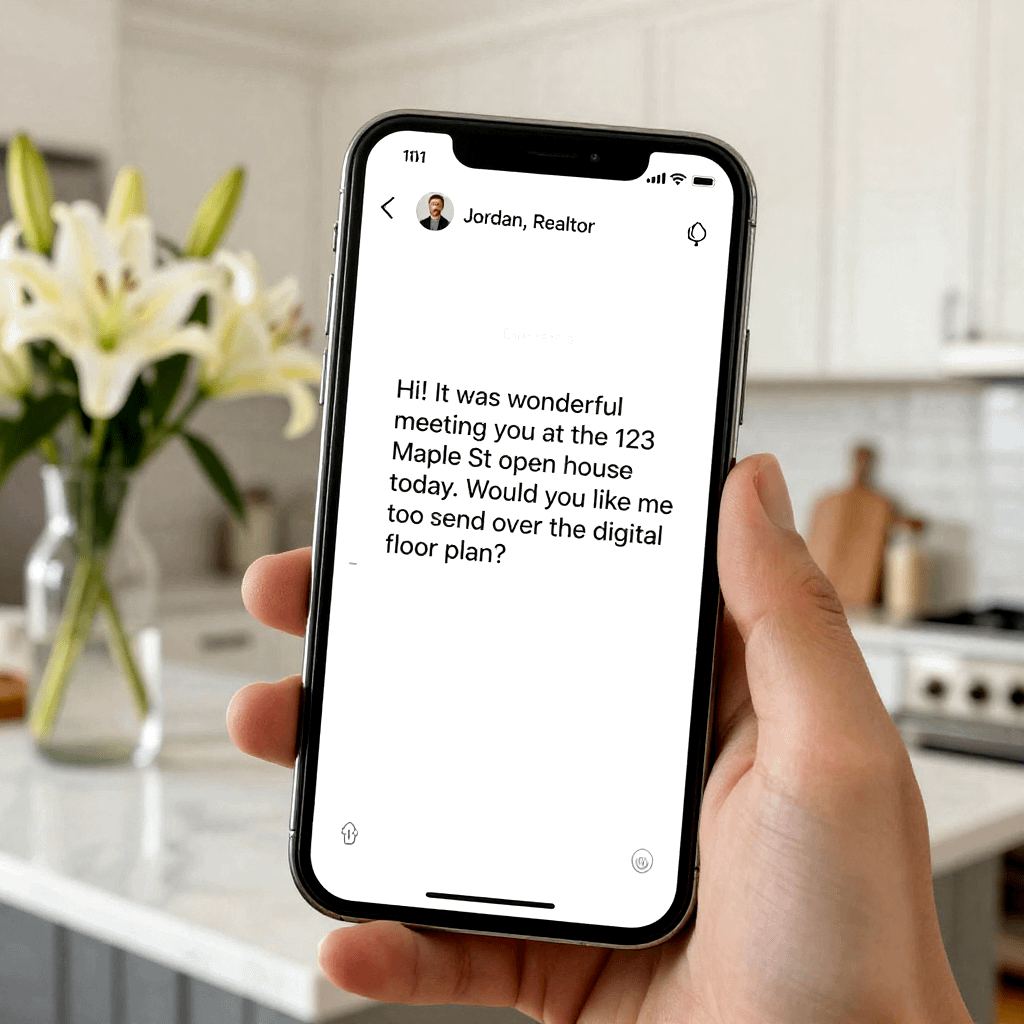
Using AI to automate the whole follow-up workflow (from tour notes to scheduled posts)
When you leave a tour with a dozen quick observations, you have everything you need, you just don’t have time to turn it into content and follow-up. AI can handle the heavy lifting if you feed it clean notes, keep guardrails, and review before anything goes out.
Think of this like setting up a conveyor belt. Your tour notes go in at one end. A 7-day plan, short scripts, Story frames, and segmented follow-ups come out the other end. You stay the editor, not the typist, and your real estate agent prompts finally become a system instead of a pile of ideas.
Your master prompt: paste your tour notes and get a 7-day content plan plus scripts
Copy and paste this prompt into your AI tool. Then paste your tour notes where it says “TOUR NOTES.” The output is built to be usable as-is, with an 8th grade reading level, friendly voice, questions, and clear CTAs. Every video script stays under 30 seconds.
Copy-ready master prompt:
Role: You are my real estate content assistant and follow-up writer. You write in second person, friendly, clear, and factual. You do not exaggerate. You avoid Fair Housing issues and sensitive targeting. You avoid slang, hype, and too many emojis (max 1 emoji total across everything).
Goal: Turn one property tour into a 7-day content plan and ready-to-record scripts, plus segmented follow-up messages I can send today.
Reading level and style rules:
- 8th grade reading level, short sentences, plain words.
- Sound like a helpful local agent, not a salesperson.
- Include questions that invite replies.
- Include a clear CTA in every caption and every message (DM, reply, or book).
- Keep each video script under 30 seconds when spoken (about 65 to 85 words).
- Avoid generic phrasing like “dream home” or “won’t last.”
Inputs (paste exactly and do not invent missing facts):
- Market/city: [CITY, STATE]
- Property address (public): [ADDRESS OR “DO NOT INCLUDE ADDRESS”]
- Property type: [single-family/condo/townhome/etc.]
- Price range (optional): [PRICE OR “NOT SHARED”]
- Tour date: [DATE]
- Your tour notes (raw, messy is fine):
TOUR NOTES:
[PASTE YOUR NOTES HERE]
What I want you to produce (use the notes only):
- One-page “7-day content plan”
For each day (Day 1 to Day 7), give:
- Post type (Reel, Stories, Short, Carousel, Live, or Static)
- Topic angle (one sentence)
- Hook (5 to 9 words)
- CTA (one sentence)
- What to film (one sentence, practical)
- 3 Reel ideas with captions (ready to post)
For each Reel:
- Hook line (say it on camera)
- Shot list (3 to 6 shots)
- On-screen text (max 6 words per screen, 3 to 5 screens)
- Voiceover or talk track (65 to 85 words, under 30 seconds)
- Caption (90 to 140 words) that includes:
- 2 concrete details from the tour notes
- 1 quick buyer tip
- 1 question
- CTA: “DM me [KEYWORD]” (pick a keyword that fits the Reel)
- Instagram Stories frames: 5 frames per day for 3 days (15 frames total)
For each day, label Frame 1 to Frame 5 and include:
- What to film (1 line)
- On-screen text (max 8 words)
- Sticker type (poll, slider, quiz, or question box)
- Sticker copy (exact words)
- A 1-sentence DM reply I can send to anyone who engages
Day rules:
- Day 1 should recap the tour and ask preferences.
- Day 2 should handle 1 common concern (from notes).
- Day 3 should compare 2 options or tradeoffs.
- 2 short scripts for Shorts (YouTube Shorts or TikTok)
Each script must include:
- 1-sentence hook
- 3 quick points (each one sentence)
- 1 question
- CTA (DM or reply) Keep each script 65 to 85 words, under 30 seconds.
- 6 follow-up messages segmented by Hot/Warm/Cold (2 each)
For each segment, write:
- Message 1: same-day text (max 360 characters)
- Message 2: next-day text (max 360 characters) Requirements:
- Use variables in brackets: [first name], [favorite feature], [concern], [timeline], [next step]
- Ask 1 simple question in each message.
- Include one clear CTA (reply with a word, pick a time, or confirm).
- Keep it human, not corporate.
Final checks before you output:
- If a fact is missing, ask me one question at the top called “One quick question.”
- Do not include more than one exclamation point total.
- Do not mention that you are an AI.
- Do not include any protected class language or anything that could be read as steering.
If you want more variations like this, it helps to keep a swipe file of real estate agent prompts, then rotate hooks and CTAs so your content never feels copy-pasted. A solid reference list can also spark angles you forget in the moment, for example ChatGPT prompts for agents.
Turn one walkthrough into a content batch in 30 minutes (a simple checklist)
You do not need a full film crew day. You need repeatable shots and two short clips where you talk like a normal person. Set a timer, follow the same order every tour, and you will stop overthinking.
Here is a simple, time-boxed flow you can run right after the showing (or during a quiet open house window):
- 0 to 7 minutes: Film key shots (8 to 12 clips)
- Do wide shot, mid shot, detail shot in the same room.
- Grab the “money moments” first (kitchen, primary, backyard, best surprise).
- Keep clips to 2 to 4 seconds each so they edit clean.
- 7 to 12 minutes: Record 2 talk-to-camera clips
- Clip A (10 to 15 seconds): “One thing you might miss here is…”
- Clip B (10 to 15 seconds): “If you care about [benefit], watch this…”
- Stand still, face a window, and keep it simple.
- 12 to 17 minutes: Capture neighborhood b-roll (5 quick clips)
- Entry sign, sidewalk feel, park sign, coffee spot exterior, quiet street.
- Avoid filming people, kids, license plates, or anything private.
- 17 to 20 minutes: Note 5 feature reactions
- Write their words, not yours.
- Example: “Loved the pantry depth” beats “great storage.”
- 20 to 25 minutes: Generate your batch
- Paste notes into your master prompt.
- Save outputs into a folder: Reels, Stories, Shorts, Follow-up.
- 25 to 30 minutes: Edit, schedule, and set engagement
- Edit 1 Reel and 1 Short now, schedule the rest.
- Add 10 minutes on your calendar for replies after posting.
Scheduling matters because your best follow-up fails if you forget to post or reply. If you use DM automation (for example, keyword replies), keep it transparent and reply like a person as soon as someone bites. Many agents also pair content batching with DM automation tools to reduce manual back-and-forth, and ManyChat’s Instagram automation is a common option for that style of workflow.
Automation that still feels personal: rules, variables, and review steps
Automation only works if it still sounds like you. The fastest way to keep that “real human” feel is to write templates with variables, then fill them from your notes. Your goal is not to sound clever. Your goal is to sound accurate.
Start with three variables you can use everywhere (texts, emails, captions, DMs):
- [first name]: Use it once, usually at the start.
- [favorite feature]: Use their exact words (example: “the mudroom bench”).
- [timeline]: Mirror what they said (example: “before your lease ends”).
Add a few more when you have them:
- [concern] (the thing holding them back)
- [next step] (showing time, lender intro, comp snapshot)
- [neighborhood] (only if you are sure)
One non-negotiable rule: never send without a quick read. Even 10 seconds catches the big mistakes. After that, always add one human line that only you could write, based on the moment. For example: “I keep thinking about how you paused in that breakfast nook.”
A simple review flow you can follow every time:
- Check facts: address, price, bed/bath, HOA, timelines.
- Check tone: remove hype, remove pressure, keep it calm.
- Add one human line: a real observation from your notes.
- Trim: if it feels long, it is long.
Common AI mistakes to watch for (and fix fast):
- Wrong address or wrong neighborhood: happens when you paste multiple tours back-to-back.
- Overhype: “perfect” and “won’t last” can turn people off.
- Too many emojis: it reads like spam, especially by text.
- Generic phrasing: if it could be sent to anyone, it will be ignored.
If you want a bigger-picture view of how agents set up automated follow-ups without dropping the personal touch, see this guide on automating real estate follow-ups with AI.
When you are ready to stop rebuilding these workflows from scratch, download the Real Estate Prompt Vault for 50+ more scripts you can send the same day.

FAQ
You already know the feeling, you leave a tour with great footage and a few strong lead conversations, then the follow-up and posting gets pushed to “later.” This FAQ clears up the most common hangups so your real estate agent prompts turn into actual posts, messages, and booked appointments.
How many posts can you realistically get from one property tour?
You can get 5 to 10 pieces of content from one walkthrough without repeating yourself. The trick is to treat the tour like a “content grocery run.” You are grabbing ingredients, not filming one perfect video.
A simple weekly mix that stays fresh:
- 1 tour recap Reel (20 to 30 seconds, top 3 features plus 1 concern you heard)
- 1 buyer tip Reel (teach one quick test, like light, noise, layout flow)
- 1 neighborhood lifestyle clip (coffee spot, park, sidewalk feel, commute angle)
- 2 to 4 Stories sequences (polls, sliders, mini FAQ, objection handler)
- 1 follow-up post (common question you got at the showing, answered clearly)
If you only have time for two, prioritize the recap Reel and a Stories mini FAQ. Those usually pull the most DMs fast because they feel timely and personal.
What details should you feed your AI prompt so the output doesn’t sound generic?
Generic output usually comes from generic input. If you give your AI vague notes, you will get bland captions that could fit any house.
Use this “three layers” rule:
- Concrete facts: property type, general area, price range (optional), 3 standout features, 1 tradeoff.
- Human reactions: what people paused at, what they asked twice, what made them smile, what worried them.
- Your point of view: one practical tip you would tell a friend before touring a similar home.
Also, keep a few consistent “voice anchors” so every caption sounds like you:
- Start with a calm hook, not hype.
- Use one short sentence that starts with “If you care about…”
- End with a simple CTA that invites a DM (not a big pitch).
If you want a quick menu of prompt styles to compare, skim Placester’s ChatGPT prompts for agents and notice how specific inputs drive better outputs.
How do you avoid Fair Housing issues when writing captions and follow-up messages?
You stay safe by focusing on the property and the process, not the “type of person” who should live there. Keep your language neutral, factual, and tied to features buyers can verify.
A good rule: describe what someone can do in the home, not who they are.
Safer content angles:
- Room use ideas without identity labels (home office, gym corner, hobby space)
- Commute and access in neutral terms (near major routes, close to parks)
- Home features (storage, layout, light, yard shape, HOA rules if confirmed)
Risky angles to avoid:
- Anything that implies protected classes or who “belongs” in an area
- Comments about demographics
- Crime claims or “safe neighborhood” language
When in doubt, rewrite your line so it points back to something measurable (square footage, layout, finishes, lot shape, distance to amenities). You can still be persuasive, you just do it with facts and clarity.
Should you tell people you used AI for your real estate content?
You don’t need to announce it in every post. Your audience cares more about whether you are accurate, helpful, and responsive.
What matters most is how you use it:
- You stay the editor. Read everything before you post or send.
- You verify facts. Never let AI guess on price, HOA, or property details.
- You add one human line. Mention the real moment you noticed during the tour.
If you ever do mention it, keep it simple and confidence-based, like: “I use templates to post faster, so you get info same day.” That frames it as service, not a gimmick.
For more examples of prompt formats that still sound human, you can compare your outputs to a list like Agent Image’s ChatGPT prompts for real estate agents and then rewrite the openings to match your voice.
What’s the best same-day follow-up if someone says, “We’re just looking”?
When someone says “just looking,” they are often protecting themselves from pressure. Your goal is to lower friction, not to push for a consult in the kitchen.
Send a short text that does two things:
- Confirms you are low-pressure.
- Offers one useful next step that takes 10 seconds to answer.
A strong pattern:
- Personal detail from the tour
- One choice question
- Easy opt-out
Example structure (in your voice, not robotic): “Good meeting you today, you mentioned you liked the [feature]. Want me to send 3 similar homes (same vibe), or would you rather just keep an eye on open houses for now?”
This works because it gives them control. It also lets you tag them warm or cold without guessing.
How do you keep your content consistent when you are slammed with showings?
Consistency is not about posting every day, it’s about having a repeatable path from tour to content. Think of it like meal prep. You are not cooking nightly, you are batching once.
A realistic approach that holds up in busy weeks:
- Film 10 short clips per tour (wide, mid, detail in 3 rooms, plus 1 exterior).
- Record one 15-second talk-to-camera tip before you leave.
- Paste your notes into your master prompt and generate:
- 1 Reel script
- 1 Stories plan
- 2 follow-up texts (hot or warm)
Then schedule what you can and post the rest as Stories later. Stories are forgiving. They let you stay visible even when your camera roll is messy.
If you want more prompt variations that match real agent workflows, keep a swipe file like Avenue HQ’s essential ChatGPT prompts and adapt the CTAs to your market.
What if the AI writes something wrong about the property?
Assume it will, at least sometimes. Treat AI like a junior assistant that types fast and needs supervision.
Use a quick “pre-send” check every time:
- Facts: address policy, price, beds, baths, HOA, upgrades, timelines.
- Compliance: no sensitive targeting, no steering language, no crime talk.
- Tone: remove hype, keep it calm, keep it you.
- Brevity: if it feels long, cut 20 percent.
One practical safeguard: keep a saved note titled “Verified Listing Facts” and paste only those facts into your prompt. That way, you are not asking AI to remember anything. You are handing it clean ingredients.
Where do real estate agent prompts fit if you already have a CRM and templates?
They fit in the gap between “I have a template” and “I have something personal to send right now.”
Your CRM templates handle the base structure. Real estate agent prompts help you generate:
- A version that matches the lead type (hot, warm, cold)
- A version that matches the objection (price, repairs, layout, noise)
- A version that matches the channel (text vs email vs DM)
In other words, templates give you a skeleton. Prompts help you add muscle and voice fast, using the notes you already captured.
If you want a ready-to-use pack that covers the full week (tour content plus follow-up scripts), download the Real Estate Prompt Vault for 50+ more ChatGPT scripts for agents.
Conclusion
You already have the raw material for a full week of posts every time you walk a property, you just need a repeatable way to turn tour notes into Reels captions, Stories, and short video scripts. That system is simple: tag every visitor Hot, Warm, or Cold, then match your follow-up and content to their pace. Most importantly, move fast with Hot leads, because if you aren’t hitting your visitors’ inboxes within hours, you’re losing money. The data backs it up: responding within 5 minutes can make you 21 times more likely to convert than waiting 30 minutes, and 78% of buyers pick the first agent to respond.
Keep Warm prospects moving with value, like quick buyer tips and personal observations from the tour. Meanwhile, treat Cold leads as a long play, automate light touches so you stay visible without burning your day.
Save the master prompt, then build a routine you can run after every showing. Today, pick one recent tour, write your notes, run the master prompt, then post your first Reel within 24 hours.
Download the Real Estate Prompt Vault for 50+ more ChatGPT scripts for agents, with the exact real estate agent prompts and automation ideas that turn a casual walkthrough into a closed deal.