Great prompts turn ChatGPT, Midjourney, and DALL-E into real workhorses. If you run a small shop, design for clients, or build content daily, the right words save hours and raise quality. That is where AI prompt stores come in. They are simple marketplaces to buy or sell ready-made prompts that improve outputs fast.
In 2025, AI prompt marketplaces are booming. You can shop expert-crafted prompts for product photos, ad copy, blog outlines, code refactors, and more. Many stores now feature mega-prompts, clear instructions with context and variables that beat quick one-liners. Expect more multimodal prompts too, which pair text with image references for sharper results.
I wrote this guide to help you find the best AI prompt store for your goals. I will compare options for beginners and pros, point out smart filters, and show how to test before you buy. I will also cover licensing basics, refund policies, and what to look for in seller profiles so you do not waste budget.
If you want a quick start, I recommend shopping AI prompt marketplaces that focus on ChatGPT, Midjourney, and DALL-E. Look for strong ratings, transparent examples, and prompts that include input fields you can reuse. Shop the best AI prompt stores for ChatGPT, Midjourney, and DALL-E. Get expert-crafted prompts that deliver results.
What Are AI Prompt Marketplaces and Why Do You Need Them?
AI Prompt Marketplaces make finding high-performing prompts simple. Think of an AI prompt store as Etsy for prompts, with expert-built templates you can plug into ChatGPT, Midjourney, and DALL·E. You shop by use case, preview results, and buy only what fits your workflow. If you want consistent quality without trial and error, these marketplaces cut the guesswork and save hours.
Key Features of Top AI Prompt Stores
The best stores focus on clarity, quality, and speed. Here is what I look for when I shop AI Prompt Marketplaces:
Curated catalogs: Editors highlight proven prompts, so you skip low-quality fillers. Curation keeps you close to winning options for marketing, design, coding, and research.
User ratings and reviews: Star ratings and comments reveal if a prompt delivers real results. I scan for notes on output quality, ease of use, and where it shines.
Model support: Support for ChatGPT, Midjourney, and DALL·E is table stakes. Top listings specify model versions, ideal parameters, and image ratios for visual models.
Clear instructions: Prompts with variables, input fields, and step-by-step usage lower the learning curve. You do not need to be a prompt engineer to get great output.
Live examples: Before-and-after samples show what to expect. This helps you judge tone, style, and image quality.
Search and filters: Category filters for product photos, ad copy, blog outlines, and code refactors speed up shopping.
Licensing clarity: Clean license terms help you use prompts in client work without surprises.
Seller profiles: Top sellers show niche expertise, update history, and support channels.
Together, these features make an AI prompt store easy for average users. You browse by result, not by theory, then apply prompts with minimal tweaks. For a quick overview of popular marketplaces in 2025, this roundup of the best AI prompt marketplaces offers a helpful starting point.
Who Benefits Most from Premium Prompts
Premium prompts pay for themselves when you need reliable output fast. These buyers get the most value:
Digital creators: You can turn ideas into polished scripts, thumbnails, and social captions in minutes. For example, a YouTube creator can use a prompt pack to generate titles, hooks, and B-roll shot lists that match a channel’s voice.
AI prompt engineers: You get advanced frameworks that stack personas, constraints, and system prompts. This reduces setup time and improves consistency across teams.
Artists and designers: Midjourney and DALL·E prompts with style tags, camera cues, and color guidance help you hit a brand look on demand. Product mockups, album covers, and character sheets become repeatable.
Small businesses: Need ad copy, email sequences, or product descriptions now? Store-bought prompts give you templates you can reuse across campaigns. Results are more consistent than writing from scratch each time.
Everyday users new to image prompts: If you are learning Midjourney or DALL·E, premium prompts act like training wheels. You get the structure right away, then adjust variables like subject, lighting, and mood.
If you want to sharpen your skills while you buy, pair marketplace prompts with a solid prompting guide. This practical resource on writing better prompts in 2025 can help you adapt templates to your brand voice and workflow.
Bottom line, AI Prompt Marketplaces cut trial and error, and a strong AI prompt store gives you well-documented, model-ready prompts that scale. Shop the best AI prompt stores for ChatGPT, Midjourney, and DALL·E, and use expert-crafted prompts that deliver results.
Top AI Prompt Stores for ChatGPT, Midjourney, and DALL-E in 2025
I keep a shortlist of AI Prompt Marketplaces I trust when I need fast, repeatable results. Each AI prompt store below supports core models like ChatGPT, Midjourney, and DALL·E, with clear examples and fair pricing. If you want to save time, start here, then refine your toolkit based on your use cases.
PromptBase: The Go-To AI Prompt Store
PromptBase has the most mature mix of scale and quality. The marketplace lists 220,000+ curated prompts for DALL·E, Midjourney, and ChatGPT, and it is easy to filter by use case or model. You can scan previews, see ratings, and buy in minutes with Stripe.
Why I use it: Big catalog, steady curation, and clear examples. I can find prompts for ads, product photos, blog outlines, and style-specific image work without digging.
Pricing: Low single-prompt prices keep testing cheap. I can try a few options, then standardize on one.
Workflow fit: Many listings include variables and usage notes. This helps teams reuse the prompt across briefs.
If you want a one-stop shop with scale and strong seller activity, start with the PromptBase marketplace.
Chatsonic and Other Free or Low-Cost Options
Free and low-cost platforms are great for testing or building your prompt muscle. Chatsonic’s prompt library ties into a broader writing and marketing workflow, which is ideal if you draft, edit, and publish in one place. I use it when I want quick drafts with context and brand voice in the loop. Check out Chatsonic if you want prompts that sit next to research, outlines, and campaign tools.
FlowGPT offers a large user-driven gallery that makes discovery simple. You can browse trending prompts, test ideas, and pick up patterns that work with popular LLMs. The social feedback loop is handy for beginners who want to see what others use. Try the core gallery at FlowGPT.
ChatX also shares free prompts that help new users learn structure and improve output quality. It is a good way to build confidence before you buy premium packs.
Smart ways to use these options:
Start with free prompts, then upgrade to paid when you need consistency.
Save top performers in your own swipe file, and track changes as models update.
Measure results by output quality, not just novelty.
Specialized Stores for Art and Niche Needs
When style and control matter, you want stores built for visuals. PromptHero stands out for Stable Diffusion and DALL·E art prompts with rich tags, artist references, and lighting notes. If you build product mockups, brand lookbooks, or album covers, this catalog speeds up your path to a consistent style.
For tailored work, PromptSea connects you with creators who build custom prompts. This is useful when you need brand-safe outputs, a unique visual language, or prompts tuned to your client’s sector. You pay more than a single listing, but you gain a reusable asset that fits your pipeline.
What I look for in art-focused AI Prompt Marketplaces:
Granular metadata: Camera cues, aspect ratios, and model versions.
Clear remix notes: Tips on changing subject, mood, or palette without breaking the style.
Before-and-after: Real samples that match the final image quality I expect.
If you run client design work or high-volume content, pair a general AI prompt store with a specialized art catalog. You get breadth for everyday tasks, plus depth for high-stakes visuals.
Pro tip: Shop the best AI prompt stores for ChatGPT, Midjourney, and DALL·E when you need speed, then standardize on a small set that delivers reliable, on-brand results.
How to Pick and Use Premium Prompts Effectively
Buying a great prompt is like getting a seasoned creative partner. It cuts trial and error, speeds delivery, and lifts quality. Here is how I pick winners from AI Prompt Marketplaces, plug them into my stack, and squeeze the most value from every AI prompt store purchase.
Steps to Buy Your First Premium Prompt
Start with a clear use case and a simple process. I keep it tight and repeatable:
Search for your outcome Use specific terms that match your workflow, like “product photo white background Midjourney,” “email welcome sequence ChatGPT,” or “long-form SEO blog outline.” Scan top categories in your preferred AI prompt store.
Review real examples Look for listings with before-and-after samples, usage notes, and parameters. If you work with images, confirm model versions and ratios. Browse a large, curated catalog like PromptBase to compare styles and success rates.
Check instructions and variables Strong prompts include placeholders and clear steps. You should see fields like {product}, {audience}, {tone}, and image tags for lighting or lens style. Clear instructions reduce setup time.
Purchase and save your baseline Buy the top fit, then store the original prompt in your swipe file. Keep a clean “as purchased” version, plus a working copy where you adapt tone and brand rules.
Plug into your model and test Paste the prompt into ChatGPT, Midjourney, or DALL·E. Replace variables with your details, then run a small test set. For image models, set the listed aspect ratio and quality settings. Example input for ChatGPT: You are a senior copywriter. Use the structure below to draft 5 ad variants for {product} targeting {audience}. Tone: {tone}. Constraints: {constraints}.
Evaluate results quickly Judge against your brief: clarity, brand voice, and on-spec outputs. If it hits 80 percent on the first run, you picked well.
Tips to Maximize Results from AI Prompts
You get the best output when you refine, mix sources, and measure performance. I use a simple loop:
Tweak variables first: Change subject, audience, tone, or constraints before editing structure. Small shifts often fix output fast.
Add a system role: For ChatGPT, set a role like “You are a senior UX writer” to guide style and depth.
Chain prompts: Run a plan prompt, then a drafting prompt, then an editing prompt. Modular steps reduce errors.
Combine stores for reach: Use one marketplace for general tasks and another for visuals. This guide to the best AI prompt marketplaces can help you build a balanced toolkit.
Track what works: Keep a spreadsheet with prompt name, source, model, parameters, and a 1-5 score by task. Note changes that improved results.
Version with intent: Save variants for short copy, long form, and strict compliance. Different goals need different constraints.
Tune for your brand: Add your voice rules, banned words, and reading level. Lock these into the top of the prompt.
Document winning settings: For Midjourney or DALL·E, save aspect ratios, camera cues, and seed values with the prompt.
When you approach AI Prompt Marketplaces with a plan, you buy fewer prompts and get more done. Shop the best AI prompt stores for ChatGPT, Midjourney, and DALL·E, and build a small library that delivers on demand.
Conclusion
AI Prompt Marketplaces make AI easier, faster, and far more consistent, especially when quality matters. The right AI prompt store gives you proven templates, clear instructions, and model-ready settings that cut trial and error. Start small, test one prompt against your real task, then expand your library as wins stack up. I suggest beginning with PromptBase for breadth and ratings, then adding niche sources for art or custom needs.
Keep your workflow tight. Save a clean baseline, track variables, and document what works. Mix free trials for ideas with paid prompts for reliable delivery. Treat each prompt like a reusable asset that you improve over time. The result is a steady pipeline of outputs that match brand voice, meet specs, and ship on schedule.
These tools changed how I plan, produce, and iterate. I spend less time fixing and more time publishing. If you want more practical tips on prompts, testing, and workflows, check our site for more AI guidance and fresh picks.
Ready to act? Pick one use case, buy one prompt, and run a measured test. Momentum starts with a single result that proves the value.
Shop the best AI prompt stores for ChatGPT, Midjourney, and DALL-E. Get expert-crafted prompts that deliver results.
FAQ
Q: What is an AI prompt marketplace? A: An AI prompt marketplace is an online store where users can buy and sell ready-made prompts for AI tools like ChatGPT, Midjourney, and DALL-E. These marketplaces offer curated catalogs of expert-crafted prompts with ratings, examples, and clear instructions.
Q: How much do AI prompts cost? A: AI prompt prices vary by marketplace and complexity. Most individual prompts cost $2-20, with some specialized or comprehensive prompt packages ranging up to $50. Many marketplaces also offer free prompts for users to test.
Q: Where can I buy ChatGPT prompts? A: The best places to buy ChatGPT prompts are PromptBase (largest catalog), FlowGPT (free and paid options), and Chatsonic (integrated workflow). Each offers curated prompts with user ratings and clear usage instructions.
Q: Is it worth buying premium AI prompts? A: Yes, premium prompts save significant time and deliver more consistent, professional results than trial-and-error experimentation. They’re especially valuable for business use cases where quality and reliability matter.
Q: Can I resell prompts I buy from marketplaces? A: Licensing varies by marketplace and seller. Most prompts are licensed for personal or commercial use but not for resale. Always check the specific license terms before purchasing.
Q: What’s the best AI prompt marketplace for Midjourney? A: PromptHero and PromptBase are the top choices for Midjourney prompts. PromptHero specializes in visual AI with detailed metadata, while PromptBase offers the largest overall catalog with strong image prompt sections.
You tried prompt after prompt and still got vague answers, bland ideas, and wasted time. Same here, until you started using AI prompt package expert tips that cut through the noise. Results snapped into focus, and your workflow finally clicked.
AI prompt packages are simple. They are curated sets of ready-made templates, roles, examples, and strategies you can plug into your tools to get sharper, faster outputs. Think of them as a toolkit you reuse and remix for blogs, scripts, code, briefs, and more.
You will love how these secrets change your AI game. In 2025, the strongest packages use modular parts, few-shot examples, and clear role prompts. They add step-by-step instructions, safe data practices, and simple output formats. You test, compare, and refine with A/B checks, then store the winners.
This post gives you battle-tested moves for content creators, beginners, tech folks, business pros, and prompt engineers. You will see how to wire in chain-of-thought prompts for complex tasks, when to use short vs. long context, and how tools like LangChain and PromptFlow keep everything tidy. Most of all, you will learn to measure quality, not guess it.
Get ready for practical AI prompt package expert tips you can use today. Up next, you will see a fast glossary, a setup checklist, high-impact templates, test workflows, and a simple scorecard to prove what works.
Strong fundamentals power every great prompt package. Use clear instructions, tight structure, and simple formats. You can see huge improvements fast. For a quick boost, try this helpful AI prompt generator tool.
Why Structure and Context Make a Big Difference
Great prompts give the model a job, context, and a format. Add just enough background to anchor the task, then break work into steps. Watch your AI outputs shine!
Try this upgrade path:
Vague: “Explain photosynthesis.”
Better: “Explain photosynthesis in simple terms for high school students. Use three bullet points and a short analogy.”
Best: “Act as a biology tutor. Explain photosynthesis for ninth graders. Use 3 bullets, a one-line metaphor, and a 2-sentence summary.”
For complex tasks, split the flow:
Outline the steps.
Ask for the first step only.
Review, then request the next step.
Tech enthusiasts can add few-shot samples. For example:
Instruction: “Classify logs as info, warn, or error.”
Samples: “2025-01-10 Connected to DB → info”; “Disk at 92% → warn”; “Null pointer at line 45 → error.”
Balance detail with brevity. If your prompt feels bloated, trim extra words, keep the structure. For a solid primer on effective wording and format, scan MIT’s guide on writing effective prompts.
Customize Prompts for Your Specific Needs
Assign a clear role and you set the tone. You will tailor AI to fit perfectly!
Business pros: “Act as a marketing expert for B2B SaaS. Create a 5-step email workflow with subject lines, preview text, and one CTA per email.”
Content creators: “Act as an editor. Tighten this paragraph, keep the voice, return a bulleted changelog.”
Prompt engineers: “Act as a test runner. Produce three varied outputs, then score clarity, accuracy, and style from 1 to 5.”
Close the loop with quick feedback:
“Shorter sentences.”
“More examples, fewer adjectives.”
“Keep bullets, add a numbered summary.”
Then, save the winner as a template. Keep a note for input length, role, examples, and output format. Rinse and repeat inside your AI prompt package. This is how you stack repeatable wins with real AI prompt package expert tips.
Pro Techniques to Supercharge Your AI Outputs
You are past the basics. It is time to push for sharper results with focused experiments. Mix prompt styles, swap roles, and stitch outputs to reduce errors. Try zero-shot for speed, few-shot for tone control, and conversational prompts to guide the model across steps. Use package templates for content generation, data analysis, and research. Pair that with an effective AI writing prompt formula from your toolkit like this guide on ChatGPT prompts for writing better content. Try this and see the magic! These AI prompt package expert tips will lift your quality fast.
Break Down Tasks with Prompt Chaining
Prompt chaining splits big jobs into small, repeatable steps. You feed the output of one step into the next. This lowers confusion, narrows scope, and boosts accuracy.
For content creators, build a blog post in stages:
Outline the H2s and H3s.
Draft the intro in 120 words.
Write each section to a strict brief.
Add examples, internal links, and sources.
Edit for voice, then format for publishing.
You get step-by-step wins! Add few-shot samples to lock voice. Use zero-shot for quick outlines, then switch to conversational prompts for edits and QA. Tech people and prompt engineers can add scaffolding. Assign roles, like Planner, Writer, and Editor, then pass outputs along the chain. For a clear overview of the method, skim IBM’s primer on what prompt chaining is. Aim for small hops, not leaps. Tight hops reduce hallucinations and keep style consistent.
Test and Refine for Top Results
Treat your prompt package like a product. Update your library when models change. Record what breaks. Test edge cases, like super short inputs, tricky formats, or noisy data. Compare zero-shot, few-shot, and role-playing versions against the same task.
Make it a habit:
Version prompts with dates and tags.
Log wins, fails, and notes.
Keep 3 variants per task and A/B/C test weekly.
Store proven templates for content and data analysis.
Teams should use versioning, pull requests, and simple checklists. Add a scoring sheet for clarity, accuracy, and style. Track response length and token cost too. You will refine like a pro! For a tight refresher on prompt quality, review MIT’s guide to effective prompts for AI. Keep what works, retire the rest, and your outputs stay sharp month after month.
These secrets will blow you away. You can sharpen quality and cut risk with a few smart habits. Start by guarding against bad inputs. Add input rules, safe words to avoid, and format checks to every template. Use domain-specific prompts that mirror how your team talks, and keep a lightweight glossary inside your package. For quick wins, borrow structure from proven ChatGPT prompts for bloggers, then adapt to your field.
Share your best prompts in a team library. Add tags, version notes, and a feedback form. Engineers can run adversarial tests and bias checks, while beginners use safe templates. In 2025, you get better results by mixing few-shot examples, tight output schemas, and short review loops. Keep a small scoreboard for accuracy, clarity, and style. For a clear rundown of prompt testing methods, skim this guide to AI prompt testing in 2025. These AI prompt package expert tips turn trial and error into steady wins.
Stay Safe and Smart with Edge Case Checks
Edge cases expose where your prompts crack. Test short, messy, and tricky inputs, then lock in fixes. You protect your work easily! Use a simple sweep each time you ship a template:
Very short input, like one word.
Long, noisy input with mixed formats.
Conflicting instructions in the same message.
Out-of-domain terms or bait for hallucinations.
Requests for private or banned data.
Beginner example you can try today:
Prompt: “Act as a concise tutor. Explain ‘quantum computing’ in 3 bullets for a 10-year-old.”
Edge case: Replace the topic with a nonsense term, like “quantum banana.” The model should respond with “I do not have enough info” instead of making facts up. Add that rule to your system message.
Engineers can automate this with small test suites and bias probes. Keep logs, score results, and save the strong versions. In time, these checks build stable, reliable AI use across your projects.
Conclusion
You started with vague outputs, now you have a clear playbook. With these AI prompt package expert tips, you structure tasks, use few-shot examples, and chain steps for steady gains. You test versions, track wins, and guard against edge cases, so your results stay sharp over time.
Pick one move today, like adding a role, trimming fluff, or scoring outputs. Save the winner as a template, then reuse it across your projects. Keep your library tidy, tag versions, and review weekly. You get faster, cleaner work, and fewer surprises.
Use this quick recap to guide your next runs:
User Type
High-Impact Tip
Content creators
Chain prompts, then lock tone with two strong examples.
AI beginners
Give a clear role, set format, and keep inputs short.
Tech people
Add schemas, test edge cases, and log token costs.
Business pros
Use short briefs, define success criteria, and A/B weekly.
Prompt engineers
Version prompts, build test suites, and score clarity and accuracy.
Try one technique now, then share your wins in the comments. Keep iterating, keep scores, and retire what fails. You are ready to level up your AI skills!
FAQ
Q: What are AI prompt packages? A: AI prompt packages are curated collections of ready-made templates, roles, examples, and strategies designed to help users get better outputs from AI tools like ChatGPT. They include structured prompts that can be reused and customized for various tasks like content creation, coding, and business workflows.
Q: How do I improve my AI prompt quality? A: Improve AI prompt quality by: 1) Assigning clear roles, 2) Providing context and structure, 3) Using few-shot examples, 4) Breaking complex tasks into steps (prompt chaining), 5) Testing and refining with A/B comparisons, and 6) Specifying output format clearly.
Q: What is prompt chaining? A: Prompt chaining is a technique where you break large tasks into smaller, sequential steps. Each prompt’s output becomes the input for the next prompt. This reduces errors, maintains consistency, and produces higher-quality results for complex projects.
Q: What’s the difference between few-shot and zero-shot prompting? A: Zero-shot prompting gives instructions without examples—fast but less controlled. Few-shot prompting includes 2-3 examples of desired outputs, which helps AI understand tone, format, and style better. Use zero-shot for quick tasks, few-shot when consistency matters.
Q: How often should I test and update my prompts? A: Test prompts regularly, especially when AI models update. Best practice: Keep 3 variants per task, run A/B tests weekly, version your prompts with dates, and retire what doesn’t perform. Review your prompt library monthly.
AI can feel like magic, but the real trick is the prompt, the tiny spell that tells the genie what to do. Prompts are short instructions you give an AI, kind of like asking a smart friend for help with clear, simple directions. Say what you want, set the tone, add key details, then let the model do the heavy lifting. Do this well, and you get sharper answers, cleaner drafts, and faster wins.
If you’re new, free tools make the first step painless. No credit card, no stress, just tap and try. You learn by doing, which beats reading a thousand tips. Plus, you pick up patterns fast, like how context, examples, and constraints shape better output.
October 2025 is buzzing with handy updates, so it’s a great time to jump in. Tools are getting more personal and flexible, which means less guesswork. Taskade now lets you add your own notes or facts into prompts for tighter results, a huge help for emails, briefs, and blog outlines. AI Parabellum rolled out an AI Prompt Manager that keeps your best prompts organized, versioned, and ready to reuse.
In this guide, you’ll find easy, beginner‑friendly picks that punch above their weight. You’ll see flexible prompt makers like Taskade and Feedough, plus smart helpers like AI Parabellum and WebUtility that tune tone and style for ChatGPT. We’ll also nod to Originality.ai for quick writing and code prompts when you just need a strong start.
Grab a coffee, think of one small task you want done, and get ready to try a prompt or two. You’ll learn how to ask, what to tweak, and which free tools spark ideas on the spot. By the end, you’ll have a tiny toolkit that turns wild ideas into tidy outputs, fast and fun.
Why Start with Free AI Prompt Tools? Easy Wins for New Users
Free tools remove the pressure. No wallet, no setup maze, just type and see what happens. You get quick wins that build confidence, like turning a rough email into a clean draft or shaping a bland outline into a sharp plan.
Beginner worries are normal. You might fear confusing the AI or wasting time. Friendly interfaces fix that with plain language, sample prompts, and guardrails. Templates act like training wheels, so you learn how to ask without guessing. It feels like a tiny prompt coach in your pocket, whispering, “Say it this way.”
Low risk learning: Test prompts, fail fast, tweak, repeat.
Fast experiments: See how tone, context, and examples change results.
No-login options: Many tools let you try a few runs before sign-up, a small but real relief.
Quick example to prove the point:
“Write a polite refund email, keep it under 120 words, and suggest store credit.” You get a neat draft to edit, not a blank page stare-down.
“Turn my grocery list into a short story about a detective shopping for clues.” Boring chores become tiny adventures.
If you want a trusted roundup to spark ideas, this quick review of prompt generators shows what free tiers can do, including simple templates and prompt examples: 5 Best AI Prompt Generators In 2025. If you code or want to dabble, this overview of beginner-friendly code tools maps free options by task: 10 Best AI code generators in 2025.
Spot the Best Fits for Your First AI Tries
Pick the tool by the job, not the hype. Start small, match your goal, then pick features that keep you moving.
Use this quick guide to choose:
Writing fast: Look for tools with prompt templates, tone presets, and sample outputs. These remove guesswork and teach good structure.
Brainstorming: Choose generators with idea lists, one-click variations, and “expand or shorten” buttons. You get volume without chaos.
Kids or absolute beginners: Block-based or card-style prompts keep it visual and safe. Drag, drop, run, smile.
Emails and reports: Seek “insert context” fields and personas like “friendly support agent” or “firm project manager.” Precision beats fluff.
Coding tries: Find tools with code snippets, fix suggestions, and clear error notes. Even a basic “explain this code” button helps a lot.
Examples: Side-by-side prompts and outputs, like training wheels.
Tone controls: Casual, formal, playful, serious. One switch, big change.
Context slots: Paste notes, requirements, or data into labeled fields.
Undo and variations: Try again without losing the thread.
Tiny prompt tricks you can steal today:
Add a role: “You are a helpful editor. Improve this intro for clarity.”
Add constraints: “Keep it under 120 words, add two bullets, no emojis.”
Add examples: “Match this style: short, friendly, direct. Example: ‘Thanks for your time. Here is the plan.’”
Add audience: “Write for a 9th grader, plain words, short sentences.”
If you want a first try that feels like coaching, start with a tool that shows three things on one screen: a template, a filled example, and a place to paste your notes. That mix teaches you faster than any guide. After a few runs, you will hear the prompts in your head, and that is when the magic happens.
Top Free Tools to Experiment with AI Prompts Today
You do not need a giant toolkit to start. You need a few friendly sidekicks that make your ideas sharper, faster, and more fun. These picks keep the learning curve small and the results big. Try one, then stack a second. Each tool below includes a quick example so you can test it in under a minute.
Taskade AI Prompt Generator: Build Prompts Your Way
Taskade is the calm coach that helps you write prompts that fit your voice. It works well for emails, briefs, and blog drafts, and it lets you add personal notes or context so the output matches your facts. You can shape tone, audience, and structure, then send the prompt into your favorite AI tool.
Why beginners like it: Simple interface, clear fields, and zero fluff. You can tweak and rerun fast.
Plays nice with others: Use Taskade to build prompts, then paste into ChatGPT, Claude, or Gemini.
Save time: Build once, reuse often for repeat tasks like weekly updates or outreach.
Try this: “Write a fun story about a cat detective.” Add a note like, “Set it in a tiny bakery, keep it under 180 words.” Watch the tone lock in.
Feedough AI Prompt Generator: Quick Polish Without the Fuss
Feedough is speedy. No login, no detours, just a clean box that turns rough ideas into sharper prompts. It is great when you have a half-formed thought and need it tidy for ChatGPT or Midjourney.
Why beginners like it: Instant results with clear, detailed phrasing. Perfect for first drafts.
Use cases: Brainstorms, one-liners turned into structured prompts, quick tone fixes.
Saves time: Cuts the “how do I word this” struggle in seconds.
Example upgrade: Turn “draw a dragon” into “Create a high-detail image of a jade-green dragon perched on a cliff at sunrise, mist swirling, 35mm lens feel, soft rim light, cinematic contrast.”
AI Parabellum: Smart Questions for Stronger Prompts
Think of AI Parabellum as a prompt gym trainer. It asks guided questions that push your thinking, so your prompts get stronger and clearer. It is built for more complex needs and teaches structure you can reuse.
Why beginners like it: The questions show what details matter and why.
Strength: Step-by-step shaping of purpose, audience, tone, and constraints.
Speed win: You avoid vague prompts that waste time.
Build a business email prompt step by step:
Goal: “Announce a price change with a friendly but firm tone.”
Audience: “Existing customers, small agencies.”
Context: “Increase starts Nov 15, 10 percent, value add is faster support.”
Constraints: “120 words, two short bullets, clear call to action.” Final prompt: “You are a helpful account manager. Write a 120-word email to small agency customers announcing a 10 percent price increase on Nov 15. Add two bullets on benefits, keep tone friendly but firm, and end with a link to schedule a call.”
WebUtility ChatGPT Prompt Generator: Tune Your Chat Tone
WebUtility focuses on conversational style. It makes it easy to shape tone, length, and reading level so your chats feel natural. Great for “explain it like I am five” moments or quick teaching notes.
Why beginners like it: Straightforward controls for tone and clarity.
Best for: Q&A prompts, short explainers, friendly support replies.
Time saver: Cuts rephrasing loops so you get usable text faster.
Try this: “Explain quantum physics like I am five.” Add, “Use a toy example, three short sentences, friendly tone.” You get a clean, kid-proof answer on the first pass.
Scratch with AI Extensions: Playful Coding for Young Experimenters
Scratch turns AI into a digital playground. With block coding and AI extensions, kids and visual learners can build simple projects without touching complex syntax. It feels like stacking LEGO, but the blocks can see and describe things.
Why beginners like it: Drag, drop, run, smile. No code walls to climb.
What it can do: Image recognition, basic text prompts, fun interactive demos.
Great starter project: “AI that spots objects in photos.” Load a sample image, add a block that identifies an object, then speak the result with a cute character.
Try this mini brief: “Identify the main object in this image, then say it with a goofy robot voice and show a speech bubble.” It teaches input, process, output in one tiny loop.
Bonus Picks: Small Boosters That Punch Above Their Weight
When you want extra polish without a full rewrite, these helpers act like pocket-sized sidekicks.
QuillBot: Quick rephrasing, tone options, and grammar fixes. Drop a clunky line, get a smoother one.
Gamma: Turn prompts into simple slides. Great for class notes, quick pitches, or team updates.
Quick prompts to test:
QuillBot: “Rewrite this sentence to sound confident but friendly: I think we could try a different plan.”
Gamma: “Create a 7-slide deck that explains our new support process, with one visual idea per slide.”
Key takeaway: Pick the tool that matches your task. Taskade gives structure, Feedough cleans phrasing, AI Parabellum teaches prompt muscles, WebUtility tunes tone, and Scratch makes learning feel like play. Add a bonus booster when you want polish or slides without the headache.
Tips to Nail Your AI Prompts and Keep the Fun Going
Great prompts feel like good recipes. Clear goal, right ingredients, simple steps. Start simple, add details, then taste test with quick variations. Use tool feedback to steer your next try. Stack tools when it helps, like drafting in a prompt generator, then polishing with QuillBot. Keep it playful, keep it tight, and you will see better outputs in fewer tries. Research backs this up, since clear prompts improve quality and reduce follow-up edits, which lines up with guidance on writing effective prompts from MIT Sloan’s primer on the topic: Effective Prompts for AI: The Essentials.
Common Slip-Ups to Dodge for Smarter AI Results
Vague prompts invite weird answers. The fix is small tweaks, not a full rewrite. Use these quick upgrades and laugh at the bad examples, then improve them.
Too vague
Weak: “Make it better.”
Better: “Rewrite this paragraph for clarity, keep under 90 words, friendly tone.”
Funny fail: Ask “Summarize my doc” without pasting the doc, and the AI writes a summary of nothing. Very confident, very wrong.
Missing role or audience
Weak: “Explain SEO.”
Better: “You are a teacher. Explain SEO to a 9th grader in 5 short points.”
Quick rule: Add a role, audience, and output format.
No constraints
Weak: “Write a blog intro.”
Better: “Write a 60 to 80 word intro, punchy first line, one call to action.”
Constraint ideas: word count, bullets, tone, style, examples to match.
Overstuffed with fluff
Weak: “Please kindly, if you do not mind, could you possibly…”
Better: “Give 3 headlines, under 60 characters, active voice.”
Missing context
Weak: “Plan a launch.”
Better: “Plan a feature launch for a note-taking app, Gen Z users, budget is small, timeline 2 weeks, focus on TikTok.”
Try this simple loop to iterate without chaos:
Run your first prompt.
Change one thing, such as tone or length.
Rerun and compare.
Keep the best line, drop the rest.
Power users swear by this one-change rule to fix bad answers fast, a tip echoed in community threads like this practical walkthrough: AI Prompting Tips from a Power User.
Quirky hacks to keep the fun alive:
Prompt chains for stories: Outline in one prompt, character bios in the next, scene beats in a third, final draft last. You build momentum and avoid plot soup.
Style grafting: Paste a short sample of your voice, then say, “Match this style,” with clear constraints.
Double-pass polish: Draft with a prompt tool, then paste into QuillBot for tone and flow. Fast glow-up.
Friendly warning: AI can be confident and wrong. Add sources when facts matter, ask for citations, and sanity-check names and dates. Keep the big jobs in small steps, and you will avoid spaghetti output.
Daily practice beats theory. Set a five-minute prompt sprint each day. Start simple, add one new detail, test a variation, and save what works. Your prompts will get sharper, your results will get cleaner, and the fun will stick.
Conclusion
You now have a simple starter kit that feels friendly and fun. Taskade shapes structure, Feedough cleans phrasing, AI Parabellum asks sharp questions, and WebUtility tunes tone. Scratch keeps learning playful, while QuillBot and Gamma polish and package your work. The vibe is light, the results are real, and the steps are small on purpose.
October 2025 is a sweet spot for free access and fresh updates. Guided templates, gentle guardrails, and quick exports remove friction, so you can learn by doing. You do not need a big plan, just one clear task and a prompt or two.
Pick one tool, run a tiny test today. Draft a 120 word email, spin up three headline options, or turn notes into a tidy outline. Save what works, rerun what almost works, and toss the rest.
Tell me your first prompt win in the comments. What did you try, what did you tweak, and what surprised you. Your note might help the next beginner skip a stumble.
This is the moment to build prompt habits that stick. The tools are getting faster, cleaner, and more personal, and the learning curve keeps shrinking. Start small, ship something, then add one new trick tomorrow. Your AI adventure awaits, no cape required.
Hiring in 2025 is tough. Unemployment sits near 4 percent, yet openings swing by sector, and skills gaps slow callbacks. AI reshapes roles, which adds noise to every search. You need an edge that does not cost money.
These 90 free ChatGPT prompts give you that edge. They help you write stronger resumes, sharper cover letters, and tighter interview answers. You save time, tailor every application, and sound confident on paper and in person. The result is simple, more responses and faster interviews.
Here is what you will get. Prompts that turn duties into impact bullets with numbers. Prompts that align your resume with a job post and ATS keywords. Prompts that draft a clear, human cover letter in your voice. Prompts that build STAR stories and practice tough interview questions.
Expect a clean path from first draft to final send. We start with resume prompts, then move to cover letters, then interview prep. You will also see prompts for follow-ups and quick LinkedIn tweaks. Each prompt includes a fill-in format, with a short example you can copy.
Use them as a checklist. Paste a prompt, add your facts, and let ChatGPT do the heavy lift. Keep the parts that sound like you, and cut the rest. You will ship better applications in minutes, not hours.
If you want more interviews this month, start here. Pick three prompts, update one resume section, and draft one cover letter. Then run two interview drills with STAR prompts. You will feel ready, your message will land, and your inbox will show it.
Kickstart Your Job Search: 20 ChatGPT Prompts for Career Exploration and Finding Opportunities
Use these prompts to uncover roles that fit your strengths, speed up your research, and aim your applications where they will land. You save hours of guesswork and move faster toward interviews. For deeper self-assessments, you can pair these with tools like the free Skills Matcher from CareerOneStop and the O*NET Career Exploration Tools.
Assess Your Skills and Match Them to Dream Jobs
Build a tight skills map first, then match it to real roles. Clarity here makes every resume and cover letter easier.
Paste your resume and a job post, then ask: “Compare my experience to this role. List gaps and matches, with priority fixes.”
You get a clear checklist for targeted updates.
“From my resume, extract my top 10 skills, group them into technical and soft skills, and rate them by strength.”
This turns a messy history into a simple skills inventory.
“Using these three job ads, identify shared keywords and skills, then propose a core profile summary that fits all.”
You build one strong profile you can tailor fast.
“Map my achievements to the main duties of [target role]. Suggest 5 impact bullets with numbers.”
You turn tasks into proof that wins attention.
“Review these certifications, courses, and tools I know. Suggest the top 5 dream jobs they qualify me for today.”
You see realistic targets, not wish lists.
Why it matters: You write stronger applications because you know what to feature and what to fix.
Discover Unexpected Career Paths with Your Background
Your skills cross over more than you think. Ask for fresh angles that widen your pipeline.
“Given my skills and interests, list 10 non-obvious roles I could do next. Explain the match for each in one sentence.”
You get ideas you would not find in a basic search.
“I have experience in [industry]. Suggest roles in adjacent fields that value these skills, and rank them by transferability.”
You spot near moves that keep pay and momentum.
“Turn these tasks into transferable skills, then show three industries where they are in demand.”
You shift from titles to portable strength. For ideas on common transferable skills, see this guide on unexpected transferable skills.
“Propose 5 freelance or contract roles that match my background, with one-line pitch angles for each.”
You open faster entry points and test markets.
“From this list of hobbies and volunteer work, suggest 5 roles that could value them and why.”
You surface hidden proof of fit that others miss.
Why it matters: More options mean more shots on goal and faster traction.
Research Companies and Roles That Fit You Best
Aim at teams that match your values and work style. Focus beats volume.
“Compare [Role A] vs [Role B] for my skills and goals. Summarize differences in responsibilities, pay drivers, and growth paths.”
You choose with facts, not guesses.
“Analyze these three companies. Summarize mission, products, hiring pace, and common skill requirements for my role.”
You learn where you are most likely to get a yes.
“Using my preferences (size, remote, industry), compile a shortlist of 15 companies to target, with reasons.”
You get a clean outreach list that fits you.
“Review this company’s job descriptions and careers page. Extract repeated keywords and cultural cues I should mirror.”
You tailor language that aligns with their signals.
“Based on recent trends in [field], list 10 emerging job titles I should track, with sample responsibilities.”
You stay ahead of the market. For role research, browse the O*NET occupation database alongside these prompts.
Why it matters: Better targeting raises response rates and saves time.
Build a Targeted Job Search Strategy
Turn insights into a simple weekly plan. Prioritize actions that move you closer to interviews.
“Create a 30-day job search plan with weekly goals, daily actions, and output targets for my field.”
You get structure that keeps you moving.
“Generate keyword strings for job boards based on my skills, including synonyms and seniority variants.”
You uncover roles that basic searches miss.
“Draft a 5-message outreach sequence for warm contacts and a 3-message sequence for cold contacts.”
You start more conversations without overthinking.
“Build a tracker template with columns for company, job link, keywords used, resume version, status, and next step.”
You stay organized and avoid dropped leads.
“Design a weekly review ritual. List metrics to track and quick fixes if numbers are low.”
You adjust early, so results improve faster. If you want ideas for unique roles to widen your search, scan this list of unique careers and translate relevant duties into your keywords.
Why it matters: A clear plan reduces drift and creates steady momentum.
Craft a Standout Resume: 25 ChatGPT Prompts to Showcase Your Value
Your resume has one job, get you interviews. These prompts help you tailor for each role, add proof with numbers, and polish the layout for quick scans. You pass ATS checks and hook busy recruiters fast. For deeper keyword tips, review this clear guide on how to create an ATS-friendly resume in 2025.
Tailor Your Resume to Beat Applicant Tracking Systems
ATS software scans for exact keywords, standard headings, and clean formatting. These prompts pull target terms from the job post and weave them into your resume naturally, so it reaches human eyes.
Paste the job post and your resume. Ask: “Extract core keywords and update my bullets to reflect them without changing facts.” Tip: Keep verbs and tools identical to the posting.
“List required tools, certifications, and soft skills from this ad. Tell me where to place each in my summary, skills, or experience.” Tip: Use exact names, not synonyms.
“Rewrite my professional summary to mirror this role’s top requirements in 3 to 4 lines.” Tip: Lead with the job title and 2 to 3 standout skills.
“Compare my resume to this job. Identify missing keywords and add one line per role to close gaps.” Tip: Use results-focused phrasing to avoid keyword stuffing.
“Standardize headings for ATS parsing: Summary, Skills, Work Experience, Education, Certifications. Reformat my content accordingly.” Tip: Avoid tables, text boxes, and graphics.
“Create a ‘Core Competencies’ line with 10 skills that match this post, ordered by importance.” Tip: Keep it tight and scannable in one line.
Why this works: ATS ranks matches by keyword alignment and clarity. You show fit upfront, so recruiters read on.
Highlight Achievements with Power-Packed Bullet Points
Hiring teams skip duty lists and hunt for proof. Use numbers to show scale, speed, savings, or growth. These prompts turn tasks into results that land.
“Turn this task into a metric bullet: [paste duty]. Use the ‘increased X by Y percent through Z’ pattern.” Tip: Add timeframe to show speed.
“From my last role, draft 4 bullets with a strong verb, what I did, and a number.” Tip: Use percent, dollar, time, or volume metrics.
“Quantify leadership. Add team size, cross-functional partners, and delivery timeline to this bullet.” Tip: Show scope and coordination.
“Rewrite my sales or growth bullets using before and after numbers.” Tip: Include baseline and outcome for clarity.
“Create two bullets that show efficiency gains, such as time saved or error reduction, with data.” Tip: Use tools or processes as the ‘how.’
“For CX or creative work, add engagement, CSAT, NPS, reach, or output metrics to each bullet.” Tip: If no data, estimate range and label it.
Why this works: Numbers build trust and help hiring managers picture your impact. They also make you memorable in a fast skim.
Format and Structure for Maximum Impact
A clean structure helps both ATS and humans. Put the most relevant details first, keep sections simple, and avoid design traps.
“Build a one-page layout for [target role] ordered by impact: Summary, Skills, Work Experience, Education, Certifications.” Tip: Shift sections based on your strengths.
“Write a 3 to 4 line summary that names the role, top skills, and one quantified win.” Tip: Cut fluff, keep it job-focused.
“Create a skills section with 10 to 12 items grouped into Technical and Soft Skills.” Tip: Bold two or three that match the post.
“Format each job entry with title, company, location, dates, and 4 impact bullets.” Tip: Use reverse chronological order.
“Design a projects section with 3 entries: name, tools, and a one-line outcome.” Tip: Ideal for career changers or students.
“Write an education entry with degree, school, location, and one relevant detail (GPA, coursework, or honor).” Tip: Place above experience only if you are early career.
“Suggest fonts, sizes, and spacing that pass ATS and read clean.” Tip: Use a simple font, clear headings, and consistent spacing.
Why this works: Recruiters scan in seconds. Clear visual hierarchy and standard sections guide them to the right details, fast.
Handle Gaps or Career Changes Smoothly
Gaps and pivots are normal. Context, activity, and relevance calm concerns. These prompts help you frame breaks as growth and changes as smart moves.
“Write a one-line gap explanation for [reason], plus one skill or activity gained.” Tip: Keep it brief and positive.
“Add freelance, contract, or volunteer entries to cover [dates]. Include a result tied to the target role.” Tip: Show outcomes, not just duties.
“Create a career change summary that links 4 transferable skills from [old field] to [new field].” Tip: Mirror the new job’s language.
“Group short gaps across a period into one line, then highlight recent steady roles.” Tip: Emphasize momentum.
“Update bullets to show how past wins support new goals, with metrics where possible.” Tip: Add tools or methods used in the new field.
“For a long break, build a functional skills section first, then add concise chronology.” Tip: Lead with value, then timeline.
These 25 prompts make your resume job-specific, numbers-driven, and easy to scan. That combination gets you past ATS filters and into more interviews.
Write Winning Cover Letters: 20 ChatGPT Prompts to Connect with Hiring Managers
A strong cover letter sounds like you. It links your story to the role, proves you solve their problems, and ends with a clear next step. Use the prompts below to build letters that feel personal, show fit, and move hiring managers to reply. For extra guidance on structure and tone, skim this helpful breakdown on 29 ChatGPT cover letter prompts for 2025.
Hook Them from the First Line
Openings set the pace. Aim for one tight line that ties who you are to what they need.
“Write a first line that links my turning point story [short event] to [job title] at [company], in one sentence.”
Why it works: You share motive and fit fast.
“Start with a result I am proud of [achievement with metric], then connect it to [team’s goal from job post]. Keep it under 25 words.”
Why it works: Numbers grab attention.
“Use a quick contrast: before [problem], after [result]. Tie it to [company mission or product] in one punchy line.”
Why it works: Clear change shows value.
“Open with a customer moment: ‘A [customer type] told me [insight].’ Link that insight to [role] impact at [company].”
Why it works: Shows empathy and market sense.
“Write a first line that mirrors [company slogan or value] and matches my win in [skill area], no fluff.”
Why it works: Signals culture match without buzzwords.
Example: “I doubled trial-to-paid in 90 days, and I am ready to do it for your Growth team.”
Show How You Solve Their Problems
Shift from you to them. Use the job post to match skills to needs, then forecast quick wins. For more prompt ideas and structure, see this step-by-step guide on how to use ChatGPT for cover letters.
“From this job post, list their top 3 pains in plain language, then write one sentence each on how my wins address them.”
Why it works: Direct alignment beats generic claims.
“Link my skill in [tool or method] to their KPI [metric in job post], with a short example and number.”
Why it works: Tools plus numbers show proof.
“Turn these three bullets from my resume into outcomes that map to [team goal], not duties.”
Why it works: Outcomes show impact and speed.
“Write a mini case: problem, action, result, in three short lines, using my [project] example for [company’s similar challenge].”
Why it works: Simple story structure sticks.
“Translate my background in [industry A] to [industry B] by naming 3 transferable wins that match their roadmap.”
Why it works: Connects dots for the reader.
“Propose a 30-60-90 day value sketch based on the posting: what I would audit, fix, and scale.”
Why it works: You look ready to start fast.
Tip: Keep verbs strong. Write “cut churn by 18 percent,” not “responsible for churn reduction.”
End with a Confident Call to Action
Close with clarity. Ask for the meeting, show respect for their time, and set an easy next step.
“Write a closing line that requests a 20-minute call to discuss [specific initiative from posting], polite and confident.”
Why it works: Clear ask, low-friction next step.
“Close by restating one key result [metric], linking it to [team goal], and asking about next week’s availability.”
Why it works: Repeats value at the finish.
“Offer one useful asset, like a brief plan or portfolio, and invite them to review it before a call.”
Why it works: Adds proof without pressure.
“Write a courteous thank-you plus a scheduling nudge, 20 words max.”
Why it works: Respectful and direct.
“Create a sign-off that matches their tone, with my name, role target, and contact info on one line.”
Why it works: Clean finish helps quick replies.
Example: “Thanks for your time. Can we schedule a 20-minute call next week to review my 30-day plan for your onboarding KPI?”
Personalize for Every Application
Generic letters get skipped. Pull in the right details so your letter sounds like it was written for one team only. For quick prompt templates, the WSU guide on best AI prompts for cover letters is useful.
“Scan [company site or job post] and draft two lines that reference a product update, press note, or value that ties to my skills.”
Why it works: Shows you did real homework.
“Mirror their language by extracting 5 repeated terms from the posting and weaving them into my summary naturally.”
Why it works: Familiar words signal fit.
“Write a short line that names the team, the hiring manager if known, and a current company goal from public sources.”
Why it works: Personal and precise.
“Tailor my opener and one body line to match [office location, market, or customer segment] mentioned in the ad.”
Why it works: Context proves you understand their world.
Quick personalization checklist: name the team, echo two keywords, tie one metric to one goal, end with a clear ask. Letters that do this feel human, focused, and worth a reply.
Ace Your Interviews: 25 ChatGPT Prompts for Confident Preparation and Practice
A clear plan beats guesswork on interview day. Use these prompts to practice out loud, shape tight STAR stories, and rehearse technical and role-specific answers. You will calm nerves, speak with proof, and move the conversation toward an offer. If you want a quick refresher on STAR structure, scan this guide on the STAR interview response technique.
Prepare for Common Behavioral Questions
Use STAR to turn experiences into short, clear stories. Keep each answer under 90 seconds. Lead with the result.
“Act as an interview coach. Ask a behavioral question about teamwork. Then help me shape a STAR answer using this experience: [brief situation]. Give me one tighter version for a second try.”
“I faced a conflict with a coworker over [topic]. Build a STAR answer that shows calm, clear action, and a positive result. Keep it under 120 words.”
“Create 3 STAR bullets for a time I missed a deadline. Use data for the result and show how I fixed the root cause.”
“Draft a STAR story for problem-solving. Situation: [context]. Task: [goal]. Action: [steps]. Result: [metric]. Add one sentence on what I learned.”
“Turn this leadership moment into STAR: I led [size] team to deliver [project] under [constraint]. Include numbers and a customer impact line.”
“Write a STAR answer for handling pressure. Show how I set priorities, protected quality, and hit [metric]. End with a short follow-up I can ask.”
“Build a STAR story for dealing with a difficult stakeholder. Focus on listening, clarity, and a measurable outcome like time saved or risk reduced.”
Example STAR for teamwork:
Situation: Our release slipped due to QA bottlenecks.
Task: Ship within two weeks without cutting scope.
Action: Reworked test plan, split runs by risk, added nightly smoke tests.
Result: Shipped in 10 days, cut defects in prod by 32 percent.
Show how you think, not just what you know. Walk through steps, tradeoffs, and results. For deeper tech prep, the Tech Interview Handbook is a useful reference.
“I am interviewing for [role]. Ask me 5 core technical questions based on this job post. Grade my answers for clarity, accuracy, and depth. Suggest improvements in one line each.”
“Create a whiteboard-style walkthrough for [system or process]. I will explain design choices, constraints, and tradeoffs. Give feedback on missed risks.”
“For [tool or framework], quiz me with 5 applied questions. Ask follow-ups that test judgment, not trivia. Then write one sample strong answer.”
“Write a concise case prompt for my field: context, constraints, data. Let me respond in 2 minutes. Score by business impact and logic.”
“Turn this project into a brief ‘how’ story: problem, approach, metrics, and one pitfall I handled. Keep it under 60 seconds.”
“Generate 6 lightning questions I may get in [industry], with one-sentence model answers that show expertise and plain language.”
Master Follow-Up and Thank-You Notes
A sharp note keeps you top of mind. Reinforce fit, recap strengths, and ask for next steps.
“Draft a thank-you email to [interviewer name] within 150 words. Mention [topic discussed], restate my strength in [skill], and ask about next steps next week.”
“Write a follow-up note that highlights one insight from the interview and ties it to my result [metric]. Keep tone warm and confident.”
“Create a thank-you email to the panel. Personalize one line per person: [name, topic]. End with a short 30-60-90 value line.”
“I missed a question on [topic]. Draft a brief follow-up that adds a clear answer and a link to a sample or resource.”
“Write a polite check-in if I have not heard back after [timeframe]. Reaffirm interest, cite one strength, and ask for an update.”
“Compose a note after a rejection that keeps the door open. Thank them, request brief feedback, and ask to stay in touch for future roles.”
Build Confidence Through Mock Sessions
Practice out loud to lock in pace and presence. Record yourself. Focus on tone, pauses, and clean endings.
“Run a 25-minute mock interview for [role]. Mix behavioral and technical questions. After each answer, give two fix points and one strong line I can reuse.”
“Simulate a phone screen. Ask 8 quick questions on background, skills, pay, and start date. Coach me on concise, direct replies.”
“Do a stress round with short follow-ups and interruptions. Help me keep answers under 60 seconds and end with a clear result.”
“Host a panel-style mock. Rotate perspectives: hiring manager, peer, recruiter. Provide feedback on clarity and presence.”
“Time-box a final round case: 10 minutes to think, 5 to present. Score structure, numbers, and executive summary.”
“Create a warm-up script I can read for 3 minutes before any interview. Include a brief intro, two STAR summaries, and one closing ask.”
Tip for every prompt: speak, do not just type. Rehearse answers twice. On the second run, cut filler, lead with results, and keep eye contact with the camera or the person across the table. Consistent practice lowers anxiety and boosts recall, which raises your odds of an offer.
Conclusion
These 90 prompts give you speed, clarity, and control. You save hours on drafts, tailor every line to the job, and turn past work into proof with numbers. The payoff is real, more callbacks, better interviews, and a cleaner story across your resume, cover letters, and practice sessions. You started this post because hiring in 2025 is noisy. Now you have a simple system that cuts through it.
Start today. Pick three prompts, update one resume section, and draft one cover letter. Then run two interview drills and send one follow-up. Small steps stack into offers when you move with focus. Share what works for you in the comments, and subscribe for more prompt sets and job search playbooks.
Keep your momentum. Keep your voice. Keep your wins front and center. Your next role is closer than it feels, and consistent action in 2025 will move you there faster.
ChatGPT now sits in daily workflows, from drafting emails to shaping product ideas. Creators and teams use it to move faster, test more, and push out better work with less friction.
AI prompt packages supercharge that flow. They are ready-made sets of prompts, templates, or services that guide models to produce clear, on-brand results. Think “Write a product brief from these bullet notes” or “Turn this meeting transcript into action items with owners.” You plug them in, you get strong output, you save time.
The value is simple. Good prompts cut trial and error, reduce rewrites, and lift quality across tasks. They help non-experts get expert-level results, and they give experts a consistent baseline to improve.
Demand is soaring in both business and personal use. Marketing teams want reliable SEO briefs and ad angles. Support teams want strong first drafts for replies. Freelancers want consistent client-ready copy. Founders want quick product docs, FAQs, and user stories that do not need heavy edits.
Not all providers focus on the same needs, which is why choosing well matters. Some offer large, tested libraries inside ChatGPT. Others sell one-time prompt bundles with examples and use cases. Some focus on workflow speed with hardware shortcuts. Developer-first options add control for complex projects.
In this guide, you will see how the top providers compare on features, ease, and value. We will cover AIPRM for built-in libraries, Promptrr for one-time packs, Logi AI Prompt Builder for quick access, AI Parabellum for structured prompt design, Microsoft Azure OpenAI Service for enterprise needs, and Hugging Face for developer control. You will leave with clear picks for your goals, budget, and team size.
Choosing the right provider saves time, cuts errors, and lifts output quality. Look for a mix of easy onboarding, strong model support, clear pricing, and real help when you need it. The best picks fit both quick tests and serious team workflows.
Focus on User-Friendly Features
A simple interface helps you get value in minutes. Tools like AI Parabellum’s free prompt generator offer no-signup access, so you can draft and refine prompts without friction. The OpenAI Playground is great for quick tests across models, temperature, and system prompts.
Why this matters:
Faster project starts, less time in setup menus.
Lower learning curve for non-technical teammates.
Clear prompt previews and examples that reduce guesswork.
Look for clean editing, version history, and copy-ready outputs. These small touches help both beginners and pros move faster.
Check Pricing and Scalability
Start small, grow on demand. Free options like basic Hugging Face spaces work well for trials. Paid plans from tools like PromptPerfect add depth with prompt optimization at scale. Enterprise platforms such as Microsoft Azure OpenAI bring quotas, SSO, and regional hosting for larger teams.
What to compare:
Free tier limits and overage costs.
Seats, workspaces, and audit logs.
Data retention and model access (GPT-4, GPT-4o, Claude, Llama).
Smart scaling cuts hidden costs over time. You avoid tooling churn and costly migrations as usage rises.
Look for Strong Support and Integration
Great providers back you with guidance and smooth workflows. Firms like STS Software deliver custom setup and support. Platforms like LangSmith help you track prompts, evaluate runs, and fix failures before they reach users. Management layers such as PromptLayer add prompt versioning and analytics. Expert services like Krazimo can tailor prompts to your brand voice and domain.
Integration wins:
Connect to docs, CRM, and chat tools to reduce copy-paste.
Use webhooks and APIs for repeatable pipelines.
Centralize prompts, tests, and approvals for team speed.
Tip: Match the provider to your needs. Developers benefit from robust APIs and eval tools. Content teams want templates, guardrails, and clear reviews. Security-conscious orgs should prioritize SOC 2, data controls, and tenant isolation to avoid poor results and risk.
You have two strong paths here. Hire expert services to design and maintain prompts for your workflows, or use focused tools to optimize, test, and deploy at speed. If you want a broader market view before choosing, skim this current AI prompt engineering companies list. Below are practical picks that work well in 2025 across different needs.
Krazimo Private Limited: Expert Services for Businesses
Krazimo pairs big‑tech‑trained engineers with domain experts to build custom prompt systems, RAG flows, and safety checks. Their onshore-offshore model keeps quality high and costs predictable. You get workshops, prompt libraries, and ongoing tuning for live use.
Pros: Senior talent, custom builds, clear delivery. Good cost control with mixed staffing.
Cons: Services take time to scope and implement. Less DIY.
Best for: Companies that want done-for-you prompt design and governance with measurable outcomes.
Tip: Review their approach and case themes on the official site at Krazimo.
PromptLayer: Best for Prompt Management and Testing
PromptLayer is a workbench for AI engineering. It tracks prompts and versions, runs evaluations, and supports deployment across major models. Teams get shared workspaces, access controls, and analytics to improve outputs over time.
Pros: Versioning, evals, observability, and broad model support. Strong team features.
Cons: Requires setup and discipline to get full value.
Best for: Developers and data teams refining prompts, tests, and releases.
PromptPerfect automatically rewrites prompts to improve clarity and recall. You paste your goal, it returns optimized prompts you can run in your stack. Pricing tiers fit solo users, small teams, and power users.
Pros: Fast quality gains, minimal learning curve, strong for non-technical users.
Cons: Less control than hand-tuned engineering for edge cases.
Best for: Quick upgrades to drafts, briefs, support macros, and research prompts.
Example: Feed a rough content brief and get a tighter, structured prompt ready for GPT-4.
AI Parabellum: Free and Simple for Beginners
AI Parabellum offers a no‑registration prompt generator with a clean UI. You can test ideas, structure prompts, and copy results in seconds. It is ideal for learning the basics without cost.
Pros: Free, frictionless, helpful templates for common tasks.
Cons: Limited depth for complex projects.
Best for: New users, students, and teams validating ideas before a larger rollout.
Microsoft Azure OpenAI: Secure Choices for Teams
Azure OpenAI provides GPT‑4 access with enterprise controls, SSO, logging, and regional hosting. You pay as you go, integrate via API, and add guardrails with Azure services. Compliance and data boundaries fit strict industries.
Pros: Security, governance, quotas, and reliable scaling. Strong integration with Azure.
Picking a provider is simpler when you map your needs, test fast, and scale in steps. Use the criteria above as your scorecard. Your goal is a tool or service that fits your work today and will not slow you down as usage grows.
Map Your Needs First
Start with a quick profile. Write it down so choices stay clear.
Solo or team, and who will use it daily.
Primary use cases, like SEO briefs, support replies, sales enablement, or docs.
Required models, data rules, and security needs.
Budget range and any must-have integrations.
Tip: If you only need prompt libraries and light editing, a simple library or optimizer fits. If you need governance, versioning, and audits, pick a management platform.
Run Quick Tests Before You Commit
Use free tiers and sandboxes to validate the basics. The OpenAI Playground is perfect for fast checks on prompt behavior, temperature, and output style. Save a small set of test tasks that reflect real work, then score outputs for clarity, tone, and factual accuracy.
Begin with one workflow, like weekly SEO briefs or support macros. Set a success metric, such as time saved per task or edit rate. If results hold for two weeks, add a second workflow and enable team seats or approvals.
Prompt Basics That Work Everywhere
Strong prompts cut errors across providers.
Use plain language and state the goal first.
Add inputs in bullets, not walls of text.
Specify format, length, and voice.
Provide one example. Example: “Write a 120-word product update, friendly tone, with 3 bullets and a CTA.”
Make the Call
Pick the provider that wins your test set and fits your budget. Lock a 30-day review to confirm results and adjust scope. Then standardize prompts, share templates, and keep iterating as your needs grow.
FAQ…
Q: What are AI prompt packages? A: AI prompt packages are ready-made collections of prompts, templates, or services designed to help businesses and individuals get consistent, high-quality outputs from AI models like ChatGPT and GPT-4 without extensive trial and error.
Q: How much do AI prompt packages cost? A: Pricing varies widely. Free options like AI Parabellum exist for basic use. Mid-tier tools like PromptPerfect range from $10-50/month. Enterprise solutions like Azure OpenAI and custom services from Krazimo use usage-based or project pricing.
Q: What is the difference between a prompt marketplace and a prompt package provider? A: Marketplaces like PromptBase sell individual prompts created by various sellers. Package providers offer managed libraries, optimization tools, versioning, and enterprise features designed for teams and workflows.
Q: Which AI prompt package is best for businesses? A: It depends on your needs. PromptLayer excels for teams needing version control and testing. PromptPerfect works well for automated optimization. Krazimo provides custom engineering services. Azure OpenAI fits enterprises with strict compliance requirements.
Q: Do I need technical skills to use AI prompt packages? A: Not necessarily. Tools like AI Parabellum and PromptPerfect are designed for non-technical users. Developer-focused platforms like PromptLayer require some technical knowledge for full utilization.
Conclusion
Good prompts set the floor for quality, speed, and consistency. Tools like PromptLayer help teams manage versions, tests, and rollouts, while Krazimo brings expert services for complex, high-stakes workflows.
Pick one provider that fits your goals, then run a two-week pilot on a single workflow. Demand for prompt systems is rising fast in 2025, so small wins now compound into big gains later. These packages make AI more accessible, more reliable, and more useful for real work. If you would like my PDF “110 ChatGPT Prompts For Content Creation.” Email me at neondoodledesigns@gmail.com
This AI-powered research assistant has literally saved me many hours per week and helped me create better. I can confidently say that mastering NotebookLM isn’t just helpful – it’s essential if you want to stay competitive in today’s fast-paced digital landscape.
Why NotebookLM is Perfect for Content Creators and Business Owners
Here’s the thing about running a content business: you’re constantly juggling multiple projects, each requiring deep research and unique insights. Whether you’re creating YouTube videos, writing blog posts, developing courses, or crafting social media campaigns, the ability to quickly synthesize information and generate fresh perspectives is what separates successful creators from the rest.
NotebookLM solves this problem beautifully. Unlike other AI tools that give you generic responses based on general training data, NotebookLM becomes an expert on YOUR specific materials. Upload your research documents, client briefs, industry reports, and even your own content – and suddenly you have a personalized AI assistant that understands your niche better than most humans.
The privacy aspect is huge too. Your uploaded content stays private and isn’t used to train the model. For us business owners handling sensitive client information or proprietary research, this peace of mind is invaluable.
The Real-World Impact on My Business
Before NotebookLM, my typical research process looked like this: open 20+ browser tabs, take scattered notes across different documents, try to remember which source said what, and spend hours trying to connect the dots. Sound familiar?
Now? I upload everything to a project-specific notebook, ask targeted questions, and get comprehensive answers with proper citations. The audio overview feature has been particularly incredible – I can turn complex research into engaging podcasts that I listen to while walking my dog or commuting. It’s like having a personal research team that never sleeps.
My content quality has improved dramatically because I’m able to go deeper into topics without getting overwhelmed by information overload. Plus, the citations feature means I can always trace back to original sources, which adds credibility to my work.
10 Practical NotebookLM Hacks for Daily Workflow Success
Alright, let’s get into the specific techniques that have transformed my productivity. These aren’t just theoretical tips – they’re battle-tested strategies I use every single day.
1. Create Your “Everything Notebook” Master Hub
Start by creating one comprehensive notebook that contains your core business knowledge. I upload my brand guidelines, client testimonials, industry reports, competitor analysis, and even my own best-performing content. This becomes your go-to resource for quick insights and maintains consistency across all your projects.
Pro tip: Include inspirational content and quotes that align with your brand voice. When you need creative inspiration, just ask your notebook for relevant quotes or concepts.
2. Master the Project-Specific Notebook Strategy
For each major project or client, create a dedicated notebook. Upload the client brief, relevant research, previous work examples, and any reference materials. This keeps everything organized and ensures you’re always working with the most relevant information.
I name my notebooks with a clear convention: “Client_ProjectType_Date” (e.g., “TechStartup_ContentStrategy_Dec2024”). This makes finding specific projects effortless.
3. Use the Feynman Technique Prompt for Complex Topics
When dealing with complicated subjects, I use this prompt to break things down:
Prompt:
“Explain [TOPIC] using simple terms that a 12-year-old would understand. Identify any knowledge gaps, then provide real-world examples and create practice questions to test understanding.”
This approach helps me create content that’s accessible to my audience while ensuring I truly understand the material myself.
4. Generate Multiple Content Formats from One Source
Here’s a massive time-saver: upload your research materials and ask NotebookLM to generate different content formats. I regularly ask for:
– Blog post outlines
– Social media captions
– Email newsletter topics
– Video script ideas
– FAQ sections
One research session becomes the foundation for weeks of content across multiple platforms.
5. Leverage Audio Overviews for Mobile Learning
The audio overview feature is pure gold for busy creators. I generate audio discussions of my research materials and listen while exercising, commuting, or doing mundane tasks. It’s like having a personalized podcast about your exact niche.
For variety, I customize the audio with prompts like:
Prompt:
“Make this discussion more conversational and include practical examples that a small business owner would find relevant.”
6. Create Template Prompts for Recurring Tasks
I’ve developed a library of go-to prompts for common tasks:
– “Generate 10 content ideas based on the uploaded materials”
– “Create a comprehensive FAQ from these sources”
– “Identify the top 5 trends mentioned across these documents”
– “Summarize this information for a beginner audience”
Having these templates saves time and ensures consistency in my workflow.
7. Use NotebookLM for Competitive Research
Upload your competitors’ content, industry reports, and market research to understand your competitive landscape better. Ask questions like:
– “What content gaps exist in this market?”
– “What are the common pain points mentioned across these sources?”
– “What unique angles haven’t been covered yet?”
This helps me identify opportunities and create content that stands out.
8. Combine Tools for Maximum Efficiency
I use NotebookLM alongside other tools for enhanced productivity:
– Research and synthesize in NotebookLM
– Refine ideas in ChatGPT
– Create visuals in Canva
– Build presentations in Gamma
This tool combination creates a powerful content creation pipeline.
9. Generate Study Materials for Skill Development
As a business owner, continuous learning is crucial. I upload courses, articles, and industry resources to NotebookLM and generate:
– Flashcards for key concepts
– Study guides with main points
– Audio overviews for review
– Practice questions to test knowledge
This has accelerated my learning curve significantly.
10. Build Client Presentation Materials
When preparing for client meetings or creating proposals, I upload relevant case studies, industry data, and project requirements. Then I ask NotebookLM to:
– Create executive summaries
– Generate compelling statistics
– Identify key selling points
– Develop presentation outlines
This ensures my presentations are data-driven and highly relevant to each client’s needs.
Making NotebookLM Work for Your Business
The key to success with NotebookLM isn’t just knowing these techniques – it’s consistently applying them and adapting them to your specific needs. Start with one or two hacks that address your biggest pain points, then gradually incorporate more advanced techniques.
Remember, the goal isn’t to use every feature available, but to find the combination that makes your workflow more efficient and your content more valuable. Some creators might focus heavily on audio overviews, while others might prefer the research synthesis capabilities.
Here are five more prompts to get you started on your way to better more effective research and content creation:
Understanding & Summarizing Prompts 1. “Summarize this document in 5 bullet points.” 2. “What are the key takeaways from this article?” 3. “Explain this text like I’m a beginner.” 4. “Create a glossary of important terms from this document.” 5. “What questions would a teacher ask about this material?”
The Bottom Line
NotebookLM isn’t just another AI tool – it’s a fundamental shift in how we approach research, content creation, and knowledge management. In a world where information overload is the norm, having a tool that can intelligently synthesize and analyze YOUR specific materials is incredibly powerful.
For content creators and business owners, time is money. Every hour you save on research is an hour you can spend creating, marketing, or growing your business. NotebookLM doesn’t just save time – it improves the quality of your work by helping you uncover insights and connections you might have missed.
If you haven’t started using NotebookLM yet, you’re missing out on a massive competitive advantage. And if you’re already using it, hopefully these hacks will help you unlock even more value from this incredible tool.
Trust me, once you experience the power of having a personalized AI research assistant, you’ll wonder how you ever managed without it. Your future self will thank you for making the investment in mastering these techniques today.
What’s your biggest challenge with research and content creation? Have you tried NotebookLM yet? Let me know in the comments – I’d love to hear about your experiences and share more specific tips!
Google has introduced a wave of AI innovations that change how we talk, create, and work together. Features like real-time voice translation and AI-powered glasses are big steps forward. They show how technology is improving our productivity. Here’s a guide of the top 10 Google AI updates changing the digital and AI world.
Google Meet now has a real-time voice translation feature. This makes talking across languages easy and natural.
With this feature, meetings become truly global. It’s great for business, education, and remote teams. It makes communication smooth and clear, without the need for interpreters.
Gemini Live turns your phone into an AI assistant. It understands what you see through your camera. Point your camera at anything, and ask a question.
This technology helps students, travelers, and cooks. It’s fast and natural, making it easy to solve problems with AI.
Google has added Gemini to Chrome, making AI help easy to access. You can get answers without leaving your browser. It’s perfect for web research, school work, and coding.
Gemini knows what you’re looking at and gives better answers. It feels like a smart part of your browser, not a separate tool.
Gemini works well with Google Apps, making tasks easier. You can add events to your calendar with a camera and voice command. It’s great for business, projects, and research.
Flow is a new AI tool for creating content. It combines video, images, and scriptwriting into one. It helps creators make professional content easily.
Flow makes creating content faster and easier. It helps you create stories with consistent themes and characters. It’s a big change for creators.
Google’s Gemini app uses AI to help with writing and dialogue. It makes sure all media types, like videos and images, work well together. This helps creators make content without needing a big team or a lot of money.
The AI takes care of the technical stuff, so people can focus on the creative parts. This means more time for storytelling and less for technical details.
Imagen 4 is Google’s latest image generation tech. It creates visuals that are almost as good as professional photos. Users can make realistic images just by typing what they want.
This technology is free and easy to use. It’s great for anyone who needs to make images fast, like marketers or designers.
Deep Research Mode in Google’s Gemini app changes how we understand complex info. It quickly analyzes documents and gives detailed insights. This saves a lot of time.
It’s perfect for students, researchers, and business analysts. It makes complex documents easy to understand and find important information in.
Veo 3 is a big step in AI video making. It creates high-quality videos from simple text. This makes making videos easy for anyone, not just experts.
It can handle complex scenes and camera movements. This means creators can focus on the story, not the tech.
Gemini’s Agent Mode turns AI into a helpful assistant. It can book appointments and send emails. It even fills out forms and does complex tasks online.
This is different from regular chatbots. Agent Mode actually does things for you. It helps with busy work so you can focus on important tasks.
Google’s XR glasses mix augmented reality and AI. They show digital info right in your view. This makes everyday tasks better by adding useful info.
They translate text and explain things you don’t know. They also help with navigation. It’s like having a personal guide.
This technology aims to make the physical world as easy to search as the internet. It’s still being worked on, but it shows Google’s dream for AI that helps us, not hinders. The idea is to blend visual AI with wearable tech, making life smarter and less distracting.
These ten AI innovations are more than small updates. They’re a big change in how we use tech and talk to each other. They can translate languages in real time, making communication easier. They also make the world searchable and help with creative tasks.
Together, these technologies are creating a world where language barriers disappear and creativity is easier. They automate routine tasks, making work faster and more efficient. This means businesses can work better together and make content quicker. For people, it means getting help and creative tools like never before.
As these features get better, they’ll change what we expect from technology. The future of tech and us is becoming more natural and smart. It will be part of our daily lives, making work and communication easier.
Did you know 63% of U.S. pet owners post photos of their furry friends online monthly? These images aren’t just for likes. Artificial intelligence tools now analyze and repurpose them to generate custom pet portraits, artwork, and even commercial products. Machine learning models, trained on millions of uploaded photos, mimic styles from Picasso to modern digital art—often without explicit consent.
Pet photography has exploded in popularity, but AI’s role is reshaping the landscape. Platforms use convolutional neural networks (CNNs) to transform casual snapshots into stylized pet art. While these creations capture a pet’s personality, they rely on data scraped from social media and galleries. Many owners unknowingly contribute to training datasets simply by sharing their favorite pet portraits.
The line between creativity and privacy grows blurrier. Custom pet artwork now thrives on platforms using artificial intelligence, but who truly owns the original images? Awareness is the first step. This guide reveals how to protect your pet’s photos while navigating this evolving technology.
Introducing the New Era of AI Pet Photography
Gone are the days of blurry snapshots gathering dust in digital albums. Advanced algorithms now turn ordinary moments into gallery-worthy masterpieces. Deep learning systems analyze whisker patterns, ear shapes, and tail positions to craft lifelike portraits that leap off the screen.
Leading platforms harness neural networks to reimagine furry companions as Renaissance nobles or pop art icons. One viral example transformed a tabby cat into a Van Gogh-inspired star, complete with swirling starry night fur textures. This blend of machine precision and artistic flair creates pieces that traditional photography can’t match.
The magic lies in capturing unique quirks – a head tilt during fetch games or that signature “dinner time” sprint. AI tools dissect thousands of visual cues to replicate personality through brushstrokes and color choices. What emerges isn’t just a picture, but a character study in pixels.
Creative possibilities now extend beyond wall art. Pet influencers gain traction with AI-generated content ranging from superhero-themed posters to animated avatars. Entrepreneurs even build entire brands around customized pet merchandise powered by these tools.
This revolution isn’t replacing photographers – it’s giving them new brushes. Professionals combine technical skills with AI enhancements to offer clients unprecedented options. The result? A thriving market where technology meets tail wags in perfect harmony.
Your pet photos are being used by AI! Find out how.
Millions of cat and dog snapshots fuel a hidden digital ecosystem. Algorithms scan social media and galleries, dissecting whisker curves and paw shapes to train image generators. Convolutional neural networks map textures from uploaded photos, blending them into new creations sold as custom portraits or merchandise.
Here’s how it works: AI tools break down images into layers – fur patterns become brushstrokes, eye colors transform into palette selections. One viral case reshaped a Boston Terrier into a Warhol-inspired pop art piece, using 12,000 similar dog photos as reference material. The system doesn’t “copy” but learns to replicate styles through pattern recognition.
“Most platforms’ terms of service allow using uploaded content for model training,” explains digital rights attorney Mara Lin. “That puppy pic you shared? It’s now part of a dataset powering someone else’s profit.”
Traditional photography gives full control to owners. AI flips this dynamic – your golden retriever’s beach photo could inspire thousands of algorithm-generated artworks. While results dazzle, original contributors rarely see credit or compensation.
AI processing: Instant style transfers using scraped image banks
Stay vigilant. Reverse-image search tools can reveal if machines repurpose your companion’s likeness. Next, we’ll explore how to safeguard memories while embracing innovation.
Transforming Pet Images: From Upload to Artwork
Turning casual snapshots into gallery pieces takes just four taps. Start with a crisp photo of your companion – natural light and eye-level angles work best. Avoid shadows across their face, and capture unique markings that define their charm.
Next, explore artistic styles ranging from cosmic nebula themes to Monet-inspired brushwork. One user transformed their husky into a stained-glass warrior using this step:
Upload high-resolution images showing distinct facial features
Choose from 50+ filters like “Renaissance Pup” or “Cyberpunk Cat”
Let machine learning analyze fur textures and posture
Manual Editing
AI Transformation
Requires Photoshop skills
Automates complex techniques
Limited to one style per session
Generates 8 variations instantly
Hours of adjustments
3-minute processing time
“The AI isn’t replacing creativity—it’s amplifying it,” says digital artist Lila Corwin. “Owners guide the vision; technology handles the execution.”
Review generated portraits and tweak color saturation or background elements. Many platforms learn from feedback, refining future outputs. Final designs adapt seamlessly to mugs, totes, or phone cases – perfect for showcasing personality beyond social media.
This blend of art and artificial intelligence lets every wag and whisker tell a story. Why settle for ordinary when technology can turn memories into masterpieces?
Conclusion
Capturing a pet’s essence now extends beyond traditional photography. Artificial intelligence transforms casual snapshots into striking portraits, blending technology with creativity. These AI-generated pieces preserve memories while offering fresh ways to celebrate furry companions.
Owners can protect their images by adjusting social media privacy settings and using watermarks. High-quality portraits become timeless keepsakes or professional tools for content creators. Platforms turn playful moments into marketable art, opening doors for entrepreneurial pet lovers.
Embracing this innovation doesn’t mean sacrificing control. Review existing photos and explore trusted AI art services. The result? Unique portraits that honor a pet’s personality through brushstrokes and pixels.
As machine learning evolves, so do opportunities to reimagine pet photography. Whether creating holiday cards or building a brand, AI tools amplify creativity while safeguarding original images. Start today – turn everyday moments into extraordinary art that lasts generations.
What if the world of quantum computing were a sports league? Who would be the MVP, the underdog, or the team with the most funding? This isn’t just about tech—it’s about innovation, performance, and a race to redefine the future.
From IBM’s century-long legacy to Google’s groundbreaking quantum supremacy announcement, the field has seen game-changing moments. Companies are pushing boundaries, securing massive investments, and delivering real-world solutions. It’s a high-stakes competition where every player brings something unique to the table.
In this article, we’ll dive into the rankings, evaluating these tech giants on innovation, funding, and their ability to surprise. Whether you’re a tech enthusiast or just curious, you’ll get a front-row seat to the action.
Key Takeaways
Discover the leading innovators in the quantum computing arena.
Learn about historical milestones like IBM’s legacy and Google’s quantum supremacy.
Explore how funding and innovation shape the competitive landscape.
Get insights into underdog companies making big strides.
Understand why quantum computing is a hot topic in tech today.
Welcome to Your Quantum Arena
Step into a world where quantum innovation feels like a high-stakes game. Here, companies are the athletes, and breakthroughs are the trophies. It’s a dynamic arena where every move counts, and the competition is fierce.
Imagine a lineup of tech giants and startups, each bringing their A-game. From healthcare to finance, these players are reshaping industries with their cutting-edge solutions. The stakes are high, and the rewards are even higher.
At the heart of this competition are quantum algorithms. These strategies make companies agile, much like a well-played game plan in sports. They’re the secret sauce behind breakthroughs in cybersecurity, drug discovery, and more.
Real-world examples highlight the intensity of this arena. IBM’s latest processor advancements and partnerships with leading research institutions show just how serious this game is. It’s not just about innovation—it’s about collaboration and pushing boundaries.
So, grab your front-row seat. This is more than just tech—it’s a thrilling showdown where the future is being rewritten. Are you ready to witness the action?
Understanding Quantum Computing: The Basics
Quantum computing might sound complex, but it’s simpler than you think. At its core, it’s about harnessing the quirky rules of quantum mechanics to solve problems faster than ever. Think of it as a game where the pieces can be in multiple places at once. That’s the magic of superposition.
Superposition allows a quantum computer to process multiple possibilities simultaneously. It’s like flipping a coin that lands on both heads and tails at the same time. This principle, combined with entanglement—where particles are linked no matter the distance—creates a powerhouse of computational potential.
“Quantum computing isn’t just about speed; it’s about redefining what’s possible.”
Research is the driving force behind these advancements. From Google’s quantum supremacy claim to IBM’s breakthroughs in processor design, scientists are pushing the boundaries of what a quantum computer can do. These machines aren’t just faster; they’re smarter, capable of tackling problems that classical computers can’t handle.
Take machine learning, for example. Quantum computers can analyze massive datasets in seconds, uncovering patterns that would take years for traditional systems. This isn’t just theoretical—companies like JPMorgan are already using quantum algorithms to optimize financial models.
Aspect
Classical Computing
Quantum Computing
Processing Unit
Bits (0 or 1)
Qubits (0, 1, or both)
Speed
Linear
Exponential
Applications
General-purpose
Specialized (e.g., drug discovery, cryptography)
So, why does this matter? Because quantum computers are rewriting the rules of technology. Whether it’s simulating molecules for drug discovery or optimizing traffic flows in cities, the possibilities are endless. And with ongoing research, these systems are only getting better.
Ready to dive deeper? The quantum revolution is just getting started, and you’re already part of it.
The Quantum Computing Landscape Unveiled
Picture the quantum computing field as a grand chessboard, where every move shapes the future. Here, players range from tech giants to nimble startups, each bringing unique strengths to the game. It’s a high-stakes arena where innovation and strategy collide.
Let’s break it down. The landscape is divided into three main categories: giants, hardware-centric companies, and software-focused startups. Think of them as the quarterbacks, linemen, and wide receivers of the quantum world. Each plays a crucial role in advancing the field.
First up, the giants. These are the household names with deep pockets and decades of experience. They’re pushing the boundaries of what’s possible, from IBM’s 1,000+ qubit Condor processor to Microsoft’s ambitious Majorana 1 project. Their quantum computing systems are setting the pace for the entire industry.
Next, the hardware-centric players. Companies like Pasqal and QuEra are focusing on quantum hardware, developing processors with hundreds of qubits. Pasqal’s goal of scaling to 10,000 qubits by 2026-2027 is a testament to their ambition. These companies are the backbone of the quantum revolution.
Finally, the software-focused startups. Firms like Q-CTRL and Xanadu are creating algorithms and platforms that make quantum computing accessible. Xanadu’s open-source PennyLane library is a game-changer for researchers and developers alike. Their innovation is driving real-world applications across industries.
Giants: IBM, Microsoft, Google – setting the pace with cutting-edge quantum computing systems.
Hardware-centric: Pasqal, QuEra – advancing quantum hardware with scalable solutions.
Software-focused: Q-CTRL, Xanadu – enabling innovation through algorithms and platforms.
This is more than just tech—it’s a thrilling competition where every player matters. Whether it’s a giant’s breakthrough or a startup’s clever algorithm, the quantum computing landscape is evolving faster than ever. Ready to see who’s leading the pack?
Top 10 Quantum Computing Companies
Imagine a lineup of tech titans, each vying for the championship in the quantum arena. These companies are the MVPs of innovation, pushing the boundaries of what’s possible. Let’s dive into the rankings and see who’s leading the pack.
First up is IBM, a legacy player with a century of expertise. Their 433-qubit processor is a game-changer, showcasing quantum advantage without error correction. IBM’s Qiskit SDK is a powerhouse for building quantum circuits, making them a leader in both hardware and software.
Google isn’t far behind, having achieved quantum supremacy in 2019 with its Sycamore processor. Completing a calculation in 200 seconds that would take a supercomputer 10,000 years is no small feat. Their open-source Cirq interface is another testament to their commitment to advancing the field.
Microsoft’s Azure Quantum platform is a force to reckon with. Offering access to various quantum hardware and a robust development environment, they’re making quantum algorithms accessible to developers worldwide. Their Majorana 1 project is another ambitious step forward.
Amazon’s AWS Braket provides access to superconducting, trapped-ion, and neutral atom-based processors. Their cloud service is a go-to for researchers and developers, making quantum computing more accessible than ever.
Alibaba and Baidu are making waves in Asia. Alibaba’s cloud-based quantum computing service is a testament to their innovation, while Baidu’s Quantum Institute is pushing the boundaries of research and development.
D-Wave Systems is a pioneer in quantum annealing, with their Advantage2 prototype featuring over 500 qubits. Their focus on solving optimization problems sets them apart in the industry.
IonQ’s 160-qubit processor surpasses many competitors, making them a key player in the hardware space. Their focus on trapped-ion technology is driving advancements in quantum computing.
Rigetti Computing is another standout, with their 84-qubit processor and plans to scale to 1,000 qubits. Their focus on both hardware and software makes them a versatile contender.
Quantinuum, backed by Honeywell, offers a comprehensive full-stack solution. Their System Model H2 is a second-generation quantum computer with improved architecture, making them a leader in the field.
Finally, Xanadu Quantum Technologies is making strides with their photonic-based quantum computer. With $250 million in funding, they’re scaling up to one million qubits, aiming for fault-tolerant quantum computing.
“In the quantum arena, innovation is the MVP, and these companies are rewriting the rules of technology.”
These companies are not just competing; they’re collaborating to shape the future of technology. Whether it’s IBM’s legacy, Google’s supremacy, or Xanadu’s ambition, each brings something unique to the table. The quantum revolution is here, and these are the players leading the charge.
Ranking by Performance: Innovation, Funding, and More
In the world of quantum tech, performance metrics are the scoreboard that separates the leaders from the pack. Just like in sports, innovation, funding, and breakthrough technology are the stats that define success. Let’s break down how these players are scoring.
First, innovation is the MVP. IBM’s 433-qubit processor is a game-changer, showcasing quantum advantage without error correction. Google’s Sycamore processor achieved quantum supremacy, solving a problem in 200 seconds that would take a supercomputer 10,000 years. These milestones are like record-breaking plays that set the bar high.
Funding is the fuel that drives the race. Companies like Xanadu have secured $250 million to scale their photonic-based systems. Quantinuum closed a $300 million investment round, valuing the company at $5 billion. These financial stats are the equivalent of a team’s budget, determining how far they can go.
Hardware quality is another critical metric. Amazon Braket provides access to multiple quantum systems, including superconducting and trapped-ion processors. This versatility makes it a go-to platform for researchers and developers. Think of it as a versatile player who can adapt to any position on the field.
Innovation: IBM’s 433-qubit processor and Google’s quantum supremacy are defining moments.
Funding: Xanadu’s $250 million and Quantinuum’s $300 million investments fuel progress.
Hardware: Amazon Braket’s diverse systems offer unmatched flexibility for developers.
Performance in quantum computing isn’t just about speed—it’s about strategy, funding, and cutting-edge systems. These metrics are the stats that determine who’s leading the quantum revolution. Ready to see who’s at the top of the leaderboard?
Innovation and Research Excellence in QC
Think of innovation in quantum tech as the secret playbook that separates the champions from the rest. Just like in sports, the best teams rely on groundbreaking strategies to stay ahead. In the quantum arena, cutting-edge research and novel solutions are the game-changers.
Take error correction, for example. It’s one of the biggest hurdles in quantum systems. Companies like IBM and Google are tackling this with advanced algorithms that make their processors more reliable. These breakthroughs are like perfecting a playbook—each improvement brings them closer to victory.
Practical applications are where these innovations shine. From optimizing supply chains to accelerating drug discovery, quantum solutions are transforming industries. Imagine a logistics company using quantum algorithms to reduce delivery times or a pharmaceutical firm simulating molecules for new treatments. These real-world applications are the trophies of the quantum race.
“Innovation isn’t just about ideas; it’s about turning those ideas into solutions that change the game.”
Collaboration is another key strategy. Universities like MIT and Caltech are partnering with tech giants to push the boundaries of what’s possible. These partnerships are like assembling a dream team, where each player brings unique strengths to the table.
Error correction: Advanced algorithms are making quantum systems more reliable.
Practical applications: From logistics to healthcare, quantum solutions are reshaping industries.
Collaboration: Partnerships between universities and companies are driving breakthroughs.
So, what’s next? As research continues, expect even more innovative solutions to emerge. The quantum revolution is just getting started, and the best is yet to come. Ready to see how these companies are rewriting the rules of technology?
Powerhouse Players: Giants in Quantum Computing
In the realm of quantum tech, certain names stand out like legendary athletes in their prime. These giants have not only shaped the field but continue to push its boundaries with groundbreaking innovations. Think of them as the veteran teams that consistently dominate the league.
IBM is a prime example. With over a century of expertise, they’ve built a legacy that’s hard to match. Their Quantum System Two boasts over 1,400 qubits, making it one of the most powerful systems in the world. It’s like having a star player who’s always in top form.
Google is another heavyweight. Their Sycamore processor achieved quantum supremacy in 2019, solving a problem in 200 seconds that would take a supercomputer 10,000 years. It’s a record-breaking performance that set the bar high for the entire industry.
These companies aren’t just about hardware. IBM’s Qiskit SDK and Google’s Cirq interface are revolutionizing how developers build quantum circuits. It’s like having a playbook that’s constantly updated with new strategies.
IBM: Over 1,400 qubits and a legacy of innovation.
Google: Quantum supremacy with the Sycamore processor.
Microsoft: Azure Quantum platform and Majorana 1 project.
Microsoft is also in the game. Their Azure Quantum platform offers access to various systems, while the Majorana 1 project explores new frontiers in hardware. It’s like having a versatile player who excels in multiple positions.
“In quantum tech, the giants aren’t just playing the game—they’re rewriting the rules.”
These companies are more than just competitors. They’re collaborators, driving the field forward with every breakthrough. Whether it’s IBM’s record-setting qubit counts or Google’s quantum supremacy, their impact is undeniable.
So, who’s leading the pack? It’s a close race, but one thing’s clear: these giants are the backbone of the quantum revolution. Ready to see how they’re shaping the future?
DIY Quantum: From Startups to Underdogs
While the big names grab headlines, smaller players are quietly reshaping the quantum landscape. These startups are like rookie athletes—full of potential and ready to shine. With fresh ideas and agile development, they’re proving that innovation isn’t just for the giants.
Take Q-CTRL, for example. This emerging firm is advancing error correction with cutting-edge algorithms. Their work is making quantum systems more reliable, a critical step for practical applications. It’s like a rookie perfecting their technique to compete with the pros.
Another standout is Xanadu Quantum Technologies. Focused on photonic-based computing systems, they’re scaling up to one million qubits. Their approach is unique, leveraging light to power universal quantum computers. It’s a bold strategy that’s turning heads in the industry.
“Innovation thrives where creativity meets opportunity. These startups are proving that size doesn’t limit impact.”
Riverlane, backed by leading venture capital funds, is another underdog making waves. Their focus on software development is enabling researchers to tackle complex problems. It’s like a rookie quarterback with a playbook full of surprises.
Q-CTRL: Advancing error correction with innovative algorithms.
Xanadu: Scaling photonic-based computing systems to new heights.
Riverlane: Empowering researchers with cutting-edge software solutions.
These companies are more than just underdogs—they’re game-changers. By leveraging unique computing systems and creative strategies, they’re disrupting the status quo. The quantum race isn’t just about who’s ahead; it’s about who’s pushing the boundaries.
So, keep an eye on these rising stars. They’re not just playing the game—they’re rewriting the rules. Ready to see what they’ll achieve next?
Exploring Quantum Hardware Advances
Imagine quantum hardware as the cutting-edge gear that powers the next generation of tech athletes. Just like modern sports equipment, these advancements are designed to push boundaries and deliver peak performance. From processors to error correction, the evolution of hardware is reshaping the game.
Take IBM’s Quantum Hummingbird processor, for example. With 65 qubits, it’s like a high-performance engine for complex calculations. Their Quantum Eagle processor takes it further with 127 qubits, showcasing how innovation is scaling up. These processors are the backbone of modern quantum systems, enabling faster and more reliable computations.
Error correction is another critical area. Google’s Willow processor incorporates enhanced techniques to reduce errors, much like how advanced materials improve sports gear. This approach ensures that quantum systems remain stable and efficient, even under heavy workloads.
Companies are also bridging the gap between quantum and classical computers. Microsoft’s topological qubits, for instance, are designed to be more stable and less prone to errors. This hybrid approach combines the best of both worlds, creating systems that are both powerful and practical.
IBM’s Quantum Hummingbird and Eagle processors set new benchmarks in qubit counts.
Google’s Willow processor enhances error correction for more reliable performance.
Microsoft’s topological qubits offer a stable and scalable solution.
These advancements aren’t just theoretical—they’re changing the game. From optimizing supply chains to accelerating drug discovery, quantum hardware is unlocking new possibilities. It’s like upgrading from a bicycle to a rocket ship, where every innovation propels us further into the future.
“Quantum hardware is the high-tech toolkit reshaping the future of problem-solving.”
So, what’s next? As companies continue to refine their approach, expect even more breakthroughs. The race is on, and the winners will be those who push the limits of what’s possible. Ready to see how these innovations will transform the world?
Quantum Software and Algorithm Prowess
Think of quantum software as the playbook that turns raw power into championship-level performance. Without it, even the most advanced hardware is like a star athlete without a game plan. Software platforms are the brains behind the brawn, enabling companies to tackle complex problems with precision and efficiency.
Take IBM’s Qiskit, for example. This open-source platform is like a coach’s playbook, guiding developers to build and optimize quantum circuits. It’s not just about solving problems—it’s about solving them smarter. Qiskit’s flexibility and accessibility make it a go-to tool for researchers and developers alike.
Microsoft’s Q# is another standout. Designed for the Azure Quantum platform, it’s like a strategic playbook for hybrid systems. Q# bridges the gap between classical and quantum computing, making it easier to develop algorithms that solve real-world challenges. It’s a game-changer for industries like finance and healthcare.
“Software is the silent MVP of the quantum revolution, turning theoretical potential into practical solutions.”
Here’s how these platforms are transforming the game:
IBM’s Qiskit: Empowers developers to build and optimize quantum circuits with ease.
Microsoft’s Q#: Simplifies algorithm development for hybrid systems.
Open-source frameworks: Foster collaboration and innovation across the industry.
These platforms aren’t just tools—they’re strategic assets. They streamline processes, reduce errors, and unlock new possibilities. Whether it’s optimizing supply chains or accelerating drug discovery, quantum software is the key to solving the toughest problems.
So, what’s next? As these platforms evolve, expect even more breakthroughs. The quantum revolution is just getting started, and software is leading the charge. Ready to see how these playbooks will shape the future?
Quantum Computing Platforms and Cloud Services
Imagine having access to the most advanced tools in quantum tech, just like stepping into a state-of-the-art sports facility. Cloud-based platforms are opening up these resources to everyone, making high-performance quantum machines as accessible as a gym membership.
Platforms like Amazon Braket and Microsoft Azure Quantum are leading the charge. They allow you to experiment with quantum algorithms and run simulations without needing your own hardware. It’s like having a premium locker room where all the equipment is ready for you to use.
These services integrate quantum machines with cloud technology, enabling seamless development and testing. Whether you’re a researcher or a developer, you can access robust toolkits from anywhere. It’s a game-changer for innovation.
Here’s how these platforms are transforming the field:
Amazon Braket: Offers access to superconducting, trapped-ion, and neutral atom-based machines, giving you flexibility in experimentation.
Microsoft Azure Quantum: Provides a hybrid environment where classical and quantum systems work together, simplifying complex problem-solving.
Open-source frameworks: Encourage collaboration and accelerate breakthroughs across industries.
“Cloud platforms are the bridges that connect innovators to the future of quantum technology.”
These tools aren’t just for experts. They’re designed to make quantum computing accessible to anyone with curiosity and a vision. From optimizing supply chains to accelerating drug discovery, the possibilities are endless.
So, what’s next? As these platforms evolve, expect even more democratization of quantum tools. The future of innovation is in the cloud, and it’s open to all. Ready to take your first step into this high-tech arena?
The Role of Classical-Quantum Hybrid Systems
Hybrid systems are the ultimate team players, blending classical and quantum tech for unmatched results. Think of them as a dream team where each member brings unique skills to the table. Together, they solve problems faster and smarter than ever before.
These systems combine the reliability of classical computers with the raw power of quantum machines. It’s like pairing a seasoned strategist with a powerhouse athlete. The result? A synergy that drives innovation across industries, from finance to logistics.
In finance, hybrid systems are game-changers. They analyze massive datasets in seconds, uncovering patterns that traditional systems miss. For example, JPMorgan uses quantum algorithms to optimize trading strategies, giving them a competitive edge.
Here’s how hybrid systems work: classical computers handle routine tasks, while quantum processors tackle complex calculations. This division of labor ensures efficiency and accuracy. It’s like having a well-coordinated team where everyone plays to their strengths.
“Hybrid systems are the bridge between today’s technology and tomorrow’s breakthroughs.”
Key benefits of hybrid systems include:
Enhanced Performance: Quantum processors handle complex calculations, while classical systems manage data flow.
Scalability: Hybrid approaches make it easier to scale quantum solutions for real-world applications.
Error Reduction: Classical systems can correct errors in quantum calculations, improving reliability.
Aspect
Classical Systems
Hybrid Systems
Processing Power
Linear
Exponential
Error Handling
Manual Correction
Automated Mitigation
Applications
General-purpose
Specialized (e.g., finance, logistics)
Companies like IBM and Microsoft are leading the charge in hybrid development. IBM’s Quantum System Two integrates classical and quantum processors, while Microsoft’s Azure Quantum platform offers hybrid solutions for developers.
So, what’s next? As hybrid systems evolve, expect even more breakthroughs. They’re not just the future of computing—they’re the future of problem-solving. Ready to see how they’ll transform your world?
In the race to dominate the quantum arena, error correction and scalability are the ultimate hurdles. Just like a championship team perfecting its plays, companies are developing clever strategies to tackle these challenges head-on. The stakes are high, and the rewards are even higher.
Error correction is one of the biggest obstacles. Qubits, the building blocks of quantum systems, are prone to errors due to environmental interference. Companies like Google Quantum and IBM are leading the charge with innovative solutions. For instance, Google’s Willow chip achieved a logical error rate of just 0.143% per cycle, a significant milestone in reducing qubit errors.
Scalability is another critical challenge. As systems grow, so do the complexities. IBM’s Condor chip, with its 156 qubits, showcases how modular designs can help scale quantum systems. Their focus on “error mitigation” rather than traditional correction is a game-changer, ensuring stable performance even as qubit counts increase.
“Error correction isn’t just about fixing mistakes; it’s about building systems that can handle the future.”
Here’s how companies are tackling these challenges:
Google Quantum: Advanced surface code architectures reduce logical errors exponentially, making systems more reliable.
IBM: Modular chip designs and quality gate operations focus on error mitigation, ensuring scalability.
Microsoft: Hybrid systems combine classical and quantum approaches to enhance performance and reduce errors.
These advancements aren’t just theoretical—they’re transforming industries. From optimizing financial models to accelerating drug discovery, error correction and scalability are unlocking new possibilities. It’s like upgrading from a bicycle to a rocket ship, where every innovation propels us further into the future.
So, what’s next? As companies continue to refine their strategies, expect even more breakthroughs. The quantum revolution is just getting started, and these challenges are the hurdles that will define the champions. Ready to see who’s leading the pack?
Investments and Financial Trends in Quantum Tech
Imagine the financial world of quantum tech as a high-stakes game of investments and sponsorships. Just like in sports, where team budgets determine competitive advantage, funding flows are shaping the quantum landscape. Billions are being poured into research and development, driving breakthroughs in areas like drug discovery and other industries.
In 2024, global deal value in quantum tech surpassed $1 billion for the first time. This milestone highlights the growing confidence in its potential. North America leads the charge, with significant investments also flowing into Asia and Europe. Governments worldwide are stepping up, launching funding programs to achieve technological sovereignty.
Private companies are equally active. IBM, with its $242 billion market cap, continues to dominate. Meanwhile, startups like Quantinuum, valued at $5 billion, are making waves. These players are not just competing—they’re collaborating to push the boundaries of innovation.
“Investments in quantum tech are like building a championship team—every dollar counts in the race for breakthroughs.”
Here’s where the money is flowing:
Drug Discovery: Quantum systems are accelerating the development of new treatments, with companies like JPMorgan leveraging algorithms for pharmaceutical research.
Industries: From finance to logistics, quantum solutions are transforming operations, making them faster and more efficient.
R&D: Significant funding is directed toward error correction and scalability, ensuring quantum systems are reliable and ready for real-world applications.
Microsoft’s $3 trillion market cap and Alphabet’s $2.2 trillion valuation show the financial muscle behind these giants. Even smaller players like IonQ, with an $8.1 billion market cap, are securing partnerships with major cloud providers like AWS and Google Cloud.
So, what’s next? As investments continue to grow, expect even more breakthroughs. The quantum race isn’t just about innovation—it’s about who can secure the funding to stay ahead. Ready to see how these financial trends will shape the future?
Quantum Future: Emerging Trends and Roadmaps
Emerging trends in quantum innovation are setting the stage for a transformative era. Think of it as a playbook where every strategy promises to reshape the game. From enhanced chips to fault-tolerant systems, the future is brimming with possibilities.
Companies like Rigetti Computing are leading the charge. Their focus on error correction and scalable systems is like perfecting a championship playbook. With advancements in heterogeneous quantum-classical processing, they’re paving the way for real-world applications.
Next-generation research initiatives are also in the spotlight. IBM’s virtual quantum system, combining two 127-qubit processors, is a prime example. This innovation is like adding a star player to the team, boosting performance and scalability.
Collaborative work environments are another key trend. Universities and companies are teaming up to tackle complex challenges. It’s like assembling a dream team where each member brings unique strengths to the table.
“The quantum future isn’t just about breakthroughs; it’s about collaboration and strategic planning.”
Here’s a glimpse of how current and future systems compare:
Aspect
Current Systems
Future Systems
Qubit Count
100-500
1,000+
Error Correction
Manual
Automated
Applications
Specialized
Universal
Optimization processes are also evolving. From financial models to drug discovery, quantum systems are becoming faster and more efficient. It’s like upgrading from a bicycle to a rocket ship, where every innovation propels us further into the future.
So, what’s next? As these trends unfold, expect even more breakthroughs. The quantum revolution is just getting started, and the best is yet to come. Ready to see how these strategies will shape the future?
Conclusion
The world of quantum innovation is like a championship game, where every move reshapes the future. From IBM’s Condor processor to D-Wave’s Advantage System, these players are solving complex optimization problems with unmatched precision. Their strategies—whether in error correction or scalability—are rewriting the rules of technology.
This isn’t just a race for speed; it’s a battle of creativity and collaboration. Companies are pushing boundaries, securing investments, and delivering real-world solutions. The result? A landscape where innovation thrives, and the possibilities are endless.
So, what’s next? The game is far from over. As these advancements unfold, the world will witness even more breakthroughs. Stay tuned—this is just the beginning of a transformative era.
FAQ
What is quantum computing, and why should you care?
Quantum computing uses qubits to solve complex problems faster than classical computers. It’s a game-changer for industries like finance, drug discovery, and machine learning. Think of it as the turbocharged engine of the future.
How do quantum computers differ from classical computers?
Classical computers use bits (0s and 1s), while quantum computers use qubits, which can be both 0 and 1 simultaneously. This allows them to tackle optimization problems and machine learning tasks with unmatched speed.
Who are the key players in the quantum computing field?
Companies like IBM, Google, and Rigetti Computing lead the charge. Amazon Braket also offers cloud-based quantum solutions, making the technology accessible to researchers and developers.
What are the main challenges in quantum computing?
Error correction and scalability are the big hurdles. Building stable qubits and creating reliable quantum hardware is no walk in the park, but progress is happening fast.
How does quantum computing impact industries like finance and healthcare?
In finance, it’s revolutionizing portfolio optimization. In healthcare, it’s speeding up drug discovery by simulating molecular interactions. The possibilities are endless, and the future is bright.
Can you access quantum computing platforms without owning a quantum computer?
Absolutely! Platforms like Amazon Braket and IBM Quantum Experience let you experiment with quantum algorithms and circuits via the cloud. No lab coat required.
What’s the role of classical-quantum hybrid systems?
These systems combine the best of both worlds. Classical computers handle familiar tasks, while quantum systems tackle the heavy lifting. It’s like having a superhero team-up in your data center.
What’s next for quantum computing?
Expect breakthroughs in quantum hardware, software, and algorithms. Emerging trends point to more scalable systems and practical applications across industries. Buckle up—it’s going to be a wild ride.
Imagine a world where your online interactions are no longer just with real people. Synthetic engagement, a growing trend, is reshaping how we connect on social media. This phenomenon involves bots and fake accounts, creating a landscape where genuine interactions are increasingly rare.
At the heart of this shift are digital personas like Lil Miquela, who have gained millions of followers. These AI-driven entities are changing the game, making it harder to distinguish real from artificial. The result? A digital environment where authenticity is under threat.
The implications are profound. For everyday users, it means interacting with content that may not be human-created. For marketers, it challenges the very foundation of engagement metrics. As technology advances, the line between real and artificial continues to blur.
Understanding this trend is crucial. The rise of synthetic engagement demands urgent attention to preserve the authenticity of social media. The future of online interactions depends on our ability to address this challenge head-on.
Key Takeaways
Synthetic engagement is altering social media dynamics through bots and fake accounts.
Digital personas like Lil Miquela highlight the growing influence of AI in online interactions.
Authenticity is at risk as artificial interactions become more prevalent.
Marketers face challenges as engagement metrics become less reliable.
Addressing synthetic engagement is essential to maintaining genuine online connections.
Understanding Synthetic Engagement and Its Impact
Synthetic engagement refers to interactions on social media that are not genuine but are instead automated. These interactions are designed to mimic real human behavior, making it difficult to distinguish between authentic and artificial exchanges.
Artificial intelligence models, particularly advanced tools like GPT-4, play a significant role in generating human-like content. These models use sophisticated algorithms to create posts, comments, and even entire conversations that feel real but are entirely artificial. This automation allows for the manipulation of engagement metrics, making it appear as though content has more interactions than it truly does.
The impact of synthetic engagement is profound. As users struggle to discern between human and bot-generated interactions, trust in online platforms erodes. This erosion can lead to a decline in the overall quality of engagement, as genuine interactions become increasingly rare.
The broader implications for public trust are significant. Synthetic engagement undermines the authenticity of social media, creating an environment where users are increasingly skeptical of the interactions they have online. This skepticism can have far-reaching consequences, affecting everything from personal relationships to business interactions.
Synthetic Engagement: How AI is Quietly Taking Over Social Media
On social media platforms, the line between genuine human interaction and artificial intelligence-driven activity is becoming increasingly blurred. This subtle yet pervasive phenomenon, known as synthetic engagement, is reshaping how companies and influencers achieve success online.
One notable example is the rise of AI personas like Lil Miquela, who have amassed millions of followers and secured major brand deals. These digital entities operate under the guise of authenticity, seamlessly integrating into the social media ecosystem. By mimicking human behavior, they create an illusion of real engagement, allowing companies to appear more successful than they truly are.
This trend challenges traditional notions of credibility and success. As synthetic engagement becomes more prevalent, the value of social media as a genuine networking space is at risk. The future of online interactions may be defined by AI-driven content, potentially redefining industry standards and changing how companies measure their success on these platforms.
The Evolution of Social Media: From Human Connection to AI-Driven Content
Over time, social media has transformed from a space for personal connections to a platform dominated by AI-driven content. Early platforms like Friendster and Myspace focused on helping users connect with friends and share personal updates. These services were simple, with basic tools that allowed users to share photos, leave comments, and join groups.
In those days, the user experience was straightforward. Platforms were designed to facilitate genuine interactions, fostering a sense of community. As social media evolved, so did the tools and services available. Today, platforms use advanced algorithms to curate content, often prioritizing posts that generate the most engagement.
This shift has led to a more superficially engaging yet synthetic user experience. Many interactions are now mediated by technology, with AI-driven content strategies shaping what users see. The rapid transformation from organic community building to AI-mediated interactions has changed how users engage with content.
The impact on the quality of social interactions is significant. While platforms offer more advanced tools and services, the authenticity of user experiences has diminished. As social media continues to evolve, the balance between technology and genuine human connection will be crucial to maintaining meaningful online interactions.
Spotting Synthetic Engagement Online
Identifying synthetic engagement online requires a keen eye for detail and an understanding of the tools behind it. As chatbots become more advanced, distinguishing between genuine interactions and automated ones can be challenging. However, there are practical steps you can take to recognize synthetic content and maintain the integrity of your online network.
One key characteristic of synthetic engagement is overly polished interactions. While humans often express themselves in imperfect ways, chatbots tend to produce uniformly structured and grammatically perfect responses. This consistency can be a red flag, especially in conversations that seem too formal or lack personal touches.
Another indicator is consistent posting patterns. Synthetic accounts often follow strict schedules, posting content at precise intervals. In contrast, real users tend to have more erratic patterns, reflecting the ups and downs of daily life. Be wary of profiles that post multiple times a day without variation in timing or content style.
Chatbots also play a dual role in this landscape. While they generate synthetic engagement, they can also be tools for detecting it. Advanced chatbots can analyze patterns in user behavior and identify anomalies that may indicate automated activity. This duality highlights the evolving nature of the technology and its impact on online interactions.
For marketers, recognizing synthetic engagement is crucial for maintaining the power of genuine networks. By understanding the signs of automated interactions, businesses can focus on building authentic connections with their audience. This vigilance not only preserves trust but also ensures that engagement metrics reflect real user interest and product value.
In conclusion, spotting synthetic engagement online requires a combination of awareness and the right tools. By staying vigilant and leveraging technology, we can maintain the integrity of our online networks and foster more meaningful interactions in our digital lives.
The Economic Impact on Marketers and Advertisers
The rise of synthetic engagement has significant economic implications for marketers and advertisers. As bots inflate engagement metrics, companies face increased costs to discern genuine interactions. This challenge directly affects their return on investment, making it harder to assess campaign effectiveness.
Social media platforms also bear the brunt of rising costs. Verifying content authenticity requires substantial resources, which can strain operational budgets. These expenses are often passed on to advertisers, further complicating the financial landscape.
Consumer trust plays a crucial role in this equation. When users perceive interactions as inauthentic, their trust in brands diminishes. This erosion can lead to decreased sales and brand loyalty, creating long-term economic challenges for businesses.
The industry is grappling with these shifts, striving to balance innovation with authenticity. As synthetic engagement evolves, marketers must adapt strategies to maintain genuine connections, ensuring sustainable growth in the digital marketplace.
The Backlash: Devaluation of Human Expression
The rise of AI-driven content has sparked a growing backlash, as many feel it diminishes the value of genuine human expression. This shift is altering the way we perceive creativity and authenticity online. Users and creators alike are pushing back, arguing that the increasing reliance on machine-generated content overshadows the unique value of human creativity.
This cultural shift is leading to a reevaluation of what we consider valuable in online interactions. When human creativity is overshadowed by AI, it changes the way we connect and share ideas. The development of more advanced AI tools has only accelerated this trend, making it harder for authentic voices to stand out.
Markets are also responding to this backlash. There’s a noticeable push toward platforms and tools that prioritize human-driven content. This development indicates a growing resistance to the influence of synthetic personalities and their perceived devaluation of real human connection.
The Ethical and Social Implications
The ethical concerns surrounding synthetic engagement spark intense debates about authenticity and human influence in the digital age. As technology advances, the production of automated content raises questions about accountability and transparency in online interactions.
The capability of AI to generate human-like content challenges traditional notions of authenticity. Each year, as synthetic engagement grows, it becomes harder to distinguish between genuine and artificial interactions. This blur raises critical ethical issues, particularly concerning the role of human agency in digital spaces.
One key issue is the lack of accountability in synthetic content. Unlike human creators, AI lacks personal responsibility, making it difficult to address harmful or misleading information. This gap in accountability undermines trust in online platforms and complicates efforts to maintain ethical standards.
Moreover, the societal impact of synthetic engagement is a growing concern. As the technology evolves each year, it threatens to erode the authenticity of human connections. This shift could lead to a culture where genuine interactions are overshadowed by machine-driven content, raising philosophical questions about the future of social dynamics.
In conclusion, the ethical and social implications of synthetic engagement are profound. Addressing these challenges requires a balanced approach that prioritizes transparency, accountability, and the preservation of human agency in the digital world.
Technological Innovation: Generative AI and Social Media
Generative AI is transforming how content is created and consumed on media platforms. These tools enable users to produce high-quality videos and images quickly, making content creation more accessible than ever.
However, this innovation comes with risks. The rise of deepfakes—realistic but fake content—poses significant challenges. Traditional verification methods struggle to keep up with these advanced forgeries.
The need for robust detection systems is growing. As deepfakes become more common, protecting consumers from misinformation is crucial. This requires advanced technologies to identify and flag synthetic content effectively.
“The integration of generative AI in social media is a double-edged sword. While it democratizes content creation, it also introduces significant risks that we must address proactively.”
The digital economy is shifting rapidly. The economy is increasingly driven by synthetic content, changing how value is created and measured. This evolution brings both opportunities and challenges for businesses and consumers alike.
The Future Prospects of Synthetic Engagement
As we look ahead, the digital landscape is poised for significant transformation. Synthetic engagement is expected to evolve rapidly, reshaping how content is created and consumed. This shift raises important questions about the future of online interactions and the role of technology in shaping them.
The integration of advanced systems will play a crucial role in this transformation. These systems will not only generate content but also influence how users interact with it. As a result, the line between human and machine-generated content may become even more blurred, creating new challenges and opportunities in the process.
One major risk associated with this evolution is the potential disruption of traditional content creation methods. As synthetic engagement becomes more sophisticated, it could overshadow human creativity, leading to a homogenization of online content. This raises concerns about the diversity of ideas and the authenticity of digital interactions.
However, there are also opportunities for innovation. Emerging systems designed to balance AI-powered content creation with authentic human expression could pave the way for new forms of digital storytelling. These systems aim to enhance creativity while maintaining the unique value of human input.
Industry responses to these changes are already beginning to take shape. Companies are investing in technologies that can detect and mitigate the risks associated with synthetic engagement. At the same time, there is a growing emphasis on creating platforms that prioritize human-driven content, ensuring that users can still engage with authentic ideas and perspectives.
In conclusion, the future of synthetic engagement is both promising and perilous. While it offers new possibilities for content creation and interaction, it also poses significant risks that must be addressed. By understanding these dynamics, we can work towards a digital future that balances innovation with authenticity, ensuring that human connection remains at the heart of online interactions.
Conclusion
As we navigate the evolving digital landscape, it’s clear that authenticity plays a pivotal role in maintaining meaningful online interactions. The rise of synthetic engagement has introduced both opportunities and challenges, particularly for creators striving to connect with their audiences on a genuine level.
Creators must remain vigilant, ensuring that their content stands out in a world where automated interactions are becoming increasingly prevalent. By prioritizing authenticity, they can foster trust and build stronger connections with their audience, even as technology continues to advance.
Looking ahead, the future of online interactions hinges on our ability to balance innovation with authenticity. As synthetic engagement becomes more sophisticated, it’s crucial for users, creators, and marketers to stay proactive in identifying and mitigating its risks. By doing so, we can safeguard the integrity of our online communities and ensure that genuine human connection remains at the heart of social media.




 Photo by
 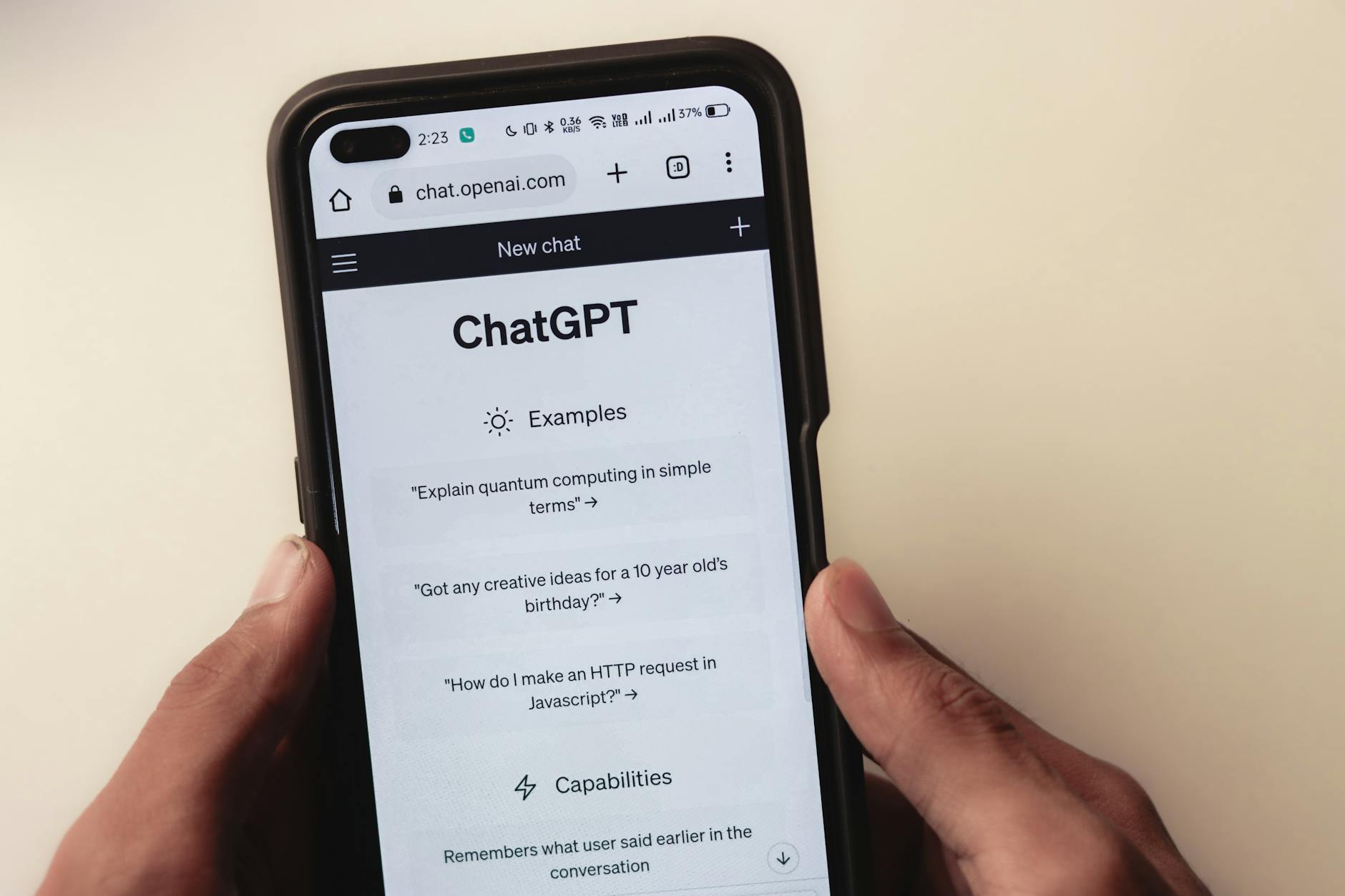 Photo by
 Photo by




 Photo by
  Photo by