
I used to burn an hour shaping each outline. Then a tiny tweak changed everything. I added two lines to my prompt, asked for bullet points with word counts, and my content creation speed jumped 50 percent. That small win sent me down the path to AI Prompting Templates.
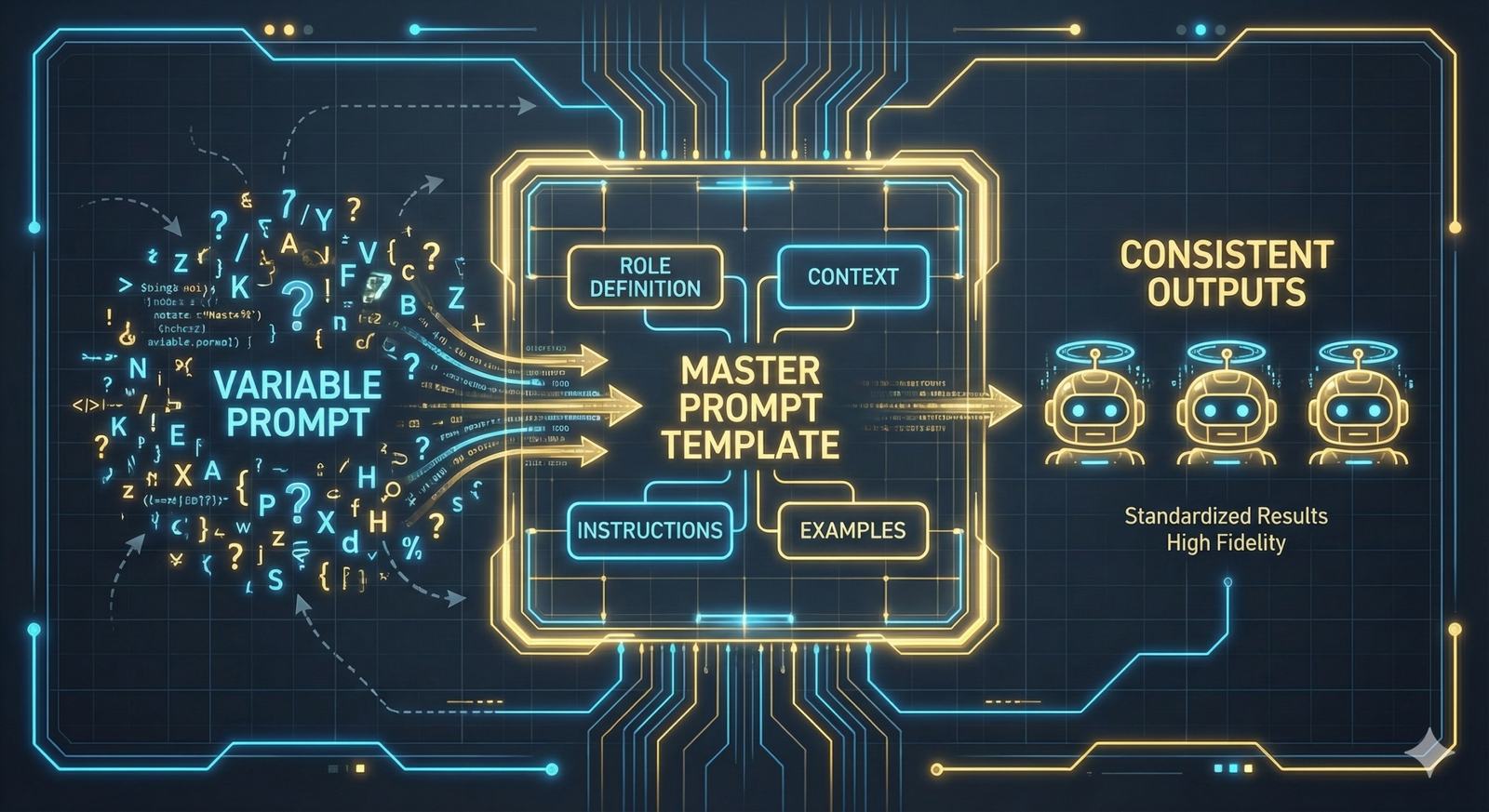
Here is the simple idea. AI Prompting Templates are pre-made instructions that guide your AI to return useful, consistent outputs. You plug in your details, the template handles structure, tone, and format. Less guesswork, fewer edits, faster results.
In this post, I will show you how templates work, when to use them, and how to adapt them to your workflows. You will see the core parts that make a prompt template reliable, plus quick upgrade tips for quality and speed. I will point you to smart tools and trusted sources so you can get moving today.
If you are new, start with the basics and a few safe wins. I recommend this roundup of the Best free AI prompt tools for beginners, it gives you ready-to-use starters that are easy to test: https://aipromptprophet.com/best-free-ai-prompt-tools-for-beginners/. If you are experienced, you will get patterns for chaining prompts, setting roles, and defining strict output formats.
By the end, you will have plug-and-play templates for digital creators, small businesses, tech pros, and AI prompt engineers. You will know how to tune them for brand voice, data inputs, and results you can trust. Get instant access to powerful AI prompting templates, and start creating better prompts. Let’s get practical and save real time.
Why AI Prompting Templates Save You Time and Effort
I treat AI Prompting Templates like checklists for my brain. They cut setup time, reduce errors, and give me a head start on hard tasks. Instead of rewriting instructions for each request, I slot in variables and hit go. The result is consistent output that I can trust, with fewer rewrites and less context switching. For a practical foundation on structure and clarity, I like how MIT breaks down effective prompt basics.
Key Benefits for Beginners and Experts Alike
Templates pay off for every skill level. Here is where they shine and how I use them.
- Saves time
- Why it matters: You skip setup and reuse proven patterns. Fewer keystrokes, faster results.
- Quick example: I use a summary template to turn a 2,000-word article into a 120-word brief with bullets in seconds.
- For tech pros: A bug triage template captures error logs, expected behavior, and steps to reproduce. That trims the back-and-forth and speeds up fixes.
- Improves accuracy
- Why it matters: Clear constraints and examples reduce drift and vague answers.
- Quick example: A product description template enforces length, tone, features, and a CTA, which keeps copy on-brand.
- For tech pros: A code review template asks for complexity notes, edge cases, and test stubs, which cuts miss rates and rework. If you prefer a primer on structure and variables, this guide to AI prompt templates explains the common building blocks.
- Sparks creativity
- Why it matters: Guardrails free you to explore more ideas, not fewer.
- Quick example: A content idea generator template outputs 10 hooks with angles, audiences, and proof points, which beats staring at a blank page.
- For tech pros: A refactor template proposes alternative patterns, trade-offs, and before-after snippets, which speeds up better designs. For more hands-on tools and examples, try these AI prompt tools to boost creativity.
If you want to scale quickly, compare providers that package ready-to-use templates and workflows in this roundup of Top AI prompt package providers for 2025. Get instant access to powerful AI prompting templates, and start creating better prompts today.
Explore Top Categories of AI Prompting Templates
I group AI Prompting Templates by the output I need. That keeps my process clean and repeatable. Below are the categories I use most, with plug-and-play templates you can drop into your workflow. Each one sets role, structure, and constraints, so you get clear, usable results. If you want a broader menu of working patterns, this guide on prompt engineering templates that work offers proven recipes you can adapt.
Creative Writing and Content Generation Templates
I build content templates to produce publishable drafts with the right tone, structure, and engagement cues. Use these as-is, or swap variables to fit your brand.
- 500-word blog post with structure
Template: “Write a 500-word blog post about {TOPIC} for {AUDIENCE}. Use an intro (2-3 sentences), 3 subheadings, short paragraphs, and a conclusion with a single CTA. Tone: {TONE}. Include one statistic with a source, and 3 SEO keywords: {KEYWORDS}. Return a meta title (60 chars) and meta description (155 chars).”
Why it works: You get a draft with on-page SEO, scannable sections, and a clear CTA. - Video script with timestamps
Template: “Create a 90-second video script for {PLATFORM}. Topic: {TOPIC}. Audience: {AUDIENCE}. Format: Hook (0:00-0:05), Problem (0:05-0:20), Solution (0:20-0:60), Proof (0:60-1:20), CTA (1:20-1:30). Provide on-screen text and voiceover lines. Add 3 B-roll suggestions.”
Why it works: Timestamps force pacing, which improves retention and watch time. - Social caption with hooks and CTAs
Template: “Write 5 social captions for {PLATFORM} about {TOPIC}. Tone: {TONE}. Each caption includes a 6-word hook, 1 value statement, 1 action step, 2 relevant hashtags, and 1 CTA that drives {DESIRED_ACTION}.”
Why it works: You get testable variants and consistent engagement prompts. - Outline to draft in one pass
Template: “Create a detailed outline for a {FORMAT} titled ‘{WORKING_TITLE}’ for {AUDIENCE}. Include H2s, H3s, and bullet points. Then produce a 700-word first draft based on the outline. Keep paragraphs under 3 sentences. Add 3 pull quotes.”
Why it works: You move from structure to draft without breaking flow. - Thought leadership angle finder
Template: “Generate 10 content angles for {TOPIC}. For each, include a one-sentence thesis, counterpoint, data source idea, and a proposed headline under 60 characters.”
Why it works: Angles prevent generic content and spark stronger hooks. For more starter ideas, this list of AI content prompts and templates can help you test formats across blogs and social.
Pro tip: Save variables like {AUDIENCE} and {TONE} as presets. That keeps brand voice consistent across channels. Get instant access to powerful AI prompting templates. Start creating better prompts.
Technical and Code Templates for Tech Pros
For engineering tasks, I lock in structure, constraints, and tests. That makes outputs easier to verify and ship. These AI Prompting Templates are designed for code generation, translation, and debugging.
- Translate code safely
Template: “Translate this {LANGUAGE1} code to {LANGUAGE2}. Preserve logic and comments. Match idiomatic patterns in {LANGUAGE2}. Add unit tests with {TEST_FRAMEWORK}. Include a brief note on time and space trade-offs.”
Use case: Port legacy modules without losing behavior. - Bug reproduction and fix plan
Template: “You are a senior engineer. Given the error log and steps to reproduce, identify root cause, list 3 likely failure points, propose a minimal fix, and provide a patch. Then write a test that fails before the fix and passes after. Inputs: {ERROR_LOG}, {STEPS}, {EXPECTED_BEHAVIOR}.”
Use case: Faster triage with clear next steps. - Refactor with constraints
Template: “Refactor the following {LANGUAGE} function to improve readability and performance. Limit cyclomatic complexity to under 10. Keep the public API stable. Add docstrings and examples. Provide before and after snippets, and explain performance changes.”
Use case: Cleaner code with measured gains. - Generate API client with tests
Template: “Create a typed {LANGUAGE} client for this REST API. Include methods for {ENDPOINTS}. Handle rate limits, retries, and errors. Add unit tests with mocks, plus a quick start README with examples.”
Use case: Ship a usable client with docs and tests in one pass. - “Translate this {LANGUAGE1} code to {LANGUAGE2}” with context
Template: “Translate the following code. Preserve algorithmic complexity. Replace libraries with closest standard equivalents. If a feature lacks parity, suggest a shim with code.”
Use case: Keeps conversions practical when ecosystems differ.
Prompt engineers can turn these into testable workflows: run the same input across models, compare outputs with acceptance criteria, and log diffs. For more structured recipes you can copy, review these programming prompt templates and adapt them to your stack.
Ready-to-Use Templates Tailored to Your Role
I built these AI Prompting Templates to remove guesswork and speed up results. Each one sets clear inputs, structure, and success criteria. Plug in your variables, then test two or three variants to find winners fast.
Templates for Digital Creators
When reach, saves, and watch time matter, templates that control hooks, pacing, and CTAs help you post with confidence.
- Short-form video scripts that boost retention
Prompt: “Write a 45-second TikTok script on {TOPIC} for {AUDIENCE}. Include: Hook (7 words), Problem (1 line), Solution (3 steps), Proof (1 stat with source), CTA (1 action). Add on-screen text and 2 B-roll cues.”
Why it works: Tight pacing increases watch time and completion rate. - Instagram captions that drive comments
Prompt: “Create 5 Instagram captions about {TOPIC}. Each includes a 5-word hook, 1 value statement, 1 save-worthy tip, 2 hashtags, and a CTA that asks a question about {ANGLE}.”
Why it works: Clear hooks and questions spark replies and saves. - Blog outlines that convert into drafts
Prompt: “Outline a blog titled ‘{WORKING_TITLE}’ for {AUDIENCE}. Include H2s and H3s, bullet points per section, and 3 FAQs. Then write a 700-word draft with short paragraphs and 1 CTA to {GOAL}.”
Why it works: You move from plan to draft in one pass.
Pro tips:
- Use brand presets for tone, voice, and banned words.
- Track outputs by metric, for example, hook CTR or average view duration, to keep improving.
Templates for Small Businesses
Use AI Prompting Templates to write ads faster, mine customer feedback, and spot trends before your competitors.
- High-ROI ad testing
Prompt: “Write three ad headlines for {PRODUCT} targeting {AUDIENCE}. Tone: {TONE}. Include one benefit, one pain, and one proof-based headline. Keep to 30 characters.”
Follow-up: “Now write 3 descriptions, each under 90 characters, with 1 feature and 1 outcome.”
Why it works: You get testable pairs that align to platform limits. - Review analysis that fuels product updates
Prompt: “Analyze these {PLATFORM} reviews. Summarize top 5 themes, recurring pains, desired features, and language customers use. Create a table with theme, example quote, and suggested fix or message.”
Why it works: Clear themes shape product copy and roadmap. - Trend scouting you can act on
Prompt: “From these sources {LINKS}, identify 5 trends in {INDUSTRY}. For each, add a one-sentence opportunity, a low-cost test, and one KPI to monitor.”
Why it works: You move straight from insight to action. - Local SEO booster
Prompt: “Write a Google Business Profile post for {BUSINESS} promoting {OFFER}. Include a hook, 2 benefits, a location cue, and a CTA to call or visit. 150 words.”
Why it works: Fresh posts lift visibility and calls.
Templates for Tech Professionals and Prompt Engineers
Speed up debugging, produce clean docs, and harden prompts with precise structure and constraints.
- Debugging with clear triage
Prompt: “Given {ERROR_LOG}, {STEPS_TO_REPRO}, and {EXPECTED_BEHAVIOR}, identify root cause, list 3 likely failure points, propose a minimal patch, and supply a test that fails before and passes after. Include time and space impact.”
Why it works: You get a fix plan and a safety net. - Documentation that developers will read
Prompt: “Document the {MODULE} API. Include purpose, inputs and types, outputs and types, side effects, edge cases, examples, and a quick start. Keep each section under 5 lines.”
Why it works: Short, scannable docs reduce support time. - Prompt rewriting for higher fidelity
Prompt: “Rewrite this prompt for more detail: {ORIGINAL_PROMPT}. Add role, inputs, constraints, steps, acceptance criteria, and output format. Include 2 negative instructions to avoid unwanted behavior.”
Why it works: Structure reduces drift and improves reproducibility. - Evaluation harness for prompts
Prompt: “Create an evaluation checklist for {TASK}. Include must-have criteria, scoring from 1-5, failure modes, and 3 example test cases with expected outputs.”
Why it works: You can compare models and track gains over time.
If you need ready-made sources and places to publish or buy tested patterns, review this guide to Top AI Prompt Marketplaces for Buying and Selling. Use these AI Prompting Templates as a base, then iterate with your own data and metrics. Get instant access to powerful AI prompting templates. Start creating better prompts.

Tips to Customize and Get the Most from AI Prompting Templates
AI Prompting Templates only pay off when they fit your goals, voice, and constraints. I treat each template like a living asset. I tune variables, shorten steps, and keep outputs strict. Use these tips to turn generic templates into reliable systems that save time and improve quality.
Create a single source of truth for variables
I keep reusable variables in one place so every template stays consistent.
- Define
AUDIENCE,TONE,BRAND_RULES, andBANNED_WORDS. - Store product names, value props, and CTAs as presets.
- Use short, clear variable names, and document one example for each.
Example: Audience: SaaS founders. Tone: direct, friendly, no fluff. Banned words: innovative, robust, scalable.
Set roles and constraints that prevent drift
Role prompts shape behavior. Constraints shape output. I combine both.
- Role: “You are a senior tech writer” or “You are a growth marketer.”
- Constraints: length, structure, voice, and must-have elements.
- Add two negative rules to block unwanted behavior.
Example: Include 3 bullets with benefits. Exclude emojis and clichés.
Force outputs into a format you can use
If I need clean handoff to a CMS or a script, I require structure.
- Ask for
JSON, a bullet list, or a table with fixed fields. - Provide a short schema. Keep keys simple and stable.
- Include acceptance criteria so the model checks its own work.
Example: Return JSON with keys: title, intro, sections[], cta.
Seed with examples and counter-examples
Few-shot samples cut ambiguity. Bad examples teach what to avoid.
- Show one strong example with notes on why it works.
- Show one weak example with what to fix.
- Keep examples short so they fit within context.
Example: Good hook: “Stop losing users at signup.” Bad hook: “In today’s digital world…”
Calibrate parameters for your task
I tune settings to balance creativity and control.
| Setting | Use | Effect |
|---|---|---|
| Temperature 0.2 to 0.4 | Accuracy, factual tasks | Tighter, safer outputs |
| Temperature 0.6 to 0.8 | Ideation, hooks | More variety, more risk |
| Max tokens | Longer drafts or short blurbs | Controls depth and length |
| Frequency penalty 0.5 | Avoid repetition | Reduces repeated phrases |
Start low temperature for instructions, higher for ideas.
Layer prompts into a simple workflow
I break big tasks into small, testable steps.
- Outline template sets structure and key points.
- Draft template expands sections with tone controls.
- Edit template tightens copy, adds examples, and checks length.
- QA template verifies format, facts, and banned words.
This chain reduces errors and speeds up revisions.
Add guardrails and failure checks
I ask the model to check its own output before returning it.
- “Validate length and format. If missing, fix before final.”
- “Flag any claim without a source as ‘needs citation’.”
- “Compare output to acceptance criteria. Score each item 1-5.”
I also include a recovery step: “If you cannot meet constraints, return a short note and the closest valid draft.”
Measure what matters and iterate
I track outcomes tied to the goal, not just vibes.
- For content: CTR, scroll depth, time on page.
- For ads: CPC, conversion rate, ROAS.
- For code: test pass rate, complexity, runtime.
Run small A/B tests: one variable change per run. Keep a changelog with prompt version, settings, and results.
Personalize tone and brand voice
Voice makes templates feel native to your brand.
- Provide 3 short voice samples with do and don’t notes.
- Include sentence length, reading level, and pacing rules.
- Use a mini style guide: contractions, point of view, banned phrases.
Example: Use short sentences, active voice, and direct claims. No hype words.
Attach real context and data
Models do better with context. I feed them what they need.
- Paste key product facts, pricing, and constraints.
- Add short customer quotes for language and proof.
- Supply links or snippets of source data when allowed.
Keep context concise, and label each block for clarity.
Maintain a versioned prompt library
I treat AI Prompting Templates like code.
- Store prompts with versions and clear names.
- Add notes on use cases, settings, and win rates.
- Retire prompts that no longer meet standards.
A clean library removes guesswork and speeds onboarding.
Quick template you can adapt today
Use this structure to harden any template: Role: You are a senior {DISCIPLINE}.
Task: Produce {OUTPUT} for {AUDIENCE}.
Context: {FACTS}, {CONSTRAINTS}, {GOAL}.
Format: Return {FORMAT} with fields {FIELDS}.
Rules: Length {LIMITS}. Tone {TONE}. Include {MUST-HAVES}. Avoid {BANNED}.
Checks: Validate against {CRITERIA}. If missing, correct before final.
Settings: Temperature {VALUE}. Max tokens {VALUE}.
AI Prompting Templates work best when they are specific, short, and tested. Start with one workflow, log results, and refine. Get instant access to powerful AI prompting templates. Start creating better prompts.
Conclusion
Here is the payoff. AI Prompting Templates make AI work for you, across roles and tasks, with less trial and error. You get repeatable structure, cleaner outputs, and faster drafts you can trust. That means more time for real work, like editing, testing, and shipping.
I recommend one simple next step. Pick a single template from this post, swap in your variables, and run a quick test today. Track one metric that matters, like time saved or revision count. Then post your results in the comments so we can compare notes and improve together.
This skill compounds. The more you use AI Prompting Templates, the sharper your prompts become, and the more your workflows click. Start with one win, then version your prompts, add guardrails, and build a small library that fits your team. I will share future posts on advanced prompting, including chaining prompts, evaluation checklists, and strict output formats.
You already have what you need to move. Keep it simple, keep it structured, and keep it measurable. Get instant access to powerful AI prompting templates. Start creating better prompts.
Thanks for reading and testing with me. I appreciate your time and ideas. Let me know what you try, what worked, and what broke so we can refine the next set.
FAQ Section
What are AI prompting templates and how do they work?
AI prompting templates are pre-structured sets of instructions designed to guide AI models to produce consistent, high-quality, and relevant outputs. You simply plug in your specific details, and the template handles the underlying structure, tone, and format, reducing guesswork and speeding up content creation.
How can AI prompting templates save me time in content creation?
Templates drastically cut down the time spent shaping individual prompts. By providing a ready-made framework, they eliminate the need to repeatedly craft structure, tone, and specific requirements, leading to up to 50% faster content generation and fewer edits.
Who can benefit most from using AI prompting templates?
Templates are beneficial for a wide range of users, including digital creators, small business owners, tech professionals, and experienced AI prompt engineers. Beginners get easy-to-use starters, while experienced users can leverage them for complex tasks like chaining prompts or defining strict output formats.
Where can I find reliable free AI prompt templates for beginners?
You can find a great roundup of ready-to-use starters at aipromptprophet.com/best-free-ai-prompt-tools-for-beginners/. These tools offer easy-to-test templates that help new users get started quickly and achieve safe wins with AI.
Can I adapt AI prompting templates to my specific brand voice and data inputs?
Absolutely. The article will show you how to tune templates for your brand voice, integrate specific data inputs, and ensure the results you get are trustworthy and aligned with your unique needs. This includes patterns for setting roles and defining strict output formats.
Leave a Reply