
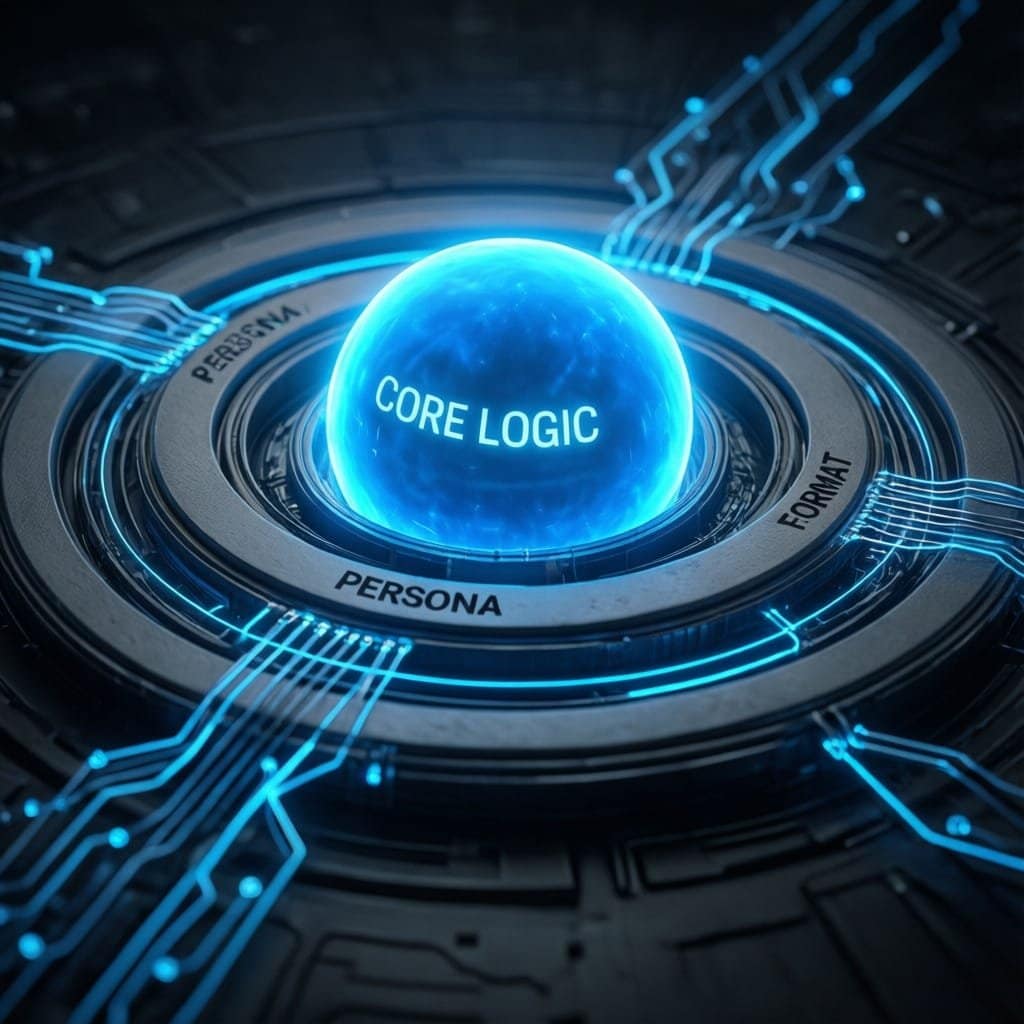
Prompt Engineering Cheat Sheet (2026): 50+ Copy, Paste Formulas for Reliable Outputs
Most people still treat AI like a search box, they type a question and hope for the best. A better move is to run a repeatable prompt system, so your outputs stay accurate, fast, and easy to reuse.
This prompt engineering cheat sheet is that system in a simple form, a set of reusable formulas you can copy, paste, and tweak. It’s built for busy pros who need clean deliverables, not chatty answers.
Inside, you will get 50+ ready-to-use prompt patterns that work across top LLMs (ChatGPT, Claude, Gemini, and more). Each formula focuses on reliable structure, so you can produce executive summaries, code, and strategy notes without re-writing the same instructions every time.
The big idea is consistent: role plus goal plus context plus format plus examples plus constraints. Once you start prompting this way, the first response becomes a draft you can force to self-check, tighten, and polish, until it reads like work you would sign your name to.
The evolution of the prompt, from simple queries to reliable formulas
Early prompts worked like wishes, you typed a request, then crossed your fingers. In 2026, that approach wastes time because models can do more, but they also have more ways to misunderstand you. The upgrade is simple: stop writing one-off prompts, start using reusable formulas that tell the model what to do, how to do it, and how to prove it did it right.
Think of a modern prompt like a flight plan. Your destination is the deliverable, but the plan also includes the route, altitude, checkpoints, and what to do in bad weather. That is why this prompt engineering cheat sheet focuses on structure, not clever phrasing.
What changed in modern LLMs and why your old prompts break
Modern LLMs handle more context and more steps than earlier models, so they will happily accept long docs, messy meeting notes, and half-formed ideas. That sounds great, but it creates a trap: the model now has more room to guess. When your prompt is vague, it fills gaps with confident-sounding filler, not careful work.
A few shifts explain the break:
- Better context handling means you can paste more, but you still need to curate it. If you dump everything in, the model may focus on the wrong signals (like a single offhand comment) and ignore your real goal.
- More tools and workflows are now normal. Models can be asked to plan, draft, critique, rewrite, and even propose tests. That expands what a prompt can control, but only if you specify checkpoints and success criteria. Otherwise, you get a long answer that never lands.
- More ambiguity, not less. Stronger models can interpret your request in multiple valid ways. “Write a strategy” could mean a one-page memo, a slide outline, or a 90-day plan. If you do not choose, the model chooses for you.
- Higher expectations for verifiable work. Teams expect citations, assumptions, calculations, and clear sources. “Sounds right” is no longer acceptable in exec-facing output.
Here is the uncomfortable truth: better models still make mistakes, they just explain them better. So your prompt has to act like guardrails. You want constraints that force the model to show its work, flag uncertainty, and ask before inventing.
If accuracy matters, treat the model like a smart junior teammate, not an oracle. Give it a spec, then require checks.
If you want a broader view of how prompting patterns changed with newer models and longer contexts, see Your 2026 guide to prompt engineering.
The 6 building blocks to reuse in almost any prompt
Reliable prompts look less like questions and more like templates. Once you memorize six parts, you can mix and match them for almost any task, from a product brief to a code review.
Use these building blocks:
- Role: Who should the model be for this task? Pick a role that implies standards. “Senior copy editor” produces different work than “helpful assistant.”
- Goal: What outcome do you want? Make it measurable. “Create a 5-bullet exec summary” beats “Summarize this.”
- Context: The inputs the model must use (and what it should ignore). Include only what changes the answer. Tight context beats long context.
- Output format: The shape of the deliverable (headings, bullets, table, JSON). Put this near the top so the model anchors on it early.
- Examples: A short sample of what “good” looks like. Examples remove guesswork around tone, depth, and structure.
- Constraints: The rules. Think length, reading level, do nots, must-includes, and quality checks (like “cite sources” or “list assumptions”).
A practical way to write it is: Role + Goal + Context + Format + Examples + Constraints, then add one line that controls uncertainty. For missing info, tell it exactly what to do:
- Ask up to 5 clarifying questions, then provide a best-effort draft.
- Or, list assumptions in a labeled section, then proceed.
- Or, return “Insufficient information” and specify what is needed.
That last piece matters because it prevents confident guessing. It also makes your prompts reusable across different projects and teammates.
For more advanced patterns (like self-critique loops and structured reasoning steps), skim Prompt engineering advanced techniques for 2026.
Core structural patterns you can copy and paste today (RTF, few-shot, and more)
When a model goes off the rails, it is usually not “being dumb.” It is following an unclear spec. The fastest fix is to stop writing one-off prompts and start using proven structures that force clarity, checkpoints, and a predictable output shape.
Below are copy, paste templates you can reuse across most LLMs. Swap the bracketed parts, keep the skeleton.
The essentials, RTF, 4C, and other “always works” templates
Use these when you need dependable outputs fast. Each one is built to reduce guessing, because it tells the model who it is, what success looks like, and how to format the result. (If you want a deeper breakdown of RTF, see Understanding the RTF prompt formula.)
- RTF (Role, Task, Format)
“Role: You are a [ROLE]. Task: [DO THE THING]. Format: Return the result as [FORMAT], with [SECTIONS].” - Role + Goal + Constraints (RGC)
“You are a [ROLE]. Your goal is [GOAL]. Constraints: [LIMITS, MUST-INCLUDES, DO-NOTS]. Output: [FORMAT].” - 4C (clarity, context, chain, constraints)
“Clarity: [ONE-SENTENCE ASK]. Context: [FACTS, DATA, AUDIENCE]. Chain: First [STEP 1], then [STEP 2], finally [STEP 3]. Constraints: [RULES]. Output: [FORMAT].”
(If you prefer the alternative naming, see a 4C framework overview.) - Context + Format first (anchor early)
“Output format (follow exactly): [HEADINGS/BULLETS/TABLE COLUMNS]. Context you must use: [PASTE INPUT]. Task: [WHAT TO DO].” - Ask clarifying questions first
“Before you answer, ask up to [3 to 7] clarifying questions. After I reply, produce the final output in [FORMAT]. If I do not reply, make reasonable assumptions and label them.” - Assumptions then answer
“If anything is missing, list your assumptions under ‘Assumptions’ (numbered). Then write the answer under ‘Answer’ using those assumptions.” - Give options with tradeoffs
“Provide 3 options. For each: describe the approach, best-fit scenario, tradeoffs, risks, and a recommended choice.” - Table output (comparison-ready)
“Return a table with columns: [Column A], [Column B], [Column C]. Include 6 to 10 rows. Keep each cell under 20 words.” Here is a ready-to-copy table shape you can request: OptionBest forMain tradeoffA[who][cost]B[who][risk]C[who][time] - Checklist output (quality control)
“Return a checklist with 10 to 15 items. Each item starts with a verb. Group items under 3 short headings.” - Executive summary + next steps
“Write an executive summary (5 bullets max), then ‘Next steps’ (5 bullets max), then ‘Open questions’ (3 bullets max).” - Spec-first, then draft
“First, restate the spec as acceptance criteria (bullet list). Second, produce the deliverable. Third, run a self-check against the criteria.” - Source-bound (prevent extra facts)
“Use only the information in the provided context. If the context does not support a claim, write ‘Not supported by provided context’ and ask for what you need.”
The simple rule: if you care about consistency, tell the model the format before the task. It will aim at the container you give it.
Few-shot and style locking prompts that keep tone consistent
Few-shot prompts work like training wheels. You show a pattern, then the model repeats it. This is the quickest way to keep tone and formatting steady across a team, especially when multiple people reuse the same prompt. (For a broader view of context shaping, read Beyond prompting, context engineering.)
- 1-example (1-shot) pattern
“Task: [WHAT TO PRODUCE].
Example:
Input: [SAMPLE INPUT]
Output: [SAMPLE OUTPUT]
Now do this input: [REAL INPUT]. Follow the same structure and level of detail.” - 3-example (few-shot) pattern
“Task: [WHAT TO PRODUCE].
Examples (follow the same style):
Input 1: … Output 1: …
Input 2: … Output 2: …
Input 3: … Output 3: …
Now: [REAL INPUT].” - “Match this voice” (style mirror)
“Write in the same voice as the sample. Match tone, sentence length, and punctuation. Sample: [PASTE 150 to 300 WORDS]. Task: [YOUR TASK].” - Rewrite to 8th grade (plain language lock)
“Rewrite the text for an 8th-grade reader. Use short sentences. Replace jargon. Keep meaning the same. Output in the same length range as the original.” - Brand style rules (hard constraints)
“Brand rules:- Voice: [3 adjectives]
- Reading level: [grade]
- Forbidden words: [list]
- Must-use terms: [list]
- Formatting: [rules]
Now write: [ASSET].”
- Do and do not lists (guardrails)
“Before writing, list ‘Do’ (5 bullets) and ‘Do not’ (5 bullets) for this output. Then write the deliverable following those rules.” - Keep formatting identical to the sample
“Copy the exact formatting of the sample, including headings, bullets, numbering, and spacing. Only change the content to fit the new input. Sample: [PASTE]. New input: [PASTE].” - Learned rules, then generate (forces extraction)
“Step 1: From the examples, infer the style rules (voice, structure, length, formatting). Output them as ‘Style rules’ with 6 to 10 bullets.
Step 2: Generate the new output following those rules.
Examples: [PASTE 2 to 3 EXAMPLES].
New input: [PASTE].” - Tone consistency checker (post-pass)
“After you draft, run a second pass: list any sentences that break the style rules, then rewrite only those lines. Do not change the rest.”
Few-shot is not about being fancy. It is about removing wiggle room, so the model stops improvising and starts repeating your pattern.
Advanced reasoning prompts, deeper thinking without messy outputs
When you ask for “deeper thinking,” many models respond with a wall of text. The fix is simple: ask for structure, not chatter. You want the model to slow down internally, while keeping the output clean, scannable, and easy to verify.
In this part of the prompt engineering cheat sheet, the goal is accuracy. That means fewer guesses, clearer assumptions, and quick checkpoints that catch mistakes early. If you also want a solid overview of modern prompting principles, Google’s explainer on prompt engineering basics lines up well with these patterns.
Chain-of-thought style scaffolds that improve accuracy (without oversharing)
You can get the benefits of step-by-step thinking without forcing the model to expose every thought. The trick is to request a short plan, intermediate checks, and a tight final. Use these formulas as drop-in prompt endings.
Here are 8 copy, paste scaffolds that keep reasoning controlled:
- Step-by-step plan, then execute
- “Before answering, write a 4-step plan. Then execute the plan. Keep each step under 12 words. Output only the final deliverable, plus the plan.”
- First list what you need (inputs checklist)
- “First, list the exact info you need to answer well (max 6 bullets). Second, if anything is missing, state assumptions in 3 bullets. Third, provide the answer.”
- Intermediate checks at checkpoints
- “Solve in stages. After each stage, add a ‘Checkpoint’ line that verifies the stage result in one sentence. Then continue. Keep checkpoints short.”
- Solve, then summarize
- “Work the problem privately. Then provide: (1) Final answer, (2) 5-bullet summary of how you got there, (3) 3 key assumptions.”
- Separate reasoning and final answer (clean output)
- “Structure your response with two sections: ‘Reasoning outline’ (max 6 bullets) and ‘Final answer’ (no bullets unless requested). Do not add anything else.”
- Short reasoning outline only (no long explanation)
- “Give a short reasoning outline with 5 bullets max. Each bullet must be a decision or check, not a paragraph. Then give the final output.”
- Ask before you guess
- “If you are missing required details, ask up to 3 clarifying questions. If I don’t answer, proceed with clearly labeled assumptions and a best-effort output.”
- Define success criteria first (anti-hallucination anchor)
- “First, restate the task as 5 acceptance criteria. Second, produce the output. Third, confirm each criterion with ‘Met’ or ‘Not met’ and one reason.”
The best “reasoning prompt” is often just a plan plus checkpoints. It keeps the model honest without turning your output into a transcript.
Self-correction loops, fact checks, and “critic then improve” patterns
Most bad outputs are fine drafts that never got reviewed. So treat the model like a writer and an editor. You want one pass to create, another to attack weaknesses, and a final pass to clean the prose.
Use these 8 formulas when accuracy matters, especially for client work, strategy docs, or anything that will be forwarded.
- Draft, then critique, then rewrite
- “Write a draft. Then add a ‘Critique’ section with 5 specific issues (accuracy, clarity, gaps). Then rewrite the draft fixing those issues.”
- Red team the answer
- “After drafting, red team your answer. List the top 5 ways it could be wrong or misleading. Then revise to reduce those risks.”
- Verify against provided sources only
- “Use only the sources in the provided context. After writing, add ‘Source check’ where each key claim maps to a quote or line from the context. If unsupported, mark ‘Unsupported’ and remove or qualify it.”
- Consistency check (numbers, terms, logic)
- “Run a consistency check after drafting. Confirm: definitions match, numbers add up, dates align, and recommendations follow from the evidence. Then output the corrected version.”
- Edge cases and failure modes
- “List 6 edge cases that could break your recommendation. Then update the answer to address the top 3 edge cases.”
- Test with counterexamples
- “Generate 3 counterexamples that would make your conclusion fail. If any counterexample holds, adjust the conclusion and explain the adjustment in 2 sentences.”
- Changelog required (3 bullets only)
- “Revise your answer. Then include a ‘Changelog’ with exactly 3 bullets stating what you fixed (no more, no less).”
- Final pass for clarity (tighten, don’t expand)
- “Do a final clarity pass. Remove filler, shorten long sentences, and replace vague words. Do not add new ideas. Return only the revised final.”
If you want to go deeper on automated critique patterns and recursive prompting, the IntuitionLabs write-up on meta prompting and automated prompt engineering is a strong reference.
Niche prompt libraries for 2026 workflows (research, coding, marketing, and ops)
Generic prompts fail because real work is never generic. You have messy notes, half-known constraints, and people who disagree. The quickest fix is to keep a small set of niche prompt “recipes” you can reuse, then swap in your context.
Treat this part of the prompt engineering cheat sheet like a tool belt. Each formula below forces grounding in your provided text, calls out unknowns, and produces outputs you can check in minutes.
Research and strategy prompts for turning messy info into decisions
When research gets chaotic, you need structure more than you need prose. These formulas turn long docs and scattered notes into decisions you can defend, because they require citations from your input and clearly label uncertainty (a practice also emphasized in prompt safety and reliability guides like Lakera’s prompt engineering guide).
- Long doc to decision table (source-bound)
- Prompt: “You are a research analyst. Use only the text I provide under
SOURCE. Task: summarize it into a table with columns:Theme,Key claim (10 to 20 words),Evidence quote (verbatim),Confidence (High, Medium, Low),What would change your mind. Rules: If a claim is not directly supported, writeUnknownand add a question. End with 5Open questions.”
- Prompt: “You are a research analyst. Use only the text I provide under
- Compare options with criteria (weighted)
- Prompt: “You are a strategy lead. Compare these options: [Option A], [Option B], [Option C]. Criteria: [list criteria]. Ask 3 clarifying questions if any criteria are undefined. Then output a table:
Option,Score per criterion (1 to 5),Total,Top 2 risks,Best-fit scenario. Rules: cite supporting lines fromSOURCEfor any factual statements, otherwise label themAssumption.”
- Prompt: “You are a strategy lead. Compare these options: [Option A], [Option B], [Option C]. Criteria: [list criteria]. Ask 3 clarifying questions if any criteria are undefined. Then output a table:
- Gaps, risks, and second-order effects
- Prompt: “You are a risk reviewer. From
SOURCE, list: (1) the top 7 missing facts, (2) the top 7 risks (operational, legal, timeline, quality), (3) 3 second-order effects if we ship this plan. For each item, include:Why it matters,Early warning signal,Owner,Mitigation. IfSOURCEis silent, mark itUnknown.”
- Prompt: “You are a risk reviewer. From
- One-page decision memo (exec-ready)
- Prompt: “Write a one-page decision memo in this structure:
Decision,Context,Options considered,Recommendation,Why now,Risks and mitigations,Metrics,Next 7 days. Constraints: 220 to 320 words, no buzzwords, no vague claims. Ground every claim inSOURCEwith short inline quotes. Add a final section calledUnknownswith 3 bullets.”
- Prompt: “Write a one-page decision memo in this structure:
- Questions to ask stakeholders (stop guessing)
- Prompt: “You are preparing a stakeholder interview. Based on
SOURCE, generate exactly 12 questions grouped into:Goals,Constraints,Edge cases,Approval and ownership. Rules: each question must explain what decision it unlocks in parentheses. Flag any question that exists becauseSOURCEis missing data with(Missing in source).”
- Prompt: “You are preparing a stakeholder interview. Based on
If your output does not include quotes, assumptions, and unknowns, it is not research, it is improv.

Coding, debugging, and data prompts that produce checkable outputs
Coding prompts break when they invite the model to freestyle. Your goal is the opposite: force a tight spec, reproducible steps, and tests. If you want a broader workflow mindset, resources like Coding with LLMs in 2026: strategy and best practices echo the same theme, constrain the task, then verify.
- Bug triage checklist (before touching code)
- Prompt: “You are a senior engineer. Given
Symptoms,Logs, andCode snippets, produce: (1) a triage checklist ordered by likelihood, (2) top 3 suspected root causes with evidence from logs, (3) a safe next action that reduces uncertainty. Rules: if evidence is weak, label itHypothesis. Output must fit in 200 to 260 words.”
- Prompt: “You are a senior engineer. Given
- Minimal reproducible example (MRE) request (make it testable)
- Prompt: “Act as a maintainer. Ask me for the smallest set of inputs needed to reproduce this issue. Output exactly: (1) questions (max 8), (2) a template I can fill in with
Environment,Steps,Expected,Actual,Sample data, (3) a short checklist to confirm the report is complete. Rules: do not propose fixes yet.”
- Prompt: “Act as a maintainer. Ask me for the smallest set of inputs needed to reproduce this issue. Output exactly: (1) questions (max 8), (2) a template I can fill in with
- Write tests first (lock behavior)
- Prompt: “You are a test-first developer in [language]. Goal: write tests that capture the intended behavior before implementation. Input:
Function spec,Examples,Edge cases. Output: (1) test list table withTest name,Input,Expected output,Why it matters, (2) test code. Constraints: no external libraries unless I approve; keep tests readable.”
- Prompt: “You are a test-first developer in [language]. Goal: write tests that capture the intended behavior before implementation. Input:
- Refactor with constraints (keep the surface stable)
- Prompt: “Refactor this code for readability and maintainability without changing behavior. Constraints: keep public function signatures the same, no new dependencies, keep runtime within 5% of current, keep diff small. Output: (1) refactor plan in 5 bullets, (2) revised code, (3) a short note on how to verify equivalence (tests, sample inputs).”
- SQL or script generation with I/O spec (no mystery outputs)
- Prompt: “Write a [SQL query or script] with explicit specs. Input tables/files: [schemas]. Output requirements: [columns, types, order], plus 3 example rows of expected output. Rules: include assumptions, handle nulls, and include validation queries/checks. If anything is missing, ask 3 questions first, then produce a best-effort draft labeled
Draft.”
- Prompt: “Write a [SQL query or script] with explicit specs. Input tables/files: [schemas]. Output requirements: [columns, types, order], plus 3 example rows of expected output. Rules: include assumptions, handle nulls, and include validation queries/checks. If anything is missing, ask 3 questions first, then produce a best-effort draft labeled
- Complexity, edge cases, and test plan (the reliability add-on)
- Prompt: “After you propose a solution, add a section called
Verificationwith:Time complexity,Space complexity,Top 6 edge cases, and aTest plan(unit, integration, negative tests). Keep this section under 180 words.”
- Prompt: “After you propose a solution, add a section called
Marketing and content system prompts that ship faster (without fluff)
Marketing prompts work best when they feel like a production spec, not a creative writing request. Put the audience, offer, proof, and constraints up front, then ban the phrases that trigger generic copy. If you want examples of larger prompt collections, browse a niche library like the Monster Prompt Library for marketing and adapt the patterns into your house style.
- Audience-specific hooks (tight and punchy)
- Prompt: “You are a direct-response copywriter. Audience: [persona]. Offer: [product]. Goal: [trial, demo, purchase]. Write 12 hooks, each under 12 words. Split by angle:
pain,result,contrarian,proof,time-saved,risk-reversal. Banned phrases: [list 8]. Rules: no exclamation points, no hype, no vague promises.”
- Prompt: “You are a direct-response copywriter. Audience: [persona]. Offer: [product]. Goal: [trial, demo, purchase]. Write 12 hooks, each under 12 words. Split by angle:
- Landing page outline with objections (conversion-focused)
- Prompt: “Create a landing page outline in this order:
Hero,Problem,Solution,How it works,Proof,Objections and answers,Pricing,FAQ,CTA. Include exactly 6 objections and replies. Constraints: each section gets 2 to 4 bullets, each bullet under 16 words. Ground claims inSOURCE(testimonials, case study, product notes). If proof is missing, label itNeed proof.”
- Prompt: “Create a landing page outline in this order:
- Email sequence with segmentation (no one-size-fits-all)
- Prompt: “Write a 5-email sequence for [offer]. Segment recipients into 3 groups:
New,Warm,Churn-risk. For each email, provide:Subject(max 7 words),Preview(max 12 words),Body(120 to 160 words),CTA(one line). Rules: vary the opening line style each email, avoid these phrases: [list], and add a shortWhy this worksnote in 1 sentence.”
- Prompt: “Write a 5-email sequence for [offer]. Segment recipients into 3 groups:
- SEO-friendly content brief (no keyword stuffing)
- Prompt: “Build a content brief for a post titled: [title]. Output:
Search intent,Audience pains,Angle,Must-cover subtopics,Not-to-cover,Internal links to include,Sources to cite, and aDraft outlinewith H2 and H3s. Constraints: do not repeat keywords unnaturally, write for humans, include 5 PAA-style questions. If you lack data, ask 5 questions first.”
- Prompt: “Build a content brief for a post titled: [title]. Output:
- Repurpose one post into multiple assets (same core message)
- Prompt: “Repurpose this article into: (1) 6 LinkedIn posts (max 120 words each), (2) 1 newsletter issue (max 650 words), (3) 8 short video scripts (25 to 40 seconds), (4) 10 tweet-style posts (max 240 characters). Rules: keep claims consistent with
SOURCE, keep the tone practical, and avoid these banned phrases: [list]. Return in clearly labeled sections.”
- Prompt: “Repurpose this article into: (1) 6 LinkedIn posts (max 120 words each), (2) 1 newsletter issue (max 650 words), (3) 8 short video scripts (25 to 40 seconds), (4) 10 tweet-style posts (max 240 characters). Rules: keep claims consistent with
Continuous optimization, how to test, version, and scale your prompt stack
A good prompt is not a trophy, it’s a living asset. Models change, your inputs change, and your team starts using the prompt in ways you did not predict. If you want reliable outputs, treat prompts like product code: test small changes, version every edit, and scale only what survives real use.
This is where a prompt engineering cheat sheet turns into an actual system. You stop guessing, and you start shipping prompts that stay steady across tasks, tools, and model updates.
A simple prompt test plan you can run in 20 minutes
You do not need a full lab to improve prompts. You need a tiny, repeatable loop that uses real work, not toy examples. The goal is simple: pick a winner you can defend, then store it so you do not re-learn the same lesson next week.
Run this quick plan:
- Pick 5 real tasks (3 minutes).
Choose tasks you actually do, for example: summarize a meeting transcript, draft a client email, extract action items, rewrite copy in a brand voice, or turn notes into a one-page memo. Use messy inputs, because clean inputs hide problems. - Define pass/fail rules (4 minutes).
Write 3 to 6 acceptance checks that you can apply in seconds. Keep them concrete.
Examples:- Must use only provided context, no added facts.
- Must follow the exact output format (headings, bullets, table columns).
- Must include assumptions and open questions if info is missing.
- Must stay under a word limit.
- Run 3 prompt variants (6 minutes).
Start with your current prompt (Variant A). Then create two controlled changes:- Variant B: same prompt, but move the output format to the top.
- Variant C: add a self-check step (“Confirm you met each acceptance check”).
- Compare outputs with a small scoring rubric (5 minutes).
Score each output from 1 to 5 on the same categories every time:- Accuracy: Did it stick to the facts and avoid made-up details?
- Completeness: Did it cover every required section and key point?
- Format match: Could you paste it into the doc with minimal edits?
- Time saved: How much editing did you still have to do?
- Risk: Would you feel safe sending it to a client or exec?
- Choose the winner, store it, and write one note (2 minutes).
Save the winning prompt as a named version, and add one line about why it won (for example, “B won because it hit the format perfectly and asked the right questions”).
If you want a deeper walkthrough of prompt A/B testing mechanics and what to measure (quality, latency, cost), use Braintrust’s guide to A/B testing prompts.
Gotcha: do not test on your “best-case” input. Prompts fail on edge cases, so your test set should include one ugly, confusing example.
Build a personal prompt library that stays useful as models change
A prompt library is not a folder of random text files. It is a map of your work, with names you can search, templates you can reuse, and notes that explain when a prompt is safe to run.
Start with three simple rules: clear names, model-agnostic templates, and built-in guardrails.
1) Use naming conventions that support search and versioning
Pick a structure and stick to it. This one works well:
domain_task_output_vX.Y
Examples:sales_followup-email_short_v1.2ops_meeting-notes_action-items_v0.9eng_bug-triage_checklist_v2.0
Add tags in a short description field, not in the filename (for example, tags: “source-bound”, “exec-ready”, “privacy”).
2) Write prompts as templates with placeholders
Most prompts should be 70% stable and 30% variable. Use placeholders so you can swap context without rewriting the core spec:
- Audience:
[AUDIENCE] - Goal:
[GOAL] - Inputs:
[SOURCE],[DATA],[CONSTRAINTS] - Output shape:
[FORMAT](headings, bullets, JSON keys) - Red lines:
[DO_NOT](no legal advice, no personal data, no claims without support)
A practical example you can reuse across models is a “source-bound” template:
- “Use only
[SOURCE]. If unsupported, say ‘Not supported by provided context’. Ask up to 3 questions.”
That one line prevents a lot of confident guessing.
3) Add “when to use” notes, so you stop picking the wrong tool
Under each prompt, keep 2 to 4 bullets:
- Best for: the exact situation it handles well.
- Not for: where it tends to fail.
- Inputs required: what you must provide.
- Common edits: the two tweaks you often make (length, tone, strictness).
These notes are the difference between a library and a junk drawer.
4) Keep prompts model-agnostic by avoiding model-specific habits
Models vary in style and compliance, so write prompts that do not depend on quirks:
- Prefer clear output schemas over “be smart” phrasing.
- Put constraints in plain language, and repeat the most important one once.
- Avoid relying on hidden chain-of-thought. Ask for a short plan and checks, then a clean final.
- Test the same prompt on at least two models before calling it stable.
If you manage prompts with a team, version control and rollback become mandatory. This overview of prompt management basics lays out the practical reasons (history, review, deployment) without fluff.
5) Add guardrails for sensitive work (privacy, safety, compliance)
For anything that touches customer data, legal topics, or regulated industries, bake in rules the model must follow every time:
- Privacy: “Do not output personal data. If present in
[SOURCE], redact it.” - Safety: “Do not provide instructions for wrongdoing. Provide high-level guidance only.”
- Compliance: “If the request asks for medical, legal, or financial advice, provide general info and recommend a qualified professional.”
Guardrails are not about being cautious, they keep outputs usable. Without them, your best prompt turns into a liability the moment someone pastes the wrong input.
FAQ
If you want consistent results, you need consistent inputs. This FAQ clears up the questions that come up once you start using a prompt engineering cheat sheet in real work, deadlines, stakeholders, and messy source docs included.
What is prompt engineering, in plain English?
Prompt engineering is writing instructions that make an AI produce the exact kind of output you need. Not just “an answer”, but a deliverable you can ship, like a decision memo, a bug triage plan, or a client-ready email.
A useful mental model is a kitchen order. “Make me food” gets you randomness. “Two scrambled eggs, medium heat, no dairy, plate in 6 minutes” gets you repeatable results. Prompts work the same way. You are defining the spec.
At minimum, strong prompts tell the model five things:
- Who it should be (role): for example, “senior editor” or “security analyst”.
- What success looks like (goal): a clear outcome, not a vague topic.
- What to use (context): the source text, constraints, and audience details.
- How to present it (format): headings, bullets, a table, or a JSON schema.
- What not to do (guardrails): no invented facts, no personal data, no legal advice, no guessing.
Most people skip format and guardrails. Then they wonder why outputs feel slippery. If you do nothing else, move the output format to the top and add one line about uncertainty (ask questions, list assumptions, or say “insufficient info”).
For a vendor-neutral overview of the concept and why it matters in production settings, IBM has a solid explainer on prompt engineering fundamentals.
Why do good prompts still produce wrong or made-up details?
Because the model is optimizing for a fluent response, not truth. Even strong models can fill gaps with confident-sounding filler when your prompt leaves room to guess. In other words, a vague prompt is like a blurry map. The model still has to choose a route, so it invents one.
Here are the most common causes of “hallucinations” in day-to-day work:
- Missing or mixed context: You pasted a doc, but left out the key constraint (timeframe, market, policy, definitions).
- No source boundary: You did not say whether the model can use outside knowledge. It will mix both by default.
- Unclear acceptance checks: You asked for “a strategy” without defining what sections must be present.
- Pressure to answer: If you don’t give the model permission to ask questions, it often guesses to be helpful.
- Format drift: The model starts well, then meanders because you did not lock the structure.
The fix is not “be more clever”. The fix is to tighten the spec and force verifications. Add one of these lines to your prompt:
- “Use only the text under SOURCE. If unsupported, write ‘Not supported by provided context’.”
- “List assumptions first, then answer. Keep assumptions to 3 bullets.”
- “After drafting, run a self-check against these 5 acceptance criteria.”
A reliable prompt does two jobs: it tells the model what to produce, and it tells the model what to do when it cannot know.
If you want a practical vendor doc on prompts in a production tool, Microsoft’s FAQ covers common constraints and behavior in Copilot Studio prompt FAQs.
What are the core parts of a reusable prompt template?
A reusable template is a prompt you can hand to a teammate and still trust the output shape. It should behave more like a form than a one-off message.
Use this structure, in this order, because it matches how most models “anchor” on early instructions:
- Output format (first): Define headings, bullets, table columns, or schema keys.
- Role: Pick a role that implies standards, for example, “product manager” or “QA lead”.
- Task: One sentence, measurable, and scoped.
- Context: Paste only what changes the answer, label sections clearly.
- Constraints: Length, tone, forbidden items, required items, time horizon.
- Examples (optional but powerful): One good example reduces back-and-forth more than extra explanation.
- Uncertainty rule: Clarifying questions, assumptions, or “cannot answer from provided info”.
A quick analogy: role and task are the destination, format is the container, context is the fuel, and constraints are the guardrails. If any one is missing, you might still arrive, but it will be bumpy.
If you want an outside reference that reinforces the “principles over quirks” approach, this open resource is a strong read: LLM engineering cheatsheet on GitHub. It’s especially useful for teams trying to standardize prompts across models and tools.
How do I make one prompt work across ChatGPT, Claude, Gemini, and whatever comes next?
Model-agnostic prompts are boring on purpose. They avoid magic words and focus on a clear spec, tight inputs, and strict outputs.
Start with these rules:
Use plain instructions, not model-specific tricks.
Avoid phrases that assume a particular system feature. Instead, say exactly what you want in normal language, like “Return a table with these columns” or “Ask 3 questions before drafting”.
Separate context with labels.
Use obvious section markers like “SOURCE:”, “CONSTRAINTS:”, and “OUTPUT FORMAT:”. This reduces misreads when the input is long.
Lock the output shape early.
If your team needs consistency, the prompt should make format non-negotiable. Put it first and say “Follow exactly”.
Add a “failure mode”.
Give the model an allowed escape hatch. For example: “If you cannot support a claim from SOURCE, mark it Unknown and add a question.” That one line prevents a lot of confident guessing.
Test on two models before you bless it.
Different models comply differently. A prompt that works on one can drift on another. A quick A/B run on the same input catches that fast.
One more practical tip: keep your template stable, and vary only the placeholders. That is the whole point of a cheat sheet. You are building a repeatable spec, not a one-time conversation.
For a lighter, practical take that matches how people actually use prompts at work, CodeSignal’s guide is a helpful skim: prompt engineering cheat sheet tips.
Conclusion
Formulas beat vibes, because a prompt engineering cheat sheet replaces guesswork with a repeatable spec. When you lead with role plus output format plus constraints, you get consistent work across models. Add reasoning scaffolds (a short plan, checkpoints, and a self-check), and you cut errors before they ship. Finally, iterate like you would with code, since the first response is only a draft.
Pick 5 templates from this cheat sheet today, customize them for your common tasks, save them with version names, test them on real inputs, then reuse them until they feel automatic. Treat prompts as assets, not one-off chats, and stop using AI like a search box. In 2026, the advantage goes to teams that can turn ChatGPT, Claude, and Gemini into high-level collaborators that produce exec-ready writing, safer reasoning, and checkable outputs on demand.
Thanks for reading, if you build a five-prompt starter set, share what made the biggest difference for you.