

Must-Try AI Productivity Prompts for Business Success (2026)
In 2026, the biggest productivity boost often comes from how you talk to an LLM, not which app you buy. The difference is simple: vague inputs create vague outputs, then you spend your day correcting, re-prompting, and pasting things together like a tired editor.
The right AI productivity prompts cut the back-and-forth. They protect your calendar and give you outputs you can actually use: a plan you can present, a draft you can ship, a process you can assign.
Below are ready-to-copy prompts for strategic planning, marketing, and operations. Customize the bracketed parts like [industry], [goal], [customer], and [constraints] so the model has something real to work with. I am including 15 additional Highly Optimized Business productivity prompts at the end of this article…enjoy!
Strategic planning and market analysis prompts that save hours
Most “business prompts” fail because they don’t ask for decisions. They ask for ideas. Leaders don’t need more ideas, they need a clear path, trade-offs, and what to do next Monday.
A solid strategy prompt has three parts:
- Context: where the business is right now (and what’s broken).
- Constraints: budget, headcount, timeline, compliance, tools.
- Output format: tables, bullets, KPIs, and explicit next actions.
If your team is experimenting with AI agents and automation, bake that into the prompt. You want the model to assume a 2026 pace: faster testing cycles, more automation options, and competitors who can change direction quickly. If you want more examples of 2026-oriented business prompt sets, skim a 2026 business prompt collection and notice how the best ones force structured outputs.
One prompt to build a 12-month strategy, goals, risks, and KPIs
Use this when you’re planning a new year, a new quarter, or a reset after a messy period. It’s designed to produce a plan you can paste into a memo or a deck with minimal edits.
Copy-ready master prompt (CEO advisor mode):
Act as my CEO advisor and operator. Build a 12-month strategy for a business in
[industry].Context: We sell
[product/service]to[customer type]. Our team size is[team size]. Our budget for growth is[budget]. Our current bottleneck is[current bottleneck]. Our biggest constraint is[constraint: time, compliance, cash, hiring, etc.].Assumptions: If you must assume anything, label it clearly as an assumption.
Output format (plain language, bullets):
- 3 to 5 strategic priorities for the next 12 months (each with a one-sentence “why now”).
- A roadmap by quarter (Q1 to Q4) with the main initiatives and dependencies.
- A KPI list with targets (include leading and lagging indicators).
- The top 8 risks (market, execution, legal, tech, brand) and mitigation steps.
- A next 7 days action plan with owners (use roles, not names), time estimates, and what “done” looks like.
Keep it realistic for 2026. Include where AI automation or agents could reduce manual work, but don’t propose anything that requires a full rebuild.
One-line tip: Use it after you’ve written a messy brainstorm, it’s great at turning chaos into a clean plan.
Market and competitor intel prompts that turn research into decisions
Research is expensive because it’s sticky. Notes end up scattered across tabs, and nobody turns them into a move. These prompts force the model to summarize, label uncertainty, and recommend action.
If you want inspiration for marketing and sales prompt structures that include test plans, the 2026 sales and marketing prompt guide is a good reference point for how prompts can demand usable outputs, not fluff.
Prompt 1: Competitor deep dive (top 5)
You are my competitive analyst. For
[market], analyze the top 5 competitors to[our company](include direct and “good enough” substitutes).For each competitor, provide:
- Positioning in one sentence
- Core offers and pricing model (flag unknowns)
- Strengths and weaknesses
- Distribution channels (where they win attention)
- Recent news and likely strategic direction (label assumptions)
End with:
- A “sources to verify” list (what I should check manually)
- 3 recommended moves we can make in the next 30 days
- A one-paragraph summary I can send to my exec team
One-line tip: Use it before budgeting, it helps you spend where the market is actually pulling.
Prompt 2: 2026 customer trends and buyer personas
Act as a customer insights lead for
[industry]. Based on 2026 buyer behavior, generate 3 buyer personas for[product/service].For each persona include: job-to-be-done, triggers, objections, success metrics, buying committee (if any), and what makes them trust a vendor.
Label assumptions, list “unknowns,” and give 3 messaging angles we should test first.
One-line tip: Use it when your content sounds generic, it forces real-world objections.
Prompt 3 (optional): Market alert for policy changes or seasonal shifts
Monitor
[topic: regulation, platform policy, supply chain, seasonal demand]that could impact[industry]in the next 90 days.Provide:
- What might change (and why it matters)
- Which parts of our funnel or ops are exposed
- A “prepare vs panic” recommendation
Label assumptions and end with 3 actions we should take now.
One-line tip: Use it at the start of each month, it keeps surprises smaller.
High-impact content and marketing prompts you can use every week
Most AI-written marketing fails for the same reason bad meetings fail: nobody sets an agenda. If you don’t define audience, proof points, and tone, the model fills the space with shiny words that don’t convert.
The fix is simple. Make the prompt carry your brand’s spine:
- Who it’s for (one segment, not “everyone”)
- What you can prove (results, data, demos, reviews)
- What you want them to do next (one clear step)
If you want a quick view of how marketers are structuring prompt packs this year, see Knack’s 2026 marketing prompt guide for examples of prompts that ask for multiple variants and specific formats.
Content generator prompts for blogs, LinkedIn posts, and case studies
Prompt 1: Blog outline plus first draft (ready to edit)
You are a senior content strategist and editor. Write a blog post for
[audience]promoting[offer]without hype.Topic:
[topic]
Goal:[lead gen, demo requests, newsletter sign-ups, product adoption]
Brand voice:[direct, helpful, a bit casual, no buzzwords]
Proof points to include:[2 to 5 facts, outcomes, customer quotes, data points]
Constraints: short paragraphs (1 to 3 sentences), no fluff, avoid clichés, avoid exaggerated claims.Deliverables:
- A tight outline with H2 and H3 headings
- A first draft with a strong hook in the first 3 lines
- A short checklist at the end (5 bullets max)
- A CTA that fits
[offer]and feels naturalWrite in plain US English, keep sentences short, and keep the tone practical.
One-line tip: Use it when you have a topic but no time, it gets you to “editable draft” fast.
Prompt 2: LinkedIn post pack (angles that don’t sound the same)
Create 8 LinkedIn posts for
[audience]about[topic]connected to[offer].Requirements:
- Each post uses a different angle: story, data, lesson, mistake, checklist, myth-bust, behind-the-scenes, simple how-to
- 120 to 220 words each
- Short sentences, no hype, no generic “AI will change everything” claims
- Include a soft CTA at the end (comment, DM, or read)
Provide 3 alternate opening lines for the best 2 posts.
One-line tip: Use it weekly, then save the strongest openings as your personal swipe file.
Sales and campaign prompts for emails, landing pages, and A/B tests
If your sales emails feel “AI-ish,” it’s usually missing two things: real context and a real next step. Your prompt should include the ICP, the offer, the proof, and what to cut.
Prompt 1: 5-email sequence with follow-ups
You are my outbound copywriter for
[audience/ICP]. Create a 5-email sequence to promote[offer].Inputs:
- Persona:
[job title, industry, company size]- Pain:
[top pain]- Proof:
[case study, metric, review, credential]- Personalization fields:
[first_name],[company],[relevant_trigger]- CTA:
[book a 15-min call, reply with yes/no, start trial]Deliverables: subject line options (3 each), email copy, and follow-up logic if they don’t reply. Keep it human, short, and direct. End each email with one clear next step.
One-line tip: Use it after you’ve defined proof, otherwise it will sound like a brochure.
Prompt 2: Landing page draft with objections and FAQ
Draft a landing page for
[offer]aimed at[audience].Include:
- 5 headline options
- A simple “who it’s for, who it’s not” section
- Benefits tied to outcomes (not features)
- 6 common objections with answers
- FAQ (6 questions)
- A short section called “What we removed” where you cut fluff and explain why
Keep the copy grounded, avoid buzzwords, and make the CTA obvious.
One-line tip: Use it when your current landing page is long but still unclear.
Prompt 3: A/B testing plan that prioritizes what matters
You are my growth analyst. For
[page/email/ad], generate 10 A/B test variations.Provide: emphasizes, audience fit, risk level, and estimated effort. Then recommend what to test first based on impact and speed.
End with a one-week testing plan and what success metrics to watch.
One-line tip: Use it when you’re stuck debating wording, it forces prioritization.
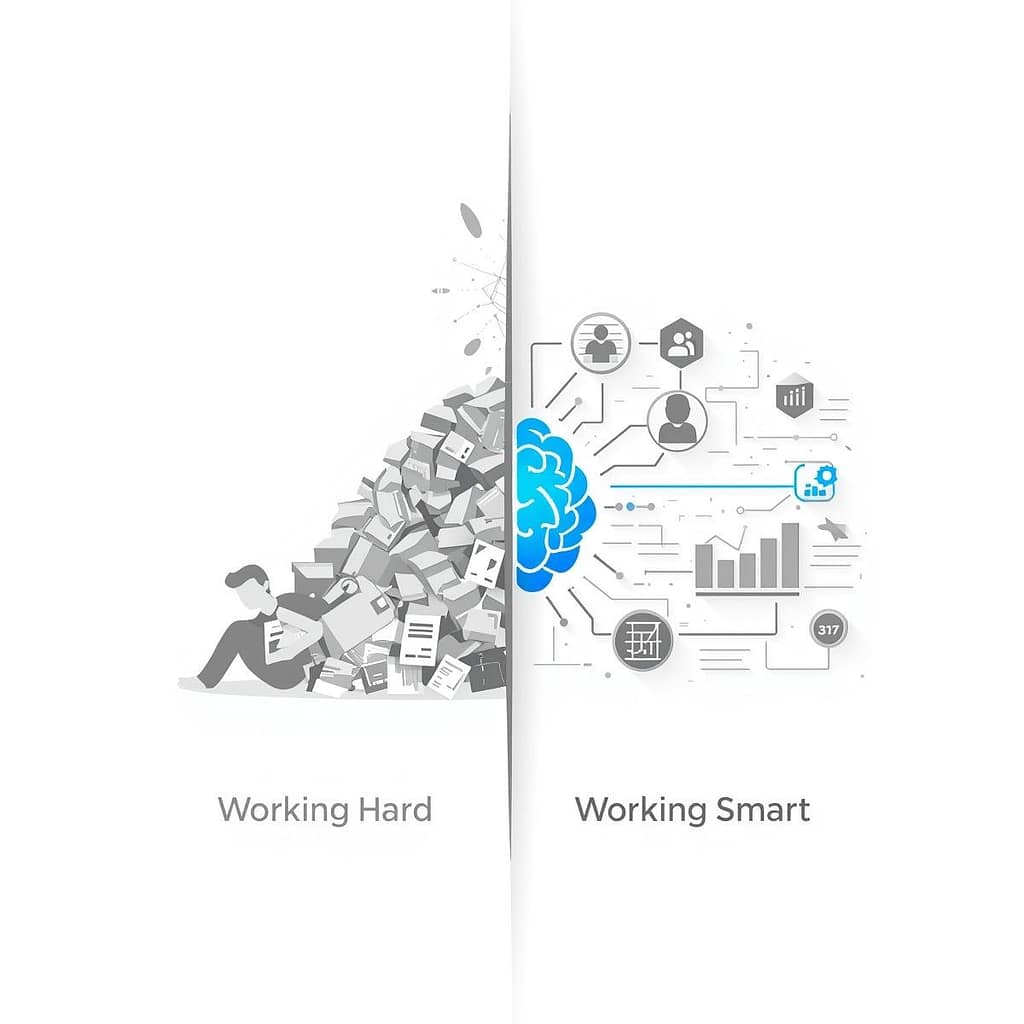
Operational efficiency and internal docs hacks with AI productivity prompts
Ops work expands to fill the week. Emails multiply, meetings sprawl, and “quick questions” turn into slow leaks.
The best ops prompts do three things: they name owners, they set deadlines, and they produce a format you can paste into tools like Notion or Google Docs. They also acknowledge a 2026 reality: you can automate a lot without writing code, as long as you map the process cleanly first.
For examples of prompt starter packs built for regulated work, see Thomson Reuters’ AI prompt starter pack. The most useful part is the structure: clear scope, clear outputs, and a “client-ready” bar.
Ops automation prompts that map tasks, tools, and time saved
Use this when your team keeps saying “we should automate that” but nothing happens.
Copy-ready prompt: Weekly process audit and automation plan
Act as my operations analyst. Audit our weekly processes for
[team/department].Inputs:
- Tools we use:
[Google Workspace, Notion, Slack, HubSpot, Airtable, Zapier, Motion, etc.]- Work types:
[sales ops, support, onboarding, billing, reporting]- Constraints:
[security/compliance rules, approvals, budget]Output:
- List the top 10 repeat tasks (with frequency and who does them)
- An impact vs effort table (impact, effort, risk, time saved per week)
- Recommend what to automate first (top 3) and explain why
- A simple build plan using our tools (step-by-step, no code)
- Risk checks: data access, permissions, audit trail, approvals
- A 2-week rollout plan with owners, deadlines, and a rollback plan if it breaks
One-line tip: Use it after you’ve tracked work for a week, even messy notes help.
Documentation prompts for meetings, SOPs, and a searchable knowledge base
Docs are boring until you need them. Then they’re gold.
Prompt 1: Meeting transcript summary that people will read
Summarize this meeting transcript for a busy team.
Output format:
- Decisions made (bullets)
- Action items (owner, deadline, next step)
- Open questions (who will answer, by when)
- Risks or dependencies
Keep terms consistent, use short paragraphs, and end with a “new hire version” summary in 5 bullets.
One-line tip: Use it right after meetings, speed beats perfection.
Prompt 2: SOP creation from messy notes
Turn these notes into a clear SOP for
[process].Requirements:
- Step-by-step instructions with numbered steps
- Screenshot placeholders like
[Screenshot: …]- Edge cases and what to do
- QA checklist (what to verify before marking done)
- Owner and review cycle (monthly/quarterly)
Use simple words, no long paragraphs, consistent terms.
One-line tip: Use it when only one person “knows how it works.”
Prompt 3: Clean, tagged knowledge base page
Convert these messy notes into a knowledge base page for
[team].Include: title, summary, tags, related pages (placeholders), and a quick “if you only read one thing” section. Keep it scannable and consistent with our terms.
One-line tip: Use it before onboarding a new hire, it reduces repeat questions.

Here are your bonus productivity prompts to copy and paste as needed!
Productivity Prompts:
1. Draft a comprehensive daily agenda for a project manager, prioritizing tasks based on urgency and impact, and allocating time blocks for meetings, deep work, and team check-ins.
2. Generate a detailed outline for a business proposal aimed at securing funding for a new software product, including sections for executive summary, market analysis, financial projections, and team structure.
3. Analyze the key takeaways from the provided transcript of a 30-minute team meeting, identifying action items, responsible parties, and deadlines for each.
4. Compose a professional email to a prospective client introducing our services, highlighting three key benefits relevant to their industry, and suggesting a follow-up call.
5. Brainstorm five innovative strategies for improving customer retention in a SaaS business, detailing the implementation steps and expected outcomes for each.
6. Summarize a lengthy industry report (provided separately) into a concise executive brief, focusing on emerging trends, competitive landscape, and strategic recommendations.
7. Create a project plan timeline for launching a new marketing campaign, breaking down tasks into phases, assigning estimated durations, and identifying potential dependencies.
8. Develop a script for a 5-minute internal presentation explaining the benefits of adopting a new CRM system, targeting employees with varying technical proficiencies.
9. Refine the tone and clarity of the attached draft press release to ensure it is professional, engaging, and effectively conveys our company’s recent achievement to a broad audience.
10. Generate a list of 10 potential interview questions for a Senior Software Engineer role, focusing on technical skills, problem-solving abilities, and team collaboration experience.
11. Outline a learning path for an employee looking to master data analytics, suggesting online courses, practical projects, and relevant certifications.
12. Identify and categorize the common objections a sales team might encounter when selling a premium subscription service, and suggest effective rebuttals for each.
13. Craft a compelling social media post (LinkedIn format) announcing a new product feature, emphasizing its value proposition and including a clear call to action.
14. Provide a structured framework for conducting a SWOT analysis for a small e-commerce business, including specific questions to consider for each category.
15. Develop a set of standardized responses for frequently asked customer support questions regarding product setup and troubleshooting.
16. Analyze the attached competitor analysis report and identify three distinct competitive advantages our company can leverage in its next marketing campaign.
17. Generate a checklist for onboarding new remote employees, covering essential tasks from IT setup to team introductions and initial project assignments.
18. Explain the core concepts of ‘Agile methodology’ in project management to someone with no prior knowledge, using simple language and relatable examples.
19. Formulate three different subject line options for an email announcing a company-wide policy change, ensuring they are clear, professional, and encourage opening.
20. Propose a structured approach for conducting a quarterly business review (QBR), outlining key metrics to discuss, stakeholders to involve, and agenda items.
Conclusion: a prompt checklist you’ll reuse all year
Good prompts feel like handing someone a clear brief, not tossing them a vague task. Before you hit enter, run this quick checklist: role, goal, context, constraints, format, examples, and a clear quality bar.
Start with one prompt per category, then improve it after each use. Save your best versions as shared templates so the whole team writes, plans, and documents the same way.
Pick one prompt today, paste it into your LLM, and customize the brackets. You’ll feel the time come back fast.
FAQ:
What is the difference between generic and expert-level AI prompts?
Generic prompts offer broad, often unusable advice, while expert-level instruction sets provide specific context, roles, and constraints to generate actionable business assets.
How do AI prompts improve business productivity in 2026?
By acting as shortcuts to complex tasks like strategic planning and marketing analysis, precision prompts allow leaders to focus on high-level decision-making rather than manual execution.