
Why AI Prompts Transform Your Graphic Design Workflow
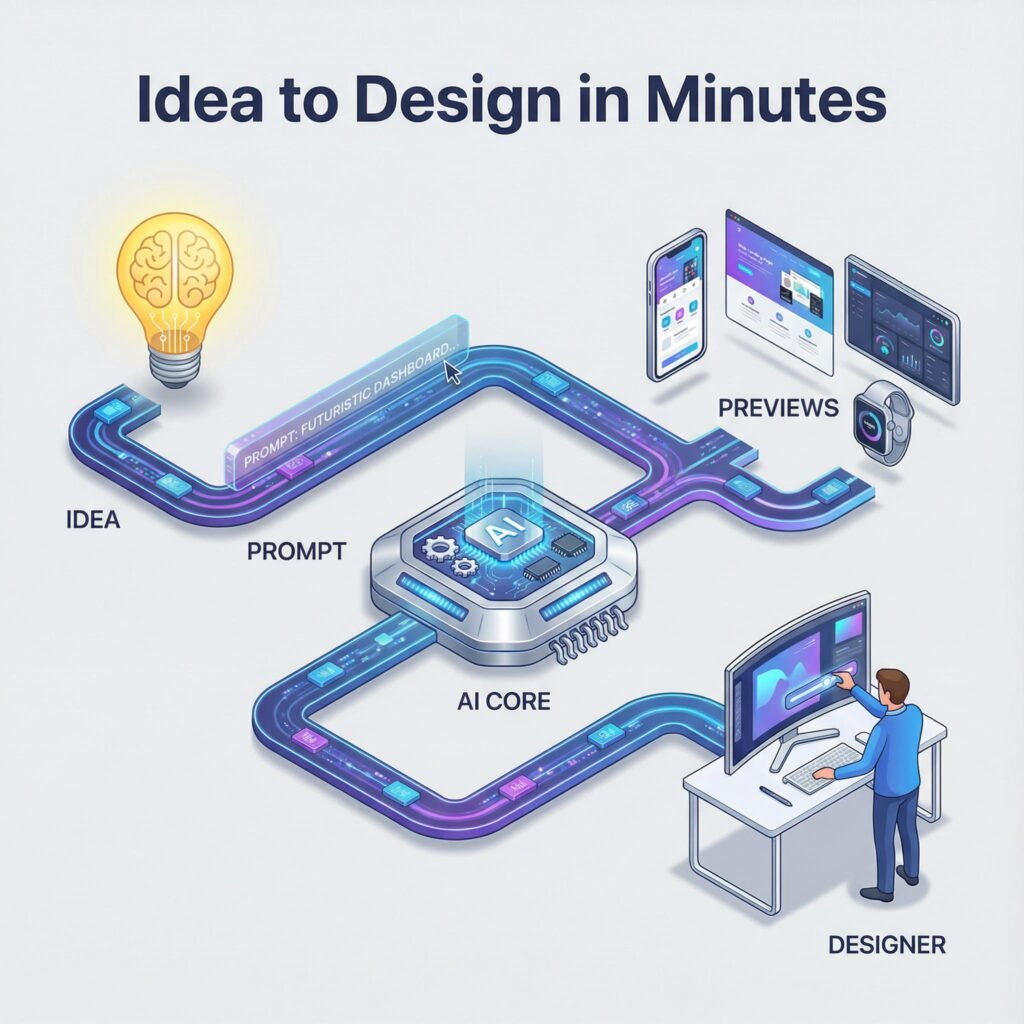
AI prompts turn your ideas into clear design directions. They cut grunt work, suggest color palettes and layouts, and speed up iteration. In 2025, adoption is mainstream. Designers use prompts to move from concept to draft in minutes, not hours. Reports show AI use in design up by 55 percent year over year, and tools like Firefly have generated billions of images. This shift lets you focus on style, story, and polish, not repetitive steps. For more context on tools and benefits, see this overview of AI for graphic design and this guide on AI tools reshaping design in 2025.
Save Time and Boost Creativity with Smart Prompts
Well-structured prompts replace lengthy back-and-forths with fast, usable drafts. You can lock a color palette, set a layout grid, and test type pairings in one pass.
Example, turning a vague idea into a full visual:
- Vague: “We need a summer sale poster.”
- Smart prompt: “Create a bold A3 poster for a fashion summer sale, 40 percent off, warm coral and teal palette, high-contrast headline, sans-serif H1 and humanist sans for body, asymmetrical layout with hero photo on right, clean white space, export for print and Instagram.”
In minutes you get several options with tuned colors, hierarchy, and spacing. Then you add your brand voice, swap imagery, and finesse micro-typography. The prompt does the heavy lifting, you handle the unique touches. This also helps non-designers produce professional results without guesswork.
Overcome Common Design Blocks Using AI Guidance
Blank-page syndrome fades when you start with structured prompts. Ask for three layout variants, two color schemes, and one type system. You now have scaffolding, not a void.
Practical tip for authentic work:
- Generate options with clear constraints, like tone, audience, and medium.
- Pick one, then apply personal edits, such as custom iconography, branded patterns, and refined kerning.
- Run one more prompt for targeted tweaks, like “increase contrast in CTA” or “reduce visual noise.”
AI handles complex elements like grids, spacing, and palette harmony, while you steer direction. The result is faster cycles, stronger ideas, and consistent outputs that still feel human.
Top AI Tools and Ready-to-Use Prompts for Stunning Graphics
Use these 2025-ready tools to move from prompt to polished design fast. Each one supports clear, simple prompts, then gives you on-brand results you can tweak in minutes.
Canva Magic Studio: Quick Templates and Edits
Canva’s AI suite pairs smart templates with fast text and image edits. Try it when you need social posts, posters, or quick turnarounds.
- Magic Design: Auto-generates layouts, type pairs, and color themes based on your brief. See how it works with Magic Design.
- Magic Write: Draft headlines, captions, and post copy in seconds. Learn more on Magic Write.
- Magic Edit: Select, describe, and transform objects inside your image.
Sample prompt: “Create a social media post template for a summer sale using bright colors and fun fonts.”
Result: bold, seasonal templates with playful type. Customize by swapping brand colors, locking your logo, and saving as a branded template.
Designs.ai: From Logos to Full Graphics
This suite covers logos, brand kits, and even simple videos, which is ideal for small teams.
- Logo Maker: Generates marks and wordmarks with color and font options.
- GraphicMaker and Videomaker: Build ads, social sets, or short promos using stock assets.
Prompt: “Design a logo for a new eco-friendly brand with a green theme.”
Result: multiple green-forward logo options. Tweak shapes, choose a modern sans, and export a full kit for web and print. Great for startups that need speed and range.
Adobe Firefly: Text-to-Image Magic
Firefly creates high-quality images and stylized type from concise prompts.
- Generative images: Photoreal or stylized results with strong lighting and texture controls.
- Text effects: Apply styles to lettering for posters and hero graphics.
Prompt: “Generate an image of a cozy living room with a warm color palette.”
Refinement tips: add lens type, lighting, and materials. For example, “soft window light, oak wood, linen textures, 35mm look.” Use negative cues to avoid clutter.
Freepik AI Suite and PNG Maker: Streamline Image Tasks
Pair Freepik’s AI tools with PNG Maker to speed up production for ads and product pages.
- Generate and upscale: Create concepts, then boost resolution for print or large banners.
- Background removal: Clean product shots for stores or marketplaces.
Prompt: “Remove the background from a photo of a product to use on a website.”
Workflow: remove the background, upscale for crisp edges, then drop into a brand template. Result, consistent, studio-like assets ready for email, PDPs, and ads.
Craft Effective Prompts to Get the Designs You Want
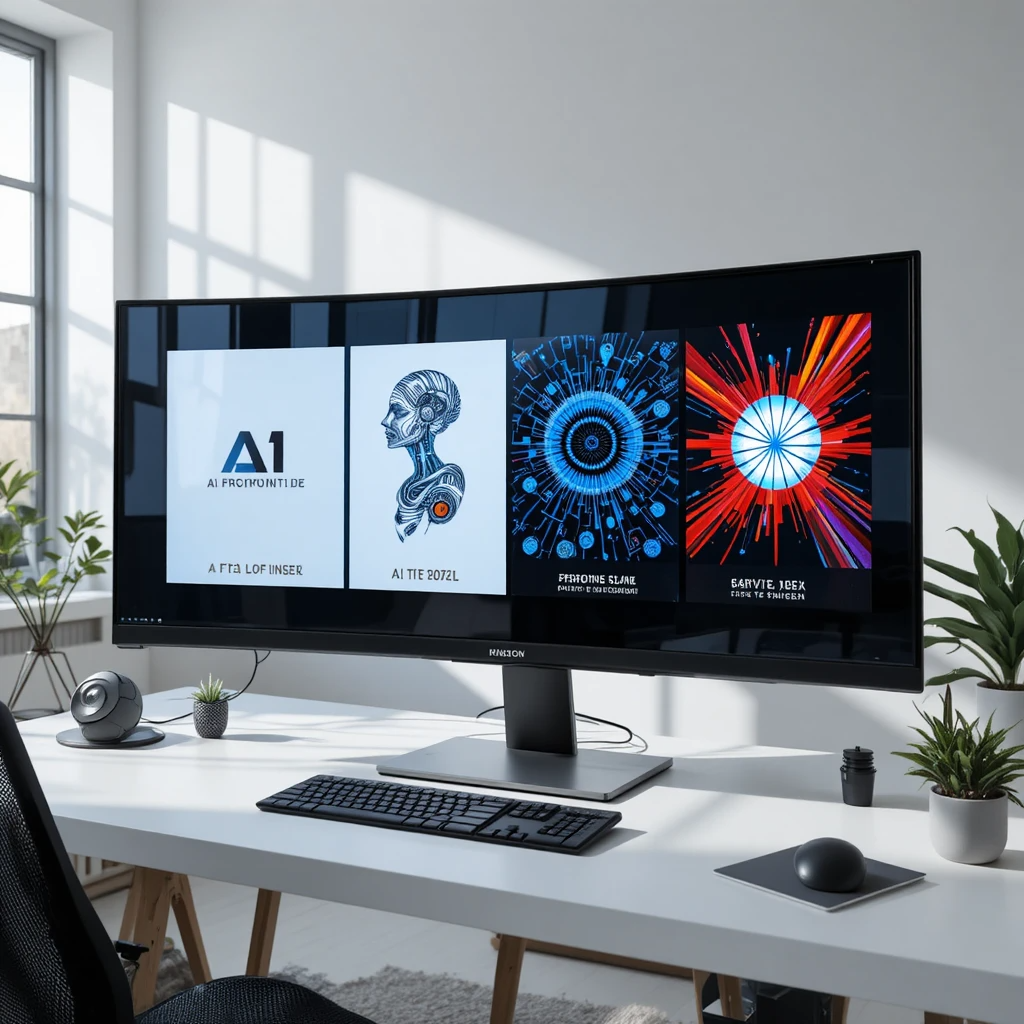
Strong prompts turn ideas into on-brand visuals fast. Start simple, then add detail with purpose. Use references, call out color and type, and define the mood so the AI makes choices you actually want. For more prompt fundamentals, skim this short guide on writing AI prompts with clear structure.
Key Elements of a Strong AI Prompt
Great prompts share four parts:
- Subject: What you want designed and for whom.
- Style: Visual direction, references, or art movements.
- Details: Colors, typography, layout notes, size, export needs.
- Mood: Tone or feeling that drives choices.
Before and after examples show how clarity lifts results:
- Weak: “Make a poster for a tech event.”
- Strong: “A3 tech conference poster for startup founders, bold Swiss style, cobalt and white, large geometric headline, grid layout, semibold grotesk font, clean icons, high contrast, export for print and Instagram.”
- Weak: “Create a product banner.”
- Strong: “Homepage hero banner, 1600×600, minimalist, beige and charcoal, product centered, soft shadow, CTA button ‘Shop Now’ in emerald, ample white space, light sans-serif, mobile-safe margins.”
Do this:
- Name exact colors and type categories.
- Set constraints like size, aspect ratio, file format.
- Reference styles or designers if helpful.
Avoid this:
- Vague cues like “modern,” “sleek,” “cool.”
- Cluttered lists of 20 adjectives.
- Missing audience, platform, or output size.
Prompt templates you can copy:
- Poster: “A2 poster for [event], [style reference], [2 colors], [headline], [font category], [layout note], mood [adjective], export [format].”
- Social ad: “Square ad for [audience] on Instagram, [brand colors], clear product focus, short headline, [font], strong CTA, safe margins, export PNG.”
- Web banner: “Hero banner 1600×600 for [site], minimalist, [palette], central product, soft lighting, [CTA text], [font], 2 variants.”
- Product card: “Ecommerce product card, white background, subtle shadow, price tag visible, [badge text], crisp edges, export WebP and PNG.”
For more style ideas and pitfalls to avoid, this list of logo prompt examples for 2025 is handy.
Common Mistakes and How to Fix Them
- Too much detail overwhelms the model. Fix it by stripping to must-haves, then add one constraint per test.
- Lack of clarity causes random results. Name the audience, platform, size, and palette.
- Conflicting styles confuse output. Pick one style reference at a time.
- Ignoring output specs wastes time. Include format and resolution upfront.
Test and tweak:
- Start with a lean prompt.
- Review, then adjust one variable, like palette or type.
- Run 2 to 3 variations, compare, and keep the winner.
- Lock what works, then refine micro details like spacing or contrast.
Final tip: iterate in small steps. Each pass should answer one question, not five.
Conclusion
AI prompts turn vague ideas into clear, on-brand visuals with speed. You set the intent and constraints, the tools handle drafts, grids, color, and type. The workflow you saw, from Canva Magic Studio to Firefly and Designs.ai, proves that anyone can move from concept to a strong first pass in minutes.
Start today. Pick one tool, write a simple prompt, and ship a small asset, like a social post or header. Keep what works, adjust one variable, then run a second pass. Your eye for story and polish completes the result.
Share your first AI design in the comments, or test one of the prompt templates above and post what you made. Keep exploring small tweaks, like color, spacing, or tone, and lock your best settings. AI speeds the steps, your taste sets the standard. Together, they make stunning design feel repeatable and within reach. Thanks for reading, and see you in the next build.
FAQ Section
What are AI prompts in graphic design and how do they work?
AI prompts are textual instructions given to artificial intelligence tools (like Midjourney or Firefly) to generate specific visual content, design elements, or creative directions. They work by guiding the AI’s algorithm to produce desired graphic designs based on the input text, transforming ideas into visual outputs rapidly.
How do AI prompts significantly speed up the graphic design process?
AI prompts streamline design by automating initial concept generation, suggesting layouts, color palettes, and variations, and generating multiple drafts in minutes. This allows designers to bypass repetitive tasks and move from a raw idea to a refined concept much faster than traditional methods.
What kind of graphic designs can be created using AI prompts?
AI prompts can create a wide array of graphic designs, including logos, illustrations, marketing materials, social media visuals, website mockups, product renders, abstract art, and even detailed scene compositions, depending on the AI tool’s capabilities and the specificity of the prompt.
Will AI technology eventually replace human graphic designers?
AI is generally viewed as an augmenting tool rather than a replacement for human graphic designers. It automates repetitive tasks and assists with ideation, allowing designers to focus on higher-level strategic thinking, artistic direction, client communication, and the critical human element of empathy and storytelling in design.
What are some best practices for writing effective AI prompts for graphic design?
Effective AI prompts are clear, concise, and specific. Best practices include using descriptive adjectives, specifying styles (e.g., ‘minimalist’, ‘photorealistic’), defining colors or moods, and mentioning desired elements or compositions. Iteration and experimentation are key to refining prompts for optimal results.
Leave a Reply