
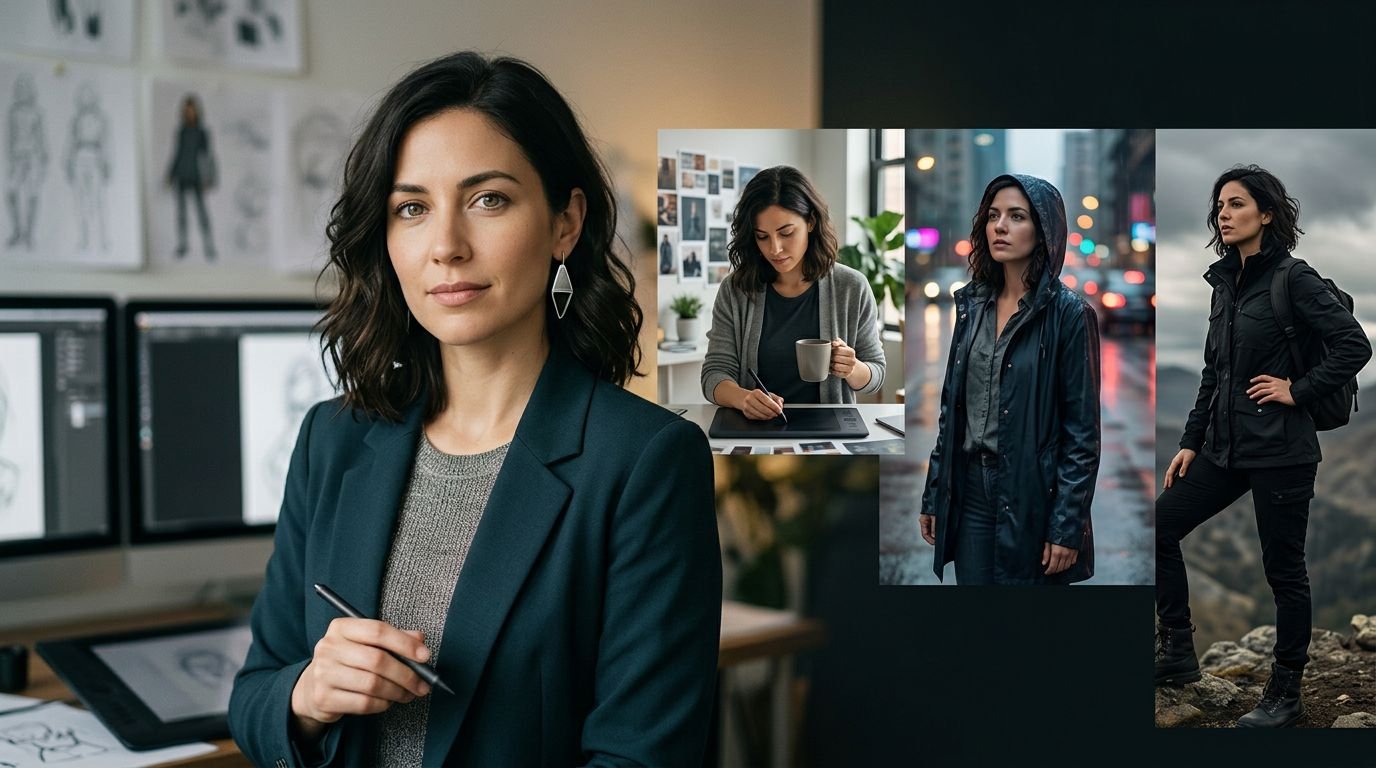
An AI image series loses credibility when its hero changes eye color, jawline, or wardrobe between scenes. Character consistency prompts give you a repeatable way to hold identity steady while the story, pose, and setting move forward.
You don’t need every frame to look identical. Diffusion models can reinterpret identity details between scenes, so aim for recognizable visual consistency. You need viewers to recognize a consistent character at a glance, whether they appear in a studio portrait, a rainy street, or a fast-moving video clip.
Start by separating what must stay fixed from what each new scene can change. The same identity-anchor method can support Kling AI video clips.
Key Takeaways
- Build a master character description that separates fixed identity anchors—such as facial structure, hair, eye color, body build, and signature accessories—from scene variables like pose, setting, lighting, and camera angle.
- Keep the identity clause, prompt order, model version, aspect ratio, style settings, and seed consistent whenever possible. Change one major scene factor at a time so you can identify and correct the source of visual drift.
- Use character reference images for stronger identity control, and combine tools such as Midjourney Character Reference, IP-Adapter, or ControlNet when text alone is not enough.
- Repeat the full identity anchor in every image or video prompt, keep video clips focused on one movement, and compare frames at the edit stage to catch continuity problems.
- Fix facial, clothing, and color drift by preserving successful prompts and settings, then adjusting one control or phrase at a time instead of rewriting the entire prompt.
Why AI characters drift between generations
Diffusion models don’t store your character as a permanent person unless a platform provides a reference feature or identity tool that stabilizes character identity. Each generation starts with noise, so identical wording produces related possibilities rather than guaranteed duplicates. This probabilistic process creates visual drift when facial structure, clothing, or proportions change between images.
Your prompt becomes token embeddings. During generation, cross-attention connects those tokens to visual traits in latent space, such as “copper bob,” “green eyes,” or “mustard jacket.” However, the model may connect a trait to a different facial structure or lighting condition in the next image.
Lock the conditions before changing the scene
Lock the prompt structure before changing the scene. Use the same model version, aspect ratio, sampler, style preset, and seed whenever your tool supports those controls. A locked seed gives you a more stable starting point, although it won’t make a prompt portable across different models.
Keep the identity description in the same order every time. “Short copper bob” and “auburn cropped hair” may sound alike to you, but the model treats them as different instructions.
Give identity traits more room than scene details
Place face, hair, body proportions, signature clothing, and accessories near the start of the prompt. Put setting, action, camera, and lighting after them.
Avoid loading the identity clause with competing style language. If a character has a natural freckled face, asking for hyper-glamorous beauty lighting in one scene and a vintage fashion editorial in the next can push the model toward a new person.
Build a master character description before prompting
A master character description is your source of truth. Treat it as the textual character reference stored beside a saved reference image set, seeds, model settings, and successful prompts.
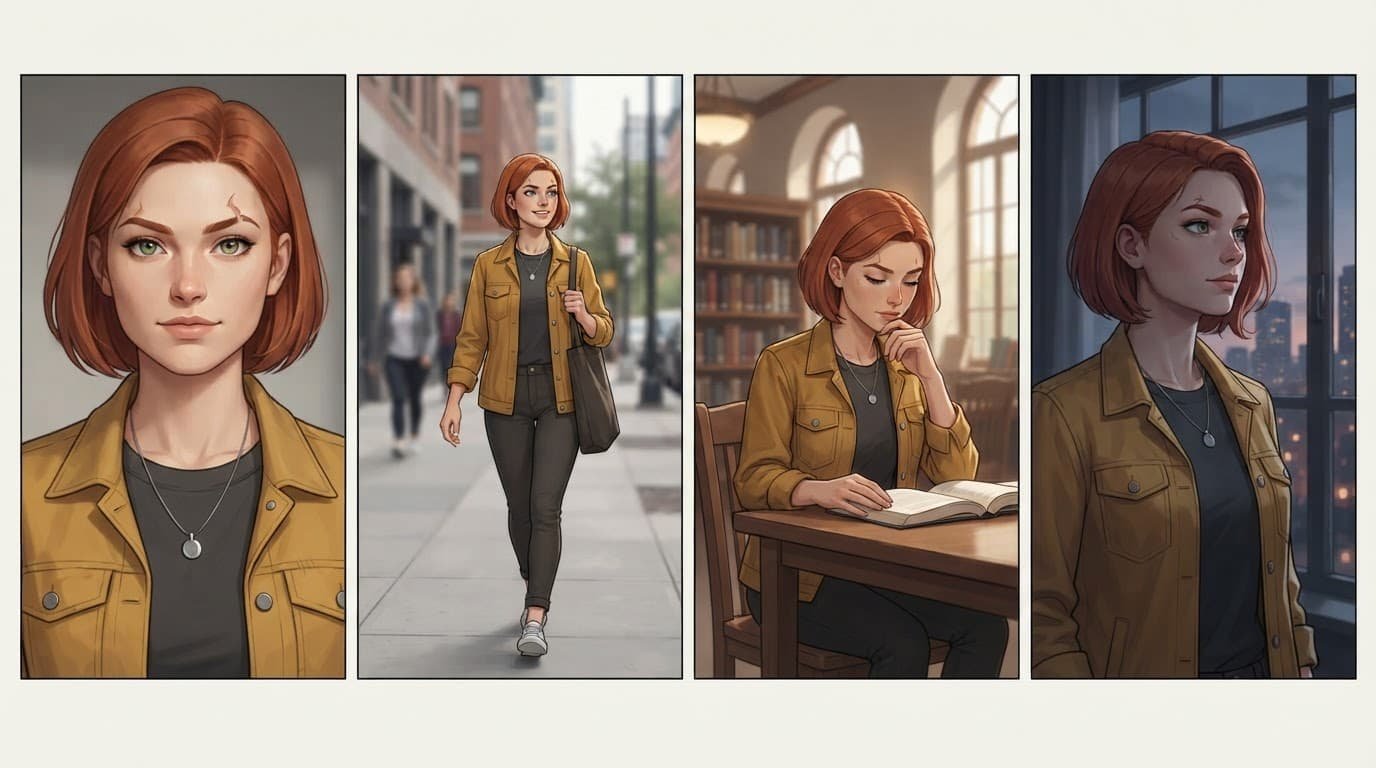
Record traits that viewers use to recognize the character. Include face shape, skin tone, eye color, eyebrow shape, hairstyle, body build, age range, signature garment, jewelry, scars, and other fine details that remain visible in close-ups and full-body shots.
Separate fixed details from variable scene details
Use a simple split when writing prompts, since diffusion models benefit from a stable, consistently ordered identity record:
| Keep fixed | Change per image |
|---|---|
| Facial structure, eye color, hairstyle, build | Pose, expression, action |
| Signature jacket, pendant, boots, color palette | Outfit layers, weather, location |
| Illustration style or photo treatment | Lens, framing, time of day, lighting |
This division improves repeatability and prevents a common mistake: rewriting the whole prompt for every shot. You can swap a trench coat for a winter scene, yet retain the same hair, pendant, face, and proportions.
Start with a character-sheet prompt
Use this copy-and-adapt character sheet prompt:
“[Character name], [age range], [face shape], [skin tone], [eye color], [exact hairstyle], [body build], wearing [signature clothing] and [signature accessory], neutral expression, front-facing portrait, clean background, consistent editorial illustration style.”
Generate a front view, three-quarter view, profile, and full-body image. Save the strongest set. Those four images expose weak details before you invest in a long image series.
Character consistency prompts that separate identity and scene
Keep your core prompt unchanged across every scene. This prompt engineering pattern uses a fixed prompt structure: one paragraph, followed by a short scene module.
For example, a recurring character might begin every prompt with: “Mara Venn, 29-year-old woman, oval face, olive skin with freckles, green almond-shaped eyes, short copper bob with blunt bangs, slim athletic build, mustard field jacket, charcoal crew-neck shirt, silver crescent pendant.”
After that, add the scene without revising Mara’s description. Prompt chaining carries the same block into successive scene modules.
- For a recurring environment: “Mara Venn [fixed description], reading a folded map in a quiet railway station, medium shot, morning window light.”
- For a new pose and outfit: “Mara Venn [fixed description], kneeling beside a motorcycle, dark raincoat over her mustard jacket, low-angle full-body shot, wet pavement at night.”
- For a close dramatic frame: “Mara Venn [fixed description], looking over her shoulder, close-up portrait, 85mm lens, soft side light, blurred library shelves.”
Use negative prompts with restraint
In Stable Diffusion, add negative terms only for repeated failures. If the model keeps adding hats, use “hat” in the negative prompt. If it changes eye color, reinforce the intended color in the positive prompt before adding a long exclusion list.
Too many exclusions can weaken the image. Track the exact terms used with the successful image, rather than copying a giant generic string into every project.
What BREAK does in AUTOMATIC1111
In many workflows, uppercase BREAK moves the text that follows into a new conditioning chunk. This helps because diffusion models may bury important color or clothing language when a long prompt isn’t segmented.
Put your fixed identity clause first, then use
BREAKbefore the location, action, and lighting details.
For example: “Mara Venn, green eyes, short copper bob, mustard jacket, silver crescent pendant BREAK rainy train platform, walking pose, wide shot, blue-hour light.” Test this at a fixed seed because model checkpoints and interfaces can handle long prompts differently.
Use reference images for stronger character identity
Text-only character descriptions work well for short series. A character reference gives diffusion models a stronger identity signal than text alone, especially when you need many camera angles.
Choose one clean reference image first. It should show the face clearly, avoid heavy filters, and match the visual medium you plan to use. A portrait from a photorealistic model may not transfer cleanly into a flat illustration workflow.
Midjourney character reference and character weight
Midjourney’s Character Reference documentation describes --cref as a way to carry a character into new images. Its --cw setting controls how strongly the reference influences the result.
Use a higher character weight when hair, clothing, and accessories must stay close to the source. Use a lower character weight when you want a different outfit while keeping the face recognizable. Add your ordinary scene prompt after the reference instruction rather than replacing it.
The Midjourney web-interface reference options explain how the midjourney web interface separates Character Reference, Style Reference, and Image Prompt. Choose the character option when character identity matters. A style reference may preserve the art style while allowing the person to change.
ip adapter and ControlNet variants for structural guidance
The ip adapter uses an image to condition appearance in latent space. It helps carry facial identity, clothing cues, or a distinctive illustration style across images.
ControlNet variants guide structure rather than identity. OpenPose controls body position, Depth preserves spatial layout, and Lineart follows a drawing’s contours. Pair an identity reference with ControlNet when you need the same person in a new action, such as running, sitting, or turning toward the camera.
The same approach also applies to Kling AI video workflows. Carry the identity reference into motion while changing the scene.
Change scenes without making every image repetitive
A consistent character can change pose, location, and mood without losing recognition. Build variation around a stable identity anchor.
First, change one major scene factor at a time. Diffusion models handle incremental changes more predictably than several simultaneous changes. Test a new pose while keeping the environment familiar. Then test a new location with the original outfit. This makes it easier to identify what caused drift. Prompt chaining lets each scene build on the last while retaining the identity block.
Vary camera and lighting with clear language
Use camera direction that fits the scene: full-body, waist-up, close portrait, overhead view, low angle, or profile. Include one lens cue only when it matters, such as “35mm environmental portrait” or “85mm close-up.”
Lighting can change the mood without changing the character. “Soft north-window light,” “neon reflections,” and “late-afternoon sun” are scene variables. Keep eye color and hair descriptions intact, because strong color casts often cause the model to reinterpret them.
When clothing must evolve, describe the relationship. Write “wearing a navy raincoat over the mustard field jacket” instead of replacing the signature jacket without context.
Carry a static character into AI video
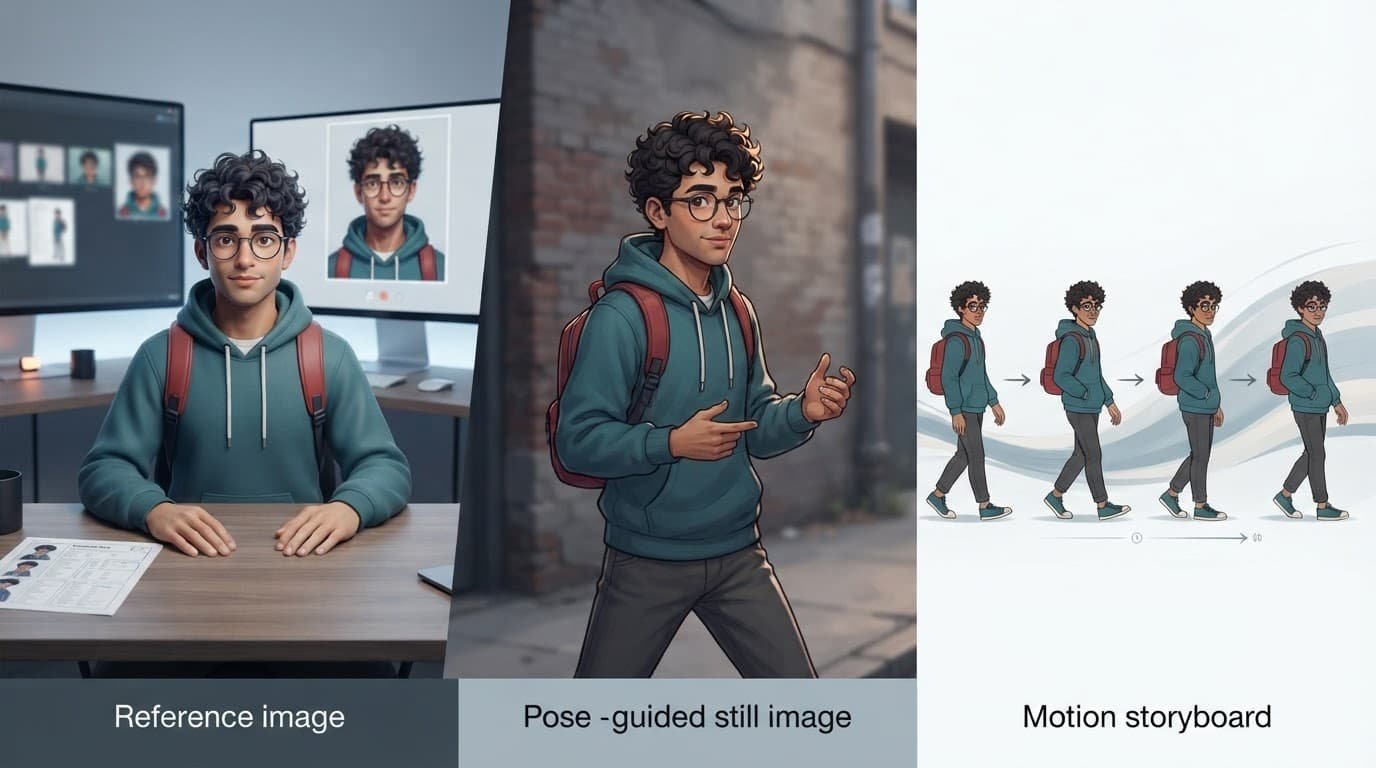
Carrying a consistent character into motion starts with a strong still in a Kling AI text to video workflow. Video generation adds movement, motion blur, frame transitions, and changing camera distance. Diffusion models can reinterpret identity during a turn, occlusion, fast walk, or changing camera distance.
Start with a clean still that already matches your target shot and use it as your first character reference. Where supported, the still can also serve as the character reference or opening frame. Kling AI’s Character ID guidance explains how its character-reference tools anchor facial features and proportions across generated clips.
Keep video prompts focused on one movement
Ask for one action per clip: walking forward, turning to camera, lifting a cup, or looking out a window. Long action chains give the model more chances to alter hands, clothes, or facial features.
Repeat the full identity anchor in every clip prompt, even when you provide an image. Use prompt chaining to link short clips in editing software. Short clips are easier to diagnose than one long generation.
Check continuity at the edit stage
After video generation, compare the final frame of one clip with the opening frame of the next. If the jacket changes, regenerate the next Kling AI clip with a reference image from the prior clip’s final frame.
For group scenes, establish each person in a separate reference image first. Give every character a distinct physical anchor and wardrobe color. Avoid prompts where two people share vague descriptions such as “young woman with dark hair.”
Fix facial, clothing, and color drift
When a character changes, you’re seeing visual drift. Don’t rewrite everything. Preserve the successful prompt and settings, isolate one cause, and adjust one control at a time.
Diffusion models may trade identity for dramatic lighting, a new pose, or color instructions that arrive late. Test one correction before changing the rest.
| Problem | Likely cause | First correction |
|---|---|---|
| Eye color changes | Color appears late or under dramatic lighting | Move eye color near the start and repeat it once |
| Hair style changes | Synonyms or competing outfit language | Use one exact hairstyle phrase in every prompt |
| Outfit disappears | Reference weight is too low or the scene dominates | Raise reference influence and describe garment layers |
Some controlnet variants can preserve pose or structure while still needing a separate identity reference. Test the relevant control before rewriting the whole prompt.
Handle aging and major story changes deliberately
Aging transitions need their own character reference set. Create younger, current, and older versions of the same person. Keep shared anchors, such as eye shape, nose profile, a scar, signature jewelry, and other fine details.
Don’t ask for “the same character, 30 years older” without visual guidance. Give the model a reference image for each age stage. Update only the traits that should change, such as gray hair, facial lines, or clothing period.
Use prompt libraries without losing your character file
A free prompt download can offer ideas, but it can’t replace your master character description. Before downloading AI prompts, check whether each file documents the model version, settings, reference method, and intended visual style.
A prompt library download or prompt repository is useful when it contains editable examples and supports prompt engineering, rather than anonymous strings. Instant prompt access has little value if you can’t see which variables control pose, lighting, and recurring character details.
When you get prompt packages, treat each AI art prompt package as raw material. Prompts saved from the midjourney web interface may rely on parameters that fail elsewhere. A Stable Diffusion prompt pack may assume a checkpoint, LoRA, or family of diffusion models you don’t have.
A ChatGPT prompt collection, text generation prompts, and creative writing prompts can help you develop a character’s biography and scene ideas. However, test specific AI model prompts inside the image generator that will produce your final work.
Frequently Asked Questions
What are character consistency prompts?
Character consistency prompts are repeatable prompt structures that keep a character’s identity stable across multiple images or video clips. They preserve key traits while allowing the pose, setting, lighting, and action to change.
Which character details should stay fixed?
Keep the facial structure, eye color, hairstyle, body proportions, signature clothing, accessories, and other recognizable features consistent. Scene details such as pose, expression, location, weather, camera angle, and lighting can change between generations.
Do character reference images improve consistency?
Yes. A clean reference image gives the model a stronger identity signal than text alone, especially across different camera angles, poses, and scenes. Use a reference that clearly shows the face and matches the visual medium of the final series.
How can I fix facial or clothing drift?
Preserve the successful prompt and generation settings, then adjust one variable at a time. Move important traits near the beginning of the prompt, use one exact description for recurring features, and increase reference influence when the tool supports it.
How do I maintain character consistency in AI video?
Start with a clean still that matches the target shot and repeat the full identity anchor in each clip prompt. Keep each clip focused on one movement, then compare the final frame of one clip with the opening frame of the next to catch continuity changes.
Build recognition, then build the story
Strong character consistency comes from disciplined repetition, not one magic line, especially when working with diffusion models. Keep the identity anchor stable, store successful references and settings, then vary pose, environment, camera, and light with intent.
Your series can change mood and location while preserving the face, silhouette, and details that make the character familiar. Visual consistency is the standard that lets Recognition remain intact across every frame.
Leave a Reply