

The right prompt can make or break your AI results. A single unclear line can waste time, budget, and ideas. A clear prompt, tuned to your goal, can unlock sharp answers, strong images, and clean code on the first try.
That is why I use AI prompt generators. These are simple tools that help you write clear, effective prompts for models like ChatGPT, Claude, Midjourney, and Stable Diffusion. They guide tone, context, and structure, then suggest improvements so you get instant, consistent output. You save time, avoid trial and error, and hit publish faster.
This review focuses on tools that work today, at scale. PromptPerfect stands out for fast, multi‑model optimization and batch prompts. Originality.ai offers a quick prompt builder that sparks ideas and clears writer’s block. Both align with October 2025 trends: cross‑platform support, strong defaults, and smart guardrails that reduce rewrites.
I wrote this to help busy teams, solo creators, and product folks who want reliable results without fiddling with prompt syntax. I will show where each tool shines, where it falls short, and how to get a strong first draft in seconds. I will also point to safe starter picks, including a resource on top beginner-friendly AI prompt generators, so you can move quickly with confidence.
You will see how AI prompt generators shape context, add role hints, and lock in style. You will get quick templates for product copy, blog outlines, UX flows, and image prompts. You will learn when to use short prompts, when to use structured formats, and how to test fast.
If you want my free PDF, email me and I will send “110 ChatGPT productivity pack for content.” I will send it asap, no obligation.
Key Benefits of Using AI Prompt Generators
AI prompt generators help me move from vague ideas to clear instructions that models can follow. The payoff shows up in faster drafts, tighter structure, and consistent tone across tasks. Below, I break down the benefits I see every day when I use these tools for content, product, and design work.
Faster Output With Fewer Rewrites
Speed matters when I need a strong first draft. AI prompt generators structure intent, audience, tone, and constraints upfront, so I avoid guesswork.
- Time saved: I cut ideation and setup by minutes per prompt, hours per project.
- Tighter loops: I get usable output in 1 to 2 iterations instead of 5.
Example:
- Input: “Write a product update email.”
- Optimized prompt: “You are an email copywriter for a B2B SaaS. Write a 150-word product update email for existing customers. Tone is confident and friendly. Include a headline, 3 bullet benefits, and a one-line CTA. Avoid hype. Mention the new analytics dashboard for SMB users.”
Consistent Voice and Brand Control
Consistency builds trust. Good generators lock in role, tone, length, and banned phrases, then reuse those patterns.
- Reusable templates: I save prompts for blog intros, case studies, and release notes.
- Guardrails: I set must-include details, compliance notes, and style rules.
If you want more structure for creative work, these top free AI art prompt tools show how prompt patterns shape visual style and quality.
Higher Quality Responses and Less Noise
Clear prompts reduce vague output. They also cut hallucinations by forcing sources, scope, and format.
- Evidence prompts: Ask for citations, quotes, or data ranges.
- Scope prompts: Define what to ignore and what to prioritize.
- Format prompts: Require tables, bullets, or sections.
For a brief overview of benefits like accuracy, relevance, and efficiency, see this summary of features and benefits for 2025.
Creativity on Demand
When I feel stuck, prompt generators spark angles I would not try on my own.
- Pattern prompts: “X but for Y,” “contrarian take,” “5 audience lenses.”
- Style prompts: “Explain like a PM,” “technical explainer,” “product teardown.”
For more ideas, this guide covers overcoming writer’s block and creative use cases in an AI Prompt Generator breakdown. I also keep a personal library. If you want it, email me for my free PDF “110 ChatGPT productivity pack for content.”
You can also explore broader tools and examples in this roundup of 10 AI prompt tools for boosting creativity.
Cross-Model Results Without Rework
AI prompt generators adapt structure for different models and media. I can take one prompt and tune it for ChatGPT, Claude, Midjourney, or Stable Diffusion.
- Structured fields: Audience, goal, constraints, format, tone.
- Model tags: Add negative prompts for images or function calls for code.
- Batch prompts: Scale one pattern across dozens of inputs.
This reduces context loss when switching tools and keeps results aligned.
Better Collaboration and Handoff
Clear prompts turn into a shared spec. Teams can review, edit, and reuse them.
- Traceability: Why the prompt works, what inputs it needs, what to avoid.
- Versioning: Keep a changelog and note which version delivered the best result.
- Training: New contributors get consistent outputs on day one.
Cost Control and Measurable ROI
Stronger prompts use fewer tokens and fewer model calls. That drops cost over time.
- Fewer retries: Precise instructions reduce long, drifting chats.
- Shorter outputs: Set word counts and only request useful sections.
- Repeatable wins: Templates cut project setup and QA time.
Quick audit checklist:
- Is the goal explicit and measurable?
- Does the prompt define audience and tone?
- Are must-include details listed?
- Is the output format specified?
- Are limits set for scope, sources, and length?
Where This Helps Most
I get the biggest gains in these workflows:
- Content: briefs, outlines, headlines, meta descriptions, summaries.
- Product: release notes, UX microcopy, onboarding flows, FAQs.
- Research: synthesis, pro and con tables, source questions.
- Images: style references, negative prompts, variant instructions.
AI prompt generators make these steps faster, clearer, and more repeatable. When I add simple guardrails and reuse proven patterns, my first draft is often my final draft.
Best AI Prompt Generators for Instant Prompt Creation in 2025
When I need results on the first try, I reach for AI prompt generators that turn rough ideas into tight, model-ready instructions. The tools below focus on speed, structure, and cross-model support. They help me ship clean drafts, image prompts, and technical instructions with less trial and error.
PromptPerfect: Fast Optimization for Multiple AI Tools
PromptPerfect excels when I need strong prompts in seconds. I can paste a short idea, choose a model, and get a refined prompt that locks in role, tone, and format. The output is clear and ready for ChatGPT, Claude, Midjourney, or Stable Diffusion. For official details and current features, see the product page for PromptPerfect – AI Prompt Generator and Optimizer.
What stands out:
- Rapid refinement: It expands vague inputs into complete, structured prompts with constraints.
- Batch processing: I feed a list of topics or keywords, then export a set of optimized prompts at once.
- Model-aware tuning: It adds model-specific tags, image negatives, or format rules based on target output.
Benefits for multi-model work:
- One pattern, many variants: I set a prompt template once, then generate versions for text, image, or code tools.
- Lower rework: Fewer rounds with each model since the prompt is tailored upfront.
- Team speed: Stakeholders can review the optimized prompt text before any model call.
Example workflow:
- Input a short brief, like “Write a 120-word product update for SMB customers.”
- Select the target model and tone.
- Generate a structured prompt with goals, key points, and a clear format.
- Batch apply the same structure to multiple features or audiences.
If you want a neutral roundup for comparison, this summary of the 10 Best AI Prompt Generators In 2025 offers feature notes across tools.
Originality.ai: Free Creative Boost for Writers
Originality.ai offers a simple prompt builder that works without sign-up. I use it when I am stuck and need fresh angles, hooks, or outlines fast. It focuses on unique prompts that reduce repetition, which is ideal for blogs, emails, and social posts. For a helpful overview, see the guide on AI Prompt Generator.
Why it helps:
- No account needed: I test ideas instantly and keep moving.
- Idea variety: It proposes multiple prompt angles to break writer’s block.
- Clean defaults: The outputs are easy to copy into ChatGPT, Claude, or Gemini.
Use cases I like:
- Blog intros with a clear voice and structure.
- Alternative headlines across tones, such as direct, witty, or analytical.
- Short social posts that keep brand voice consistent.
Compatibility:
- Works well with most text LLMs, and I have used its prompts across ChatGPT and Claude with strong results.
Taskade: Prompts Tailored for Productivity Tasks
Taskade connects prompt creation to project structure. I build prompts inside tasks, documents, or workflows, then reuse them where work actually happens. That keeps briefs, context, and outputs in one place. It suits teams that want prompts tied to checklists, due dates, and docs.
What I like in daily work:
- Project-specific prompts: Prompts live next to tasks, notes, and status updates, so context never gets lost.
- Reusable blocks: I save prompt templates for standups, meeting summaries, and sprint reviews.
- Linked outcomes: Outputs sit in the same workspace, which makes review and revisions fast.
Practical examples:
- Meeting summary prompt inside each calendar-linked task.
- Product requirements prompt template stored in the project wiki.
- QA checklist prompts that generate test cases from user stories.
Result:
- Less copy and paste across tools, fewer missed details, and faster handoffs.
HIX AI: Precision for Technical and Workflow Needs
HIX AI shines when I need exact, task-specific instructions, especially for code, data, or structured outputs. I use it to write API call prompts, test case formats, or step-by-step procedures that require strict rules. It reduces ambiguity and keeps model responses inside the lines.
Strengths I notice:
- Instruction clarity: It produces prompts with clear roles, inputs, and acceptance criteria.
- Format control: It standardizes output into JSON, tables, or numbered steps with minimal drift.
- Developer focus: Great for error messages, log analysis, and code comments that explain tradeoffs.
Sample patterns:
- “You are a senior backend engineer. Return a JSON object with fields and validation notes. No extra text.”
- “Write unit tests for this function with edge cases. Include setup, mocks, and expected outputs.”
When the work is technical, precision saves tokens and time. Prompts that specify constraints and formats keep LLMs accurate and reduce review cycles.
Tip: If you want my free PDF “110 ChatGPT productivity pack for content,” email me and I will send it right away.
Tips to Maximize Your AI Prompt Generator Experience
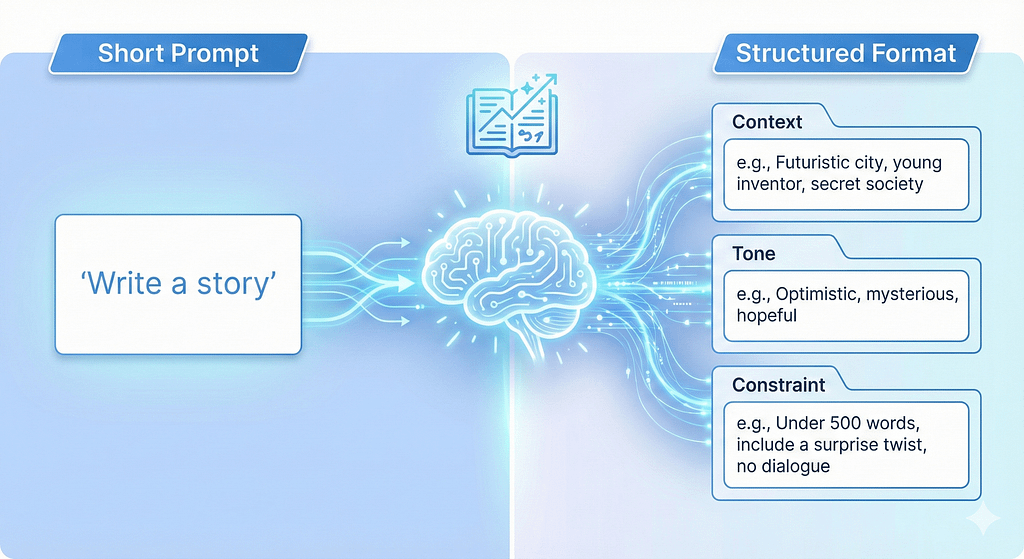
Strong prompts save time and reduce rework. I treat AI prompt generators like a spec builder for my tasks. With a few simple habits, I get faster drafts, cleaner structure, and fewer surprises across ChatGPT, Claude, Midjourney, and Stable Diffusion.
Start With a Clear Intent and Constraints
Define the job before you hit generate. State the goal, audience, and required sections. Then lock scope and length to cut fluff.
- Goal: What must the output achieve in one sentence.
- Audience and tone: Who it is for, plus tone hints like authoritative, friendly, or technical.
- Format: Bullets, table, JSON, or sections.
- Limits: Word count, what to exclude, banned phrases.
Example intent block:
- Goal: “Summarize a product launch for existing SMB users.”
- Audience and tone: “Current customers, direct and confident.”
- Format: “Headline, 3 bullets, 1 CTA line.”
- Limits: “150 words, avoid buzzwords, no emojis.”
For a solid primer on prompt structure, I recommend MIT’s guide on Effective Prompts for AI.
Use Roles, Inputs, and Evidence
Give the model a role that fits the task. Feed it the right inputs. Ask for source-backed claims when needed.
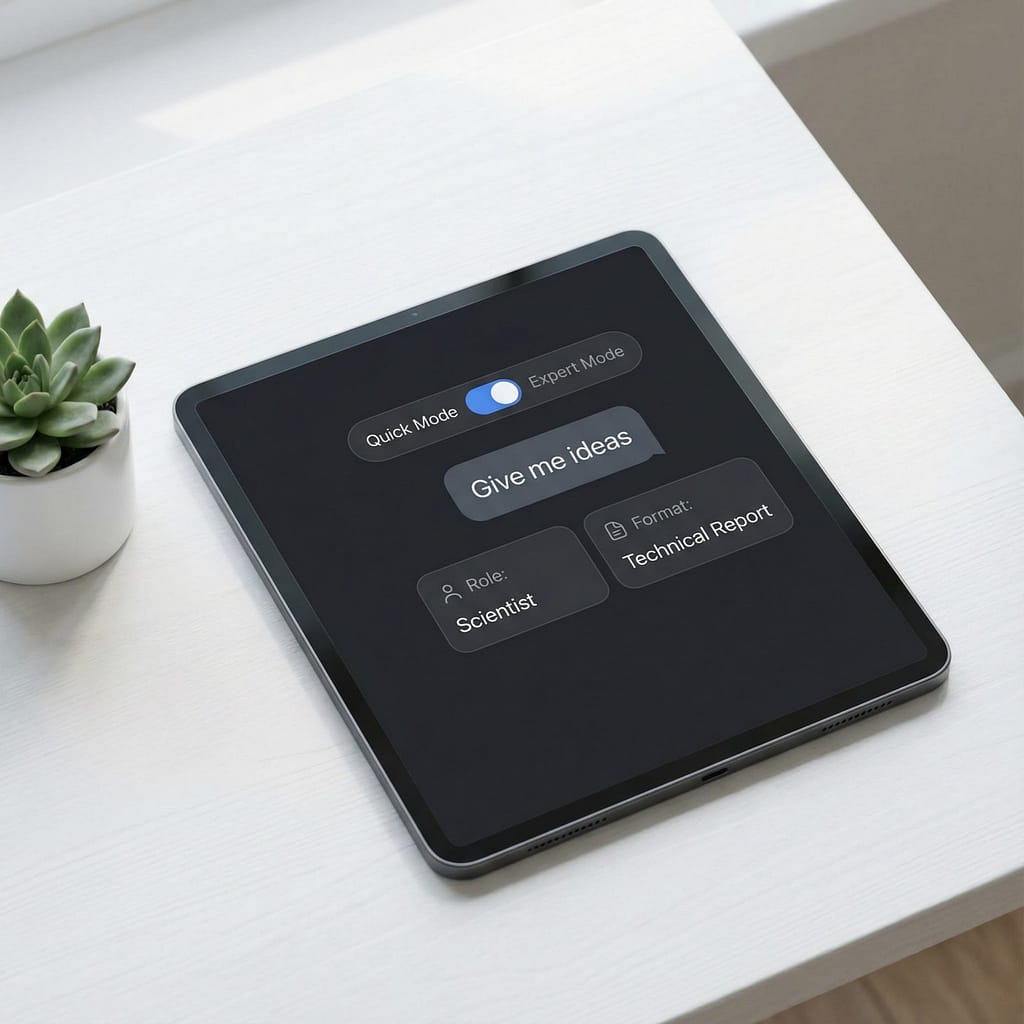
- Role: “You are a senior technical writer,” or “You are a product marketer.”
- Inputs: Paste snippets, user quotes, or feature notes.
- Evidence: Ask for citations, data ranges, or quotes if accuracy matters.
Quick template:
- Role: “You are a B2B copywriter.”
- Inputs: “Use these 3 features and this customer quote.”
- Output rules: “Return 2 versions, each under 120 words, with a CTA.”
Add Few-Shot Examples for Style and Structure
Examples teach pattern and reduce drift. Include one strong example, then a short instruction to replicate style, not content.
- One well-formed sample beats five weak ones.
- Keep examples short to control tokens and cost.
- Mark variable fields with brackets to encourage reuse.
Example pattern:
- “Headline: [Benefit-focused line]
- Bullets: [3 scannable points]
- CTA: [One action]”
A power user tip I like is to build a simple framework first, then generate content from it. This matches ideas in this thread: AI Prompting Tips from a Power User.
Iterate With Tight Feedback Loops
Treat each run like a controlled experiment. Change one variable at a time so you can trace the lift.
- Give direct feedback: “Shorten by 30 percent,” or “Add one proof point.”
- Freeze the winning parts: “Keep the intro as-is, rework the examples.”
- Version your prompts: V1, V2, V3 with short notes.
I keep a simple changelog inside my docs. It makes handoff and review faster.
Control Format for Reliable Outputs
AI prompt generators excel when the format is explicit. Use firm output rules so results are easy to scan and compare.
- Specify structure: “Return a table with columns: Feature, Benefit, Proof.”
- Use clear markers: “Start with ‘Summary:’ then ‘Action Items:’”
- For images, include subject, style, camera details, and negative prompts.
If you focus on visuals, browse these references on Top free AI art prompt tools to sharpen style control.
Reduce Hallucinations With Scope and Sources
Narrow the task and ask for boundaries. This reduces fluff and factual errors.
- Set guardrails: “If unsure, say ‘insufficient data’.”
- Restrict scope: “Limit answers to the inputs and date range provided.”
- Require sources for claims and stats.
When accuracy matters, I paste source snippets and ask for a line-cited summary.
Use Variables and Templates for Scale
Turn winning prompts into reusable templates. Add fields for inputs so you can run them in batches.
- Variables:
{{audience}},{{product}},{{tone}},{{word_count}}. - Library: Store prompts by task type, like intros, updates, FAQs, or release notes.
- Batch runs: Feed a CSV or list of inputs and export results.
I standardize naming so teams can find and reuse the best patterns.
Match the Model and Modality
Tune prompts to fit the target model or media. Do not copy the same prompt across text and image without adjustments.
- Text models: Clarity, role, and stepwise instructions.
- Image models: Detailed descriptors, lighting, lens, style tags, and negatives.
- Code tasks: Inputs, acceptance criteria, and output format rules.
When switching models, keep the intent and structure, then rephrase the tags and constraints.
Measure Quality and Cost
Track output quality and token use. Small tweaks pay off at scale.
- Quality checklist: Goal met, structure followed, tone consistent, no banned phrases.
- Token aware: Shorten context and examples when possible.
- Cost control: Set word ceilings, limit variants to two or three, and stop early if output is ready.
Simple scorecards help compare variants and lock the winner.
Keep a Personal Style Guide
Document your voice, format rules, and banned words. Feed it to your generator as a short, reusable block.
Include:
- Tone sliders, like concise, confident, and friendly.
- Must-include brand phrases or disclaimers.
- Format rules for headings, bullets, and tables.
As models update, refresh the guide and archive old versions. If you want my free PDF “110 ChatGPT productivity pack for content,” email me and I will send it right away.
For a broader view on structured prompting in 2025, this overview on prompt engineering essentials is useful for planning advanced workflows.
Conclusion
AI prompt generators turn rough ideas into clear, repeatable instructions, which lifts quality and cuts waste. In minutes, I can move from a blank page to structured prompts that fit the task, the model, and the format. The result is faster drafts, fewer rewrites, and more consistent voice across teams.
PromptPerfect gives me refined prompts tailored for text, image, or code, with batch options that save hours. Originality.ai sparks strong angles on demand, ideal for quick hooks, headlines, and outlines. Taskade keeps prompts tied to work, so briefs, tasks, and outputs stay in one place. HIX AI locks down structure and format for technical work, which reduces drift and speeds reviews. Together, these tools deliver instant gains in clarity and speed.
Pick one tool and run a simple test today. Take a current task, add intent, audience, and format, then generate a prompt and ship the result. Small wins compound when you reuse the best patterns.
I am confident you will see better AI interactions once you standardize on a prompt generator. If you want extra momentum, email me and I will send my free PDF “110 ChatGPT productivity pack for content.” I will send it asap, no obligation.
FAQ Section
What is an AI prompt generator and why do I need one?
An AI prompt generator is a tool that helps you write clear, effective prompts for AI models like ChatGPT or Midjourney, saving time and improving output quality by guiding tone, context, and structure. They ensure instant, consistent results and reduce trial and error.
Which AI prompt generators are best for beginners?
For beginners, tools like Originality.ai offer quick prompt builders to spark ideas and clear writer’s block. The article also points to safe starter picks and a resource on top beginner-friendly AI prompt generators, making it easy to move quickly with confidence.
How do AI prompt generators help with different AI models?
These tools offer cross-platform support, guiding you to create effective prompts tuned for specific models like ChatGPT (text), Midjourney (images), or Stable Diffusion (images). They help shape context, add role hints, and lock in style, ensuring optimal results across various AI applications.